FinalScout vs VerifyEmailAddress.com: Which Wins in 2026?
One scrapes LinkedIn profiles for emails. The other is a free web form that pings an SMTP server. Here's what FinalScout and VerifyEmailAddress.com actually do, what they cost, and which one belongs in your outbound stack.
TL;DR
- FinalScout and VerifyEmailAddress.com are not really competitors — one finds email addresses from LinkedIn profiles, the other checks an address you already have.
- FinalScout is a LinkedIn-first email finder with a Chrome extension, AI email drafting, and credit-based paid plans. It is useful if LinkedIn is your primary prospecting surface and useless if it isn't.
- VerifyEmailAddress.com is a free, single-address web checker: syntax, MX, SMTP ping. No finding, no bulk, no API, no catch-all resolution. Treat it as a spot-check utility, not infrastructure.
- If you need both jobs done — discovery and verification — a combined platform like Tomba covers the whole loop at a lower cost per usable contact than stitching two single-purpose tools together.
- Verdict: pick FinalScout if 80%+ of your list-building happens inside LinkedIn. Pick a free checker only for one-off sanity checks. Pick a platform if emails feed a CRM or a sequencer.
What are FinalScout and VerifyEmailAddress.com?#
Think of it like building a house. FinalScout is the crew that goes out and sources the lumber. VerifyEmailAddress.com is the moisture meter you hold against one plank to see if it's dry. Both are legitimate; neither replaces the other; and only one of them charges you money.
FinalScout is an AI-flavoured prospecting tool built around LinkedIn. You install a Chrome extension, browse a profile, a search result page, or a Sales Navigator list, and it attempts to resolve business email addresses for those people. It layers on ChatGPT-powered email drafting so you can go from "found a lead" to "sent a first-touch message" without leaving the tab. Its headline marketing claim is a very high deliverability guarantee on the addresses it returns.
VerifyEmailAddress.com is much older and much simpler in spirit: a web page with one input box. You paste an address, it runs a chain of checks — is the syntax valid, does the domain resolve, does the domain publish MX records, and does the receiving mail server acknowledge the mailbox during an SMTP handshake — and it prints a verdict. Free, no login required for casual use, no data stored on your behalf.
The reason people search "FinalScout vs VerifyEmailAddress" at all is usually a budget question in disguise: do I need to pay for a finder, or can a free verifier get me there? The honest answer is that they solve different halves of the same problem, and skipping either half is what produces 12% bounce rates.
How do FinalScout and VerifyEmailAddress.com actually differ?#
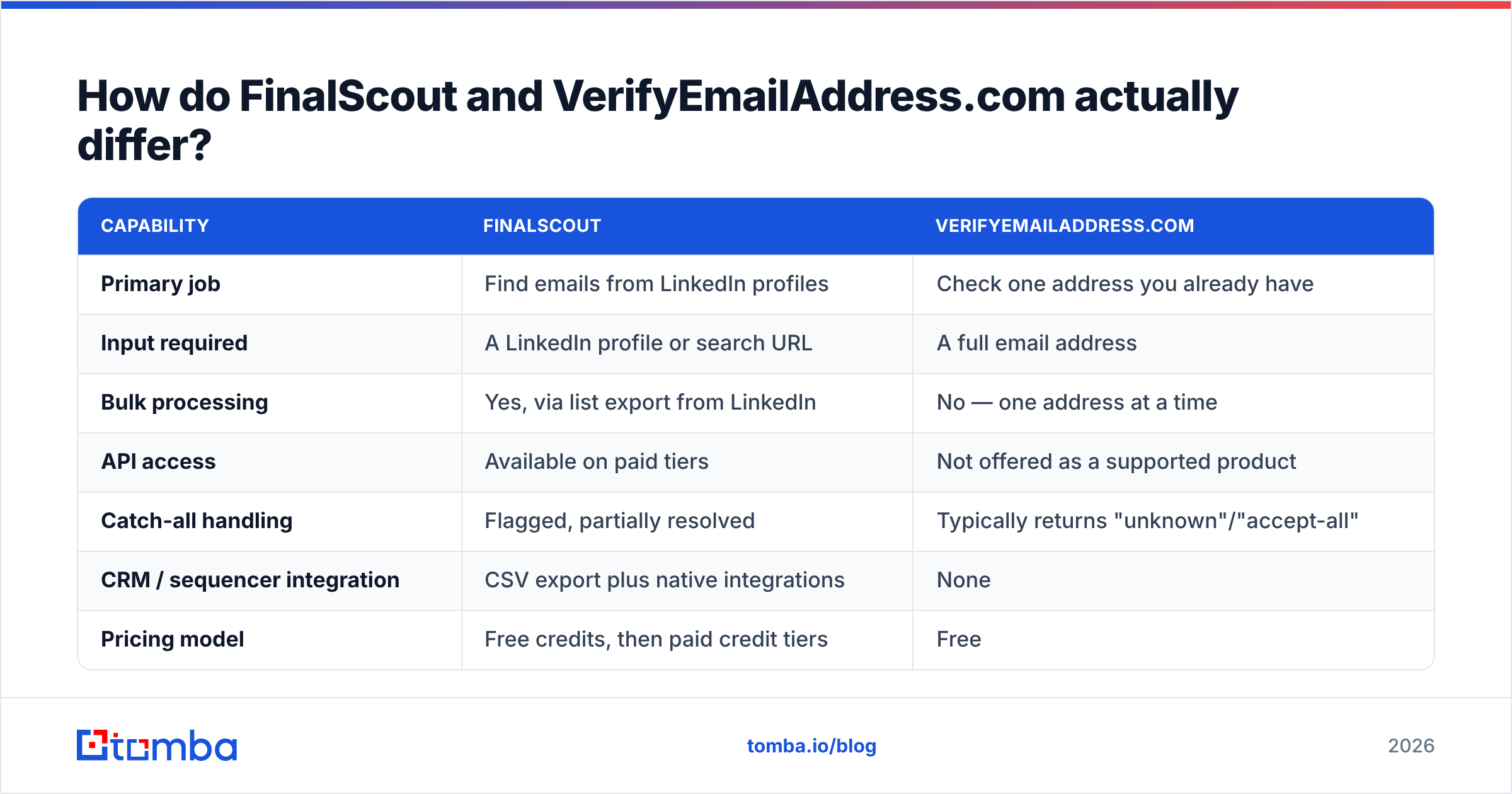
Here is the core split, attribute by attribute.
| Capability | FinalScout | VerifyEmailAddress.com |
|---|---|---|
| Primary job | Find emails from LinkedIn profiles | Check one address you already have |
| Input required | A LinkedIn profile or search URL | A full email address |
| Bulk processing | Yes, via list export from LinkedIn | No — one address at a time |
| API access | Available on paid tiers | Not offered as a supported product |
| Catch-all handling | Flagged, partially resolved | Typically returns "unknown"/"accept-all" |
| CRM / sequencer integration | CSV export plus native integrations | None |
| Pricing model | Free credits, then paid credit tiers | Free |
| Best for | LinkedIn-led outbound | One-off manual sanity checks |
Notice what the table exposes. FinalScout's ceiling is LinkedIn. If your ICP is a set of 400 mid-market manufacturers you found in an industry directory, FinalScout has nothing to grab onto — there's no profile to sit on. VerifyEmailAddress.com's ceiling is throughput. It will happily confirm one address for free, but you cannot run 3,000 rows through a web form and you cannot wire it into a nightly job.

Which one actually finds email addresses?#
Only FinalScout. This is the single most important distinction and the one most comparison posts blur.
FinalScout's discovery method is what most LinkedIn-adjacent finders do: it reads the identity signals on a profile (full name, current company, company domain), generates candidate address patterns for that domain, and then validates the candidates against mail infrastructure before returning a result. When the pattern is well-established — first.last@, flast@, first@ — hit rates are strong. When the company runs a catch-all domain or an unusual internal convention, results get softer, and this is exactly where "guaranteed deliverability" claims start meaning "we returned fewer results" rather than "we returned better ones."
VerifyEmailAddress.com does none of this. Give it sarah@ a domain you guessed and it will tell you whether that guess survives an SMTP handshake. That's genuinely useful — it's the same primitive underneath most commercial verifiers — but it means you have to supply the guess. If you're doing that manually, you're doing the expensive part by hand and outsourcing the cheap part.
A middle path exists: use a pattern tool to generate candidates, then verify. Tomba's email permutator and free email checker do exactly that combination without a subscription, which is worth knowing before you pay for anything.
How accurate is each tool in practice?#
Accuracy in this category has three separate meanings, and vendors love to conflate them:
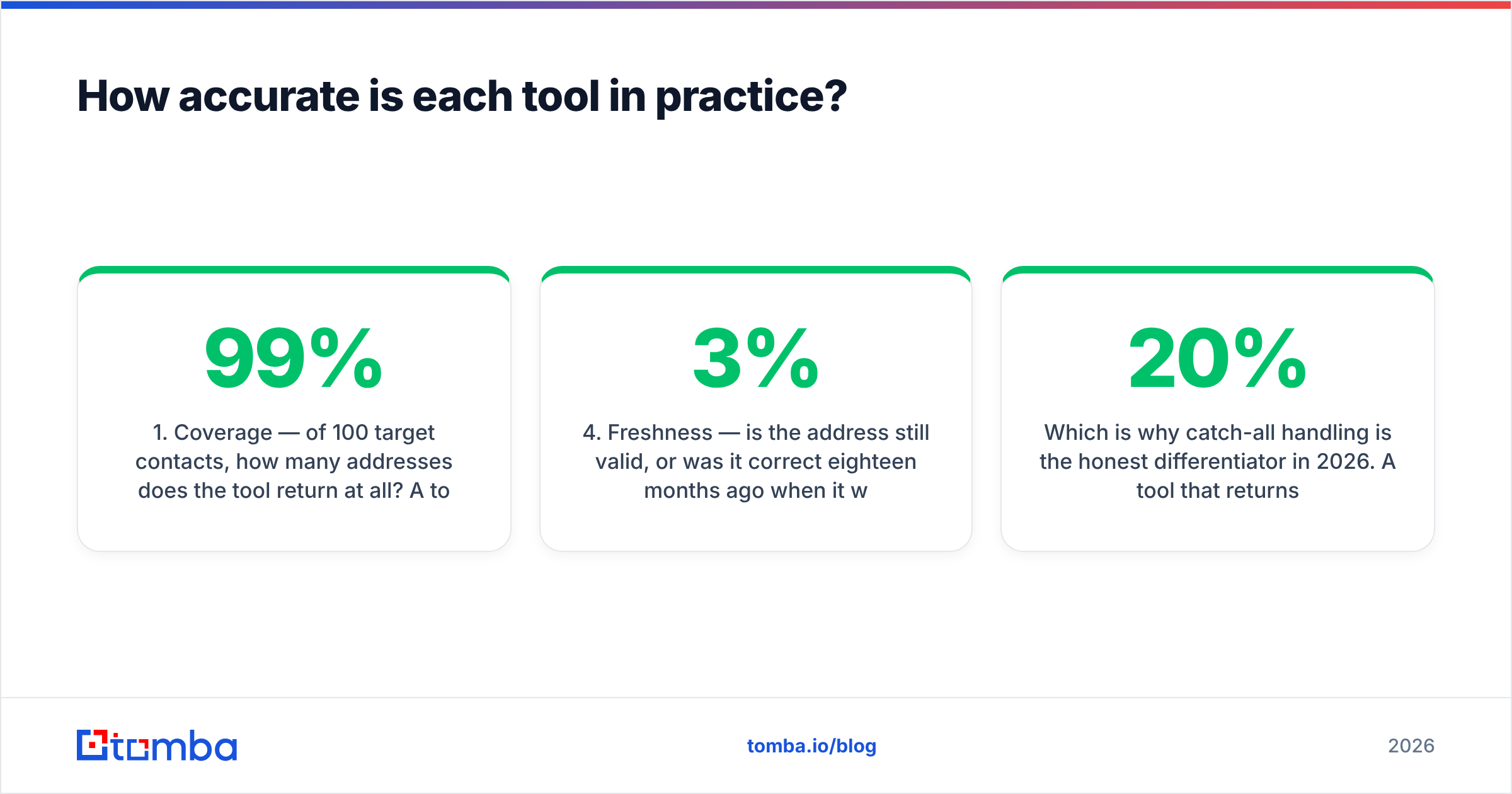
- Coverage — of 100 target contacts, how many addresses does the tool return at all? A tool that returns 40 addresses with 99% accuracy is often worse for pipeline than one returning 75 at 95%.
- Precision — of the addresses returned, how many are real, active mailboxes? This is what bounce rate measures after the fact.
- Catch-all resolution — on domains that accept everything at the SMTP layer, can the tool still say yes or no? Roughly a fifth of B2B domains are catch-all, and most cheap verifiers punt entirely.
- Freshness — is the address still valid, or was it correct eighteen months ago when it was cached? B2B contact data decays at roughly 2–3% per month as people change jobs.

FinalScout performs respectably on precision because it withholds low-confidence guesses — a conservative posture that protects your bounce rate at the cost of coverage. VerifyEmailAddress.com's precision is bounded by what a single SMTP conversation can tell you, which is a hard technical ceiling: mail servers increasingly respond identically to valid and invalid recipients specifically to defeat this type of probing. That's not a flaw in the tool, it's the direction the whole ecosystem is moving.
Which is why catch-all handling is the honest differentiator in 2026. A tool that returns "unknown" on 20% of your list has handed you a decision, not an answer. A dedicated catch-all verifier resolves a meaningful share of those by combining signals beyond the handshake — historical engagement data, pattern confidence across the domain, and provider-specific behaviour.
Independent user reviews on G2 are useful for sanity-checking vendor claims here, though note that review-site scores measure satisfaction, not measured accuracy — nobody's running a controlled bounce test before leaving four stars.
What do FinalScout and VerifyEmailAddress.com cost?#
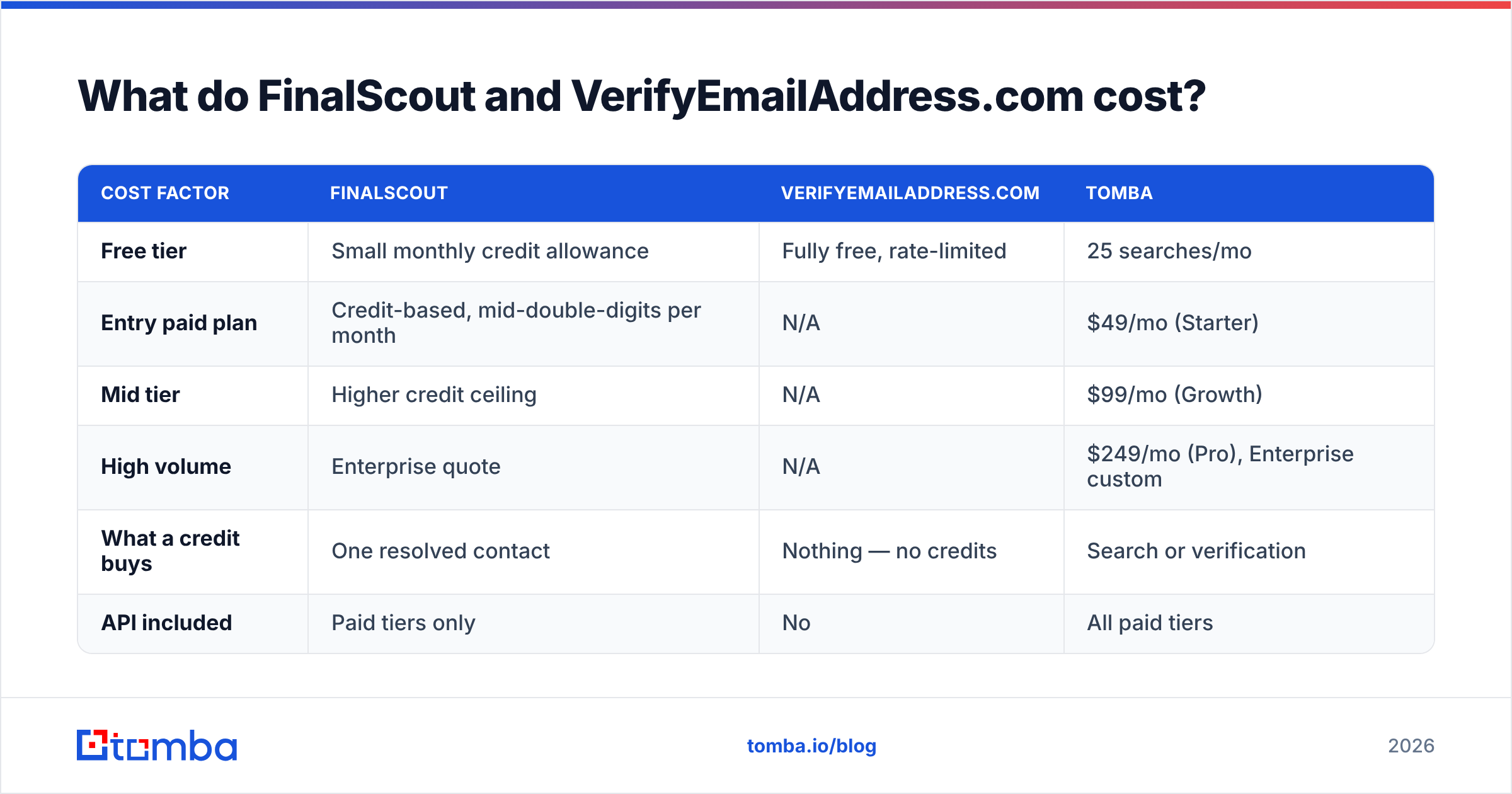
This is where the comparison gets lopsided, so read it carefully rather than at face value.
| Cost factor | FinalScout | VerifyEmailAddress.com | Tomba |
|---|---|---|---|
| Free tier | Small monthly credit allowance | Fully free, rate-limited | 25 searches/mo |
| Entry paid plan | Credit-based, mid-double-digits per month | N/A | $49/mo (Starter) |
| Mid tier | Higher credit ceiling | N/A | $99/mo (Growth) |
| High volume | Enterprise quote | N/A | $249/mo (Pro), Enterprise custom |
| What a credit buys | One resolved contact | Nothing — no credits | Search or verification |
| API included | Paid tiers only | No | All paid tiers |

"Free" is not the same as "free at scale." VerifyEmailAddress.com costs nothing because it does one small thing manually. The moment you need 2,000 addresses checked before a send, the free tool costs you a day of copy-paste labour, which is not free at any salary. Meanwhile, credit-based finders have a specific failure mode: you burn credits on lookups that return nothing usable, discover it three weeks in, and top up mid-campaign. Compare Tomba pricing tier-by-tier against per-contact credit math before committing — the cost per usable, verified contact is the only number that matters, and it is always higher than the cost per lookup.

Who should use FinalScout?#
FinalScout earns its place if you can say yes to most of these:
- Your prospecting is LinkedIn-native. You build lists in Sales Navigator, not in directories, funding databases, or conference attendee lists.
- You work profile-by-profile. Recruiters, agency BD reps, and founder-led sales teams who research each person before writing to them get real value from the in-context extension.
- You want drafting bundled in. The AI email composition is a genuine time-saver if you don't already run a sequencer with its own templating.
- Your volumes are modest. A few hundred contacts a month fits the credit model comfortably. A few thousand does not.
Where it struggles: non-LinkedIn sourcing, bulk enrichment of an existing CRM export, and any workflow that needs a programmatic call rather than a browser session. If you're enriching a spreadsheet of 5,000 company domains, a domain search that takes a domain and returns every discoverable address at that company is a structurally better fit than a per-profile extension.
Who should use VerifyEmailAddress.com?#
Use it exactly as designed and it's a good tool:
- You have one address and a doubt. A prospect gave you a card, the handwriting is ambiguous, you want to check before sending. Perfect use case, zero cost.
- You're debugging a single bounce. Confirming whether a specific mailbox rejected you versus your domain being filtered is a legitimate diagnostic.
- You're teaching someone how verification works. The step-by-step output is more transparent than most commercial tools' green/red badge.
Where it fails: anything repeatable. No API means no automation. No bulk means no list hygiene. No catch-all logic means your riskiest 20% comes back as a shrug. And critically, no result history means you re-verify the same contacts forever. If list hygiene is a recurring job rather than an occasional curiosity, you want a real email verifier with bulk verification attached to it.
Is there a better option than picking one?#
Yes, and it's not a cop-out answer — it's a structural point about the workflow.
Outbound has two data steps that must both succeed: discovery (get the address) and validation (prove it's live). FinalScout does step one well within one channel. VerifyEmailAddress.com does a thin version of step two. Running both means two logins, two data formats, manual handoff between them, and no shared record of what you've already checked.
A combined platform collapses that. Tomba's email finder handles discovery from a name plus domain, a company domain alone, or a LinkedIn profile — so you're not locked to a single sourcing channel — and every result passes through verification before it's returned, including catch-all resolution. Everything is reachable through the same Tomba API, so the workflow survives the jump from "me, manually" to "our RevOps automation."
The practical test: if your found addresses end up in a CRM or a sequencer, you need something with an API and bulk processing. If they end up in your own inbox one at a time, a browser extension and a free checker are genuinely sufficient, and you should not pay for more.
Which should you choose in 2026?#
Short version:
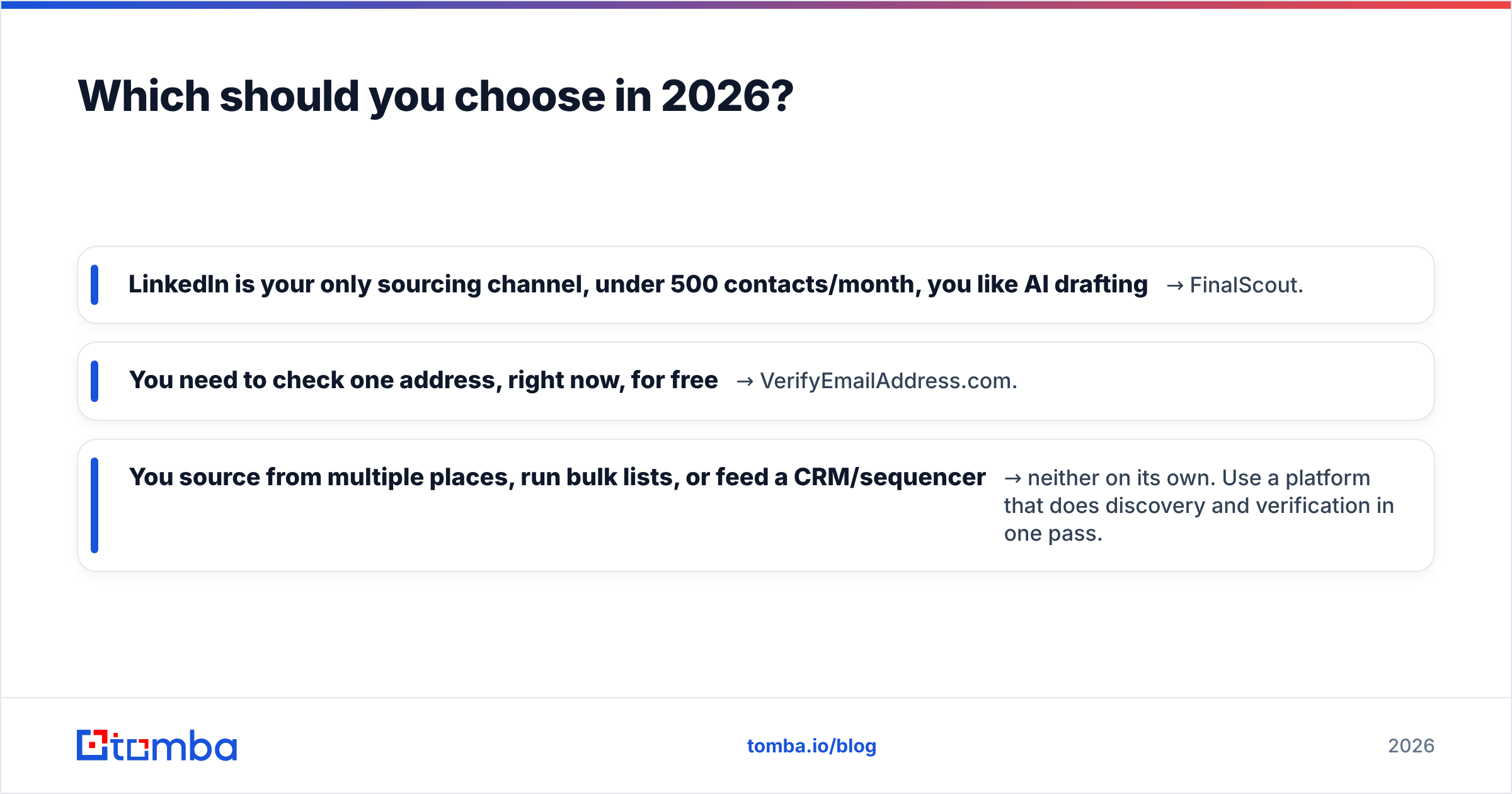
- LinkedIn is your only sourcing channel, under 500 contacts/month, you like AI drafting → FinalScout.
- You need to check one address, right now, for free → VerifyEmailAddress.com.
- You source from multiple places, run bulk lists, or feed a CRM/sequencer → neither on its own. Use a platform that does discovery and verification in one pass.
The mistake worth avoiding is treating a free single-address checker as your list-hygiene strategy. Deliverability damage compounds: a handful of hard bounces per send drags sender reputation down, which reduces inbox placement for the messages that would have converted, which makes the next campaign look worse than the data actually was. Verification is cheap insurance and manual verification is not verification at scale.
Start with the free tier — 25 searches a month is enough to run your actual ICP through Tomba's email finder, export the results, and compare hit rate and bounce rate against whatever you're using now. Test on real targets, not on the vendor's demo domain. That single comparison will tell you more than any feature table, including this one.
Related guides#
Ready to find emails that actually work?
Join 150,000+ professionals who stopped guessing and started sending. Free credits on signup — no credit card required.
Get the Tomba newsletter
Practical outbound tactics and product updates — once every two weeks.
About the author