How to Find Company Contacts in 2026: A Practical Guide
Company contact data decays roughly 2.5% per month. Here is the workflow — org mapping, pattern inference, verification, and enrichment — that keeps your list usable and your bounce rate under 2%.
TL;DR
- Finding company contacts is three jobs, not one: pick the right account, identify the right person, then resolve and verify their email or phone. Most teams skip straight to job three and wonder why replies are flat.
- Company email formats are predictable — roughly 65-70% of B2B domains use
first.last@orfirst@— which is why pattern inference plus verification beats buying a static list. - B2B contact data decays about 2.5% per month (~30% per year). A list you bought in January is meaningfully wrong by June.
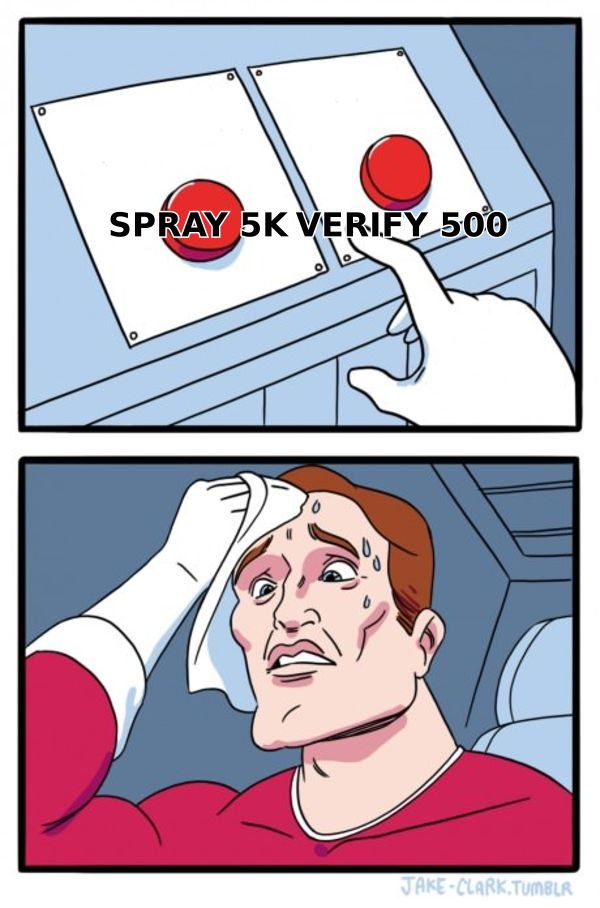
- A verified 500-contact list outperforms an unverified 5,000-contact list on almost every metric that matters: bounce rate, sender reputation, reply rate, and cost per meeting.
- Budget expectation: usable tooling starts around $49/mo (Tomba Starter) and scales to $99-$249/mo for teams running thousands of lookups.
What does "find company contacts" actually mean?#
It means producing a deliverable, current, role-correct point of contact at a target company — not a name on a page.
Think of it like finding someone in an apartment building. Knowing the building address (the company domain) is trivial. Knowing which floor holds the decision you care about (the department) takes research. Knowing the apartment number and whether the person still lives there (the verified email) is the part that actually gets your message read.
Three distinct layers:
- Account layer — which companies fit your ICP? Filter by industry, headcount, tech stack, funding stage, geography, hiring signals.
- Person layer — who inside that account owns the problem you solve, who signs, and who blocks? For a 200-person SaaS company this is usually 3-5 people, not one.
- Contact layer — the actual email address, phone number, or LinkedIn profile, confirmed to be live today.
Skipping layer one gives you a big list of irrelevant people. Skipping layer two gets you a CEO who forwards nothing. Skipping layer three gets you bounces, and bounces damage your sender reputation for every future send.

What are the main methods to find company contacts?#
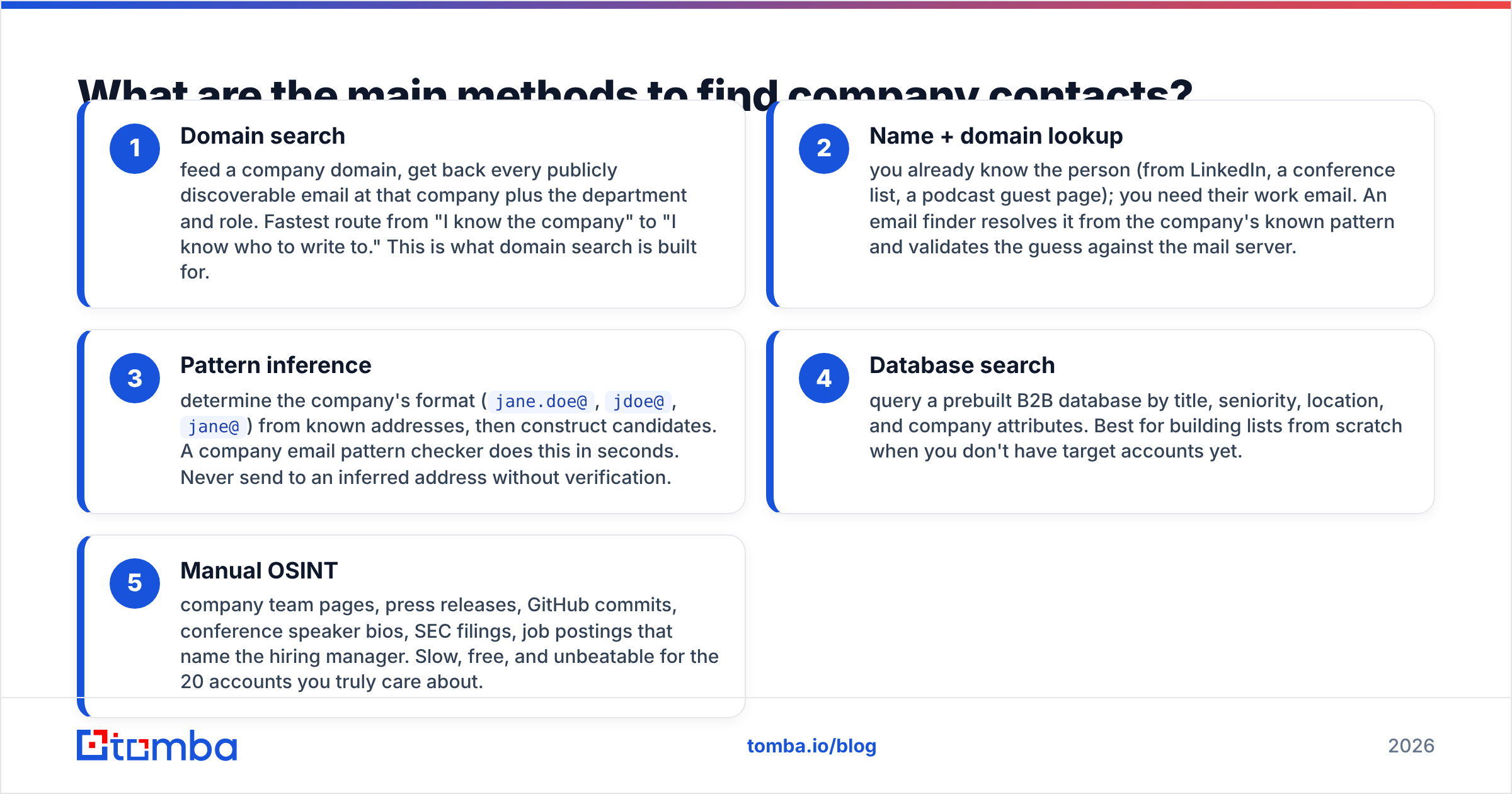
There are five practical methods, and serious teams stack two or three rather than betting on one.
- Domain search — feed a company domain, get back every publicly discoverable email at that company plus the department and role. Fastest route from "I know the company" to "I know who to write to." This is what domain search is built for.
- Name + domain lookup — you already know the person (from LinkedIn, a conference list, a podcast guest page); you need their work email. An email finder resolves it from the company's known pattern and validates the guess against the mail server.
- Pattern inference — determine the company's format (
jane.doe@,jdoe@,jane@) from known addresses, then construct candidates. A company email pattern checker does this in seconds. Never send to an inferred address without verification. - Database search — query a prebuilt B2B database by title, seniority, location, and company attributes. Best for building lists from scratch when you don't have target accounts yet.
- Manual OSINT — company team pages, press releases, GitHub commits, conference speaker bios, SEC filings, job postings that name the hiring manager. Slow, free, and unbeatable for the 20 accounts you truly care about.
The sequencing that works: database or ICP filter for accounts → LinkedIn or team page for people → finder tool for the address → verifier before send.
Which method fits which situation?#
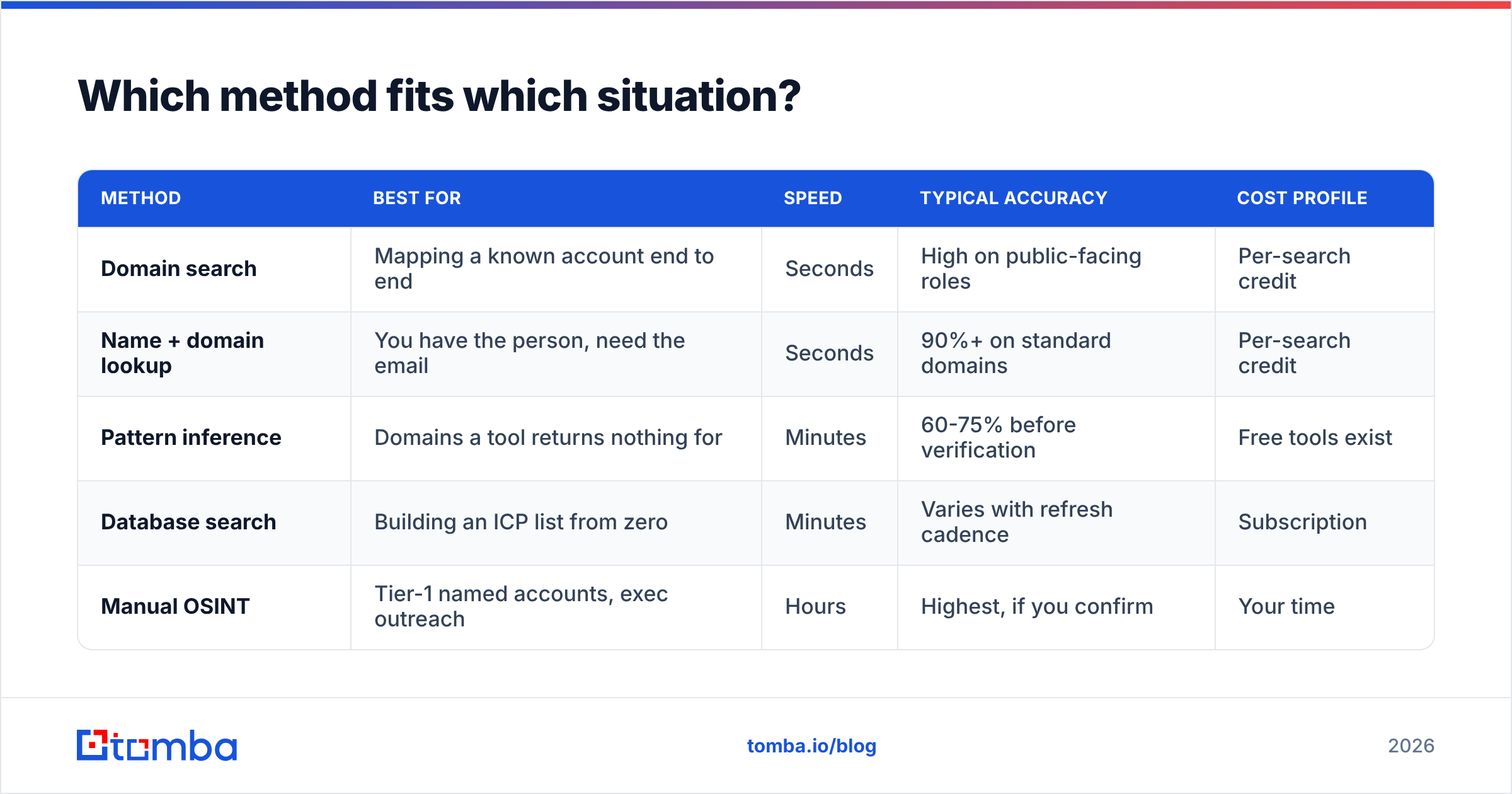
| Method | Best for | Speed | Typical accuracy | Cost profile |
|---|---|---|---|---|
| Domain search | Mapping a known account end to end | Seconds | High on public-facing roles | Per-search credit |
| Name + domain lookup | You have the person, need the email | Seconds | 90%+ on standard domains | Per-search credit |
| Pattern inference | Domains a tool returns nothing for | Minutes | 60-75% before verification | Free tools exist |
| Database search | Building an ICP list from zero | Minutes | Varies with refresh cadence | Subscription |
| Manual OSINT | Tier-1 named accounts, exec outreach | Hours | Highest, if you confirm | Your time |
Use the table as a routing rule, not a ranking. A rep working 40 named accounts should live in domain search and OSINT. A demand-gen team building a 10,000-row list for a nurture sequence should live in database search plus bulk verification.
How do you find the right person, not just any person?#
Buy a list and you get titles. Do research and you get a buying committee. Gartner's B2B buying research has repeatedly found that a typical complex purchase involves six to ten decision makers — so a single contact is a single point of failure.
Map four roles per account before you write anything:
- The economic buyer — controls budget. Usually VP or C-level. Often the last person to contact, not the first.
- The champion — feels the pain daily. Manager or senior IC. Your highest-reply-rate persona.
- The technical evaluator — will ask about SOC 2, API rate limits, and data residency. Ignore them and the deal stalls at week six.
- The blocker — procurement, security, legal, or an incumbent-vendor loyalist. Identify early.
Signals that tell you who's who without a single call: recent job postings (a company hiring three SDRs has an outbound problem), engineering blog posts, conference talks, the "who we are" ordering on a team page, and LinkedIn activity in the past 90 days. Someone who posted about their tooling headache last week is a warmer target than a VP who last posted in 2023.
If you're working from LinkedIn profiles, a LinkedIn finder closes the gap between a profile URL and a deliverable work address without exporting anything you shouldn't.
Why does verification matter more than volume?#
Because mailbox providers grade you on the quality of your list, and one bad send costs you weeks.
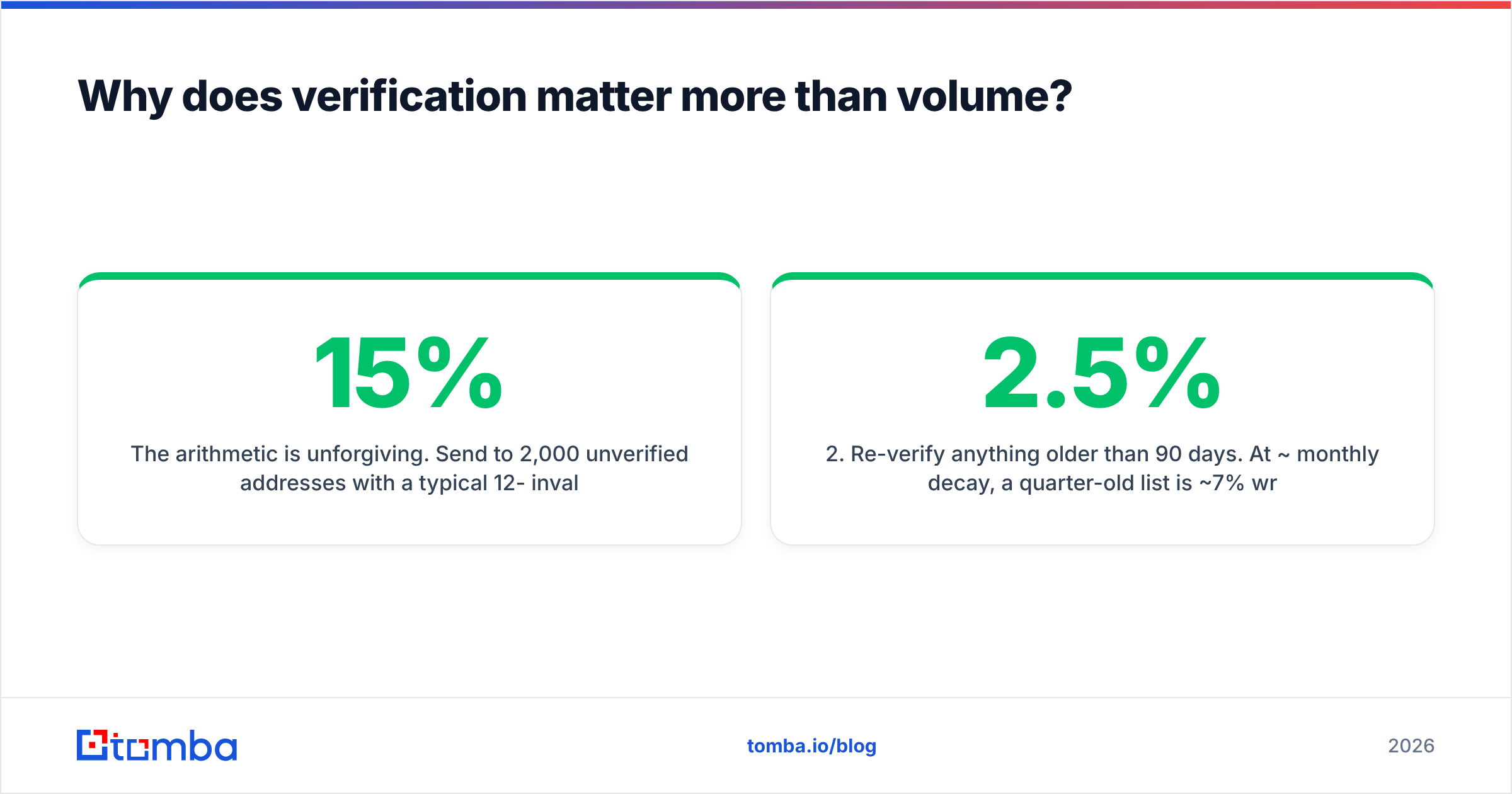
The arithmetic is unforgiving. Send to 2,000 unverified addresses with a typical 12-15% invalid rate and you generate 240-300 hard bounces. Google and Microsoft both treat sustained bounce rates above roughly 2% as a spam signal. Cross that line and your good emails start landing in spam — including the ones to contacts you spent hours researching. Google's official sender guidelines spell out the bar for bulk senders.
The fix is mechanical:
- Verify before every send, not once at import. Data ages between the two.
- Re-verify anything older than 90 days. At ~2.5% monthly decay, a quarter-old list is ~7% wrong.
- Handle catch-all domains separately. They accept everything at the SMTP layer and tell you nothing. A catch-all verifier uses secondary signals rather than pretending a green checkmark means valid.
- Suppress role addresses —
info@,sales@,support@— unless the offer genuinely fits a shared inbox. They convert poorly and complain often. - Dedupe across sources. Merging a database export with a domain search reliably creates duplicates; sending twice in a week is a fast route to a complaint.
An email verifier run before send is the cheapest insurance in the stack. Verification credits cost a fraction of finder credits, and the downside they prevent — a burned sending domain — takes 4-6 weeks to recover from.
How do the tools compare on price and fit?#
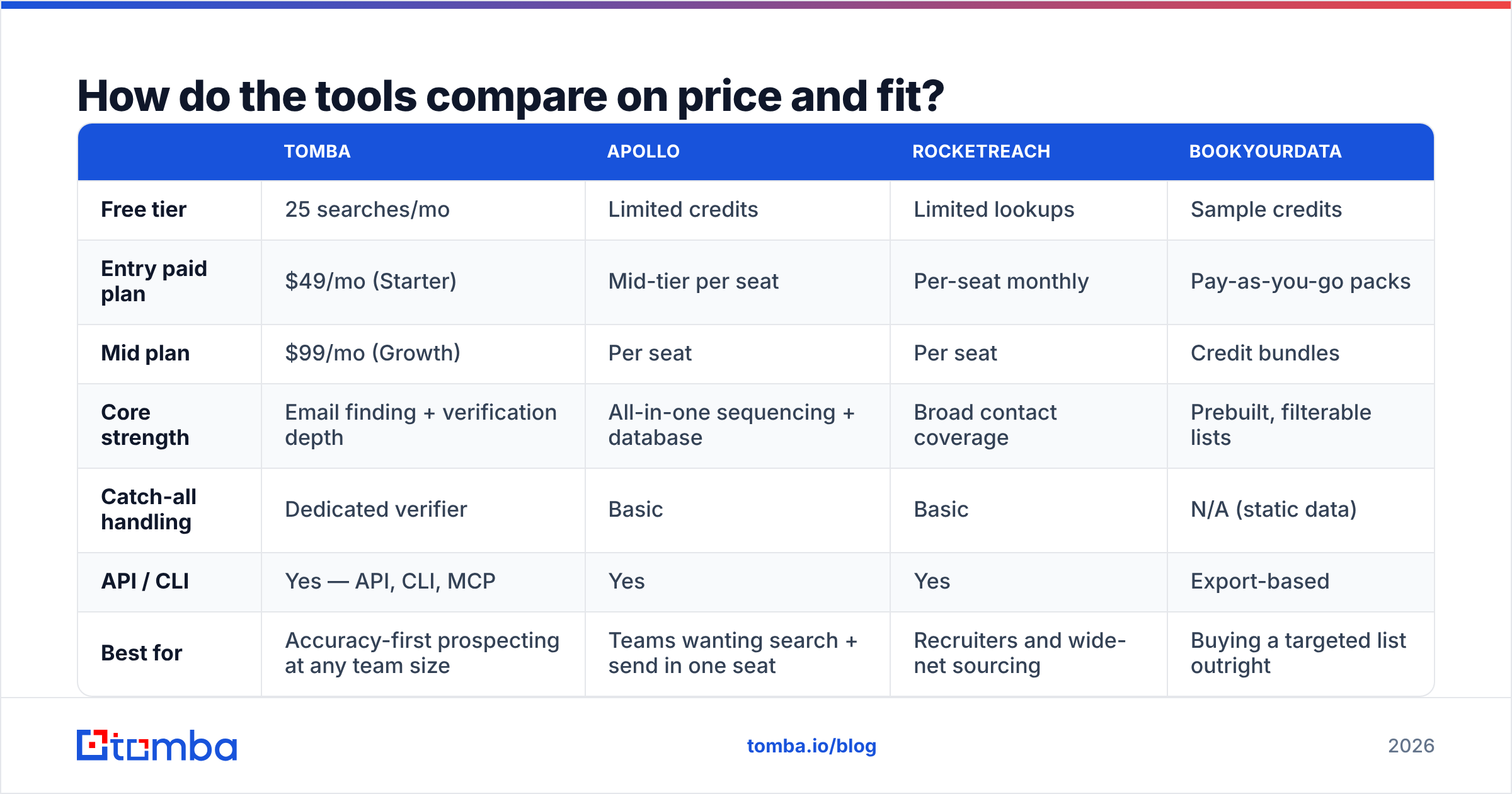
Pricing below reflects publicly listed entry tiers as of early 2026; check each vendor's page before you commit, since these move.
| Tomba | Apollo | RocketReach | BookYourData | |
|---|---|---|---|---|
| Free tier | 25 searches/mo | Limited credits | Limited lookups | Sample credits |
| Entry paid plan | $49/mo (Starter) | Mid-tier per seat | Per-seat monthly | Pay-as-you-go packs |
| Mid plan | $99/mo (Growth) | Per seat | Per seat | Credit bundles |
| Core strength | Email finding + verification depth | All-in-one sequencing + database | Broad contact coverage | Prebuilt, filterable lists |
| Catch-all handling | Dedicated verifier | Basic | Basic | N/A (static data) |
| API / CLI | Yes — API, CLI, MCP | Yes | Yes | Export-based |
| Best for | Accuracy-first prospecting at any team size | Teams wanting search + send in one seat | Recruiters and wide-net sourcing | Buying a targeted list outright |
Read that as fit, not verdict. Apollo is a reasonable single-seat choice if you want sequencing bundled and can live with mixed data freshness. RocketReach has genuinely wide personal-contact coverage that recruiters value. BookYourData is a strong option when you want a clean, filtered list delivered rather than a workflow to run — pay-as-you-go pricing suits teams who prospect in bursts rather than continuously.
Tomba's advantage is narrower and specific: depth on the find-and-verify step itself, including catch-all resolution, and infrastructure access (API, CLI, MCP server) that lets you wire lookups into your own systems instead of living in someone's UI. Full Tomba pricing runs Free (25 searches/mo), Starter $49/mo, Growth $99/mo, Pro $249/mo, and Enterprise custom.
If you're comparing vendors seriously, pull each one's data-sourcing page and check refresh cadence and compliance posture. G2 category pages are useful for spotting consistent complaint patterns across reviews, which tells you more than any feature grid.
What does a repeatable workflow look like?#
Here's a weekly cadence that produces roughly 200-400 verified, research-backed contacts without burning a full headcount.
Monday — define the account set. Filter to 40-60 companies matching one specific trigger, not your whole ICP. "Series B SaaS that posted a Head of Growth role in the last 30 days" beats "SaaS companies, 50-500 employees."
Tuesday — map people. For each account, identify champion + economic buyer. Run domain search on each domain to see the org's public surface and confirm the email pattern. Note anything unusual (subdomains for regional offices, acquired-company legacy domains).
Wednesday — resolve contacts. Batch the name+domain pairs through a bulk email finder. Anything that returns no result goes to a manual queue for pattern inference — don't discard it, since these are often the smaller companies with the highest reply rates.
Thursday — verify and enrich. Run the whole batch through verification. Split results into valid / catch-all / invalid. Send only to valid. Route catch-all to a low-volume test send or a LinkedIn touch instead. Then apply data enrichment to add seniority, headcount, and tech signals for personalization.
Friday — load and personalize. Push to your CRM or sequencer. Write one genuinely specific first line per contact for tier-1 accounts; use a template with a real merge variable (not "your industry") for the rest.
Ongoing — re-verify quarterly. Set a recurring job. If you're running this at scale, the Tomba API makes re-verification a scheduled task rather than a person's Thursday.
What are the compliance rules you can't ignore?#
Finding a business email is legal in most jurisdictions. How you use it is where teams get into trouble.
- GDPR (EU/UK). Business contact data can be processed under legitimate interest, but you owe a balancing test, a clear privacy notice on first contact, and a working opt-out. Keep a record of where each contact came from. The ICO's direct marketing guidance is the practical reference.
- CAN-SPAM (US). Requires accurate headers, a physical postal address, and honored unsubscribes within 10 business days. No opt-in required for B2B, but no exceptions to the unsubscribe rule either.
- CASL (Canada). Stricter — generally requires express or implied consent. Published business addresses with a relevant offer can qualify as implied consent, but the window is limited.
- Suppression hygiene. Maintain a global suppression list across every sending tool. One unsubscribe should mean unsubscribed everywhere, permanently.
Practical rule: if you couldn't comfortably explain to the recipient how you found them, don't send. "I saw your engineering blog post on X and your team page lists you as owning Y" is explainable. "I bought a list" is not.
What mistakes cost teams the most?#
- Treating quantity as progress. Ten thousand contacts with a 9% bounce rate is a liability, not an asset.
- Verifying once, sending for months. Decay is continuous. Verification is a step in the send workflow, not an onboarding task.
- Only contacting the VP. Champions reply; executives forward or ignore. Work both.
- Ignoring catch-all domains entirely. Some of your best-fit accounts run catch-all. Segment them, don't delete them.
- Reusing the same domain for every experiment. Test aggressive copy on a secondary domain, not the one your renewals go through.
- No feedback loop. Log which source produced which reply. After 90 days you'll know whether database search or manual OSINT is actually earning its keep for your ICP — and you can stop paying for the one that isn't.
Get started with the right tool for the job#
If your bottleneck is turning known companies and known names into verified, deliverable addresses, start with the Tomba Email Finder. The free tier gives you 25 searches a month — enough to test 25 of your real target accounts against whatever list you're currently using and compare bounce rates head to head. If the accuracy holds up on your own data, Starter at $49/mo covers most solo reps and small teams; Growth at $99/mo covers a full outbound pod. Run the comparison on your accounts, not on someone's marketing page.
Related guides#
Ready to find emails that actually work?
Join 150,000+ professionals who stopped guessing and started sending. Free credits on signup — no credit card required.
Get the Tomba newsletter
Practical outbound tactics and product updates — once every two weeks.
About the author