How to Find a Corporate Email Address: 7 Methods That Work
Company sites, LinkedIn, permutators, and email finders all promise the same corporate address. Here's which methods return a verified inbox — and which ones quietly burn your sender reputation.
TL;DR
- Roughly 8 in 10 corporate inboxes follow one of six naming patterns, so finding one contact at a company usually unlocks the whole domain.
- Manual methods (website footers, LinkedIn, GitHub commits, WHOIS) are free and slow. They work for 5 contacts, not 500.
- Permutators generate guesses; they don't confirm anything. Never send to a permutator output without SMTP-level verification.
- A domain search plus verification is the fastest reliable path: pull every known address on the domain, then confirm deliverability before the send.
- Budget matters less than bounce rate. A $49/mo plan that returns verified addresses beats a "free" list that costs you your sending domain.
What counts as a corporate email address?#
A corporate email address is an inbox hosted on a company-controlled domain — dana.ruiz@stripe.com, not dana.ruiz.work@gmail.com. That distinction drives everything else about how you find it.
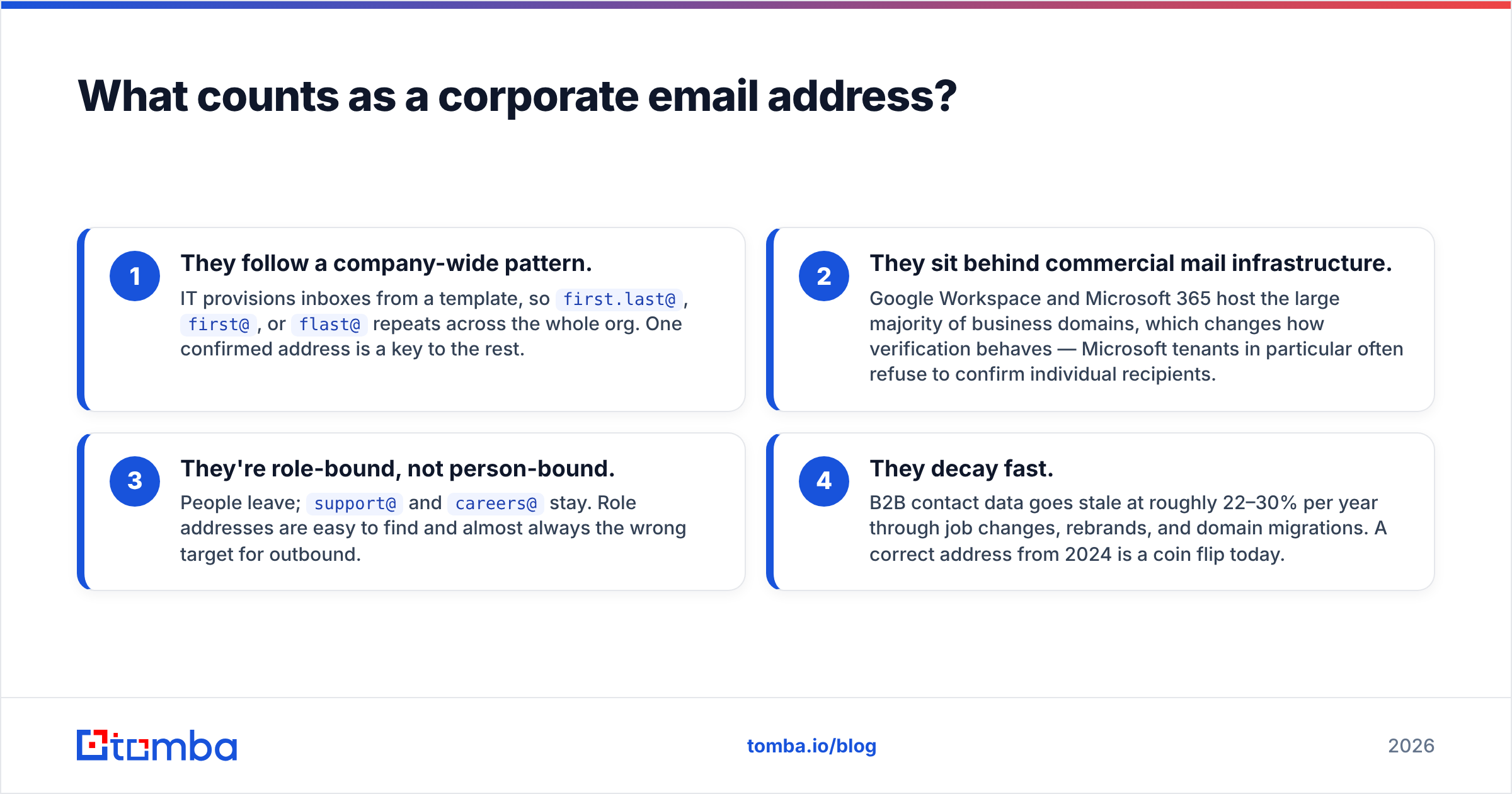
Four properties make corporate addresses different from consumer ones:
- They follow a company-wide pattern. IT provisions inboxes from a template, so
first.last@,first@, orflast@repeats across the whole org. One confirmed address is a key to the rest. - They sit behind commercial mail infrastructure. Google Workspace and Microsoft 365 host the large majority of business domains, which changes how verification behaves — Microsoft tenants in particular often refuse to confirm individual recipients.
- They're role-bound, not person-bound. People leave;
support@andcareers@stay. Role addresses are easy to find and almost always the wrong target for outbound. - They decay fast. B2B contact data goes stale at roughly 22–30% per year through job changes, rebrands, and domain migrations. A correct address from 2024 is a coin flip today.
If you understand those four, the rest of this guide is just picking the cheapest method that clears your accuracy bar.
Why is it harder to find corporate emails in 2026 than it was in 2020?#
Three things changed at once.
Scraping got locked down. LinkedIn, Instagram, and most job boards now aggressively rate-limit and challenge automated collection. Tools that relied purely on scraped profile data have visibly degraded coverage.
Mailbox providers stopped answering questions. SMTP verification depends on a receiving server telling you whether a recipient exists. Microsoft 365 tenants increasingly return "accept everything, decide later," which makes naive verification useless on a large slice of enterprise domains. See the SMTP protocol basics if you want the mechanics.
Inbox filtering got stricter. Google and Yahoo's bulk-sender requirements pushed acceptable complaint and bounce thresholds down hard. A 5% bounce rate that was survivable five years ago now gets your domain throttled. Which means "find an address" and "find a verified address" are no longer the same task — the second one is the only one that matters.
What are the 7 ways to find a corporate email address?#
Ranked by accuracy per minute spent.
1. Company website — footers, press pages, team bios. Free, 100% accurate when it works, and it works maybe 10% of the time for individual contributors. Press and PR pages are the best hit rate; /about, /team, /contact, and press releases in PDF form are worth a check. Search operators help: site:acme.com "@acme.com".
2. Domain search. Instead of hunting one person, pull every address a provider already has for a domain, along with the observed pattern and confidence score. This is the single highest-leverage manual move — one query on acme.com typically returns dozens of confirmed addresses plus the naming convention. Run a domain search before you try anything cleverer.
3. Email finder by name + domain. You know "Priya Raghavan" works at Acme. A finder resolves the specific address using pattern inference plus its own confirmed-address index. This is the default workflow for targeted outbound and the most accurate single-contact method that scales.
4. LinkedIn-based lookup. You have a profile URL but no email. A LinkedIn finder maps the profile to a work address. Coverage is excellent for tech, SaaS, and marketing roles; weaker for trades, healthcare, and non-English markets.
5. Git and technical footprints. For engineers, git log on public repos leaks commit emails constantly. Package registries (npm, PyPI), conference CFP submissions, and open-source mailing lists are the same idea. Free, high accuracy, narrow audience.
6. Permutation plus verification. Generate the standard variants of first/last/initial against the domain, then verify each one and keep the survivor. An email permutator does the generation in seconds. Critical rule: the permutator's output is a hypothesis list, not a send list.
7. Buying or renting a list. Vendors like BookYourData sell pre-verified B2B contacts with bounce guarantees, which is a legitimate shortcut when you need volume in a specific vertical fast. The tradeoff is targeting precision — you get who's in the database, not necessarily who's on your ICP list.

Which email format do companies actually use?#
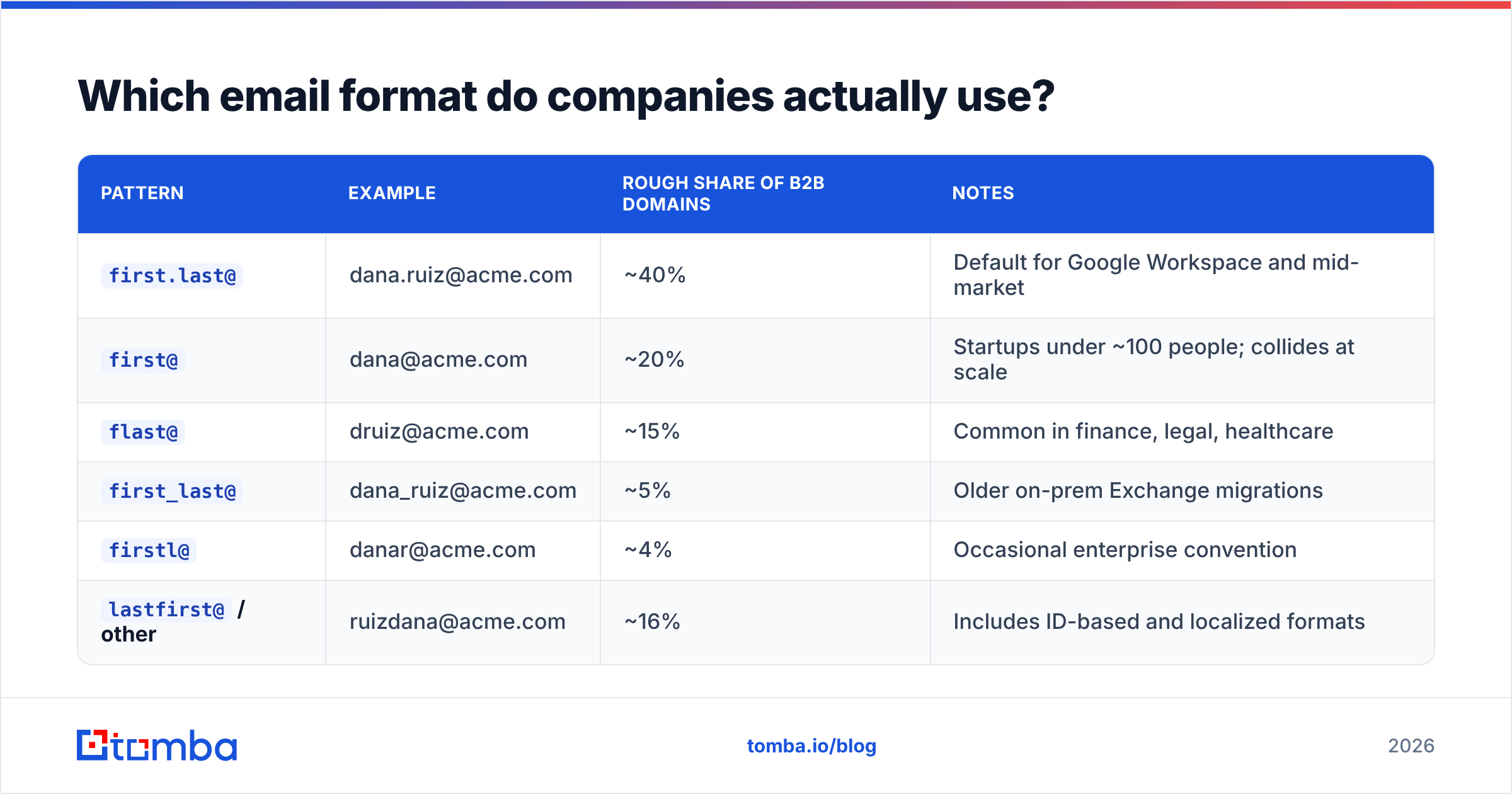
Pattern distribution is remarkably stable across B2B domains. If you have to bet blind, bet on first.last@.
| Pattern | Example | Rough share of B2B domains | Notes |
|---|---|---|---|
first.last@ |
dana.ruiz@acme.com | ~40% | Default for Google Workspace and mid-market |
first@ |
dana@acme.com | ~20% | Startups under ~100 people; collides at scale |
flast@ |
druiz@acme.com | ~15% | Common in finance, legal, healthcare |
first_last@ |
dana_ruiz@acme.com | ~5% | Older on-prem Exchange migrations |
firstl@ |
danar@acme.com | ~4% | Occasional enterprise convention |
lastfirst@ / other |
ruizdana@acme.com | ~16% | Includes ID-based and localized formats |
Two caveats that cost people real money:
- Large companies run multiple patterns. After acquisitions, the parent domain often hosts both
first.last@andflast@. Pattern inference from a single sample fails here. - Subdomains and country domains diverge.
acme.com,acme.co.uk, andmail.acme.comcan each behave differently. Check the pattern per domain, not per brand. A quick company email pattern check settles it before you build a list on a wrong assumption.
How accurate are email finders, and how do you check?#
Accuracy claims in this category are close to meaningless as published, because vendors define the denominator differently. Some report accuracy on addresses they returned (ignoring everything they failed to find). Others report it on addresses requested. The second number is the one that predicts your bounce rate.

Run your own test before committing budget. It takes 30 minutes:
- Build a control set of 100 contacts you can independently confirm — replies you've already received, colleagues at target-profile companies, people whose addresses appear in public signatures.
- Strip the emails. Feed name + domain to each tool you're evaluating.
- Score three things separately: hit rate (returned any address), precision (returned address matches truth), and bounce rate (what actually happens on send).
- Segment by company size and region. Tools that look identical on US SaaS diverge sharply on 20-person European agencies.
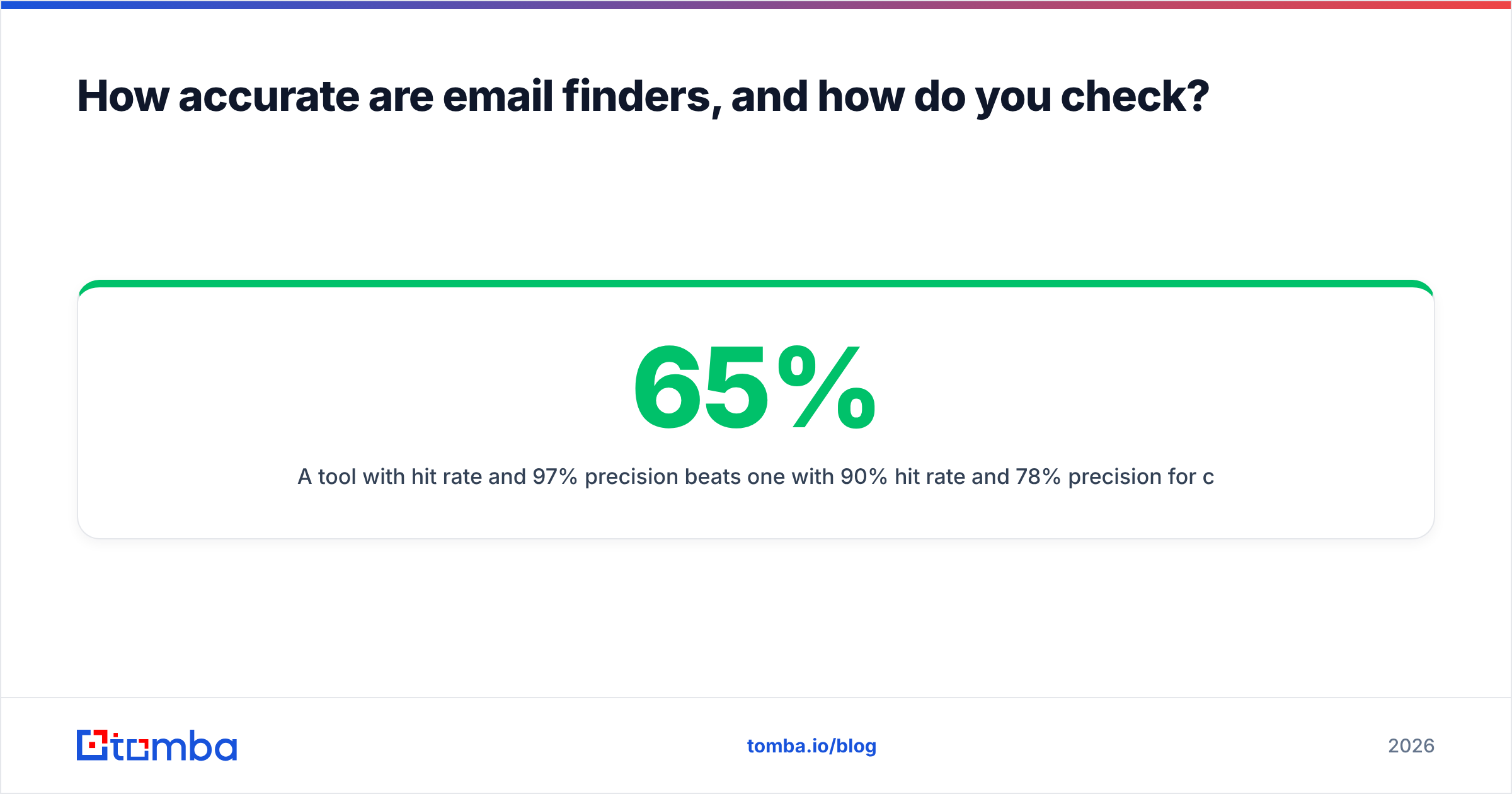
A tool with 65% hit rate and 97% precision beats one with 90% hit rate and 78% precision for cold outbound, every time. The first fills fewer rows; the second poisons your domain.
For the record on where the data comes from: reputable providers publish their data sources rather than describing them as proprietary magic. Treat opacity as a signal.
Which tools compare best for corporate email lookup?#

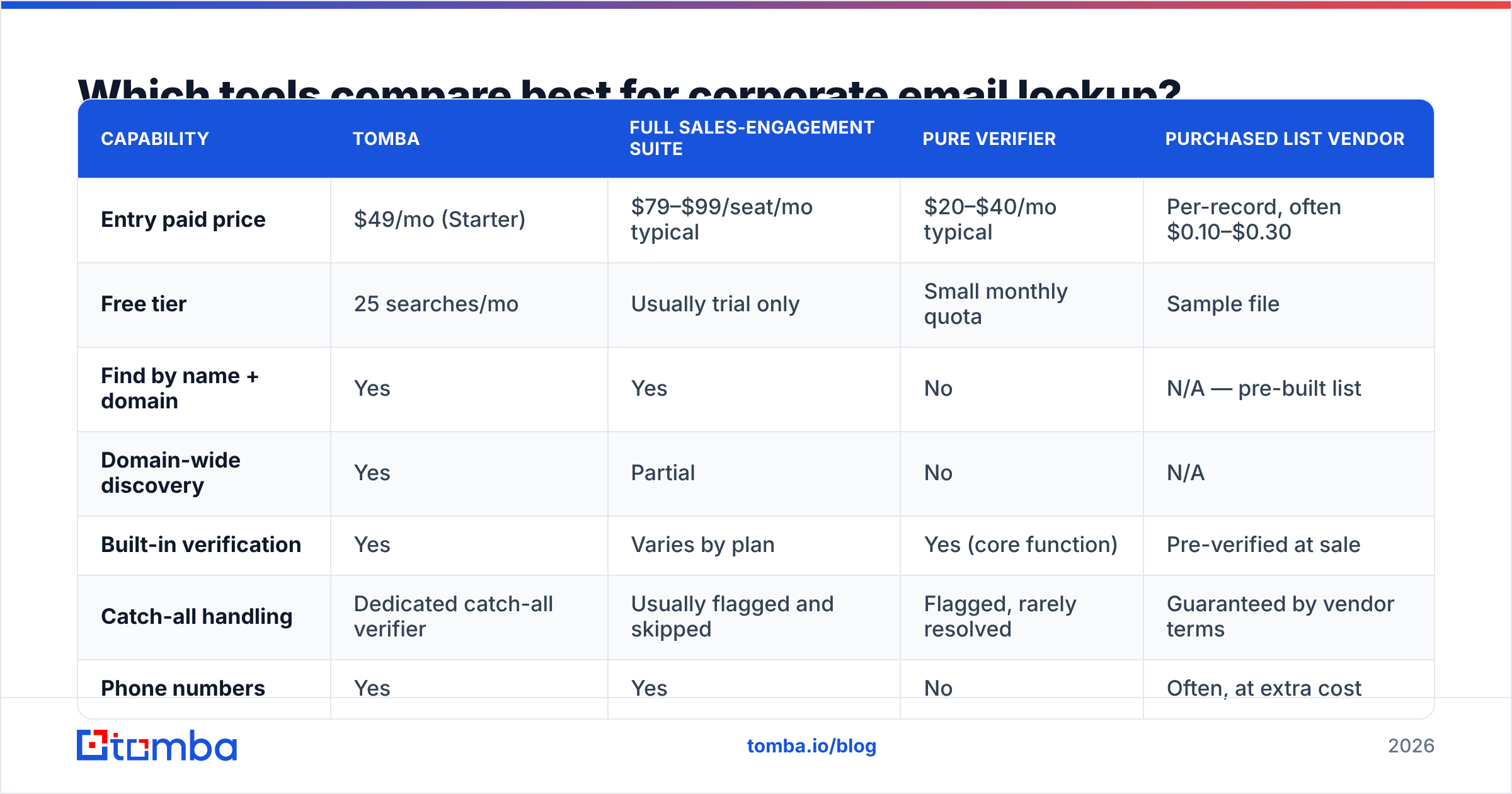
Rough positioning across the categories you'll actually shortlist. Prices are entry paid tiers as published by each vendor and move often — check before you buy.
| Capability | Tomba | Full sales-engagement suite | Pure verifier | Purchased list vendor |
|---|---|---|---|---|
| Entry paid price | $49/mo (Starter) | $79–$99/seat/mo typical | $20–$40/mo typical | Per-record, often $0.10–$0.30 |
| Free tier | 25 searches/mo | Usually trial only | Small monthly quota | Sample file |
| Find by name + domain | Yes | Yes | No | N/A — pre-built list |
| Domain-wide discovery | Yes | Partial | No | N/A |
| Built-in verification | Yes | Varies by plan | Yes (core function) | Pre-verified at sale |
| Catch-all handling | Dedicated catch-all verifier | Usually flagged and skipped | Flagged, rarely resolved | Guaranteed by vendor terms |
| Phone numbers | Yes | Yes | No | Often, at extra cost |
| API / CLI access | Yes, on all paid tiers | Enterprise tiers | Yes | Bulk file delivery |
| Best fit | Finding and verifying at controlled cost | Teams wanting sequencing in one seat | Cleaning a list you already own | Fast volume in one vertical |
How to read that table: the suites bundle sending, which is convenient and expensive per seat. Pure verifiers can't find anything — they only judge what you bring. List vendors are the right call when your ICP maps cleanly to an industry filter and you need 5,000 records this week. Finder-plus-verifier platforms sit in the middle and are the most common default for teams building targeted lists continuously rather than in bursts. Full Tomba pricing runs Free, Starter $49/mo, Growth $99/mo, Pro $249/mo, and Enterprise custom.
How do you verify a corporate email before you send?#
Verification is four checks, in increasing cost and increasing certainty.
- Syntax and MX. Is it a valid address, and does the domain accept mail at all? Free, instant, catches typos and dead domains. Roughly 5–8% of any raw list dies here.
- Disposable and role detection. Filter
info@,noreply@,sales@, and throwaway domains. Role addresses tank reply rates and inflate complaint rates. - SMTP handshake. Open a conversation with the receiving server and ask about the recipient without delivering anything. This is the check that separates "plausible" from "exists."
- Reputation and history. Has this address bounced or complained before, across the provider's network? Historical signal catches addresses that pass SMTP but belong to abandoned mailboxes.
Run all four through an email verifier before any send, including on addresses a finder returned as high-confidence. Confidence scores are probabilistic; a verification result is closer to observed.

What do you do about catch-all domains?#
Catch-all domains accept mail to any address at the domain — asdkjh@acme.com gets a 250 OK just like the CEO's real inbox. Somewhere between 15% and 25% of B2B domains are configured this way, and standard verification cannot resolve them. It returns "unknown" and moves on.
Three sane responses:
- Drop them. Simplest and safest. You lose real contacts, but your bounce rate stays clean.
- Resolve them with pattern evidence. If 40 confirmed addresses on
acme.comall usefirst.last@, a generatedfirst.last@for a confirmed employee is a strong bet even on a catch-all. This is exactly what a catch-all verifier is doing under the hood. - Route them to a low-risk channel. Send catch-all contacts through a separate sending domain, in small batches, and watch the engagement signal instead of the bounce signal.
Never mix unresolved catch-alls into your main sequence on your primary domain. That's how a good list ruins a good sender reputation.
How do you scale this from 10 contacts to 1,000?#
Manual methods break somewhere around 50 contacts. Past that, you need a pipeline.
Batch processing. Upload a CSV of names and domains, get back addresses plus verification status. A bulk email finder turns a day of tab-switching into one job. Split large batches so you can inspect quality before spending the whole credit balance.
Where your team already works. If the list lives in a spreadsheet, enrich it in place — the Google Sheets add-on and the Chrome extension both avoid the export-enrich-reimport loop that quietly corrupts data.
API for anything recurring. Signup enrichment, inbound lead routing, CRM hygiene jobs — those belong in code, not in a UI. The Tomba API covers finder, verifier, domain search, and enrichment endpoints, and there's a CLI for scripted one-offs.
Close the loop in the CRM. Push verified addresses straight into HubSpot or Salesforce so reps never see an unverified row. If you're evaluating that side of the stack, both vendors document their data-quality expectations well — HubSpot's CRM documentation is a reasonable starting point, and G2's lead intelligence category is useful for cross-checking vendor claims against unfiltered user reviews.
Is it legal to find corporate email addresses?#
Short answer: yes, with obligations that vary by geography.
Business email addresses are generally treated as processable for legitimate business interest under GDPR, but you still owe transparency, a working opt-out, and a defensible reason for contacting that specific person. CAN-SPAM in the US permits cold B2B email and requires accurate headers, honest subject lines, a physical address, and a functioning unsubscribe. Canada's CASL is stricter — implied consent has to come from an existing relationship or a publicly published address relevant to the recipient's role.
Practical guardrails that keep you clean regardless of jurisdiction:
- Target role relevance, not just reachability. Emailing an engineer about procurement software is the compliance problem and the reply-rate problem at once.
- Log where each address came from. "Domain search on their public site" is a defensible provenance record. "Bought a list from someone" often isn't.
- Honor opt-outs across your entire database within 10 days, not just in the tool that sent the message.
- Never send to personal addresses you inferred from a corporate pattern.
Where should you start?#
If you need one address right now: check the company's press page, then run a domain search on the company domain, then verify whatever you get. If you need 500 addresses this quarter: skip the manual steps and build the pipeline — bulk find, verify, drop or isolate the catch-alls, push into the CRM.
Start with the Tomba Email Finder. The free tier gives you 25 searches a month, which is enough to run the 100-contact accuracy test described above on a sample and see the hit rate and precision numbers for your own market before you spend anything. If the numbers hold up, Starter at $49/mo covers most single-rep workloads, and the API is available on every paid plan when you're ready to stop doing this by hand.
Related guides#
Ready to find emails that actually work?
Join 150,000+ professionals who stopped guessing and started sending. Free credits on signup — no credit card required.
Get the Tomba newsletter
Practical outbound tactics and product updates — once every two weeks.
About the author