How to Find Email Addresses on a Domain (2026 Guide)
Six practical ways to find email addresses on a domain — from manual pattern guessing to domain search APIs — with accuracy, cost, and legal trade-offs compared side by side.
TL;DR
- The fastest reliable way to find email addresses on a domain is a domain search tool that returns every known address on that domain plus a confidence score — not manual guessing.
- Manual methods (Google dorks, pattern permutation, site scraping) still work and cost nothing, but they hit 20-40% accuracy on their own and produce bounces that damage your sender reputation.
- Pattern detection is the real engine: roughly 70% of B2B domains use
first.last@orfirst@, so a tool that identifies the pattern once can generate every other address on the domain. - Catch-all domains break everything. If a domain accepts all mail, standard SMTP verification returns "valid" for addresses that don't exist — you need a dedicated catch-all check.
- Verify before you send, always. A 2% bounce rate is the practical ceiling before inbox providers start throttling you.
What does "find email addresses on a domain" actually mean?#
It means starting from a company's web domain — stripe.com, notion.so, acme-manufacturing.de — and ending with a list of real, deliverable mailboxes attached to that domain, ideally mapped to names and job titles.
The everyday analogy: you know the street address of an office building, but not who works inside or which floor they're on. Domain search is the building directory in the lobby. Some directories are complete and current. Most are partial, and a few list people who moved out three years ago.
Technically, an email address on a domain is just local-part@domain, where the domain's MX records tell you which mail server accepts it. The domain part is public and verifiable in seconds. The local part is the hard problem — it's invented by the company's IT policy and rarely published anywhere in bulk.
That's why every method below is fundamentally doing one of two things: finding local parts that already exist somewhere public, or predicting them from a pattern and then testing whether the prediction lands.
What are the six ways to find email addresses on a domain?#
Here they are ordered roughly by effort-to-result ratio, worst to best:
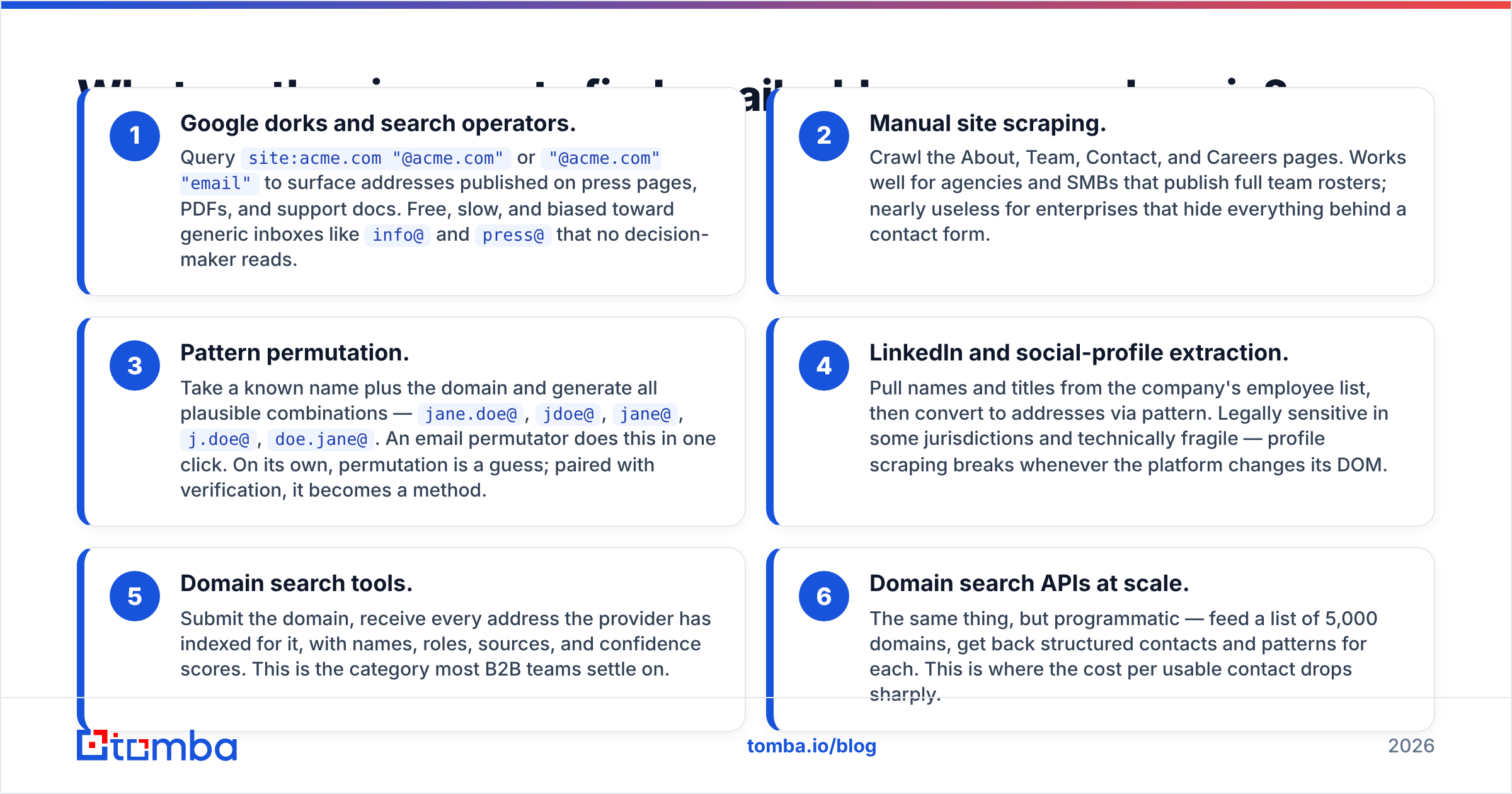
- Google dorks and search operators. Query
site:acme.com "@acme.com"or"@acme.com" "email"to surface addresses published on press pages, PDFs, and support docs. Free, slow, and biased toward generic inboxes likeinfo@andpress@that no decision-maker reads. - Manual site scraping. Crawl the About, Team, Contact, and Careers pages. Works well for agencies and SMBs that publish full team rosters; nearly useless for enterprises that hide everything behind a contact form.
- Pattern permutation. Take a known name plus the domain and generate all plausible combinations —
jane.doe@,jdoe@,jane@,j.doe@,doe.jane@. An email permutator does this in one click. On its own, permutation is a guess; paired with verification, it becomes a method. - LinkedIn and social-profile extraction. Pull names and titles from the company's employee list, then convert to addresses via pattern. Legally sensitive in some jurisdictions and technically fragile — profile scraping breaks whenever the platform changes its DOM.
- Domain search tools. Submit the domain, receive every address the provider has indexed for it, with names, roles, sources, and confidence scores. This is the category most B2B teams settle on.
- Domain search APIs at scale. The same thing, but programmatic — feed a list of 5,000 domains, get back structured contacts and patterns for each. This is where the cost per usable contact drops sharply.
Methods 1-4 are what you use when you need three contacts today and have a coffee's worth of time. Methods 5-6 are what you use when finding email addresses on a domain is a repeatable part of your pipeline rather than a one-off errand.

How does domain search actually work under the hood?#
Four layers, and understanding them tells you exactly where accuracy leaks out.
Layer 1 — Public source crawling. The provider indexes company websites, GitHub commits, conference speaker lists, press releases, WHOIS records, job postings, and public documents. Any address that has ever appeared in a crawlable place gets captured with a source URL. Good providers show you that source; that's how you audit a result.
Layer 2 — Pattern inference. Once the crawler has five verified addresses on acme.com and four of them are first.last@acme.com, the pattern is settled. Now the provider can generate an address for any employee name it knows, without ever having seen that specific address published. This is the multiplier — a handful of confirmed addresses unlocks the whole org chart. You can check a company's format yourself with a company email pattern lookup.
Layer 3 — SMTP validation. The system opens a conversation with the domain's mail server and asks, in effect, "would you accept mail for this address?" using RCPT TO without ever sending a message. The server answers 250 (accept) or 550 (no such user). This is standard SMTP behaviour, not a hack.
Layer 4 — Confidence scoring. The output combines source count, source recency, pattern match strength, and SMTP result into a single score. Treat anything above 90 as sendable, 70-90 as usable with a warm-up sequence, and below 70 as a coin flip you should not spend reputation on.
The leak points are obvious once you see the layers: a domain with no crawlable presence starves Layer 1; a company with two competing patterns after an acquisition confuses Layer 2; and a catch-all server makes Layer 3 lie to you outright.

Which tools find email addresses on a domain best in 2026?#
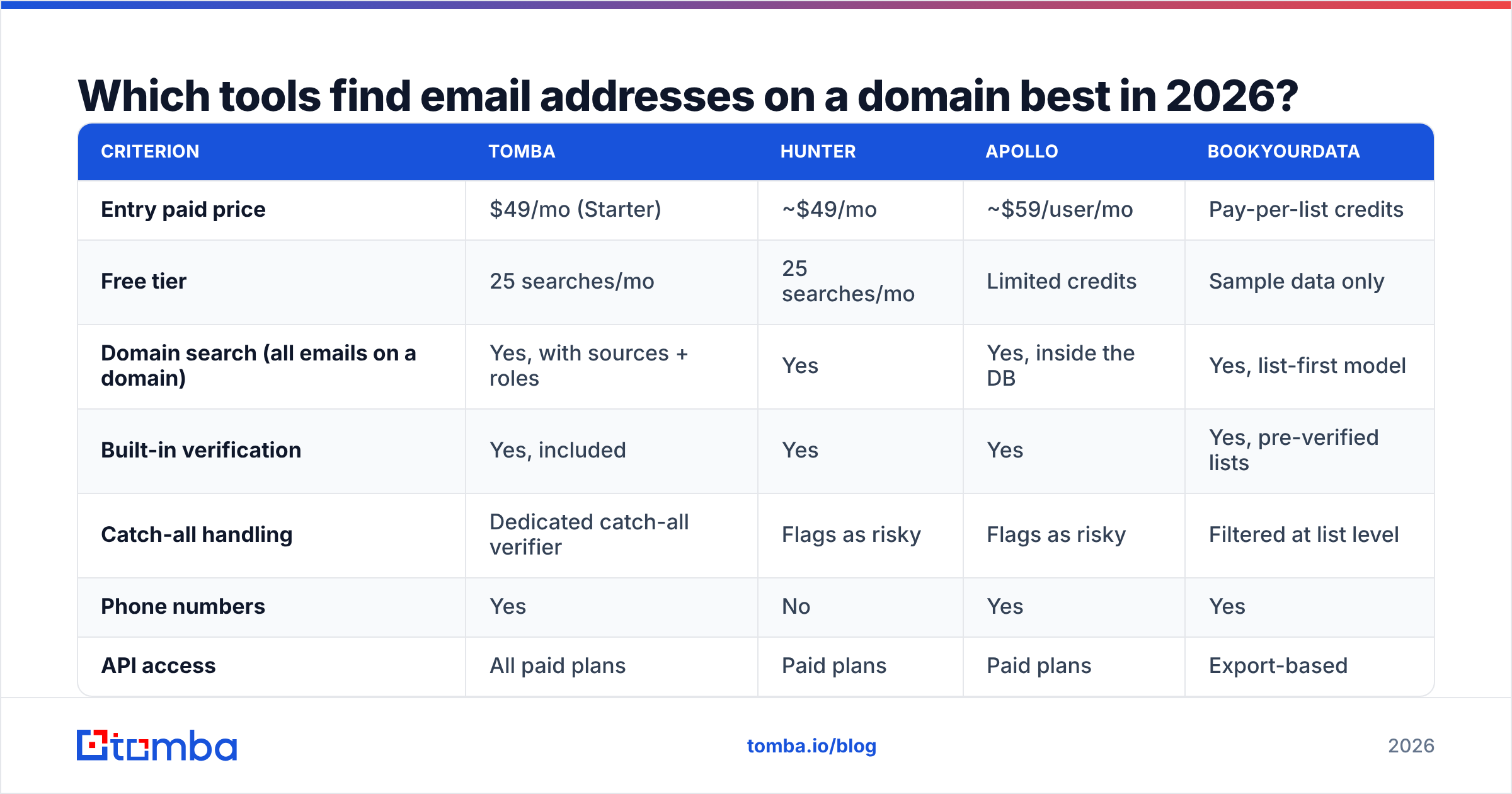
The category has consolidated. Here's how the main options compare on the criteria that actually change your cost per meeting.
| Criterion | Tomba | Hunter | Apollo | BookYourData |
|---|---|---|---|---|
| Entry paid price | $49/mo (Starter) | ~$49/mo | ~$59/user/mo | Pay-per-list credits |
| Free tier | 25 searches/mo | 25 searches/mo | Limited credits | Sample data only |
| Domain search (all emails on a domain) | Yes, with sources + roles | Yes | Yes, inside the DB | Yes, list-first model |
| Built-in verification | Yes, included | Yes | Yes | Yes, pre-verified lists |
| Catch-all handling | Dedicated catch-all verifier | Flags as risky | Flags as risky | Filtered at list level |
| Phone numbers | Yes | No | Yes | Yes |
| API access | All paid plans | Paid plans | Paid plans | Export-based |
| Best fit | Teams that want finding + verifying + enrichment in one API | Classic single-domain lookups | Sales teams that want a database plus sequencing | Buyers who prefer a curated, purchased list |
Two honest notes. First, none of these is a magic oracle — every provider's coverage skews toward tech, SaaS, and English-language markets, and thins out for small manufacturers in non-English regions. Second, "database size" claims are marketing. A 700-million-contact database that's 40% stale is worse than a 200-million database refreshed quarterly. Ask about refresh cadence, not row counts. Check independent reviews on G2 before you commit to an annual plan, and read the vendor's own methodology page — Tomba publishes its data sources openly, which is the minimum bar you should demand.

Is it legal to find email addresses on a domain?#
Mostly yes, with real conditions — and this is where a lot of teams get sloppy.
In the EU and UK, a work email address tied to a named person is personal data under GDPR. You can process it without consent under legitimate interest, but you owe the recipient three things: a clear identification of who you are, a plain-language explanation of where you got their data, and a working opt-out in every message. Business-to-business outreach to a company mailbox is treated more leniently than B2C, but "leniently" is not "exempt."
In the US, CAN-SPAM permits cold commercial email outright, provided you include a valid physical postal address, don't use deceptive subject lines or headers, and honour unsubscribes within 10 business days.
Canada's CASL is the strictest of the three — it requires express or implied consent before sending, with implied consent covering published business addresses that are relevant to the recipient's role and not accompanied by a "no unsolicited mail" notice.
Practical rules that keep you clean regardless of jurisdiction:
- Target roles, not individuals at random. If your product genuinely serves a VP of Engineering, contacting one is defensible legitimate interest. Blasting the entire employee list is not.
- Keep provenance. Store the source URL for every address. If someone asks where you got it, you should be able to answer in one sentence.
- Honour opt-outs instantly and permanently, across every domain and sending tool you own.
- Skip generic inboxes for cold pitches.
info@andsales@are technically fair game but convert badly and generate complaints.
Why do so many found addresses still bounce?#
Because finding is not verifying, and most teams collapse the two steps.
An address discovered in a 2021 conference PDF was real in 2021. That person may have left, the company may have migrated from Google Workspace to Microsoft 365 and changed its pattern, or the mailbox may have been converted to a forwarding alias that silently drops mail. Discovery tells you an address existed. Verification tells you it accepts mail today.
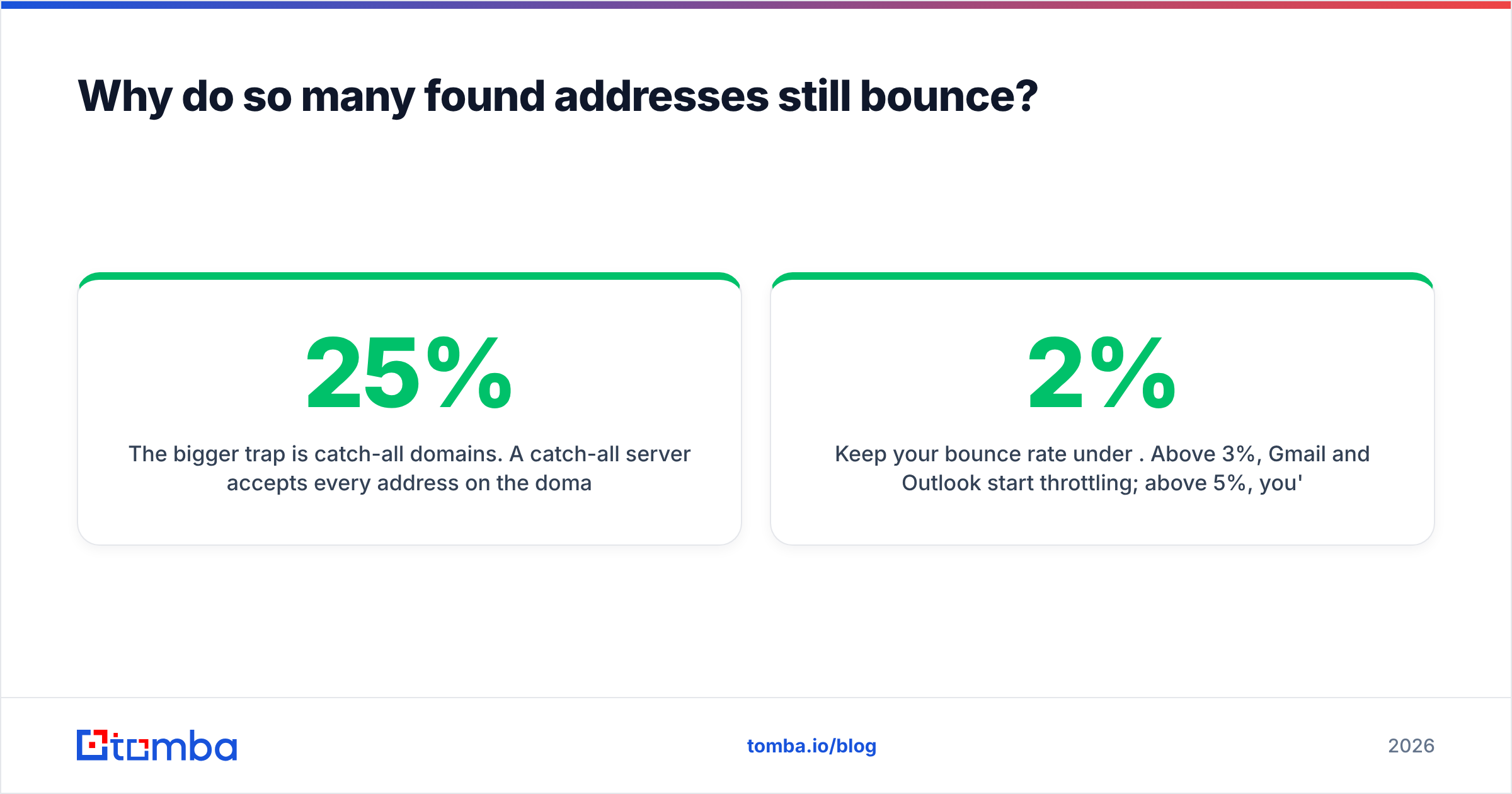
The bigger trap is catch-all domains. A catch-all server accepts every address on the domain — jane.doe@acme.com, asdfgh@acme.com, all of it — and sorts out the invalid ones after acceptance. SMTP verification returns "valid" for garbage. Anywhere from 15-25% of B2B domains run catch-all, and it's more common at larger enterprises. Feed those results straight into a sequencer and your bounce rate climbs weeks later, after the damage to your sender reputation is already done.
The fix is a two-stage flow: run every discovered address through an email verifier, then route the catch-all results to a catch-all verifier that uses secondary signals rather than a naive SMTP handshake.
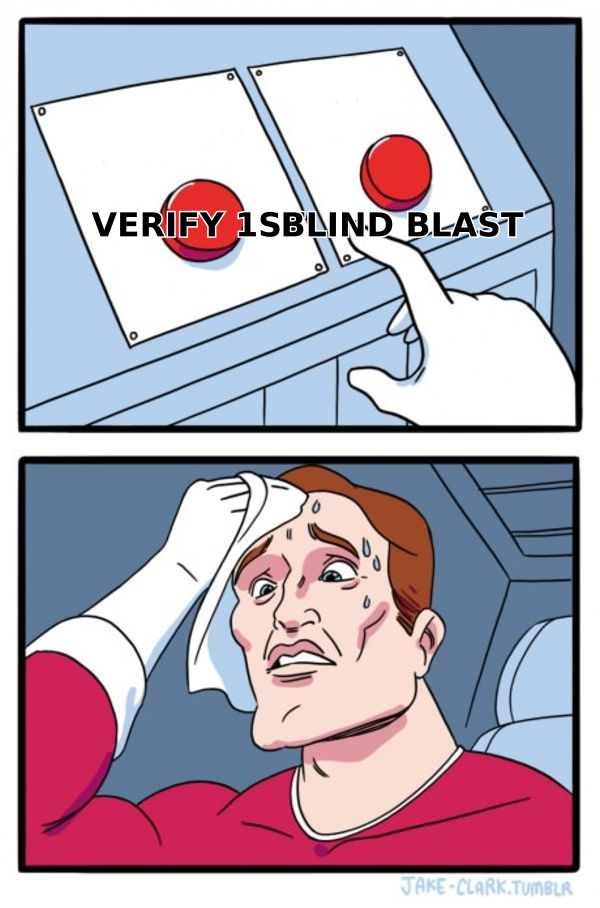
Keep your bounce rate under 2%. Above 3%, Gmail and Outlook start throttling; above 5%, you're in the spam folder for everyone including your warm replies. HubSpot's research on email benchmarks puts healthy B2B bounce rates around 0.5-1%, and that's a target worth hitting, not a nice-to-have.
What does a repeatable domain-to-contact workflow look like?#
Here's the process that scales past a hundred accounts without collapsing into spreadsheet archaeology.
Step 1 — Build the domain list first, not the contact list. Filter your ICP by firmographics: industry, headcount, tech stack, funding stage, region. You want 200 domains that fit, not 5,000 that might. A website tech stack check is a cheap way to qualify — if they're not running the platform your product integrates with, drop them now.
Step 2 — Run domain search on the whole list. Use domain search to pull every indexed address per domain with names, titles, and confidence scores. For volume work, do this through bulk lead generation or the Tomba API rather than one domain at a time in the UI.
Step 3 — Filter by role before you filter by score. A confidence-98 address for an intern is worth less than a confidence-82 address for the buyer. Rank on relevance first, then apply your score threshold.
Step 4 — Verify everything, including the high-confidence results. Confidence scores predict; verification confirms. They're different operations and you need both.
Step 5 — Segregate the catch-alls. Don't discard them — put them in a separate, slower sequence sent from a secondary domain so any deliverability fallout is contained.
Step 6 — Enrich what survived. Add company size, funding, tech stack, and recent news via data enrichment so your first line isn't "I saw you're in SaaS."
Step 7 — Re-verify anything older than 90 days. B2B data decays at roughly 2-3% per month through job changes alone. A list you built in March is meaningfully wrong by July.
How much should this cost you?#
Do the arithmetic on cost per usable contact, not cost per credit — the two diverge fast.
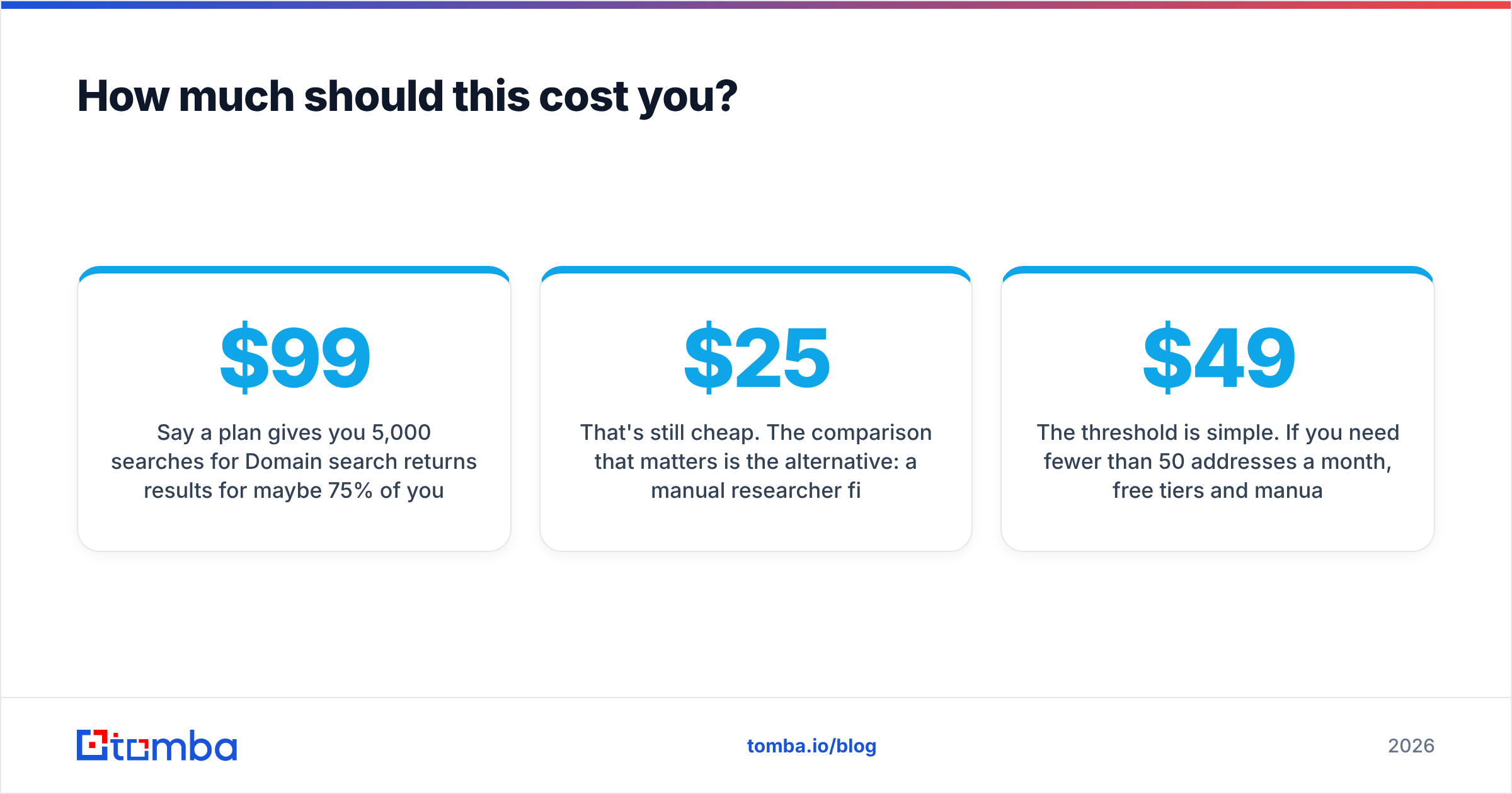
Say a plan gives you 5,000 searches for $99/mo. Domain search returns results for maybe 75% of your target domains (3,750). Of those, verification kills 12% as invalid or risky (3,300). Of the survivors, only 35% match the roles you actually want (1,155). Your real cost is about $0.086 per usable contact — roughly five times the sticker price per credit.
That's still cheap. The comparison that matters is the alternative: a manual researcher finding, verifying, and enriching contacts at maybe 15-20 per hour. At $25/hour fully loaded, that's $1.25-$1.65 per contact — fifteen to twenty times more, with worse verification.
The threshold is simple. If you need fewer than 50 addresses a month, free tiers and manual methods are fine. Between 50 and 1,000, a $49-$99 plan pays for itself in the first week. Past 1,000 a month, go API-first and stop paying humans to copy-paste. Compare Tomba pricing tiers against your monthly volume before you commit annually — most teams overbuy on their first contract and underuse it.
What's the fastest way to start?#
Pick ten domains from your best-fit accounts and run them through a domain search tool today. You'll learn more from the hit rate on those ten than from another week of comparing feature matrices — including whether your ICP is even well covered by commercial data, which is the one thing no vendor page will tell you honestly.
If you want finding, verification, catch-all handling, and enrichment behind a single API instead of three separate subscriptions duct-taped together, start with the Tomba Email Finder. The free tier gives you 25 searches a month — enough to test coverage on your real target list before you pay anyone anything. Run your ten domains, check the sources it returns, and see whether the addresses hold up under verification. That's a fifteen-minute test that answers the question better than any comparison table, including this one.
Related guides#
Ready to find emails that actually work?
Join 150,000+ professionals who stopped guessing and started sending. Free credits on signup — no credit card required.
Get the Tomba newsletter
Practical outbound tactics and product updates — once every two weeks.
About the author