How to Find People's Contact Information: 2026 Guide
A practical, method-by-method breakdown of how to find people's contact information in 2026 — what actually works, what it costs, and where each approach quietly fails.
TL;DR
- There are six realistic ways to find people's contact information at scale: manual OSINT, email permutation, Chrome extensions, dedicated email finders, static B2B databases, and APIs. Only three of them survive contact with a 500-lead list.
- Manual research costs roughly 4-7 minutes per contact. At $30/hour of SDR time, that's $2-3.50 per email — more expensive than every paid tool on this list.
- Permutation guessing without verification produces bounce rates north of 40% on mid-market domains. Guessing is fine; guessing without an SMTP check is not.
- Catch-all domains are the single biggest blind spot. Roughly 15-20% of B2B domains accept everything, so a "valid" result there means nothing without a dedicated catch-all check.
- The honest workflow for most teams: find with a domain-based tool, verify every result, enrich only the contacts that clear verification, and never buy a static list you can't refresh.
What Does "Contact Information" Actually Mean in B2B?#
Contact information is not one field. It's a stack, and each layer has a different hit rate and a different decay curve.
At the bottom sits the work email — the highest-value, highest-availability data point in B2B. Above it: direct dial phone numbers (harder, more expensive, decays faster), LinkedIn profile URLs (easy to find, useless for outreach without a connection), personal emails (legally fraught in most B2B contexts), and firmographic context like role, seniority, and tech stack.
If you're reading a guide on how to find people's contact information for sales, you almost certainly want the work email first and the direct dial second. Everything else is enrichment.
Here's why the distinction matters: the tools that are best at work email are frequently mediocre at phone numbers, and the platforms that lead with phone coverage often pad their email databases with stale records. Buying one tool and expecting both layers to be equally good is the most common mistake in this category.
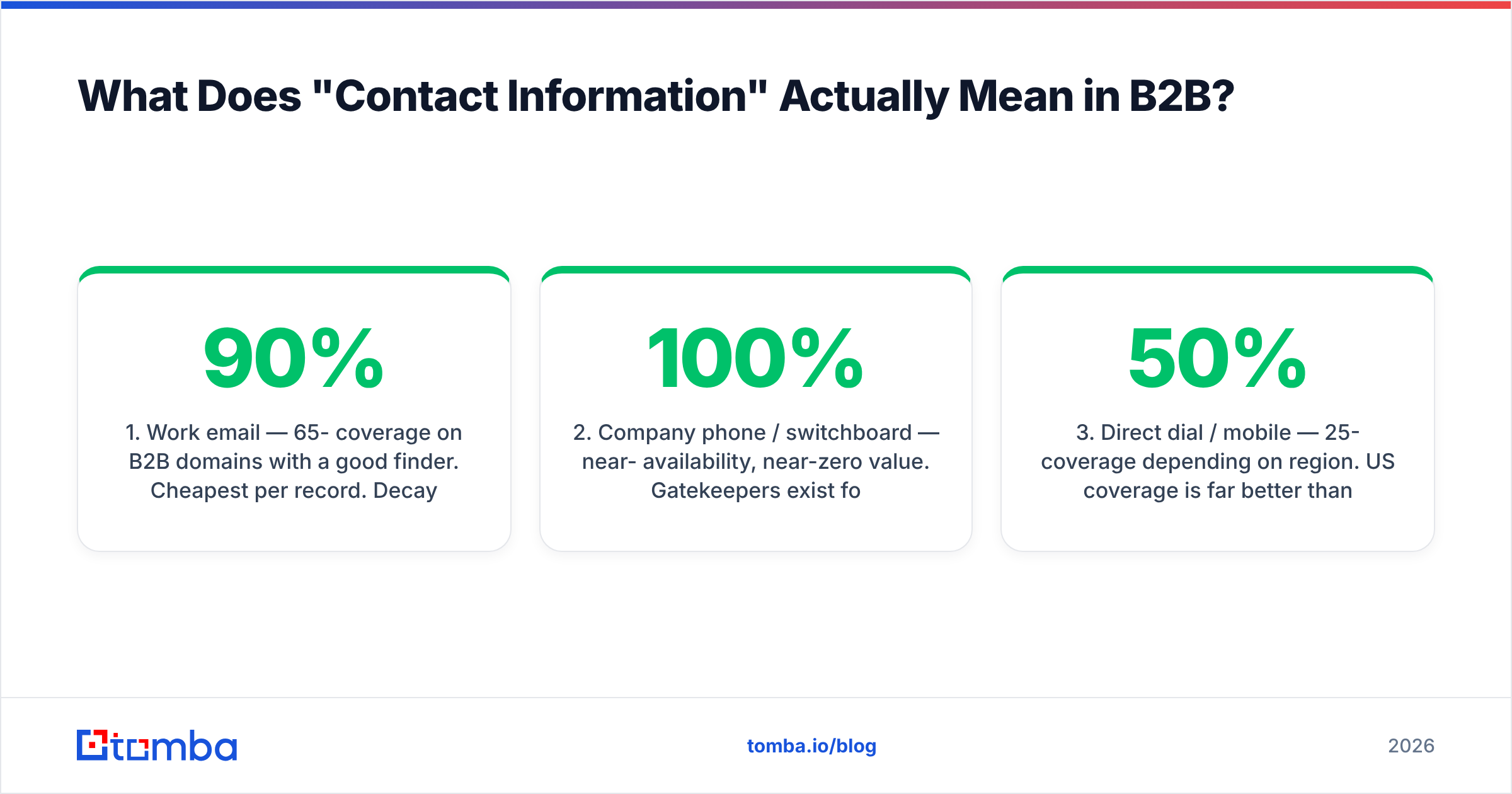
The four data layers, ranked by realistic availability:
- Work email — 65-90% coverage on B2B domains with a good finder. Cheapest per record. Decays ~22-30% per year as people change jobs.
- Company phone / switchboard — near-100% availability, near-zero value. Gatekeepers exist for a reason.
- Direct dial / mobile — 25-50% coverage depending on region. US coverage is far better than EMEA or APAC. Most expensive per record.
- Enrichment context — job title, seniority, department, company size, tech stack. Cheap to append once you have a confirmed email or domain.

How Do You Find Someone's Email Address Manually?#
Manual research still works, and every method below is a mechanised version of it. Knowing the manual path tells you what the tools are actually doing.
The five-step manual sequence:
- Identify the domain. Not the marketing site — the domain the company actually sends mail from.
acme.comandacme.ioare frequently different mail environments. - Find the pattern. Search
site:acme.com "@acme.com"on Google, or check press releases, support pages, and GitHub commit histories. Most companies use one of five patterns:first.last,flast,first,firstl, orf.last. - Get the full legal name. LinkedIn shows display names; "Mike" is often "Michael" in the directory. Corporate bios and conference speaker pages are more reliable.
- Construct and verify. Build the candidate address, then run it through an SMTP check. Never send to an unverified guess.
- Cross-check against a second source. If the same address appears in a public dataset, a GitHub commit, or an author byline, confidence goes way up.
Steps 2 and 3 are where the time goes. Realistically you're at 4-7 minutes per contact once you include the tab-switching and the dead ends. That's the number to beat.
For public writers and journalists specifically, this shortcut works well: an author finder pulls the contact behind a byline directly from the article URL, skipping the pattern-guessing entirely.
Which Methods Actually Scale? A Direct Comparison#
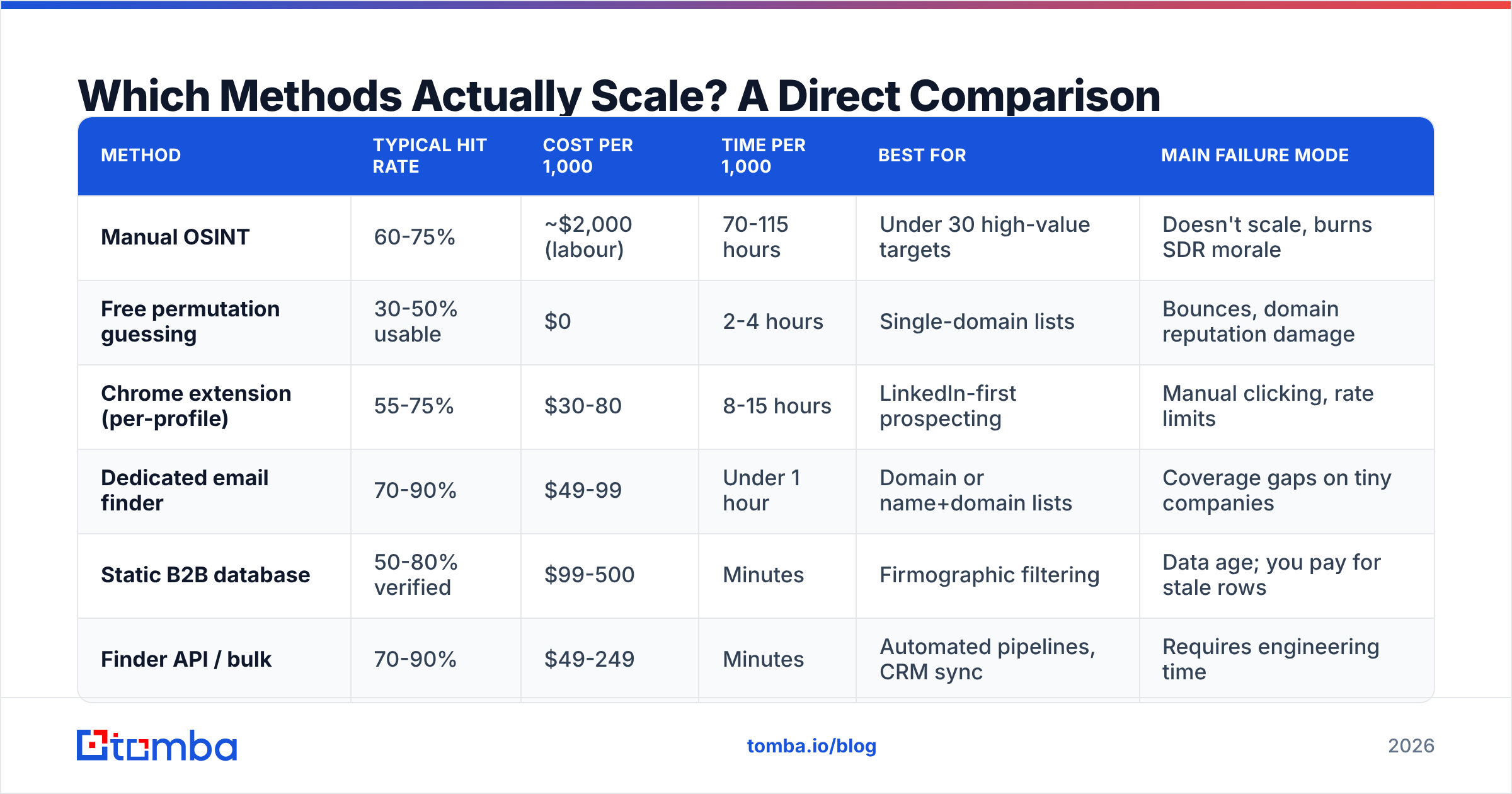
Here is the honest scorecard. "Hit rate" means the share of a normal B2B list where the method returns a usable, verified work email. These are directional ranges from working with mid-market SaaS and services lists — your mileage varies heavily by region and company size.
| Method | Typical hit rate | Cost per 1,000 | Time per 1,000 | Best for | Main failure mode |
|---|---|---|---|---|---|
| Manual OSINT | 60-75% | ~$2,000 (labour) | 70-115 hours | Under 30 high-value targets | Doesn't scale, burns SDR morale |
| Free permutation guessing | 30-50% usable | $0 | 2-4 hours | Single-domain lists | Bounces, domain reputation damage |
| Chrome extension (per-profile) | 55-75% | $30-80 | 8-15 hours | LinkedIn-first prospecting | Manual clicking, rate limits |
| Dedicated email finder | 70-90% | $49-99 | Under 1 hour | Domain or name+domain lists | Coverage gaps on tiny companies |
| Static B2B database | 50-80% verified | $99-500 | Minutes | Firmographic filtering | Data age; you pay for stale rows |
| Finder API / bulk | 70-90% | $49-249 | Minutes | Automated pipelines, CRM sync | Requires engineering time |
Two entries deserve nuance rather than a verdict.
Static databases get unfairly maligned. Providers like BookYourData built their model on pay-as-you-go, pre-verified records with a stated accuracy guarantee, which is a genuinely good fit when you need a defined industry slice immediately and don't want a subscription. The trade-off is inherent to the model, not the vendor: any database is a snapshot, and B2B contact data decays at roughly 2-2.5% per month. Refresh cadence matters more than headline record count.
Permutation guessing is not worthless — it's just incomplete. Pattern generation plus real-time SMTP verification is effectively how every finder tool works under the hood. The failure is deploying step one without step two. If you want to see the mechanics, run a name through an email permutator and count how many candidates it produces. Sending to all of them is how you torch a sending domain in a week.
Why Do Verified Emails Still Bounce?#
Because "verified" is doing a lot of unearned work in most vendor marketing. There are four distinct checks, and most tools only run the first two.
- Syntax and DNS — is it a well-formed address on a domain with valid MX records? Catches typos and dead companies. Trivial, near-universal.
- Disposable and role detection — is it a burner domain, or a
info@/sales@/support@shared inbox? Role accounts skew your reply-rate metrics badly. - SMTP handshake — does the receiving server acknowledge the mailbox exists? This is the check that actually matters, and it's the one that fails silently on catch-all domains.
- Catch-all resolution — does the domain accept every address, making step 3 meaningless? This is where most tools stop and hand you a false "valid".
That fourth check is the real dividing line. Roughly 15-20% of B2B domains are configured as catch-all — common at enterprises with legacy mail routing and at companies running aggressive spam filtering. An SMTP check against a catch-all domain returns "accepted" for asdfghjkl@company.com just as happily as for the CEO's real address.
If your list skews enterprise, run results through a dedicated catch-all verifier before they enter a sequence. Otherwise you're sending on faith and blaming your copy when the replies don't come. Google's own Postmaster Tools documentation is explicit that sustained bounce and spam-complaint rates are what determine inbox placement — the list quality problem becomes a email deliverability problem within about two weeks.

Screenshot placeholder: side-by-side verification result panels showing a "valid" SMTP response on a catch-all domain vs. a confirmed mailbox on a standard domain.
What About Phone Numbers and Direct Dials?#
Phone data follows completely different economics from email, and treating it as "email but harder" leads to bad tool decisions.
Work emails are largely derivable — the pattern is a formula, the company publishes fragments of it, and a good finder reconstructs the rest. Phone numbers are not derivable. There is no firstname.lastname equivalent for a mobile number. Every direct dial in every database was either self-reported, scraped from a signature or CV, contributed by a user through a data co-op, or purchased from a telco-adjacent aggregator.
Three practical consequences:
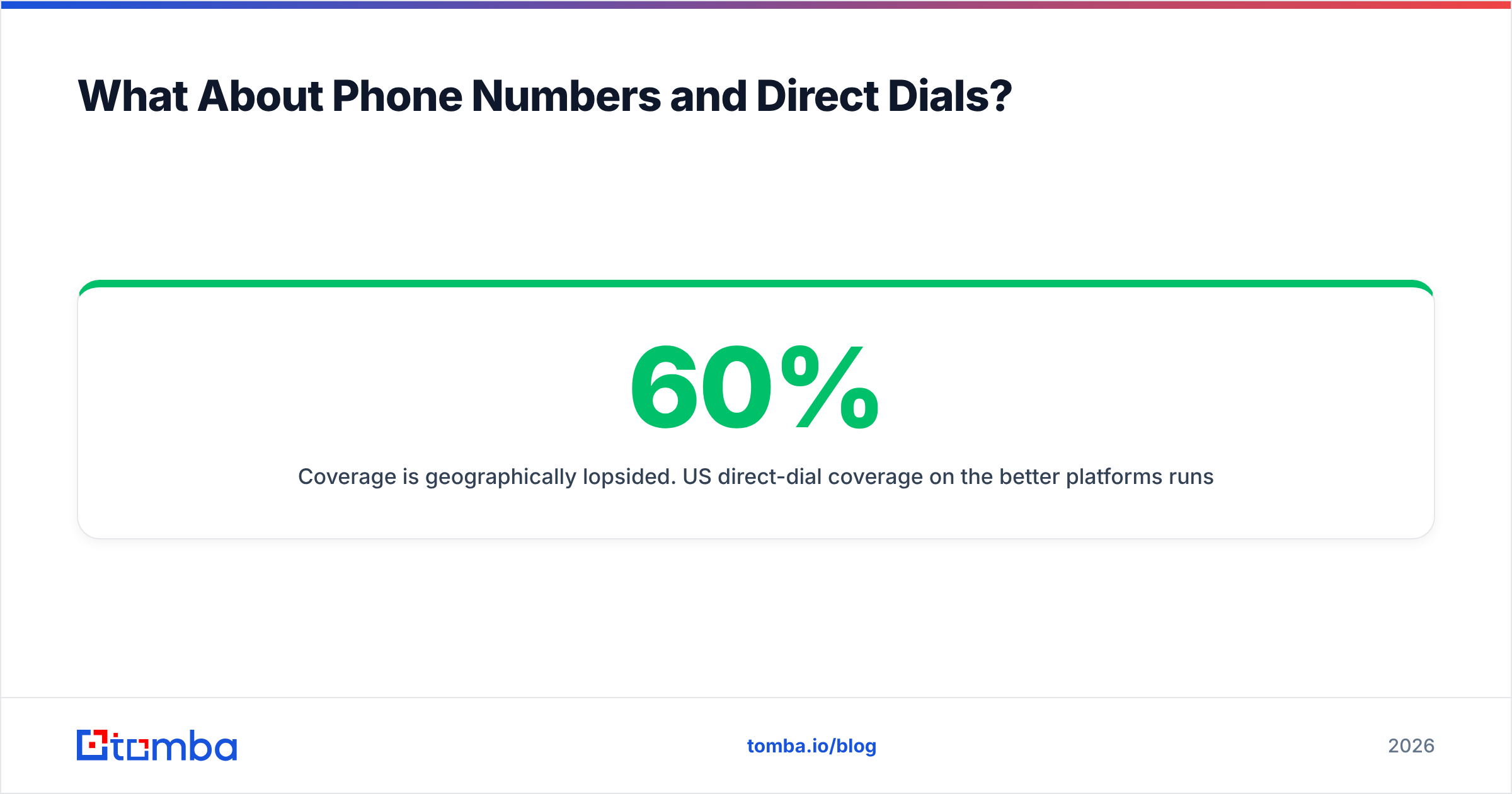
- Coverage is geographically lopsided. US direct-dial coverage on the better platforms runs 40-60% for mid-market targets. Germany, France, and most of APAC frequently land under 20%, and GDPR-adjacent constraints tighten it further.
- Validation is a separate step. A number in a database can be disconnected, reassigned, or a switchboard mislabeled as a direct dial. A phone validator confirms line type and carrier status before your reps burn a dial slot on it.
- Compliance is heavier. Cold calling sits under DNC registries in the US, and consent rules in the EU that are meaningfully stricter than those covering B2B email. Check the FTC's Do Not Call guidance if you're calling into the States at any volume.
Budget-wise: expect phone data to cost 3-8x per record what email costs. Buy it for tier-one accounts, not for the whole list.

How Do You Build a Repeatable Contact-Finding Workflow?#
The teams who do this well have stopped thinking of it as research and started thinking of it as a pipeline with defined stages and drop-off rates at each one.
The five-stage pipeline:
- Define the target list first, not the tool. Company size, region, and role determine which method wins. A list of 200 US Series-B SaaS companies and a list of 200 German Mittelstand manufacturers need different approaches, and no single vendor is best at both.
- Resolve domains before names. Run companies through a domain search to pull every discoverable address on the domain plus the dominant pattern. This one step often returns the exact person you wanted without ever needing a name-based lookup, and it tells you the pattern for everyone else.
- Find by name + domain for the gaps. For named targets not surfaced by domain search, a name-based email finder is the right tool. Feed it the full legal name, not the LinkedIn display name.
- Verify everything, then segment by confidence. Split results into confirmed-valid, catch-all-unknown, and invalid. Send to the first group. Route the second group to a lower-volume warm-up sequence or a LinkedIn touch. Delete the third.
- Enrich only what survived. Appending title, seniority, and company data to contacts you've already confirmed is cheap. Enriching before verification means paying to decorate bounces.
Stage 4 is where most teams leak the most value. There's an instinct to treat catch-all results as either fully valid or fully invalid. Both are wrong. Catch-all contacts are probabilistic — historically they convert at meaningfully lower rates than confirmed addresses but well above zero, so segment them and send at lower volume rather than discarding or blending them into your main list.
For teams running this at volume, the sequence should live in code rather than a spreadsheet. A bulk email finder handles list-level jobs, and the email finder API drops the same logic into a CRM trigger or enrichment worker so contacts get found and verified the moment a record is created.
Which Tool Should You Actually Pick?#
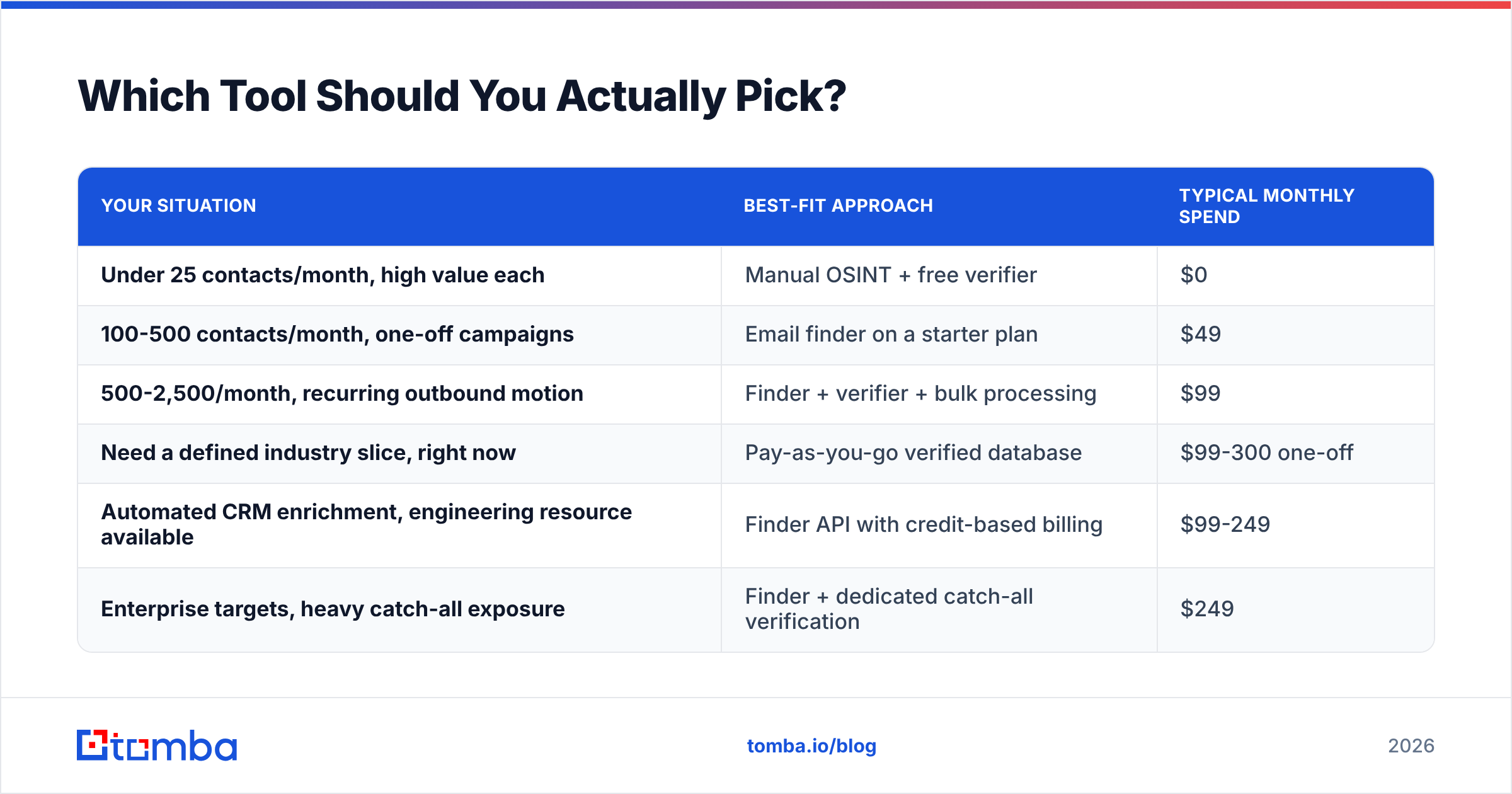
Pick based on where your bottleneck is, not on feature-count comparisons.
| Your situation | Best-fit approach | Typical monthly spend |
|---|---|---|
| Under 25 contacts/month, high value each | Manual OSINT + free verifier | $0 |
| 100-500 contacts/month, one-off campaigns | Email finder on a starter plan | $49 |
| 500-2,500/month, recurring outbound motion | Finder + verifier + bulk processing | $99 |
| Need a defined industry slice, right now | Pay-as-you-go verified database | $99-300 one-off |
| Automated CRM enrichment, engineering resource available | Finder API with credit-based billing | $99-249 |
| Enterprise targets, heavy catch-all exposure | Finder + dedicated catch-all verification | $249 |

Two pricing dynamics worth knowing before you sign anything.
Credit definitions vary enormously. On some platforms a failed search still burns a credit. On others, verification is billed separately from finding, so a "1,000 credit" plan realistically covers 500 usable contacts. Read the credit policy before comparing headline prices — a $49 plan that only charges for successful finds can beat a $79 plan that charges for attempts.
Annual lock-in is the real cost. Contact data needs are seasonal for most teams. If you run two big campaigns a year, a pay-as-you-go database plus a small monthly finder subscription usually beats an annual enterprise contract you'll use at 30% capacity. Independent review sites like G2 are useful for spotting the vendors whose users consistently complain about contract terms rather than data quality.
For reference, Tomba pricing runs a free tier at 25 searches/month, Starter at $49/mo, Growth at $99/mo, and Pro at $249/mo, with finding and verification available across the same credit pool — which is the structure I'd recommend looking for regardless of vendor.
What Are the Compliance Limits?#
Short version: B2B contact data is legal to collect and use in most jurisdictions, with real conditions attached.
Under GDPR, work email addresses are personal data. The usual lawful basis for B2B outreach is legitimate interest, which requires that your message be relevant to the recipient's professional role, that you disclose where you got their data, and that opt-out is one click. Blanket-blasting a scraped list fails all three.
Under CAN-SPAM (US), cold B2B email is permitted without prior consent, but you must include a valid physical postal address, a functioning unsubscribe mechanism honoured within 10 business days, and non-deceptive headers and subject lines.
Under CASL (Canada), the bar is materially higher — implied consent exists for published business addresses relevant to the recipient's role, but the documentation burden sits on you.
Practical rule: keep a provenance record for every contact. Note which tool sourced it, when, and from what type of source. If a data-subject request lands, you need to answer it in days, not weeks. Vendors that publish their data sources make this materially easier than ones that treat sourcing as a trade secret.
Start With the Domain, Not the Person#
The single highest-leverage change most teams can make: stop looking up people one at a time and start resolving domains in bulk. A domain search gives you the pattern, the existing known contacts, and the mail configuration in one call — and from there, every other name at that company becomes a solved problem rather than a fresh research project.
If you want to test this against your own list, run 25 target companies through the Tomba Email Finder on the free tier before committing to any plan. Use your hardest domains, not your easiest ones — the whole point is finding where a tool breaks, and 25 searches is enough to see the shape of the coverage curve on the accounts you actually care about.
Related guides#
Ready to find emails that actually work?
Join 150,000+ professionals who stopped guessing and started sending. Free credits on signup — no credit card required.
Get the Tomba newsletter
Practical outbound tactics and product updates — once every two weeks.
About the author