How to Find Verified Email Addresses in 2026: A Practical Guide
Finding an email is easy. Finding one that actually delivers is the hard part. Here's the exact workflow, tool comparison, and accuracy math behind verified B2B email addresses in 2026.
TL;DR
- A "found" email and a verified email are different products. Most tools sell you the first and let you discover the difference at send time.
- Real-world deliverable rates for B2B email finders sit between 60% and 95% depending on the domain, seniority, and whether the target uses a catch-all server.
- The reliable workflow is three steps: find → verify → segment by confidence. Skipping step two is what produces 20%+ bounce rates.
- Catch-all domains are the single biggest source of silent failure. Roughly 20–30% of B2B domains accept everything at the SMTP layer, so "valid" means nothing without a deeper check.
- Budget honestly: expect to pay $0.01–$0.05 per verified contact. Tomba starts at $49/mo on Starter with a free tier of 25 searches to test accuracy first.
What does "verified email address" actually mean?#
A verified email address is one that has passed a live deliverability check — not one that a pattern generator produced and labeled green.
Think of it like a phone number scribbled on a napkin. You can guess it follows the area-code pattern of the city, and you might be right. But until you dial it and hear it ring, you don't have a phone number — you have a hypothesis. Email verification is the dial tone.
Under the hood, a proper verification pass runs a chain of checks, each of which can independently kill a record:
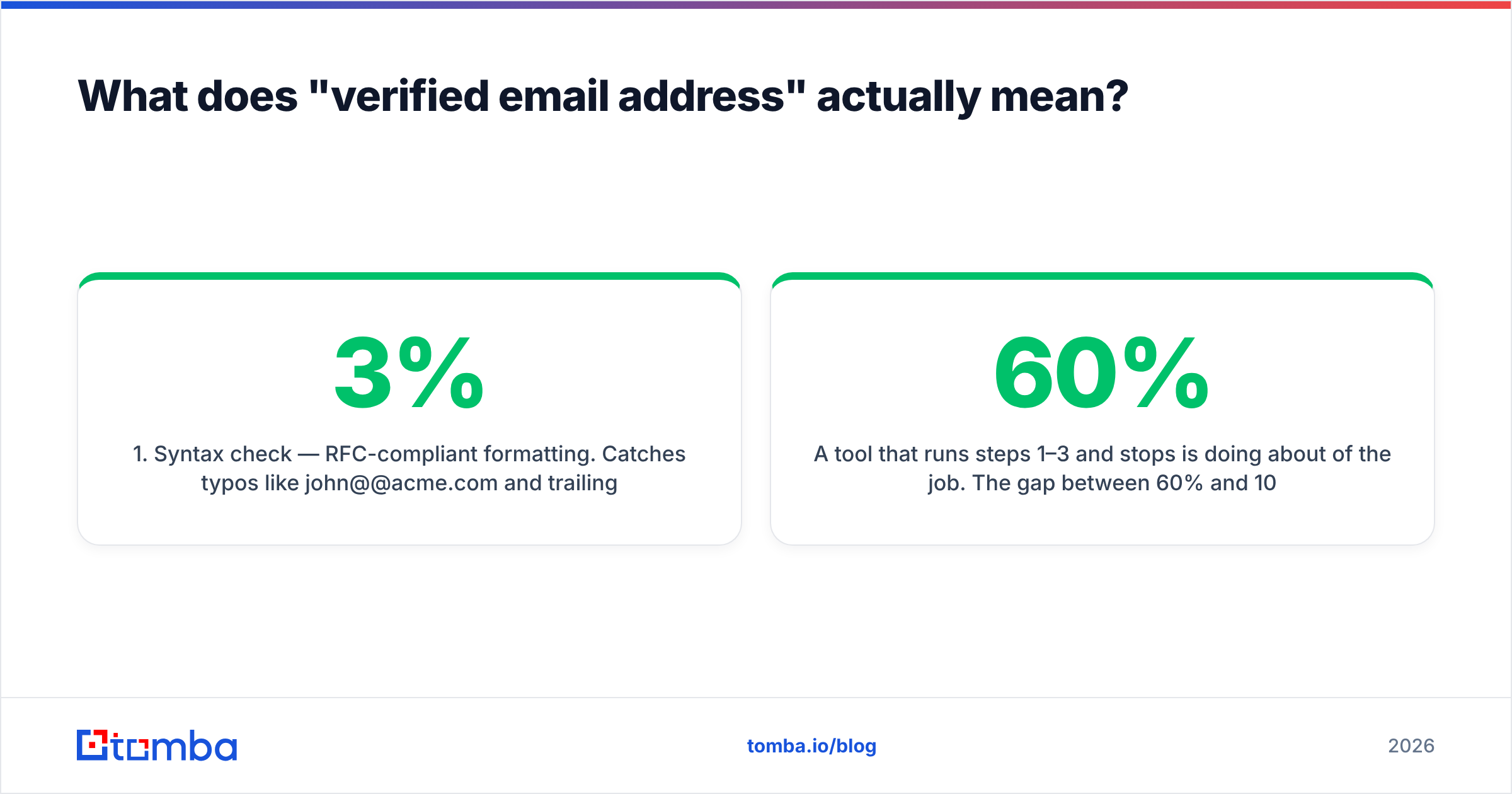
- Syntax check — RFC-compliant formatting. Catches typos like
john@@acme.comand trailing whitespace from CSV exports. Cheap, instant, and eliminates 1–3% of most scraped lists. - Domain and MX record check — Does the domain resolve, and does it publish mail exchanger records? A domain with no MX cannot receive mail, period. Dead startups and rebranded companies fail here.
- SMTP handshake — Open a connection to the receiving mail server and ask, without sending, whether the mailbox exists. This is the step that separates real verification from pattern-matching.
- Catch-all detection — Probe with a random address (
x8f2h9@domain.com). If the server accepts it, the domain accepts everything, and the SMTP result for your real target is meaningless on its own. - Risk and role classification — Flag
info@,sales@,support@, disposable domains, and known spam traps. These technically deliver but damage your sender reputation. - Confidence scoring — Combine the signals plus corroborating evidence (how many independent sources saw this address, how recently) into a single score you can threshold on.
A tool that runs steps 1–3 and stops is doing about 60% of the job. The gap between 60% and 100% is where your bounce rate lives.

Why do email finders disagree so much on the same person?#
Because they're built on different data foundations, and each foundation has different blind spots.
There are broadly four sourcing models in the market:
- Pattern inference. The tool learns that Acme uses
first.last@acme.com, then generates the address for anyone at Acme. Fast, cheap, and wrong whenever the company has legacy formats, acquired teams, or duplicate names. Two people named John Smith break it instantly. - Web crawling. Scrape public pages — author bios, press releases, conference speaker lists, GitHub commits, PDF datasheets. High precision when it hits, but coverage skews toward marketers, founders, and engineers who publish.
- Contributed / community data. Users install an extension that uploads their address books. Enormous volume, but data ages badly and consent provenance varies by vendor and jurisdiction.
- Licensed and partner data. Purchased from data cooperatives and business registries. Consistent for firmographics, patchier for individual mailboxes.
Most serious providers blend all four. The differences you see in head-to-head tests come from the weighting. A tool that leans on pattern inference will show you a high hit rate and a mediocre deliverable rate. A tool that leans on verified crawling shows the inverse: fewer results, but the ones you get land.
This is why you should never evaluate an email finder on coverage alone. The metric that matters is verified deliverable contacts per dollar, and it requires you to actually send.

How do the major tools compare in 2026?#
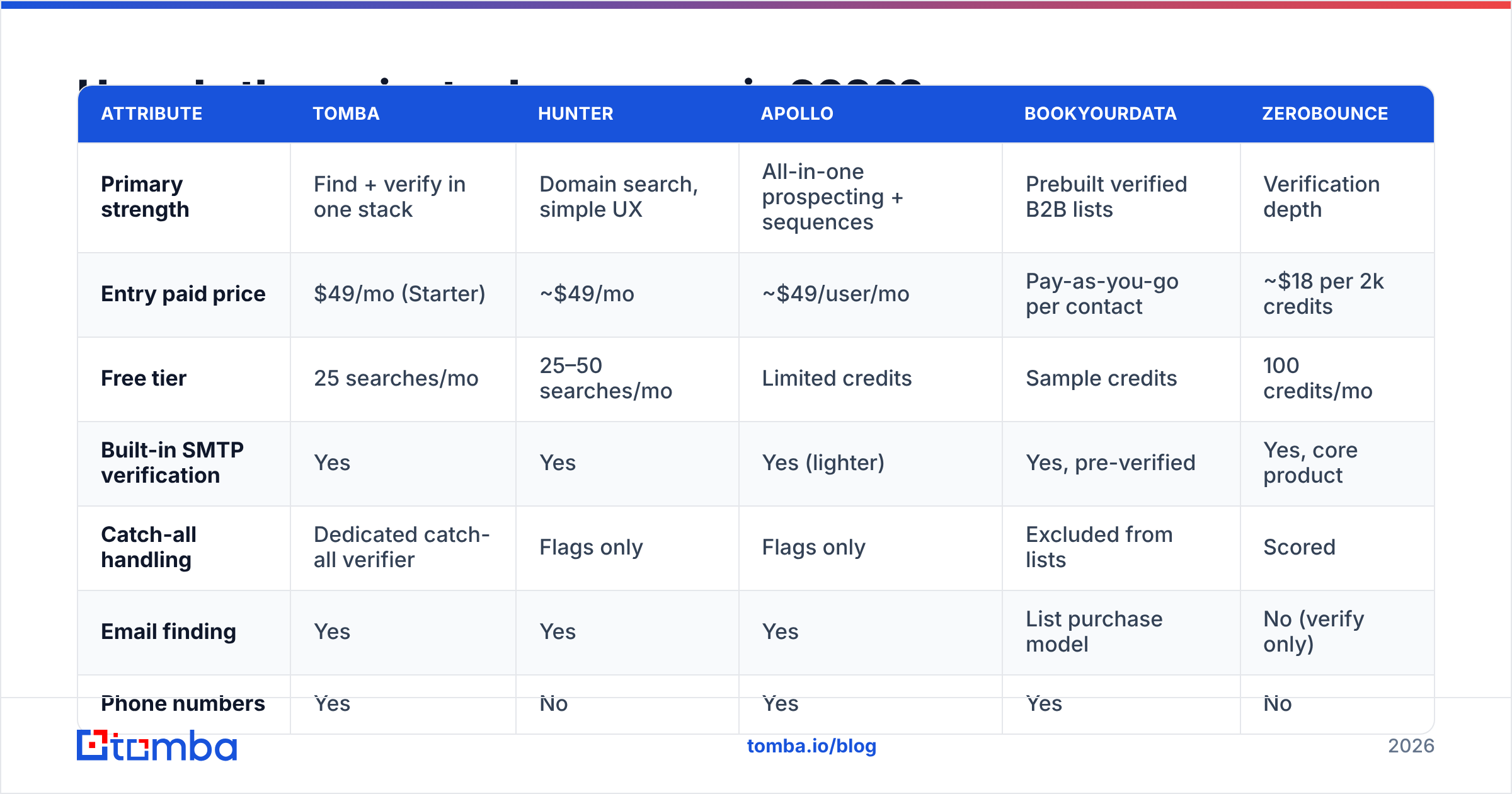
Here's how the widely used options stack up on the attributes that determine whether you get verified addresses or just addresses. Pricing reflects publicly listed entry tiers; always confirm on the vendor's own page since credit definitions shift.
| Attribute | Tomba | Hunter | Apollo | BookYourData | ZeroBounce |
|---|---|---|---|---|---|
| Primary strength | Find + verify in one stack | Domain search, simple UX | All-in-one prospecting + sequences | Prebuilt verified B2B lists | Verification depth |
| Entry paid price | $49/mo (Starter) | ~$49/mo | ~$49/user/mo | Pay-as-you-go per contact | ~$18 per 2k credits |
| Free tier | 25 searches/mo | 25–50 searches/mo | Limited credits | Sample credits | 100 credits/mo |
| Built-in SMTP verification | Yes | Yes | Yes (lighter) | Yes, pre-verified | Yes, core product |
| Catch-all handling | Dedicated catch-all verifier | Flags only | Flags only | Excluded from lists | Scored |
| Email finding | Yes | Yes | Yes | List purchase model | No (verify only) |
| Phone numbers | Yes | No | Yes | Yes | No |
| API + CLI + MCP | Yes | API | API | API | API |
| Best for | Teams wanting accuracy per credit | Small teams, quick lookups | Full outbound suite in one seat | Buying a targeted list fast | Cleaning an existing list |
The honest read: these tools are not substitutes for each other. ZeroBounce is a verifier, not a finder — pairing it with a finder means paying twice. Apollo bundles sequencing, so you're buying a workflow, not just data. BookYourData is a strong choice when you want a ready-made, pre-verified list for a defined ICP rather than running discovery yourself — different job, done well. Tomba sits in the middle: find email addresses and verify emails in the same credit pool, with a separate catch-all verifier for the domains that break everyone else.

What is the step-by-step workflow to find verified email addresses?#
Follow this sequence. Skipping steps is what produces the horror-story bounce rates.
Step 1 — Define the account list before you touch a tool. Domains first, people second. Pull 50–200 target companies from your CRM, a funding database, or a job-board scrape. Prospecting quality is decided here, not in the tool.
Step 2 — Run domain discovery to learn the pattern. Use domain search on each target to pull every known address at that company. You get two things: real contacts, and the company's actual email format. A domain returning j.doe@, m.chen@, and a.patel@ tells you the pattern is first-initial.last@.
Step 3 — Find named individuals. Now search by name plus domain for the specific people your ICP calls for. This is more accurate than pattern generation because the tool cross-references the pattern against observed evidence.
Step 4 — Verify every single result. Even results the finder returned as high-confidence. Verification is a live check against today's mail server; the finder's confidence score reflects historical evidence. People leave companies. Run a bulk verify pass across the whole list before it enters your sequencer.
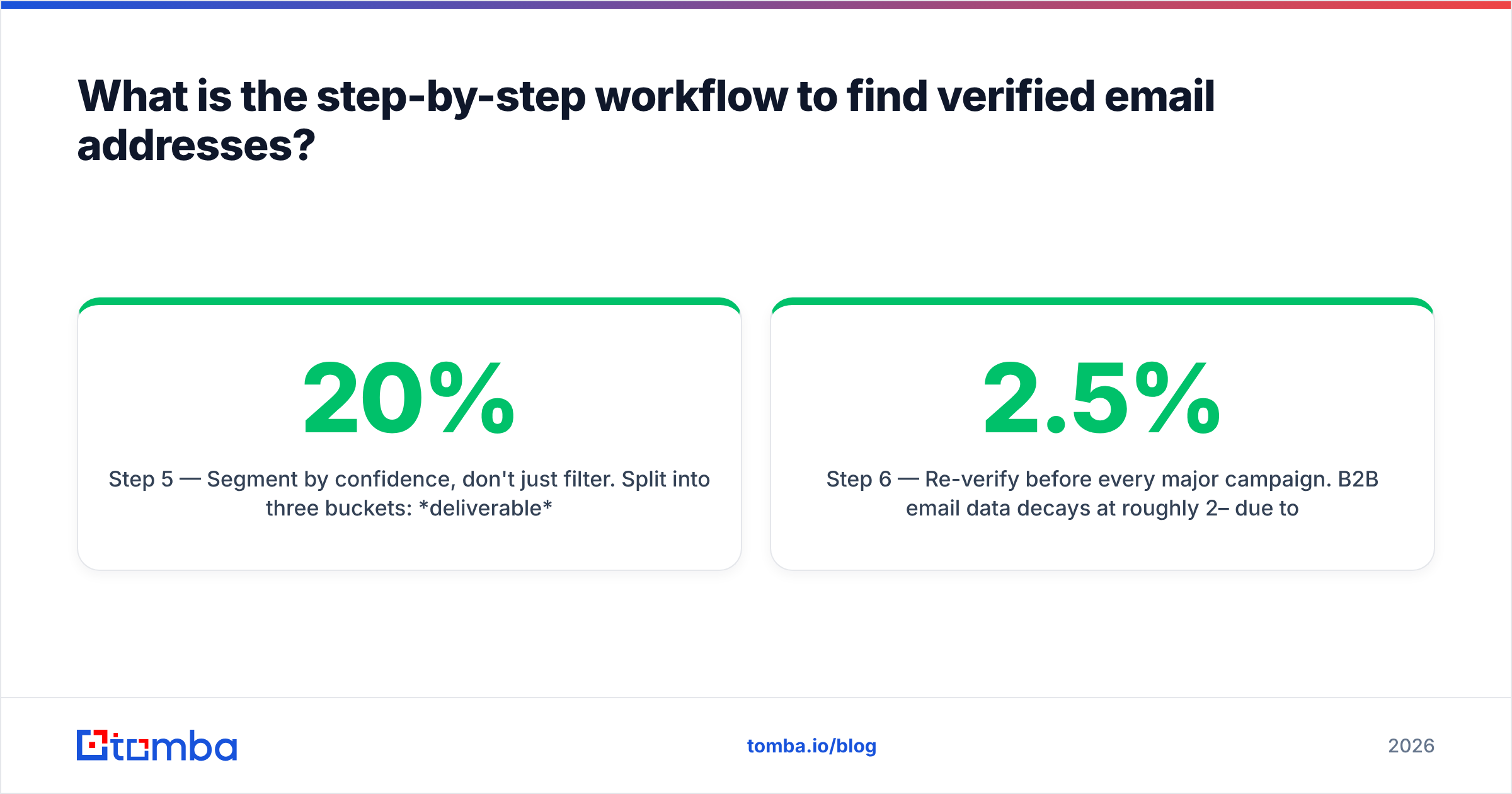
Step 5 — Segment by confidence, don't just filter. Split into three buckets: deliverable (send freely), catch-all / risky (send from a secondary domain, low volume, monitor closely), and invalid (delete, don't retry). Most teams throw away the middle bucket — that's often 20% of a list.
Step 6 — Re-verify before every major campaign. B2B email data decays at roughly 2–2.5% per month due to job changes alone. A six-month-old list is 12–15% stale before you count anything else.
How do you handle catch-all domains?#
Catch-all domains are the reason two tools can both be "right" and both be useless.
A catch-all (or accept-all) server is configured to accept mail for any address at the domain, then sort it internally. From outside, ceo@company.com and asdkjh@company.com return identical positive SMTP responses. Standard verification cannot distinguish them.
Roughly 20–30% of B2B domains run this way, and it skews toward enterprise and security-conscious organizations — exactly the accounts with the largest deal sizes.
Your options, ranked:
- Use a dedicated catch-all verification layer. Tools that maintain engagement histories and multi-source corroboration can score catch-all addresses far above a coin flip. A catch-all finder approach cross-references the address against independently observed sightings rather than relying on the SMTP response alone.
- Corroborate externally. If the same address appears in a conference speaker list, a GitHub commit, and a press release, it's real regardless of what the server says. Two independent sources is a reasonable bar.
- Send in a controlled way. Route catch-all contacts through a separate sending domain at low volume. If they bounce, your primary sender reputation is untouched.
- Switch channel. For high-value catch-all accounts, use B2B phone numbers or LinkedIn instead of burning inbox reputation on a guess.
What not to do: treat catch-all as invalid and delete it. You'd be discarding a chunk of your enterprise TAM because of a server config choice.

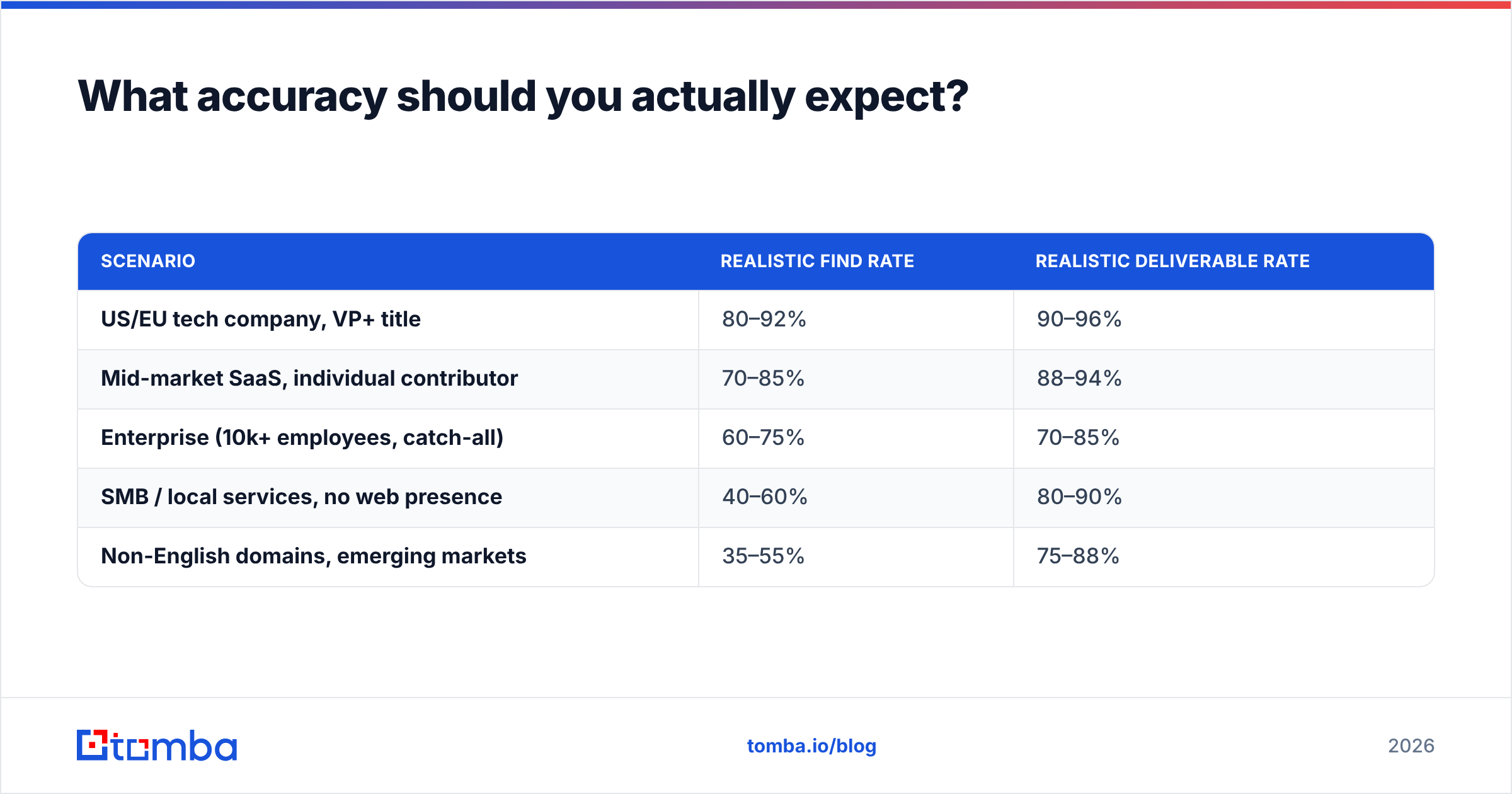
What accuracy should you actually expect?#
Set your expectations against reality, not vendor marketing pages.
| Scenario | Realistic find rate | Realistic deliverable rate |
|---|---|---|
| US/EU tech company, VP+ title | 80–92% | 90–96% |
| Mid-market SaaS, individual contributor | 70–85% | 88–94% |
| Enterprise (10k+ employees, catch-all) | 60–75% | 70–85% |
| SMB / local services, no web presence | 40–60% | 80–90% |
| Non-English domains, emerging markets | 35–55% | 75–88% |
Two numbers, not one. Find rate is how many of your targets return any address. Deliverable rate is how many of those actually land. A vendor claiming "98% accuracy" is quoting the second number on a filtered subset and hoping you read it as the first.
The composite metric to track internally:
Effective yield = (find rate × deliverable rate) × contacts, divided by total spend.
Run this on 100 contacts from two vendors using free tiers before you commit to an annual plan. A tool with a 70% find rate and 95% deliverability beats one with 90% find and 65% deliverability — and it costs you less in domain reputation, which doesn't show up on any invoice.
For anything above a few hundred contacts, wire this into your stack rather than doing it by hand. The Tomba API handles find-then-verify in a single call chain, and the HubSpot integration can enrich and re-verify records on write so your CRM doesn't quietly rot.
What are the compliance rules you can't ignore?#
Finding a verified email address is a technical problem. Sending to it is a legal one.
- GDPR (EU/UK). Business email addresses can be processed under legitimate interest, but you need a documented balancing test, a clear opt-out in every message, and the ability to honor deletion requests. Personal addresses (
@gmail.com) held for a person acting privately are far riskier. - CAN-SPAM (US). No opt-in requirement for B2B, but you must include a physical postal address, an accurate subject line and header, and a working unsubscribe honored within 10 business days.
- CASL (Canada). Strictest of the three — express or implied consent is required before the first message. Implied consent from a conspicuously published business address is time-limited.
- Data provenance. Ask your vendor where records come from. If they can't answer specifically, you inherit their risk. Tomba documents its data sources publicly; treat that as the minimum bar for any vendor you evaluate.
The practical rule: verified data reduces legal exposure as well as bounce rate, because a clean, opted-out-honored list is easier to defend than a scraped one. G2's category listings are a reasonable place to cross-check how vendors describe their compliance posture against what actual users report.
Which approach fits your team?#
- Solo founder or one-person GTM. Free tier plus a browser extension. Verify manually, send 20–30 highly personalized emails a week. Volume is not your lever; relevance is.
- 2–5 person sales team. Starter or Growth plan with bulk find-and-verify. Build one clean list per month, re-verify quarterly. Compare Tomba pricing against per-seat tools — credit pools usually win below 10 users.
- RevOps at 20+ seats. API-first. Enrichment on CRM write, scheduled re-verification jobs, confidence scores stored as a field so reps can see them. Deduplicate at ingest, not at send.
- Agency running client campaigns. Segment by confidence per client, never pool sending domains across clients, and re-verify at the start of every engagement regardless of list age.
Start with verified data, not more data#
The difference between a 3% bounce rate and a 22% bounce rate isn't effort — it's one verification pass you either ran or skipped. Mailbox providers treat bounce rate as a primary reputation signal, and reputation damage compounds across every campaign you send afterward.
Test the workflow on your own ICP before committing budget anywhere. The Tomba Email Finder gives you 25 free searches a month with SMTP verification and catch-all detection included, which is enough to measure real find and deliverable rates on your actual target accounts. Run the same 50 contacts through two vendors, send to both, and let the bounce data pick your stack.
Related guides#
Ready to find emails that actually work?
Join 150,000+ professionals who stopped guessing and started sending. Free credits on signup — no credit card required.
Get the Tomba newsletter
Practical outbound tactics and product updates — once every two weeks.
About the author