Finderio vs Jet Leads Pro (2026): Which Email Finder Wins?
Two lightweight email finders, two very different bills. We break down credits, accuracy, exports, and API access — then name the better pick for cold outbound in 2026.
TL;DR
- Finderio is the tidier single-purpose email finder of the two: domain search, bulk upload, decent UI, thin enrichment. Good for one-off list builds.
- Jet Leads Pro leans "all-in-one lead platform" — bigger claimed database, more filters, more upsell. Coverage is broader but hit quality is noisier.
- Neither publishes a stable, transparent credit model. Both charge a credit for results you may not be able to send to, which is where your real cost per usable contact hides.
- If you send cold email at any volume, the decision that actually moves your reply rate is verification depth, not raw database size.
- Our pick for most outbound teams: neither, at list-building scale. A finder + verifier stack with published pricing and a real API — like Tomba at $49/mo Starter — costs less per deliverable contact.
What are Finderio and Jet Leads Pro?#
Both tools sit in the same crowded shelf: you give them a name and a company domain, they give you back a work email address. That's the whole promise. Everything else — filters, Chrome extensions, CRM push, "AI scoring" — is packaging around that one function.
Finderio positions itself as a lightweight, no-nonsense email finder. The workflow is familiar to anyone who's used a domain-search tool: type a company domain, get a list of known addresses and detected patterns, export CSV, move on. It's fast, the interface doesn't fight you, and the learning curve is close to zero.
Jet Leads Pro markets itself further up the stack — closer to a prospecting database than a lookup utility. The pitch is filters: industry, headcount, title, geography, technology. You build a segment, then pull contacts out of it. That's a different job than "find this one person's email," and it comes with different failure modes.
The distinction matters more than the feature lists suggest. A finder verifies a specific hypothesis (does jane.doe@acme.com exist?). A database sells you rows that were true at some point in the past. Databases decay — B2B contact data goes stale at roughly 25–30% per year as people change jobs — while live finders re-check at query time. Neither approach is wrong; they fail differently, and your bounce rate is where you find out which one you bought.
How do Finderio and Jet Leads Pro compare head to head?#
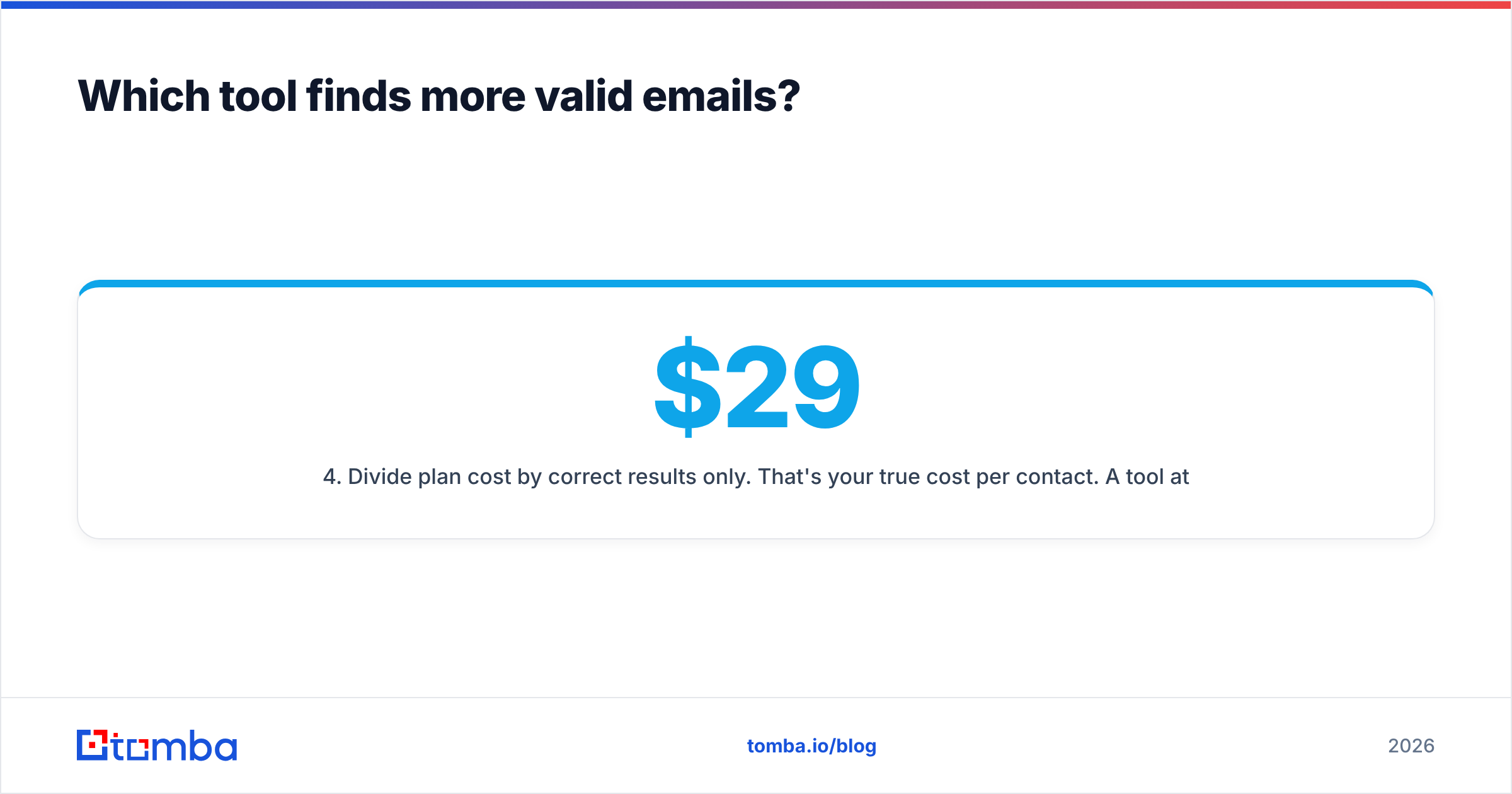
Here's the honest version. Both vendors adjust plans and credit definitions often, so treat the pricing rows as bands and verify on their live pages before you buy — the structure is what's stable, not the number.
| Attribute | Finderio | Jet Leads Pro | Tomba |
|---|---|---|---|
| Primary job | Email finder / domain search | Lead database + finder | Email finder + verifier stack |
| Free tier | Limited trial credits | Trial, usually gated by demo | 25 searches/mo, no card |
| Entry paid plan | Low band (~$20–40/mo) | Mid band (~$50–100/mo) | $49/mo Starter |
| Mid plan | Not clearly tiered | Sales-led upgrade path | $99/mo Growth |
| Team/agency plan | Limited seats | Seat-based, quoted | $249/mo Pro, Enterprise custom |
| Bulk processing | CSV upload | CSV + saved segments | Bulk email finder + bulk verify |
| Built-in verification | Basic syntax/MX | Basic, bundled | Dedicated email verifier with SMTP + catch-all handling |
| Catch-all handling | Marked "unknown" | Marked "risky" | Separate catch-all verifier scoring |
| Public API | Limited | Higher tiers only | Full REST API on all paid plans |
| Credit charged on | Any returned result | Any returned row | Only found/valid results |
| Pricing transparency | Public page | Partly sales-gated | Fully public |
Three rows in that table decide the outcome for most buyers, and none of them is "how many contacts do you have."
Credit charged on. If a tool bills you for "unknown" and "risky" rows, your effective cost per usable email is 1.4–2× the sticker price. Ask both vendors this in writing before you swipe a card.
Catch-all handling. Roughly 15–20% of B2B domains are catch-all — the mail server accepts everything, so a naive SMTP check returns "valid" for addresses that don't exist. A tool that silently passes catch-alls as valid is manufacturing your bounce rate.
API access. If enrichment lives in your CRM or your data warehouse, a UI-only tool is a manual process with extra steps.

Which tool finds more valid emails?#
Coverage and accuracy are not the same metric, and vendors love to blur them.
Coverage = of 100 prospects you searched, how many returned any address. Accuracy = of those returned addresses, how many actually accept mail. A tool can win coverage and lose badly on accuracy by guessing patterns and shipping them as findings.
In practice, pattern-guessing is exactly what thin finders do. If a tool knows first.last@acme.com is the dominant format at Acme, it can construct an address for anyone at Acme and hand it to you with a confidence badge. That's a hypothesis, not a finding. It's only worth a credit if someone actually validated it against the mail server.

How to test this yourself in about 30 minutes, without trusting anyone's marketing:
- Build a 50-contact control list from people you can independently confirm — customers, past prospects, LinkedIn connections whose emails you already have on file.
- Run the same list through both tools with identical inputs (full name + company domain, no extra hints).
- Score four buckets, not two: correct, wrong, not found, and "returned but unverifiable." That fourth bucket is the one vendors hide inside "found."
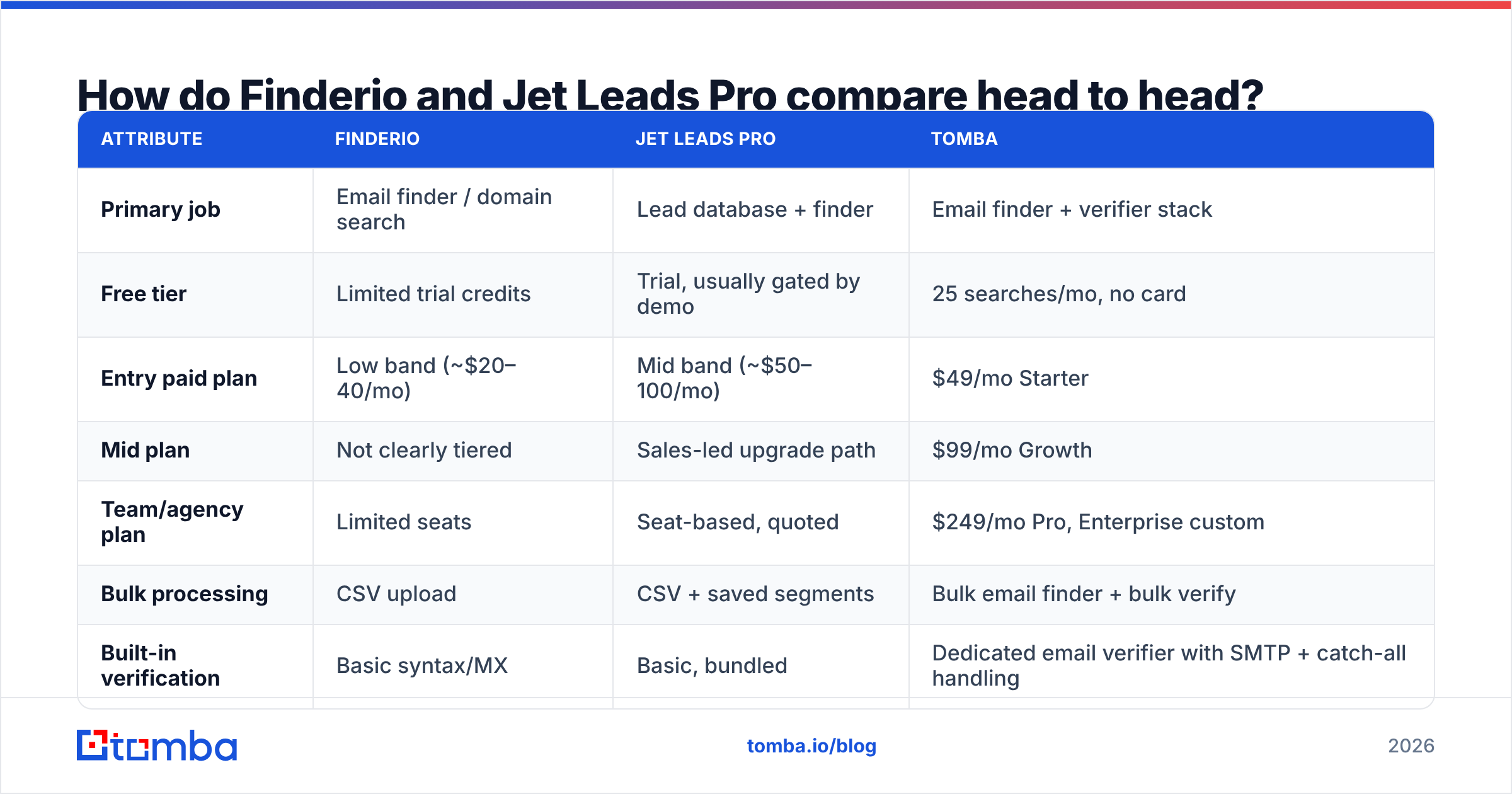
- Divide plan cost by correct results only. That's your true cost per contact. A $29 tool at 45% correct is more expensive than a $49 tool at 85%.
- Re-run the wrong ones through a standalone verifier to see whether the finder shipped an address its own checker would have rejected.
Do this before committing to an annual contract. It takes less time than one discovery call, and it's the only benchmark that reflects your ICP rather than a vendor's cherry-picked sample.
Is Jet Leads Pro's bigger database actually better?#
Not automatically — and this is where "all-in-one" platforms oversell.
Database size is the easiest number to inflate and the least predictive of outbound performance. A 200-million-contact database that's 30% stale delivers fewer inboxable addresses than a 40-million database refreshed continuously. What matters is recency, source diversity, and whether the vendor re-validates at query time or just serves you a cached row.
Ask any database vendor three questions:
- Where does the data come from? Community contribution, public crawling, licensed panels, and opt-in first-party data have very different legal and quality profiles. Tomba publishes its data sources — expect the same from anyone else.
- When was this specific record last confirmed? Not "we refresh monthly" — a per-record timestamp.
- What happens on GDPR/CCPA deletion requests? If you're emailing EU contacts, the vendor's compliance posture becomes your compliance posture.
Jet Leads Pro's filter-first workflow is genuinely useful when you don't yet know who to target — you're exploring a segment. Finderio's lookup-first workflow is better when you already have the account list and just need contact details. Buying the wrong shape of tool for your motion is a more expensive mistake than paying $30/mo too much.
Independent review aggregators are worth a skim before you commit. Categories on G2 and Capterra surface the complaints vendors won't put on a pricing page — usually about credit expiry, export limits, and cancellation friction.
What does the deliverability side look like?#
This is where a finder-only purchase quietly costs you a domain.
Every unverified address you send to is a coin flip on your sender reputation. Mailbox providers watch bounce rate as a primary signal. Cross roughly 2–3% hard bounces on a campaign and filtering tightens; sustain it and your domain starts landing in spam even for people who wanted to hear from you. The SMTP handshake that returns a 550 on a bad recipient is the same handshake a good verifier performs before you send.
The practical stack for cold outbound looks like this, regardless of which finder you pick:
- Find — resolve name + domain to a candidate address.
- Verify — SMTP-level check, with explicit catch-all scoring rather than a shrug.
- Segment — send only to valid; route catch-alls to a low-volume warm domain or to LinkedIn instead.
- Monitor — track bounce rate per domain per week, not per campaign.
Finderio and Jet Leads Pro both bundle some verification. Neither treats it as a first-class product. If you're sending more than a few hundred emails a week, you'll end up paying a second vendor for verification anyway — which changes the price comparison entirely. A stack where the email verifier is built by the same team as the finder removes that line item and, more importantly, removes the handoff where data gets lost.

Finderio vs Jet Leads Pro: which should you choose?#
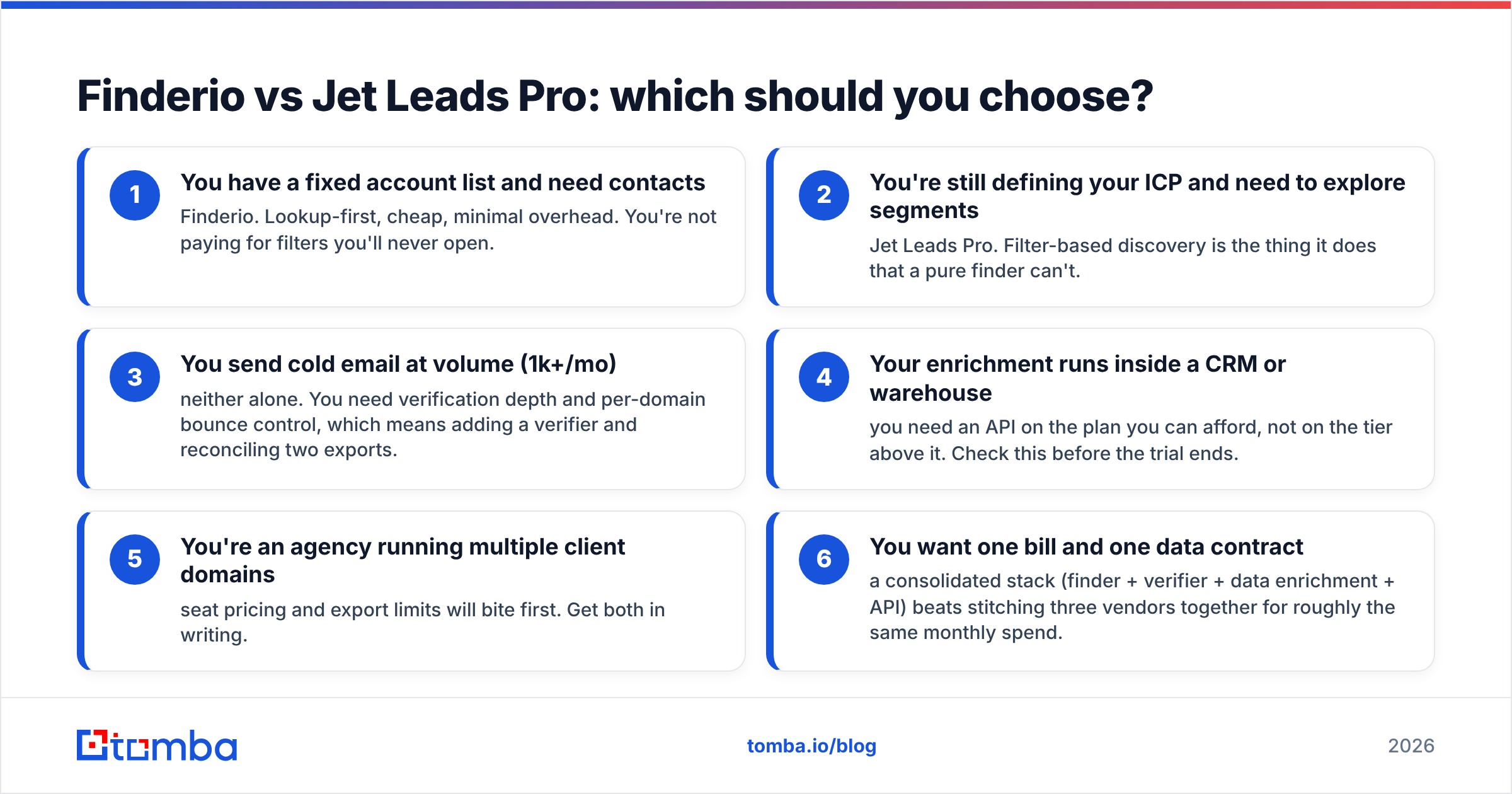
Match the tool to the motion, not to the feature count.
- You have a fixed account list and need contacts — Finderio. Lookup-first, cheap, minimal overhead. You're not paying for filters you'll never open.
- You're still defining your ICP and need to explore segments — Jet Leads Pro. Filter-based discovery is the thing it does that a pure finder can't.
- You send cold email at volume (1k+/mo) — neither alone. You need verification depth and per-domain bounce control, which means adding a verifier and reconciling two exports.
- Your enrichment runs inside a CRM or warehouse — you need an API on the plan you can afford, not on the tier above it. Check this before the trial ends.
- You're an agency running multiple client domains — seat pricing and export limits will bite first. Get both in writing.
- You want one bill and one data contract — a consolidated stack (finder + verifier + data enrichment + API) beats stitching three vendors together for roughly the same monthly spend.

It's also worth noting that the "lightweight finder vs broad database" split isn't binary anymore. Providers like BookYourData have built credible, compliance-forward B2B datasets with per-record sourcing, and they're a legitimate option if a purchased list genuinely fits your motion. The failure mode isn't buying data — it's buying data you never verify.
How much does each option really cost per contact?#
Run the arithmetic before the trial ends, because sticker price is the least useful number on the page.
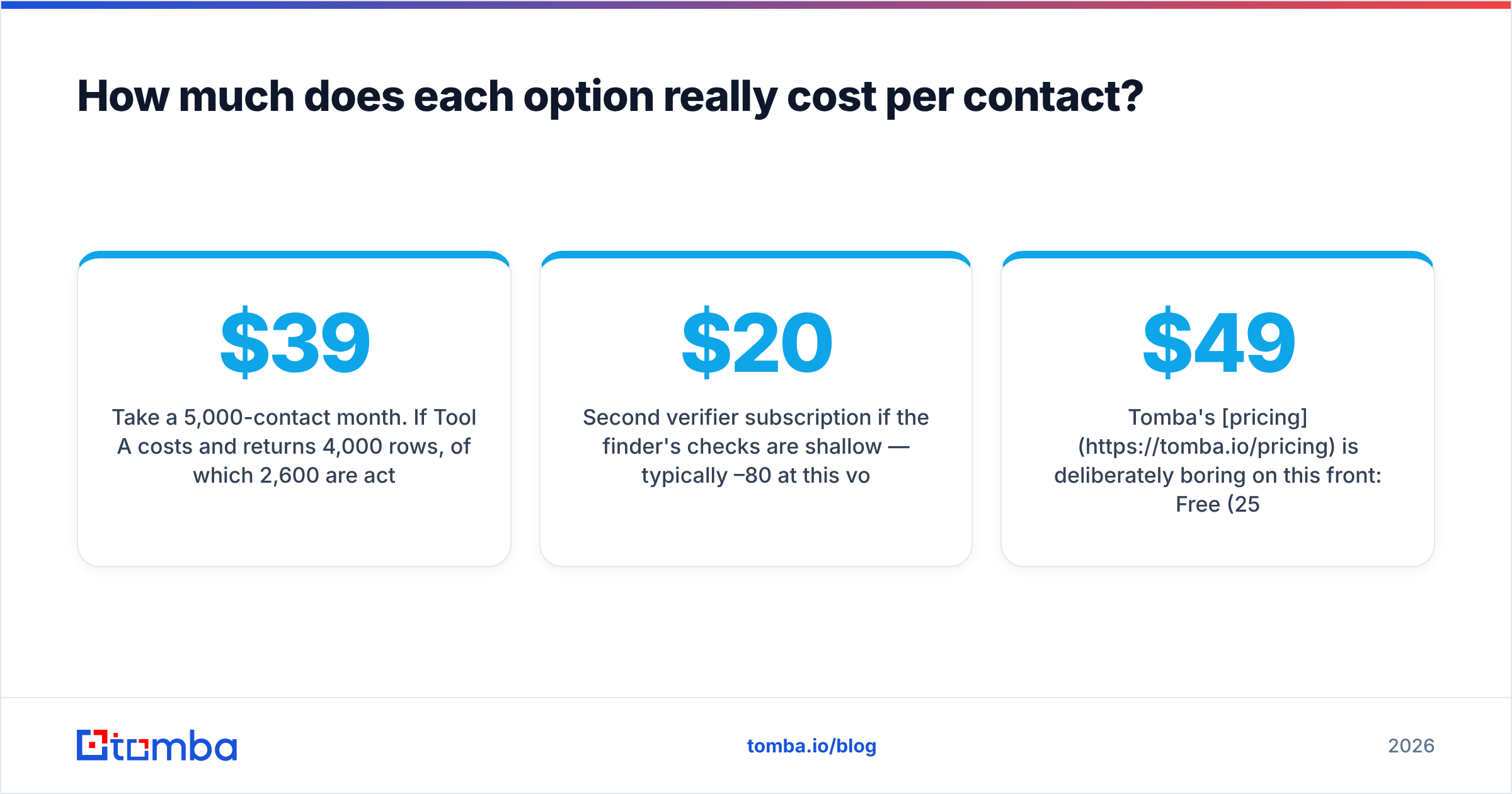
Take a 5,000-contact month. If Tool A costs $39 and returns 4,000 rows, of which 2,600 are actually deliverable, your cost per usable contact is $0.015 — but you also burned budget on 1,400 rows you paid for and can't send to, and those rows will hurt you if you send anyway. If Tool B costs $99, returns 3,400 rows, and 3,150 are deliverable, the headline is worse and the outcome is better.
Then add the hidden lines:
- Second verifier subscription if the finder's checks are shallow — typically $20–80/mo at this volume.
- Credit expiry. Monthly credits that don't roll over mean you pay for peak capacity every month.
- Export caps. Some plans limit rows per export, which turns a 5,000-row pull into an afternoon.
- Domain replacement cost if a bad list burns a sending domain. Realistically weeks of warmup, not dollars.
Tomba's pricing is deliberately boring on this front: Free (25 searches/mo), Starter $49/mo, Growth $99/mo, Pro $249/mo, Enterprise custom — credits consumed on results, verification included in the same account, and the API available on every paid tier rather than reserved for a sales call.
Frequently asked questions#
Can I use both Finderio and Jet Leads Pro together? You can, and some teams do — database for discovery, finder for confirmation. Just don't pay twice for the same contact. Deduplicate at the domain level before you run the second tool.
Do free email finders work? For low volume, yes. Free tiers are the correct way to run the 50-contact benchmark described above. They fall apart at list-building scale, where per-credit economics and API throughput start to dominate.
Is a catch-all domain worth emailing? Sometimes. Treat it as a separate segment, send at low volume from a secondary domain, and watch bounces closely. Never mix catch-alls into your main sending pool.
How often should I re-verify a list? Before every send if the list is older than 30 days, and always before a bulk campaign. Contact data decays fastest in the first 90 days after you collect it.
The bottom line#
Finderio wins on simplicity and price for account-list lookups. Jet Leads Pro wins on discovery when you don't yet know who to target. Both leave the same gap: verification depth, credit transparency, and API access on a plan a small team can actually afford.
If your outbound depends on emails that land rather than emails that merely exist, start with the Tomba Email Finder — find, verify, and export from one account, with 25 free searches a month to run your own benchmark before you spend anything. Build the 50-contact control list, score all four buckets, and let the numbers pick the winner.
Related guides#
Ready to find emails that actually work?
Join 150,000+ professionals who stopped guessing and started sending. Free credits on signup — no credit card required.
Get the Tomba newsletter
Practical outbound tactics and product updates — once every two weeks.
About the author