Finderio vs Leadsforge: Which Email Finder Wins in 2026?
Finderio and Leadsforge both promise verified B2B contacts, but they solve different problems. Here is an honest breakdown of data quality, pricing models, API depth, and which one actually belongs in your stack in 2026.
TL;DR
- Finderio (finder.io, part of the 500apps suite) is a classic email finder and verifier sold inside a bundled app suite. You get breadth at a low headline price, but the tooling is only as deep as the bundle allows.
- Leadsforge is an AI-first list builder. You describe your ICP in plain language and it returns a contact list. Great for speed, weaker if you need surgical, domain-by-domain lookups.
- They are not really the same product. Finderio answers "what is this person's email?" Leadsforge answers "who should I email at all?"
- Neither ships a deep developer platform. If you need an email finder API, bulk pipelines, and catch-all handling, both leave gaps that a dedicated provider like Tomba fills.
- Pick on workflow, not on price. A $30/mo tool that produces 40% bounces costs more than a $49/mo tool that produces 2%.
What are Finderio and Leadsforge?#
Finderio is an email finding and verification tool distributed as part of the 500apps bundle. The pitch is volume economics: instead of paying per tool, you pay one subscription and get access to dozens of apps, of which the email finder is one. Core functions are the ones you would expect — find an email from a name plus domain, run a domain search to list contacts at a company, verify addresses before send, and pull data through a Chrome extension.
Leadsforge takes a different route. It positions itself as an AI sales-agent style list builder: you type something like "heads of RevOps at Series B fintechs in Germany" and it assembles a contact list with emails attached. The value is in the prompt-to-list loop, not in the individual lookup. It compresses the research step that normally eats an SDR's morning.
That difference matters more than any feature checkbox. When people search "finderio vs leadsforge" they are usually really asking one of two questions:
- I already have a target account list. I need emails for named people at named domains. This is a lookup problem.
- I don't have a list yet. I need to discover companies and people who match a profile. This is a discovery problem.
Finderio is built for the first. Leadsforge is built for the second. Most teams end up needing both, which is why the "winner" question is usually the wrong framing.

How do Finderio and Leadsforge compare feature by feature?#
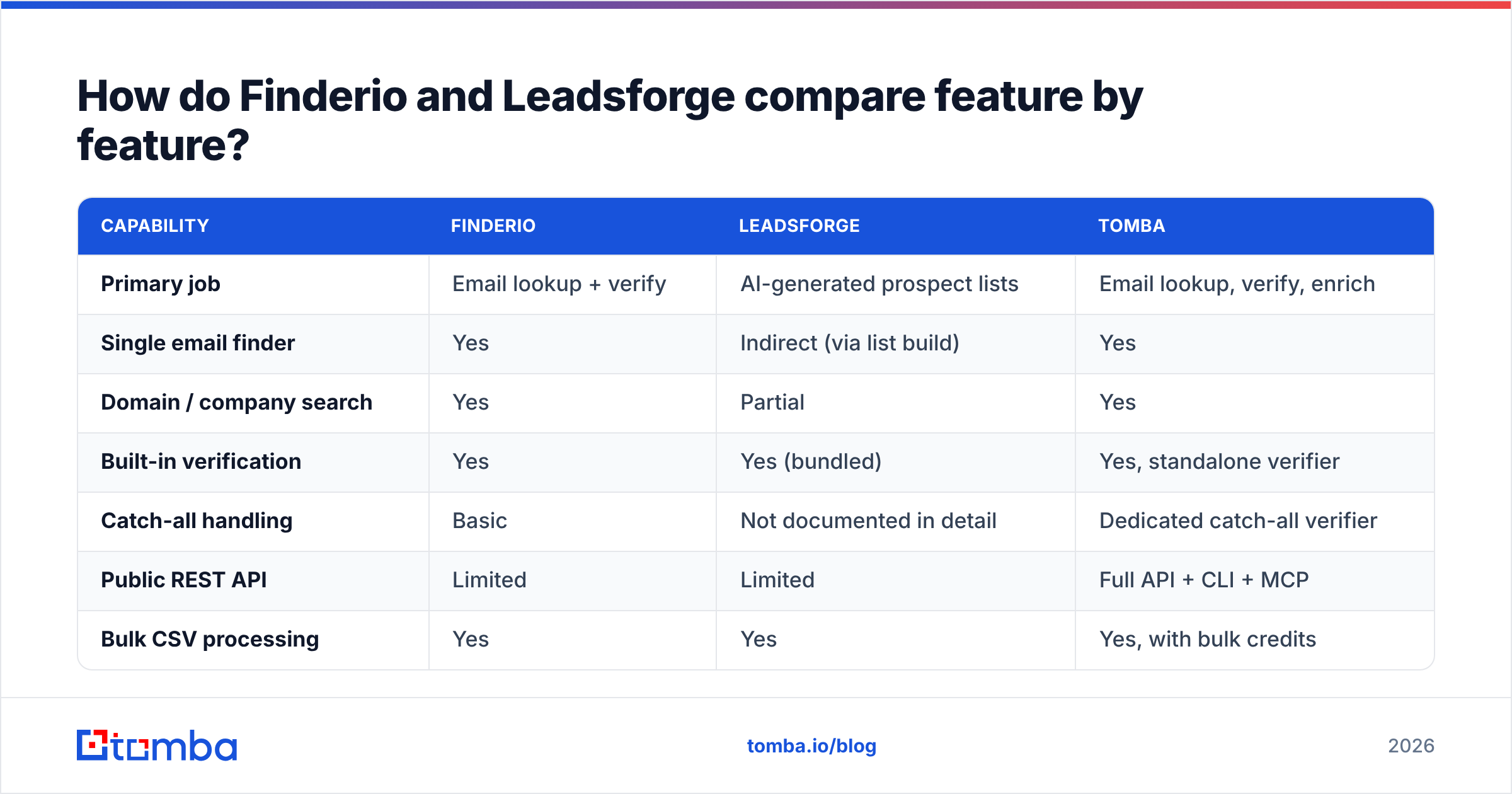
Here is the honest side-by-side, with Tomba included as a third reference point since it competes on the lookup half of the problem. Vendor pricing and limits change frequently — treat the numbers as directional and confirm on each vendor's page before you buy.
| Capability | Finderio | Leadsforge | Tomba |
|---|---|---|---|
| Primary job | Email lookup + verify | AI-generated prospect lists | Email lookup, verify, enrich |
| Single email finder | Yes | Indirect (via list build) | Yes |
| Domain / company search | Yes | Partial | Yes |
| Built-in verification | Yes | Yes (bundled) | Yes, standalone verifier |
| Catch-all handling | Basic | Not documented in detail | Dedicated catch-all verifier |
| Public REST API | Limited | Limited | Full API + CLI + MCP |
| Bulk CSV processing | Yes | Yes | Yes, with bulk credits |
| Phone numbers | No | Varies by plan | Yes, phone finder + validator |
| Chrome extension | Yes | Yes | Yes |
| Free tier | Trial-based | Trial-based | 25 searches/mo, no card |
| Entry paid price | Bundle-priced, low | Mid-tier SaaS pricing | $49/mo Starter |
Two things stand out.
First, Leadsforge front-loads the work you would otherwise do in a database tool. If your ICP is fuzzy and you want a list in ten minutes, that is real leverage. The tradeoff is control: you are trusting an AI layer to interpret your criteria, and you cannot always audit why a given company made the cut.
Second, Finderio's economics come from bundling. When an email finder is app #23 in a suite, the roadmap attention it gets is proportional. Users on G2 and Capterra consistently flag the same pattern across bundled suites: strong price, thinner support, slower feature velocity. That is not a knock on the concept — it is just the deal you are signing.
Which tool actually finds more valid emails?#
This is where most comparisons hand-wave, so let's be precise about what "accuracy" means. There are three separate numbers and vendors love to blur them:
- Match rate — of the contacts you submit, how many come back with any address at all.
- Deliverability rate — of the addresses returned, how many actually accept mail.
- Effective yield — match rate multiplied by deliverability. This is the only number that maps to your pipeline.
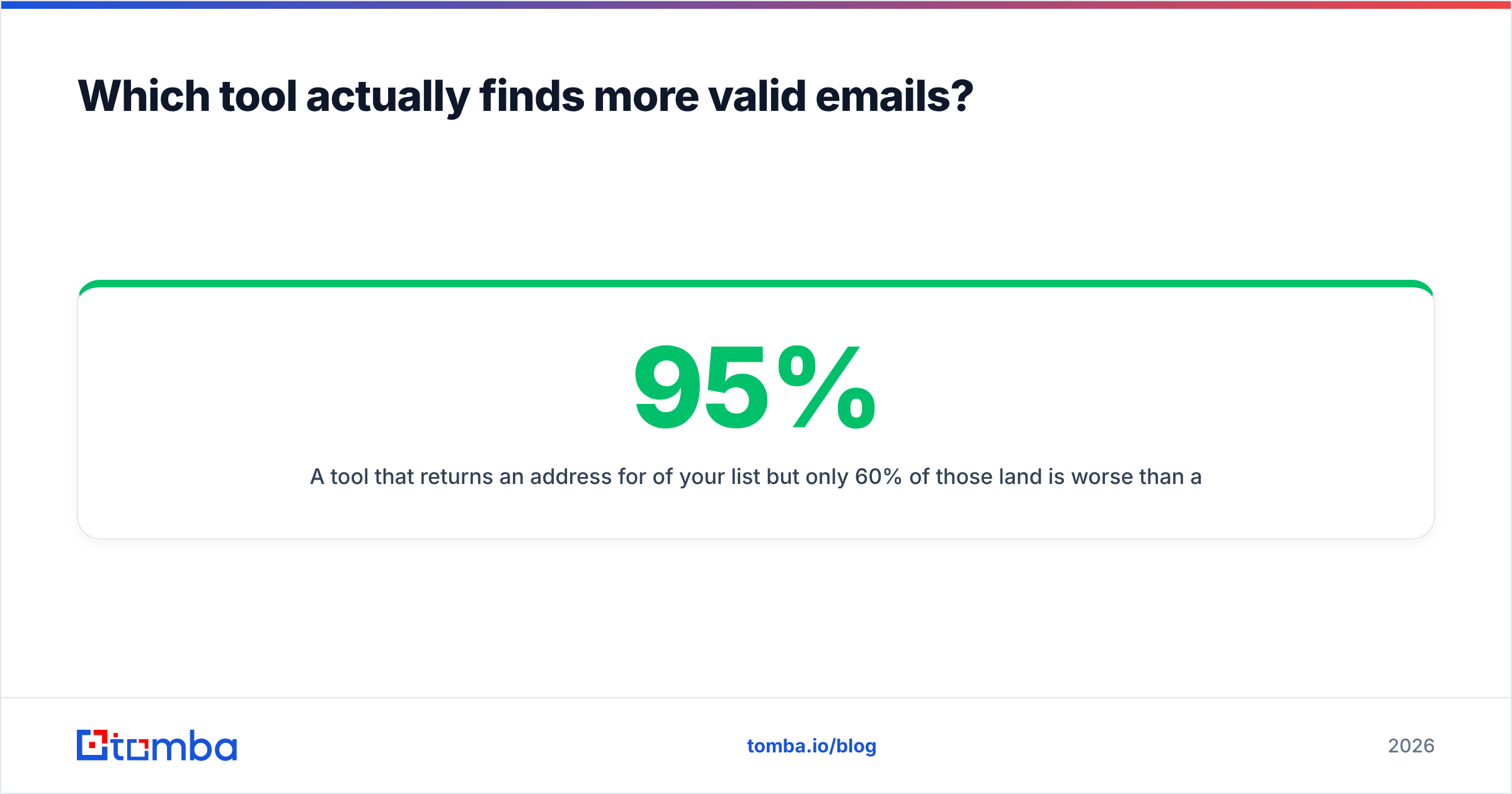
A tool that returns an address for 95% of your list but only 60% of those land is worse than a tool with a 70% match rate and 97% deliverability. Guessed patterns inflate metric #1 and destroy metric #2 — and they quietly erode your sender reputation at the same time.

How to test this yourself in under an hour:
- Build a 100-row control list. Real people at real companies you already have confirmed contact with. Mix company sizes and countries.
- Run the same list through each tool. Do not cherry-pick easy domains — include a couple of known catch-all domains.
- Record all three numbers separately. Matches found, addresses that pass an independent email verifier, and the product of the two.
- Check the catch-all bucket specifically. Catch-all domains accept everything at the SMTP layer, so a naive verifier marks garbage as valid. This is the single biggest source of hidden bounce risk.
- Price the result per usable contact, not per credit. Divide monthly cost by effective yield.
Run that and the ranking usually stops being a debate. In our experience the AI-list tools (Leadsforge's category) skew toward higher raw volume with more variance in quality, while dedicated finders (Finderio's category) skew toward tighter but smaller result sets. Tomba's approach is to separate the two steps entirely — the email finder returns a confidence score, and the catch-all verifier handles the domains that break naive SMTP checks.
How does pricing really compare?#
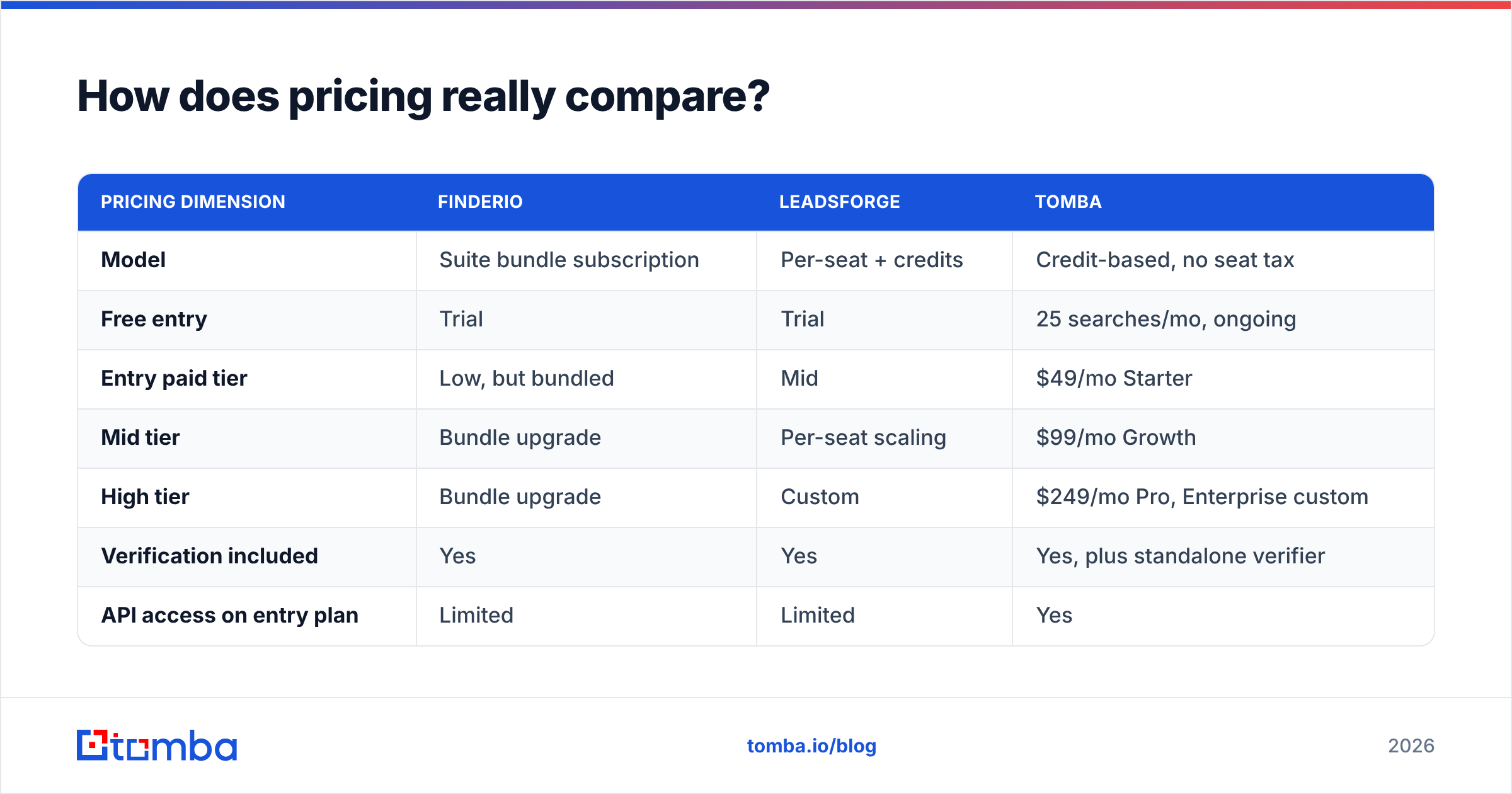
Sticker price is the least useful comparison in this category, because the three tools meter differently.
| Pricing dimension | Finderio | Leadsforge | Tomba |
|---|---|---|---|
| Model | Suite bundle subscription | Per-seat + credits | Credit-based, no seat tax |
| Free entry | Trial | Trial | 25 searches/mo, ongoing |
| Entry paid tier | Low, but bundled | Mid | $49/mo Starter |
| Mid tier | Bundle upgrade | Per-seat scaling | $99/mo Growth |
| High tier | Bundle upgrade | Custom | $249/mo Pro, Enterprise custom |
| Verification included | Yes | Yes | Yes, plus standalone verifier |
| API access on entry plan | Limited | Limited | Yes |
| Credit rollover | Check vendor | Check vendor | Check Tomba pricing |
The trap is per-seat pricing. If you are a three-person team, a $99/seat tool is $297/mo before you find a single contact. Credit-based pricing decouples cost from headcount, which is why it tends to win once you have more than two people touching the data.
The second trap is wasted credits. Every tool charges you for a lookup whether or not the result is deliverable. So the real formula is:
Cost per usable contact = (monthly price ÷ credits) ÷ effective yield
A tool at half the price with two-thirds the yield is not cheaper. Run that math with your own control list before you commit to an annual plan.


Which one fits an automated workflow?#
If a human is copy-pasting from a dashboard, both tools work fine. The differences appear the moment you try to automate.
What to interrogate before you buy:
- API surface. Is there a documented REST endpoint for find, verify, and enrich — or just a CSV upload screen? Bundled suites and AI-first products both tend to treat the API as an afterthought. If you are building anything programmatic, look at the Tomba API docs as a baseline for what "complete" looks like.
- Rate limits and concurrency. A 60-requests-per-minute cap is fine for a Chrome extension and useless for enriching 200,000 rows.
- Native integrations. Does it write back to your CRM, or do you export and re-import? Check for HubSpot integration and Salesforce support specifically — those two cover most B2B stacks.
- Bulk behavior. Can you submit 50,000 rows and poll for a result, or does the browser tab have to stay open?
- Spreadsheet path. For non-technical teams, a Google Sheets add-on removes an entire category of ops overhead.
- Data provenance. Ask where the data comes from and how often it refreshes. Vendors that publish their data sources are making a checkable claim; vendors that say "proprietary AI" are not.
Leadsforge scores well on speed-to-first-list and poorly on programmatic control. Finderio scores well on breadth-per-dollar and poorly on depth. Neither is designed as infrastructure. If your plan involves an engineer writing a nightly enrichment job, that gap is the deciding factor.
Where does each tool fall short?#
Being fair to both:
Finderio's weak spots. Bundle pricing means you are buying 40 apps to use one. Support is spread across the whole suite. Catch-all detection is basic, so you carry bounce risk into your sending domain. Documentation is thin relative to specialist tools. If the email finder is the only app you need, you are paying for shelf space.
Leadsforge's weak spots. AI list generation is only as good as your prompt and its underlying index. You get less transparency about why a contact was included, which makes list hygiene harder to audit. Per-seat pricing scales badly for small teams. And if you already know your accounts, the AI layer is overhead rather than leverage — you just want the address.
The shared weak spot. Neither tool is built around verification as a first-class product. Verification is a bundled checkbox. That is fine at 500 sends a month. At 20,000, the difference between a real catch-all verifier and a naive SMTP ping shows up directly in your inbox placement, and recovering a burned domain takes weeks. If you want to see how much runway you have, run your list through a free email checker and look at the risky bucket.
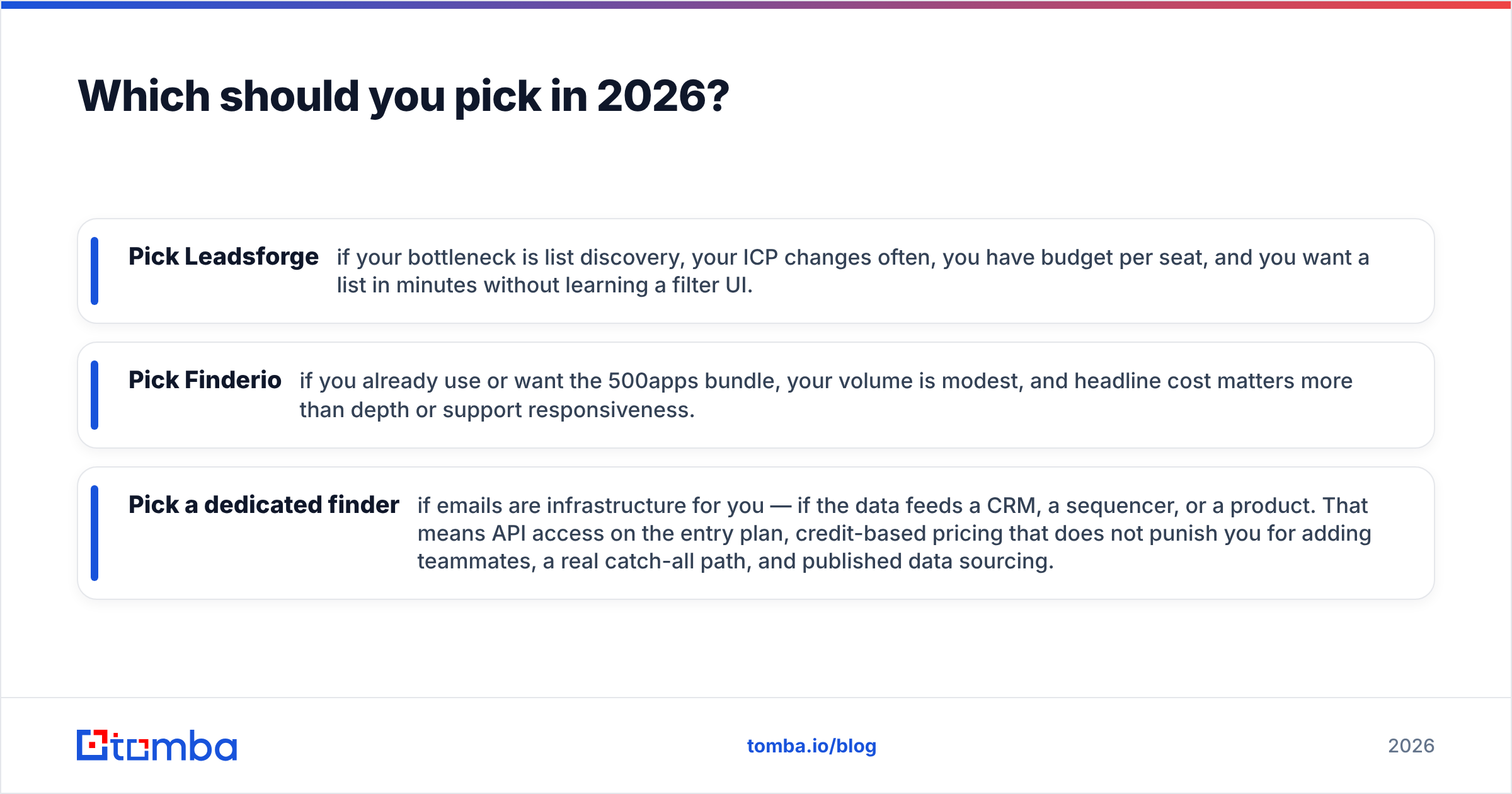
Which should you pick in 2026?#
Match the tool to the job:
- Pick Leadsforge if your bottleneck is list discovery, your ICP changes often, you have budget per seat, and you want a list in minutes without learning a filter UI.
- Pick Finderio if you already use or want the 500apps bundle, your volume is modest, and headline cost matters more than depth or support responsiveness.
- Pick a dedicated finder if emails are infrastructure for you — if the data feeds a CRM, a sequencer, or a product. That means API access on the entry plan, credit-based pricing that does not punish you for adding teammates, a real catch-all path, and published data sourcing.
The honest verdict on "finderio vs leadsforge": they are complements more often than rivals. The failure mode is buying either one expecting it to be the whole data layer. Discovery, enrichment, and verification are three jobs, and the tools that try to do all three inside one bundled checkbox are usually strongest at exactly one.
Whatever you choose, do the 100-row control test first. It costs an hour and it is the only comparison that reflects your actual accounts, your actual geographies, and your actual bounce tolerance.
Ready to test the lookup half properly? Start with the Tomba Email Finder — the free tier gives you 25 searches a month with no card, enough to run a real control list against whatever you are using today. If the numbers hold up, Starter is $49/mo with API access included, and you can add bulk email finder jobs and catch-all verification without a per-seat surcharge. Run the test, keep the winner.
Related guides#
Ready to find emails that actually work?
Join 150,000+ professionals who stopped guessing and started sending. Free credits on signup — no credit card required.
Get the Tomba newsletter
Practical outbound tactics and product updates — once every two weeks.
About the author