Finderio vs Leadsrush 2026: Which Email Finder Wins?
Finderio bundles an email finder into a 50-app suite. Leadsrush sells lead lists and outreach. We compare accuracy, credits, verification and API depth so you can pick without wasting a month of budget.
TL;DR
- Finderio (finder.io, by 500apps) is an email finder bundled inside a large all-apps suite. You get find + verify + bulk for a low per-user price, but the tooling is generalist and the data depth is thinner than dedicated providers.
- Leadsrush sits closer to the list-building and outreach end of the market: pre-built lead sets and campaign tooling rather than a precision lookup engine with a documented public API.
- Neither is a clean win on accuracy. Both lean heavily on pattern inference plus SMTP checks, which is exactly where bounce rates come from on catch-all and privacy-gated domains.
- Pick by workflow, not by logo: suite economics → Finderio. Ready-made lists + sequences → Leadsrush. Verified single-contact lookups at scale, via API → a dedicated finder.
- Test before you commit. Run the same 100 known-good contacts through both and measure hit rate after verification, not the raw "found" number.
What are Finderio and Leadsrush?#
Finderio (published at finder.io) is 500apps' email discovery product. Its pitch is bundling: instead of paying separately for a finder, a CRM, a helpdesk and 40-odd other tools, you pay one per-user price and get the lot. The finder itself covers the standard set — email lookup by name and domain, domain search for a company's published addresses, bulk uploads, and a verification pass on results.
Leadsrush is positioned differently. Rather than "give me the email for this one person," it targets teams that want a lead list and a way to email it. That means the value sits in the database and the campaign layer, not in a precision-lookup API you wire into your own stack.
That distinction matters more than any feature checkbox. A finder answers a question you already have. A list platform decides the question for you. If your ICP is narrow — say, heads of RevOps at Series B fintechs in DACH — a canned list will underperform a targeted lookup every time.
How do Finderio and Leadsrush compare on features?#
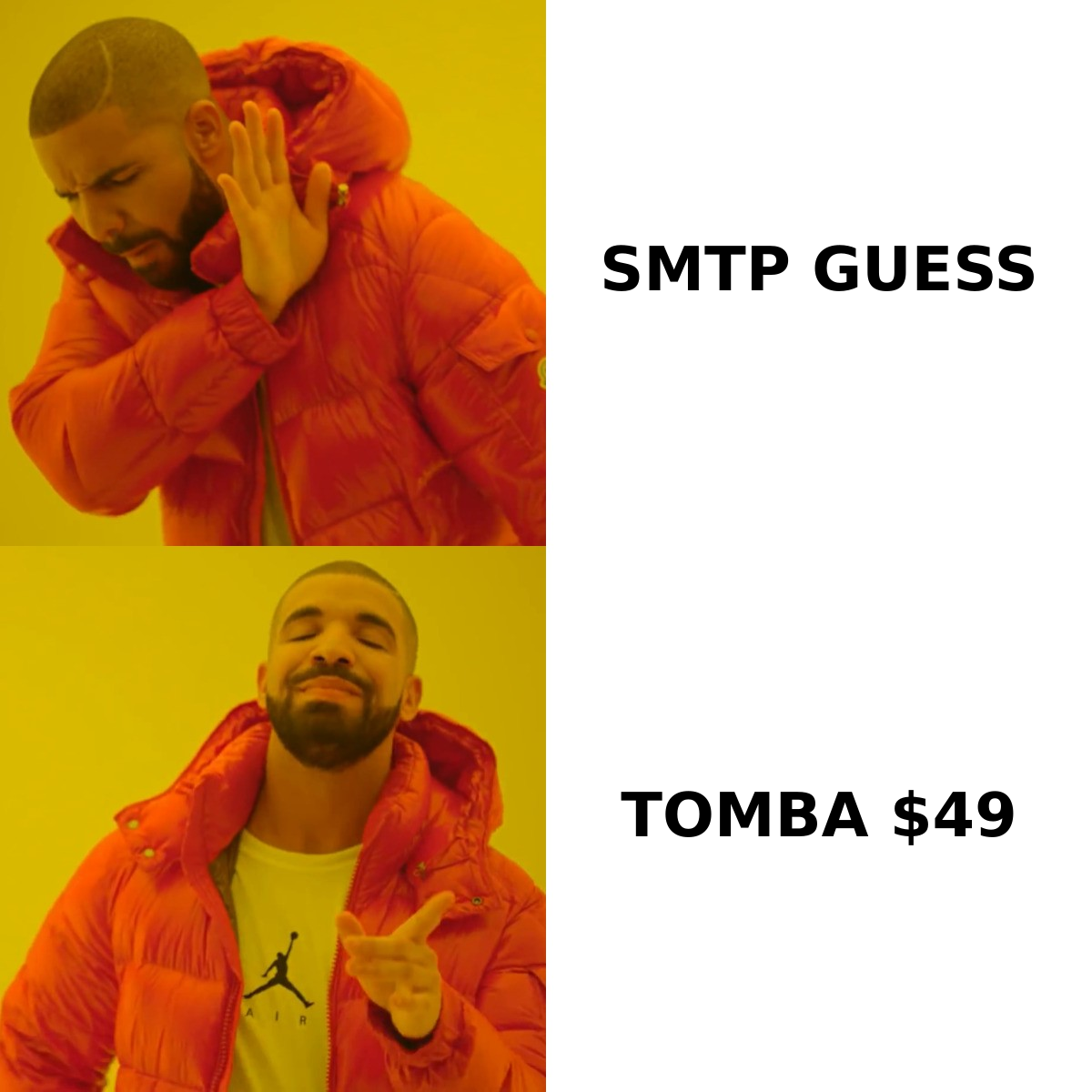
| Capability | Finderio | Leadsrush | Why it matters |
|---|---|---|---|
| Single email lookup | Yes — name + domain | Limited; database-first | Core of any ABM or 1:1 outbound motion |
| Domain search | Yes | Partial | Finds all published addresses at a company |
| Bulk processing | CSV upload | List export | Determines how fast you can build a 5,000-row campaign |
| Built-in verification | Basic syntax + MX + SMTP | Bundled with list quality claims | Verification is what keeps bounce rate under 3% |
| Catch-all handling | Weak — flagged as "accept-all" | Not clearly documented | Roughly 20–25% of B2B domains are catch-all |
| Public REST API | Yes, suite-wide auth | Not a documented public product | Non-negotiable if you're enriching in-product |
| Chrome extension | Yes | Yes | Speeds up LinkedIn and site-based prospecting |
| Sequencing / sending | Via other 500apps modules | Native | Decides whether you need a second vendor |
| Best fit | Cost-sensitive SMBs already in the suite | Teams buying lists + sending in one place | — |
Read that table as a fork in the road, not a scoreboard. Finderio wins on breadth-per-dollar. Leadsrush wins on "one login, list to inbox." Neither wins on data precision, and precision is what actually determines whether your campaign lands.
Which one finds more valid emails?#
Here's the uncomfortable answer: the "found" number is close to meaningless on its own.
Every finder in this category can return a syntactically plausible address for almost any name-plus-domain pair. first.last@company.com is a coin flip that pays off often enough to look good in a demo. What separates providers is the second question — can you prove it's deliverable?
There are three honest accuracy metrics, and you should measure all three yourself:
- Hit rate — of 100 real contacts, how many returned any address at all.
- Verified hit rate — of those, how many survived independent verification. This is the only number that predicts your bounce rate.
- False-positive rate — how many addresses came back "valid" and then bounced. This is the expensive one, because bounces damage your sender reputation, not just your list.

Where both Finderio and Leadsrush struggle is the same place most mid-tier tools struggle: catch-all domains and privacy-gated mailboxes. A catch-all server accepts every address at the domain, so an SMTP probe returns "OK" whether or not the mailbox exists. Tools that report those as valid inflate their apparent accuracy and quietly hand you a 12% bounce rate.
If a provider can't tell you what it does with accept-all domains, assume it does nothing. That's what a dedicated catch-all verifier exists to solve — it uses pattern evidence and historical engagement signals instead of a single SMTP handshake.
One more practical note: run a sample of contacts you already know. Pull 100 addresses out of your CRM that you've successfully emailed, strip the emails, feed name + domain into each tool, and score the returns against ground truth. That takes an afternoon and beats every vendor benchmark including this one.
How does pricing compare?#
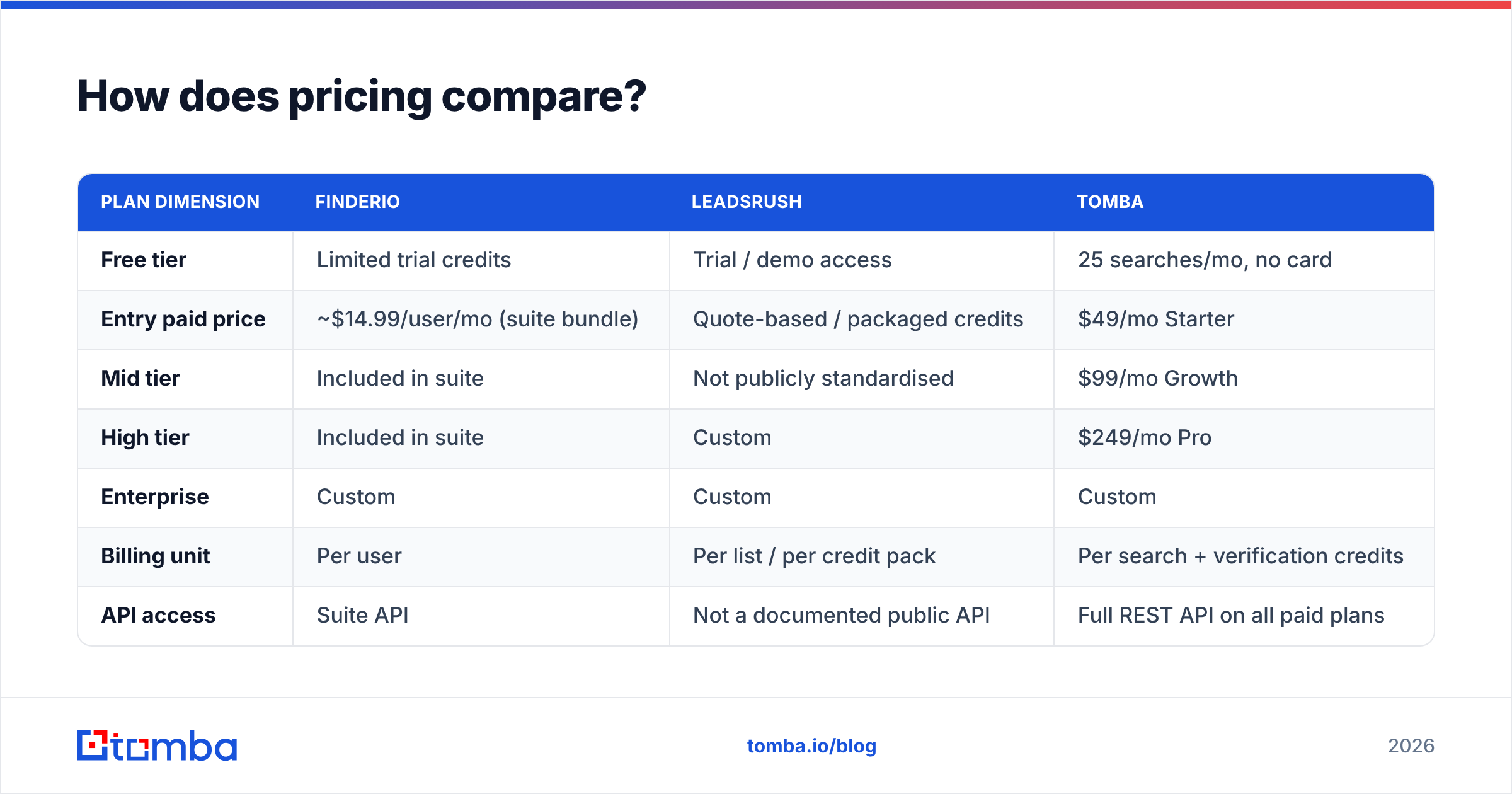
| Plan dimension | Finderio | Leadsrush | Tomba |
|---|---|---|---|
| Free tier | Limited trial credits | Trial / demo access | 25 searches/mo, no card |
| Entry paid price | ~$14.99/user/mo (suite bundle) | Quote-based / packaged credits | $49/mo Starter |
| Mid tier | Included in suite | Not publicly standardised | $99/mo Growth |
| High tier | Included in suite | Custom | $249/mo Pro |
| Enterprise | Custom | Custom | Custom |
| Billing unit | Per user | Per list / per credit pack | Per search + verification credits |
| API access | Suite API | Not a documented public API | Full REST API on all paid plans |
Two caveats before you quote these to your CFO. First, Leadsrush does not publish a clean, comparable public price card the way suite tools do — confirm current numbers directly with the vendor. Second, Finderio's headline price is per user, and finder credits are one line item inside a 50-app bundle. If you have eight seats, the "cheap" tool is $120/month, and you're paying for 49 apps you won't open.
Compare on cost per verified contact, not cost per month:
- Finderio: low monthly cost, but multiply by seats and discount the hit rate on hard domains.
- Leadsrush: cost per lead looks attractive on a bulk list until you deduct the stale rows. B2B contact data decays roughly 25–30% per year as people change jobs.
- Dedicated finders: higher headline price, but credits are only consumed on results you can act on.
For a transparent per-plan breakdown you can drop into a spreadsheet, see the Tomba pricing page.
What happens after you find the email?#
Finding is the easy half. Deliverability is where campaigns die.
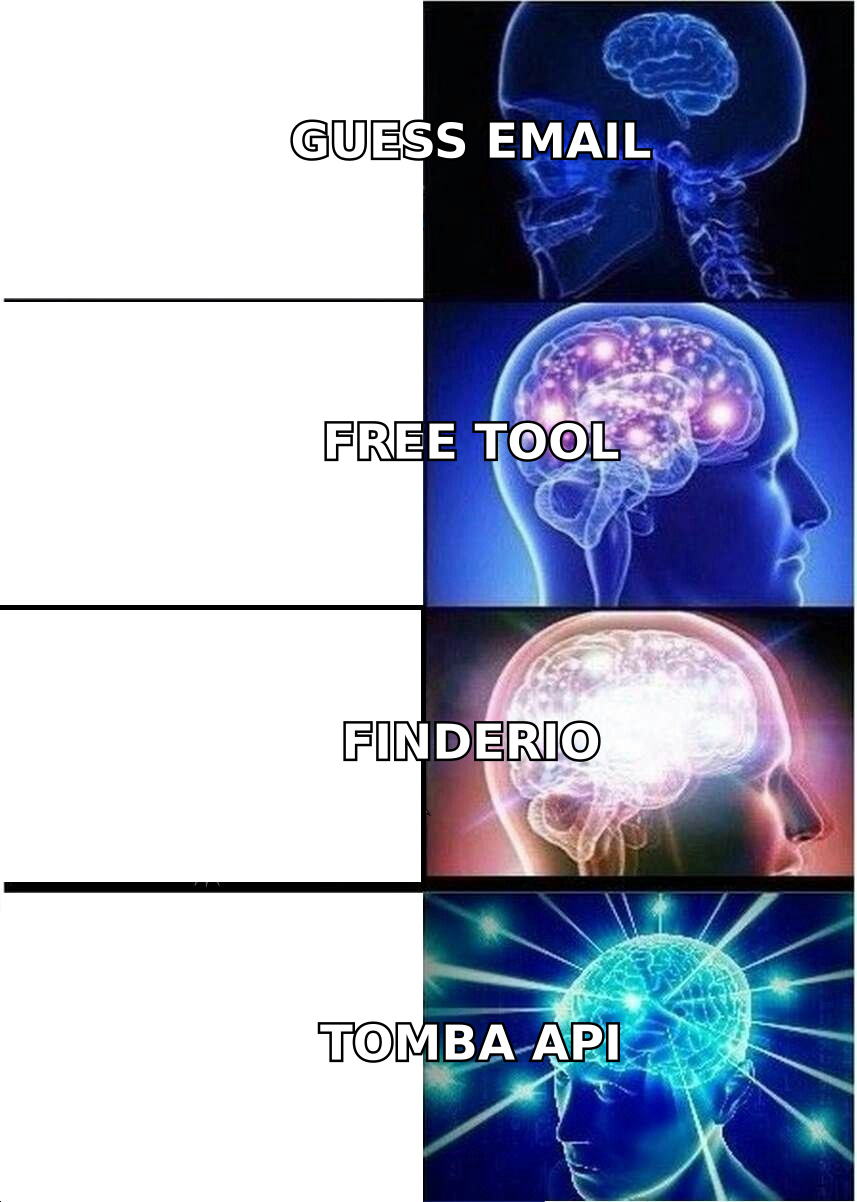
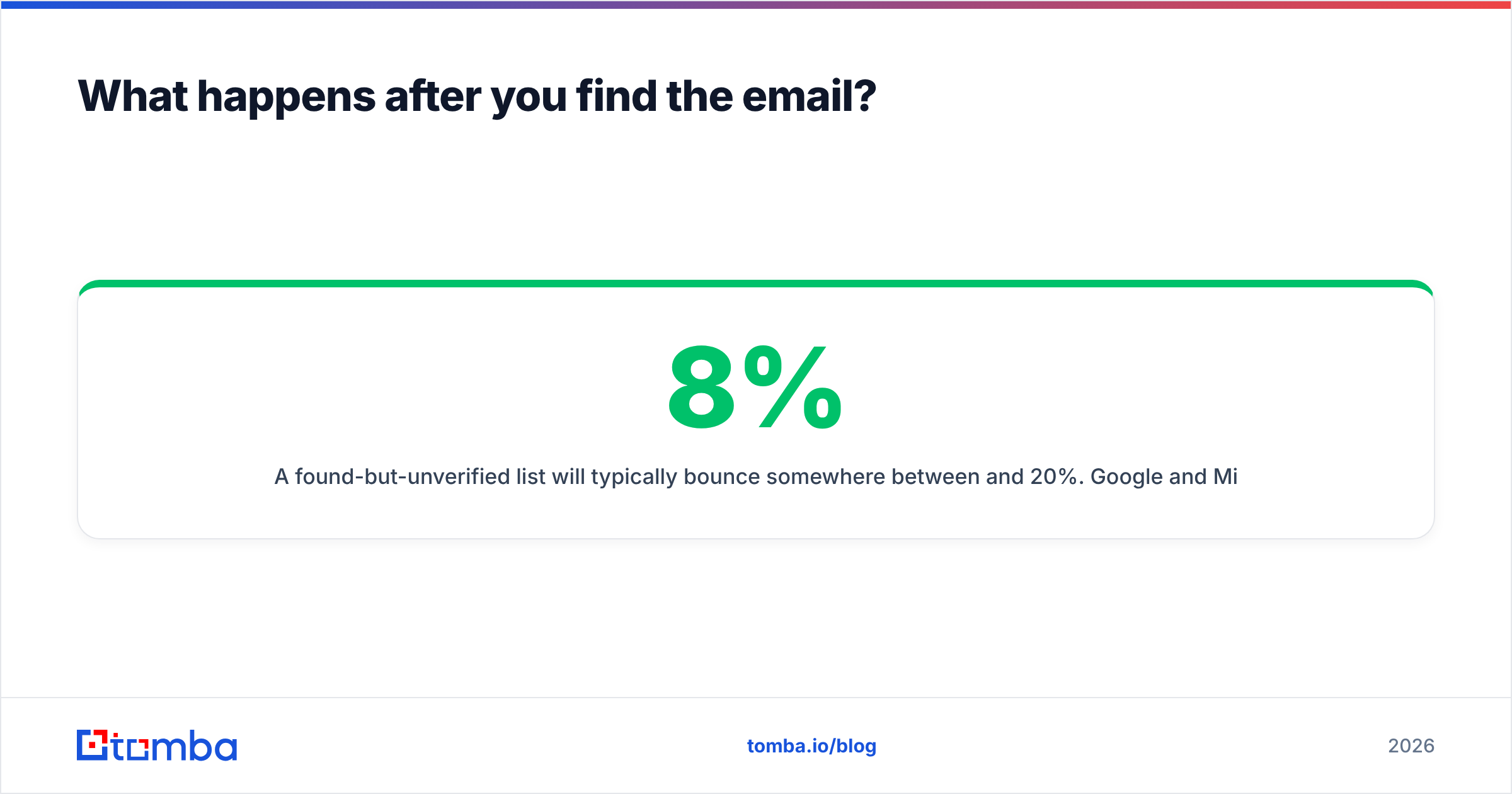
A found-but-unverified list will typically bounce somewhere between 8% and 20%. Google and Microsoft both treat sustained bounce rates above ~2% as a spam signal, and once your domain reputation drops, even your verified contacts start landing in Promotions or worse. That's why verification isn't an optional upsell — it's the thing standing between you and a burned sending domain.
A workable post-lookup sequence looks like this:
- Deduplicate the raw export before you spend a single verification credit. Duplicate rows are the cheapest waste in outbound.
- Verify every address through a real email verifier — syntax, MX, SMTP, disposable and role-account detection.
- Segment catch-all results into their own bucket instead of deleting or blasting them. Send to them last, from a secondary domain, in small batches.
- Strip role accounts (
info@,sales@,support@) unless your offer genuinely targets a shared inbox. They convert poorly and complain often. - Enrich what survived with title, company size and technology signals so your first line isn't generic. Contact enrichment turns a list into a segmentable audience.
- Warm the sending domain before volume ramps. No amount of data quality rescues a cold domain sending 800 emails on day one.
Steps 2 and 3 are where the Finderio-vs-Leadsrush decision actually resolves. If a tool hands you a single "valid/invalid" flag with no catch-all nuance, you will be running step 2 through a second vendor anyway — which erases the bundle savings.
Which tool fits which team?#
- You already pay for 500apps. Finderio is effectively free at that point. Use it for opportunistic lookups, and route anything mission-critical through a dedicated verifier before sending.
- You want lists plus sending in one place and your ICP is broad. Leadsrush's packaging makes sense — one vendor, one workflow, less integration overhead. Budget for list decay and expect to re-verify quarterly.
- You're doing tight ABM into 200 named accounts. Neither is ideal. You need per-contact precision and a domain search that maps a company's real email pattern, not a bulk export.
- You're a developer enriching records in-product. Documented, versioned API access is the deciding factor. A suite API that changes with the suite is a maintenance liability; a list product without a public API is a non-starter.
- You need US or EU B2B lists with clear compliance provenance. Look at specialist providers too — BookYourData, for example, is built around pay-as-you-go verified B2B data and is a solid peer in that specific lane.

What should you check before you sign anything?#
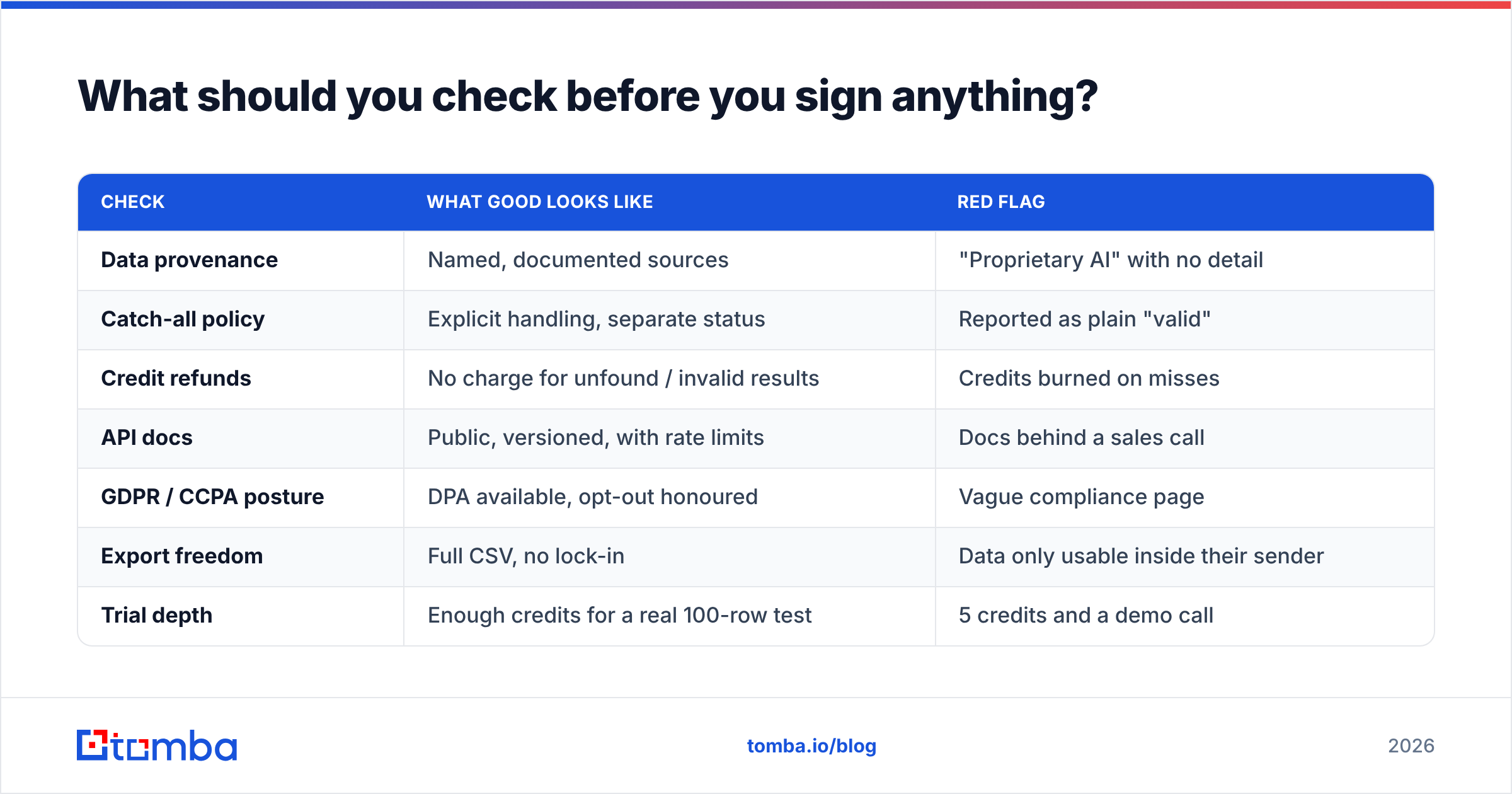
Run this checklist against both vendors — and against any third option you shortlist. It takes 30 minutes and has saved more outbound budgets than any feature comparison.
| Check | What good looks like | Red flag |
|---|---|---|
| Data provenance | Named, documented sources | "Proprietary AI" with no detail |
| Catch-all policy | Explicit handling, separate status | Reported as plain "valid" |
| Credit refunds | No charge for unfound / invalid results | Credits burned on misses |
| API docs | Public, versioned, with rate limits | Docs behind a sales call |
| GDPR / CCPA posture | DPA available, opt-out honoured | Vague compliance page |
| Export freedom | Full CSV, no lock-in | Data only usable inside their sender |
| Trial depth | Enough credits for a real 100-row test | 5 credits and a demo call |
Third-party review sites are useful for the second opinion — filter G2's lead intelligence category or Capterra by company size closest to yours, and read the two-star reviews first. Five-star reviews tell you the demo went well; two-star reviews tell you what breaks in month three.
Is there a better third option?#
Often, yes — because most teams are actually solving two problems at once (find, then prove) and buying a tool that only does one well.
What to insist on:
- Verification built into the same call as discovery, so you never send an unchecked address.
- Explicit catch-all status rather than an optimistic "valid."
- A real REST API with predictable rate limits, so enrichment can live in your product or your CRM automations instead of a CSV round trip.
- Credit fairness — you shouldn't pay for a lookup that returned nothing.
- Native workflow surfaces: a browser extension for LinkedIn, a Sheets add-on for list work, and CRM sync so records don't rot in a spreadsheet.
Tomba was built around that combination: find email addresses by name or domain, verify them in the same workflow, flag catch-alls explicitly, and pull the whole thing through the Tomba API when you need it inside your own stack. Pricing is public — Free (25 searches/month), Starter $49/mo, Growth $99/mo, Pro $249/mo — so you can model cost per verified contact before you talk to anyone.
The verdict#
Finderio vs Leadsrush comes down to what you're optimising for. Finderio is the value play for teams already inside the 500apps ecosystem who need occasional lookups and don't want a separate invoice. Leadsrush is the convenience play for teams that want lists and sending under one roof and can tolerate list decay. Neither is the precision play.
If your outbound depends on hitting specific named people with a sub-3% bounce rate — and most B2B outbound in 2026 does — the deciding features are catch-all handling, verification depth and API access. Score both vendors on those three, run your own 100-contact test, and let the verified hit rate pick the winner.
Ready to see what verified actually looks like? Start with the Tomba Email Finder free tier — 25 searches a month, no card required. Feed it the same 100 contacts you're testing Finderio and Leadsrush with, compare the verified hit rates side by side, and buy the one that wins on your data, not on a landing page.
Related guides#
Ready to find emails that actually work?
Join 150,000+ professionals who stopped guessing and started sending. Free credits on signup — no credit card required.
Get the Tomba newsletter
Practical outbound tactics and product updates — once every two weeks.
About the author