Finder.io vs RocketReach: Which Email Finder Wins in 2026?
Finder.io is cheap and bundled. RocketReach is broad and expensive. We compared accuracy, credit models, exports and API access to show which one actually belongs in your outbound stack in 2026.
TL;DR
- Finder.io (part of the 500apps bundle) is the budget option: flat low monthly pricing, simple domain and email lookup, and a small UI footprint. Its coverage is thinner outside tech and North America, and verification depth is basic.
- RocketReach is the broader database play: hundreds of millions of profiles, personal emails, phone numbers, and a strong browser extension — at 3–6x the price, with lookup caps that punish bulk work.
- Neither is a deliverability tool. Both hand you addresses; you still need a real verification pass before those addresses touch your sending domain.
- If you buy on cost-per-valid email rather than cost-per-lookup, a finder+verifier combo (Tomba's Free tier through $49/mo Starter) usually beats both on unit economics.
- Pick Finder.io for cheap volume on well-indexed domains. Pick RocketReach for hard-to-find executives and phone data. Pick neither if you need a clean API-first pipeline with catch-all handling.
What are Finder.io and RocketReach, actually?#
They solve the same surface problem — "I know the person, I need the email" — from opposite ends of the market.
Finder.io is one app inside the 500apps suite. That's the defining fact about it. You are not really buying an email finder; you are buying a bundle that happens to include one. The pricing model reflects that: a low flat per-user rate that unlocks Finder.io plus dozens of unrelated tools (CRM, helpdesk, project management). The email finder itself does domain search, single email lookup, and a basic validity check. It's competent, unremarkable, and priced like an afterthought.
RocketReach is a standalone contact-intelligence database. It indexes on the order of 700 million professional profiles and 60 million companies, and it sells lookups against that index. The differentiator is breadth of contact type: work emails, personal emails, and direct dials in one record. Sales teams that chase VPs and above tend to keep RocketReach around specifically for the personal-email and mobile coverage. The full plan list lives on rocketreach.co and changes often enough that you should check before quoting numbers to your CFO.
The distinction that matters for your budget: Finder.io charges for access, RocketReach charges for lookups. That single difference drives almost every decision below.
How do Finder.io and RocketReach compare head to head?#
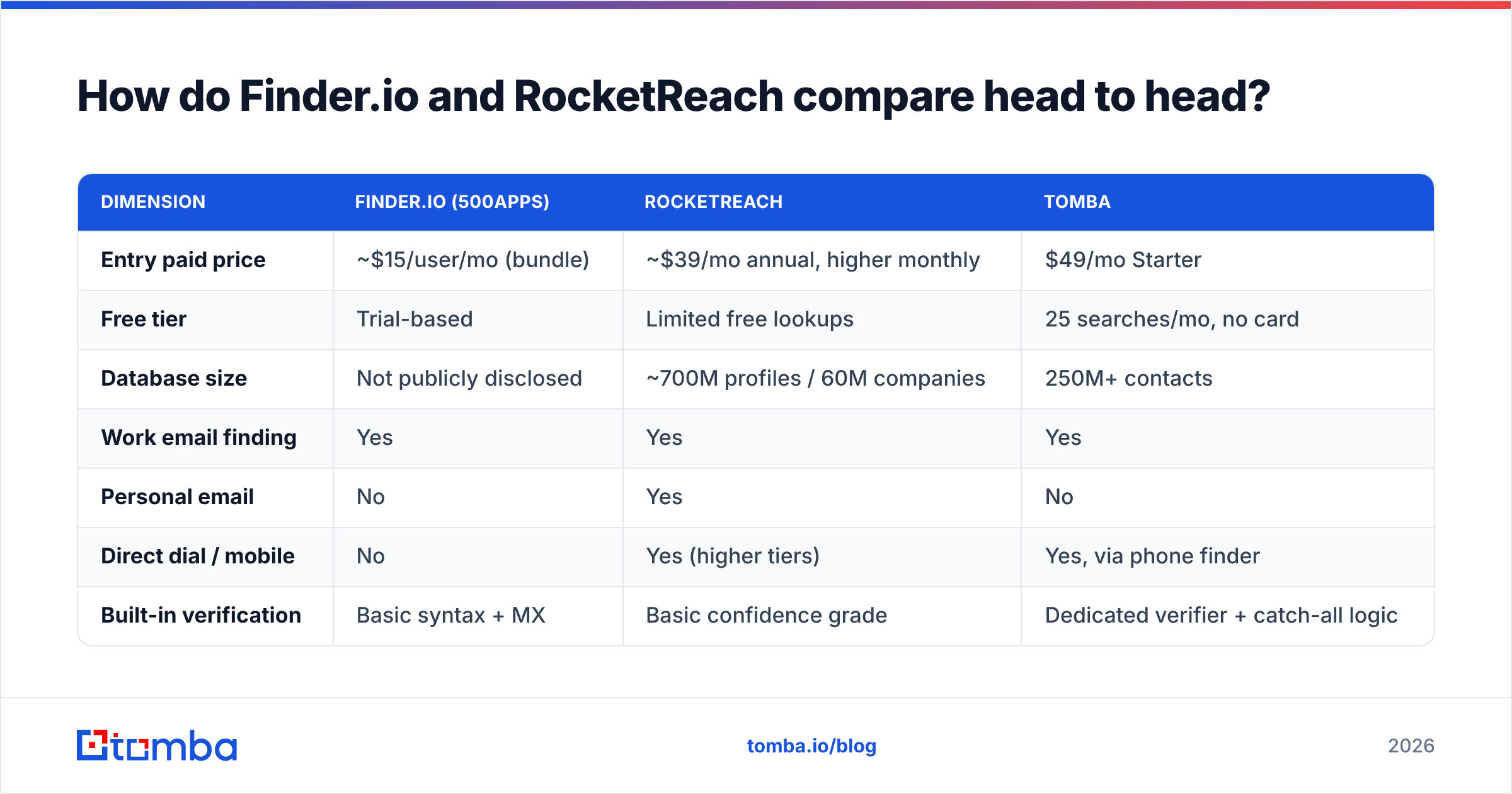
Here is the honest side-by-side. Treat pricing as directional — both vendors reprice, and RocketReach's annual-vs-monthly gap is unusually wide.
| Dimension | Finder.io (500apps) | RocketReach | Tomba |
|---|---|---|---|
| Entry paid price | ~$15/user/mo (bundle) | ~$39/mo annual, higher monthly | $49/mo Starter |
| Free tier | Trial-based | Limited free lookups | 25 searches/mo, no card |
| Database size | Not publicly disclosed | ~700M profiles / 60M companies | 250M+ contacts |
| Work email finding | Yes | Yes | Yes |
| Personal email | No | Yes | No |
| Direct dial / mobile | No | Yes (higher tiers) | Yes, via phone finder |
| Built-in verification | Basic syntax + MX | Basic confidence grade | Dedicated verifier + catch-all logic |
| Catch-all handling | None meaningful | Flagged, not resolved | Dedicated catch-all verifier |
| Bulk upload | Yes | Yes, tier-gated | Yes |
| Public API | Limited | Yes, on paid tiers | Yes, documented, all tiers |
| CRM integrations | Inside 500apps ecosystem | Salesforce, HubSpot, Zapier | HubSpot, Salesforce, Pipedrive, Zapier, Make |
| Best for | Cheap volume on common domains | Exec-level and personal contact data | Cost-per-valid-email efficiency |
Read that table by column, not by row. Finder.io wins on price and loses on everything data-related. RocketReach wins on data types and loses on cost per record. The third column exists because most teams eventually discover that "found" and "usable" are different metrics.

How accurate is each tool in practice?#
Accuracy is where these two separate hardest, and where marketing claims are least useful.
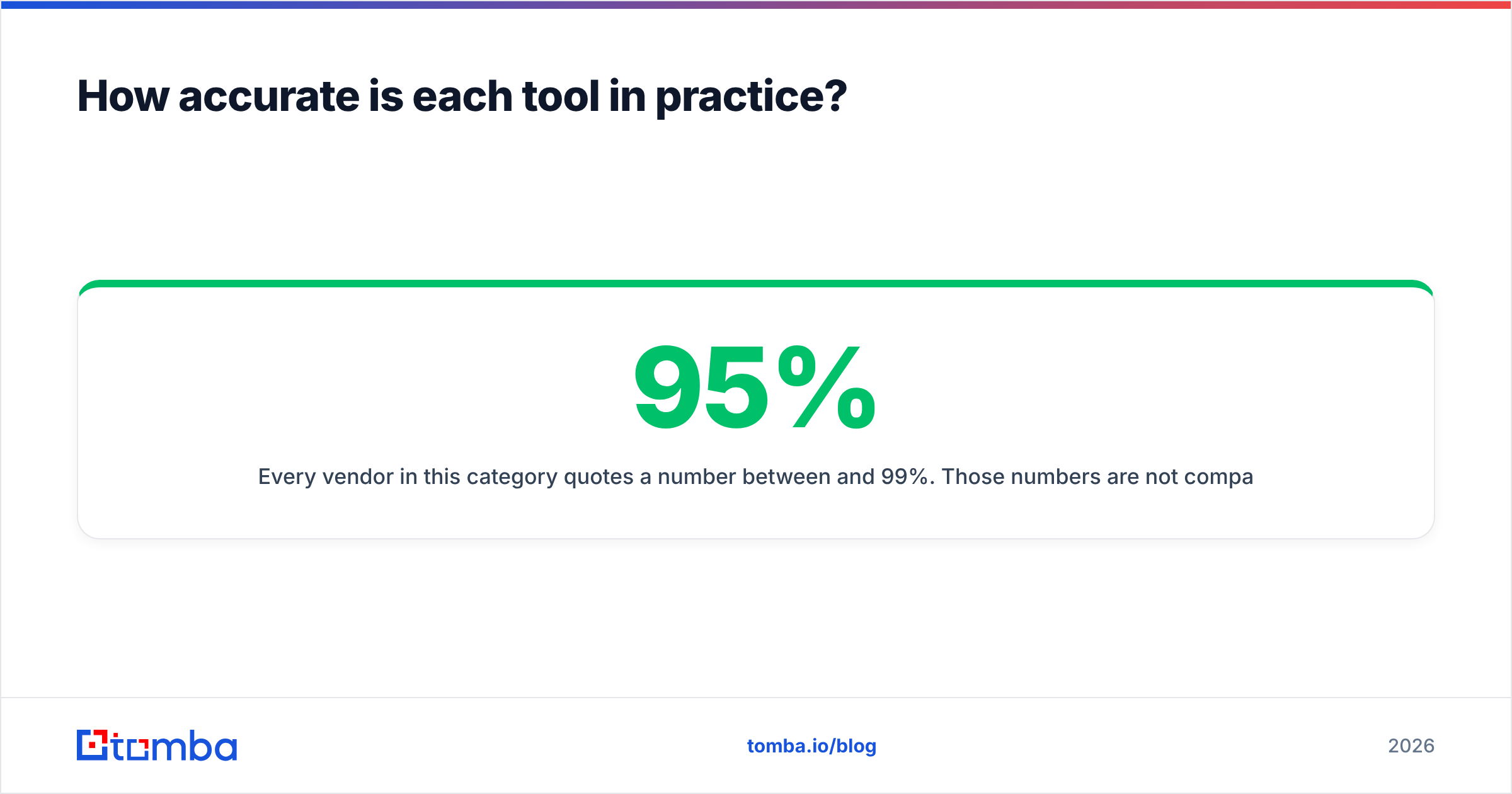
Every vendor in this category quotes a number between 95% and 99%. Those numbers are not comparable because nobody publishes the denominator. A tool that returns a result for 40% of your list and is 98% right on those is worse for your pipeline than a tool that returns 75% coverage at 92% accuracy — but the second tool looks worse in the headline stat. Always evaluate on two axes together: hit rate (how often you get any answer) and precision (how often that answer is real).

What we consistently see when teams run their own bake-offs:
- RocketReach has the better hit rate on senior titles. For C-level and VP contacts at mid-market and enterprise companies, it finds something more often than budget tools. Some of that "something" is a personal Gmail address, which is a compliance question in the EU and a bounce risk everywhere.
- Finder.io holds up on predictable domains. If the company uses
first.last@and has any web footprint, Finder.io finds it. If the company is a 30-person agency in a non-English market, coverage falls off a cliff. - Neither resolves catch-all domains. Both will hand you an address at a catch-all domain with a green-ish confidence label, because the SMTP server accepts everything. That address may be a real inbox or may be a black hole. Roughly one in five B2B domains is catch-all, so this is not an edge case — it's a fifth of your list. Resolving it requires a purpose-built catch-all verifier, not a confidence score.
- Confidence scores are not verification. A pattern-match score tells you the address looks right. Only an SMTP-level check tells you the mailbox exists. Running found addresses through a separate email verifier before import is the single highest-ROI step in this workflow, regardless of which finder you use.
The practical test: take 200 contacts you already have confirmed email addresses for, blank the emails, and run them through both tools. Score hit rate and precision separately. It takes an afternoon and beats every G2 review you'll read — though the G2 category page is a reasonable place to sanity-check that a vendor is still actively maintained.
Which one is cheaper once you do the math?#
Cheaper per lookup and cheaper per usable contact are different questions, and only the second one shows up in your CAC.
Work the numbers on a realistic month. Say you need 2,000 verified, deliverable prospect emails.
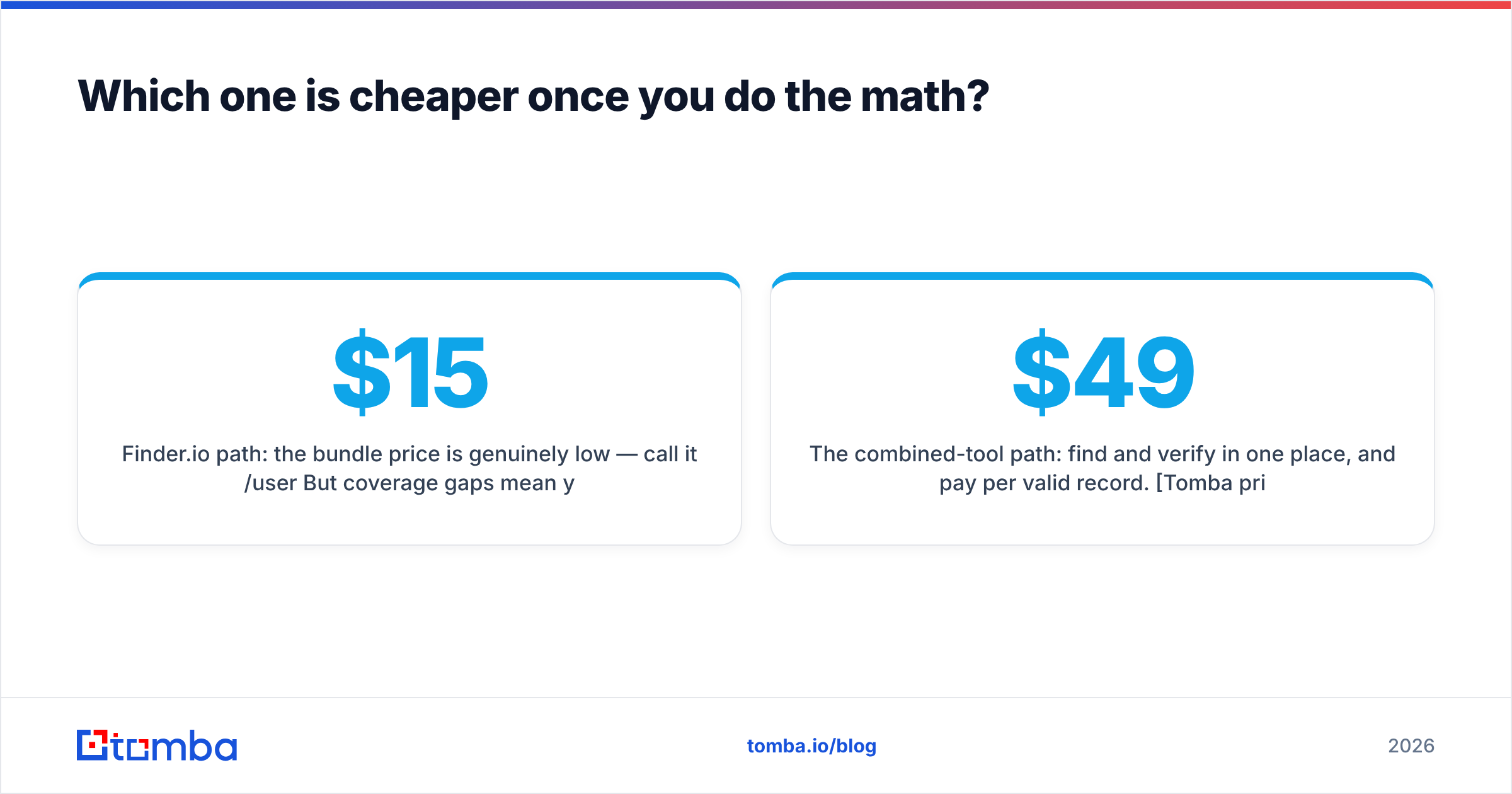
Finder.io path: the bundle price is genuinely low — call it $15/user/month. But coverage gaps mean you might only resolve 55–65% of a mixed international list, so you're feeding 3,000+ names in to get 2,000 out, and you still need an external verifier because the built-in check is syntax-and-MX only. Add a verification vendor at roughly $0.004–0.008 per email and your true cost climbs, though it stays low in absolute terms. Finder.io remains the cheapest sticker price in this comparison. The hidden tax is your SDR's time re-running misses through a second tool.
RocketReach path: lookups are the metered resource. At entry tiers you get a few thousand lookups per year, not per month, and every failed lookup on some plans still consumes credit. Teams that need 2,000 contacts a month land on Pro or Ultimate tiers fast. The per-record cost at that volume is materially higher than Finder.io — you're paying for the database breadth and the phone data. If you don't use the phones and personal emails, you are overpaying for capabilities you never touch.
The combined-tool path: find and verify in one place, and pay per valid record. Tomba pricing starts with a free tier at 25 searches/month, Starter at $49/mo, Growth at $99/mo, and Pro at $249/mo, with the verifier and catch-all logic in the same credit pool as the finder. The pitch isn't "cheapest" — it's that you stop paying twice for the same contact and stop discovering bounces after send.

One pricing trap worth naming explicitly: annual-only headline rates. RocketReach's advertised price assumes annual prepay; the month-to-month rate is significantly higher. Finder.io's bundle price assumes you value the other 40+ apps. Both are legitimate business models, and both make the sticker price misleading if you're comparing spreadsheets.
What does each tool's workflow actually feel like?#
Pricing tables don't capture friction. Here's where each one costs or saves you time.
- Browser extension. RocketReach's LinkedIn extension is its strongest UX asset — hover a profile, get contact data, push to CRM. Finder.io's extension exists but is thinner. If your reps live in LinkedIn Sales Navigator, this matters more than any accuracy percentage. A comparable workflow with a LinkedIn finder or browser extension keeps the same motion without the per-lookup anxiety.
- Bulk processing. Both accept CSV uploads. RocketReach gates larger bulk jobs behind higher tiers; Finder.io's bulk is generous but slower and offers less granular status reporting on why a row failed. "Not found" and "found but unverifiable" are very different outcomes and you want them in separate columns.
- API access. This is a real differentiator. RocketReach ships a documented API on paid tiers. Finder.io's API is limited and, being part of a bundle, less independently documented. If you're building enrichment into a product or a RevOps pipeline rather than clicking around a UI, check the API docs before you buy — a documented email finder API with predictable rate limits is worth more than 10% extra database coverage.
- Data hygiene on export. Neither tool dedupes aggressively across sessions. Expect to pay for the same contact twice if two reps look up the same person in the same month. Ask both vendors directly whether repeat lookups re-charge.
- Compliance posture. RocketReach's personal-email coverage is powerful and is exactly the data type that draws GDPR scrutiny in the EU. If you sell into Europe, get your DPO to look at the source-of-data documentation before your reps start emailing personal Gmail accounts. Understanding where a vendor gets data is not optional diligence anymore.

Is there a case for using both?#
Yes, and it's more common than either vendor would like to admit.
The stacked pattern looks like this: a cheap high-volume finder handles the long tail of SMB and mid-market prospects where email patterns are predictable, and an expensive database tool gets reserved for named accounts where a single correct mobile number is worth $200 of credit. You're not paying for two overlapping tools; you're paying for two different jobs.
Where the stack breaks down is verification. Add a third tool for that and you now have three dashboards, three billing cycles, three CSV formats, and reps who paste addresses between them. That's the argument for consolidating find + verify + enrich into one credit pool: fewer handoffs, one export schema, one number to watch. If you're already evaluating this space, the RocketReach alternative breakdown covers the migration specifics.
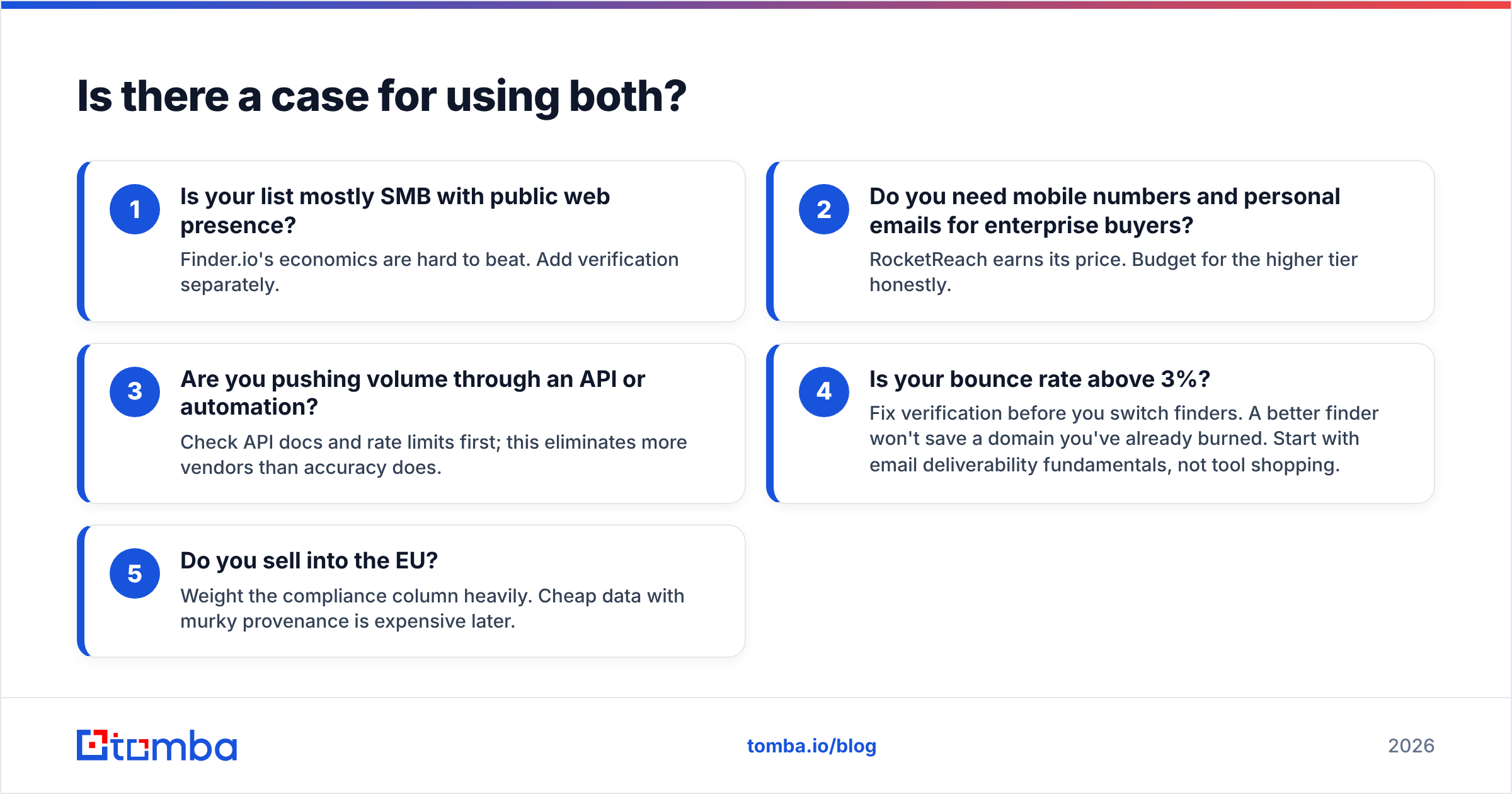
A workable decision rule, in order:
- Is your list mostly SMB with public web presence? Finder.io's economics are hard to beat. Add verification separately.
- Do you need mobile numbers and personal emails for enterprise buyers? RocketReach earns its price. Budget for the higher tier honestly.
- Are you pushing volume through an API or automation? Check API docs and rate limits first; this eliminates more vendors than accuracy does.
- Is your bounce rate above 3%? Fix verification before you switch finders. A better finder won't save a domain you've already burned. Start with email deliverability fundamentals, not tool shopping.
- Do you sell into the EU? Weight the compliance column heavily. Cheap data with murky provenance is expensive later.
What's the verdict for 2026?#
Finder.io wins on price. RocketReach wins on data depth. Neither wins on cost-per-valid-email, because neither treats verification as a first-class product.
That's the gap worth designing your stack around. Every dollar you spend finding an address is wasted if the address bounces, and every bounce compounds into sender-reputation damage that costs far more than the credit did. The tools that survive in this category long-term are the ones that close the loop between finding and verifying — the Domain Search vs Email Finder comparison is a useful mental model here: bulk discovery and single-target precision are different motions, and your tool should support both without a second subscription.
If you're running a bake-off this quarter, test all three on the same 200-row list, score hit rate and precision separately, and calculate cost per deliverable contact. That number, not the monthly price, is what you should take to your budget meeting.
Ready to test the alternative? Start with the Tomba Email Finder free tier — 25 searches a month, no card required — and run it against the same list you're testing Finder.io and RocketReach on. Verification and catch-all resolution are built into the same workflow, so what you export is what actually lands. If the numbers hold up, Starter is $49/mo; if they don't, you've lost an afternoon and learned something concrete about your data.
Related guides#
Ready to find emails that actually work?
Join 150,000+ professionals who stopped guessing and started sending. Free credits on signup — no credit card required.
Get the Tomba newsletter
Practical outbound tactics and product updates — once every two weeks.
About the author