Finderio vs Validto (2026): Which Email Finder Wins?
Finderio finds addresses, Validto validates them — and neither one alone fixes a bounce problem. Here's the honest breakdown of coverage, credit math, and where a combined finder-plus-verifier stack beats both.
TL;DR
- Finderio (finder.io, part of the 500apps suite) is built to discover addresses; Validto is built to validate them. They solve two halves of the same problem, so "which is better" depends on which half is currently breaking your campaigns.
- If you buy only one and you already have a list, pick a verifier. If you're building lists from scratch, a verifier alone leaves you with nothing to verify.
- Finderio's biggest structural quirk is bundling: it's sold inside an all-in-one app suite, which is cheap per app but means the email finder competes internally for roadmap attention.
- Validto's biggest quirk is opacity: pricing and catch-all handling are less publicly documented than established verifiers, so you should run a paid sample before committing volume.
- A combined stack — find, verify, and enrich in one credit pool — usually beats stitching two point tools together. That's the argument for tools like Tomba, whose Free tier gives you 25 searches a month before you spend anything.
What are Finderio and Validto, exactly?#
Finderio — reachable at finder.io — is an email-finding tool published as part of the 500apps bundle. Its job is discovery: you give it a domain, or a first name plus last name plus company, and it returns the most likely professional address, usually with a confidence indicator. It also does domain-level searches that return a list of published addresses for a company, plus a Chrome extension for pulling contacts while you browse.
Validto — at validto.com — sits on the other side of the workflow. It takes addresses you already have and tries to tell you whether sending to them will bounce. That means syntax checks, MX record lookups, disposable-domain detection, role-account flagging (info@, sales@, support@), and SMTP-level probing where the receiving server allows it.
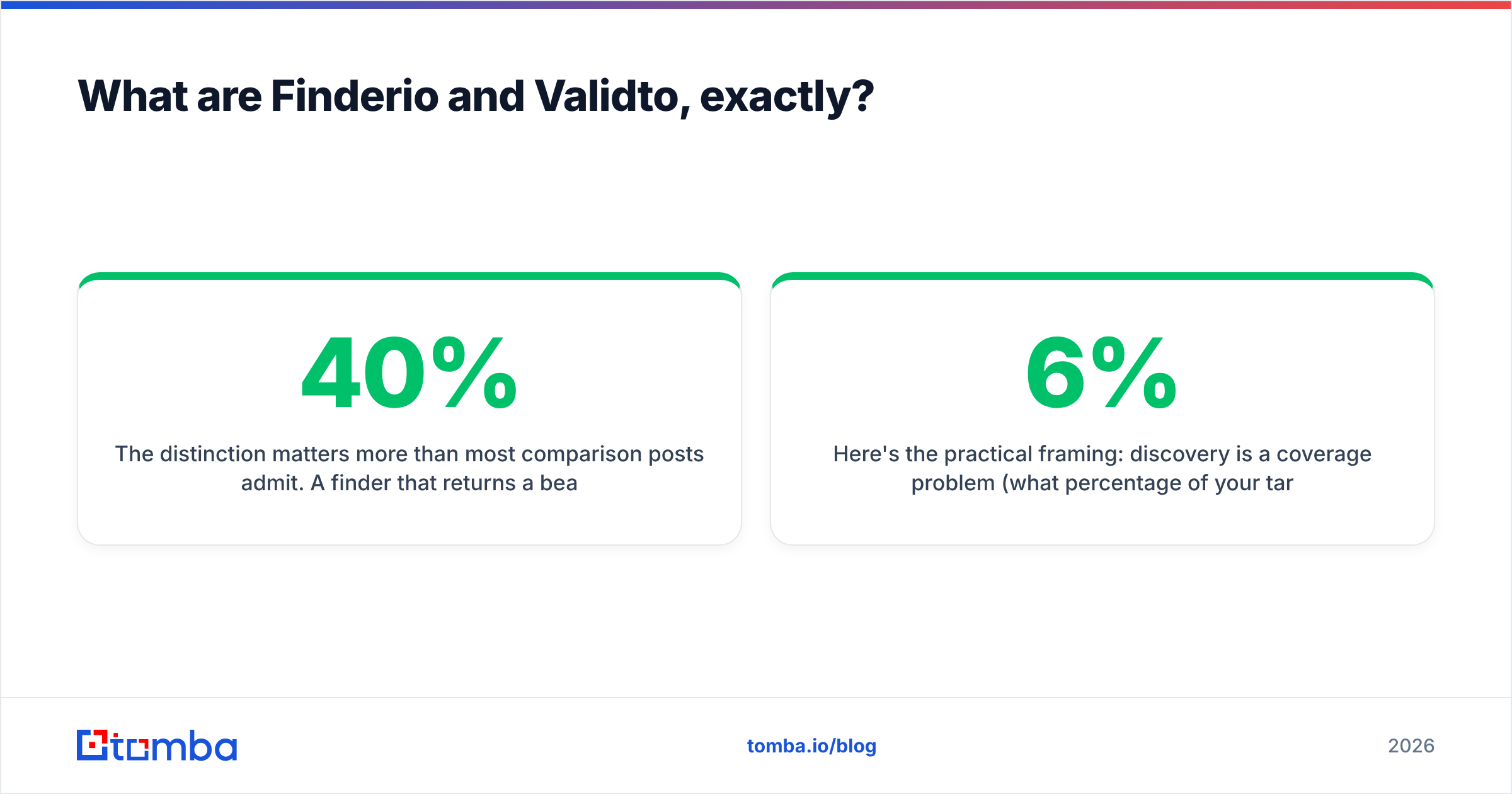
The distinction matters more than most comparison posts admit. A finder that returns a beautifully formatted address for a person who left the company in 2023 has done its job and still burned your sender reputation. A verifier that correctly marks 40% of your list as risky has also done its job and still left you with 40% fewer prospects. Neither tool is "wrong" — they're just answering different questions.
Here's the practical framing: discovery is a coverage problem (what percentage of your target list can this tool return an address for?), and validation is a precision problem (of the addresses marked valid, how many actually accept mail?). Optimizing one without the other is how teams end up with a 6% bounce rate and a Google Postmaster dashboard trending red.

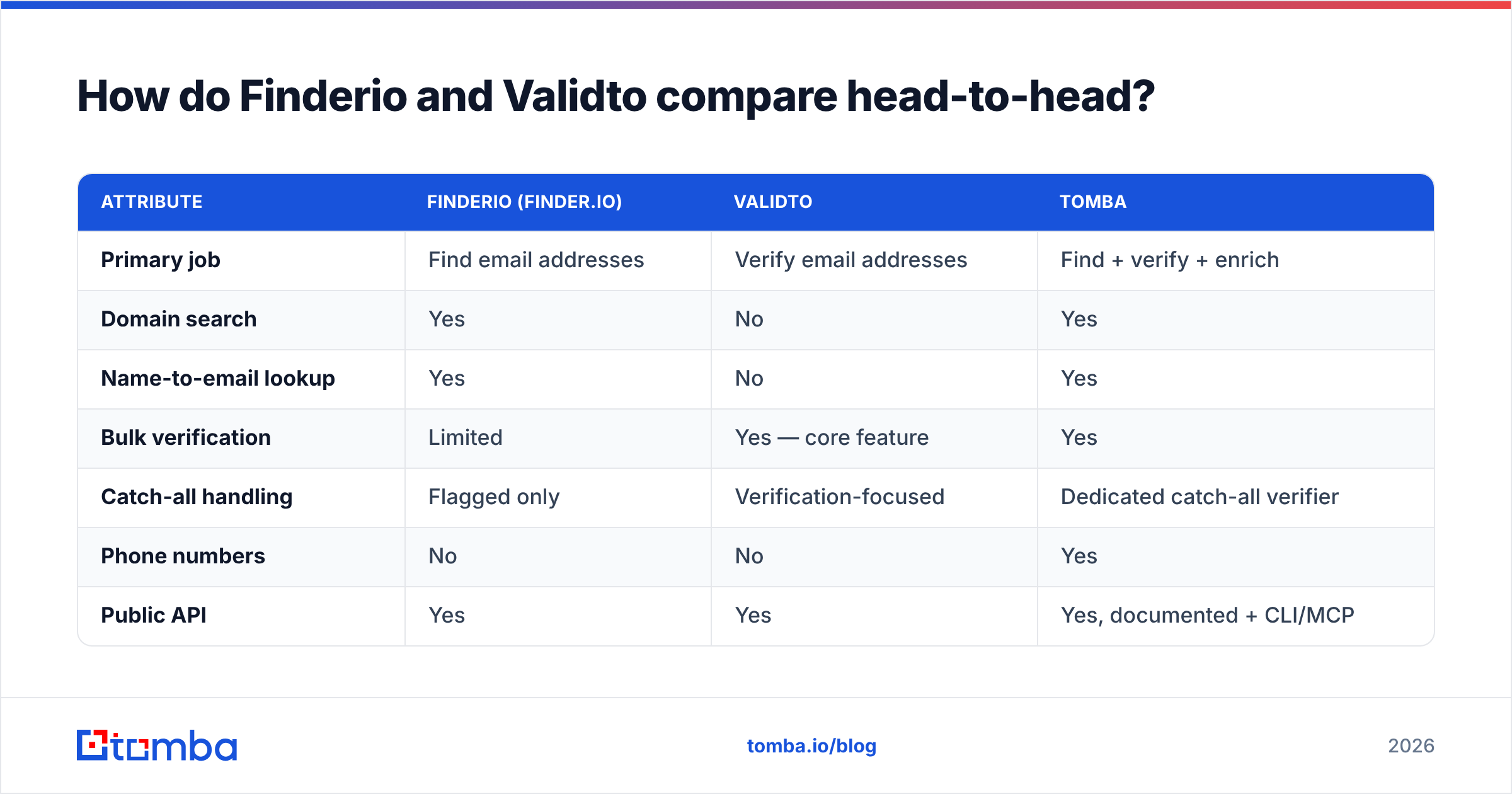
How do Finderio and Validto compare head-to-head?#
| Attribute | Finderio (finder.io) | Validto | Tomba |
|---|---|---|---|
| Primary job | Find email addresses | Verify email addresses | Find + verify + enrich |
| Domain search | Yes | No | Yes |
| Name-to-email lookup | Yes | No | Yes |
| Bulk verification | Limited | Yes — core feature | Yes |
| Catch-all handling | Flagged only | Verification-focused | Dedicated catch-all verifier |
| Phone numbers | No | No | Yes |
| Public API | Yes | Yes | Yes, documented + CLI/MCP |
| Free tier | Trial via suite | Sample credits | 25 searches/month, no card |
| Pricing model | Bundled per-user suite | Credit packs | $49 / $99 / $249 per month |
| Best for | List building | List hygiene | End-to-end pipeline |
Two things jump out of that grid.
First, the feature overlap between Finderio and Validto is almost zero. You are not really choosing between them — you're deciding which gap in your workflow hurts more this quarter. Teams that run this comparison honestly usually discover they need both, at which point the interesting question becomes whether two subscriptions beat one combined platform.
Second, the pricing models are structurally different, which makes cost comparison harder than it looks. Suite bundling (Finderio) is cheap per seat but scales by headcount. Credit packs (Validto) scale by volume and don't expire the same way subscriptions do. Monthly subscriptions with a shared credit pool (Tomba's model) scale by usage but give you predictable budgeting. None of these is inherently better — they just fail differently. Bundles fail when you add seats who barely use the tool. Credit packs fail when you forget to top up mid-campaign. Subscriptions fail when your usage is spiky and seasonal.
Which one returns more usable addresses?#
This is where the comparison gets uncomfortable, because "accuracy" means different things for a finder and a verifier.
For Finderio, the honest metric is hit rate: out of 1,000 target contacts, how many come back with an address at all? Pattern-based finders — which most tools are, under the hood — do well on mid-market companies with predictable formats (first.last@company.com) and much worse on companies with random or legacy formats, on very small businesses with no web footprint, and on regions where the tool's crawl coverage is thin.
For Validto, the honest metric is bounce rate on addresses it marked deliverable. A verifier that returns "valid" for 900 of your 1,000 addresses looks generous until 70 of them bounce. A stricter verifier that returns 780 valid with 8 bounces is doing better work, even though it "found" fewer.

The trap in both cases is the catch-all domain. Catch-all servers accept mail for every address at the domain, valid or not, which means SMTP probing returns "accepted" for asdfgh@company.com just as readily as for the CEO's real address. Somewhere between 15% and 25% of B2B domains behave this way, and the number keeps climbing as companies move to security gateways that mask their real mailbox list.
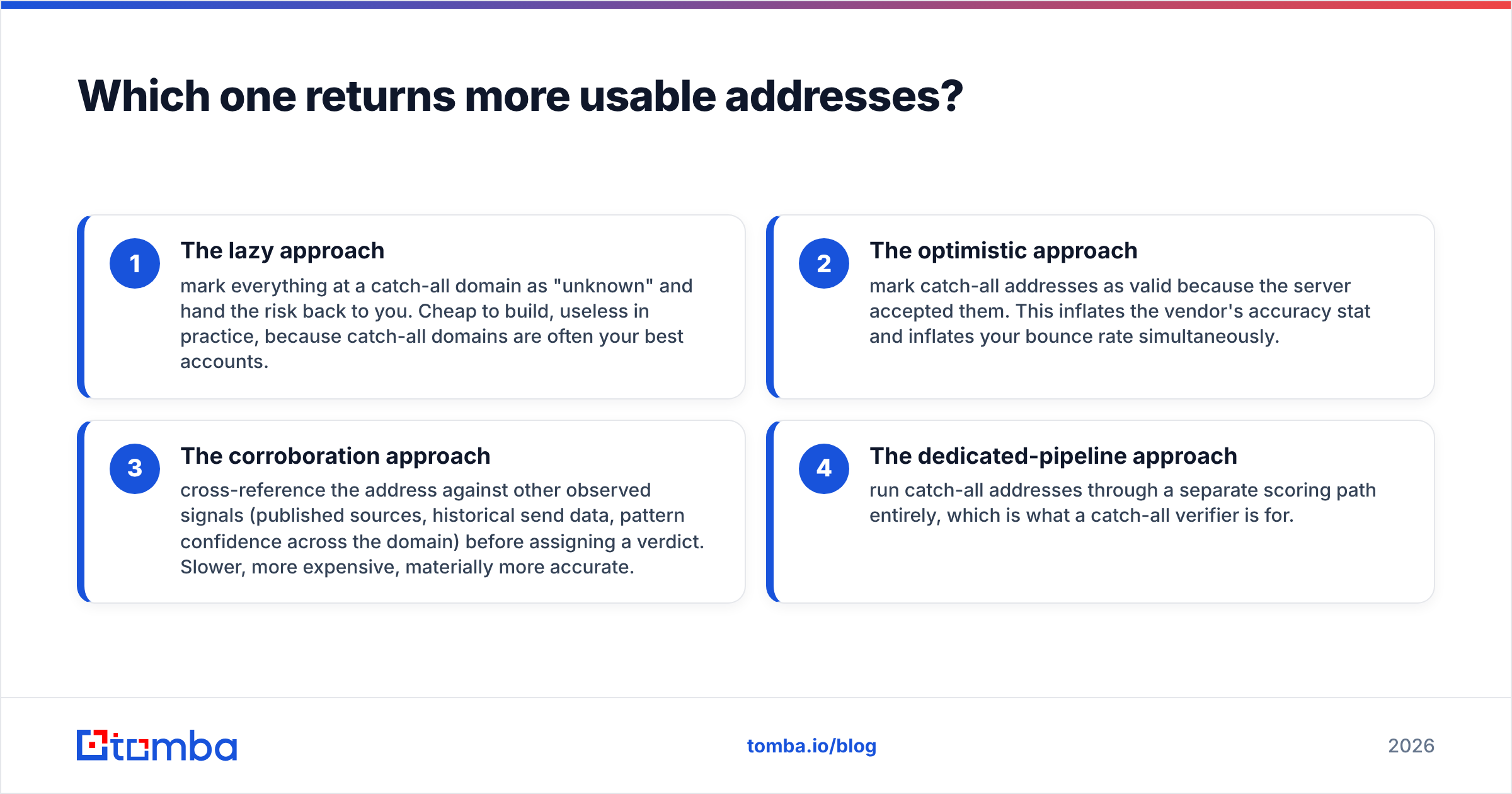
How a tool handles catch-alls tells you more about its engineering than any headline accuracy percentage:
- The lazy approach — mark everything at a catch-all domain as "unknown" and hand the risk back to you. Cheap to build, useless in practice, because catch-all domains are often your best accounts.
- The optimistic approach — mark catch-all addresses as valid because the server accepted them. This inflates the vendor's accuracy stat and inflates your bounce rate simultaneously.
- The corroboration approach — cross-reference the address against other observed signals (published sources, historical send data, pattern confidence across the domain) before assigning a verdict. Slower, more expensive, materially more accurate.
- The dedicated-pipeline approach — run catch-all addresses through a separate scoring path entirely, which is what a catch-all verifier is for.
Ask both vendors which of those four they do. The answer is more predictive of your real-world bounce rate than any number on a pricing page.
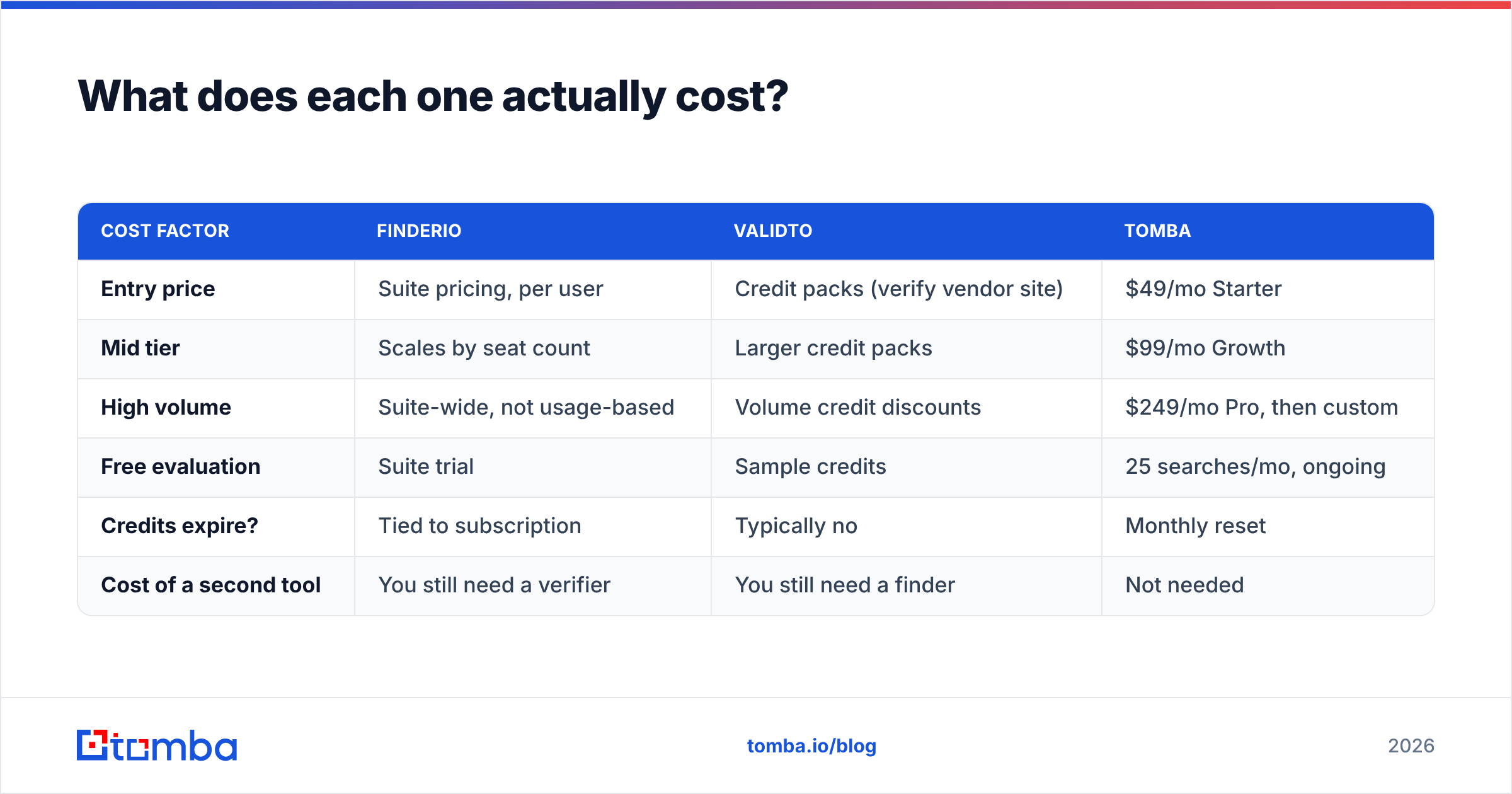
What does each one actually cost?#
| Cost factor | Finderio | Validto | Tomba |
|---|---|---|---|
| Entry price | Suite pricing, per user | Credit packs (verify vendor site) | $49/mo Starter |
| Mid tier | Scales by seat count | Larger credit packs | $99/mo Growth |
| High volume | Suite-wide, not usage-based | Volume credit discounts | $249/mo Pro, then custom |
| Free evaluation | Suite trial | Sample credits | 25 searches/mo, ongoing |
| Credits expire? | Tied to subscription | Typically no | Monthly reset |
| Cost of a second tool | You still need a verifier | You still need a finder | Not needed |
One caveat, stated plainly: vendor pricing moves. The Tomba figures above are exact and current. The Finderio and Validto columns describe the shape of their pricing rather than specific numbers, because both have changed packaging in the past and you should confirm live figures on their own sites before you buy. Anyone publishing precise competitor prices in a 2026 blog post without a screenshot is guessing.
The number that actually matters is cost per verified, deliverable contact — not cost per credit. Run this calculation before you sign anything:
- Step one. Take 200 real target contacts, not a demo list.
- Step two. Run them through the finder. Record how many returned an address (
hit rate). - Step three. Run those addresses through the verifier. Record how many came back deliverable (
pass rate). - Step four. Send to them. Record actual bounces after 48 hours (
true rate). - Step five. Divide total spend by the count of contacts that survived step four.
A tool that charges half as much per credit but has a 30% lower hit rate is more expensive, not cheaper. This calculation regularly reverses people's assumptions, which is exactly why vendors prefer you to compare list prices instead.
Is a finder-plus-verifier stack better than either alone?#
Yes — but the interesting question is whether you assemble that stack from two vendors or buy it as one product.
Two vendors gives you best-of-breed on each side and easy switching if one degrades. The costs are real though: two contracts, two APIs, two credit balances to monitor, and a manual export-import step in the middle that someone on your team will eventually forget to run. That forgotten step is how unverified lists reach your sending platform.
One vendor gives you a single credit pool, one API, and find-then-verify as a single call. You trade some flexibility for a workflow that doesn't break when a person goes on holiday. This is where Tomba is genuinely differentiated against a Finderio-plus-Validto pairing — the email finder, verifier, domain search, catch-all checks, and enrichment draw from the same balance, and the Tomba API exposes all of them under one key.


There's a third option people forget: keep your existing finder and add verification at the last possible moment, inside your sending workflow. If your CRM or sequencer supports a pre-send verification hook, you catch decay that happened between list build and send date — which for a list built 60 days ago can be 4–6% of contacts. B2B email data decays at roughly 2–2.5% per month as people change jobs, which is well documented across data-quality research from firms like Gartner and reflected in vendor churn benchmarks. A list verified once at build time is not a verified list by the time you actually send.
Which one should you pick for your situation?#
- You have a list and a bounce problem. Pick the verifier. Validto (or any credible verification vendor) solves the immediate pain. Finderio does nothing for a list you already have. Run a paid sample of 1,000 addresses against a set you know the true bounce rate for, and compare.
- You have a territory and no contacts. Pick the finder. Validto has nothing to work with until you generate addresses. Finderio's domain search plus its browser extension covers the basic motion. Budget separately for verification — do not skip it.
- You're a one-person GTM function. Pick a combined platform. The overhead of two tools, two logins, and a CSV round trip is a genuine tax when you're the entire team. Start on a free tier and only pay when volume justifies it.
- You're already paying for the 500apps suite. Finderio is close to free at the margin, so use it — but pair it with real verification rather than trusting the confidence score. Bundled tools are rarely the strongest in any single category, and that's a fair trade at bundle pricing.
- You send more than 20,000 cold emails a month. Neither point tool is your bottleneck; deliverability infrastructure is. Verify aggressively, throttle sends, and treat any address with an ambiguous verdict as a LinkedIn touch rather than an email.
- You need phone numbers too. Neither Finderio nor Validto covers this. You'll need a third tool, or a platform with a built-in phone finder.
What should you check before you commit to either?#
Before you enter a card, get answers to these five questions in writing — from both vendors:
- What happens to a catch-all domain? Specifically: what verdict string comes back, and are you charged a credit for an "unknown"?
- Are failed lookups billed? Some tools charge for every API call, some only for successful returns. Over 10,000 lookups at a 55% hit rate, this is the difference between one invoice and two.
- Where does the data come from? Public crawl, user contribution, partner licensing, or pattern inference? This affects both your coverage and your GDPR posture. Tomba publishes its data sources — ask the same question of anyone else.
- What's the deletion and suppression policy? If a prospect asks to be removed, can you suppress them at the vendor level, not just in your CRM?
- What do actual users say? Read the negative reviews on G2 before the positive ones. Complaint patterns are more informative than praise patterns, because praise clusters around the same three features while complaints cluster around the specific thing that will annoy you in month three.
The teams that get burned in this category almost never get burned on features. They get burned on billing mechanics they didn't read, on catch-all handling they assumed was smarter than it was, and on the two-month gap between building a list and sending to it.
The verdict#
Finderio and Validto are not really competitors — they're complements that get compared because they both live in the "email tools" bucket. Finderio wins if your problem is empty pipeline. Validto wins if your problem is bouncing pipeline. Buying only one and expecting it to solve both problems is the mistake that generated the search that brought you here.
If you'd rather not run two subscriptions, two APIs, and a manual handoff between them, start with the Tomba Email Finder. Discovery, verification, catch-all scoring, and enrichment run off one credit pool, the API is documented for engineering handoff, and the Free tier gives you 25 searches a month to test hit rate on your own target list before spending anything. Paid plans start at $49/month — see Tomba pricing for the full breakdown. Run the 200-contact test from earlier against whichever tools you're weighing, and let cost-per-deliverable-contact make the decision instead of a feature grid.
Related guides#
Ready to find emails that actually work?
Join 150,000+ professionals who stopped guessing and started sending. Free credits on signup — no credit card required.
Get the Tomba newsletter
Practical outbound tactics and product updates — once every two weeks.
About the author