Findthatlead Alternatives: 9 Better Email Finders for 2026
FindThatLead bundles lead search, verification, and cold email sending — but credit burn and patchy match rates push teams to look elsewhere. Here are 9 alternatives ranked by accuracy, price, and fit.
TL;DR
- FindThatLead is a solid all-in-one for solo founders and small agencies: lead search, verification, and a built-in cold email sender (Scrab.in adjacent) under one login. The trade-off is match rate and credit accounting.
- The most common reasons teams switch: credits burn on failed lookups, B2B coverage outside Spain/LATAM and US SMB thins out, and the bundled sender is weaker than a dedicated sequencer.
- If accuracy per dollar is your problem, move to a specialist finder (Tomba, Findymail, Hunter). If data volume is your problem, move to a database play (Apollo, BookYourData). If sending is your problem, unbundle it entirely.
- Best overall swap for most teams: a specialist finder + verifier with API access, paired with your existing sequencer. Tomba starts at $49/mo with a free 25-search tier.
- Do not migrate on vibes. Run a 100-contact bake-off against a list you already know the answers to, and measure verified-deliverable rate — not raw "found" rate.
What is FindThatLead and who actually uses it?#
FindThatLead is a Barcelona-built B2B prospecting suite that does three things: find email addresses (by domain, by name, by LinkedIn URL), verify them, and send cold email sequences. It launched as a Chrome-extension email finder and grew into a bundle, which is exactly why it appeals to one-person GTM teams — one subscription instead of three.
The typical happy user is a freelancer, a small agency, or a founder doing their own outbound at 200–1,000 contacts a month. They want a list and a sender, they do not want to learn an API, and they do not want to stitch together four tools.
The typical unhappy user hits one of three walls:
- Match rate on non-obvious domains. Pattern-guessing works beautifully on
firstname@company.comshops. It degrades fast on companies using aliases, catch-all domains, or non-Latin naming. - Credit accounting. When a search returns nothing useful but still decrements your balance, your effective cost per usable contact is much higher than the sticker price suggests.
- The bundled sender. It sends. It does not do what Instantly, Smartlead, or Salesloft do on inbox rotation, warmup, or reply classification.
If none of those three walls apply to you, stay put. If one does, keep reading — the right replacement depends entirely on which wall you hit.
Why do teams look for FindThatLead alternatives?#
Sort your reason before you sort your shortlist. Picking a tool for the wrong failure mode is how you end up paying more for the same problem.
- Accuracy problem — Your bounce rate is above 3% and your sender reputation is degrading. You need a finder with real-time SMTP validation and honest "unknown" statuses, not a permutator that hands you a guess with confidence.
- Coverage problem — You are prospecting outside FindThatLead's strongest regions, or into enterprise where individual contributors are hard to surface. You need a bigger underlying database.
- Cost-per-usable-contact problem — The plan looks cheap until you divide by contacts you could actually mail. You need transparent credit rules: no charge for a failed lookup.
- Workflow problem — You outgrew the UI and need an API, a CLI, a Sheets add-on, or a CRM sync so enrichment happens without a human exporting CSVs.
- Unbundling problem — You now have a real sequencer and only need the data layer. Paying for a bundled sender you never open is pure waste.
Write down which number you are. It maps directly to the table below.
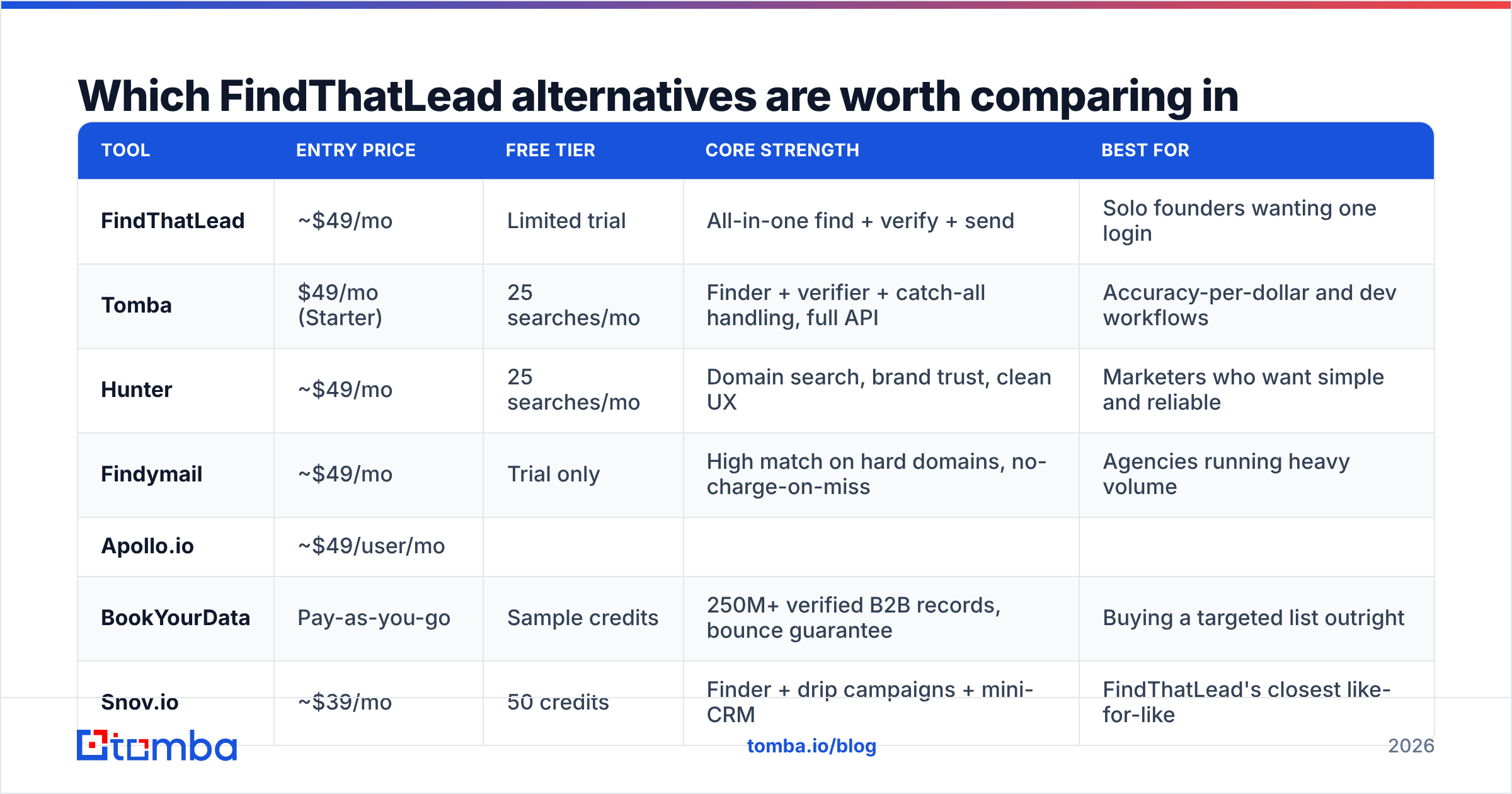
Which FindThatLead alternatives are worth comparing in 2026?#
Here is the field, with what each one is actually for. Prices are list prices for entry paid tiers as published by each vendor at time of writing — always confirm on the vendor's own pricing page before you commit.
| Tool | Entry price | Free tier | Core strength | Best for |
|---|---|---|---|---|
| FindThatLead | ~$49/mo | Limited trial | All-in-one find + verify + send | Solo founders wanting one login |
| Tomba | $49/mo (Starter) | 25 searches/mo | Finder + verifier + catch-all handling, full API | Accuracy-per-dollar and dev workflows |
| Hunter | ~$49/mo | 25 searches/mo | Domain search, brand trust, clean UX | Marketers who want simple and reliable |
| Findymail | ~$49/mo | Trial only | High match on hard domains, no-charge-on-miss | Agencies running heavy volume |
| Apollo.io | ~$49/user/mo | |||
| Yes, capped | 200M+ contact database + sequencer | SDR teams wanting data + dialer + sequences | ||
| BookYourData | Pay-as-you-go | Sample credits | 250M+ verified B2B records, bounce guarantee | Buying a targeted list outright |
| --- | --- | --- | --- | --- |
| Snov.io | ~$39/mo | 50 credits | Finder + drip campaigns + mini-CRM | FindThatLead's closest like-for-like |
| Clearbit (HubSpot) | Enterprise-tier | No | Firmographic enrichment at scale | RevOps enriching an existing CRM |
| RocketReach | ~$39/mo | Limited lookups | Personal emails and phone numbers | Recruiters and exec-level outreach |
| Skrapp | ~$39/mo | 100 credits/mo | LinkedIn-centric extraction | LinkedIn Sales Navigator workflows |

Two things this table hides that matter more than price:
Credit rules. A $39/mo plan that charges for misses can cost more per usable contact than a $99/mo plan that does not. Ask every vendor: "Do I pay for a search that returns nothing, or returns an unverifiable result?"
Catch-all handling. Roughly a third of B2B domains accept mail to any address, which makes standard SMTP validation useless. Tools split into three camps: refuse to return catch-all results (safe, low coverage), return them marked "risky" (honest, puts the decision on you), or return them as "valid" (dangerous). A dedicated catch-all verifier is the only clean way to keep those domains in play without torching your bounce rate.
How do the accuracy claims actually compare?#
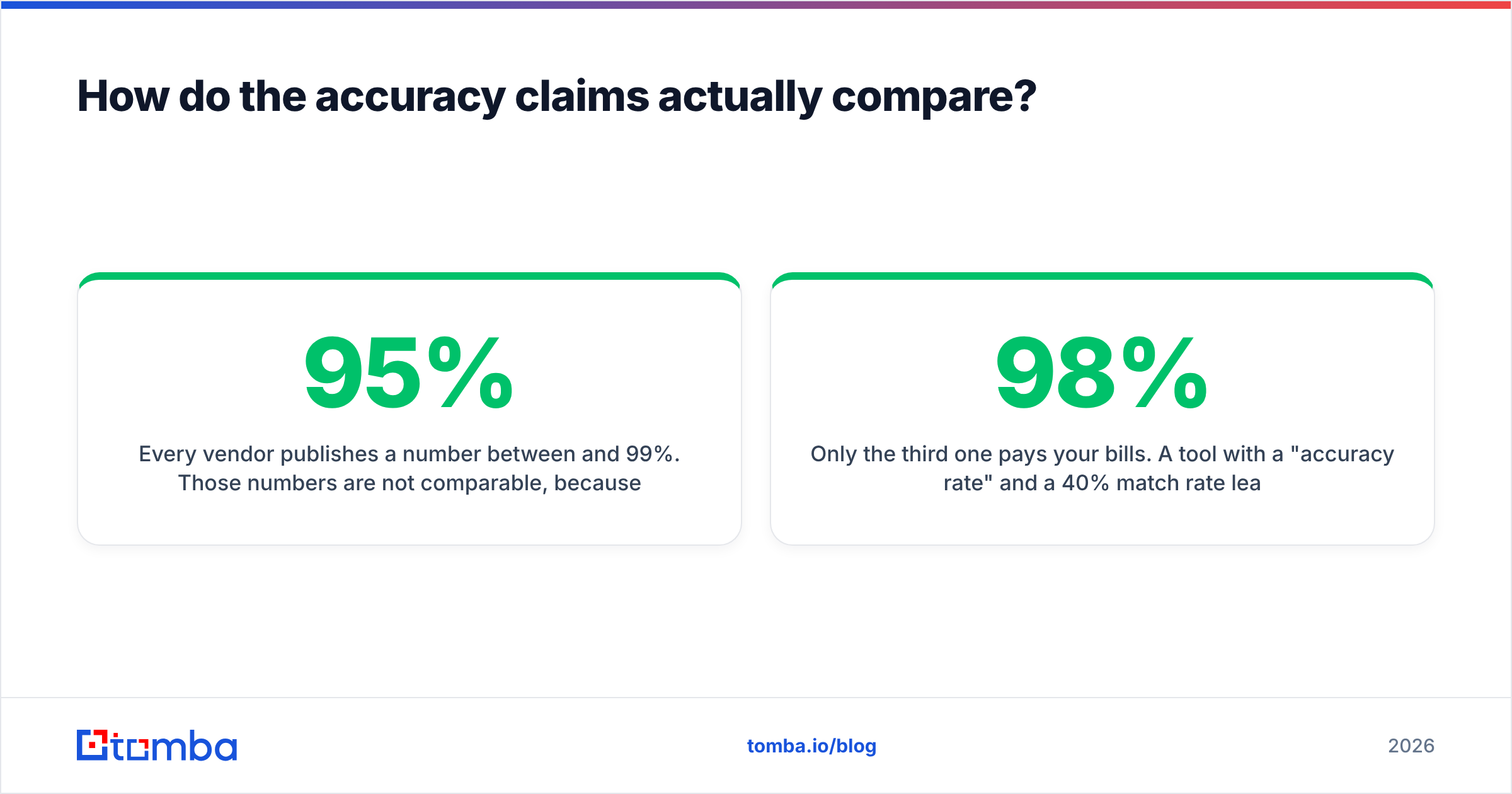
Every vendor publishes a number between 95% and 99%. Those numbers are not comparable, because they measure different things:
- Match rate — of contacts you asked about, how many got any answer back.
- Accuracy rate — of answers returned, how many were correct.
- Verified-deliverable rate — of contacts you asked about, how many produced an address that actually accepted mail.
Only the third one pays your bills. A tool with a 98% "accuracy rate" and a 40% match rate leaves you with 39 usable contacts per 100. A tool with a 92% accuracy rate and an 80% match rate leaves you with 73. The second tool is nearly twice as good and looks worse on the marketing page.
Run this test before you switch. It takes an afternoon:
- Take 100 contacts you already have confirmed, deliverable emails for — past customers, current pipeline, anyone who has replied to you.
- Strip the emails. Keep first name, last name, company domain.
- Run the stripped list through FindThatLead and through each candidate.
- Score each on: returned an address, returned the correct address, and cost in credits.
- Compute cost per correct address. That is your real price.
Most teams discover the ranking they assumed from G2 stars is wrong for their specific ICP. A tool that dominates on US SaaS can collapse on German Mittelstand manufacturers or Japanese enterprises. There is no universal winner — there is only a winner for your list. Independent review aggregators like G2 are useful for spotting support and billing complaints, but useless for predicting match rate on your accounts.

Is a specialist finder better than an all-in-one?#
Usually, once you cross about 500 contacts a month. Here is the honest trade-off.
All-in-one (FindThatLead, Snov.io, Apollo) gives you one bill, one login, and one support queue. The data layer and the sending layer are both "good enough." You ship faster on day one. The cost is that neither layer is best-in-class, and switching one means switching both.
Unbundled (specialist finder + specialist sequencer) means two bills and a Zapier step or an API call. In exchange, each layer is genuinely good, and you can replace either without disrupting the other. When your sequencer gets acquired and the product stagnates — which happens constantly in this category — you swap it in a week instead of rebuilding your entire prospecting motion.
The practical middle path most teams land on:
- Data layer: a specialist email finder with an API, plus a verifier that runs before every send.
- Sending layer: a dedicated sequencer with inbox rotation and warmup.
- Glue: native CRM integration or an automation platform, so nobody exports CSVs by hand.
That stack costs slightly more per month and dramatically less per meeting booked, because your email deliverability stops being collateral damage from a bundled tool's mediocre verification.
What does each alternative do best?#
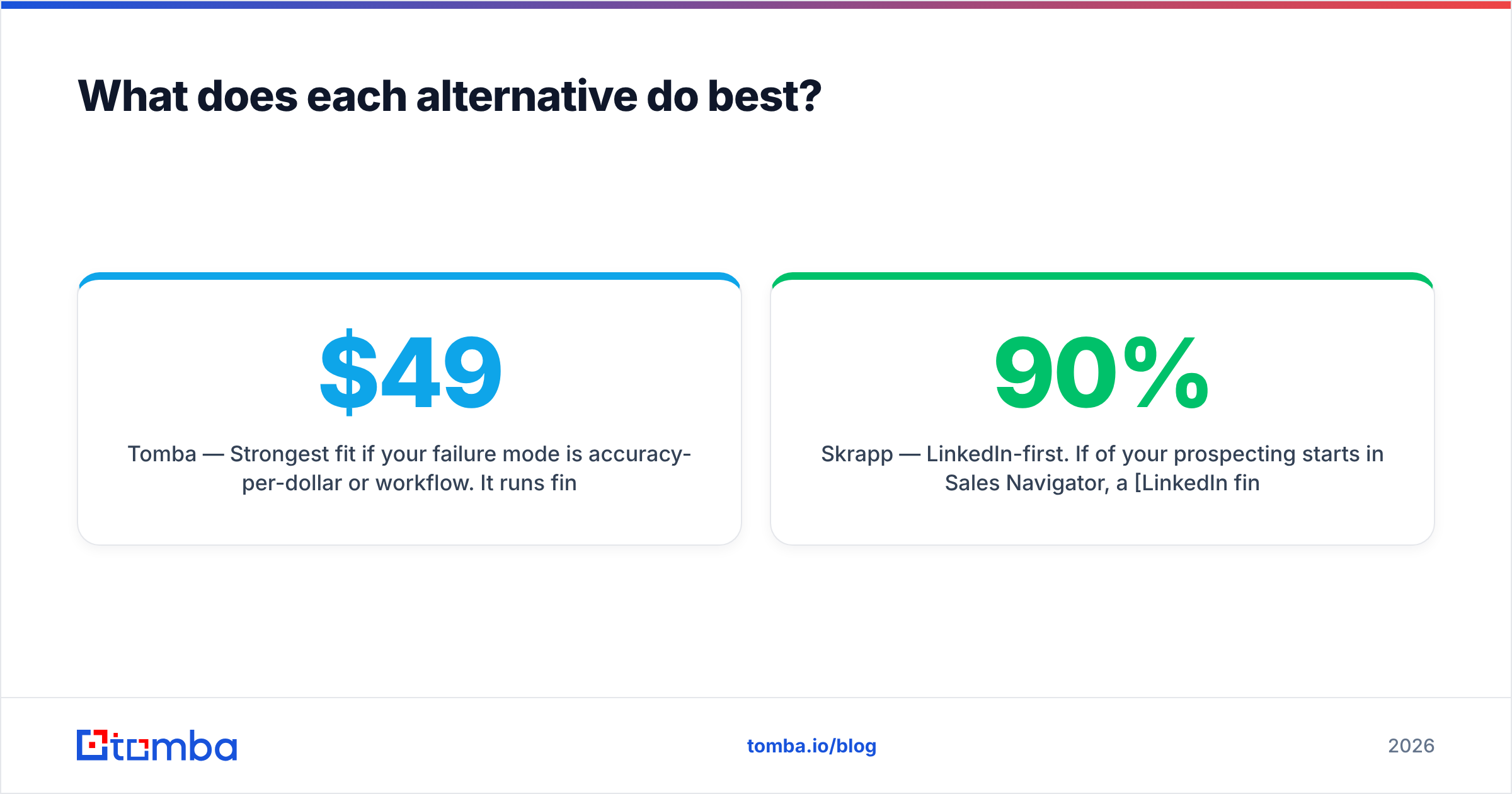
Tomba — Strongest fit if your failure mode is accuracy-per-dollar or workflow. It runs finder, verifier, domain search, catch-all verification, phone finder, and enrichment off one credit pool, with a genuine REST API, a CLI, an MCP server, and add-ons for Sheets, Excel, and Airtable. Free tier is 25 searches/mo, Starter $49/mo, Growth $99/mo, Pro $249/mo. Check current Tomba pricing for credit-per-plan details before you compare against FindThatLead's tiers.
Hunter — The safest "nobody gets fired" swap. Domain search is excellent, the confidence scores are conservative in a good way, and the free tier matches Tomba's at 25 searches. Weaker on phone data and enrichment breadth.
Findymail — Built specifically for agencies burning through volume. Notable for not charging when it fails to find. If your complaint about FindThatLead is credit waste, this is a direct answer.
Apollo.io — A different category: a database plus a sequencer plus a dialer. Correct choice if you want to replace FindThatLead and your list-buying and your sequencer in one move. Wrong choice if you already have a sequencer you like, because you will pay for overlap. See the Apollo alternative breakdown if you are weighing the bundle question specifically.
BookYourData — Different model again: you buy targeted, pre-verified contact lists pay-as-you-go rather than renting a search tool. Genuinely strong when you know exactly which titles and industries you need and would rather not run lookups at all. The bounce guarantee makes budgeting predictable, which is rare in this space.
Snov.io — The closest structural clone of FindThatLead: finder, verifier, drip campaigns, light CRM. Switch here only if your issue is FindThatLead's specific data quality, not the all-in-one model itself.
Clearbit (now inside HubSpot) — Not an email finder. It is firmographic and technographic enrichment for records you already have. Complement, not replacement.
RocketReach — Go here for personal emails and mobile numbers, especially for executives and recruiting. Higher per-contact cost, different coverage profile.
Skrapp — LinkedIn-first. If 90% of your prospecting starts in Sales Navigator, a LinkedIn finder workflow may serve you better than a domain-first tool.

How do you migrate without wrecking your deliverability?#
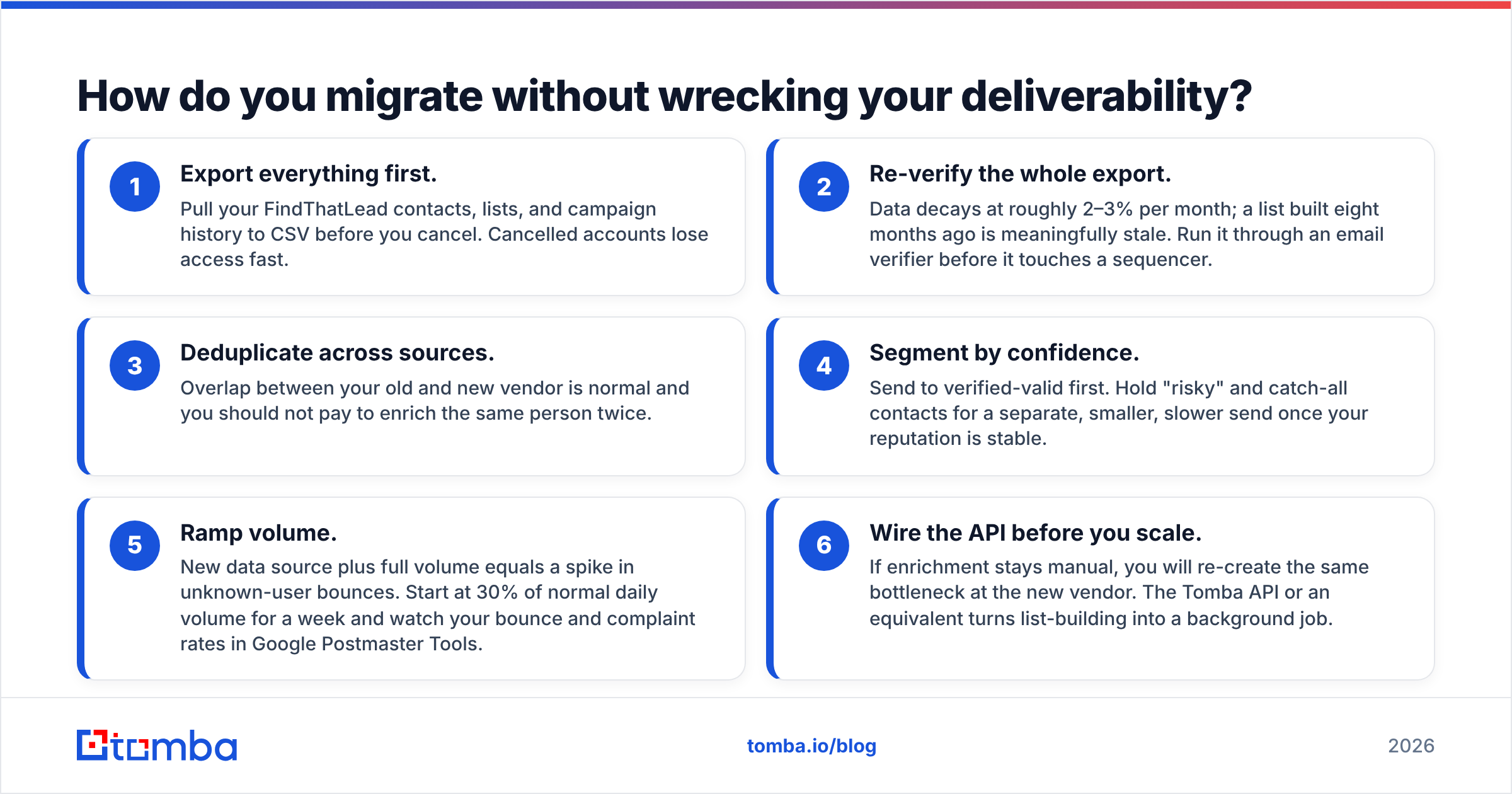
Switching data vendors is where bounce rates spike, because people dump a fresh list into a warm inbox and hope. Do this instead:
- Export everything first. Pull your FindThatLead contacts, lists, and campaign history to CSV before you cancel. Cancelled accounts lose access fast.
- Re-verify the whole export. Data decays at roughly 2–3% per month; a list built eight months ago is meaningfully stale. Run it through an email verifier before it touches a sequencer.
- Deduplicate across sources. Overlap between your old and new vendor is normal and you should not pay to enrich the same person twice.
- Segment by confidence. Send to verified-valid first. Hold "risky" and catch-all contacts for a separate, smaller, slower send once your reputation is stable.
- Ramp volume. New data source plus full volume equals a spike in unknown-user bounces. Start at 30% of normal daily volume for a week and watch your bounce and complaint rates in Google Postmaster Tools.
- Wire the API before you scale. If enrichment stays manual, you will re-create the same bottleneck at the new vendor. The Tomba API or an equivalent turns list-building into a background job.
Skip step 2 and you will blame the new vendor for bounces caused by your old vendor's stale records. This happens constantly and it is the single most common reason migrations look like failures.
What should you actually pick?#
Match your failure mode to the answer:
- "Credits vanish on failed lookups" → Findymail or Tomba. Ask both about no-result billing in writing.
- "Coverage is thin for my market" → Apollo (if you want the database) or BookYourData (if you want the list delivered).
- "I need this inside my product or my scripts" → Tomba, for API, CLI, and MCP access. Hunter is the runner-up.
- "The sender is the weak part" → Keep your finder, add a dedicated sequencer, drop the bundle.
- "I mostly work in LinkedIn" → Skrapp or a LinkedIn-specific extraction workflow.
- "I need phone numbers too" → RocketReach, or a phone finder alongside your email stack.
- "Honestly, none of the above" → Stay on FindThatLead. It is a competent product and switching costs are real. Churning to a peer tool for a 3% match-rate delta is not a strategy.
One rule that survives every stack change: verification is not optional and it is not the same as finding. A finder tells you an address probably exists. A verifier tells you a mail server will accept it today. Teams that treat those as one step are the teams writing "why is my bounce rate 8%" posts six weeks later.
Ready to test the data layer properly?#
Run the 100-contact bake-off described above against your own confirmed list — it is the only benchmark that predicts your results. If you want a candidate to test FindThatLead against, start with the Tomba Email Finder: 25 free searches a month, no card, and Starter at $49/mo with finder, verifier, domain search, catch-all verification, and full API access on the same credit pool. Score it on cost per correct, deliverable address, not on the number on the pricing page. If it does not beat your current stack on that metric, you will have learned something useful for free.
Related guides#
Ready to find emails that actually work?
Join 150,000+ professionals who stopped guessing and started sending. Free credits on signup — no credit card required.
Get the Tomba newsletter
Practical outbound tactics and product updates — once every two weeks.
About the author