FindThatLead vs Gamalogic: Which Email Finder Wins in 2026?
FindThatLead sells prospecting workflows. Gamalogic sells cheap verified lookups. We break down accuracy, credit math, bulk limits and API depth so you know which one your pipeline actually needs.
TL;DR
- FindThatLead is a prospecting suite: email finder plus lead search, LinkedIn scraping and a built-in cold email sender. You pay for the workflow, not just the data.
- Gamalogic is a leaner, API-first email finder and verifier that competes mostly on per-lookup cost and bulk throughput. Fewer bells, cheaper credits.
- Accuracy is the real tiebreaker. Both publish confidence scores; neither replaces an independent verification step before you send.
- Cost per usable email beats headline pricing every time. A $29 plan with 40% bounces is more expensive than a $49 plan with 3%.
- If you want deep coverage plus a real API, CLI, MCP server and spreadsheet add-ins in one place, Tomba (free tier: 25 searches/mo, Starter $49/mo) is the third option worth pricing out.
Most "FindThatLead vs Gamalogic" comparisons stop at a feature grid. That's not useful, because these two tools aren't really competing for the same job. One is trying to be your whole outbound stack. The other is trying to be a cheap, reliable pipe of verified addresses. Picking the wrong shape costs you more than picking the wrong vendor.
Here's the honest breakdown.
What is FindThatLead?#
FindThatLead is a Spanish-built B2B prospecting platform that has been around since 2015. Its core promise is end-to-end: you search for companies or people, it returns emails, and then you can push those contacts into its own campaign sender without exporting a CSV.
The product surface includes:
- Domain Search — pull every public email pattern associated with a company domain.
- Lead Search — filter a database by industry, location, headcount and role to build a list from scratch.
- Prospector / Social Search — a Chrome extension that pulls contact data while you browse LinkedIn.
- Email Verifier — a bundled validation step that flags risky, invalid and catch-all addresses.
- Scrab.in integration + campaign sender — LinkedIn automation and cold email sequences layered on top of the data.
That last item matters. FindThatLead's pitch is "stop paying for four tools." If you're a solo founder or a two-person agency who currently pays for a finder, a verifier, a scraper and a sender, consolidating has obvious appeal. Check the official FindThatLead site for current plan contents, because the packaging has changed more than once.
The tradeoff: bundled tools are rarely best-in-class at every layer. FindThatLead's sender is fine; it is not Instantly or Smartlead. Its database is decent; it is not Apollo. You're buying convenience.
What is Gamalogic?#
Gamalogic is a narrower play. It's an email finder and verifier built around a simple pitch: accurate lookups, aggressive per-credit pricing, and an API that developers can wire into their own systems without a sales call.
Where FindThatLead wants to own your outbound workflow, Gamalogic wants to be the thing your workflow calls. Its typical use cases:
- Enriching a list of names and domains you already have from a webinar, event or CRM import.
- Powering a signup-time enrichment call inside your own product.
- Bulk-cleaning an old list before you touch it with a sending tool.
Because it does less, it can price lower per lookup. The Gamalogic site publishes both subscription tiers and pay-as-you-go credit packs, which is genuinely useful if your volume is spiky — a 20,000-contact enrichment job once a quarter doesn't justify a monthly seat.
The tradeoff runs the other way: no sequences, no LinkedIn scraping, no built-in list-building database. If you don't already have a source of names and domains, Gamalogic won't create one for you.

How do FindThatLead and Gamalogic compare head to head?#
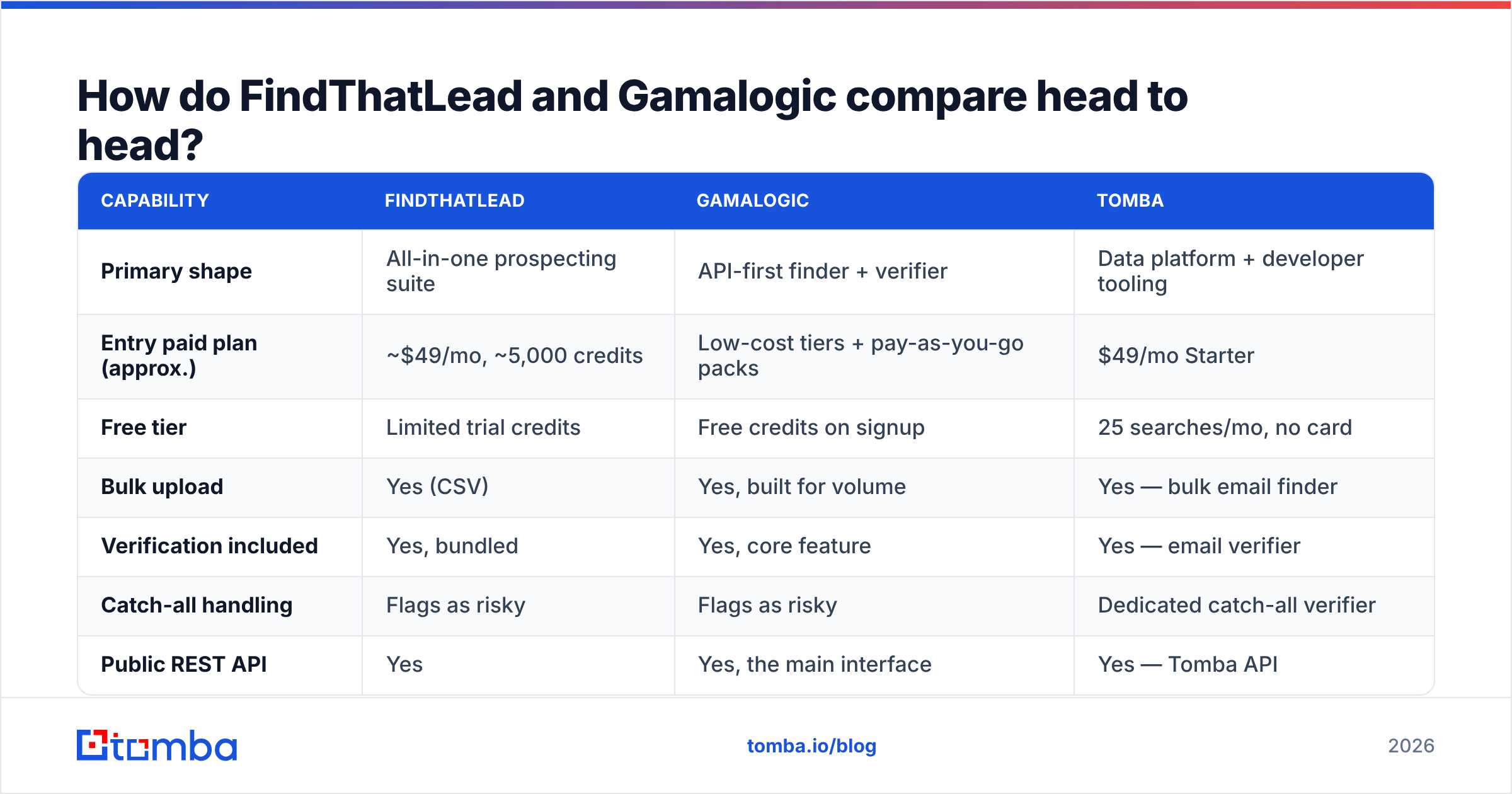
Here's the practical grid. Prices are the published list rates at the time of writing and shift regularly — verify on each vendor's page before you commit budget.
| Capability | FindThatLead | Gamalogic | Tomba |
|---|---|---|---|
| Primary shape | All-in-one prospecting suite | API-first finder + verifier | Data platform + developer tooling |
| Entry paid plan (approx.) | ~$49/mo, ~5,000 credits | Low-cost tiers + pay-as-you-go packs | $49/mo Starter |
| Free tier | Limited trial credits | Free credits on signup | 25 searches/mo, no card |
| Bulk upload | Yes (CSV) | Yes, built for volume | Yes — bulk email finder |
| Verification included | Yes, bundled | Yes, core feature | Yes — email verifier |
| Catch-all handling | Flags as risky | Flags as risky | Dedicated catch-all verifier |
| Public REST API | Yes | Yes, the main interface | Yes — Tomba API |
| Chrome extension | Yes | Limited | Yes |
| Spreadsheet add-ins | No native add-in | No native add-in | Google Sheets + Excel |
| Built-in cold email sender | Yes | No | No (integrations instead) |
| LinkedIn workflow | Yes (Scrab.in) | No | LinkedIn finder |
| Best for | Solo founders, small agencies | Devs, data teams, bulk cleanup | Teams who want depth + automation |
Read that table as three different bets rather than a scoreboard. FindThatLead wins the "one login, one invoice" column. Gamalogic wins the "cheapest verified lookup at volume" column. Tomba wins the "I need this inside my own systems" column.
Which one is more accurate?#
This is the only question that actually decides your ROI, and it's the one both vendors answer with marketing numbers.
Every email finder in this category works roughly the same way: it collects public web data, infers the company's email pattern, generates candidates, then validates them via SMTP handshake and internal signals. The differences show up in three places:
- Pattern coverage. How many domains does the vendor already have a confirmed pattern for? Deep coverage on US SaaS, thin coverage on European mid-market manufacturers is a common profile.
- Freshness. A correct address from 2023 is a bounce in 2026. Job-change churn in B2B runs roughly 20–25% a year, which means a quarter of any static database rots annually.
- Catch-all honesty. Roughly a fifth of business domains accept everything at the SMTP layer. A vendor that reports catch-alls as "valid" will look more accurate on paper and worse in your bounce report.

FindThatLead and Gamalogic both return a confidence score. Neither publishes an independently audited accuracy figure, and neither should be trusted on self-reported numbers alone — that goes for every vendor in the space, Tomba included. The only benchmark that counts is your own.
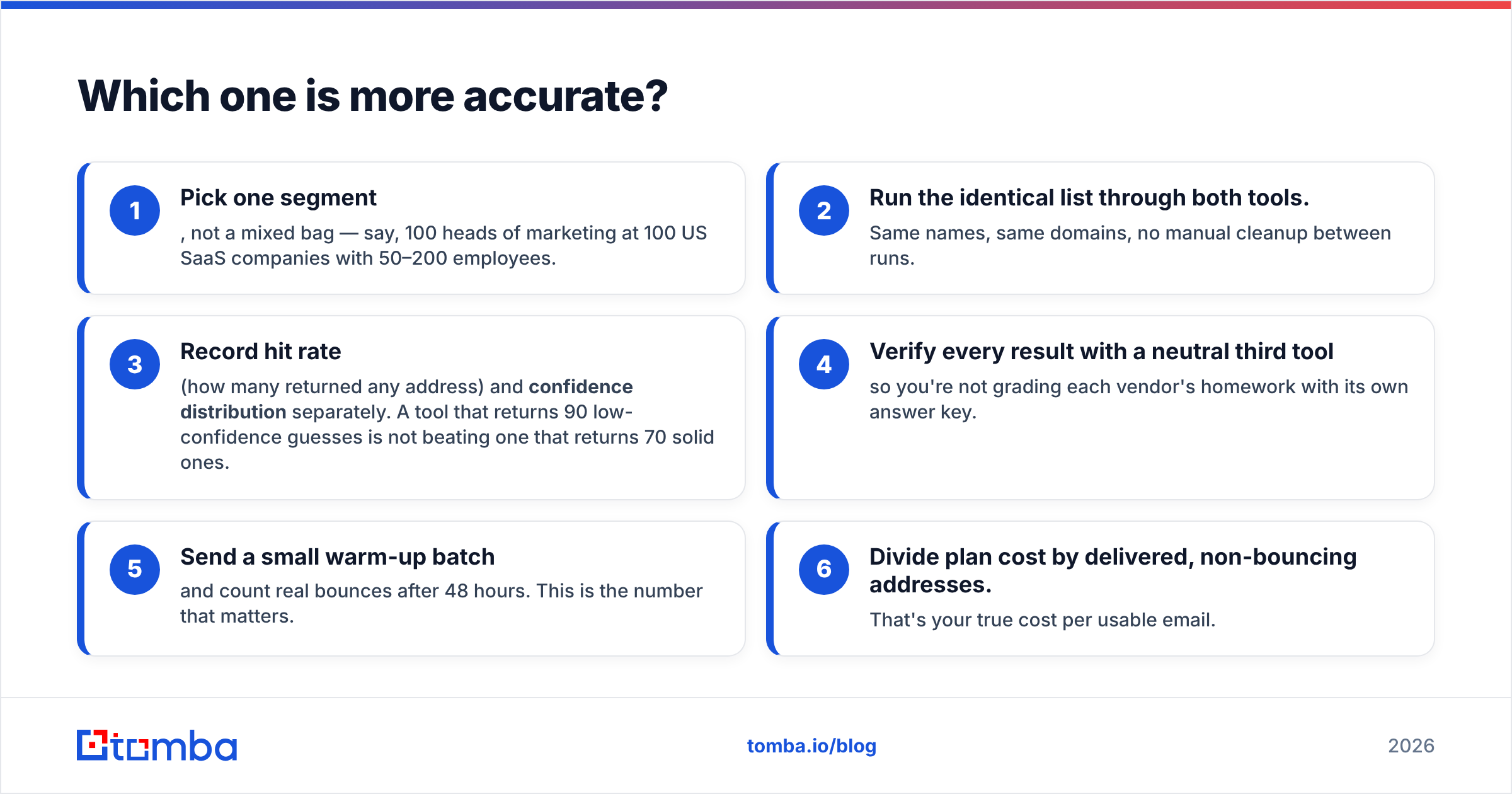
How to run a fair 100-contact test in an afternoon:
- Pick one segment, not a mixed bag — say, 100 heads of marketing at 100 US SaaS companies with 50–200 employees.
- Run the identical list through both tools. Same names, same domains, no manual cleanup between runs.
- Record hit rate (how many returned any address) and confidence distribution separately. A tool that returns 90 low-confidence guesses is not beating one that returns 70 solid ones.
- Verify every result with a neutral third tool so you're not grading each vendor's homework with its own answer key.
- Send a small warm-up batch and count real bounces after 48 hours. This is the number that matters.
- Divide plan cost by delivered, non-bouncing addresses. That's your true cost per usable email.
Teams that run this test are routinely surprised. The cheaper per-credit tool often loses on cost per usable email once bounces are priced in — and bounces don't just waste credits, they damage sender reputation, which costs you replies on the campaigns that did have good data.
How does pricing really compare?#
Headline pricing in this category is deliberately hard to compare because the credit units differ. One vendor charges a credit for a search that returns nothing. Another charges only on a successful find. A third charges separately for the verification step on the same address.
Ask every vendor these four questions before you sign anything:
- Do failed searches consume credits? If yes, your effective price rises by however low your hit rate is on your segment.
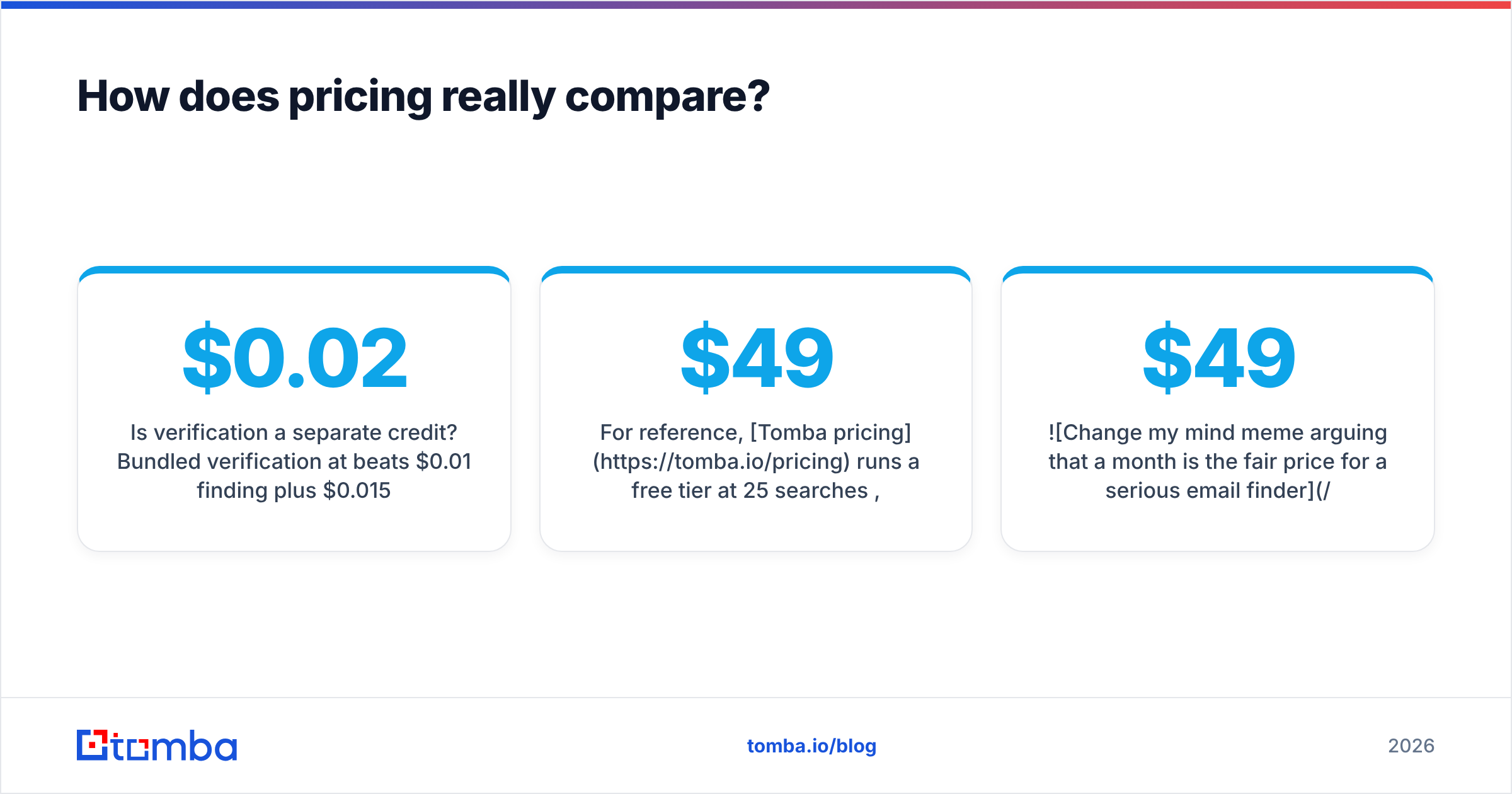
- Is verification a separate credit? Bundled verification at $0.02 beats $0.01 finding plus $0.015 verifying.
- Do credits roll over? Spiky usage plus hard monthly expiry means you're paying for peak capacity year-round.
- What happens on overage? Auto-upgrade, hard stop, or per-credit surcharge — all three exist in this market.

FindThatLead's model bundles credits with the sender and scraping tools, so the sticker price includes things you may not use. If you already pay for Instantly or Lemlist, you're double-buying. Gamalogic's pay-as-you-go packs are the friendlier structure for irregular volume, but you lose the workflow layer entirely.
For reference, Tomba pricing runs a free tier at 25 searches/mo, Starter at $49/mo, Growth at $99/mo, Pro at $249/mo, and custom Enterprise — with the finder, verifier, domain search, catch-all verification and enrichment on the same credit pool rather than sold as separate SKUs.

Who should pick FindThatLead?#
Choose FindThatLead if most of these describe you:
- You're a founder, freelancer or small agency running outbound yourself, and tool sprawl is a real cost.
- You don't already own a sending tool and don't want to buy one.
- LinkedIn is your primary sourcing channel and you want scraping in the same account.
- Your volume is modest and predictable — a few thousand contacts a month.
- You value a Spanish/European-friendly interface and support timezone.
Skip it if you're a data team that needs a clean API contract, or if you already run a mature sequencing stack. The bundled sender becomes dead weight, and you're paying for it.
Who should pick Gamalogic?#
Choose Gamalogic if:
- You already have names and domains and just need them resolved and verified.
- Your usage is bursty — quarterly list cleanups rather than daily prospecting.
- You want to call an API from your own product or internal tooling, and per-call cost is the metric your CFO cares about.
- You don't need a database to browse, a sender, or a CRM sync.
Skip it if list building is the actual bottleneck. Cheap lookups on a list you don't have yet solve nothing. And be honest about your engineering appetite — API-first tools assume someone will write the glue.
Where does Tomba fit in this comparison?#
Tomba sits deliberately between the two shapes: the depth of a data platform, the interface options of a developer tool, without the bundled sender you may not want.
The practical difference shows up in how you reach the data. Beyond the web app, Tomba ships a Chrome extension, a Google Sheets add-on, an Excel add-in, a CLI, a Tomba MCP server for AI agents, and a documented REST API — so the same credit pool serves an SDR working a list, an ops person cleaning a spreadsheet, and an engineer enriching signups. Neither FindThatLead nor Gamalogic covers that full spread.
The other differentiator is catch-all handling. Instead of dumping every catch-all domain into an "accept all, good luck" bucket, Tomba runs a dedicated catch-all verification path — which matters because catch-alls are where most bounce surprises originate.
Where Tomba doesn't win: if you genuinely want one login that also sends your sequences, FindThatLead's bundle is the simpler purchase. Tomba integrates with senders and CRMs rather than replacing them. That's a real preference difference, not a flaw in either direction.
Worth noting for completeness: if your need is a static, pre-verified list rather than on-demand lookups, a database-first vendor like BookYourData is a legitimately different — and often better-fitting — category of solution. Don't force a finder to do a database's job.
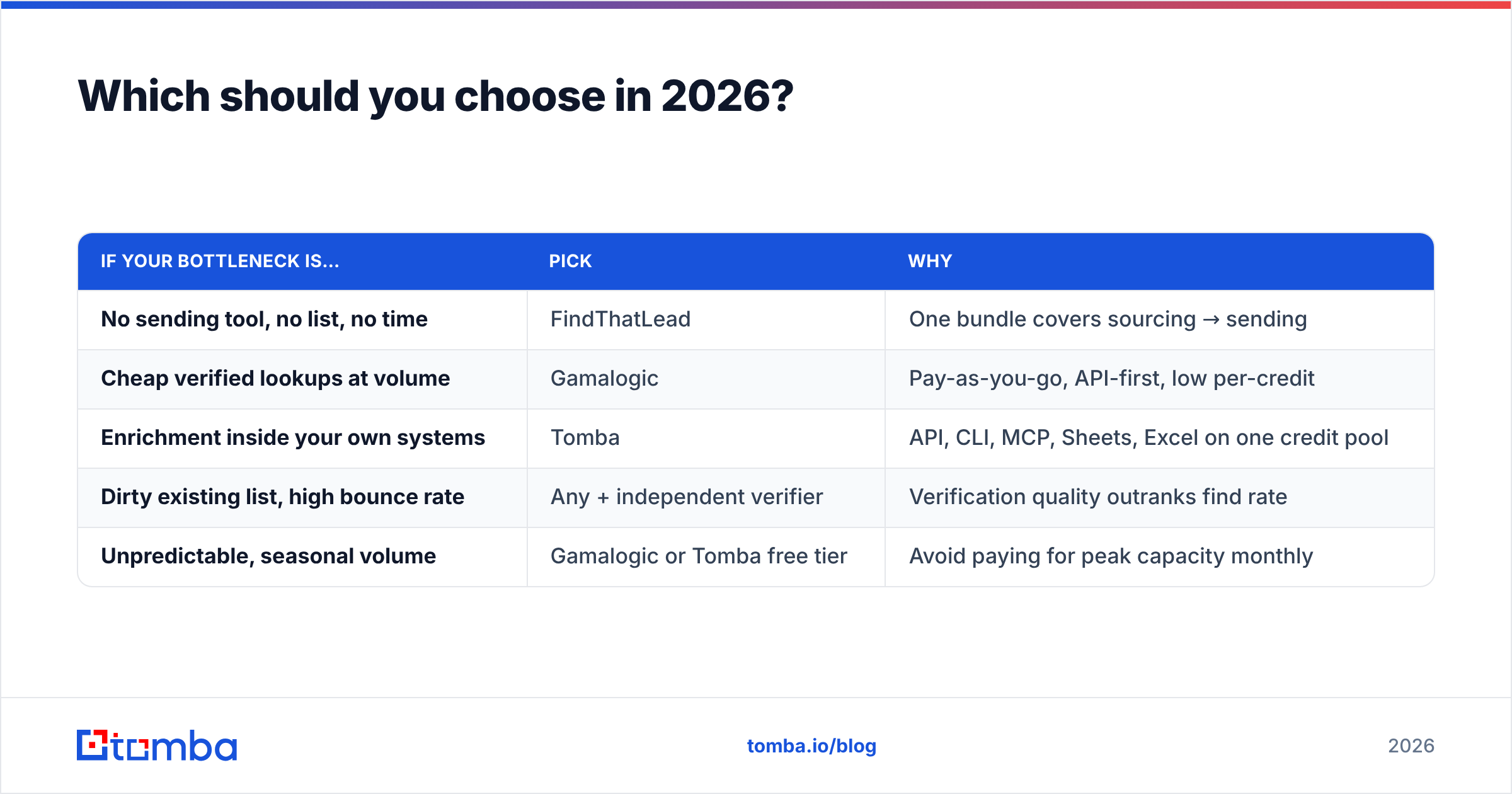
Which should you choose in 2026?#
Decide by shape, then verify by test:
| If your bottleneck is… | Pick | Why |
|---|---|---|
| No sending tool, no list, no time | FindThatLead | One bundle covers sourcing → sending |
| Cheap verified lookups at volume | Gamalogic | Pay-as-you-go, API-first, low per-credit |
| Enrichment inside your own systems | Tomba | API, CLI, MCP, Sheets, Excel on one credit pool |
| Dirty existing list, high bounce rate | Any + independent verifier | Verification quality outranks find rate |
| Unpredictable, seasonal volume | Gamalogic or Tomba free tier | Avoid paying for peak capacity monthly |
Whatever you pick, run the 100-contact test first. Vendor comparison pages — including this one — are directional. Your segment, your geography and your ICP determine which database actually has your buyers in it, and no reviewer can know that for you. Cross-check verified user reviews on G2 alongside your own test rather than instead of it.
One last thing worth internalising: finding the address is the cheap part. Google and Microsoft both tightened bulk-sender requirements, and authentication plus list hygiene now gate whether your mail is seen at all. Read the Google bulk sender guidelines before you scale volume — a perfect list sent from an unauthenticated domain still lands in spam.
Ready to test the data yourself?#
Run the same 100-contact list through the Tomba Email Finder that you're running through FindThatLead and Gamalogic. The free tier gives you 25 searches a month with no card required, which is enough to sanity-check pattern coverage on your specific ICP before you spend anything. If the hit rate and bounce numbers hold up on your segment, Starter is $49/mo with the verifier, domain search and catch-all checks on the same credits — and if they don't, you'll have learned something more useful than any comparison table can tell you.
Related guides#
Ready to find emails that actually work?
Join 150,000+ professionals who stopped guessing and started sending. Free credits on signup — no credit card required.
Get the Tomba newsletter
Practical outbound tactics and product updates — once every two weeks.
About the author