FindThatLead vs GetProspect: Which Email Finder Wins in 2026?
FindThatLead and GetProspect both promise verified B2B emails on a startup budget. We compare match rates, credit models, LinkedIn workflows and real 2026 pricing to show which one earns your seat.
TL;DR
- FindThatLead is a prospecting suite: bulk domain-to-email, a lead search database and a built-in cold email sender. It is the better pick if you want find-and-send in one tab.
- GetProspect is a LinkedIn-first email finder with a strong Chrome extension, a genuinely usable free tier and clean list management. It is the better pick if your pipeline starts on Sales Navigator.
- On raw match rate, neither is a leader. Both land in the mid-tier on generic domains and both degrade badly on catch-all servers — which is where most of your bounces come from.
- Credits are the real cost driver. FindThatLead consumes credits on searches that return nothing useful; GetProspect's cheaper tiers cap monthly exports hard.
- If accuracy and API access matter more than a bundled sender, a dedicated finder-plus-verifier stack (Tomba's free tier starts at 25 searches/mo, Starter $49/mo) usually costs less per usable contact.
What are FindThatLead and GetProspect?#
Both tools solve the same first-mile problem: you know who you want to reach, you do not know their work email. They just approach it from opposite ends.
FindThatLead started as a domain search tool and grew into a small prospecting suite. You paste a domain, it returns the email patterns and named contacts it can resolve. Layered on top are a Prospector (filter a lead database by role, industry, location and country), a bulk CSV processor, and Scrab.in — a LinkedIn automation companion. It also ships its own cold email sender, so a solo founder can go from empty spreadsheet to sent sequence without buying a second product.
GetProspect went the other way. Its centre of gravity is the Chrome extension that sits on top of LinkedIn and Sales Navigator: run a search, click, and profiles get pulled into a list with emails attached where they resolve. Around that sits a CRM-lite list manager with custom properties, deduplication and export, plus a standalone email verifier and a searchable contact database.
The practical difference: FindThatLead thinks in domains and campaigns. GetProspect thinks in people and lists. That shapes everything downstream, including where each one wastes your money.

How do FindThatLead and GetProspect compare feature by feature?#
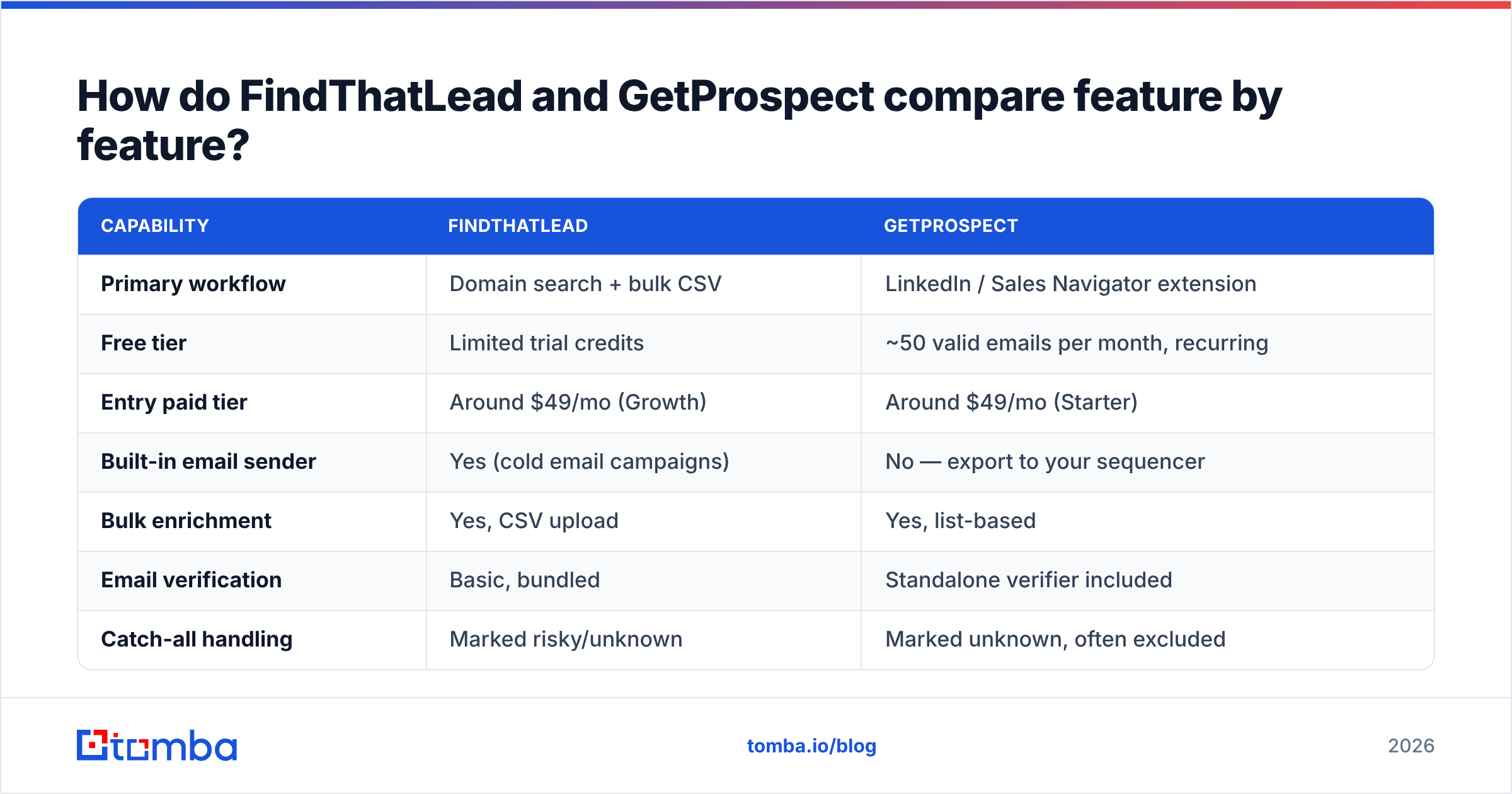
Here is the head-to-head on the attributes that actually change your day.
| Capability | FindThatLead | GetProspect |
|---|---|---|
| Primary workflow | Domain search + bulk CSV | LinkedIn / Sales Navigator extension |
| Free tier | Limited trial credits | ~50 valid emails per month, recurring |
| Entry paid tier | Around $49/mo (Growth) | Around $49/mo (Starter) |
| Built-in email sender | Yes (cold email campaigns) | No — export to your sequencer |
| Bulk enrichment | Yes, CSV upload | Yes, list-based |
| Email verification | Basic, bundled | Standalone verifier included |
| Catch-all handling | Marked risky/unknown | Marked unknown, often excluded |
| Phone numbers | No | Limited |
| Public API | Yes | Yes |
| Native CRM sync | Zapier + integrations | HubSpot, Pipedrive, Zapier |
| Best for | Founders who want find + send | SDRs prospecting on LinkedIn |
Pricing figures move; check each vendor's page before you commit. The structural difference is what to weigh: FindThatLead is a wider product with shallower data tooling, GetProspect is a narrower product with better list hygiene.

Which one actually finds more valid emails?#
Neither tool wins convincingly, and the honest answer is that the question is badly framed.
Every email finder reports two numbers that people conflate: coverage (what fraction of your input list returned an address) and accuracy (what fraction of those addresses actually accept mail). A tool can hit 80% coverage by pattern-guessing first.last@domain.com for everyone and still bounce a third of the list. That is the trap in most vendor-published benchmarks.
In practice:
- On well-indexed companies — SaaS, agencies, mid-market tech with public teams — both tools land in a similar band. You will not notice a difference on a 200-row list.
- On long-tail SMB domains — local services, manufacturers, non-English markets — coverage drops for both, and FindThatLead's pattern inference tends to return more addresses that it cannot confirm.
- On catch-all domains, both mark results as unknown or risky. GetProspect is more conservative about exporting them; FindThatLead is happier to hand them over. Conservative is safer for your sender reputation, but it also means you paid for a row you cannot use.

Catch-alls are the single biggest hidden variable in this comparison. Something like a fifth of B2B domains accept mail for any local part, so an SMTP check cannot tell you whether jane@acme.com exists. Tools that simply flag these as unknown push the problem onto you. Tools with a dedicated catch-all verifier resolve a meaningful slice of them using secondary signals instead of dumping them in the reject pile. If a big chunk of your ICP sits behind Microsoft 365 tenants with catch-all enabled — common in enterprise and in Europe — this is not a footnote, it is the deciding factor.
Before you trust anyone's numbers, including ours, run the same 100-row list through both trials and measure bounces after sending, not the tool's own confidence score. That is the only benchmark that pays your salary.
How does the pricing really compare in 2026?#
Sticker price is close. Cost per usable contact is not.
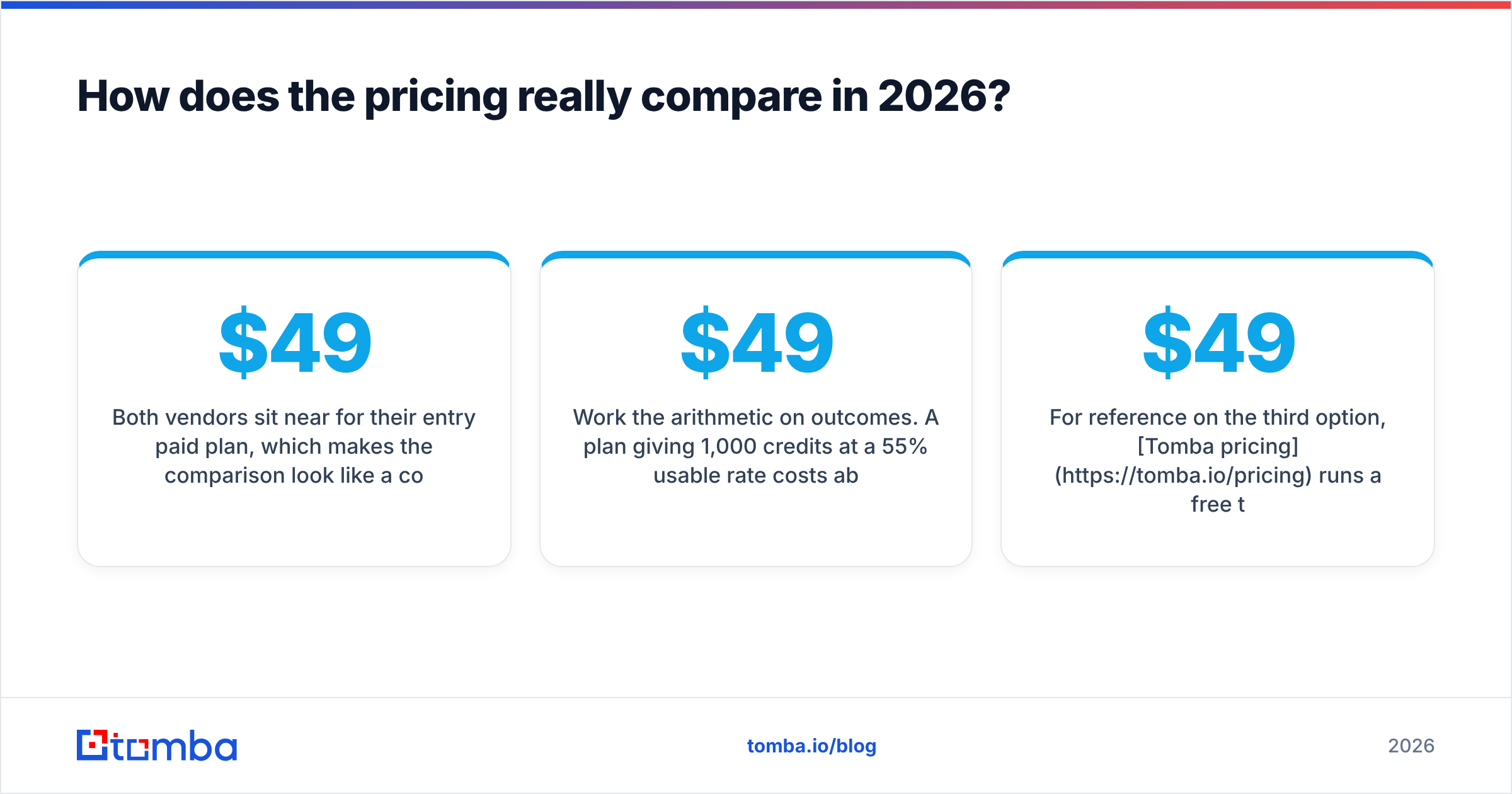
Both vendors sit near $49/mo for their entry paid plan, which makes the comparison look like a coin flip. The divergence shows up in three places:
- What consumes a credit. FindThatLead charges for the lookup, including lookups that return an unverifiable guess. GetProspect is generally credited on valid finds, which reads better on paper but is paired with tighter monthly caps.
- Verification as a separate line item. If you are exporting risky rows and then paying a third-party verifier to clean them, add that to whichever tool you picked. A bundled but weak verifier is not a saving.
- Sender cost. FindThatLead includes campaign sending; GetProspect assumes you already pay for Instantly, Smartlead, Lemlist or similar. If you do not, FindThatLead's bundle is genuinely cheaper. If you do, you are paying twice for a feature you will not open.
Work the arithmetic on outcomes. A $49 plan giving 1,000 credits at a 55% usable rate costs about 9 cents per contact you can actually mail. A $49 plan giving 500 credits at an 85% usable rate costs about 11.5 cents. Close — until you add the bounces the first plan pushes into your inbox provider's reputation ledger, which is where the real bill lands.
For reference on the third option, Tomba pricing runs a free tier at 25 searches/mo, Starter at $49/mo, Growth at $99/mo and Pro at $249/mo, with verification and catch-all checks in the same account rather than bolted on.
What does each workflow look like in practice?#
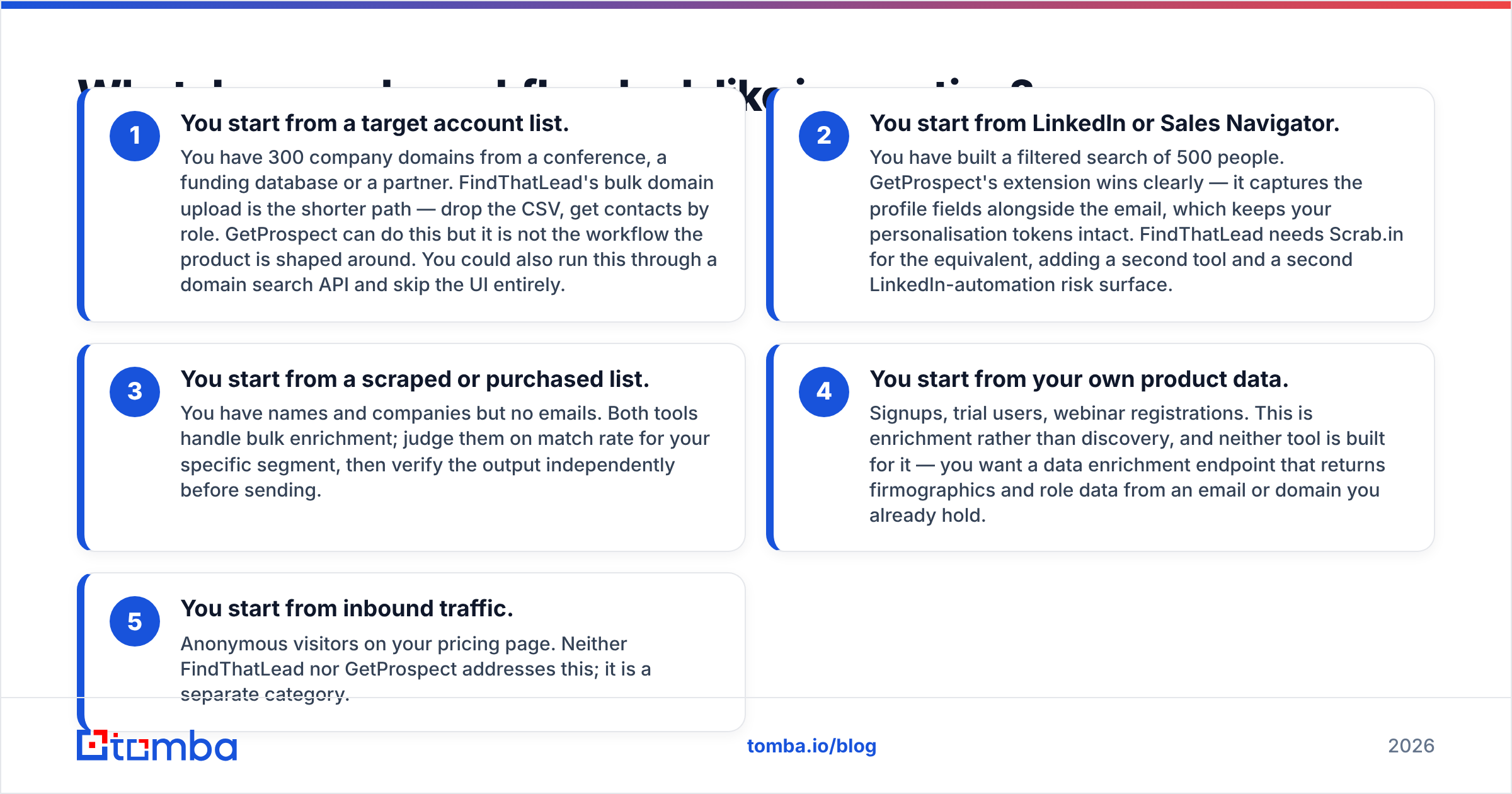
The tool you should buy is the one that matches how your leads arrive. Four common patterns:
- You start from a target account list. You have 300 company domains from a conference, a funding database or a partner. FindThatLead's bulk domain upload is the shorter path — drop the CSV, get contacts by role. GetProspect can do this but it is not the workflow the product is shaped around. You could also run this through a domain search API and skip the UI entirely.
- You start from LinkedIn or Sales Navigator. You have built a filtered search of 500 people. GetProspect's extension wins clearly — it captures the profile fields alongside the email, which keeps your personalisation tokens intact. FindThatLead needs Scrab.in for the equivalent, adding a second tool and a second LinkedIn-automation risk surface.
- You start from a scraped or purchased list. You have names and companies but no emails. Both tools handle bulk enrichment; judge them on match rate for your specific segment, then verify the output independently before sending.
- You start from your own product data. Signups, trial users, webinar registrations. This is enrichment rather than discovery, and neither tool is built for it — you want a data enrichment endpoint that returns firmographics and role data from an email or domain you already hold.
- You start from inbound traffic. Anonymous visitors on your pricing page. Neither FindThatLead nor GetProspect addresses this; it is a separate category.

Pattern 2 is the one most SDR teams live in, which explains GetProspect's stickiness despite the narrower feature set. Pattern 1 is the founder-led motion FindThatLead was built for.
Where does each tool fall short?#
FindThatLead's weak points. The bundled email sender is functional but basic next to a dedicated platform — limited warmup logic, thinner deliverability reporting, fewer inbox-rotation controls. Credit burn on unresolved lookups frustrates people running big lists. The Prospector database skews toward markets where the company has depth (strong in Spanish-speaking regions, patchier elsewhere). Support responsiveness gets mixed marks in public reviews on G2.
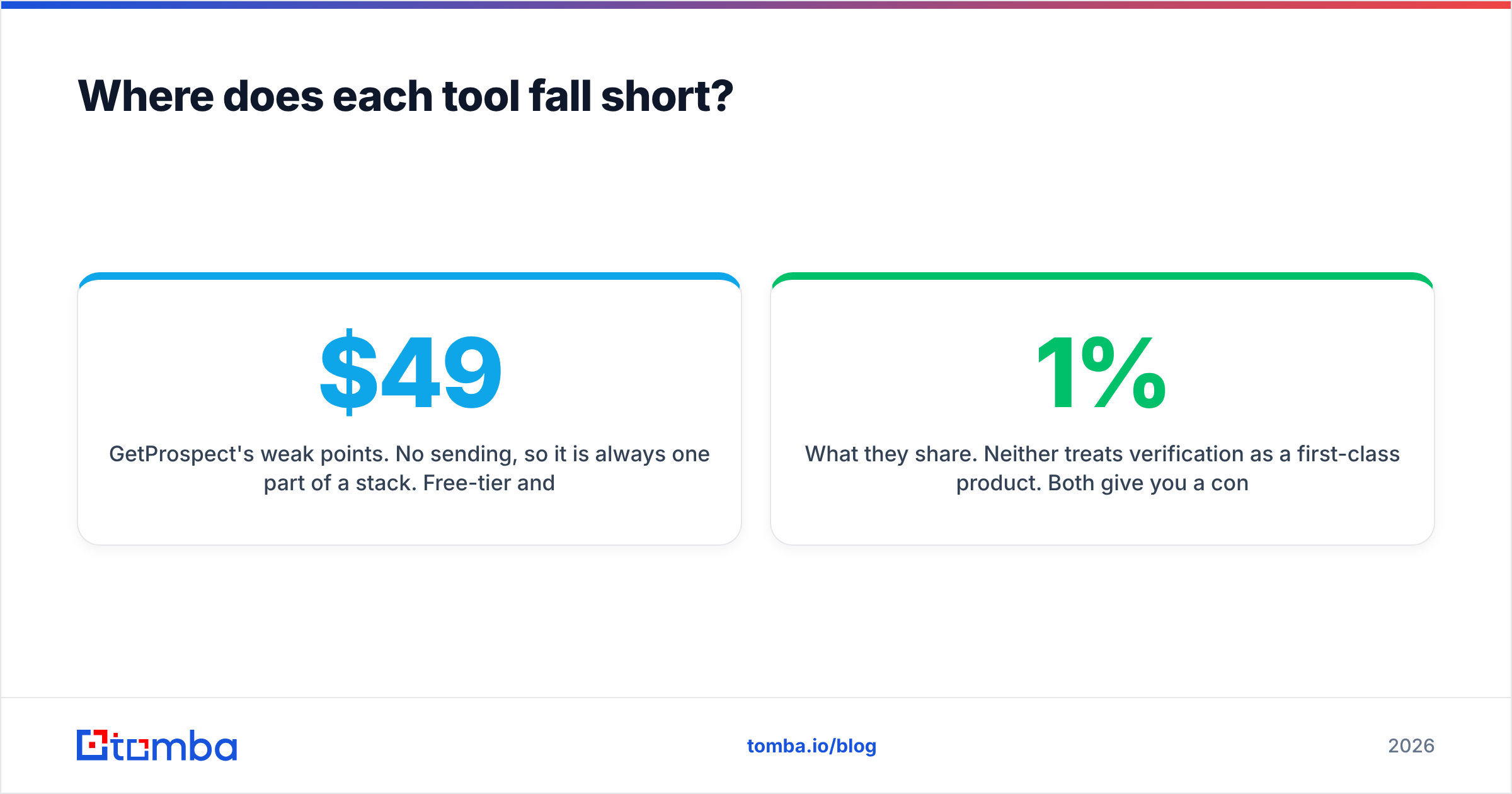
GetProspect's weak points. No sending, so it is always one part of a stack. Free-tier and low-tier export caps arrive faster than most people expect, which turns a $49 plan into an $89 plan by month two. Extension-driven workflows inherit LinkedIn's rate limits and account-safety risk. Coverage outside LinkedIn-visible professionals — trades, local services, roles with no profile — is thin, because the product's data spine is the profile graph.
What they share. Neither treats verification as a first-class product. Both give you a confidence label; neither gives you the forensic detail (MX records, SMTP response codes, role-account and disposable detection, catch-all resolution) that tells you why an address is risky. When you send 5,000 emails a month, that gap is what separates a 1% bounce rate from a 6% one — and a 6% bounce rate is how a domain gets throttled.
If you want to see the difference concretely, run one exported list through a standalone email verifier and compare the reject count to what the source tool claimed was deliverable. The delta is usually uncomfortable.
Is there a better option than either one?#
Depends on which half of the job you care about.
Keep FindThatLead if you are a solo founder or a two-person team who wants one subscription covering discovery and sending, you work Spanish or Latin American markets, and volume is modest enough that credit waste stays annoying rather than expensive.
Keep GetProspect if LinkedIn is your prospecting surface, you already own a sequencer you like, and clean list structure with custom properties matters more than raw coverage.
Consider a dedicated data layer if any of these are true: you send more than a few thousand emails a month, you need programmatic access rather than a UI, catch-all domains are common in your ICP, or bounce rate is already a problem. That is the case where Tomba's email finder API tends to fit better than either tool here — finder, verifier, catch-all resolution and enrichment behind one key, with the same credit pool, and no bundled sender you are paying for and not using. Worth being straight about the trade: you give up the all-in-one convenience, and you still need a sequencer.
It is also fair to note that neither of these two is the only alternative. BookYourData takes a different route entirely — pay-as-you-go prebuilt B2B lists with a verification guarantee rather than credit subscriptions — and for teams who want contacts without running searches at all, that model can beat both tools on effort per contact.
Which should you choose?#
Score it against your own constraints rather than a feature grid:
| If your priority is… | Pick |
|---|---|
| One tool for find + send | FindThatLead |
| LinkedIn-native prospecting | GetProspect |
| Lowest bounce rate | Dedicated finder + verifier |
| API-first / engineering workflow | Dedicated finder + verifier |
| Heavy catch-all ICP | Dedicated catch-all verification |
| Spanish / LATAM coverage | FindThatLead |
| Clean list management + CRM sync | GetProspect |
Whichever way you lean, do the trial properly. Take 100 real accounts from your actual ICP — not a list of famous SaaS companies, which every tool nails — run them through both, send to the results, and count hard bounces at day three. The tool that returned fewer addresses but bounced less is the cheaper tool, regardless of what the pricing page says.
Ready to test the accuracy side yourself? Run the same 100-domain list through the Tomba Email Finder and compare it against whatever FindThatLead or GetProspect returned. The free tier covers 25 searches a month with no card, verification and catch-all checks are included rather than sold separately, and if the match rate does not beat what you are paying for now, you have lost nothing but ten minutes.
Related guides#
Ready to find emails that actually work?
Join 150,000+ professionals who stopped guessing and started sending. Free credits on signup — no credit card required.
Get the Tomba newsletter
Practical outbound tactics and product updates — once every two weeks.
About the author