FindThatLead vs Influno (2026): Which One Actually Wins?
FindThatLead is a lead-finding engine with sending bolted on. Influno is a sending engine with finding bolted on. Here is the honest breakdown of pricing, data quality, deliverability, and which one belongs in your 2026 outbound stack.
TL;DR
- FindThatLead is a prospecting-first platform: search by domain, scrape LinkedIn lists, build a lead file, then send from a built-in campaign module. Sending is the weaker half.
- Influno is an outreach-first platform: inbox rotation, warmup, sequences, unified reply inbox. Lead sourcing is the weaker half.
- They are not really competitors. Picking between them is mostly a question of which half of your outbound stack is currently broken.
- Credits are the hidden cost in both. Unverified results still burn credits at most vendors, so a "5,000 leads/mo" plan rarely means 5,000 usable contacts.
- The cheapest reliable setup in 2026 is a dedicated finder/verifier feeding a dedicated sender — often cheaper and always more accurate than one tool trying to do both.
What is FindThatLead and what is Influno?#
Start with the honest framing, because most "X vs Y" pages blur it: these two tools solve adjacent problems, not the same problem.
FindThatLead launched out of Barcelona and has spent most of a decade as a lead-generation tool. Its centre of gravity is discovery — give it a domain, a first/last name, or a LinkedIn search URL, and it returns business email addresses in bulk. Around that core it has added a Chrome extension, a Prospector for filtered company/role searches, and Scrab.in for LinkedIn automation. Campaign sending exists, but it's the newest and thinnest layer.
Influno came at it from the opposite direction. It's a cold email outreach platform: connect multiple sending mailboxes, rotate between them, warm them up, build multi-step sequences with conditional branches, and manage replies in one inbox. It bundles some contact finding and verification, but the product's identity is deliverability and sequence execution.
So the real question isn't "which is better." It's: do you have leads and no reliable way to send, or a sending setup and no reliable way to fill it?
How do FindThatLead and Influno compare head to head?#
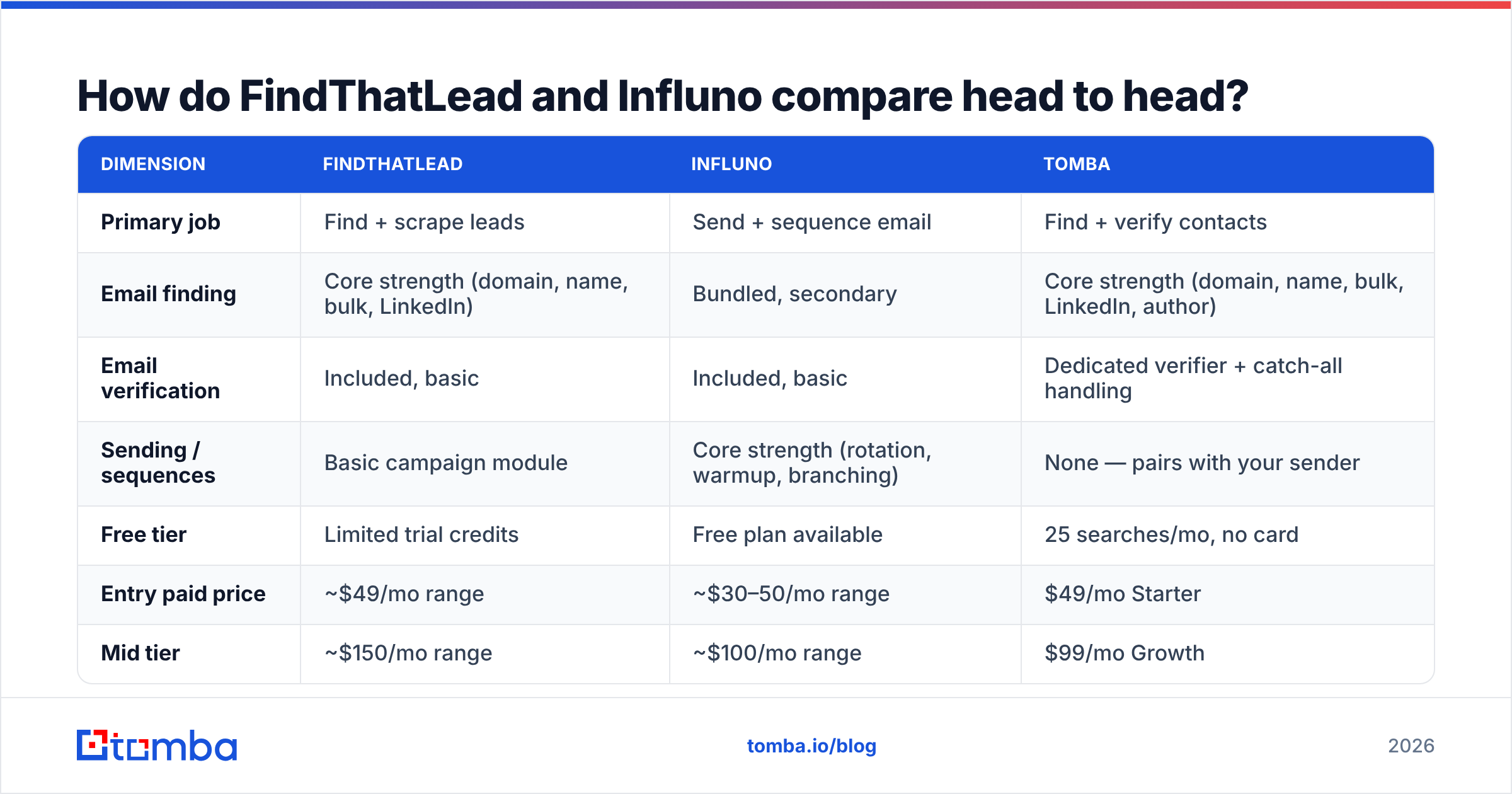
Here's the practical comparison, with a neutral third option in the mix so you can see where the specialist pricing lands. Vendor pricing changes often — treat these as anchors and confirm on the live pages before you buy.
| Dimension | FindThatLead | Influno | Tomba |
|---|---|---|---|
| Primary job | Find + scrape leads | Send + sequence email | Find + verify contacts |
| Email finding | Core strength (domain, name, bulk, LinkedIn) | Bundled, secondary | Core strength (domain, name, bulk, LinkedIn, author) |
| Email verification | Included, basic | Included, basic | Dedicated verifier + catch-all handling |
| Sending / sequences | Basic campaign module | Core strength (rotation, warmup, branching) | None — pairs with your sender |
| Free tier | Limited trial credits | Free plan available | 25 searches/mo, no card |
| Entry paid price | ~$49/mo range | ~$30–50/mo range | $49/mo Starter |
| Mid tier | ~$150/mo range | ~$100/mo range | $99/mo Growth |
| API access | Yes, on higher tiers | Limited | Yes, on all paid tiers |
| Best for | Agencies building lists fast | Teams scaling send volume | Accuracy-first data sourcing |
Two things jump out of that table.
First, neither tool is a full outbound stack on its own. FindThatLead's sending is fine for a solo founder blasting 200 emails a week; it is not what you want when you're rotating twelve mailboxes across three domains. Influno's finder is fine for enriching a list you already half-built; it is not what you want when net-new sourcing is the whole job.
Second, the price gap between "bundled everything" and "specialist + specialist" is smaller than people assume. A $150/mo all-in-one that wastes 30% of its credits on unverified guesses is more expensive per usable contact than a $49/mo finder with a real verification layer feeding a $37/mo sender.

Which one finds better email addresses?#
FindThatLead, on volume. Influno, occasionally, on convenience.
FindThatLead's discovery surface is genuinely broad. You can run a Prospector search filtered by country, industry, and role; drop in a list of 20,000 domains for bulk lookup; or point Scrab.in at a LinkedIn Sales Navigator result set. For an agency that needs 10,000 rows by Friday, that breadth matters more than anything else on the feature list.
The trade-off is what happens to accuracy at that volume. Every finder in this category works from the same three ingredients — crawled public sources, pattern inference from known company formats, and SMTP-level checks — and the ones that push hardest on volume tend to lean hardest on pattern inference. Pattern inference is a guess. A confident-looking firstname.lastname@company.com with a 90-something score attached can still bounce, particularly at companies running catch-all servers where the mail server accepts everything and tells you nothing.
That's the failure mode worth planning around. If your list has a meaningful share of catch-all domains — enterprise, education, and a lot of European mid-market do — a raw finder score is close to meaningless without a separate catch-all verifier pass. This is where bundled verification in both tools tends to be thinnest: it's usually a syntax-and-MX check dressed up as validation.
Influno's finding is a convenience feature. It's useful when you're inside a sequence builder and want to fill three missing addresses without leaving the tab. It is not built for sourcing a quarter's worth of pipeline.
A practical rule: whatever tool sources the address, run it through a dedicated email verifier before it touches a live sending domain. The cost of the verification pass is a rounding error against the cost of rebuilding sender reputation after a 9% bounce rate.
Suggested visual: side-by-side of a FindThatLead Prospector result grid and an Influno contact-enrichment panel, both showing confidence scores.
Which one sends better cold email?#
Influno, and it's not close.
Cold email in 2026 is a deliverability problem before it's a copywriting problem. Google and Yahoo's bulk-sender requirements — authenticated SPF/DKIM/DMARC, one-click unsubscribe, spam complaints held under 0.3% — turned "just send it" into an infrastructure discipline. Microsoft tightened its own high-volume rules on a similar timeline. The tools that survived built for it.
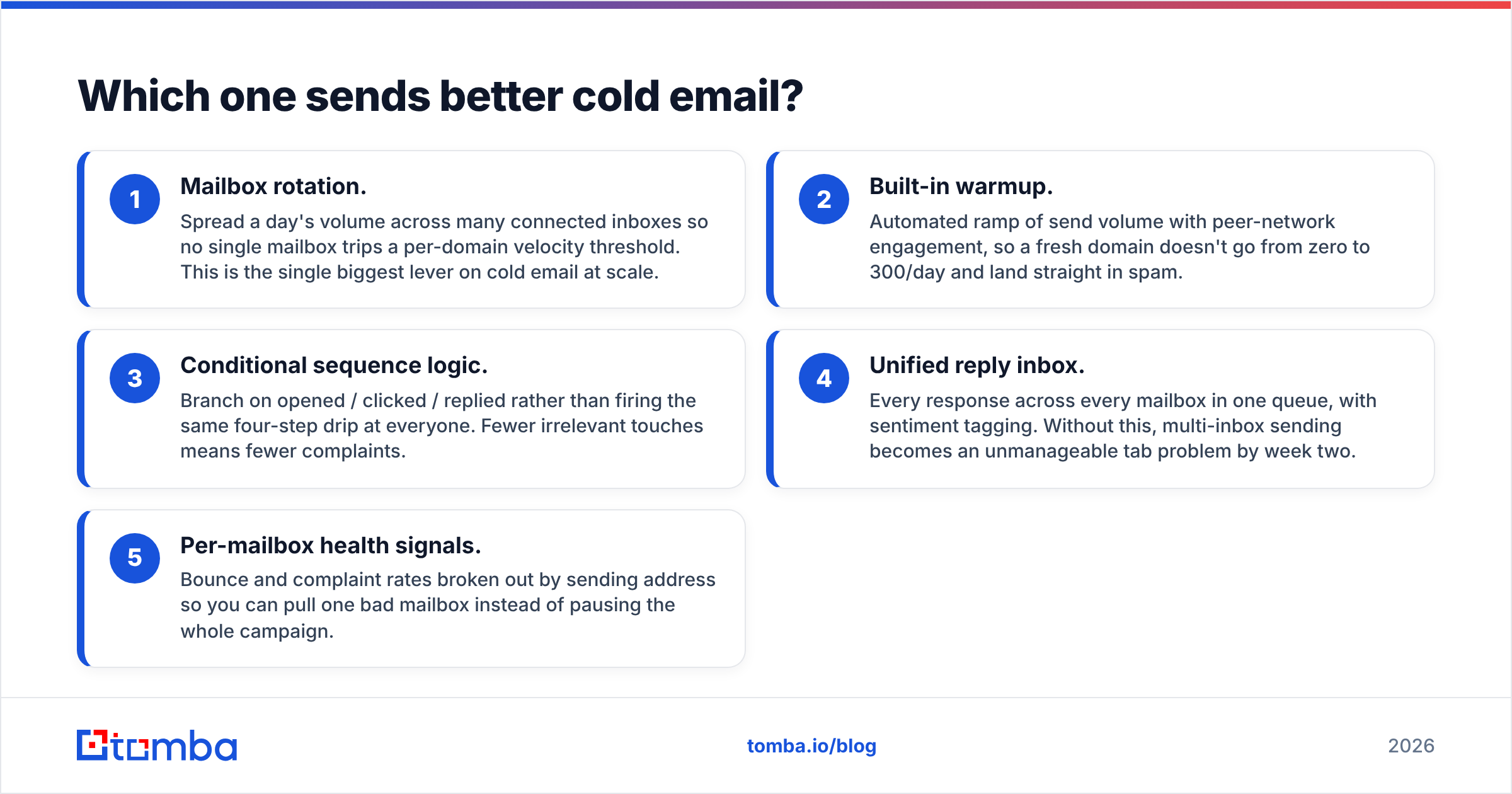
What Influno gives you that FindThatLead's campaign module doesn't:
- Mailbox rotation. Spread a day's volume across many connected inboxes so no single mailbox trips a per-domain velocity threshold. This is the single biggest lever on cold email at scale.
- Built-in warmup. Automated ramp of send volume with peer-network engagement, so a fresh domain doesn't go from zero to 300/day and land straight in spam.
- Conditional sequence logic. Branch on opened / clicked / replied rather than firing the same four-step drip at everyone. Fewer irrelevant touches means fewer complaints.
- Unified reply inbox. Every response across every mailbox in one queue, with sentiment tagging. Without this, multi-inbox sending becomes an unmanageable tab problem by week two.
- Per-mailbox health signals. Bounce and complaint rates broken out by sending address so you can pull one bad mailbox instead of pausing the whole campaign.
FindThatLead's sending covers list upload, a template, basic personalization tokens, and a follow-up or two. That's a legitimate starting point for low volume. It is not a system for protecting a domain you care about.
If you're running Influno or any comparable sender, the pre-flight checklist is the same: confirm your SPF record resolves cleanly, publish DMARC, verify the list, and check your copy against a spam checker before the first batch goes out. Tool choice matters less than whether you did those four things.
Suggested visual: Influno sequence builder showing a conditional branch, next to a Google Postmaster Tools domain reputation graph.
What does each one actually cost you?#
Sticker price is the least interesting number on either pricing page.
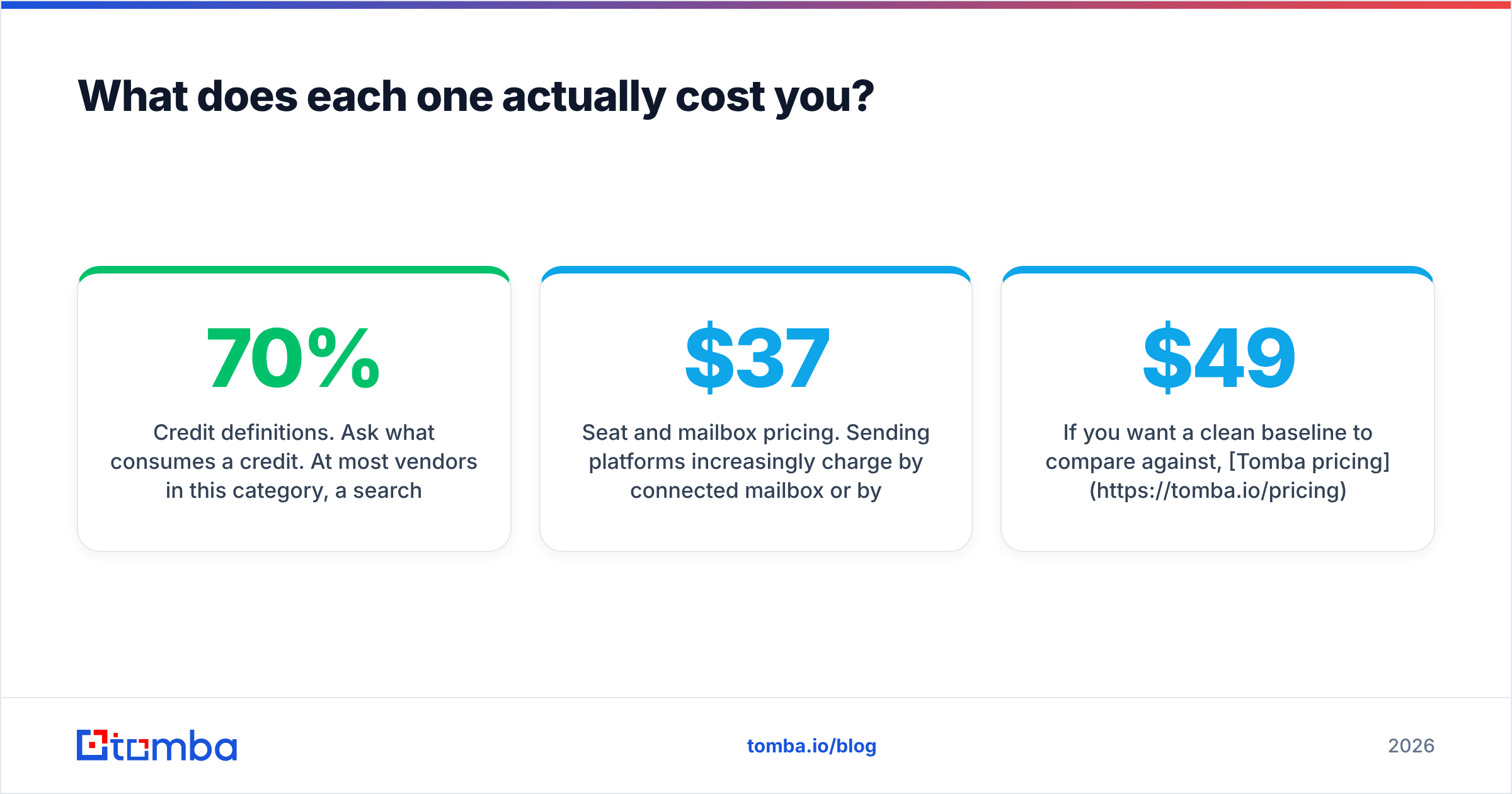
Credit definitions. Ask what consumes a credit. At most vendors in this category, a search that returns nothing usable still costs you. If a plan advertises 5,000 credits and your list has a 70% hit rate, you bought 3,500 contacts — and if only 80% of those verify clean, you bought 2,800. The honest metric is cost per verified, deliverable contact. Run that number and mid-tier bundles frequently look worse than they did on the comparison page.
Seat and mailbox pricing. Sending platforms increasingly charge by connected mailbox or by monthly send volume. A five-inbox setup that looked like $37/mo can be $120/mo once you scale domains. Read the tier boundaries, not the headline.
Annual lock-in. Both vendors push annual discounts. That discount is real, and it's also the mechanism by which people stay on tools they stopped liking in month three. Run a paid month first.
The rebuild cost. The expensive failure isn't overpaying for credits — it's torching a sending domain. Recovering a burned domain takes weeks of throttled volume, or a new domain and another warmup cycle. Every dollar spent on verification before sending is insurance against that.
If you want a clean baseline to compare against, Tomba pricing is public and flat: free tier at 25 searches/mo, Starter $49/mo, Growth $99/mo, Pro $249/mo, Enterprise custom — with verification and API access included rather than gated behind an upgrade.

Is there a better setup than either one alone?#
For most teams past their first hundred sends: yes — decouple the two jobs.
The all-in-one pitch is one login and one bill. The reality is that a company optimising for sequence deliverability isn't also winning the data-coverage race, and vice versa. You end up paying full price for two halves and getting a strong one and a weak one.
The decoupled stack looks like this:
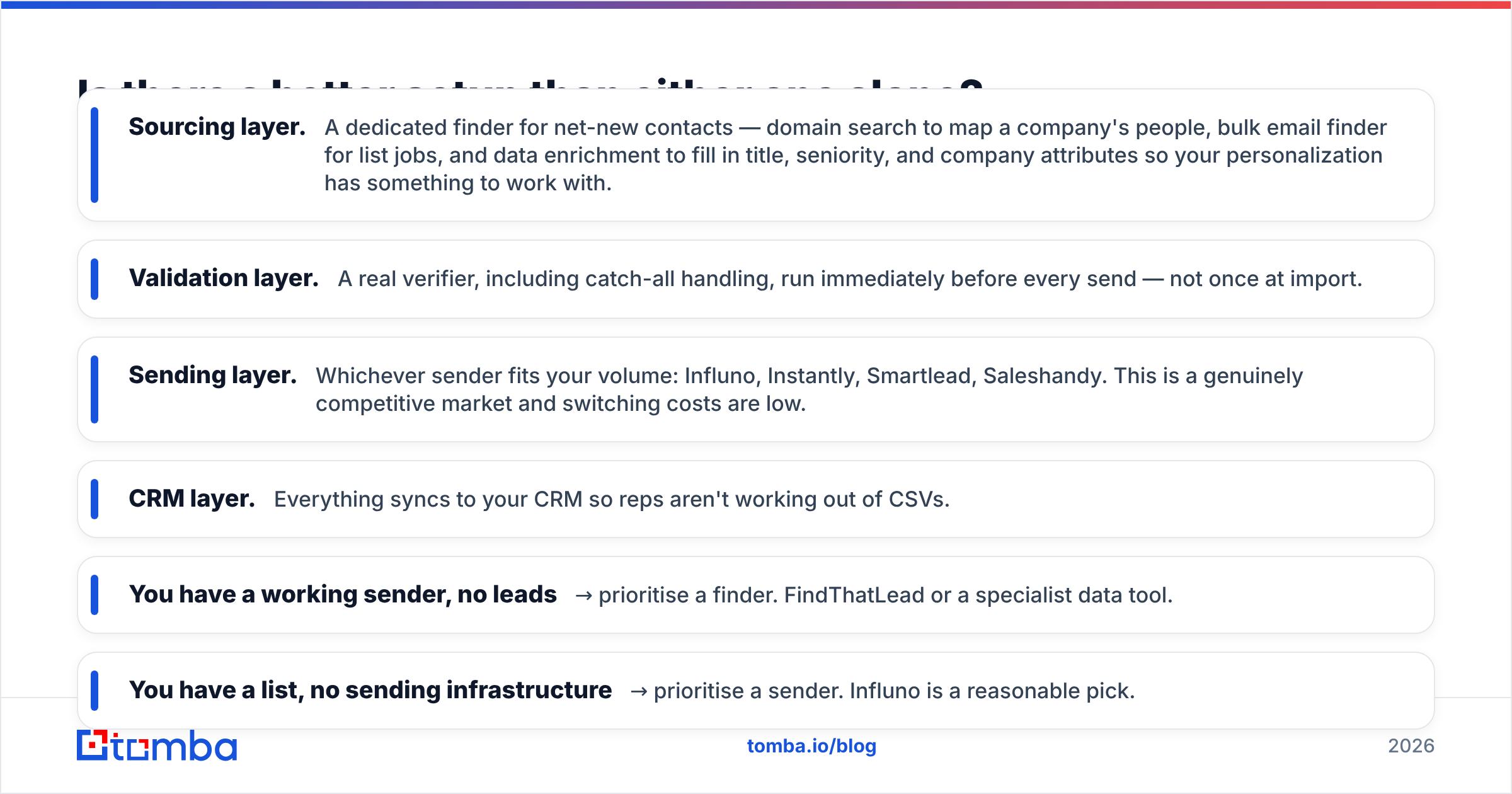
- Sourcing layer. A dedicated finder for net-new contacts — domain search to map a company's people, bulk email finder for list jobs, and data enrichment to fill in title, seniority, and company attributes so your personalization has something to work with.
- Validation layer. A real verifier, including catch-all handling, run immediately before every send — not once at import.
- Sending layer. Whichever sender fits your volume: Influno, Instantly, Smartlead, Saleshandy. This is a genuinely competitive market and switching costs are low.
- CRM layer. Everything syncs to your CRM so reps aren't working out of CSVs.
The pieces talk to each other through an API or a native integration, which means you can swap any one layer without rebuilding the other three. That flexibility is the actual argument — not price.
Quick decision guide#
- You have a working sender, no leads → prioritise a finder. FindThatLead or a specialist data tool.
- You have a list, no sending infrastructure → prioritise a sender. Influno is a reasonable pick.
- You're building from zero → finder + verifier + sender as separate tools. Cheaper per usable contact and easier to fix when one part underperforms.
- You're an agency running client campaigns → definitely decoupled, because client mailboxes and client lists have different lifecycles.
- You send under 200 emails/month → either tool's bundled version is fine. Don't over-engineer this.
What should you check before committing to either?#
Run the same three-part test on both, on your own data. Vendor benchmarks are run on lists that flatter the vendor.
1. Coverage test. Take 100 real target contacts — the ones you actually want, not a clean sample of well-known SaaS companies. Run them through each tool. Count how many return an address at all. That's your hit rate, and it will be lower than the marketing page implies for any tool, including good ones.
2. Accuracy test. Take the addresses each tool returned and verify them somewhere neutral — a third-party verifier or a free email checker. Count how many come back valid, how many are catch-all-unknown, and how many are outright invalid. Catch-all-unknown is not a win; treat it as a maybe.
3. Deliverability test. Send 50 messages from a throwaway domain through the sending tool. Watch bounce rate, spam placement, and whether the platform flags problems before or after damage is done. Check independent user reviews on G2 for recurring deliverability complaints — patterns in reviews are more useful than any individual score.
If a tool fails test two, nothing it does in test three can save you. Bad data breaks good infrastructure faster than good data can rescue bad infrastructure.
The verdict#
FindThatLead if sourcing is your bottleneck and you can live with basic sending. Influno if sending is your bottleneck and you already have leads. Neither if you need both halves to be genuinely good — in that case, buy two specialists and connect them.
Whichever sender you land on, the data feeding it decides your results. Start with the Tomba Email Finder — free tier at 25 searches/mo with no card, then $49/mo Starter when you scale. Domain search, verification with catch-all handling, and full Tomba API access are included on every paid plan, so you can pipe verified contacts straight into Influno, Instantly, or whatever you're sending with next quarter. Test it against your own 100-contact list before you commit to anything annual.
Related guides#
Ready to find emails that actually work?
Join 150,000+ professionals who stopped guessing and started sending. Free credits on signup — no credit card required.
Get the Tomba newsletter
Practical outbound tactics and product updates — once every two weeks.
About the author