FindThatLead vs Infofree: Which Lead Tool Wins in 2026?
FindThatLead sells verified B2B emails by domain and LinkedIn. Infofree sells unlimited US business and consumer records for a flat fee. Here is which one actually fits your outbound motion in 2026 — and where both fall short.
TL;DR
- FindThatLead is a prospecting-and-sending tool: domain search, LinkedIn extraction, bulk email finding, and a built-in cold email sender. Best for SaaS and agency teams doing outbound in Europe and LATAM.
- Infofree is an unlimited-access US database: ~14M business records and ~200M consumer records for a flat monthly fee, plus a light CRM (CRM101) and mailing-list builder. Best for local SMB, insurance, and door-to-door style sales.
- They barely compete on the same job. FindThatLead finds a specific person's work email; Infofree hands you a list of businesses in a ZIP code.
- Accuracy is the deciding factor: FindThatLead verifies at find-time; Infofree's compiled records skew stale on email and title, strong on phone and address.
- If you need verified, role-specific B2B emails at API scale, neither is the cheapest path — a dedicated email finder with per-domain pattern detection usually beats both on cost per usable contact.
What are FindThatLead and Infofree, exactly?#
They are two different product categories wearing the same "lead generation" label.
FindThatLead is a Spanish-built prospecting suite. You give it a domain, a name + company, or a LinkedIn URL, and it returns a business email address with a confidence score. On top of that sits Scrab.in (a LinkedIn automation layer) and an email sender for drip campaigns. The pitch is: find the person, verify the address, send the sequence — all in one tab.
Infofree is a completely different animal. It is a subscription to a compiled database — roughly 14 million US businesses and 200 million US consumers — sold as unlimited lookups for a flat monthly price. You filter by SIC code, revenue, employee count, ZIP radius, credit rating, homeowner status. It ships with a basic CRM (CRM101) and a mailing-list export. There is no "find this specific person's email" workflow in the FindThatLead sense; there is a "give me every HVAC contractor within 25 miles of Dallas" workflow.
So the real question is not "which is better." It is: do you prospect by person or by territory?

How do FindThatLead and Infofree compare head-to-head?#
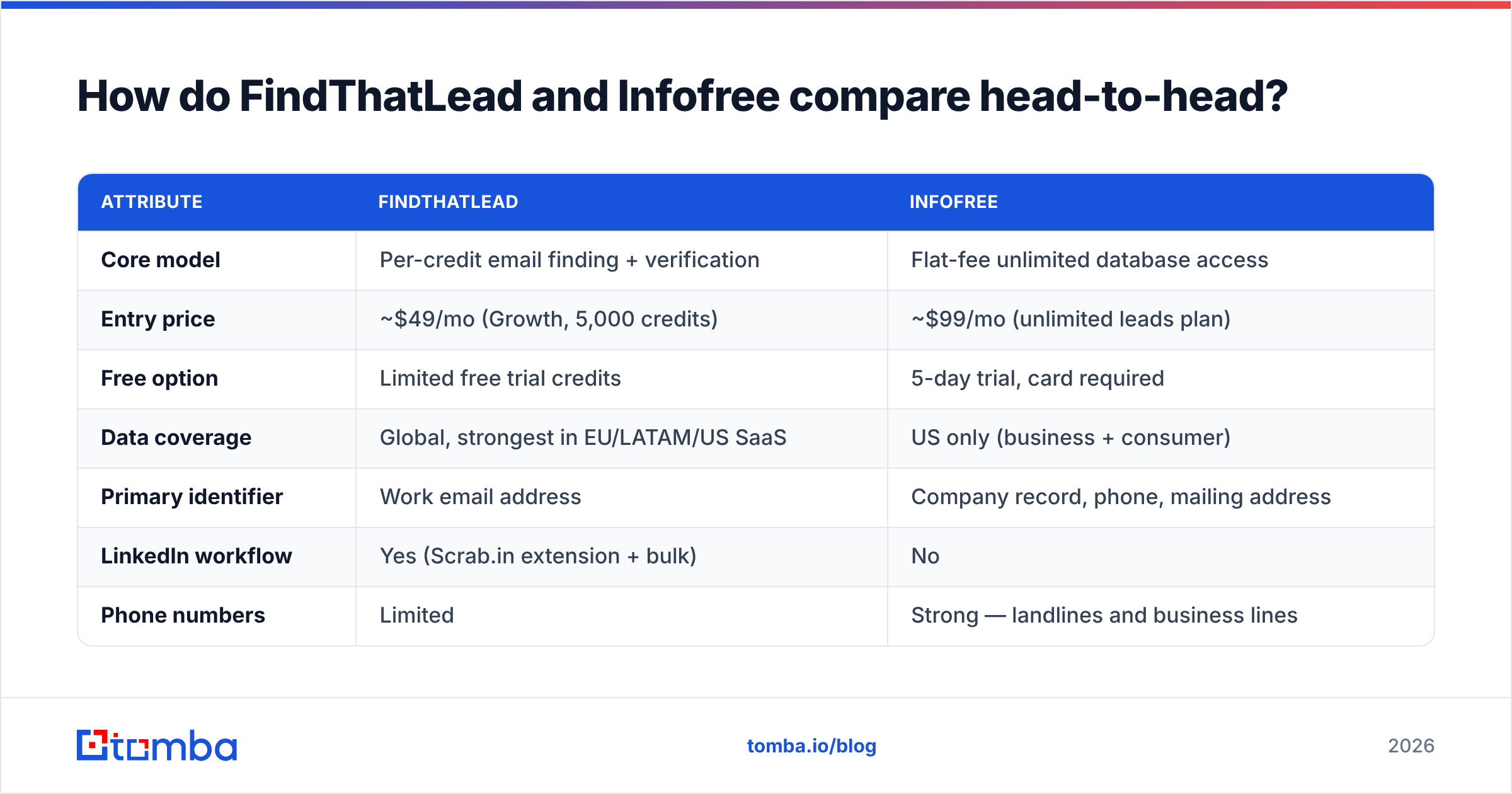
| Attribute | FindThatLead | Infofree |
|---|---|---|
| Core model | Per-credit email finding + verification | Flat-fee unlimited database access |
| Entry price | ~$49/mo (Growth, 5,000 credits) | ~$99/mo (unlimited leads plan) |
| Free option | Limited free trial credits | 5-day trial, card required |
| Data coverage | Global, strongest in EU/LATAM/US SaaS | US only (business + consumer) |
| Primary identifier | Work email address | Company record, phone, mailing address |
| LinkedIn workflow | Yes (Scrab.in extension + bulk) | No |
| Phone numbers | Limited | Strong — landlines and business lines |
| Built-in sending | Yes, cold email campaigns | No (list export + CRM101 only) |
| API | Yes | Not a real developer API |
| Verification | Real-time SMTP-style checks at find time | Compiled/refreshed periodically |
| Best fit | B2B SaaS, agencies, recruiters | Local services, insurance, B2C-adjacent SMB |
Read that table twice before you buy either. If your ICP is "VP of Engineering at a 200-person Series B in Berlin," Infofree will not help you — that person is not in a US compiled business file with a usable work email. If your ICP is "every dentist in three counties, and I want to call them," FindThatLead will make you do ten times the work for a worse phone list.
Which one has better data accuracy?#
Different failure modes, and they matter more than the headline numbers.
FindThatLead runs verification at the moment of discovery. It resolves the domain's email pattern, constructs candidate addresses, and checks them before returning a result with a confidence tier. In practice you should expect solid hit rates on companies with a public web presence and clean MX records, and noticeably weaker results on catch-all domains — which is where a dedicated catch-all verifier earns its keep, because a catch-all domain accepts everything and tells you nothing.
Infofree's accuracy question is different. Compiled databases are assembled from public filings, phone directories, credit bureaus, and self-reported business data. That process is excellent for stable attributes — company name, street address, main phone, SIC classification, approximate revenue — and poor for volatile ones. Job titles rot fast. Email addresses on compiled files are frequently generic (info@, contact@) or personal-domain leftovers rather than the decision maker's actual work address. Infofree itself leans into the phone-and-mail use case rather than claiming email supremacy, which is honest positioning.
The practical rule:
- Stable attributes → compiled data wins. Address, phone, industry code, firmographics. Infofree's flat fee makes this cheap at volume.
- Volatile attributes → real-time finding wins. Person-level work email, current title, current employer. FindThatLead's find-time verification is the right architecture.
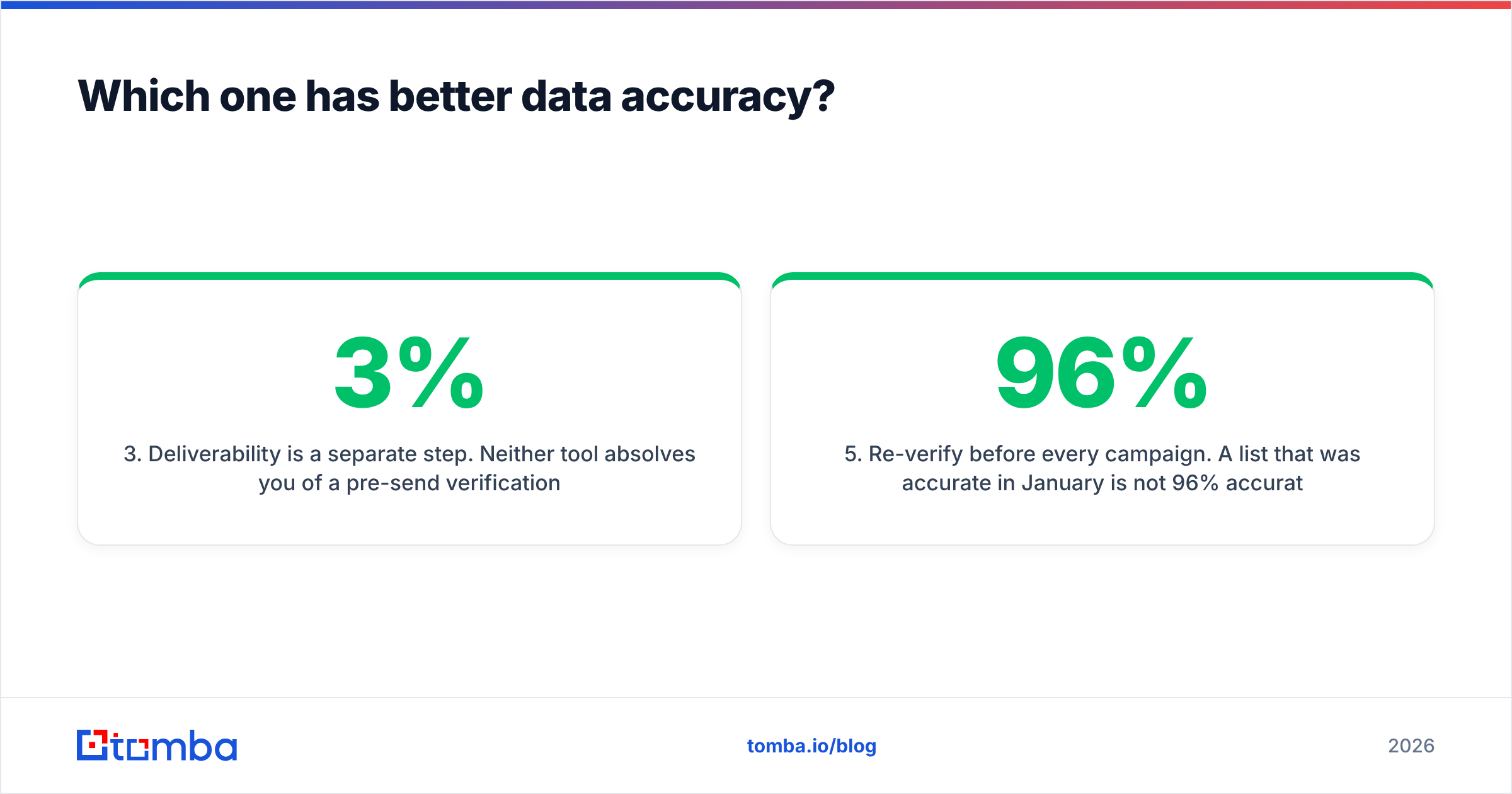
- Deliverability is a separate step. Neither tool absolves you of a pre-send verification pass. Bounce rate above 3% starts damaging sender reputation regardless of where the list came from.
- Catch-all domains are the silent killer. Roughly a fifth of B2B domains accept all mail. Any tool reporting "valid" on those is guessing unless it says so explicitly.
- Re-verify before every campaign. A list that was 96% accurate in January is not 96% accurate in August. B2B contact data decays somewhere around 2–2.5% per month.
If you take one thing from this section: run every list — FindThatLead export, Infofree export, purchased CSV, whatever — through an independent email verifier before it touches your sending domain. The cost of verification is trivial next to the cost of a burned inbox.
Is FindThatLead's pricing better than Infofree's?#
Depends entirely on whether you count leads or lookups.
Infofree's flat-fee model is genuinely attractive for high-volume, low-precision work. Unlimited access at a fixed price means a telemarketing team or a field-sales rep can pull thousands of records per month without a credit meter running. The catch is that "unlimited" applies to records, not to usable decision-maker emails. You get quantity; you supply the qualification.
FindThatLead's credit model is transparent but adds up. Credits burn on searches, verifications, and enrichment separately depending on plan, and bulk jobs consume faster than people expect. Teams routinely land on the mid-tier plan and then top up mid-month.
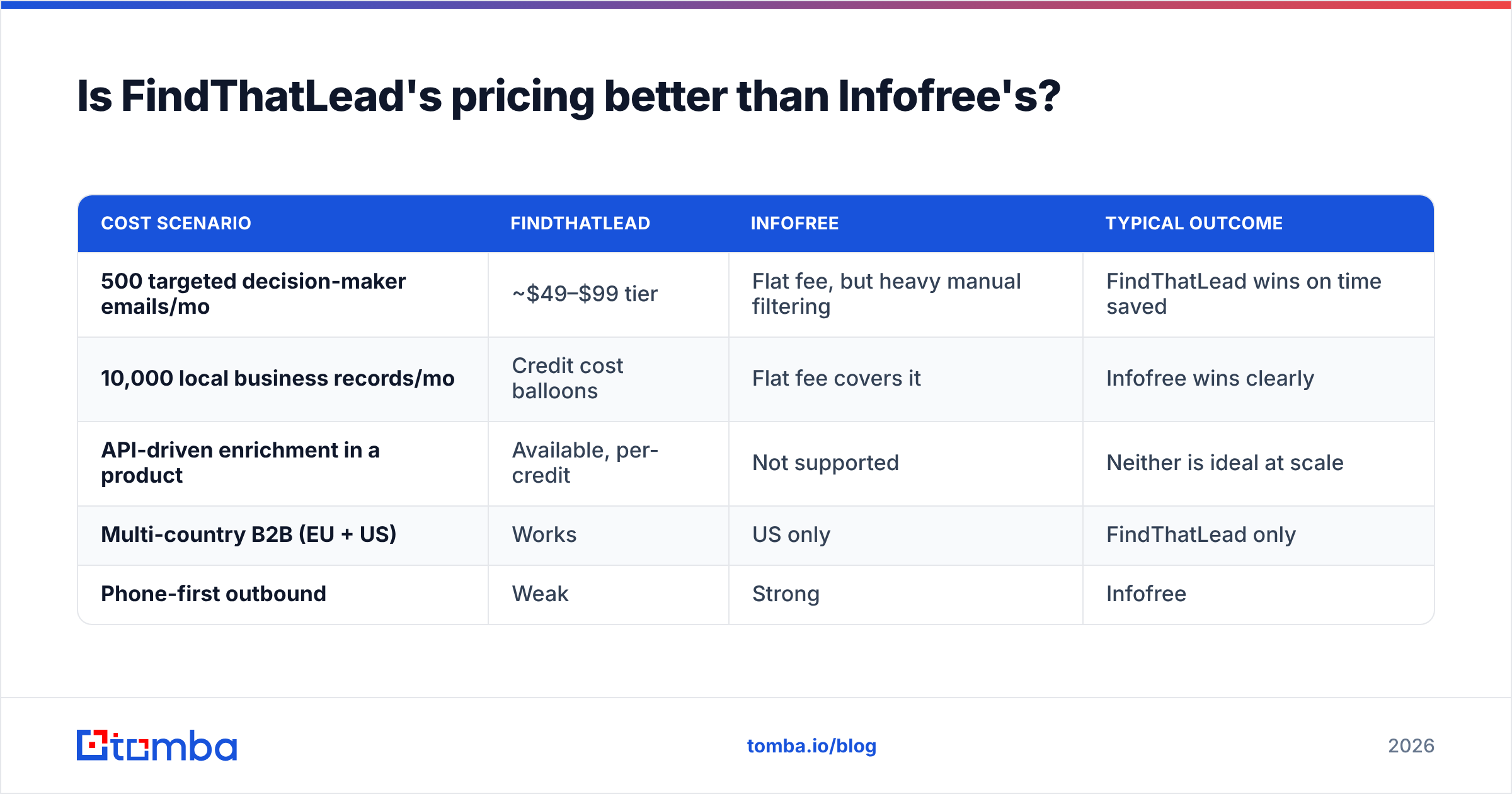
| Cost scenario | FindThatLead | Infofree | Typical outcome |
|---|---|---|---|
| 500 targeted decision-maker emails/mo | ~$49–$99 tier | Flat fee, but heavy manual filtering | FindThatLead wins on time saved |
| 10,000 local business records/mo | Credit cost balloons | Flat fee covers it | Infofree wins clearly |
| API-driven enrichment in a product | Available, per-credit | Not supported | Neither is ideal at scale |
| Multi-country B2B (EU + US) | Works | US only | FindThatLead only |
| Phone-first outbound | Weak | Strong | Infofree |
For reference on where both sit against the broader market, G2's lead intelligence category is a reasonable neutral read — both tools appear there with review volumes that reflect their very different buyer bases.
What does each tool actually feel like to use?#
FindThatLead day-to-day. You install the Chrome extension, browse a LinkedIn search, and Scrab.in pulls profiles into a list. You run bulk find on a CSV of company domains. Results come back tiered by confidence. Then you either export to your CRM or push straight into the built-in sender. The all-in-one design is the selling point and also the constraint: the sending engine is competent but not in the same class as a dedicated cold email platform, and if you already run Instantly or Smartlead, half of what you are paying for goes unused.
Infofree day-to-day. You log into a web app that looks like enterprise software from a decade ago and it does not apologize for it. You build a search: SIC code, geography, employee range, revenue band. You get counts instantly. You save the list, push contacts into CRM101, print mailing labels, or export CSV. There is a "Sales Leads" mobile app for field reps to find nearby businesses. It is unglamorous and it works for the job it was built for.
Neither has a modern developer story. FindThatLead has an API, but it is not the product's center of gravity. Infofree effectively does not — if you want programmatic lookups inside your own app, you are looking at the wrong two vendors and should be evaluating a proper email finder API instead.
Who should pick which — and when should you pick neither?#
Pick FindThatLead if:
- Your ICP is defined by role and company profile, not geography
- You sell B2B SaaS or services and prospect heavily on LinkedIn
- You want finding and sending in one subscription
- You operate in Europe or LATAM, where its coverage is comparatively strong
Pick Infofree if:
- You sell to US local businesses or consumers
- Phone and direct mail matter more than email
- You need unlimited pulls without watching a credit counter
- A lightweight built-in CRM is a feature, not a liability
Pick neither if:
- You need verified work emails at API scale, across many countries, with predictable per-contact cost
- You need catch-all resolution rather than a shrug
- You want the finder to plug into Sheets, Excel, HubSpot, and your own backend without glue code
That last bucket is bigger than most teams admit. It is also where dedicated email-finding infrastructure — Tomba pricing starts free at 25 searches/mo, then $49/mo Starter, $99/mo Growth, $249/mo Pro — tends to beat both on cost per usable contact, because you are not paying for a sending engine you already replaced or a consumer file you will never touch. Worth noting for the list-buying crowd: if your motion genuinely is "buy a clean, human-verified B2B list and go," a specialist like BookYourData is a legitimate third option, and a better one than forcing either tool above into a job it was not designed for.
How should you evaluate any lead data vendor in 2026?#
Run the same test on all of them. Do not read marketing pages.
- Build a 50-contact ground-truth sample. People you can independently confirm — customers, partners, your own team's known contacts at other companies.
- Run every vendor against the identical sample. Same names, same domains, same day.
- Measure three numbers, not one. Hit rate (did it return anything), accuracy (was it right), and catch-all rate (how many results are unverifiable).
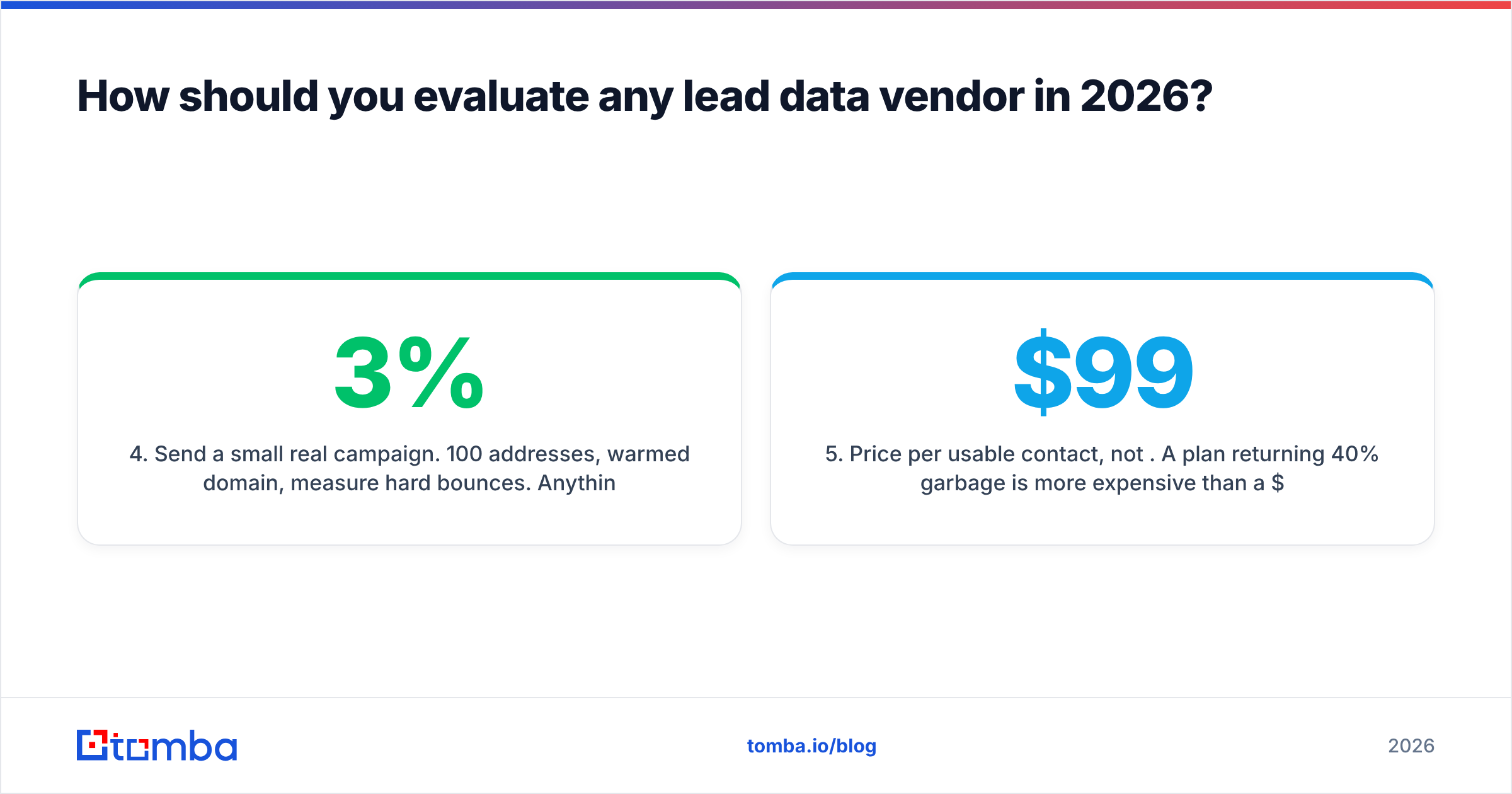
- Send a small real campaign. 100 addresses, warmed domain, measure hard bounces. Anything over 3% means the vendor's "verified" label is decorative.
- Price per usable contact, not per credit. A $99 plan returning 40% garbage is more expensive than a $249 plan returning 92% clean.
- Check the exit. Can you export raw CSV? Does the API rate-limit you into uselessness? Data you cannot move is data you do not own.
Gartner's research on B2B data quality has been consistent on this for years: the cost of bad contact data compounds downstream through wasted rep hours and damaged domain reputation far more than it shows up on the vendor invoice. Test before you commit annually.
One more thing most comparison posts skip: check where the data comes from. Compiled files, scraped profiles, and pattern-plus-verification are three fundamentally different sourcing models with different legal exposure under GDPR and CCPA. If a vendor is vague about data sources, treat that as a finding, not an oversight.
The verdict#
FindThatLead and Infofree are not really rivals — they are answers to different questions, and most buyers arrive at this comparison because a search engine put them on the same page, not because they are genuinely torn.
Choose FindThatLead for person-level B2B prospecting with sending included. Choose Infofree for high-volume US local business and consumer lists where phone and mail carry the campaign. If neither describes your motion — and if what you actually need is verified work emails, catch-all resolution, and an API that does not fall over at volume — start with the Tomba Email Finder. The free tier gives you 25 searches to run the ground-truth test above before you spend anything, and the same engine powers domain search, bulk enrichment, and the Sheets and Excel add-ins your team already lives in. Test it against whatever you are using now on 50 contacts you can verify yourself, and let the bounce rate decide.
Related guides#
Ready to find emails that actually work?
Join 150,000+ professionals who stopped guessing and started sending. Free credits on signup — no credit card required.
Get the Tomba newsletter
Practical outbound tactics and product updates — once every two weeks.
About the author