FindThatLead vs LeadGenius (2026): Which Fits Your Team?
FindThatLead is a self-serve email finder. LeadGenius is a managed custom-data service. They compete for the same budget line but solve different problems — here is the honest breakdown.
TL;DR
- FindThatLead is a self-serve email finder and cold-email sender. You buy credits, run searches, export a CSV. Entry pricing sits in the $49–$79/mo range depending on plan changes.
- LeadGenius is not a tool you log into and use in five minutes. It is a managed custom-data service with human researchers, annual contracts, and typical entry points in the five-figure range.
- If your question is "how do I get verified emails for a list of companies this week," FindThatLead (or a cheaper, more accurate finder) wins on speed and cost.
- If your question is "who can build me a dataset nobody sells — headcount by warehouse location, SKU-level retail signals, non-English contact data" — that is LeadGenius territory and no credit-based tool replaces it.
- Most teams comparing these two actually need a third option: a high-accuracy email finder with an API and bulk processing, not a $60K research retainer.
What are FindThatLead and LeadGenius, really?#
They get compared because both promise "leads." That is where the similarity ends.
FindThatLead launched out of Barcelona as a prospecting tool. You give it a domain, a name, or a LinkedIn URL, and it returns a business email. It layers on a Chrome extension, a lead search by role and location, and a built-in cold-email sender called Scrab.in-adjacent tooling. It is product-led: sign up, pay monthly, self-serve.
LeadGenius is a data services company. Their model blends machine learning with a global human research workforce that manually builds and validates datasets to your specification. You do not buy credits. You scope a project with a solutions team, they build the dataset, and it flows into your CRM or warehouse on a schedule.
Analogy: FindThatLead is a vending machine. LeadGenius is a caterer. Both feed you, but you do not call the caterer because you want a soda in the next 30 seconds — and you do not walk to the vending machine for a 300-person wedding.
That difference cascades into every other comparison point below.
How do FindThatLead and LeadGenius compare on price and fit?#
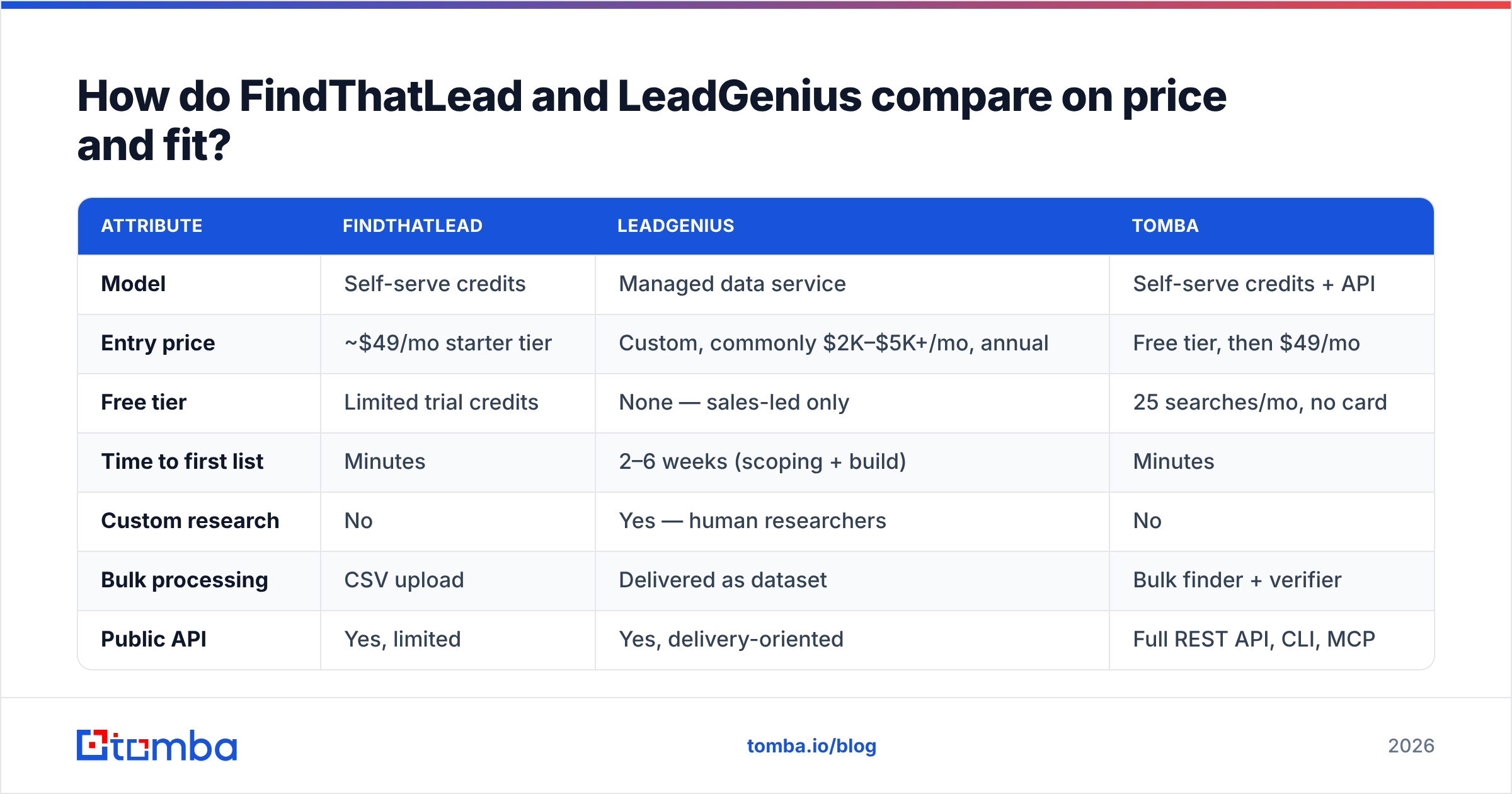
Here is the head-to-head, with a self-serve email finder alternative in the third column so you can see where the money actually goes.
| Attribute | FindThatLead | LeadGenius | Tomba |
|---|---|---|---|
| Model | Self-serve credits | Managed data service | Self-serve credits + API |
| Entry price | ~$49/mo starter tier | Custom, commonly $2K–$5K+/mo, annual | Free tier, then $49/mo |
| Free tier | Limited trial credits | None — sales-led only | 25 searches/mo, no card |
| Time to first list | Minutes | 2–6 weeks (scoping + build) | Minutes |
| Custom research | No | Yes — human researchers | No |
| Bulk processing | CSV upload | Delivered as dataset | Bulk finder + verifier |
| Public API | Yes, limited | Yes, delivery-oriented | Full REST API, CLI, MCP |
| Email verification | Basic | Included in build | Dedicated verifier + catch-all |
| Best for | SMB founders, solo SDRs | Enterprise RevOps, unusual data | Agencies, dev teams, SDR orgs |
| Contract | Monthly, cancel anytime | Annual, negotiated | Monthly, cancel anytime |
The table exposes the real decision. These two products do not sit on a spectrum where one is a cheaper version of the other. LeadGenius sells labor. FindThatLead sells lookups.
Which one wins on email accuracy?#
Neither is the accuracy leader in its own category, and the reason differs for each.
FindThatLead's accuracy problem is structural: like most pattern-based finders, it infers first.last@domain.com and confirms with an SMTP handshake. That works fine for mid-size companies with clean MX records. It degrades badly on catch-all domains — which now cover a large share of enterprise mail servers — and on companies that use non-obvious patterns. Users on G2 consistently flag bounce rates above what the marketing pages imply, and credits get consumed on results that later bounce.
LeadGenius does not have a bounce-rate problem in the same sense, because a human checked the record. But it has a freshness problem: a manually built dataset is a snapshot. B2B contact data decays at roughly 2–3% per month as people change jobs. A dataset built in January and delivered in March has already lost part of its value, and re-verification is a new line item.

The practical fix for either path is the same: never trust a source's own confidence score without an independent check. Run every list through a separate email verifier before it touches your sending domain. If a meaningful share of your targets sit on catch-all servers, you need a dedicated catch-all verifier — a standard SMTP ping returns "accepted" for every address on those domains, which is exactly how a 40% bounce rate happens to someone who thought their list was clean.
When is LeadGenius actually the right call?#
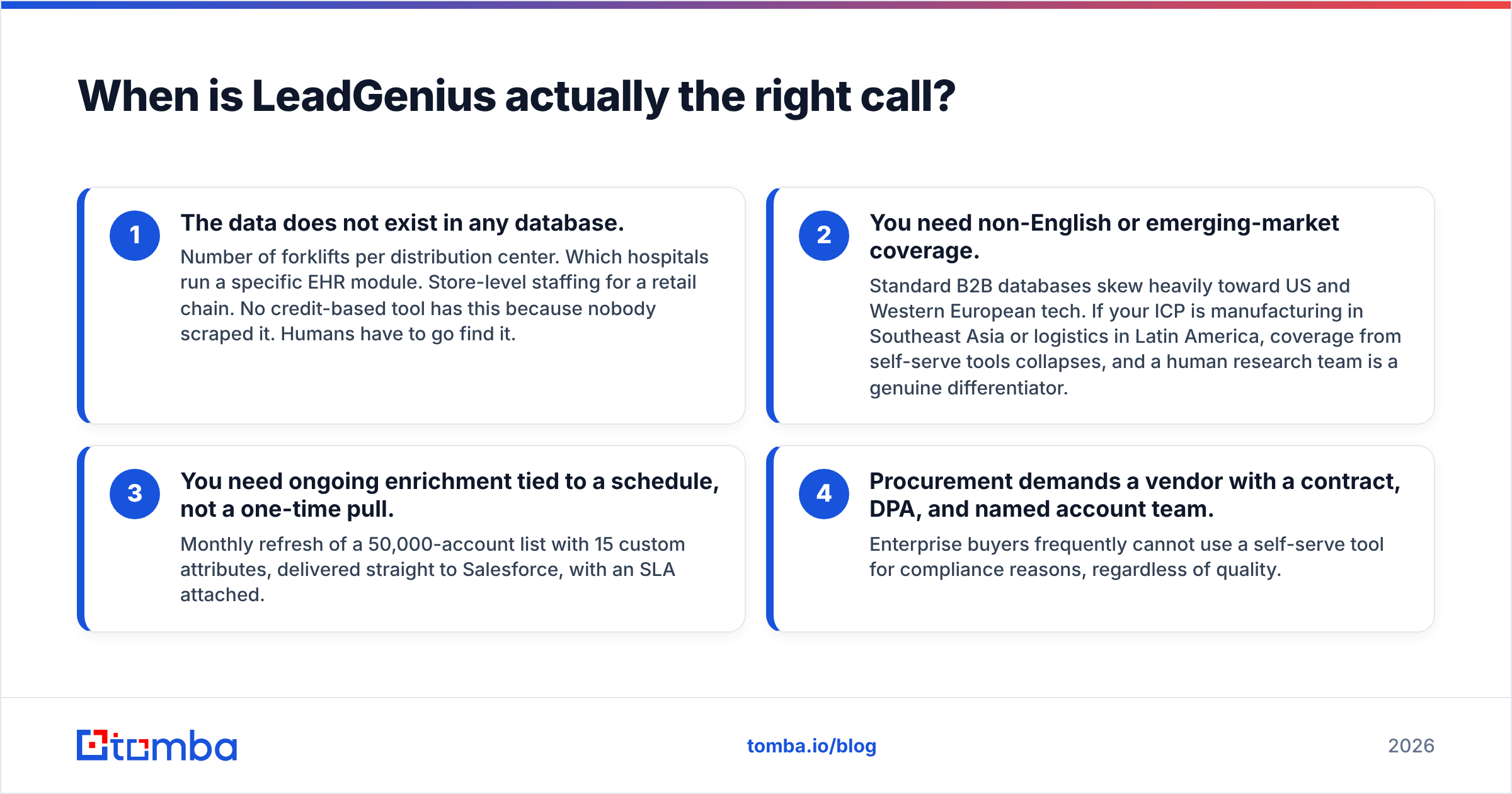
Be honest about this before you dismiss the price tag. LeadGenius earns its contract in four specific situations:
- The data does not exist in any database. Number of forklifts per distribution center. Which hospitals run a specific EHR module. Store-level staffing for a retail chain. No credit-based tool has this because nobody scraped it. Humans have to go find it.
- You need non-English or emerging-market coverage. Standard B2B databases skew heavily toward US and Western European tech. If your ICP is manufacturing in Southeast Asia or logistics in Latin America, coverage from self-serve tools collapses, and a human research team is a genuine differentiator.
- You need ongoing enrichment tied to a schedule, not a one-time pull. Monthly refresh of a 50,000-account list with 15 custom attributes, delivered straight to Salesforce, with an SLA attached.
- Procurement demands a vendor with a contract, DPA, and named account team. Enterprise buyers frequently cannot use a self-serve tool for compliance reasons, regardless of quality.
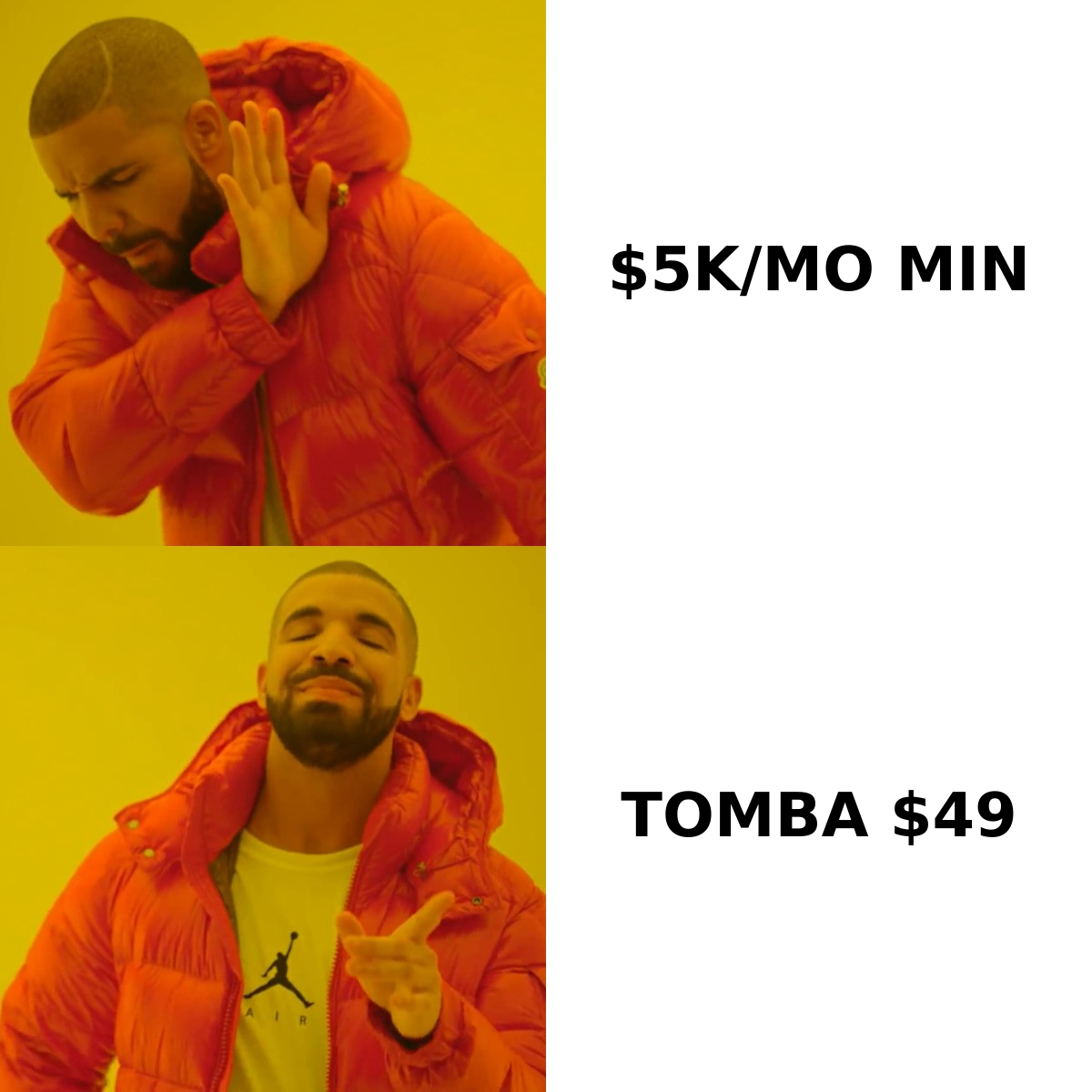
If none of those four describe you, you are looking at a service you will not use to its capacity. That is the most common way teams waste money on custom-data vendors: they buy a research team to do what an email finder does for $49 a month.
When is FindThatLead the right call — and when does it fall short?#
FindThatLead fits a narrow, real profile: a solo founder or a one-to-three person sales team that wants search, find, and send in one login, without wiring tools together.
Where it holds up:
- All-in-one convenience. Prospect and send from the same product. Fewer integrations to maintain.
- Low commitment. Monthly billing, no procurement cycle.
- Simple UI. Non-technical users get productive fast.
Where it falls short:
- Credit burn on failed lookups. Charging for results you cannot send to is the complaint that shows up most.
- Thin API. If you want to enrich records programmatically inside your own app, you will hit limits quickly. Compare that to a proper email finder API with documented rate limits, a CLI, and an MCP server for agent workflows.
- Weak catch-all handling. The single biggest source of surprise bounces in 2026.
- Deliverability coupling. Sending from the same tool that sourced the list means a bad list directly damages your sender reputation. Separating sourcing from sending is a safer architecture.
What should you compare besides price?#
Price is the loudest variable and rarely the decisive one. Score both vendors on these instead:
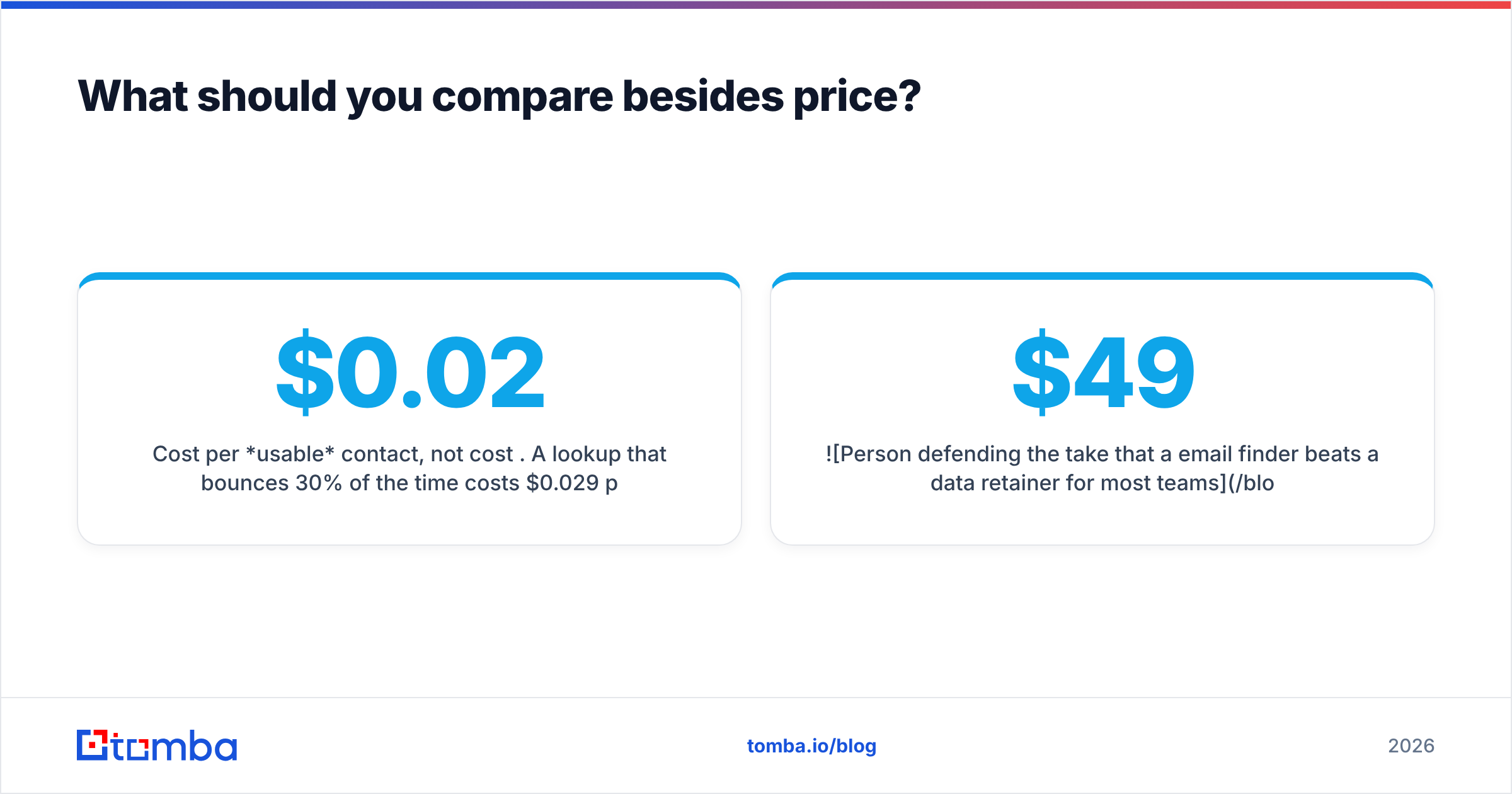
- Cost per usable contact, not cost per credit. A $0.02 lookup that bounces 30% of the time costs $0.029 per deliverable address, before counting domain reputation damage.
- Refund policy on invalid results. Some vendors credit back catch-all or unknown results. Most do not. Ask in writing.
- Data provenance. Where does the record come from, and can the vendor tell you? Check the vendor's published data sources page — if there is no such page, that is an answer too.
- GDPR/CCPA posture. Especially relevant with a human-research vendor operating across jurisdictions. Ask for the DPA before, not after, the contract.
- Exit cost. Can you export your data in a usable format when you leave? Annual contracts with proprietary delivery formats create real lock-in.

Is there a better middle option for most teams?#
Yes, and this is where most FindThatLead-vs-LeadGenius comparisons should actually land.
The gap between "cheap tool with mediocre accuracy" and "expensive managed service" is filled by a high-accuracy self-serve finder with real infrastructure behind it. That means: a documented API, bulk processing, dedicated verification including catch-all handling, and transparent per-plan pricing.

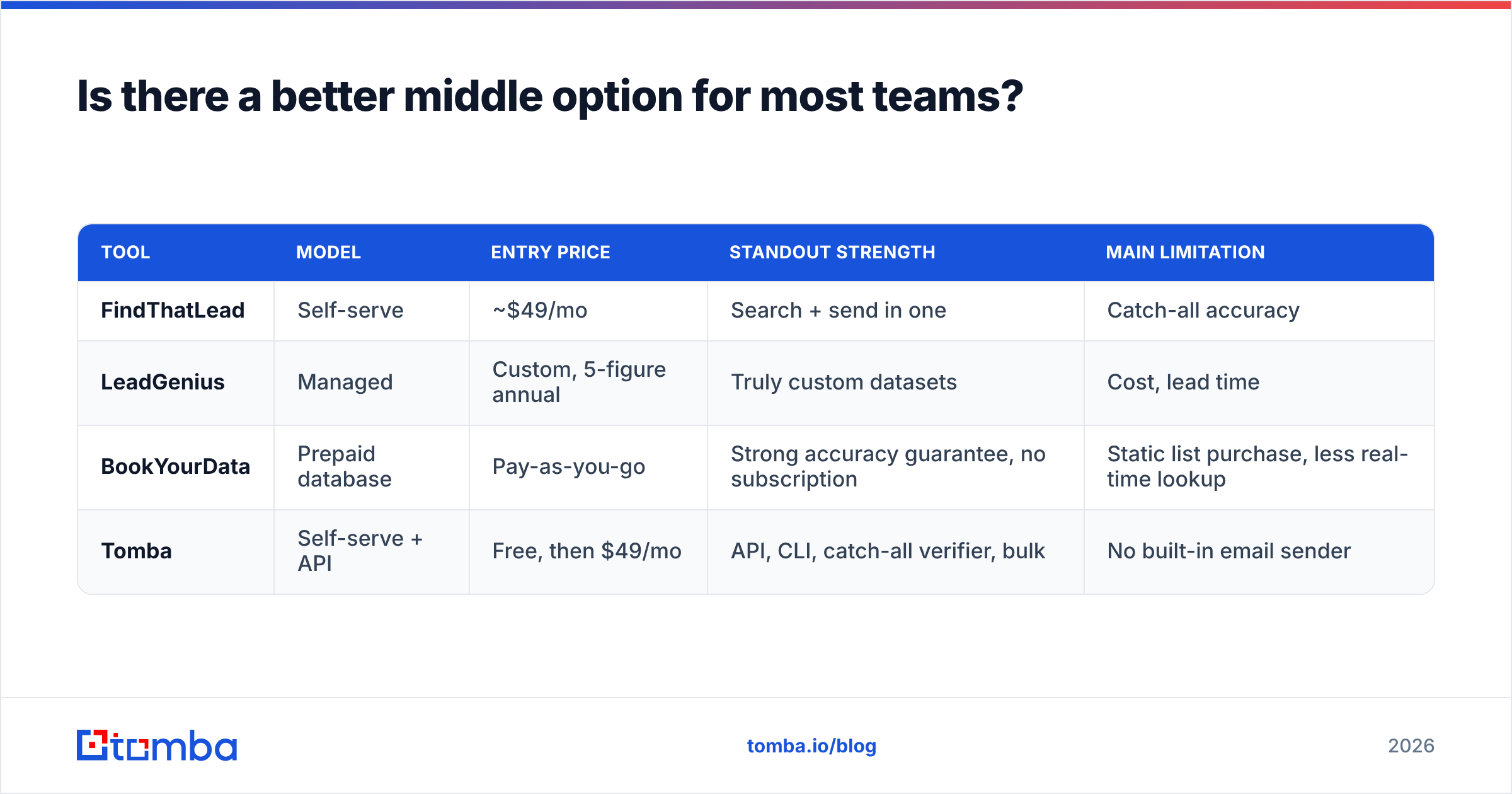
Worth naming the other players honestly, since the field is wider than two names:
| Tool | Model | Entry price | Standout strength | Main limitation |
|---|---|---|---|---|
| FindThatLead | Self-serve | ~$49/mo | Search + send in one | Catch-all accuracy |
| LeadGenius | Managed | Custom, 5-figure annual | Truly custom datasets | Cost, lead time |
| BookYourData | Prepaid database | Pay-as-you-go | Strong accuracy guarantee, no subscription | Static list purchase, less real-time lookup |
| Tomba | Self-serve + API | Free, then $49/mo | API, CLI, catch-all verifier, bulk | No built-in email sender |
BookYourData deserves a specific mention: if you want a purchased, pre-built list with an accuracy guarantee rather than a subscription, it is a legitimately strong option and a different buying motion from both tools in this comparison.
For teams running outbound at volume, the workflow that actually holds up is: domain search to map who works at a target account, bulk find to get addresses, verify to strip the risky ones, then push to your sequencer. Keeping sourcing separate from sending gives you a clean audit trail when deliverability dips — you can tell whether the problem was the list or the copy.
How do you decide in the next ten minutes?#
Run this test:
- Write down the exact fields you need. If every field is name, title, company, email, phone — you need a tool, not a research team.
- Count your monthly volume. Under 10,000 lookups a month makes a five-figure annual contract indefensible on unit economics alone.
- Check your target geography and industry. Heavily US/EU tech and services? Self-serve coverage is fine. Emerging markets or niche verticals? Test coverage on 50 sample accounts before committing to anything.
- Test with real accounts, not vendor demos. Take 100 companies from your actual pipeline, run them through free tiers, and send the results to a verifier. The numbers you get will differ from every marketing page, including this one.
- Ask about refunds for invalid results before you pay for anything.
The answer for most readers of this comparison is not FindThatLead and not LeadGenius. It is a properly instrumented finder plus a real verifier, wired into your CRM through an API rather than a monthly CSV ritual.
Getting started without a procurement cycle#
Start with the smallest possible test. Take 25 accounts you already know, find the contacts, verify them, and measure your actual bounce rate on a small send. That single experiment tells you more than a month of vendor calls.
Tomba's Email Finder gives you 25 free searches a month with no card required, and paid plans start at $49/mo with the same API, bulk tools, and catch-all verification available on every tier — see Tomba pricing for the full breakdown. If your list survives verification and your bounce rate stays under 2%, you have your answer, and you saved yourself a five-figure contract you did not need.
Further reading on vendor evaluation frameworks: G2's B2B data category and HubSpot's guide to sales prospecting are both useful for building an internal scorecard before you talk to any vendor.
Related guides#
Ready to find emails that actually work?
Join 150,000+ professionals who stopped guessing and started sending. Free credits on signup — no credit card required.
Get the Tomba newsletter
Practical outbound tactics and product updates — once every two weeks.
About the author