FindThatLead vs ListKit (2026): Which Lead Tool Wins?
FindThatLead sells prospecting plus sending. ListKit sells verified, triple-checked lists. We compare pricing, data quality, and workflow fit to show which one earns your budget in 2026.
TL;DR
- FindThatLead is a prospecting suite: email finder, domain search, LinkedIn extraction, and a built-in cold email sender. Cheap entry point, broad feature surface, uneven data depth outside Europe and SMB tech.
- ListKit is a done-for-you B2B list vendor: you filter, it delivers triple-verified contacts, and it plugs into sending tools. Higher price per contact, less DIY control, stronger out-of-the-box deliverability signals.
- The real decision is workflow, not features. If your reps prospect account-by-account, FindThatLead's search tools fit. If your team runs volume outbound and wants lists handed over, ListKit fits.
- Both fail the same test: neither is a great infrastructure layer. If you need an API, a CRM enrichment job, or a bulk pipeline your engineers control, a dedicated finder like Tomba Email Finder does that job for less.
- Budget reality: FindThatLead starts around $49/mo, ListKit's entry plan lands near $97/mo, and Tomba's Starter is $49/mo with a free tier for testing before you commit.
What are FindThatLead and ListKit, exactly?#
They solve the same problem from opposite ends.
FindThatLead is a Spanish-built prospecting platform that has been around since 2015. It bundles an email finder, a domain-level search, a LinkedIn/Sales Navigator scraper (Scrab.in), a bulk CSV processor, an email verifier, and a lightweight cold email sender into one dashboard. The pitch: one login, prospect to send.
ListKit launched later and took the opposite angle. It sells data as a product. You use filters — job title, industry, headcount, technology, intent signals — to build a segment, then export contacts that ListKit claims are triple-verified. It leans hard on the agency and lead-gen-service crowd who need clean lists dropped into Instantly or Smartlead every Monday.
So the honest framing is not "which tool has more features." It's this: do you want a workbench or a delivery service?

How do FindThatLead and ListKit compare on features and price?#
Here is the side-by-side, with a neutral third option included because most teams end up running a dedicated finder alongside whatever else they buy.
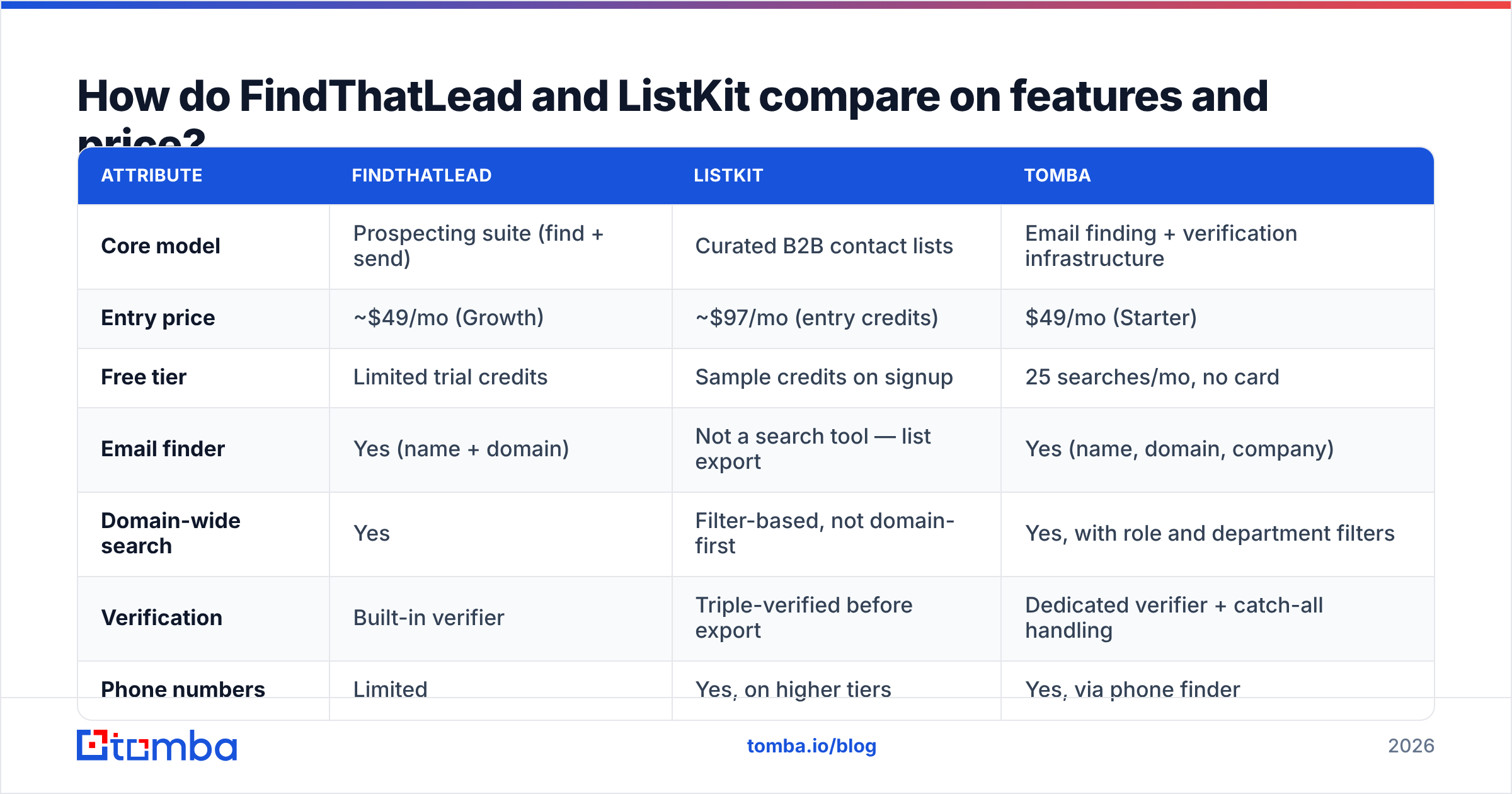
| Attribute | FindThatLead | ListKit | Tomba |
|---|---|---|---|
| Core model | Prospecting suite (find + send) | Curated B2B contact lists | Email finding + verification infrastructure |
| Entry price | ~$49/mo (Growth) | ~$97/mo (entry credits) | $49/mo (Starter) |
| Free tier | Limited trial credits | Sample credits on signup | 25 searches/mo, no card |
| Email finder | Yes (name + domain) | Not a search tool — list export | Yes (name, domain, company) |
| Domain-wide search | Yes | Filter-based, not domain-first | Yes, with role and department filters |
| Verification | Built-in verifier | Triple-verified before export | Dedicated verifier + catch-all handling |
| Phone numbers | Limited | Yes, on higher tiers | Yes, via phone finder |
| Cold email sending | Yes, native sender | No — exports to Instantly/Smartlead | No — integrates with your sender |
| API access | Limited API | Limited / plan-gated | Full REST API, CLI, MCP server |
| Best for | Solo founders, SMB agencies | Volume outbound agencies | Devs, RevOps, enrichment pipelines |
Two things jump out.
First, you are not comparing like for like on price. FindThatLead's credits buy searches you perform. ListKit's credits buy contacts already assembled. A FindThatLead search that returns nothing still consumes effort; a ListKit contact that bounces still consumed a credit. Model the cost per usable, replied-to contact, not per credit.
Second, neither is an infrastructure play. If your plan involves enriching a CRM nightly or hitting an endpoint from your own app, both will frustrate you. That is where an email finder API with proper rate limits and documented responses belongs in the stack.
Which one has better data accuracy?#
Neither publishes an audited number, so treat every accuracy claim — theirs and everyone else's — as marketing until you test it.
What we can say from how each system works:
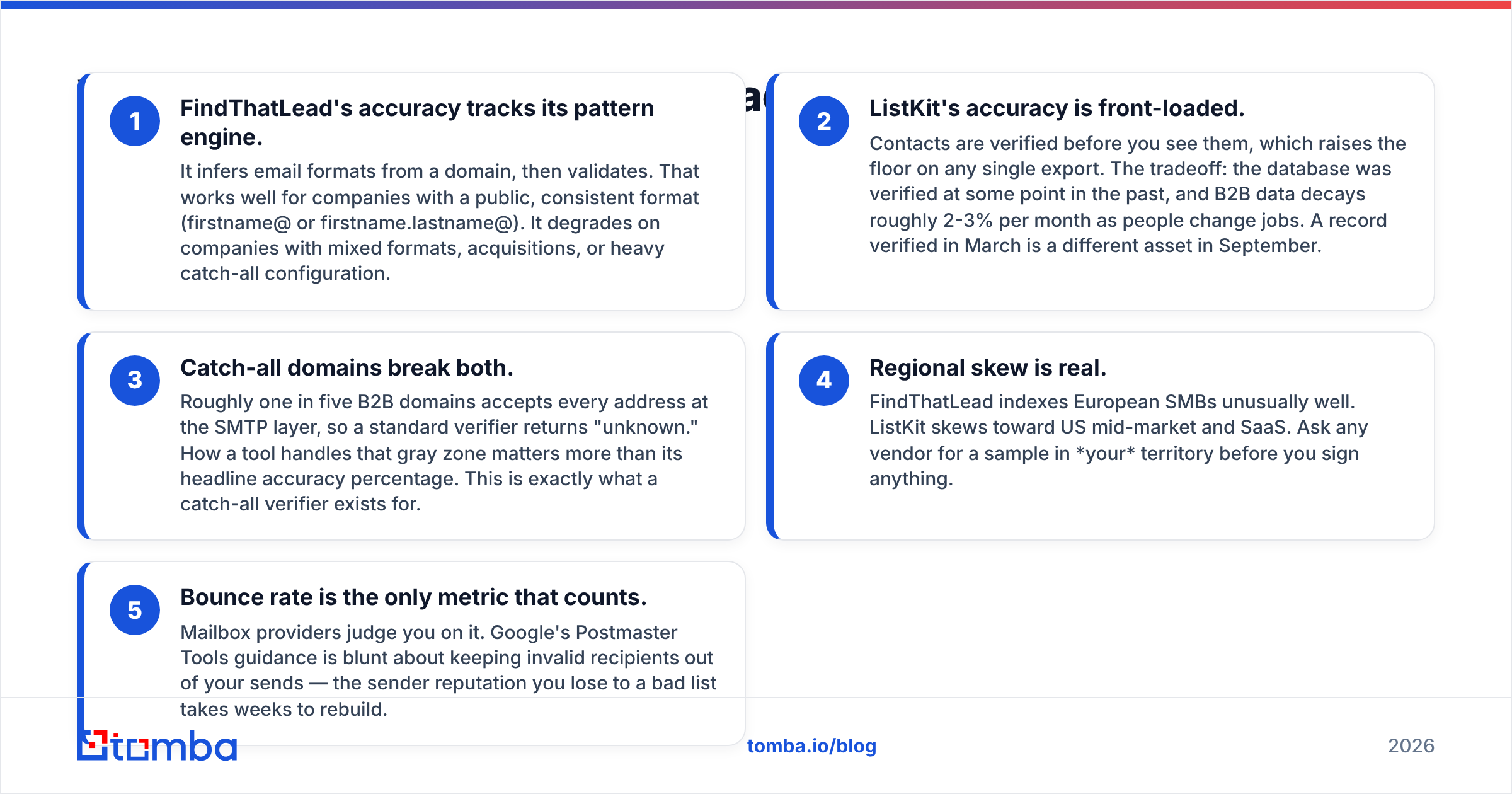
- FindThatLead's accuracy tracks its pattern engine. It infers email formats from a domain, then validates. That works well for companies with a public, consistent format (firstname@ or firstname.lastname@). It degrades on companies with mixed formats, acquisitions, or heavy catch-all configuration.
- ListKit's accuracy is front-loaded. Contacts are verified before you see them, which raises the floor on any single export. The tradeoff: the database was verified at some point in the past, and B2B data decays roughly 2-3% per month as people change jobs. A record verified in March is a different asset in September.
- Catch-all domains break both. Roughly one in five B2B domains accepts every address at the SMTP layer, so a standard verifier returns "unknown." How a tool handles that gray zone matters more than its headline accuracy percentage. This is exactly what a catch-all verifier exists for.
- Regional skew is real. FindThatLead indexes European SMBs unusually well. ListKit skews toward US mid-market and SaaS. Ask any vendor for a sample in your territory before you sign anything.
- Bounce rate is the only metric that counts. Mailbox providers judge you on it. Google's Postmaster Tools guidance is blunt about keeping invalid recipients out of your sends — the sender reputation you lose to a bad list takes weeks to rebuild.

The practical test takes an afternoon: pull 100 contacts from your ICP through each tool, run all of them through one neutral email verifier, and count how many come back valid. Same list, same verifier, no vendor grading its own homework. Whoever wins that test wins your money.
Is FindThatLead better than ListKit for cold email?#
For cold email specifically, ListKit has the structural advantage — with one big caveat.
ListKit's whole design assumes the next step is a sending tool. Exports are formatted for Instantly and Smartlead, filters map to segments you'd actually build a sequence around, and the verification pass means fewer bounces on send day. If you're running an agency with five client campaigns launching every month, that saves real hours.
FindThatLead's native sender is the caveat that cuts the other way. It sounds convenient — find and send in one tab — but bundled senders are consistently the weakest part of prospecting suites. They lack the warmup infrastructure, inbox rotation, and deliverability telemetry that dedicated platforms ship. If your email deliverability matters, you'll end up exporting from FindThatLead into a real sender anyway, which erases the bundling benefit.
So: ListKit for volume outbound, FindThatLead only if you genuinely intend to send from it — and most serious teams don't.
There is a third pattern worth naming. Plenty of teams skip both and build lists from their own signals: website visitors, LinkedIn engagement, podcast guests, funding announcements. You identify the accounts yourself, then resolve contacts with a finder. It costs less per contact and the lists are yours, not shared with every other buyer on the same platform.

What about ListKit's list-buying model — is bought data a problem?#
Bought data is not automatically bad. Shared data is the actual risk.
When a list vendor sells the same "VP of Marketing, 50-200 employees, US SaaS" segment to 400 agencies, those contacts get hit by 400 campaigns. Reply rates on over-farmed segments collapse, and the prospects themselves start marking anything unfamiliar as spam. That is not the vendor's fault exactly, but it is a cost you inherit.
Three ways to reduce that exposure:
- Filter narrower than the default. Layer three or four criteria — headcount plus tech stack plus region plus recent hiring — so your segment isn't the one everyone else exports.
- Enrich instead of purchasing whole. Start from accounts you sourced yourself, then use data enrichment to fill in contacts. You keep exclusivity on the account list.
- Re-verify before every send. Even a verified export ages. Run it through verification the week you send, not the week you bought it.
For compliance, both tools claim GDPR alignment, but you carry the legitimate-interest burden as the sender. If you're emailing EU contacts, read the actual guidance rather than trusting a vendor badge — the ICO's direct marketing material is the clearest plain-English source. Peer reviews on G2 are also worth twenty minutes; look specifically at the 3-star reviews, where people describe what actually broke.
Which should you pick — FindThatLead, ListKit, or something else?#
Match the tool to how your team actually works.
Pick FindThatLead if:
- You're a solo founder or small agency prospecting European SMBs
- You want one cheap login covering search, scrape, and verify
- Your volume is low enough that a bundled sender won't torch your domain
- You value breadth over depth and will accept patchy coverage on some segments
Pick ListKit if:
- You run agency-style outbound and need clean lists delivered, not built
- Your sending stack is already Instantly or Smartlead
- You'd rather pay more per contact than pay a VA to assemble lists
- Your ICP sits in US mid-market, where the database is strongest
Pick a dedicated finder like Tomba if:
- You need an API, CLI, or Google Sheets workflow your team controls
- You're enriching an existing CRM or database, not buying a new one
- Catch-all domains are a meaningful chunk of your target list
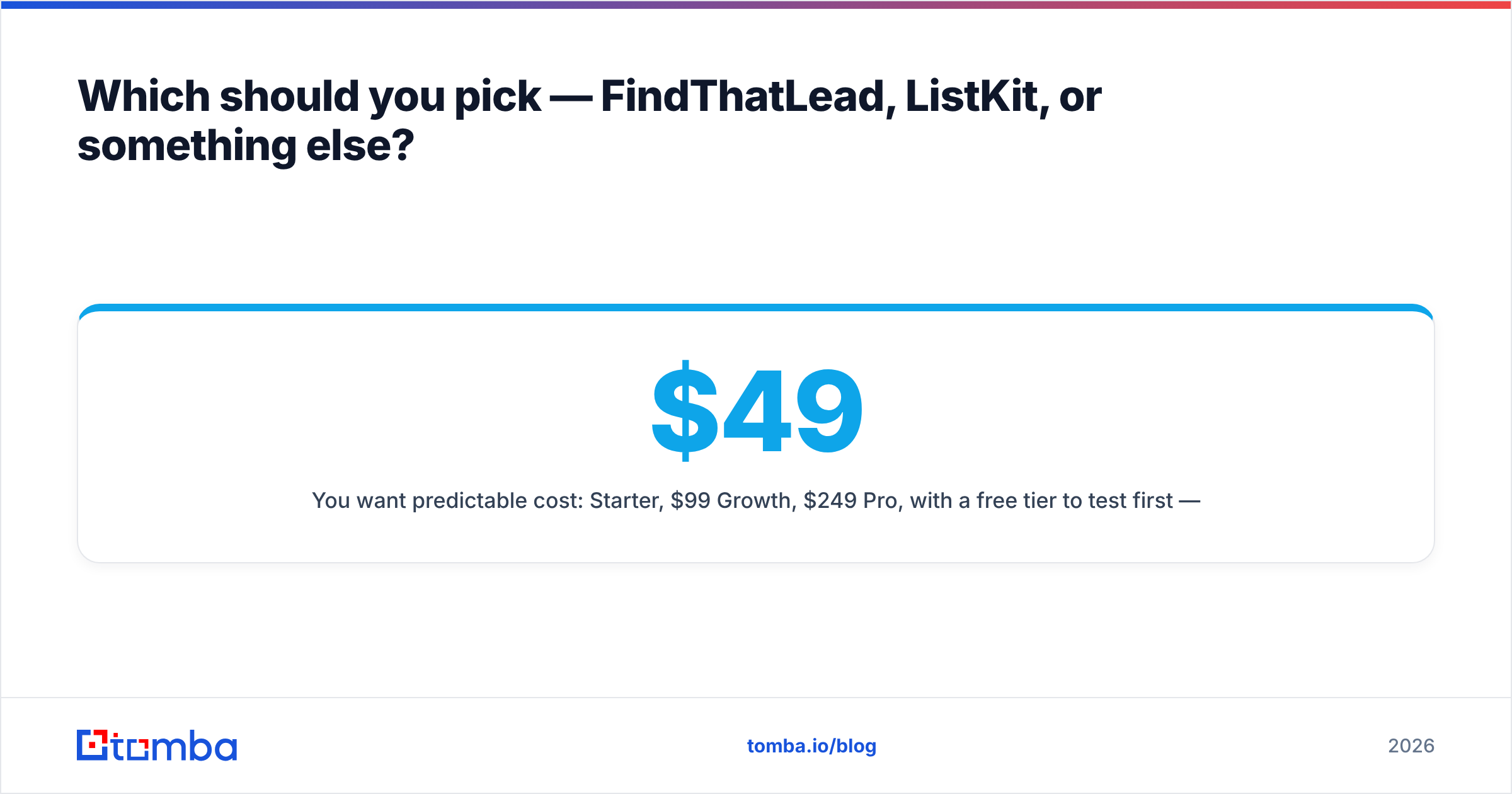
- You want predictable cost: $49/mo Starter, $99/mo Growth, $249/mo Pro, with a free tier to test first — see full Tomba pricing
Consider a specialist data vendor — BookYourData is a solid option here — if your requirement is verified contact data with a pay-as-you-go structure rather than a subscription. It's a different purchase shape than either tool above, and for some teams that flexibility is worth more than feature breadth.

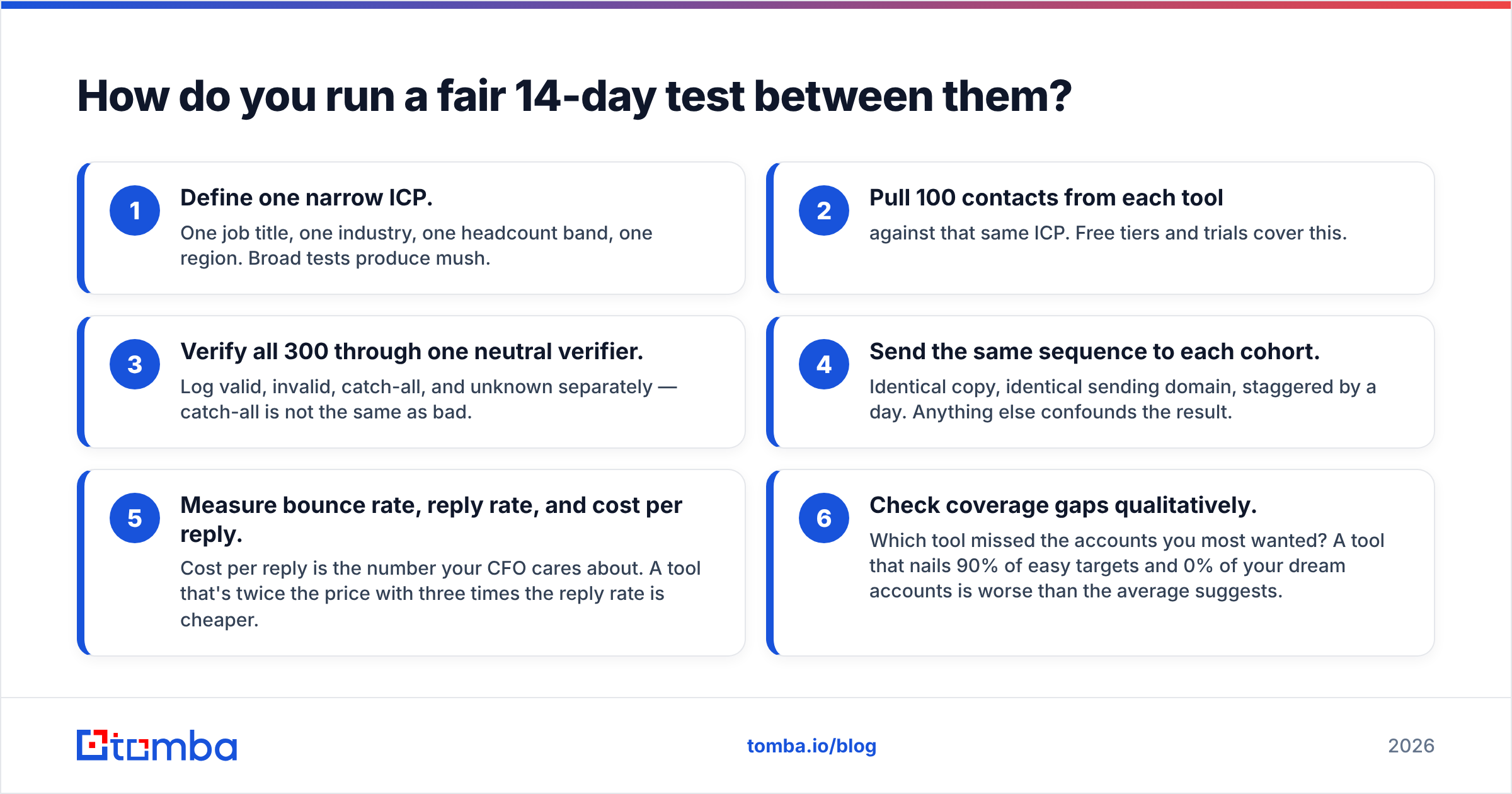
How do you run a fair 14-day test between them?#
Don't decide from pricing pages. Run this:
- Define one narrow ICP. One job title, one industry, one headcount band, one region. Broad tests produce mush.
- Pull 100 contacts from each tool against that same ICP. Free tiers and trials cover this.
- Verify all 300 through one neutral verifier. Log valid, invalid, catch-all, and unknown separately — catch-all is not the same as bad.
- Send the same sequence to each cohort. Identical copy, identical sending domain, staggered by a day. Anything else confounds the result.
- Measure bounce rate, reply rate, and cost per reply. Cost per reply is the number your CFO cares about. A tool that's twice the price with three times the reply rate is cheaper.
- Check coverage gaps qualitatively. Which tool missed the accounts you most wanted? A tool that nails 90% of easy targets and 0% of your dream accounts is worse than the average suggests.
Two weeks, maybe six hours of work total, and you replace vendor claims with your own numbers. Do it before renewal, not after.
The honest verdict#
There is no universal winner here, and anyone telling you otherwise is selling something.
FindThatLead is the better tool: more surface area, lower entry price, useful if you prospect manually and your targets are European SMBs. ListKit is the better service: cleaner data at delivery, built for agencies who want lists rather than software. The gap between them is a workflow preference, not a quality gap.
What both leave uncovered is the layer underneath — the programmatic, repeatable one. Most teams that scale past a few thousand contacts a month stop shopping for prospecting suites and start treating email data as infrastructure: an endpoint they call, a verification step in a pipeline, a bulk job that runs while they sleep. That's a different purchase, and it's usually the one that lasts.
If that's where you're heading, start with the Tomba Email Finder. The free tier gives you 25 searches a month with no card, so you can test coverage against your real ICP before spending anything. Starter is $49/mo when you're ready, and the same data is reachable through the API, the Chrome extension, Sheets, or a bulk upload — whichever way your team actually works. Run it head-to-head against whatever you're considering and let the bounce rate settle the argument.
Related guides#
Ready to find emails that actually work?
Join 150,000+ professionals who stopped guessing and started sending. Free credits on signup — no credit card required.
Get the Tomba newsletter
Practical outbound tactics and product updates — once every two weeks.
About the author