FindThatLead vs Mails.ai: Which Cold Outreach Tool Wins?
FindThatLead finds the leads. Mails.ai sends the emails. Here is an honest head-to-head on data quality, sending limits, pricing and where each one quietly falls apart.
FindThatLead vs Mails.ai comes down to one question: is your problem finding people, or reaching them? FindThatLead finds email addresses. Mails.ai sends email at scale. Here is how they compare on data, deliverability and price.
TL;DR
- FindThatLead vs Mails.ai is not a like-for-like fight. FindThatLead is a lead-data platform with a light sender attached. Mails.ai is a sending platform with a light data layer attached.
- Can't name who to email? FindThatLead is the closer fit. Landing in spam and need 30 inboxes? Mails.ai wins outright.
- Mails.ai costs far less per sending seat, because email accounts and warmup are unlimited. FindThatLead bills by credit, which gets pricey at volume.
- Neither is best-in-class at email data. Both mark catch-all domains as "valid" too often, and that is where most bounce damage comes from.
- Most teams end up with a dedicated finder and verifier for data, plus Mails.ai for sending. One tool for both usually means paying for a weak half.
What are FindThatLead and Mails.ai, exactly?#
Start with honest framing. Most "FindThatLead vs Mails.ai" write-ups treat these as the same product category. They are not.
FindThatLead launched in 2015 in Barcelona. It was built for one job: turn a domain, a name, or a LinkedIn URL into a business email address. Later it added a Prospector (search by role, industry and location), a bulk Lead Search tool, a Chrome extension, and a sender called Drip. The centre of gravity is still data. You go there to build a list.
Mails.ai is a newer AI-first cold email platform, in the same lane as Instantly and Smartlead. The headline feature is unlimited connected email accounts and unlimited warmup on paid plans. You also get AI-written sequences, inbox rotation and reply detection. It ships a lead database, but nobody picks Mails.ai for the database. You go there to send at volume without burning your domain.
So the real question is not "which tool is better." It is "which half of the outbound problem is costing me money right now?"
FindThatLead vs Mails.ai: how do they compare head-to-head?#
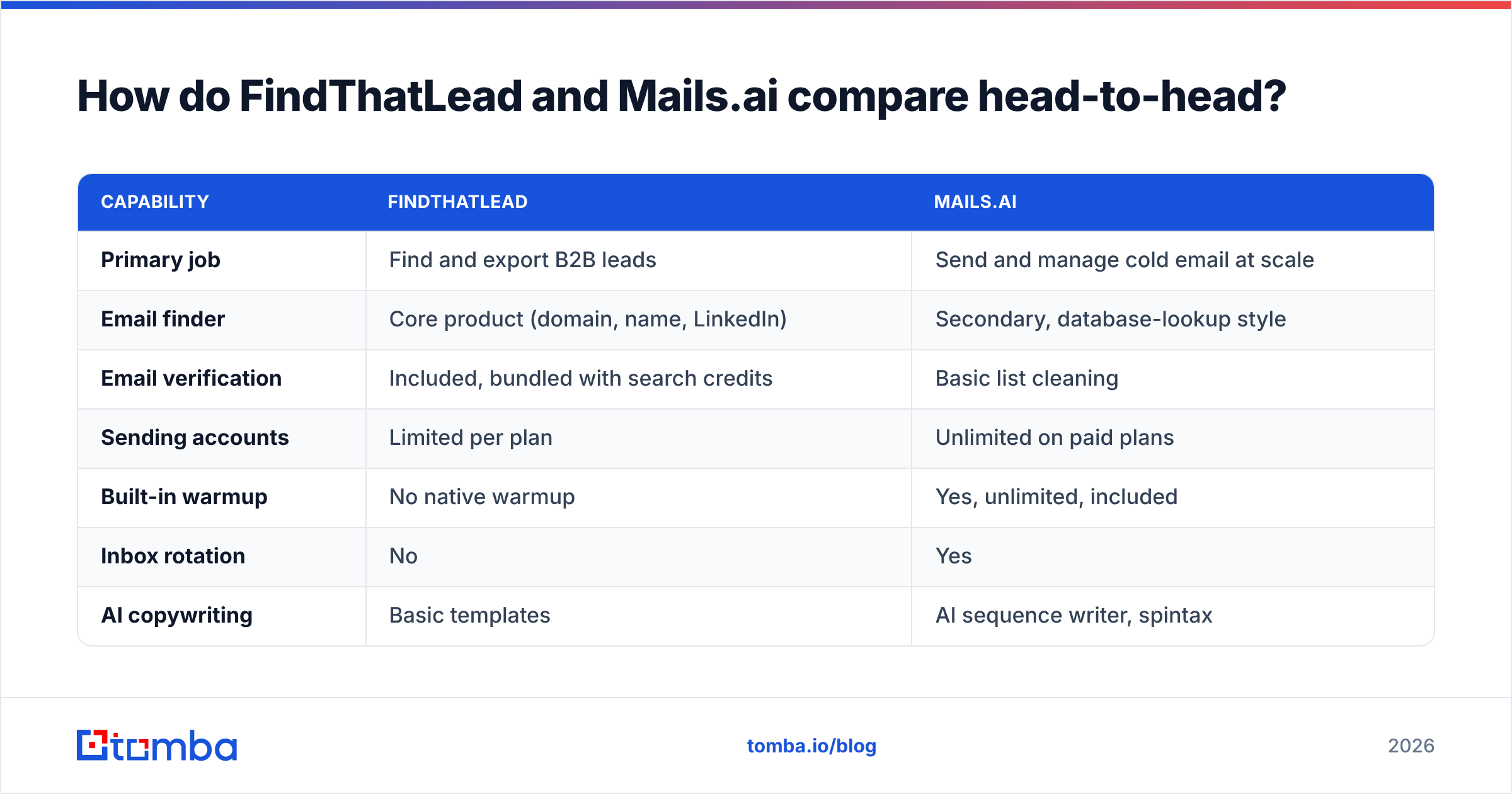
| Capability | FindThatLead | Mails.ai |
|---|---|---|
| Primary job | Find and export B2B leads | Send and manage cold email at scale |
| Email finder | Core product (domain, name, LinkedIn) | Secondary, database-lookup style |
| Email verification | Included, bundled with search credits | Basic list cleaning |
| Sending accounts | Limited per plan | Unlimited on paid plans |
| Built-in warmup | No native warmup | Yes, unlimited, included |
| Inbox rotation | No | Yes |
| AI copywriting | Basic templates | AI sequence writer, spintax |
| Chrome extension | Yes | No meaningful equivalent |
| API access | Yes | Limited |
| Best for | List building, agencies, one-off research | High-volume senders, lead-gen agencies |
| Weakest at | Deliverability infrastructure | Data depth and accuracy |
Read that table as a division of labour, not a scoreboard. Only one row is a true overlap, and both tools are average at it: email verification.
Which tool finds better email addresses?#
FindThatLead, but not by the margin its marketing implies. You still need a verification step.
FindThatLead's finder works like most pattern-based finders. It spots the company's dominant email format (first.last@, f.last@, first@), applies it to your target name, then runs an SMTP check. That works well on mid-size companies with a public web footprint. On small companies, non-English domains and catch-all servers, the hit rate drops hard.
Mails.ai's lead data is thinner. It is fine for filling a campaign with plausible contacts. If you need a named person at a named account, it will frustrate you.
One issue hits both tools equally: catch-all domains. A catch-all server accepts mail sent to any address at the domain. So an SMTP check returns "accepted" whether or not the mailbox is real. FindThatLead and Mails.ai will both hand you those addresses. This is the biggest hidden source of bounces in cold email. It is also why a dedicated catch-all verifier is its own product category.

Here is a simple rule. Any list from a bundled finder should pass through a standalone email verifier before it reaches a sending tool. Verification costs fractions of a cent. A 12% bounce rate costs you the domain.
Which tool sends better cold email?#
Mails.ai, and it is not close.
FindThatLead's Drip sender exists so you do not have to leave the platform after building a list. It sends. It runs drip sequences. That is about where it stops. There is no native warmup, no inbox rotation, and the deliverability tooling is thin next to dedicated senders.
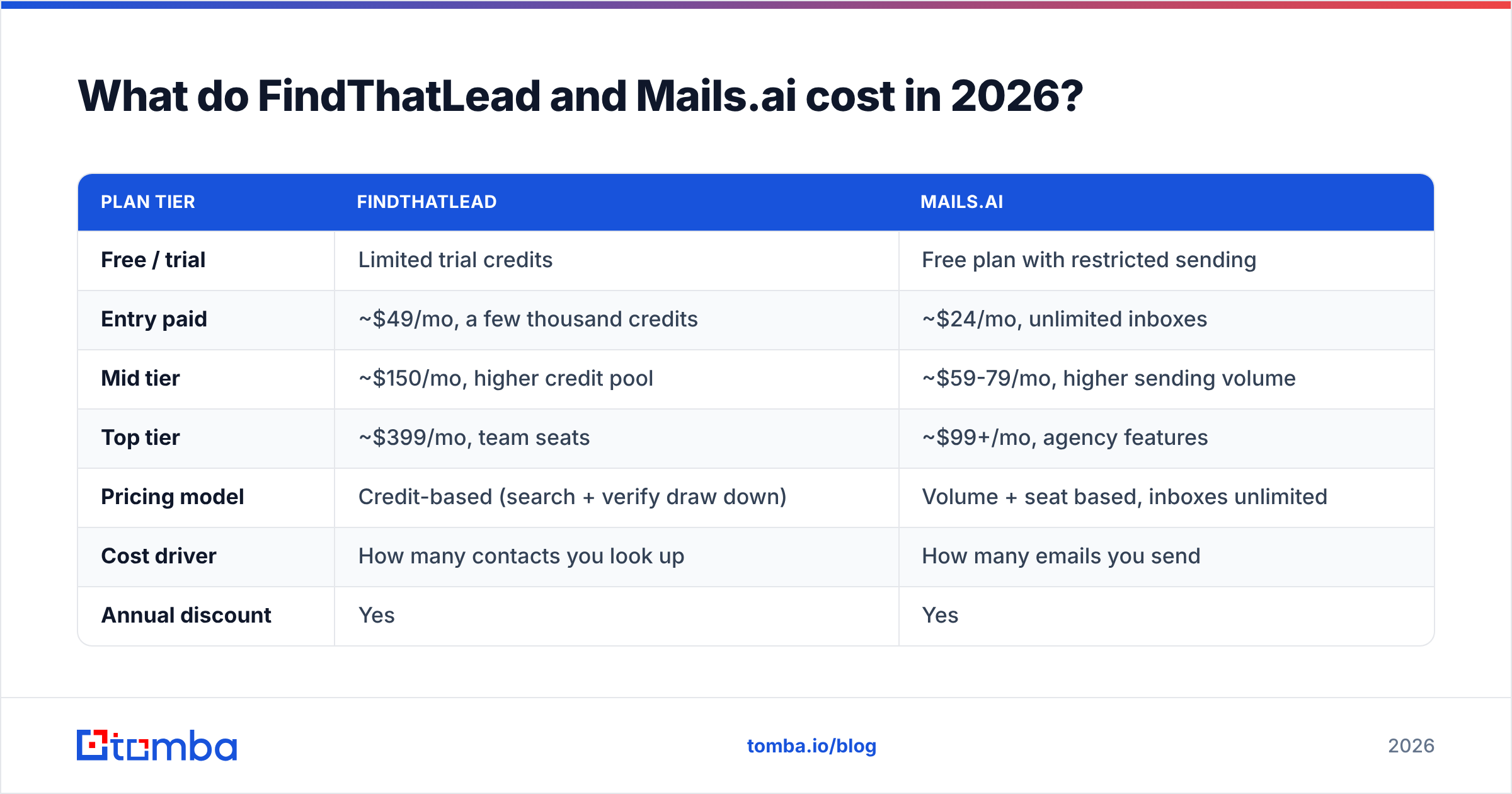
Mails.ai is built around the modern cold email playbook:
- Unlimited email accounts — connect 5 or 50 inboxes on one plan, with no per-inbox fee.
- Unlimited warmup — every account warms itself, and warmup traffic runs all the time.
- Inbox rotation — one campaign spreads across every inbox, so no mailbox goes over a safe daily volume.
- AI sequence writing — drafts and variants in-app, with spintax to break up identical bodies.
- Reply and bounce handling — sequences stop on reply, and bounce data feeds back into list health.
Send more than a few thousand emails a month and that list is the whole ballgame. Copy matters. Data matters. But if your mail lands in Promotions or spam, nothing else gets a vote. Keep your email deliverability basics in place either way: SPF, DKIM, DMARC and a separate sending domain. No platform fixes a broken domain setup for you.
FindThatLead vs Mails.ai pricing: what does each cost in 2026?#
Both vendors repackage often. Treat these numbers as directional and check the vendor sites before you buy. The structure is what matters.
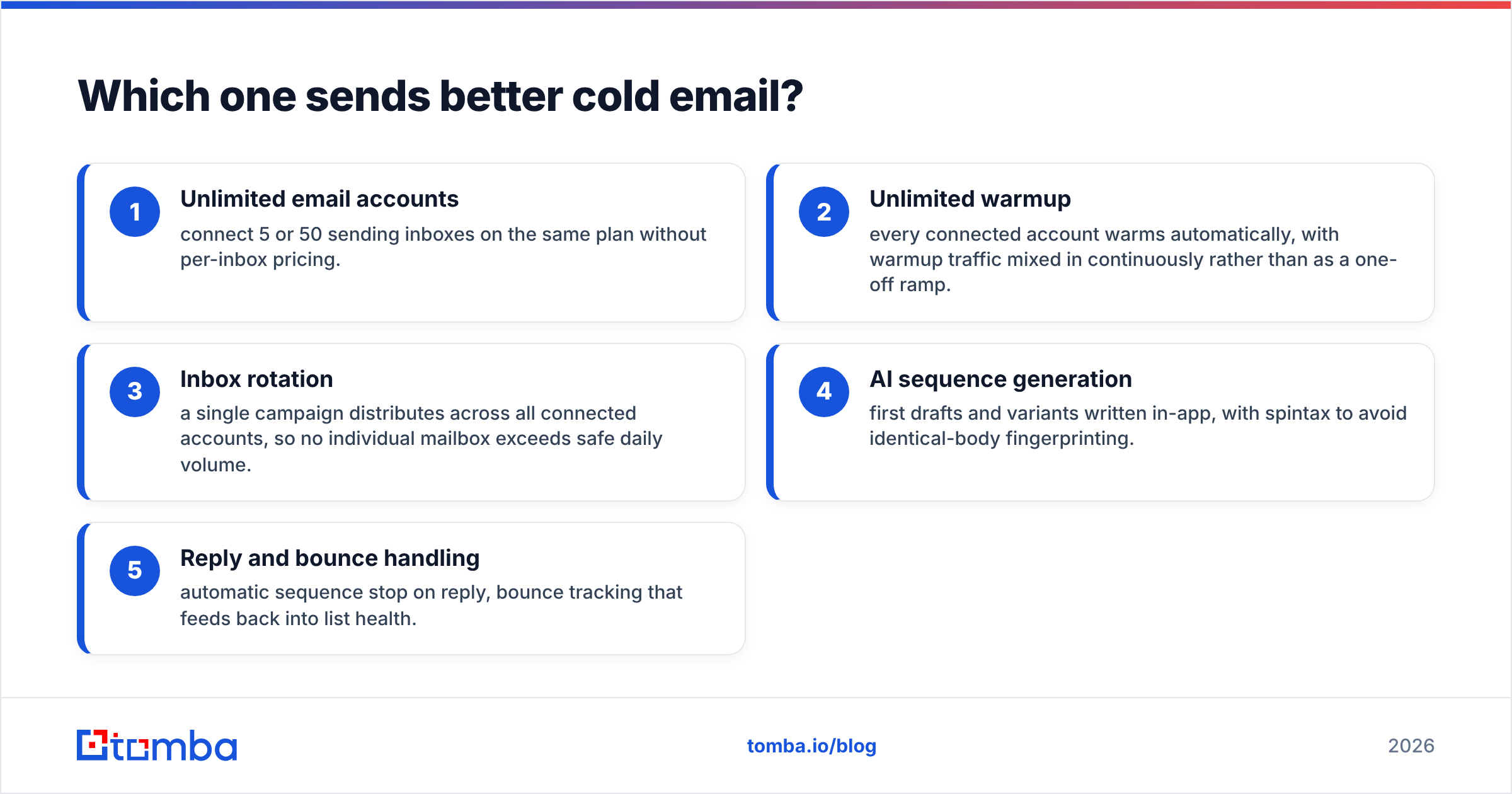
| Plan tier | FindThatLead | Mails.ai |
|---|---|---|
| Free / trial | Limited trial credits | Free plan with restricted sending |
| Entry paid | ~$49/mo, a few thousand credits | ~$24/mo, unlimited inboxes |
| Mid tier | ~$150/mo, higher credit pool | ~$59-79/mo, higher sending volume |
| Top tier | ~$399/mo, team seats | ~$99+/mo, agency features |
| Pricing model | Credit-based (search + verify draw down) | Volume + seat based, inboxes unlimited |
| Cost driver | How many contacts you look up | How many emails you send |
| Annual discount | Yes | Yes |
The takeaway is simple. FindThatLead's cost scales with list building. Mails.ai's cost scales with sending. Build one 5,000-contact list and mail it for three months, and FindThatLead is expensive up front, then cheap.
Rebuild lists every week and credits become your biggest line item. That is the point where teams start pricing dedicated data vendors against the bundle. Compare it with clear per-credit pricing like Tomba pricing: a free tier at 25 searches a month, Starter at $49/mo, Growth at $99/mo and Pro at $249/mo. It is a useful check on what data alone should cost you.
One more note. Bundled tools rarely win on either axis. You pay a small premium for the finder and a small premium for the sender, and get the better version of neither. Check current user sentiment on G2 before you sign an annual deal. Review volume and recency tell you more than a feature page does.
Where does each tool break down?#
Any honest FindThatLead vs Mails.ai shortlist has to include the weak spots.
FindThatLead's weak points:
- Catch-all handling — "accepted by server" is treated as valid too readily. That inflates your hit rate and your bounce rate.
- No warmup infrastructure — you need a second tool anyway, which weakens the all-in-one-place argument.
- Credit burn on failed searches — exploratory research can eat credits faster than you expect.
- Coverage gaps outside Europe and North America — APAC and LATAM SMB data is thin.
- Aging campaign module — Drip has not kept pace with dedicated senders since 2023.
Mails.ai's weak points:
- Shallow lead data — fine as filler, weak for named-account prospecting.
- No real enrichment layer — no reliable firmographics, tech stack or B2B phone numbers.
- Unlimited inboxes is not unlimited sending — you still buy and configure the domains and mailboxes. That is real cost and real setup time.
- Limited API surface — awkward if you want to drive it from your own system.
- AI copy is a start, not a finish — in-app sequences still read as generated unless you rewrite them.
Which one should you pick for your use case?#
The FindThatLead vs Mails.ai answer changes with the job in front of you. Start with the clear cases:
- Solo founder doing high-touch outreach — FindThatLead. You need 40 accurate contacts a week, not 40 inboxes. Verify before you send.
- Lead-gen agency running client campaigns at volume — Mails.ai. Unlimited inboxes and rotation are your real constraint, and you likely source data elsewhere.
- You already own a sender (Instantly, Smartlead, Lemlist) — skip Mails.ai. Judge FindThatLead against dedicated data vendors instead.
- You already own good data — a CRM full of contacts, or a bought list. Skip FindThatLead and go straight to Mails.ai for the sending layer.
Now the harder cases:
- SDR team with a defined account list — neither, alone. You need a strong finder plus your current sequencer. The accounts are set; the gap is contact-level data.
- RevOps building an automated pipeline — neither API is strong enough to be the backbone. Use a proper email finder API for enrichment, then pick a sender separately.
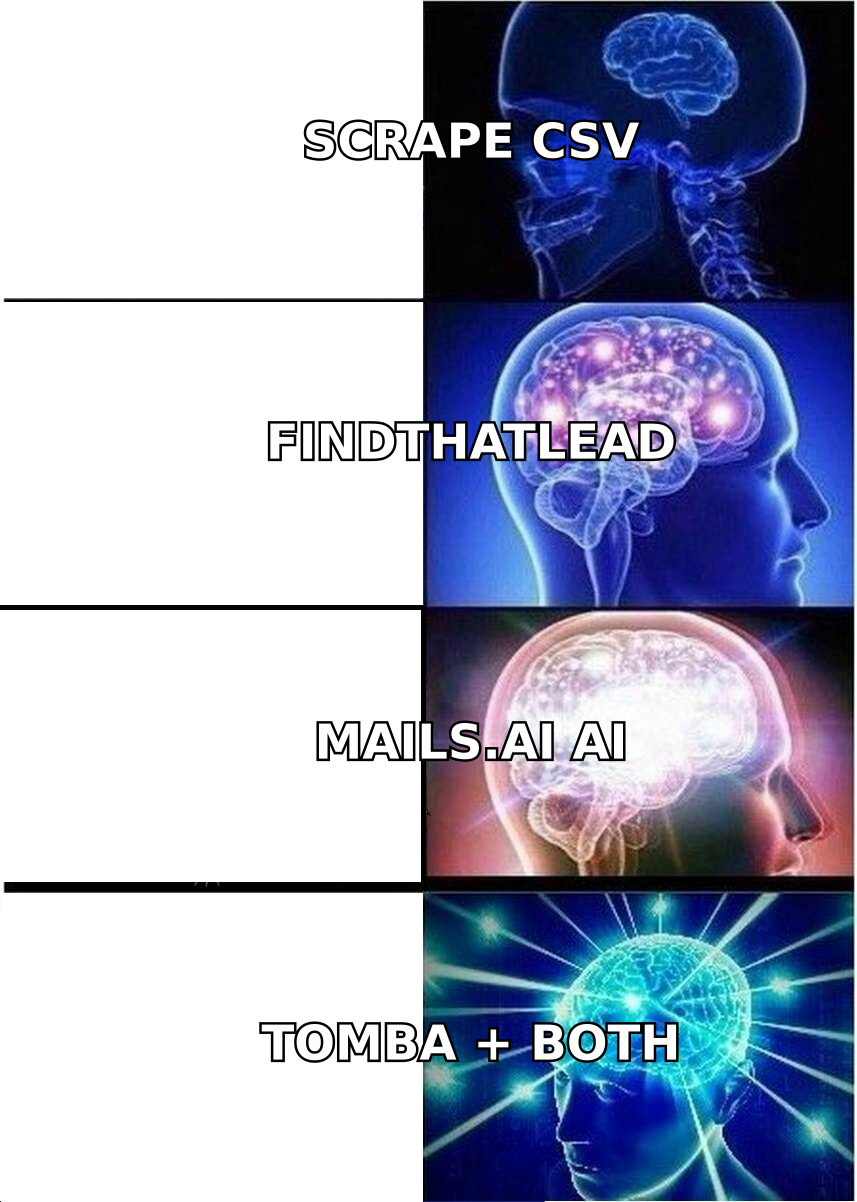
Most teams sit in that first hard case. That is why "FindThatLead vs Mails.ai" is usually the wrong question. The better one: which layer of my stack has the worst data or the worst deliverability, and what is the best fix for that one layer?
Do you need a third tool for data anyway?#
Often, yes. Pretending otherwise is how teams end up with 15% bounce rates.
The email data market has specialised sharply. A bundled finder inside a sending platform is a convenience feature, not a data product. Dedicated providers invest in source diversity, re-verification cadence and catch-all resolution, because that is their whole business.
BookYourData, for example, built its name on pre-verified list delivery for teams that would rather buy clean data than build it. Tomba sits on the other side. You get on-demand lookup by domain, name or LinkedIn profile, with verification in the same workflow.
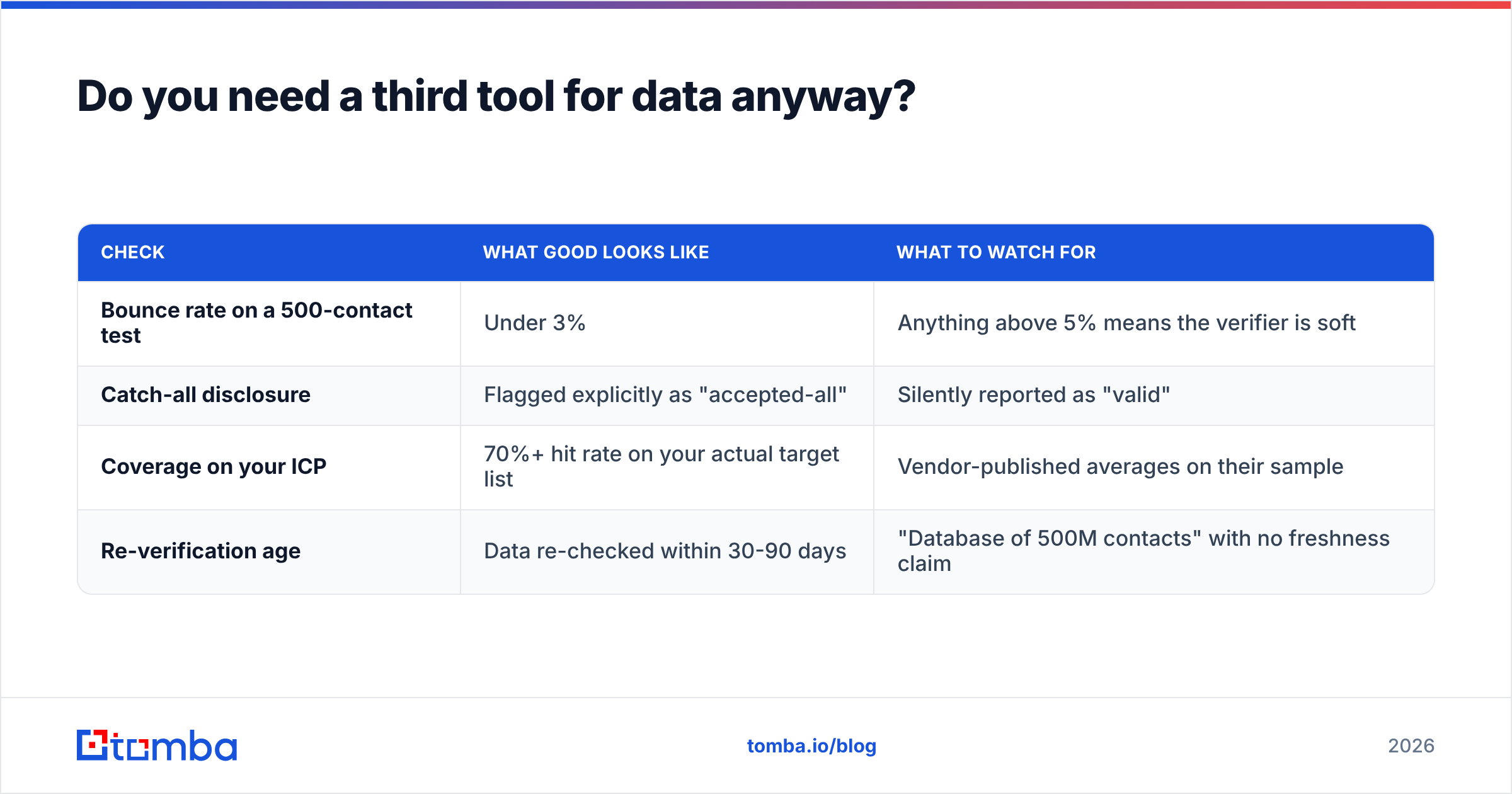
Three practical checks before you trust any finder's data:
| Check | What good looks like | What to watch for |
|---|---|---|
| Bounce rate on a 500-contact test | Under 3% | Anything above 5% means the verifier is soft |
| Catch-all disclosure | Flagged explicitly as "accepted-all" | Silently reported as "valid" |
| Coverage on your ICP | 70%+ hit rate on your actual target list | Vendor-published averages on their sample |
| Re-verification age | Data re-checked within 30-90 days | "Database of 500M contacts" with no freshness claim |
Run that test with a sample from your real ICP, not the vendor's demo domain. A domain search across ten target accounts takes fifteen minutes. It tells you more than any comparison article, this one included.
FindThatLead vs Mails.ai: what's the verdict?#
Mails.ai wins the sending half. FindThatLead wins the finding half. Neither wins outright, because they solve different problems.
Forced to pick one? Pick by the failure you have today. Bounces and spam folders? Mails.ai fixes the infrastructure. Empty pipeline and no idea who to contact? FindThatLead fills the list. Match the tool to your bottleneck, and expect to own something on the other side within a quarter.
What you should not do is trust the bundled half of either tool enough to skip verification. That shortcut ends with a warmed-up domain sending 4,000 emails to addresses that were never real.
Start with clean data. Run your target domains through Tomba's Email Finder. The free tier gives you 25 searches a month, so you can test hit rate on your own ICP before you spend anything. Verification is built into the same lookup, so catch-all domains get flagged instead of quietly passed through. Feed those addresses into whichever sender you choose.
Related guides#
Ready to find emails that actually work?
Join 150,000+ professionals who stopped guessing and started sending. Free credits on signup — no credit card required.
Get the Tomba newsletter
Practical outbound tactics and product updates — once every two weeks.
About the author