FindThatLead vs Nymeria: Which Email Finder Wins in 2026?
FindThatLead is a prospecting suite with a built-in sender. Nymeria is an enrichment engine with personal emails and phones. Here is which one actually fits your outbound motion in 2026 — and where both fall short.
TL;DR
- FindThatLead is a prospecting suite: domain search, LinkedIn scraping, lead search by role/location, plus a built-in cold email sender. Good if you want one tool from list-building to send.
- Nymeria is an enrichment engine: give it a LinkedIn profile or a work email and it returns personal emails, work emails, phone numbers and social handles. Strongest browser extension in this pair.
- On B2B work-email coverage, neither one is best-in-class. Both trail dedicated finders on catch-all domains and non-US TLDs.
- Pick FindThatLead if you're a solo founder or small agency who wants list + send in one bill. Pick Nymeria if you're a recruiter or need personal (non-corporate) contact data.
- If your only job is finding and verifying work emails at volume with an API, a specialist like Tomba Email Finder is usually cheaper per usable contact than either.
What is FindThatLead and who is it for?#
FindThatLead is a Barcelona-built B2B prospecting platform that has been around since 2015. Its pitch is breadth: you can start with a company domain, a LinkedIn search URL, or a set of filters (job title, location, industry), and end with a cold email sequence sending from your own mailbox — without leaving the app.
The core modules are:
- Domain Search — feed it
stripe.com, get back a list of employees with guessed-and-checked email patterns. - Lead Search — a filterable database view where you build lists by role, country, and industry.
- Prospector / Scrapper — a Chrome extension and bulk uploader that pulls contacts from LinkedIn search results.
- Email Sender — sequences, personalization variables, basic tracking, and sending from a connected inbox.
- Bulk CSV enrichment — upload names + domains, get emails back.
The trade-off is the classic suite trade-off. Each module is fine. None of them is the best tool in its category. The sender is not Instantly or Smartlead. The database is not ZoomInfo. But for a two-person team that doesn't want four subscriptions, "fine at everything" has real value.
Who it fits: solo founders, small agencies, freelancers running low-volume outbound (under ~2,000 emails/month) who want one login and one invoice.
Who it doesn't: anyone doing high-volume outbound where a 10-point difference in email accuracy compounds into domain reputation damage.
What is Nymeria and how is it different?#
Nymeria approaches the same problem from the opposite direction. It doesn't want to be your sending tool. It wants to be the layer that turns a person into a complete contact record.
Its defining feature is personal email and phone coverage. Where most B2B finders return first.last@company.com and stop, Nymeria will often return a Gmail address, a mobile number, a GitHub handle, and a Twitter/X profile alongside the work email. That's a deliberate positioning choice aimed at recruiting and technical sourcing, not just SDR outbound.
The three ways you actually use it:
- Browser extension — the main interface. Open a LinkedIn profile, click the icon, get contact data inline. It also works on GitHub and a handful of other profile sites.
- Bulk enrichment — upload a CSV of LinkedIn URLs or names + companies.
- API — a clean, well-documented REST endpoint for person enrichment.
Nymeria's data heritage traces back to large aggregated people-data sets, which is why its personal-email hit rate is unusually high and its work-email hit rate is merely average. It's a different data shape, not just a different UI.
Who it fits: recruiters, technical sourcers, VCs, and anyone whose targets are individuals rather than job titles at accounts.
Who it doesn't: teams in strict-compliance regions where personal email use is a legal problem, or anyone whose ICP lives behind corporate catch-all domains.
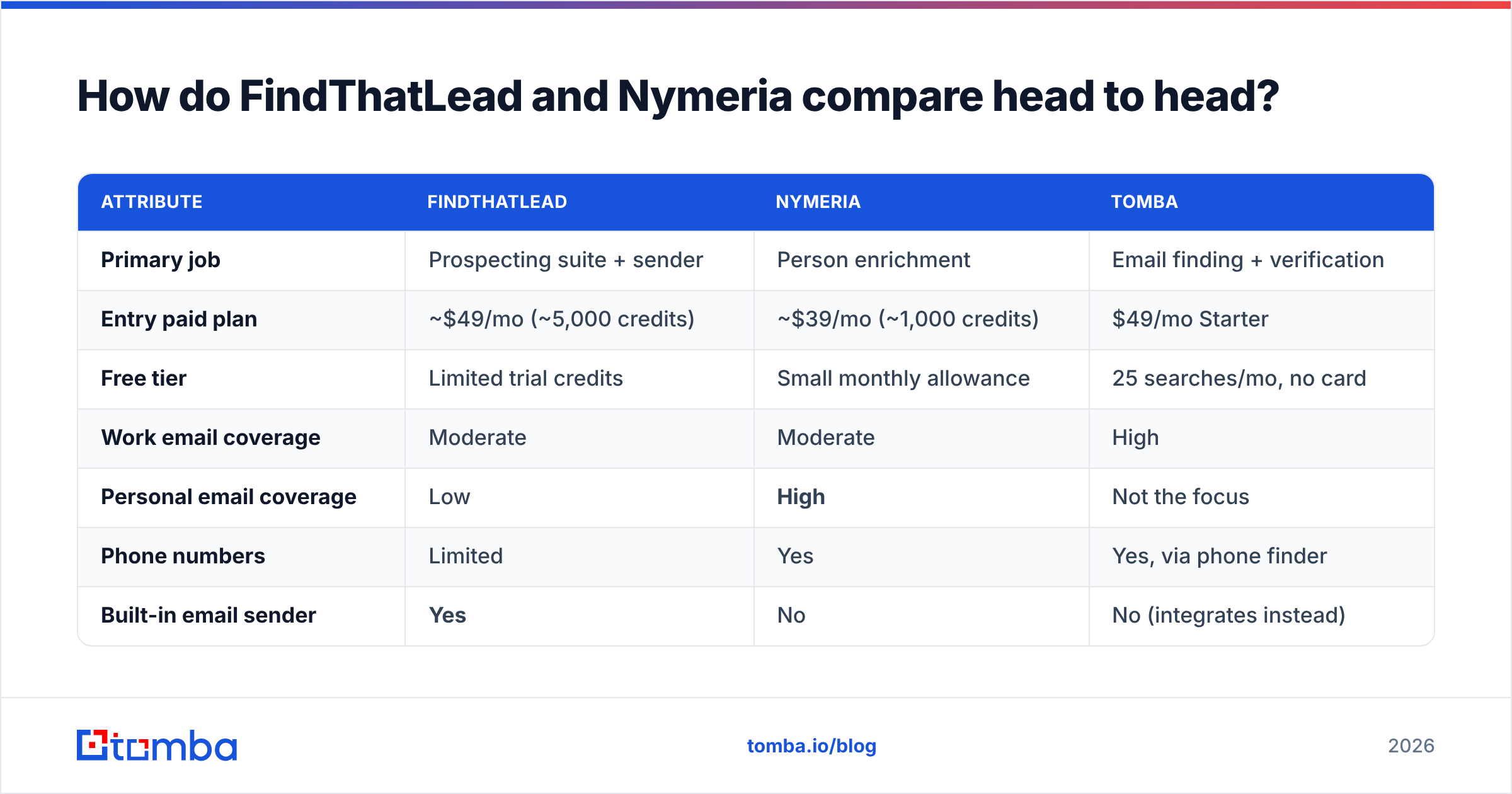
How do FindThatLead and Nymeria compare head to head?#
Here's the practical breakdown. Pricing reflects publicly listed plans as of early 2026 — both vendors adjust tiers, so confirm on their sites before you commit.
| Attribute | FindThatLead | Nymeria | Tomba |
|---|---|---|---|
| Primary job | Prospecting suite + sender | Person enrichment | Email finding + verification |
| Entry paid plan | ~$49/mo (~5,000 credits) | ~$39/mo (~1,000 credits) | $49/mo Starter |
| Free tier | Limited trial credits | Small monthly allowance | 25 searches/mo, no card |
| Work email coverage | Moderate | Moderate | High |
| Personal email coverage | Low | High | Not the focus |
| Phone numbers | Limited | Yes | Yes, via phone finder |
| Built-in email sender | Yes | No | No (integrates instead) |
| Browser extension | Yes | Yes, best in pair | Yes |
| Bulk CSV enrichment | Yes | Yes | Yes |
| Public API | Yes, basic | Yes, well documented | Yes, full REST + CLI + MCP |
| Catch-all handling | Marks as risky | Marks as risky | Dedicated catch-all verifier |
| Credit rollover | No | No | Plan-dependent |
| Best for | One-tool small teams | Recruiters, sourcers | Volume + accuracy + API |
Two things jump out of that grid.
First, FindThatLead and Nymeria barely overlap on their strongest features. FindThatLead's sender has no Nymeria equivalent. Nymeria's personal-data depth has no FindThatLead equivalent. If you're comparing them, you're probably actually comparing two different workflows, not two versions of the same product.
Second, neither leads on the metric most outbound teams care about: verified work-email coverage on a mixed international list. That's the gap that makes a third tool worth considering.
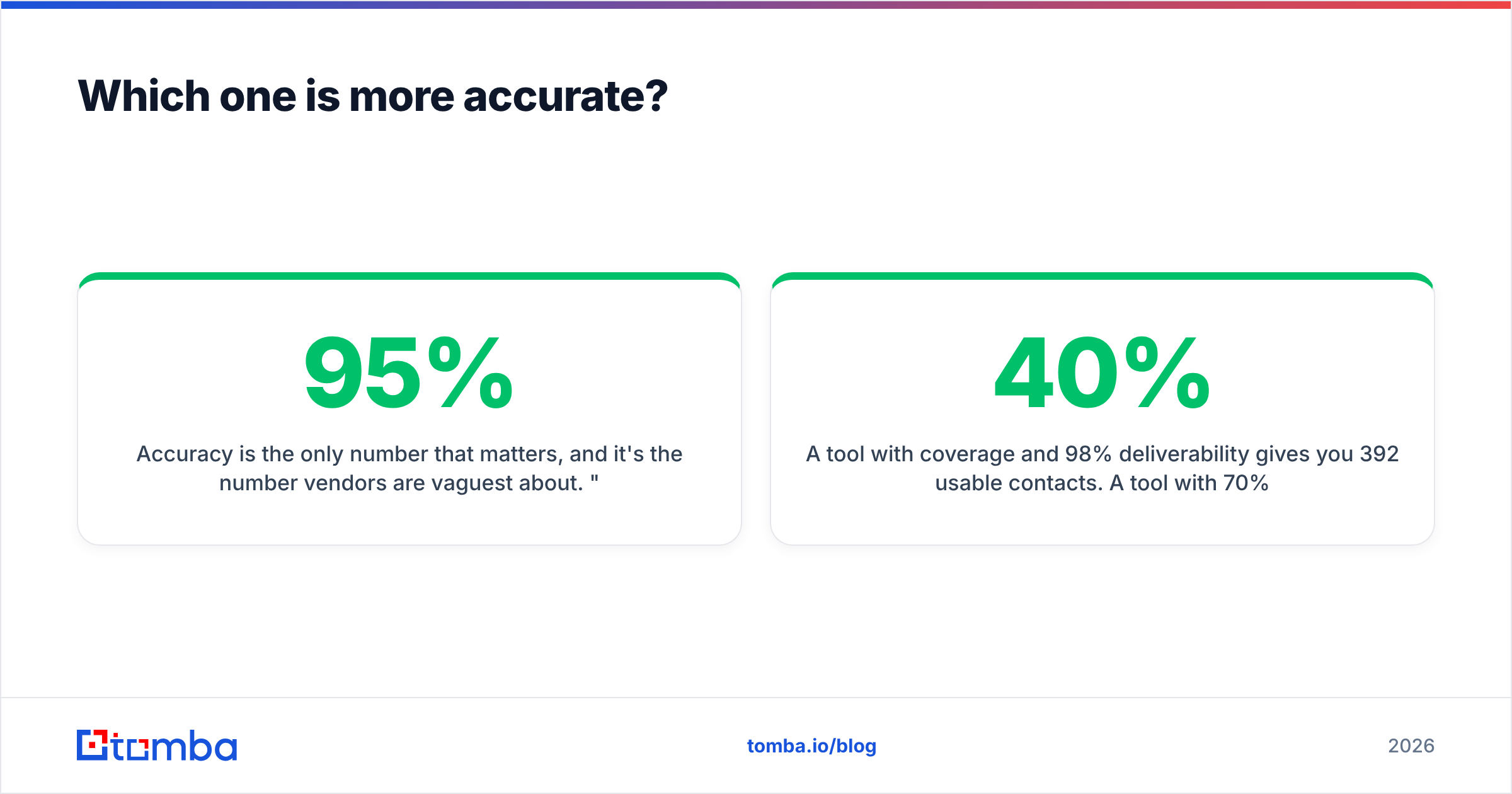
Which one is more accurate?#
Accuracy is the only number that matters, and it's the number vendors are vaguest about. "95% accuracy" usually means "95% of the emails we chose to return were valid" — which says nothing about how many contacts they skipped.
Measure two things instead:
- Coverage (hit rate): of 1,000 target contacts, how many did the tool return any email for?
- Deliverable rate: of the emails returned, how many survived independent verification and didn't bounce?
A tool with 40% coverage and 98% deliverability gives you 392 usable contacts. A tool with 70% coverage and 85% deliverability gives you 595 — and a bounce rate that will hurt your domain. Neither number alone tells you anything.

In practice, from repeated head-to-head list tests on mixed SaaS and services targets:
- FindThatLead is strongest on straightforward corporate domains with predictable patterns and a public web footprint. It leans heavily on pattern inference plus SMTP checks. On companies with a scraped-friendly team page, it does well. On stealth-mode startups, agencies with generic inboxes, or
.de/.fr/.jpdomains, coverage drops sharply. - Nymeria is strongest when the person has a substantial public profile — an active LinkedIn, a GitHub, a personal site. It's weaker on a mid-level ops manager at a 60-person logistics company with a bare LinkedIn skeleton, because there's less to aggregate.
- Both mark catch-all domains as risky and hand the problem back to you. That's the single biggest source of "the tool said valid and it bounced" complaints. Catch-all domains accept everything at the SMTP layer, so a naive check returns a false positive. Handling them properly requires a separate technique — which is why a dedicated catch-all verifier exists as its own product category.
The honest verdict: on personal contact data, Nymeria wins clearly. On work emails, it's close, and both sit in the middle of the market rather than at the top.
What does each one actually cost per usable lead?#
Sticker price is the wrong unit. Cost per verified, deliverable contact is the right one.
Work through a simple scenario: you need 1,000 verified work emails this month.
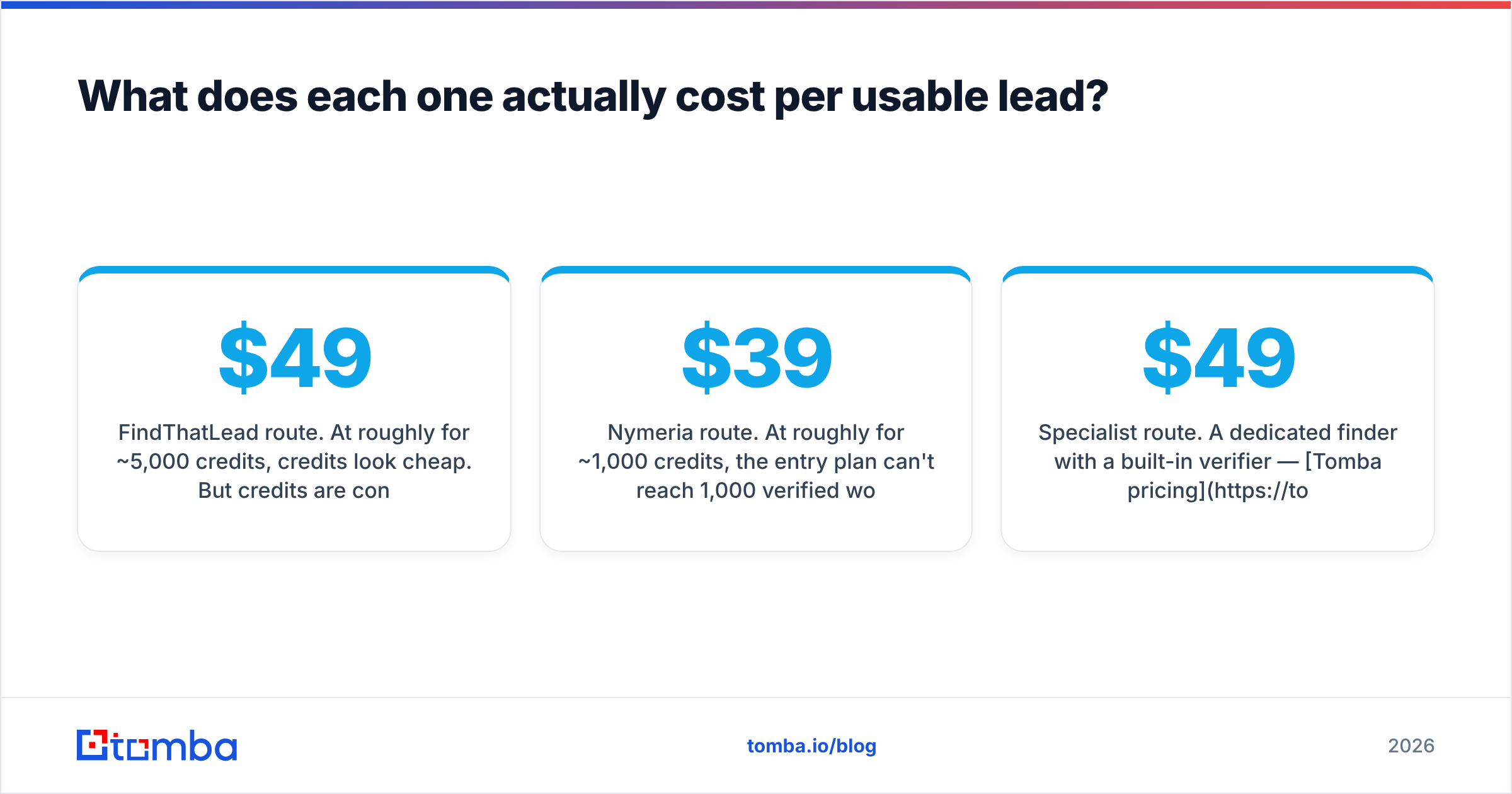
FindThatLead route. At roughly $49/mo for ~5,000 credits, credits look cheap. But credits are consumed on searches that return nothing, and on results you discard after verification. Assume 55% coverage and 88% deliverability after your own verification pass — you burn ~2,100 credits to net ~1,000 usable contacts, and you're paying for a third-party verifier on top. Effective cost lands well above the headline.
Nymeria route. At roughly $39/mo for ~1,000 credits, the entry plan can't reach 1,000 verified work emails in a month at all — you'd need the $99-ish tier. Personal-email coverage is excellent, but if you're sending B2B cold email, personal Gmail addresses are a deliverability and compliance liability, not an asset. You're paying for data you shouldn't use for this job.
Specialist route. A dedicated finder with a built-in verifier — Tomba pricing starts at Free (25 searches/mo), then $49/mo Starter, $99/mo Growth, $249/mo Pro — bundles the verification step so the credit you spend is on a contact you can actually mail. No second subscription, no re-upload cycle.
The mental model: you are not buying credits, you are buying contacts that don't bounce. Any tool that makes you export to a separate verifier is charging you twice and costing you a day of workflow.

When should you pick something else entirely?#
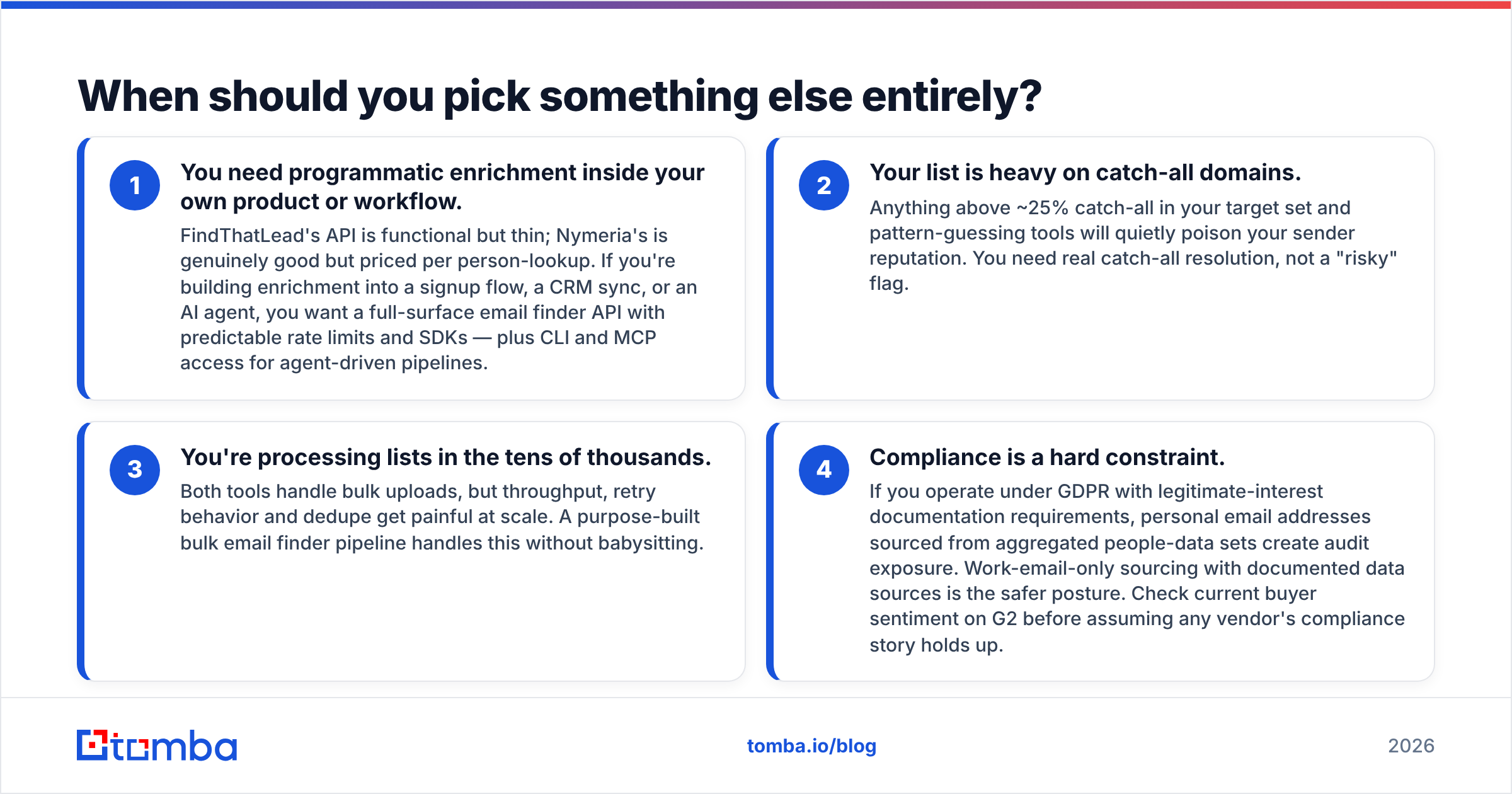
Neither tool is the right answer in these four situations:
- You need programmatic enrichment inside your own product or workflow. FindThatLead's API is functional but thin; Nymeria's is genuinely good but priced per person-lookup. If you're building enrichment into a signup flow, a CRM sync, or an AI agent, you want a full-surface email finder API with predictable rate limits and SDKs — plus CLI and MCP access for agent-driven pipelines.
- Your list is heavy on catch-all domains. Anything above ~25% catch-all in your target set and pattern-guessing tools will quietly poison your sender reputation. You need real catch-all resolution, not a "risky" flag.
- You're processing lists in the tens of thousands. Both tools handle bulk uploads, but throughput, retry behavior and dedupe get painful at scale. A purpose-built bulk email finder pipeline handles this without babysitting.
- Compliance is a hard constraint. If you operate under GDPR with legitimate-interest documentation requirements, personal email addresses sourced from aggregated people-data sets create audit exposure. Work-email-only sourcing with documented data sources is the safer posture. Check current buyer sentiment on G2 before assuming any vendor's compliance story holds up.

What's the fastest way to test both yourself?#
Don't trust anyone's benchmark, including this one. Run a 30-minute controlled test:
- Build a 100-contact golden list. Pull real people you can independently confirm — 40 US corporate, 20 European, 20 small agencies or consultancies, 20 known catch-all domains. Mixed seniority.
- Run the same list through each tool. Same names, same domains, no manual cleanup between runs.
- Record three columns per tool: returned an email (yes/no), tool's confidence label, and independent verification result from a neutral email verifier.
- Send a 50-contact live test from a warmed throwaway domain and log actual bounces. SMTP checks lie; real sends don't.
- Divide monthly cost by contacts that survived the live send. That's your real cost per usable lead — and it will not match any vendor's pricing page.
Teams that run this test almost always find the ranking flips depending on their ICP. A US-SaaS-only list makes FindThatLead look strong. A technical-recruiting list makes Nymeria look untouchable. A European mid-market list makes both look mediocre.
The verdict: FindThatLead or Nymeria?#
Choose FindThatLead if you're a small team that values consolidation over best-in-class. One bill, one login, list-to-send in a single app. Accept that you're trading a chunk of accuracy for convenience, and budget for a separate verification pass before every send.
Choose Nymeria if your work is people-first: recruiting, sourcing, investor or founder outreach, developer relations. Its personal-contact depth is the best thing in this comparison and there's no real substitute for it in FindThatLead. Just don't mistake it for a B2B list-building platform — it isn't one, and it doesn't claim to be.
Choose neither if your bottleneck is simply "I need a lot of work emails that don't bounce, and I need them through an API." That's a specialist job, and suites lose to specialists on specialist jobs every time.
Start with the free tier of each, run the 100-contact test above against your actual ICP, and let the bounce log make the decision. Vendor marketing pages agree on very little; live send data settles it in an afternoon.
Ready to test the accuracy side properly? Run your next list through Tomba Email Finder — search by domain, name, or company, with verification built into the same credit so you're not paying twice for contacts you'll throw away. The free tier gives you 25 searches a month with no card, which is enough to benchmark it head-to-head against whatever you're using now. If it doesn't beat your current cost per deliverable contact, you've lost nothing but an afternoon.
Related guides#
Ready to find emails that actually work?
Join 150,000+ professionals who stopped guessing and started sending. Free credits on signup — no credit card required.
Get the Tomba newsletter
Practical outbound tactics and product updates — once every two weeks.
About the author