FindThatLead vs Revli: Which Email Finder Wins in 2026?
FindThatLead and Revli both promise verified B2B emails at low cost. We compared credit models, accuracy behaviour, bulk limits, and API depth to show which one actually survives a real outbound quarter.
TL;DR
- FindThatLead is a prospecting suite: email finder, lead search, plus a built-in cold email sender. Good if you want one login for finding and sending.
- Revli is a lighter, cheaper lookup tool. Good if you only need addresses and want a generous free tier before paying.
- Accuracy is the deciding factor, not price. A $29 tool that returns 70% deliverable addresses costs more than a $49 tool at 95% once you count burned domains.
- Neither tool is strong at catch-all resolution, which is where most B2B lists quietly break in 2026.
- If you run bulk lists and need an API, look at a verification-first option like Tomba alongside them — pricing starts at $49/mo with a free tier for testing.
What are FindThatLead and Revli, exactly?#
They solve the same surface problem — turning a name and a company into a working email address — but they were built for different buyers.
FindThatLead launched out of Barcelona and grew into a full prospecting suite. You get a domain-level email search, a single-contact finder, a Chrome extension, a "Prospector" that filters leads by role and location, and Scrab.in / campaign tools for actually sending the sequence. It's marketed at solo founders and small agencies who don't want to stitch five tools together.
Revli is the leaner one. It positions itself as a low-friction email finder with a free allowance, a domain search, and a verifier. There's no meaningful sending layer. The pitch is: get addresses cheaply, export, and run them wherever your outbound already lives.
That difference — suite vs. utility — drives everything else in this comparison. FindThatLead charges you for tools you may not use. Revli charges you less but leaves gaps you'll fill with other subscriptions.

How do FindThatLead and Revli compare head to head?#
Pricing on both platforms changes; treat these as the published shape at time of writing and confirm on each vendor's page before you buy.
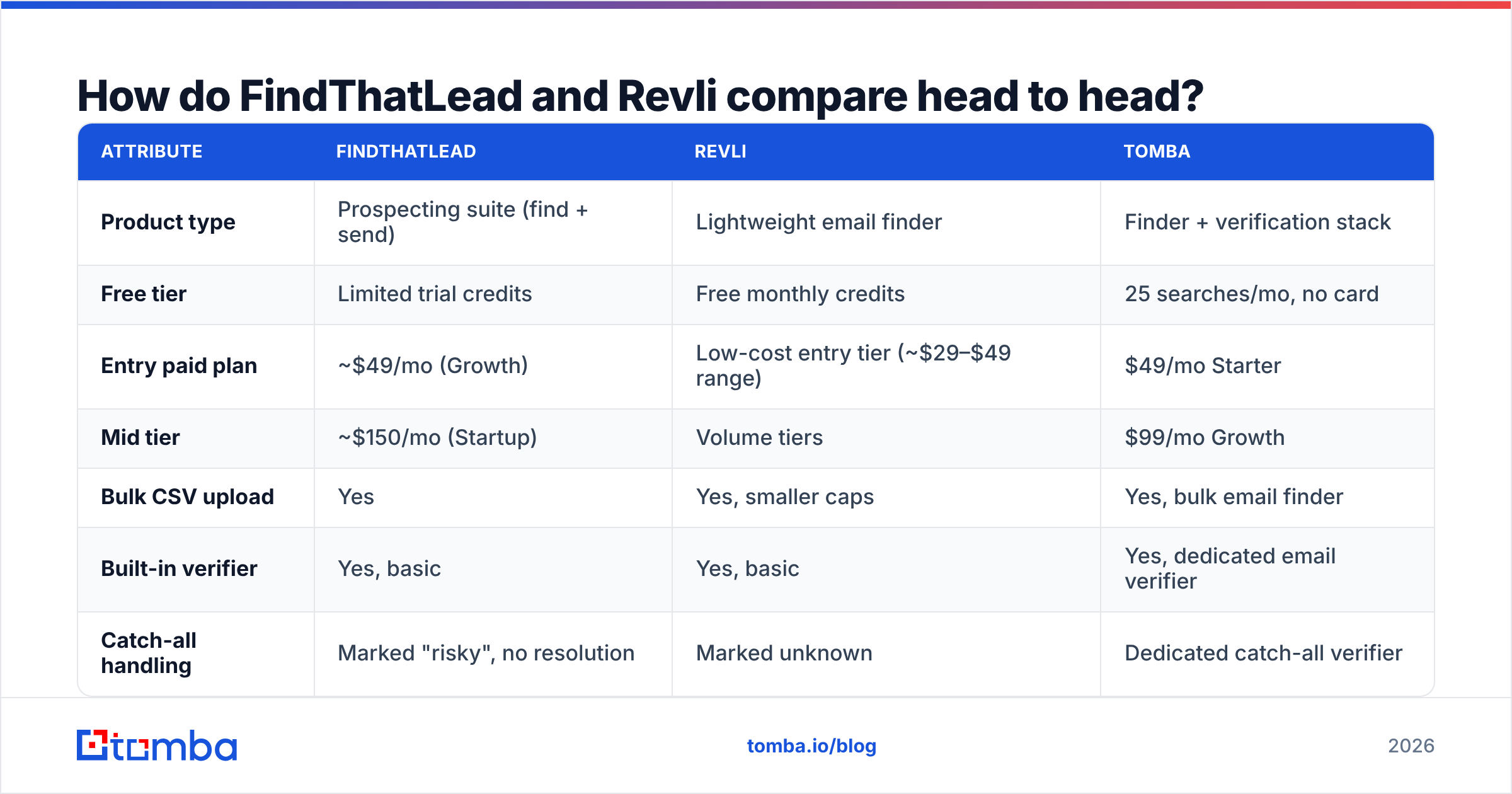
| Attribute | FindThatLead | Revli | Tomba |
|---|---|---|---|
| Product type | Prospecting suite (find + send) | Lightweight email finder | Finder + verification stack |
| Free tier | Limited trial credits | Free monthly credits | 25 searches/mo, no card |
| Entry paid plan | ~$49/mo (Growth) | Low-cost entry tier (~$29–$49 range) | $49/mo Starter |
| Mid tier | ~$150/mo (Startup) | Volume tiers | $99/mo Growth |
| Bulk CSV upload | Yes | Yes, smaller caps | Yes, bulk email finder |
| Built-in verifier | Yes, basic | Yes, basic | Yes, dedicated email verifier |
| Catch-all handling | Marked "risky", no resolution | Marked unknown | Dedicated catch-all verifier |
| Cold email sending | Yes, native | No | No (integrations instead) |
| Public API | Yes | Limited | Full REST email finder API |
| Credit rollover | No | No | No |
| Best for | Solo founder wanting one tool | Cheap, occasional lookups | Accuracy-critical bulk outbound |
The honest read: FindThatLead wins on breadth, Revli wins on entry price, and neither wins on the part that decides whether your campaign lands — verification depth.
Which one finds more valid emails?#
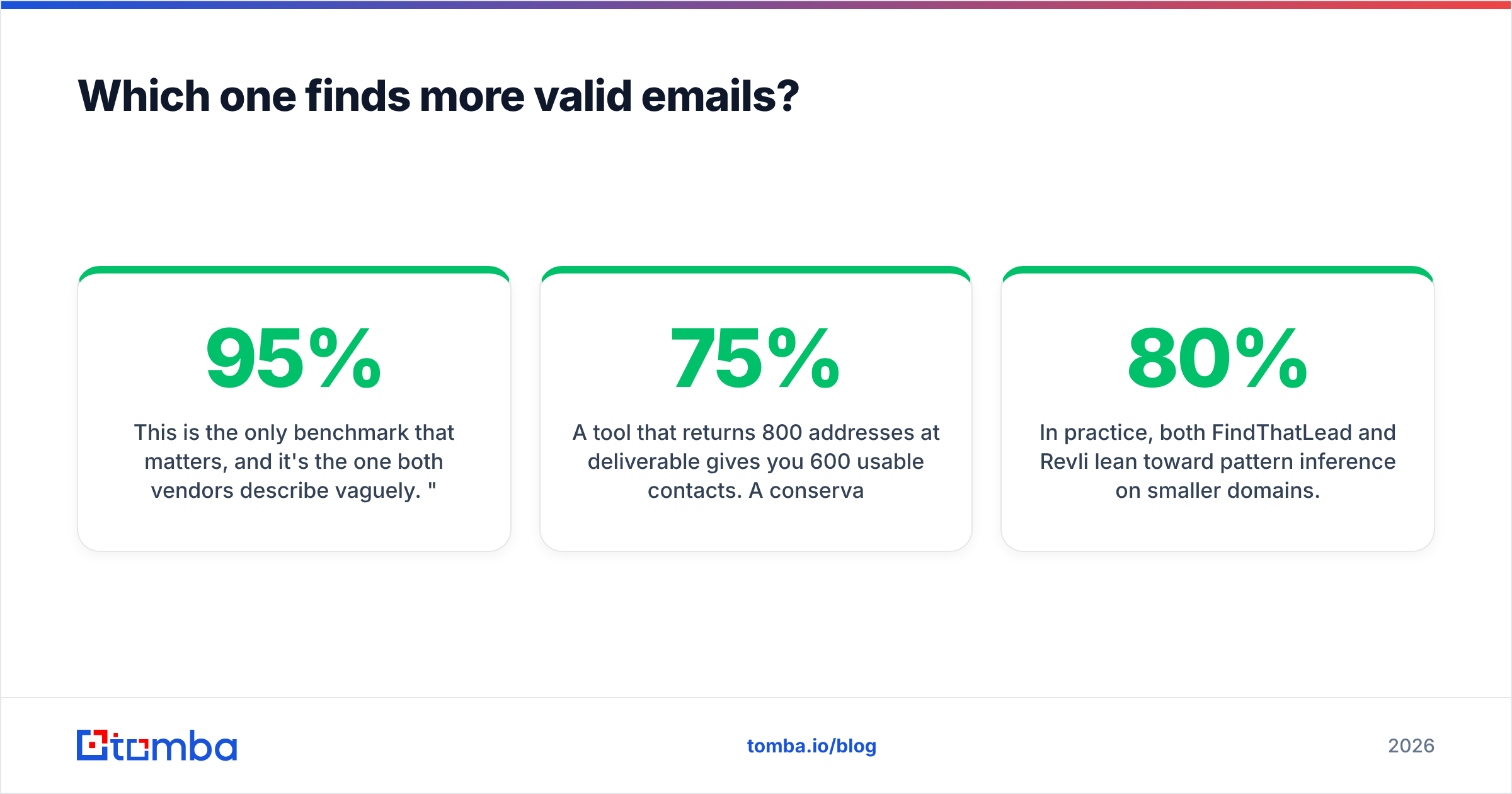
This is the only benchmark that matters, and it's the one both vendors describe vaguely. "95% accuracy" on a marketing page usually means 95% of the addresses we chose to return, not 95% of the contacts you asked for.
Two numbers you need to separate:
- Hit rate — of 1,000 contacts submitted, how many came back with any address? FindThatLead's Prospector tends to return generously, which inflates this number.
- Deliverability rate — of the addresses returned, how many actually accept mail? This is where generous tools lose.
A tool that returns 800 addresses at 75% deliverable gives you 600 usable contacts. A conservative tool that returns 620 at 96% gives you 595 — nearly identical usable volume, but with a bounce rate that won't put your sending domain on a blocklist. That second profile is what you want.

In practice, both FindThatLead and Revli lean toward pattern inference on smaller domains. If firstname.lastname@ works for three known employees at a company, they'll assume it works for the fourth. That assumption is right maybe 80% of the time on mid-market companies and much less often at enterprises where naming collisions force jsmith2@ style variants.
The fix is a second pass through an independent verifier before anything enters your sequencer. Even a free email checker run on a sample of 100 rows will tell you within ten minutes whether the list you just bought credits for is worth sending.
What does each tool actually cost per usable lead?#
Sticker price is misleading because credit definitions differ. Some tools charge a credit for a search, others only for a successful result, and a few charge again for verification.
Run the math this way:
- Step 1 — Effective credits. Monthly credits ÷ credits burned per contact (including failed lookups).
- Step 2 — Usable contacts. Effective credits × deliverability rate.
- Step 3 — Cost per usable lead. Monthly price ÷ usable contacts.
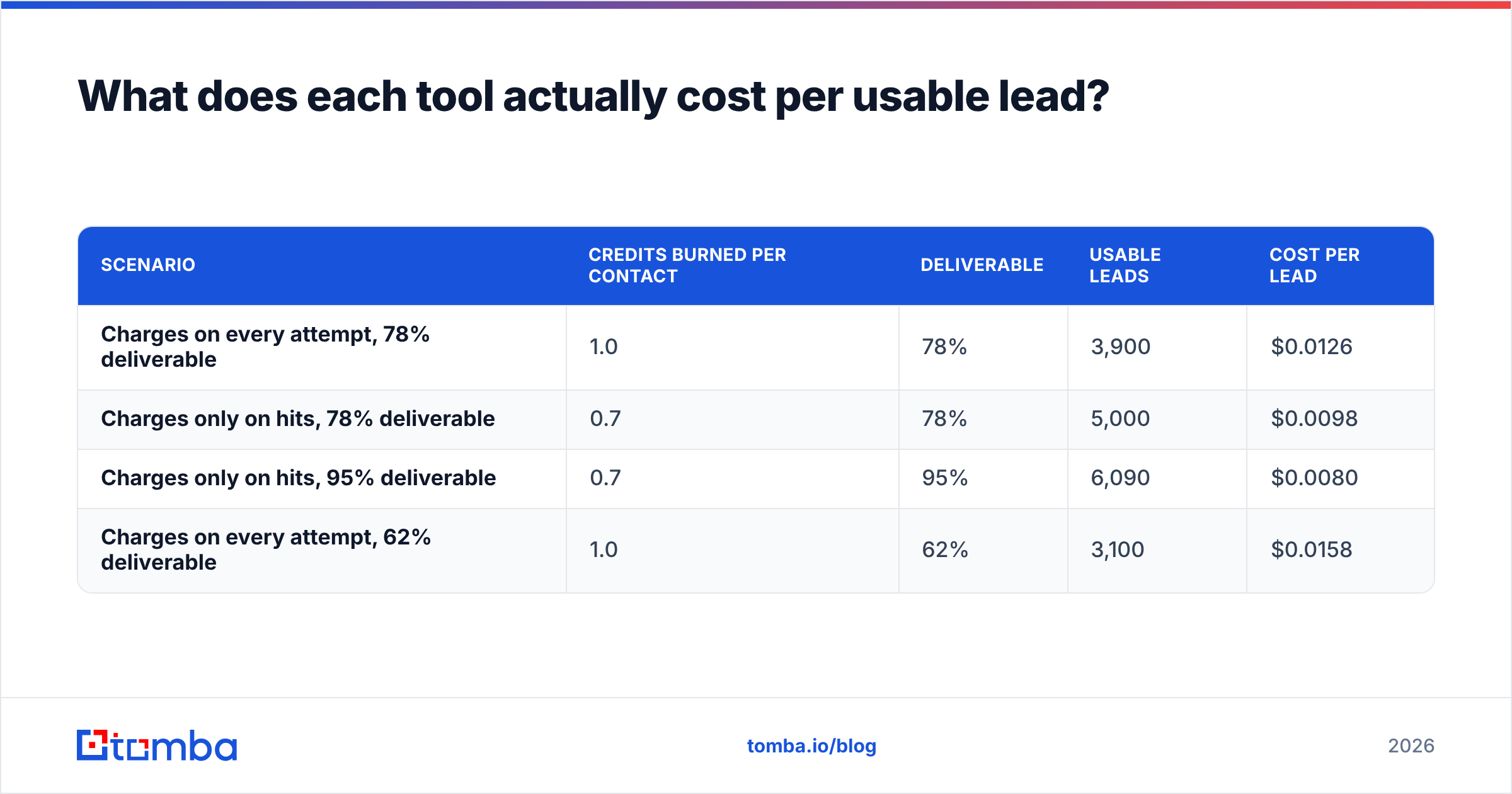
Worked example on a $49/mo plan with 5,000 credits:
| Scenario | Credits burned per contact | Deliverable | Usable leads | Cost per lead |
|---|---|---|---|---|
| Charges on every attempt, 78% deliverable | 1.0 | 78% | 3,900 | $0.0126 |
| Charges only on hits, 78% deliverable | 0.7 | 78% | 5,000 | $0.0098 |
| Charges only on hits, 95% deliverable | 0.7 | 95% | 6,090 | $0.0080 |
| Charges on every attempt, 62% deliverable | 1.0 | 62% | 3,100 | $0.0158 |
The spread between the best and worst row is roughly 2x — on the same headline price. That's why "Revli is cheaper" is an incomplete statement. Check the credit policy in the billing FAQ of whichever tool you're evaluating, and check whether verification consumes a separate credit. FindThatLead's suite pricing bundles the sender, which means you're partly paying for outbound infrastructure whether or not you use it. Compare that against a finder-only line item like Tomba pricing before deciding.
Is FindThatLead's all-in-one approach worth it?#
Sometimes. It depends on whether you already own a sender.
Arguments for the suite:
- One bill, one login. Real value if you're a two-person team and every extra SaaS seat is a decision.
- Shorter path from list to send. No CSV shuffling between find, verify, and sequence.
- Cheaper than buying Apollo-class tooling for the same combined function.
Arguments against:
- Native senders are usually the weakest part of a suite. Deliverability engineering — inbox rotation, warmup, spintax, reply detection — is a full product on its own. Suites rarely match dedicated platforms like Instantly or Smartlead here.
- You inherit the vendor's sending reputation. Shared infrastructure means someone else's spam complaints can affect your placement.
- Switching costs rise. When you outgrow the sender, you're migrating sequences, not just exporting a CSV.
If you already run a dedicated sequencer, FindThatLead's biggest differentiator is dead weight, and the comparison collapses to "which one finds better emails per dollar" — where the suite premium works against it.
Where does Revli fall short?#
Revli's simplicity is genuinely useful for the "I need twelve emails this week" use case. The free allowance means you can validate whether it works for your ICP before spending anything, which is more than most vendors offer.
The gaps show up at scale:
- Bulk ceilings. Upload caps and throughput limits become the bottleneck once you're processing thousands of rows a month.
- API depth. If you want to enrich contacts programmatically inside your CRM or a Clay-style workflow, a thin API is a hard stop.
- Catch-all ambiguity. Roughly a third of B2B domains now accept all mail at the server level. Marking those "unknown" pushes the decision back to you, and most teams just send anyway — which is exactly how bounce rates climb past 5%.
- No enrichment layer. You get an email, not a title, headcount, tech stack, or phone. Anything beyond the address requires another vendor and another reconciliation step.
- Thin integration surface. Fewer native connectors means more Zapier duct tape.
None of these are disqualifying for a freelancer. All of them are disqualifying for a team running 10,000 contacts a quarter.

How should you handle catch-all domains?#
This is the section most comparison posts skip, and it's where the majority of avoidable bounces originate.
A catch-all (or accept-all) domain is configured to accept mail sent to any address at that domain, valid or not. The SMTP handshake returns a 250 OK for ceo@company.com and for asdkjhasd@company.com alike. Standard verification can't distinguish them, so tools return "unknown", "risky", or "accept-all".
Three ways teams handle it:
- Skip them entirely. Safest, but you're discarding 25–40% of a typical mid-market list — often including your best-fit accounts, since larger companies are more likely to run catch-all.
- Send anyway and eat the bounces. Fastest, and the most common cause of a domain reputation collapse mid-quarter.
- Resolve them with secondary signals. Cross-reference the pattern against known-good addresses at the same domain, check for the person's presence in other verified sources, and score confidence rather than returning a binary. This is what a dedicated catch-all finder does, and neither FindThatLead nor Revli offers it as a first-class feature.
If more than a quarter of your target accounts sit behind catch-all servers — normal in enterprise SaaS, finance, and healthcare — this single capability outweighs every pricing difference in this article.
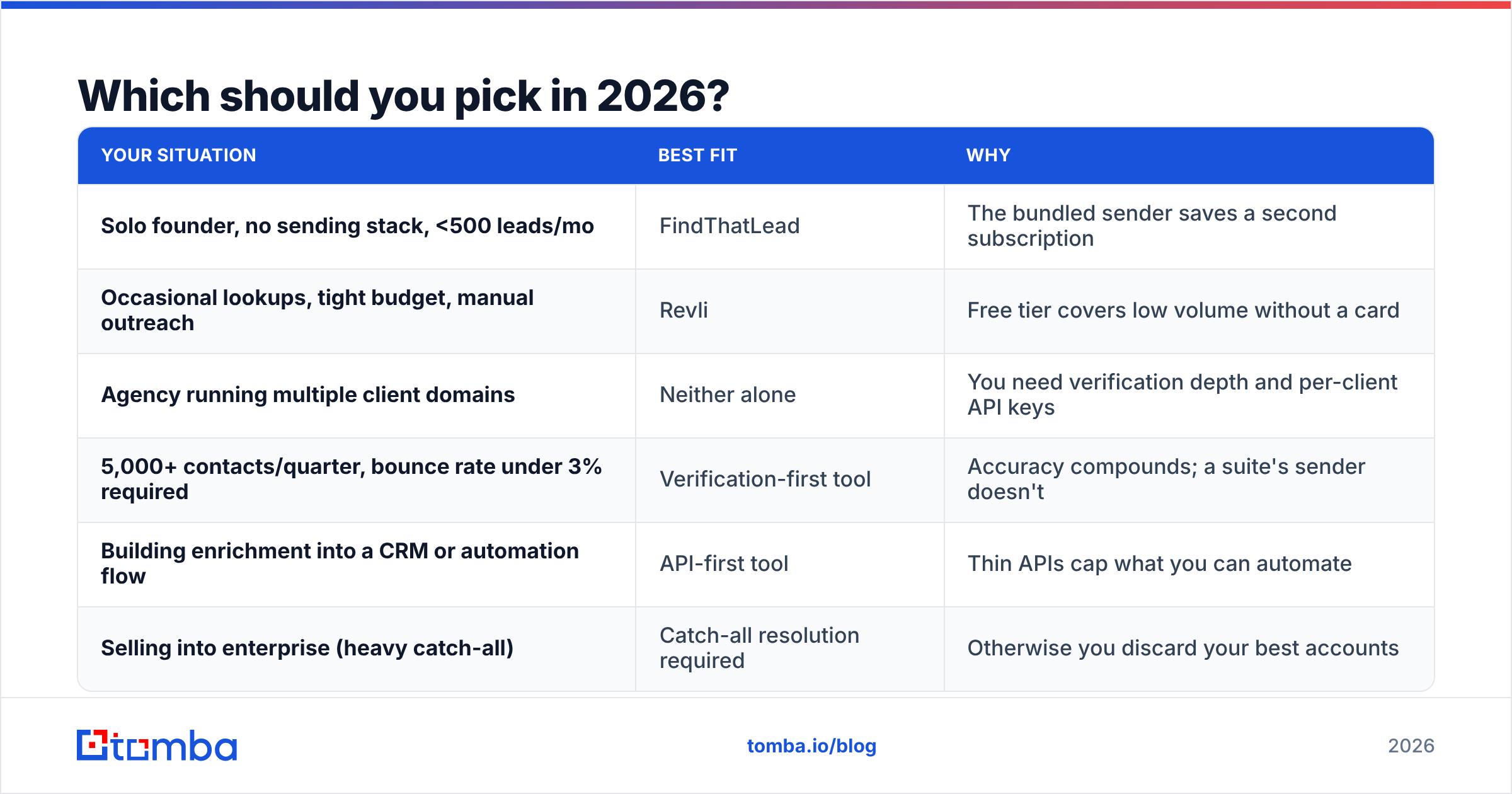
Which should you pick in 2026?#

Match the tool to the shape of your work:
| Your situation | Best fit | Why |
|---|---|---|
| Solo founder, no sending stack, <500 leads/mo | FindThatLead | The bundled sender saves a second subscription |
| Occasional lookups, tight budget, manual outreach | Revli | Free tier covers low volume without a card |
| Agency running multiple client domains | Neither alone | You need verification depth and per-client API keys |
| 5,000+ contacts/quarter, bounce rate under 3% required | Verification-first tool | Accuracy compounds; a suite's sender doesn't |
| Building enrichment into a CRM or automation flow | API-first tool | Thin APIs cap what you can automate |
| Selling into enterprise (heavy catch-all) | Catch-all resolution required | Otherwise you discard your best accounts |
A note on evaluation method: don't trust anyone's benchmark, including this one, without running your own. Take 200 contacts you already have confirmed addresses for — past customers, current pipeline, conference attendees — and blind-test each tool against them. Measure hit rate and match rate separately. You'll have a defensible answer in an afternoon, and it'll be specific to your ICP, which no public benchmark can be. Cross-check vendor claims on G2 too; review recency tells you a lot about whether a tool is actively maintained.
Also worth checking: whether the vendor documents where its data comes from. Sources determine coverage by geography and company size, and a vendor that won't publish its data sources is asking for trust it hasn't earned. GDPR posture matters here as well if you're prospecting into the EU.
What's the practical setup for most teams?#
Split the job. Use a finder for coverage, a verifier for safety, and a sequencer for sending — three specialists rather than one generalist. It costs marginally more in subscriptions and considerably less in burned domains.
A workable stack looks like this:
- Source — pull the account list from your ICP filters or a scraper.
- Find — run names and domains through a finder with a documented hit rate.
- Verify — pass everything through an independent verifier, including addresses the finder already marked valid.
- Segment — route catch-all and risky addresses to a low-volume test send, not your main sequence.
- Send — use a dedicated platform with inbox rotation and warmup.
- Measure — track bounce rate weekly, not per campaign. Reputation damage lags the send by days.
That fourth step is the one teams skip, and it's the cheapest insurance in outbound.
The bottom line#
FindThatLead is the better buy if you genuinely want the sender and you're small enough that consolidation beats specialization. Revli is the better buy if you need occasional addresses and refuse to pay a subscription for it. Both are reasonable at what they target.
Neither is the right answer if your outbound depends on list quality at volume — because both treat verification as a feature rather than the product, and catch-all resolution as somebody else's problem.
If that's your situation, start with the Tomba Email Finder. The free tier gives you 25 searches a month with no card, which is enough to blind-test it against whatever you're using now. Starter is $49/mo, Growth is $99/mo, and every plan includes verification, domain search, and full API access — so the accuracy check happens before the address reaches your sequencer, not after your bounce rate tells you it should have.
Related guides#
Ready to find emails that actually work?
Join 150,000+ professionals who stopped guessing and started sending. Free credits on signup — no credit card required.
Get the Tomba newsletter
Practical outbound tactics and product updates — once every two weeks.
About the author