FindThatLead vs Right Inbox: Which Tool Fits Your Outbound?
FindThatLead finds the contact. Right Inbox makes sure your email actually gets seen and followed up. Here's an honest breakdown of pricing, accuracy, overlap, and which one you should buy first in 2026.
TL;DR
- FindThatLead and Right Inbox are not real competitors. FindThatLead builds your list; Right Inbox improves what happens inside Gmail after you hit send.
- If your bottleneck is "I don't have enough qualified contacts," you need a finder. If it's "I send 40 emails and forget to follow up on 35," you need Right Inbox.
- FindThatLead bundles finding, verifying, and a light sender into one paid plan starting around $49/mo. Right Inbox is a Gmail extension costing roughly $8–$15/user/mo.
- Most teams end up running two tools anyway. The cheaper build is a dedicated finder plus a Gmail layer, not one bloated all-in-one.
- If accuracy and API access matter more than a built-in sender, a specialist finder like Tomba (free tier, then $49/mo) plus Right Inbox usually beats FindThatLead alone on both cost and bounce rate.
What are FindThatLead and Right Inbox, exactly?#
They solve two different halves of the same problem.
FindThatLead is a Spanish-built B2B prospecting platform. You give it a domain, a name, or a LinkedIn profile, and it returns a professional email address. It also ships a lead-search database, a Chrome extension, a bulk CSV processor, and a basic cold-email sender called Scrab.in-adjacent "Sender." It is a top-of-funnel tool: its job ends the moment a valid address lands in your CSV.
Right Inbox is a Gmail extension. It does not find anyone. It adds send-later scheduling, open and click tracking, recurring emails, private notes on threads, email sequences, signature management, and — the feature most people actually pay for — automatic follow-ups that cancel themselves when a reply lands. It is a bottom-of-funnel tool: its job starts the moment you have an address and something to say.
Comparing them head-to-head is a bit like comparing a fishing rod to a frying pan. Useful only if you're clear which one you're missing.
Are FindThatLead and Right Inbox even competitors?#
They overlap in exactly one place: sending.
FindThatLead includes a campaign sender. Right Inbox includes sequences. That is the whole intersection, and it's a thin one. FindThatLead's sender is a standalone campaign tool that sends from a connected mailbox, built for one-to-many blasts. Right Inbox's sequences live inside the Gmail compose window and are built for one-to-few, rep-driven outreach where each thread feels hand-written.
Which model you want depends on volume and deal size:
- Under 50 emails a day, ACV above $10k — you want Gmail-native. Right Inbox wins because every message goes out as a real, threaded, personal email from your primary inbox.
- 200+ emails a day, ACV under $2k — you want a dedicated sending platform with domain rotation and warmup. Neither of these is your best answer; you want a purpose-built sequencer.
- Mixed motion — reps sending manually plus a background nurture — you'll run a finder, Right Inbox for the rep motion, and something else for volume.
- Agency or freelancer, single mailbox — FindThatLead's bundle looks attractive on paper, but the sending side is the weakest part of the bundle.

How do the features compare side by side?#
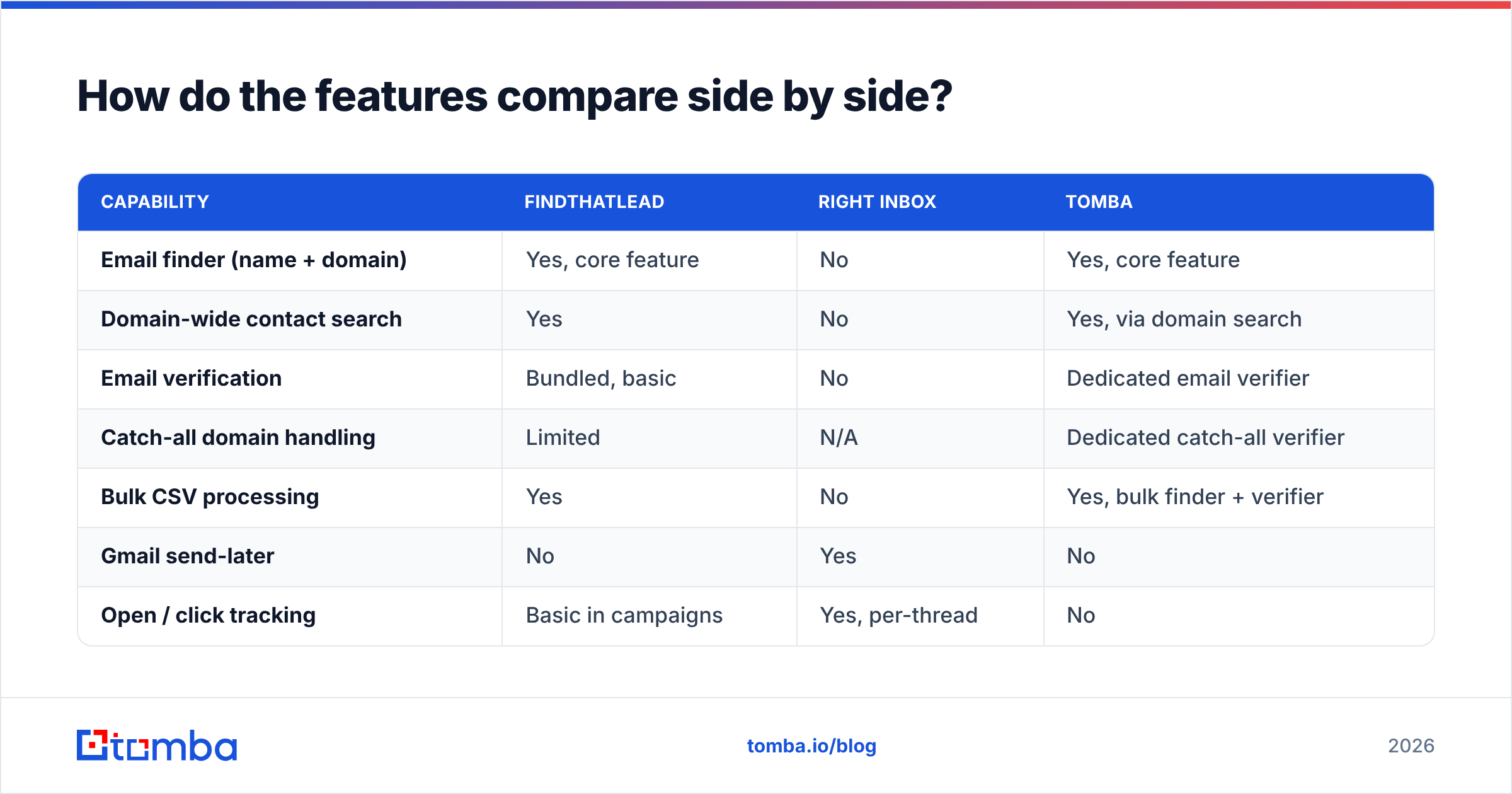
Here's the honest split. Nothing in this table is a knock on either tool; they were simply built for different jobs.
| Capability | FindThatLead | Right Inbox | Tomba |
|---|---|---|---|
| Email finder (name + domain) | Yes, core feature | No | Yes, core feature |
| Domain-wide contact search | Yes | No | Yes, via domain search |
| Email verification | Bundled, basic | No | Dedicated email verifier |
| Catch-all domain handling | Limited | N/A | Dedicated catch-all verifier |
| Bulk CSV processing | Yes | No | Yes, bulk finder + verifier |
| Gmail send-later | No | Yes | No |
| Open / click tracking | Basic in campaigns | Yes, per-thread | No |
| Auto follow-up that stops on reply | Campaign-level | Yes, thread-level | No |
| Private notes on Gmail threads | No | Yes | No |
| Recurring emails | No | Yes | No |
| Public REST API | Yes | No | Yes, documented email finder API |
| Chrome extension | Yes | Yes (is one) | Yes |
| Phone numbers | No | No | Yes |
| Free tier | Trial credits | 10 tracked emails/mo | 25 searches/mo |
The pattern is clear: the finder column and the sender column barely touch. Anyone telling you to pick one is selling you something.
What does each one cost in 2026?#
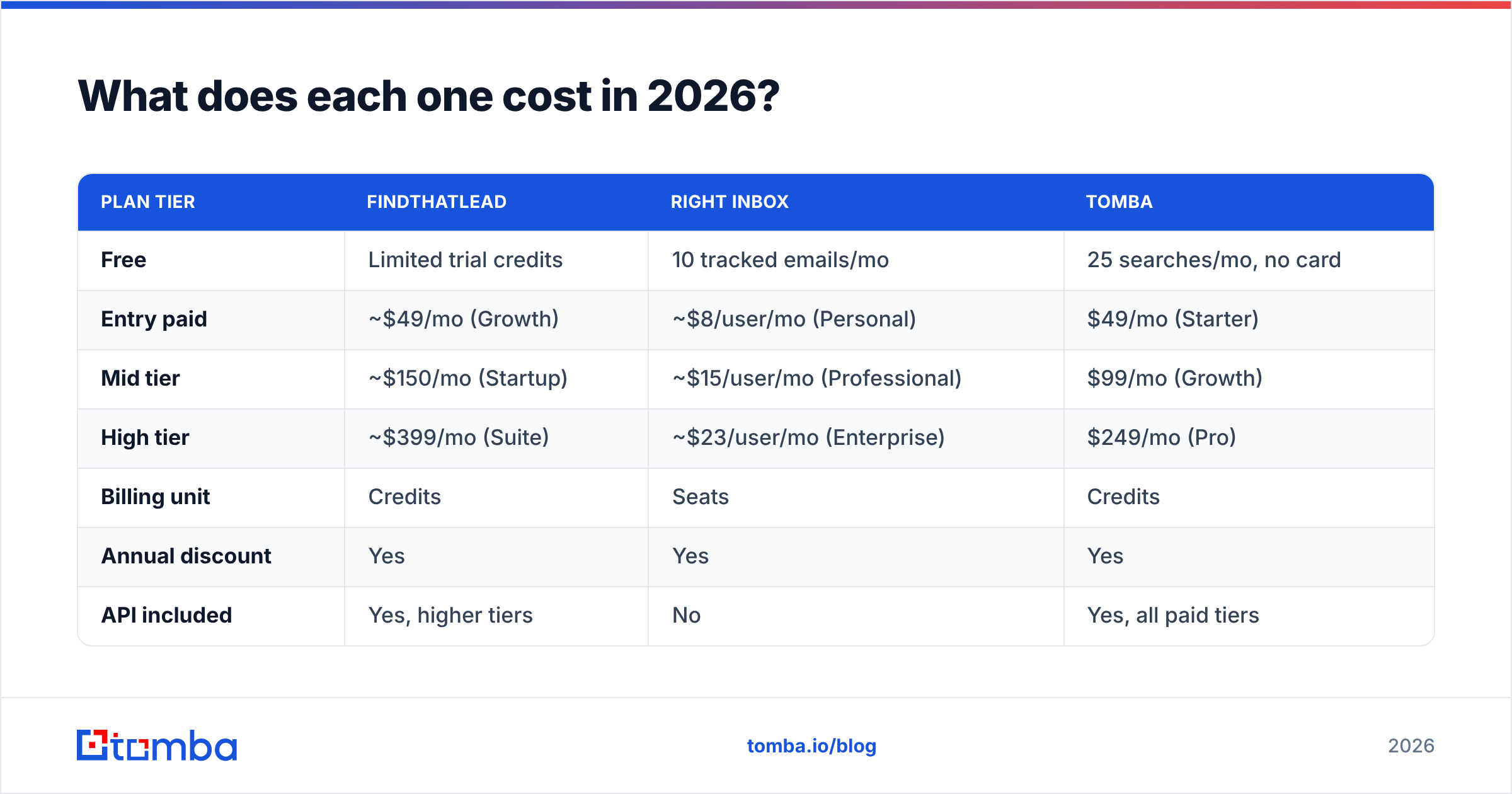
Prices shift, so treat these as directional and confirm on each vendor's page before you buy. The structural difference matters more than the exact dollar figure: FindThatLead charges per credit pool, Right Inbox charges per seat, and that changes how each scales.
| Plan tier | FindThatLead | Right Inbox | Tomba |
|---|---|---|---|
| Free | Limited trial credits | 10 tracked emails/mo | 25 searches/mo, no card |
| Entry paid | ~$49/mo (Growth) | ~$8/user/mo (Personal) | $49/mo (Starter) |
| Mid tier | ~$150/mo (Startup) | ~$15/user/mo (Professional) | $99/mo (Growth) |
| High tier | ~$399/mo (Suite) | ~$23/user/mo (Enterprise) | $249/mo (Pro) |
| Billing unit | Credits | Seats | Credits |
| Annual discount | Yes | Yes | Yes |
| API included | Yes, higher tiers | No | Yes, all paid tiers |
Two things to notice.
First, Right Inbox is cheap in absolute terms but multiplies by headcount. Ten reps on Professional is roughly $150/mo — the same as FindThatLead's mid tier, for a completely different capability. Budget for both, not either.
Second, credit-based finders punish waste. Every failed lookup and every unverified send burns money twice: once on the credit, once on your sender reputation. That's why the accuracy question below matters more than the price question.
How accurate is FindThatLead's data, really?#
Accuracy is where finders separate, and it's the single number worth stress-testing before you commit.
FindThatLead's public claim sits in the "up to 95%" range, which is standard marketing language across the category. Real-world results depend almost entirely on your ICP:
- US and Western European mid-market SaaS — most finders, FindThatLead included, do well here. Expect low single-digit bounce rates on verified results.
- SMB, local services, non-English domains — coverage drops hard. You'll see more "not found" results than bad results, which is the better failure mode but still costs you list size.
- Catch-all domains — this is the real differentiator. A catch-all server accepts every address, so naive verification returns "valid" for garbage. FindThatLead flags catch-alls but doesn't resolve them. Tools with a dedicated catch-all verifier resolve a meaningful share of those addresses instead of dumping them in a risky bucket.
- Enterprise with strict SPF/DMARC — verification is harder because the receiving server refuses SMTP probing. Pattern confidence plus multi-source corroboration matters more than a live handshake here.
The practical test: pull 100 contacts from an account list you already know well — customers, churned logos, anyone where you have verified addresses on file. Run them through any finder's free tier and score the hit rate yourself. Ten minutes of that beats a month of reading G2 reviews. Speaking of which, the G2 category listings are useful for spotting recurring complaints, less useful for accuracy numbers, which are almost never measured the same way twice.
What does Right Inbox actually do well?#
Follow-up discipline, and it's not close.
The single highest-ROI feature in Right Inbox is the auto-sequence that cancels on reply. Set three follow-ups spaced three, seven, and fourteen days out; if the prospect replies at any point, the remaining messages never send. That one behavior recovers the deals reps lose to their own memory. Industry data consistently shows the majority of positive replies land after the first message — HubSpot's sales research has been making this point for years, and nothing in the last decade has changed it.
The rest of the feature set is quietly practical:
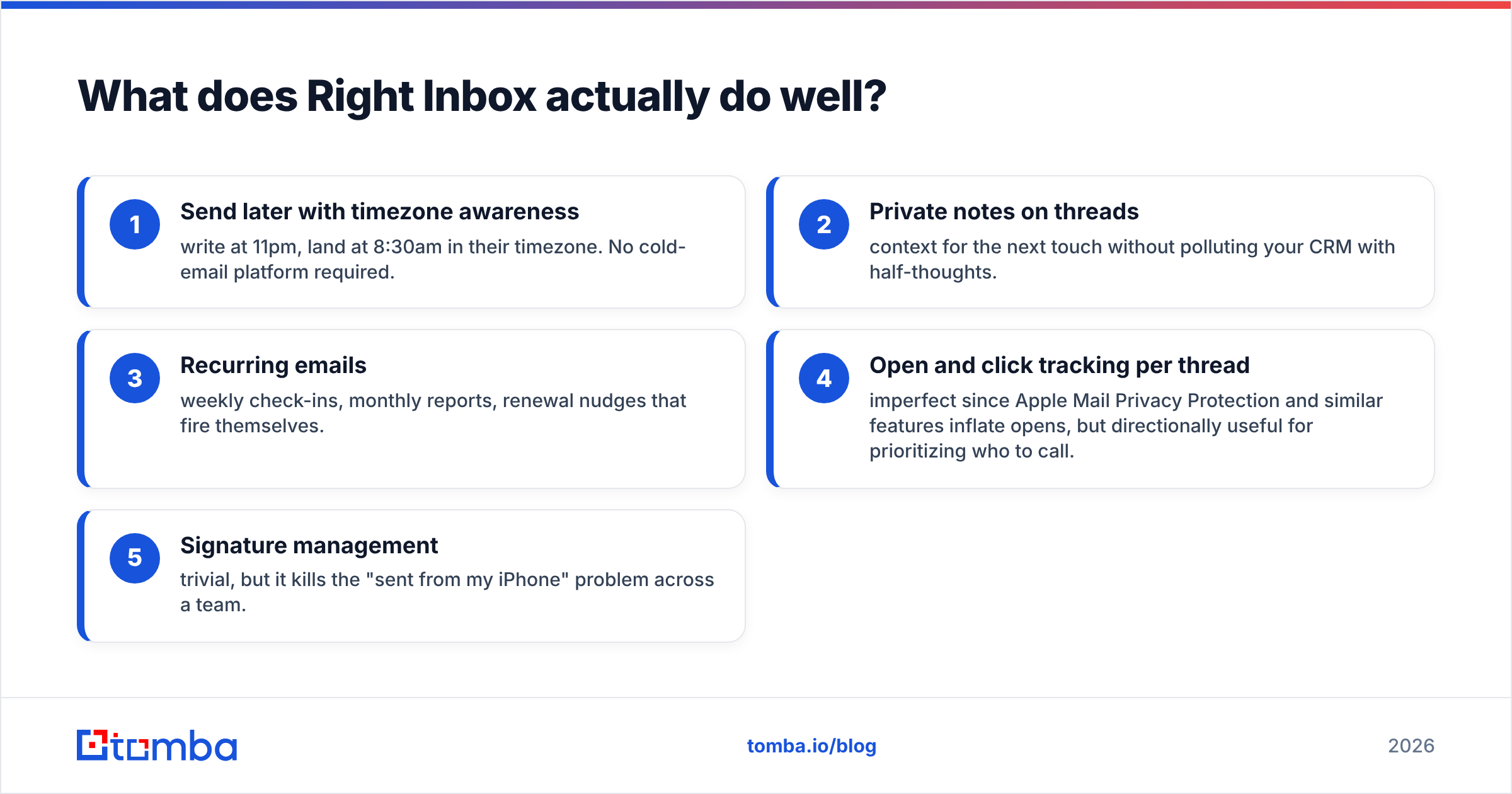
- Send later with timezone awareness — write at 11pm, land at 8:30am in their timezone. No cold-email platform required.
- Private notes on threads — context for the next touch without polluting your CRM with half-thoughts.
- Recurring emails — weekly check-ins, monthly reports, renewal nudges that fire themselves.
- Open and click tracking per thread — imperfect since Apple Mail Privacy Protection and similar features inflate opens, but directionally useful for prioritizing who to call.
- Signature management — trivial, but it kills the "sent from my iPhone" problem across a team.
What Right Inbox does not do: warm your domain, protect your email deliverability, or clean your list. Track opens on a list full of dead addresses and you'll get a beautiful dashboard sitting on top of a spam-folder problem.
Which one should you buy first?#
Answer three questions and the decision makes itself.
Do you have a list problem or a follow-through problem? If your reps are staring at a half-empty CRM, no amount of send-later scheduling helps. Buy the finder. If your pipeline is full and your reply rate is fine but deals go quiet and nobody notices for three weeks, buy Right Inbox.
How many mailboxes are you sending from? One or two mailboxes with high-value, hand-written outreach favors Right Inbox's Gmail-native model. Five or more mailboxes running structured campaigns means you need a real sequencer, and neither tool here is that.
Do you need programmatic access? If your RevOps team wants enrichment firing on form submit or a nightly job topping up contact records, you need an API. Right Inbox has none by design. FindThatLead has one on higher tiers. Specialist finders expose it on every paid tier, which matters when you're building data enrichment into your own workflow rather than clicking through a UI.
Is there a better stack than either alone?#
Usually, yes — and it costs about the same.
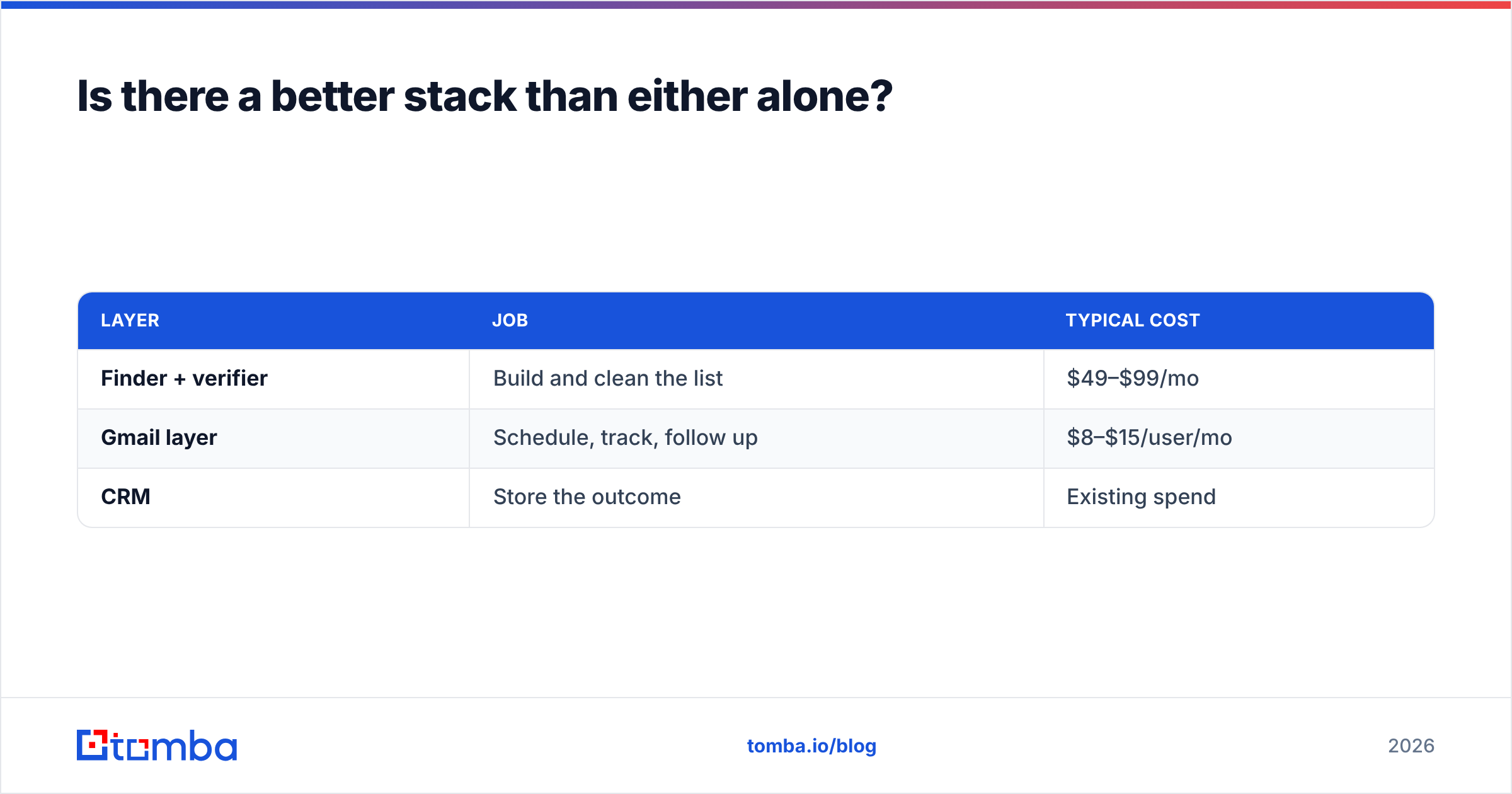
The pattern that works for most small B2B teams in 2026 is three layers, each doing one job well:
| Layer | Job | Typical cost |
|---|---|---|
| Finder + verifier | Build and clean the list | $49–$99/mo |
| Gmail layer | Schedule, track, follow up | $8–$15/user/mo |
| CRM | Store the outcome | Existing spend |
Where FindThatLead makes sense: you want one login, one invoice, and you'll accept a merely adequate sender to get it. That's a legitimate trade for a solo founder or a two-person agency.
Where the split stack wins: you care about bounce rate, you want an API, and you want your sending to look like a human wrote it from a real inbox. In that case you pair Right Inbox with a dedicated finder. Tomba fits that slot — a free tier at 25 searches/mo to test your ICP before paying, $49/mo Starter, $99/mo Growth, $249/mo Pro, plus verification, catch-all resolution, phone lookup, and an API on every paid tier. See the full Tomba pricing breakdown if you want to model it against FindThatLead's credit tiers.
Worth noting for teams that would rather buy a list than build one: purpose-built database vendors like BookYourData occupy a different, complementary slot again — pre-built verified contact lists rather than on-demand lookup. Different motion, different budget line, and a reasonable option if your ICP is stable and well-covered.
What should you check before committing to either?#
Five things, in order:
- Run the same 100 test contacts through every finder's free tier. Score hit rate and bounce rate yourself. Vendor accuracy claims are unfalsifiable marketing; your own list is not.
- Check catch-all handling explicitly. Ask what happens to a catch-all domain. "We flag it" and "we resolve it" are very different products.
- Confirm credit rollover and refund policy. Some finders refund credits on a failed lookup; others don't. Over a year, that's a meaningful percentage of spend.
- Test Right Inbox's free tier for a full week. Ten tracked emails a month is enough to know whether the follow-up automation changes your behavior. If it doesn't, don't buy it.
- Verify before you send, every time. Even a great finder's output ages. Bounces above 3% start damaging your domain, and no tracking dashboard will tell you that's happening until it already has.
The verdict#
FindThatLead vs Right Inbox is a false choice for most teams. FindThatLead is a competent, mid-priced all-in-one that trades sending quality for bundle convenience. Right Inbox is a focused, inexpensive Gmail layer that does follow-up discipline better than tools costing ten times more — and does nothing at all about your list.
Buy Right Inbox if your problem is downstream. Buy a finder if your problem is upstream. And if you're buying a finder, don't buy the bundled one just because it also sends email — that's the part of FindThatLead you're most likely to replace within six months.
Start with the list. Test Tomba Email Finder free at 25 searches per month, run your own accuracy test against contacts you already know, and pair it with whatever sending layer fits your motion. A verified list makes every downstream tool look better; an unverified one makes all of them look broken.
Related guides#
Ready to find emails that actually work?
Join 150,000+ professionals who stopped guessing and started sending. Free credits on signup — no credit card required.
Get the Tomba newsletter
Practical outbound tactics and product updates — once every two weeks.
About the author