FindThatLead vs Tomba (2026): Which Email Finder Wins?
FindThatLead bundles prospecting with a cold email sender. Tomba goes deep on finding and verifying addresses. Here's the honest breakdown of pricing, accuracy, API depth, and which one fits your workflow.
TL;DR
- FindThatLead is a prospecting-plus-sending suite: find leads, build a list, then blast a sequence from the same dashboard. Convenience is the product.
- Tomba is a data engine: email finder, verifier, domain search, catch-all handling, and enrichment, exposed through a serious API. Accuracy and integration depth are the product.
- Pick FindThatLead if you want one tab for everything and your volumes are modest. Pick Tomba if bounce rate is a line item you get yelled about, or if you're piping contacts into a CRM, Clay table, or your own app.
- Pricing shape differs: FindThatLead sells credits bundled with sending seats; Tomba sells search + verification credits (Free 25/mo, Starter $49/mo, Growth $99/mo, Pro $249/mo).
- The expensive mistake is not picking wrong — it's sending to unverified addresses from either tool. Verify before send, always.
What are FindThatLead and Tomba, actually?#
FindThatLead (findthatlead.com) started as a Chrome-extension email finder and grew into a small outbound suite. Today it does lead search by domain or role, a LinkedIn extractor, basic verification, and — the part that defines it — a built-in cold email sender with drip sequences. It's aimed at founders and small agencies who want to go from "I need 500 SaaS marketing managers" to "emails are sending" without stitching tools together.
Tomba (tomba.io) went the other direction. Instead of adding a sender, it went deeper on the data layer: pattern detection across a large crawled index, SMTP-level verification, a catch-all verifier for domains that accept everything, phone finder, data enrichment, plus delivery surfaces most finders skip — REST API, CLI, MCP server, Google Sheets, Excel, Airtable, and a browser extension.
That's the whole comparison in one sentence: one tool wants to be your outbound app, the other wants to be the contact data layer underneath whatever app you already use.
How do FindThatLead and Tomba compare feature by feature?#
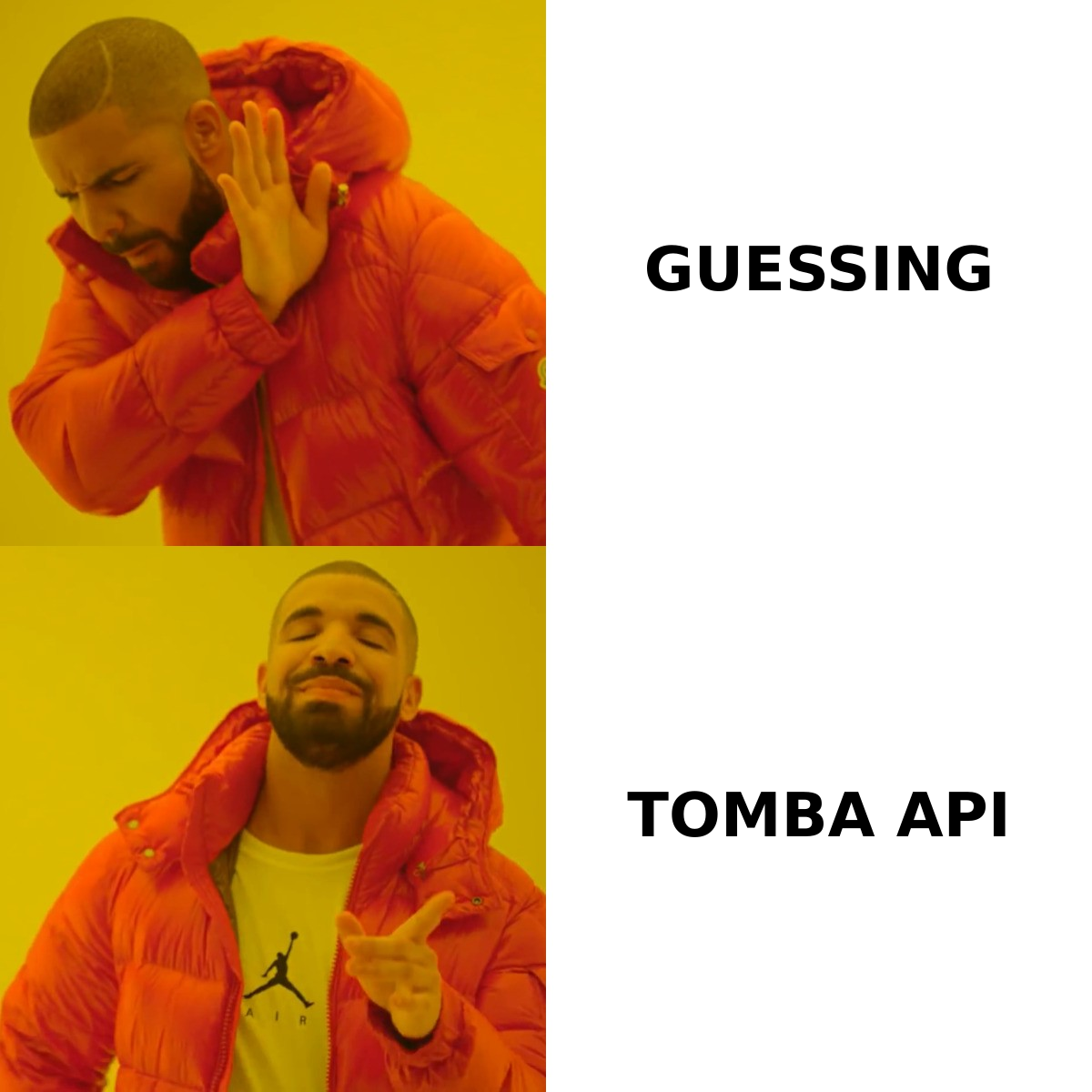
Here's the side-by-side on the attributes that actually change your workflow.
| Attribute | FindThatLead | Tomba |
|---|---|---|
| Core positioning | Prospecting + cold email sender in one | Email finding, verification, enrichment (data layer) |
| Free tier | Limited trial credits | 25 searches/mo, no card |
| Entry paid plan | ~$49/mo range (credits + sending seat) | Starter $49/mo |
| Mid tier | ~$99/mo range | Growth $99/mo |
| Higher tier | Agency/scale plans | Pro $249/mo, Enterprise custom |
| Built-in email sending | Yes — sequences, drip campaigns | No — integrates with your sender |
| Email verification | Basic, bundled | Dedicated verifier + catch-all verifier |
| Domain search | Yes | Yes, with pattern confidence + sources |
| Phone numbers | Limited | Phone finder + phone validator |
| API | Available, narrower surface | Full REST API, CLI, MCP server, bulk endpoints |
| Spreadsheet add-ons | Limited | Google Sheets, Excel, Airtable |
| Best for | Solo founders, small agencies wanting one tab | RevOps, dev teams, agencies with own sender |
The row that decides most evaluations is "built-in email sending." If you don't already have a sender you like, FindThatLead removes a purchase decision. If you already run Instantly, Smartlead, Lemlist, HubSpot, or Salesforce sequences, that bundled sender is dead weight you're paying for — and you'd be better off buying data quality directly.
Which one finds more valid email addresses?#
Neither vendor's headline accuracy number should be taken at face value, and that includes Tomba's. Every email-finder benchmark you'll read — including this one — depends entirely on which domains got tested.

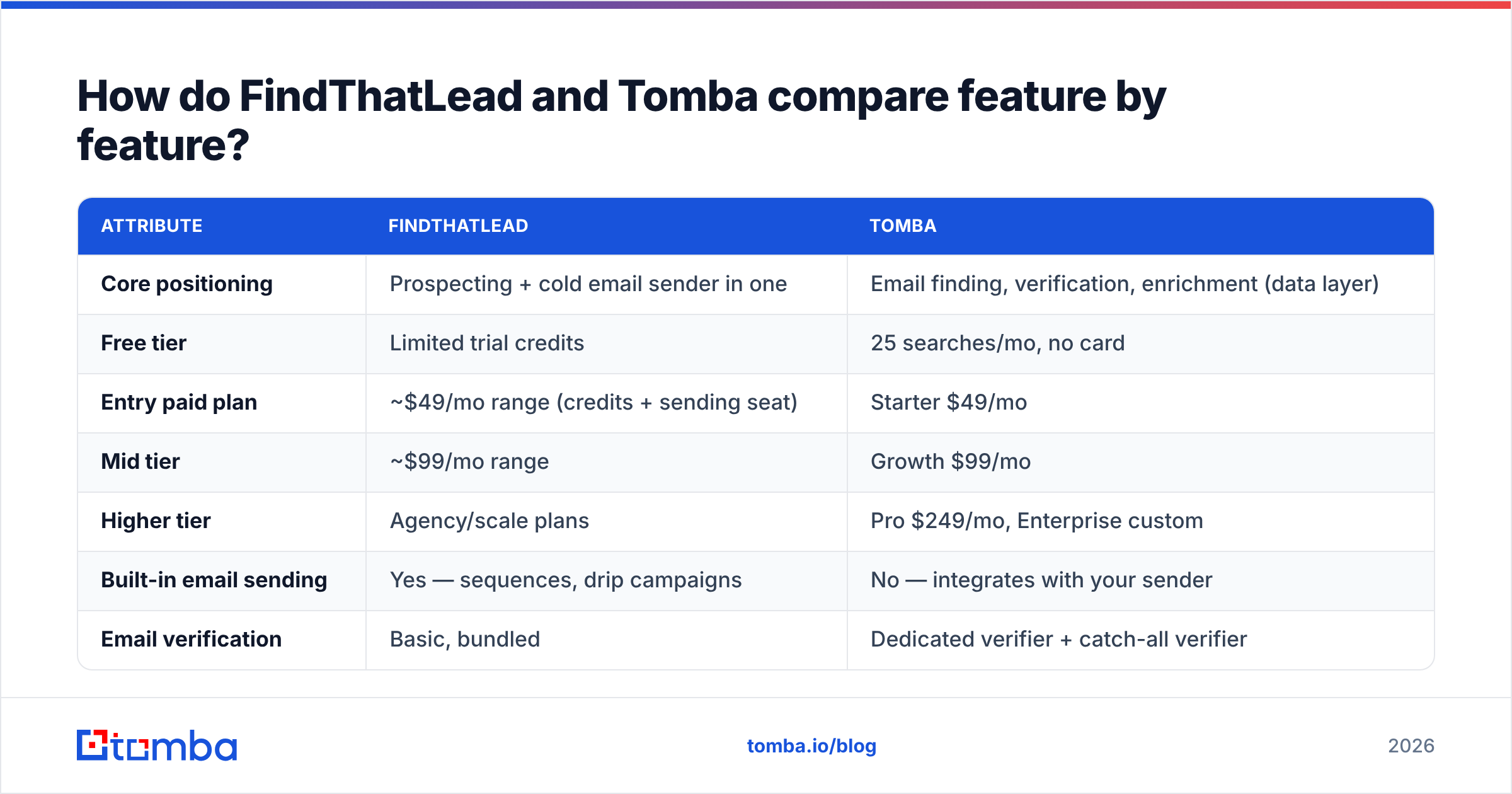
What actually drives real-world hit rate:
- Index freshness. Contact data decays roughly 25–30% a year as people change jobs. A tool that crawled a domain 18 months ago will confidently hand you a dead mailbox. Ask any vendor when a record was last seen, not just whether it exists.
- Pattern inference quality. Most B2B mailboxes follow a company pattern (
first.last@,flast@,first@). The finder's job is detecting the pattern from known addresses on that domain, then applying it. Tomba exposes the detected pattern and the sources it inferred from; you can sanity-check it with the company email pattern tool before trusting a whole list. - Catch-all handling. Roughly a fifth of B2B domains accept mail to any address, so SMTP verification returns "valid" for garbage. Tools that don't distinguish catch-all from confirmed-valid will inflate their own accuracy stats — and your bounce rate.
- Honest "not found" responses. A tool that returns a guessed address with no confidence score is not more accurate; it's less honest. You want a null over a fabrication.
- Verification depth at the same vendor. Finding and verifying in one system means the verifier can consult the same evidence the finder used, instead of re-deriving everything from an SMTP handshake.
In practice: on well-known mid-market and enterprise domains, both tools perform similarly — that's the easy 70%. The gap opens on small companies, non-US domains, and catch-all providers, where Tomba's separate email verifier and catch-all logic give you a graded answer instead of a coin flip. FindThatLead's verification is fine as a first pass, but most teams running serious volume still push lists through a dedicated verifier before send.
Is FindThatLead's built-in sender worth it?#
Sometimes. It depends on one question: how much do you care about deliverability?
A bundled sender inside a prospecting tool is optimized for convenience, not for inbox placement. Dedicated cold email platforms have spent years on inbox rotation, warmup pools, spintax, reply detection, and bounce throttling. Bundled senders typically ship a subset.
Three scenarios:
- You send under ~500 emails/month from one domain. The bundled sender is genuinely fine and saves you $30–100/mo. FindThatLead wins on total cost of ownership.
- You send 2,000+/month across multiple domains. You need real warmup, per-inbox throttling, and reputation monitoring. You'll buy a dedicated sender anyway — so buy data separately and better.
- You're an agency running client campaigns. You need client-level separation, per-client reporting, and a data source you can plug into whatever stack the client already has. This is where an API-first data provider plus your own sender wins clearly.
Whatever you pick, email deliverability is decided long before the finder — by your SPF/DKIM/DMARC setup, domain age, and list hygiene. Google and Yahoo's bulk-sender requirements made a sub-0.3% spam complaint rate a hard gate, and Google's own sender guidelines spell out authentication as non-negotiable. No email finder saves a misconfigured domain.
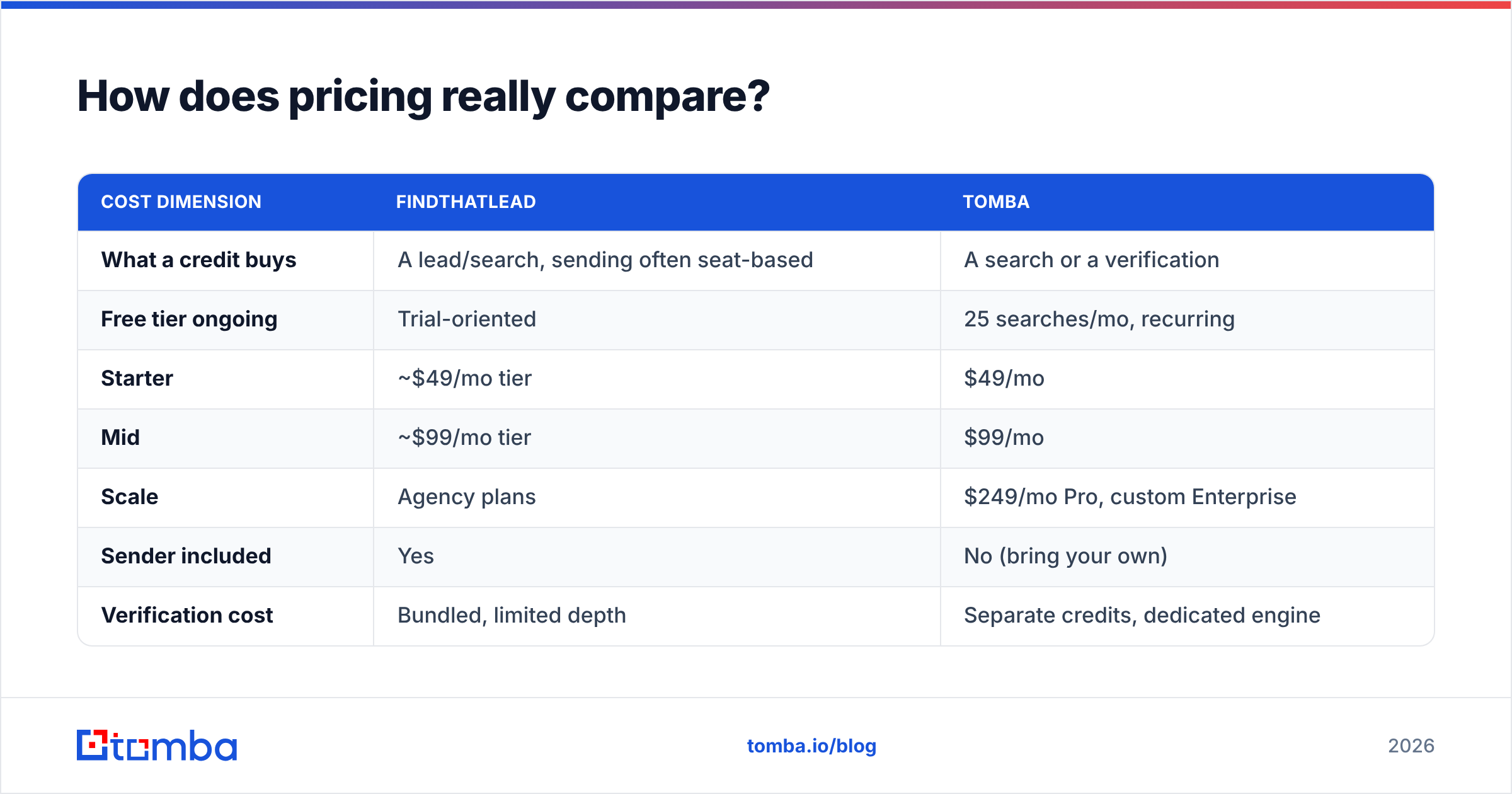
How does pricing really compare?#
Both land near the same headline numbers, but they're selling different units, which makes list-price comparison misleading.
| Cost dimension | FindThatLead | Tomba |
|---|---|---|
| What a credit buys | A lead/search, sending often seat-based | A search or a verification |
| Free tier ongoing | Trial-oriented | 25 searches/mo, recurring |
| Starter | ~$49/mo tier | $49/mo |
| Mid | ~$99/mo tier | $99/mo |
| Scale | Agency plans | $249/mo Pro, custom Enterprise |
| Sender included | Yes | No (bring your own) |
| Verification cost | Bundled, limited depth | Separate credits, dedicated engine |
| API access | Higher tiers | Included, full API |
| Bulk processing | Limited | Bulk email finder + bulk verify |
Do the math on the whole stack, not the line item. A $49/mo finder plus a $37/mo sender is $86 — cheaper than a $99 bundle only if you actually use both halves. Conversely, if you're paying for a bundled sender you never open, you're paying a convenience tax on features you've already bought elsewhere. Check current Tomba pricing and FindThatLead's page directly; both change tiers more often than blog posts get updated.
The hidden cost nobody quotes: wasted credits on bad data. If 12% of found addresses bounce, you didn't just lose 12% of credits — you burned domain reputation, which costs weeks of throttled sending to repair. That's why verification isn't an upsell, it's insurance.
Who should choose which tool?#
Choose FindThatLead if:
- You're a solo founder or two-person team and want one login, one bill, one dashboard.
- Your monthly volume is low enough that a bundled sender's deliverability ceiling won't hurt you.
- You don't have engineering resources and won't touch an API.
- You value "good enough data, zero setup" over precision.
Choose Tomba if:
- You already own a sending platform and need the data layer to be excellent.
- You need an API, CLI, or MCP server to enrich records inside your own product or workflow — email finder API access is on paid plans rather than gated to enterprise.
- You work with catch-all-heavy industries (finance, healthcare, enterprise IT) where naive verification lies to you.
- You need bulk verify before every send, or you're syncing to HubSpot / Salesforce / Pipedrive continuously.
- You want spreadsheet-native workflows — pulling contacts straight into Google Sheets beats CSV round-trips.
Choose neither if: you need intent data, firmographic filtering at ICP scale, and a built-in dialer. That's Apollo/ZoomInfo territory — and worth reading a dedicated Apollo alternative comparison before you commit budget there. Also worth noting: if your need is purchased, pre-verified B2B lists rather than on-demand lookup, a list vendor like BookYourData solves a different problem well and isn't really competing with either tool here.

How do you test both before committing?#
Don't trust anyone's benchmark, including this post. Run a 30-minute test with your own data:
- Build a 50-contact control set from your existing CRM — people whose addresses you already know are valid because they've replied to you. Strip the emails out.
- Run the same 50 names + domains through both tools. Record: found vs not found, and whether the found address matches your known-good one.
- Add 20 hard cases — small companies, non-English domains, and at least five known catch-all domains. This is where tools separate.
- Score three numbers: coverage (% found), precision (% correct among found), and honesty (% of misses returned as "not found" rather than a confident wrong guess).
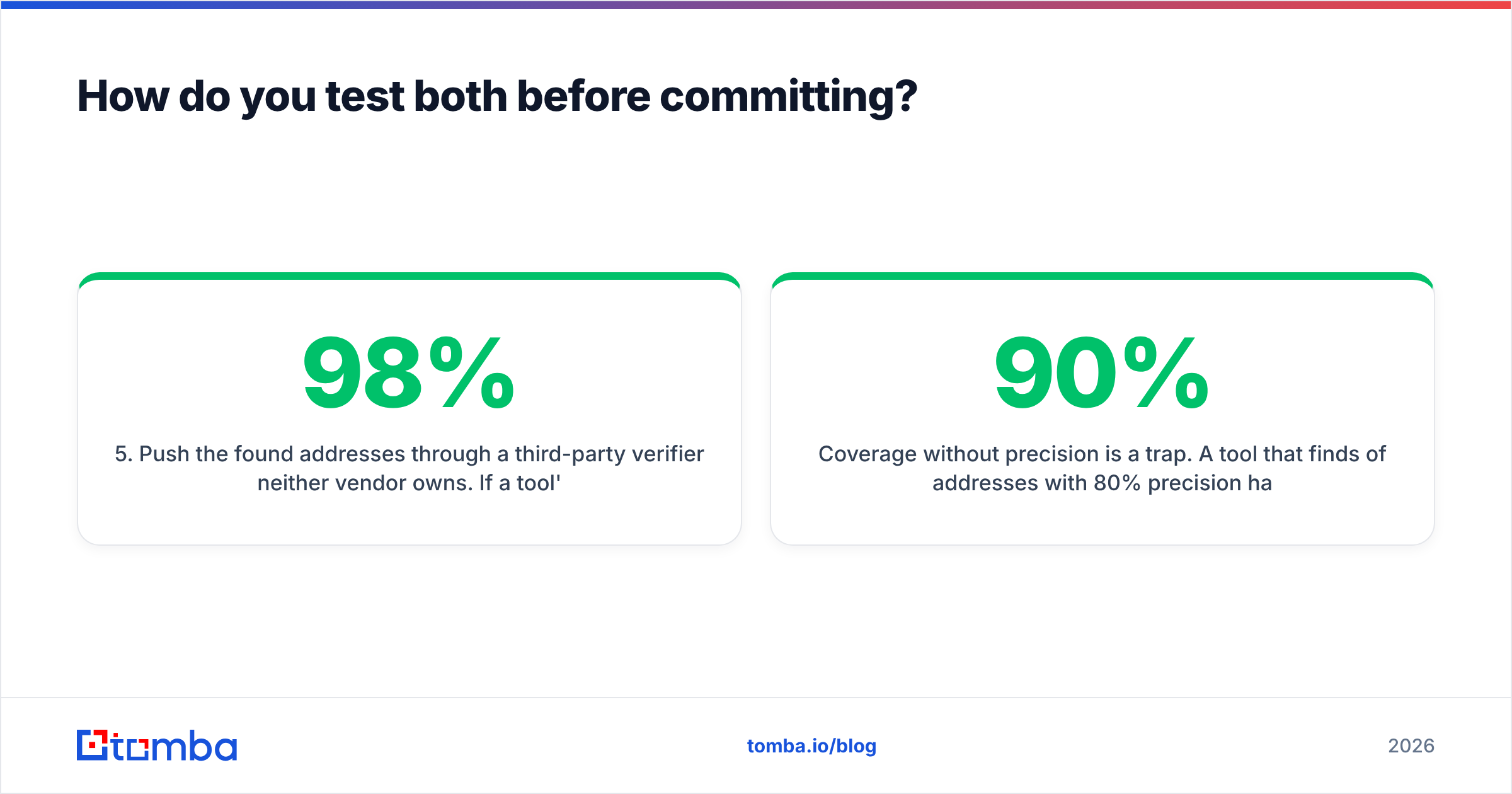
- Push the found addresses through a third-party verifier neither vendor owns. If a tool's own verifier says 98% valid and an independent one says 84%, you've learned something important.
- Check the failure mode. Send 20 messages to the "found but unverified" bucket from a throwaway domain and count hard bounces. That number is your real risk.
Coverage without precision is a trap. A tool that finds 90% of addresses with 80% precision hands you more bounces than one that finds 70% at 96% precision. Independent user reviews on G2 and Capterra are useful for spotting support and billing complaints, but they won't tell you which tool is accurate on your ICP. Only your control set does that.
What's the verdict for 2026?#
FindThatLead wins on convenience for small, low-volume teams. One tool, one bill, and you're sending by lunchtime. If your outbound is a side motion rather than a core channel, that simplicity is worth real money.
Tomba wins on data quality, integration depth, and cost efficiency at scale. If outbound is how you make your number, the sending layer is a solved commodity — you'll buy the best one regardless. What isn't commoditized is contact accuracy, catch-all handling, and being able to call an API from your own systems instead of exporting CSVs forever.
The realistic split: teams under 500 sends/month and no engineering time lean FindThatLead. Teams with a real sending stack, agencies juggling client accounts, and anyone building enrichment into a product lean Tomba.
One last thing that applies either way: verify before you send. Not after the campaign, not "we'll clean it next quarter." The email verifier step costs pennies and protects the one asset you can't buy back — your sending domain's reputation.
Ready to test the data layer yourself? Start with the Tomba Email Finder free tier — 25 searches a month, no card required. Run your own 50-contact control set against it, compare the results to whatever you're using now, and let the precision number decide instead of a pricing page. If it holds up on your ICP, Starter at $49/mo scales with you; if it doesn't, you've lost half an hour and learned something concrete about your data.
Related guides#
Ready to find emails that actually work?
Join 150,000+ professionals who stopped guessing and started sending. Free credits on signup — no credit card required.
Get the Tomba newsletter
Practical outbound tactics and product updates — once every two weeks.
About the author