FindThatLead vs Truemail: Full 2026 Comparison and Verdict
One tool finds email addresses. The other only tells you whether an address is real. Here is how FindThatLead and Truemail actually compare on coverage, accuracy, pricing and API quality in 2026 — and when neither is the right answer.
TL;DR
- FindThatLead and Truemail are not really competitors — FindThatLead is a prospecting suite that finds addresses, Truemail is a verification engine that checks them. Comparing them head-to-head only makes sense if you are deciding which half of the problem to buy first.
- If you already have a list (scraped, exported from a CRM, bought from a data vendor), Truemail is the cheaper, more focused purchase. Pay-as-you-go verification credits beat a full seat license you will not use.
- If you have nothing but company domains and job titles, Truemail is useless to you. You need a finder — FindThatLead, or a finder that verifies inline.
- The real trap is buying both: a finder subscription plus a verifier subscription plus a sender, three logins, three credit pools, and no single source of truth on which contact is deliverable.
- Tools that combine find + verify + catch-all handling in one credit pool (Tomba among them) usually undercut the two-tool stack on total cost and cut a whole export/import step out of your workflow.
What are FindThatLead and Truemail, exactly?#
They solve two different halves of the same problem.
FindThatLead is a Barcelona-based prospecting platform. Its core loop is: give it a domain, a name, or a set of filters, and it returns business email addresses. On top of that it layers a Prospector (search by role, industry, location), a lead search from LinkedIn URLs, and a basic email sending module so you can go from list to campaign inside one product. You can see the current feature set on the FindThatLead site.
Truemail is an email verification service. You feed it addresses you already have — via CSV upload, API call, or integration — and it tells you whether each one is valid, invalid, risky, or a catch-all. It does syntax checks, MX record lookups, SMTP handshakes, disposable-domain detection, and role-account flagging. It does not find anything. Details are on truemail.io.
So the honest framing of "FindThatLead vs Truemail" is not "which is better" — it is "which gap in my pipeline is bigger right now?"
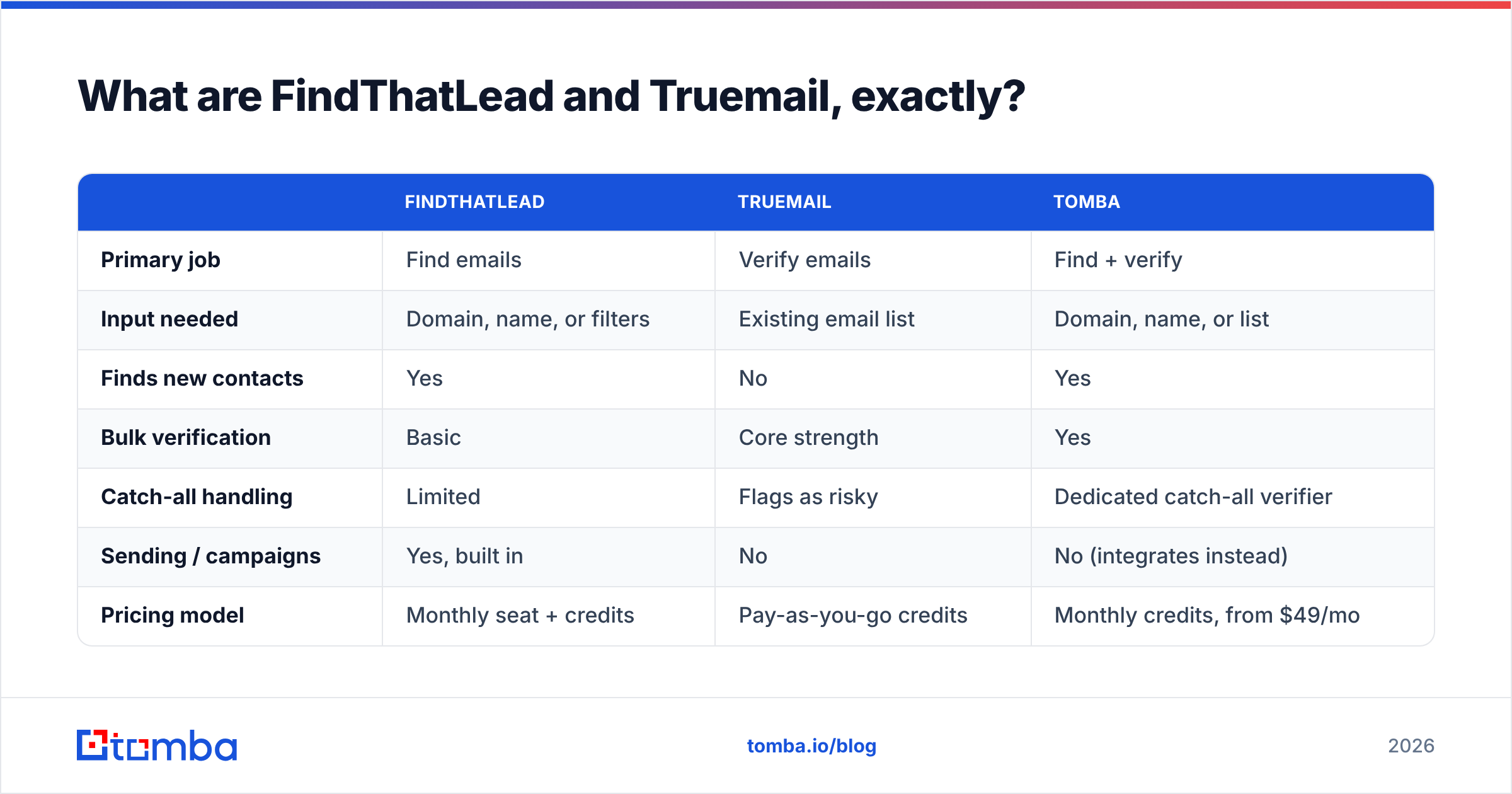
| FindThatLead | Truemail | Tomba | |
|---|---|---|---|
| Primary job | Find emails | Verify emails | Find + verify |
| Input needed | Domain, name, or filters | Existing email list | Domain, name, or list |
| Finds new contacts | Yes | No | Yes |
| Bulk verification | Basic | Core strength | Yes |
| Catch-all handling | Limited | Flags as risky | Dedicated catch-all verifier |
| Sending / campaigns | Yes, built in | No | No (integrates instead) |
| Pricing model | Monthly seat + credits | Pay-as-you-go credits | Monthly credits, from $49/mo |
| Free tier | Trial credits | Trial credits | 25 searches/mo, no card |
| API | Yes | Yes | Yes, documented |

How does the pricing actually compare?#
Pricing on both products shifts, so treat the shape of the model as the durable insight, not the exact number — always confirm on the vendor's live pricing page before you commit.
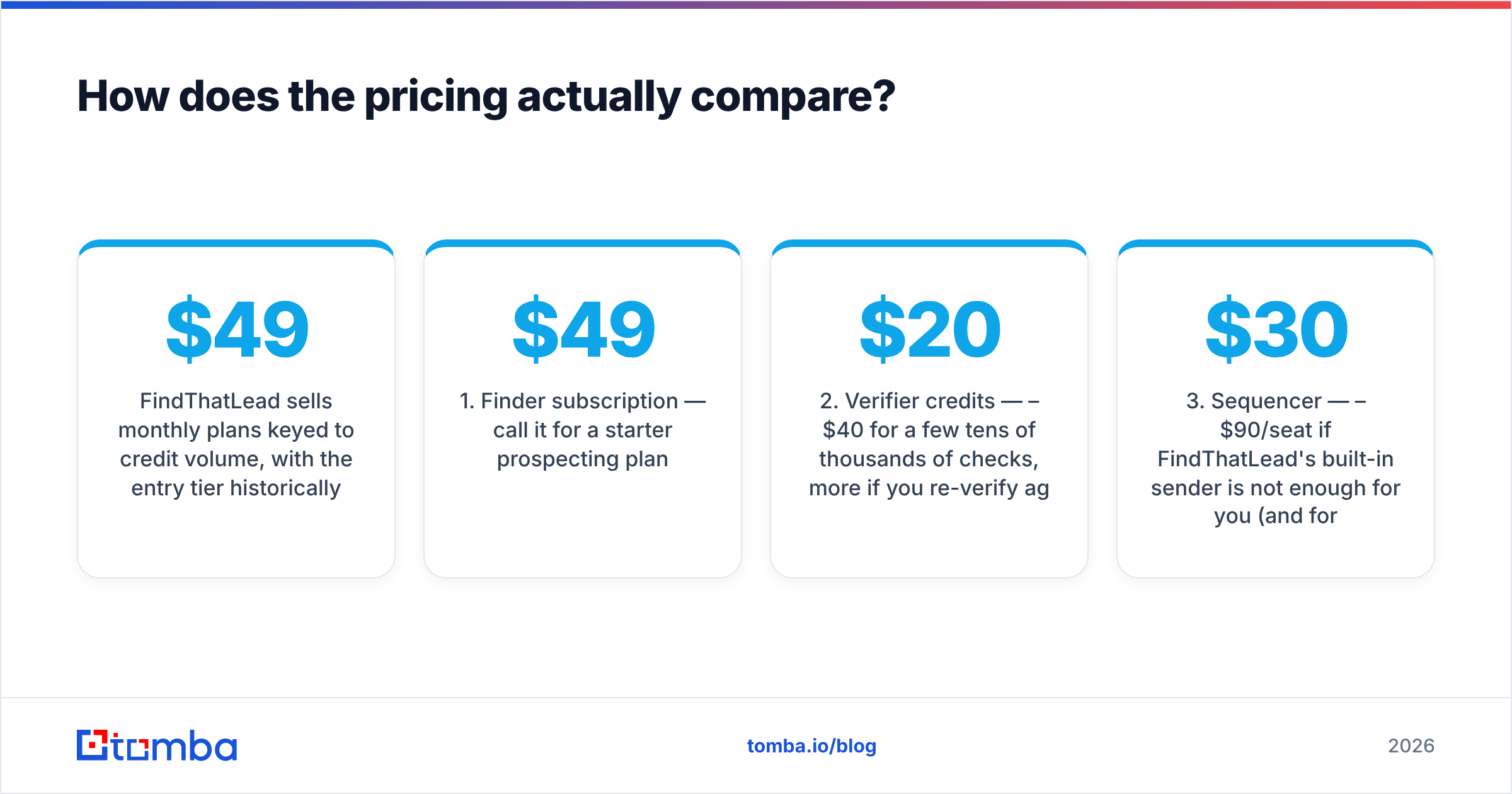
FindThatLead sells monthly plans keyed to credit volume, with the entry tier historically landing around $49/mo and mid-tier plans stepping up into the low hundreds. Credits are consumed by searches, and — this is the part people miss — a search that returns nothing can still consume budget depending on the plan mechanics. The sending module is bundled, which is genuinely useful if you have no sequencer yet and a liability if you already pay for one.
Truemail sells verification credits, typically pay-as-you-go with volume discounts, in the fractions-of-a-cent-per-check range. That model is excellent when your verification need is spiky — you clean a 40,000-row list once a quarter and then go quiet. It is a bad fit when you want a fixed monthly line item that also covers discovery.
Now do the arithmetic on the stack:
- Finder subscription — call it $49/mo for a starter prospecting plan.
- Verifier credits — $20–$40/mo for a few tens of thousands of checks, more if you re-verify aggressively.
- Sequencer — $30–$90/seat if FindThatLead's built-in sender is not enough for you (and for most teams past ten seats, it is not).
- The hidden cost — the export/import step. Someone on your team downloads a CSV from the finder, uploads it to the verifier, waits, downloads the result, re-uploads to the CRM. That is 20–40 minutes per list, every list, forever.
Item 4 is the one nobody budgets for and the one that actually decides whether the two-tool stack survives contact with a busy quarter.
For reference, Tomba pricing runs Free (25 searches/mo), Starter $49/mo, Growth $99/mo, Pro $249/mo, and Enterprise custom — with finding and verification drawing from the same pool, which removes step 4 from the list above.
Which one is more accurate?#
Accuracy means two different things here, and conflating them is how people end up disappointed.
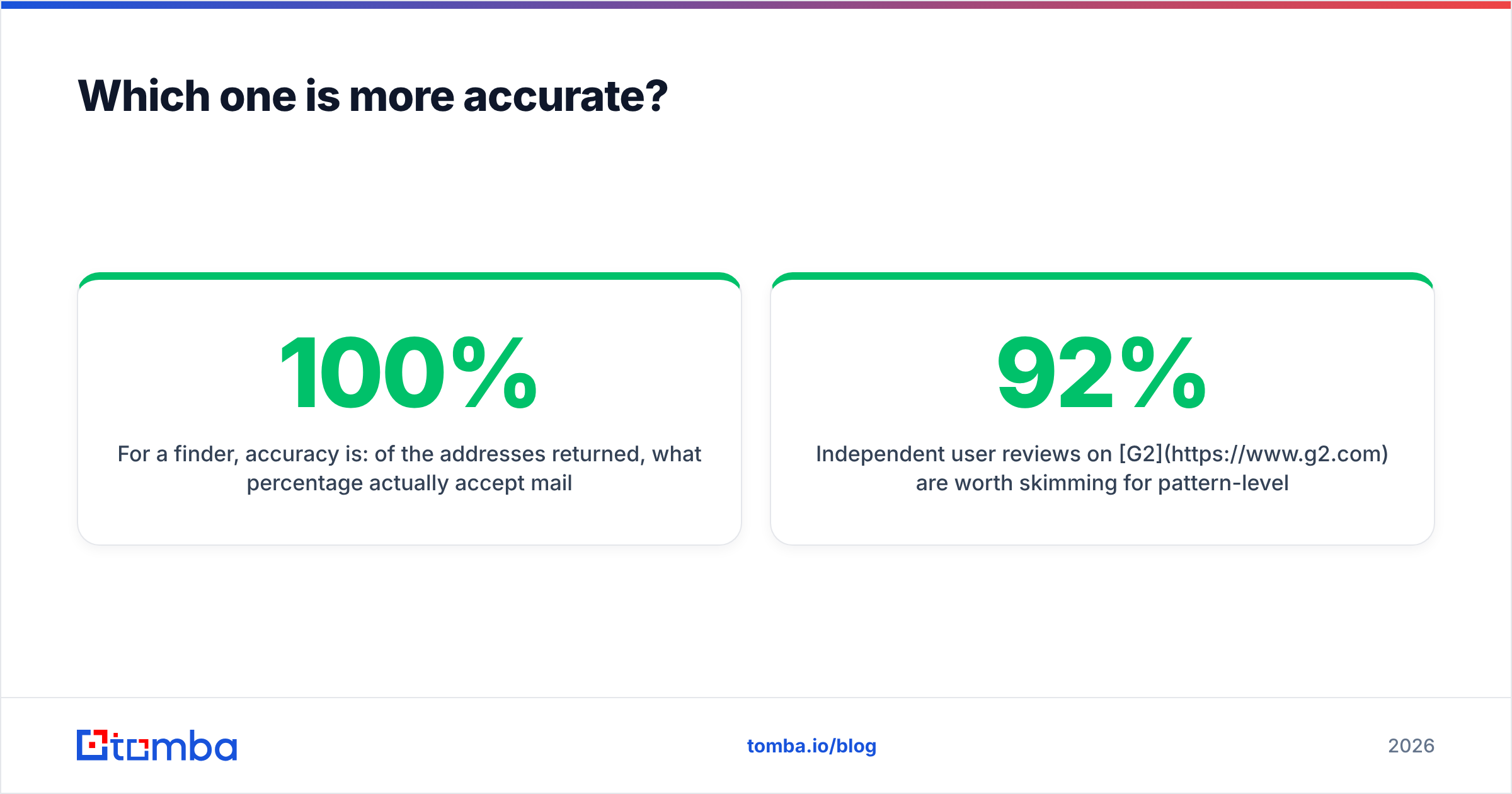
For a finder, accuracy is: of the addresses returned, what percentage actually accept mail? A finder that returns a guessed firstname.lastname@domain.com for every query will look like it has 100% coverage and then torch your domain reputation.
For a verifier, accuracy is: of the verdicts issued, what percentage are correct — including the hard cases? The hard cases are almost always catch-all domains, where the mail server accepts everything at the SMTP layer and tells you nothing. A verifier that dumps every catch-all into "risky" and walks away has technically not verified anything; it has moved your problem into a different column of the spreadsheet.

Here is how to test either tool yourself in an afternoon, which beats any vendor benchmark including this one:
- Build a 100-row control set. Use contacts you have already emailed successfully — you know the ground truth.
- Strip the emails out, keep name + company domain, and run the list through the finder. Count exact matches against your known-good addresses. That is your real coverage number.
- Feed the known-good emails to the verifier. Anything marked invalid is a false negative, and false negatives are expensive: you are deleting contacts who would have replied.
- Add 20 deliberately fake addresses (
zzqx.notreal@theirdomain.com) to the verification batch. Anything marked valid is a false positive, and false positives are what get you into spam traps. - Include at least 10 catch-all domains. Watch what each tool does with them. This single test separates serious verification engines from wrappers around a public MX lookup.
Independent user reviews on G2 are worth skimming for pattern-level complaints — but nothing substitutes for running your own control set, because accuracy is heavily industry- and geography-dependent. A tool that hits 92% on US SaaS contacts can fall to 60% on European mid-market manufacturing.
Is FindThatLead better than Truemail for cold outreach?#
For cold outreach specifically, FindThatLead is the more complete starting point — because you cannot verify a list you do not have.
But "more complete" is doing a lot of work in that sentence. FindThatLead's bundled sending module is fine for a solo founder blasting 200 emails a week. It is not Instantly, Smartlead, or Lemlist. Once you need inbox rotation, per-domain warmup schedules, reply-sentiment routing, and real deliverability telemetry, you will migrate the sending out and be left paying for a finder that happens to have a sender attached.
Truemail, meanwhile, is a component. Components are good. A focused verifier with a clean API is something you wire into a pipeline once and stop thinking about. That is a legitimate architecture — best-of-breed parts, glued with Zapier or Make or your own code. It is just more parts to own.
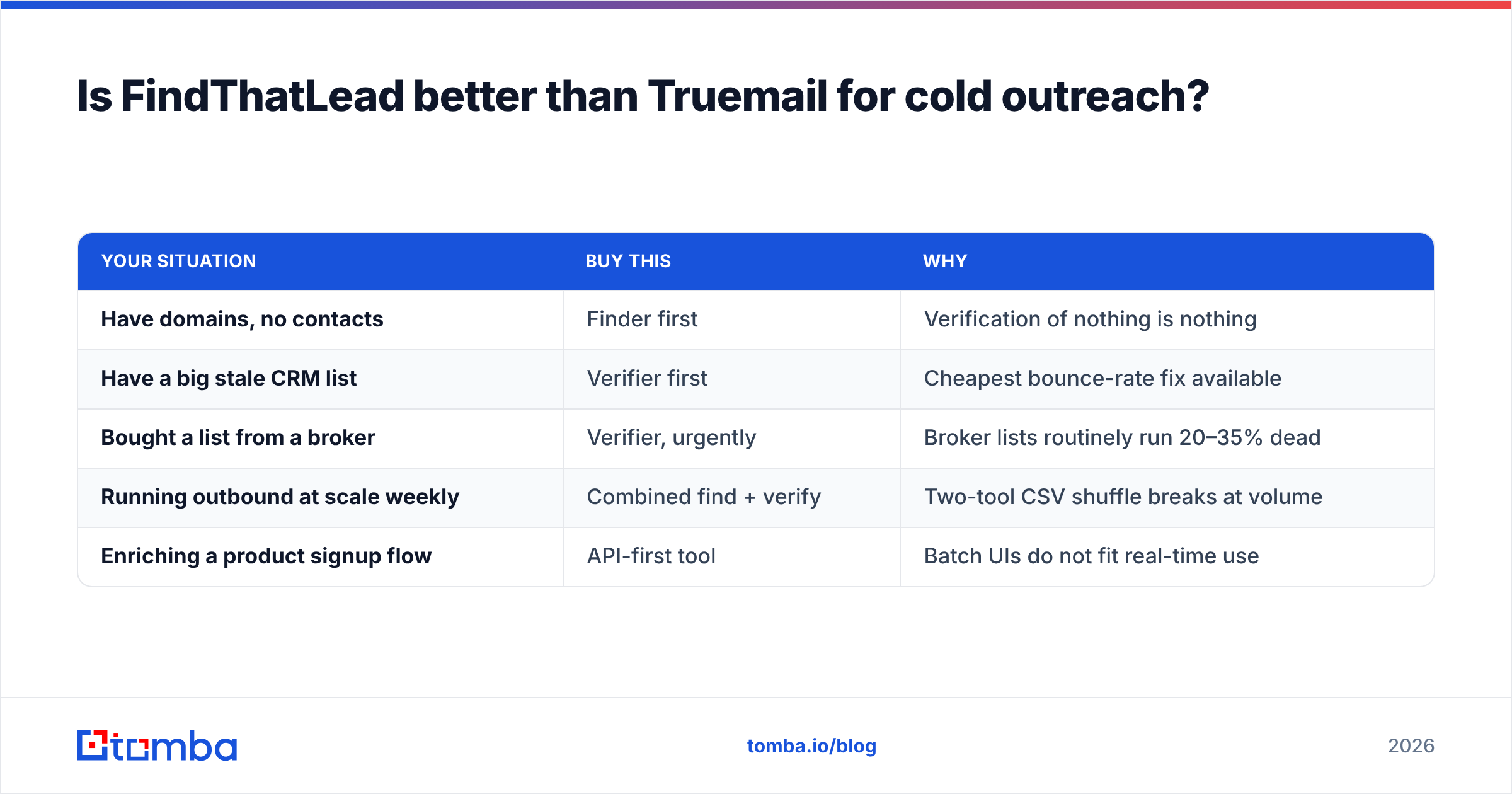
The decision tree is short:
| Your situation | Buy this | Why |
|---|---|---|
| Have domains, no contacts | Finder first | Verification of nothing is nothing |
| Have a big stale CRM list | Verifier first | Cheapest bounce-rate fix available |
| Bought a list from a broker | Verifier, urgently | Broker lists routinely run 20–35% dead |
| Running outbound at scale weekly | Combined find + verify | Two-tool CSV shuffle breaks at volume |
| Enriching a product signup flow | API-first tool | Batch UIs do not fit real-time use |
That fifth row matters more than it looks. If your use case is enriching signups or scoring inbound leads, both a batch-oriented prospecting UI and a bulk CSV verifier are the wrong shape. You want an email finder API you call inline, with a verification verdict in the same response.
What about catch-all domains — the case nobody covers?#
Roughly a fifth to a third of B2B domains you touch will be catch-all, depending on your market. Microsoft 365 tenants configured to accept-all, agencies, universities, and a lot of European SMBs all fall into this bucket.
A standard verifier's SMTP handshake returns "250 OK" for every address at a catch-all domain, including asdfgh@thatdomain.com. There is no signal in the handshake. So the verifier writes "accept-all / risky" and hands the decision back to you.
Your three options at that point:
- Delete them. You just threw away 25% of your addressable market, including some of the best-fit accounts.
- Send anyway. You accept an unknown bounce rate on that segment, which pollutes the deliverability data for your whole domain.
- Use a tool that resolves catch-alls with non-SMTP signals — pattern confidence, historical send data, multi-source corroboration. This is what a dedicated catch-all verifier is for, and it is the single biggest quality differentiator between verification products in 2026.
Ask any vendor you are evaluating exactly what happens on a catch-all domain. If the answer is "we mark it as risky," that is not verification — that is a shrug with a status code. Pair the question with a live test on three catch-all domains you already know the true answer for.

What are the alternatives to running two tools?#
The consolidation argument is straightforward. Every handoff between tools is a place where data gets stale, duplicated, or lost — and where a person spends time doing something a pipeline should do.
A combined platform gives you one credit pool, one API key, one export format, and one place to answer "is this contact good?" Tomba is built on that model: the finder, the email verifier, domain search, catch-all handling, phone lookup, and enrichment all sit behind the same account and the same billing. Find an address and it comes back with a verification verdict attached — there is no second step to forget.
Where it does not replace FindThatLead: Tomba does not send campaigns. If the bundled sequencer is the reason you are looking at FindThatLead, you will still need a sending tool. Tomba integrates with sequencers, CRMs, and automation platforms rather than trying to be one — see the integrations list.
Where it does replace Truemail: bulk verification, real-time API verification, catch-all resolution, and disposable/role detection are all in scope, drawing from the same credits you use for discovery. If you are specifically shopping verification tools, the Truemail alternative breakdown goes deeper on that comparison.

Other shapes worth knowing about before you commit:
- Verifier-only specialists (ZeroBounce, Bouncer, Debounce, Truemail) — best when volume is huge and discovery is handled elsewhere. Cheapest per-check at scale.
- Full GTM platforms (Apollo, ZoomInfo) — bundle data, sequencing, dialer, and intent. Powerful and expensive; heavy for teams that just need addresses.
- Finder-first tools with verification built in (Tomba, Hunter, Findymail) — the middle path. One workflow, predictable cost, no sending.
- Data marketplaces (BookYourData and similar) — sell curated, pre-verified lists outright. A genuinely different purchase: you are buying the data, not the tooling that produces it, which suits one-off campaigns into a fixed segment.
How should you actually decide?#
Run a 30-day test with real money and real numbers instead of trusting anyone's feature grid, including this one.
Pick 200 target accounts. Split them in half. Run one half through FindThatLead → Truemail → your sequencer. Run the other half through a combined tool → your sequencer. Then measure four things, in this order:
- Match rate — addresses found per 100 accounts attempted. This is the number that caps everything downstream.
- Bounce rate — measured in your sending tool after 48 hours, not predicted by the vendor.
- Cost per verified, deliverable contact — total spend divided by contacts that actually landed. Not cost per credit. Not cost per search.
- Minutes of human time per 1,000 contacts — stopwatch it honestly, including the CSV shuffling.
Most teams find the two-tool stack wins slightly on metric 3 at very high volume and loses badly on metric 4 at every volume. If your list-building is a weekly ritual rather than a quarterly project, metric 4 is the one that determines whether the process survives.
One last thing: whatever you pick, re-verify before every send, not just at import. B2B contact data decays at roughly 2–3% per month through job changes alone. A list verified in January is materially wrong by June, and no tool on this page prevents that. Only a re-verification habit does.
Ready to collapse the two-tool stack? Start with the Tomba Email Finder — find business emails by domain, name, or company, with verification built into the same result and the same credit pool. The free tier gives you 25 searches a month with no card required, which is enough to run the 100-row control test described above and see your real match rate before you pay anyone anything. If it beats your current stack, plans start at $49/mo; if it does not, you have lost an afternoon and gained a benchmark.
Related guides#
Ready to find emails that actually work?
Join 150,000+ professionals who stopped guessing and started sending. Free credits on signup — no credit card required.
Get the Tomba newsletter
Practical outbound tactics and product updates — once every two weeks.
About the author