FindThatLead vs Trueverify: The Honest 2026 Comparison
One tool finds new contacts, the other checks whether the ones you have still exist. Here's how FindThatLead and Trueverify actually compare on coverage, accuracy, pricing, and workflow fit in 2026.
TL;DR
- FindThatLead and Trueverify solve two different halves of the same problem. FindThatLead is a prospecting tool that discovers email addresses; Trueverify is a validation tool that tells you whether an address will bounce.
- If you only buy one, buy the one that matches your bottleneck. No list? You need a finder. High bounce rate on a list you already own? You need a verifier.
- FindThatLead bundles light outreach (campaigns, a Chrome extension, bulk domain search). Trueverify-style validators go deeper on SMTP checks, syntax, disposable detection, and catch-all handling.
- Running both means two subscriptions, two credit pools, and a CSV shuffle between them. Platforms that do find-and-verify in one call — Tomba, Hunter, Dropcontact — usually cost less in total.
- Verify before you send regardless of which tool you choose. A 5% bounce rate is enough to drag your sender reputation into spam-folder territory.
What are FindThatLead and Trueverify?#
They are not competitors in the way "Apollo vs ZoomInfo" are competitors. They sit at different points in the same pipeline.
FindThatLead is a Spain-based B2B prospecting platform. Its core promise is discovery: give it a domain, a name, or a LinkedIn profile, and it returns a work email address. Around that core it stacks a Chrome extension, a bulk "Prospector" search by role and location, a lead-search database, and a basic cold email sender. You can see the current feature set on the FindThatLead site itself.
Trueverify is positioned as an email validation service. Validators in this class take a list you already have and run it through a stack of checks — syntax parsing, MX record lookup, disposable-domain detection, role-account flagging (info@, sales@, support@), and an SMTP handshake that asks the receiving server whether the mailbox exists without actually delivering a message. The output is a status per address: valid, invalid, catch-all/accept-all, or unknown.
The practical difference in one line: FindThatLead creates rows in your CRM, Trueverify deletes the bad ones.

How does FindThatLead actually work?#
FindThatLead runs on pattern inference plus a crawled index. When you search a domain, it pulls known addresses associated with that domain, detects the dominant format (first.last@, flast@, first@), and applies that format to the name you supplied. A confidence score comes back with the result.
The workflow most teams use looks like this:
- Domain search — drop in
company.com, get back the addresses the index already holds plus the detected pattern. - Name-to-email lookup — supply first name, last name, and domain for a single targeted guess.
- Prospector — filter a database by job title, location, and industry to build a list from scratch.
- Chrome extension — pull contact data while browsing LinkedIn or a company site.
- Bulk upload — push a CSV of names and domains through the finder in one batch.
- Campaigns — send a short sequence directly from the platform.
That last item is the differentiator versus a pure finder. It is also the weakest part of the product for most teams: sending from a bundled tool means giving up the deliverability controls that a dedicated sequencer gives you. Most serious outbound teams export from FindThatLead and send from Instantly, Smartlead, or Salesloft.
FindThatLead does include a validation step, but it is a bundled check rather than a specialist engine. That is exactly the gap a tool like Trueverify is built to fill.
How does Trueverify actually work?#
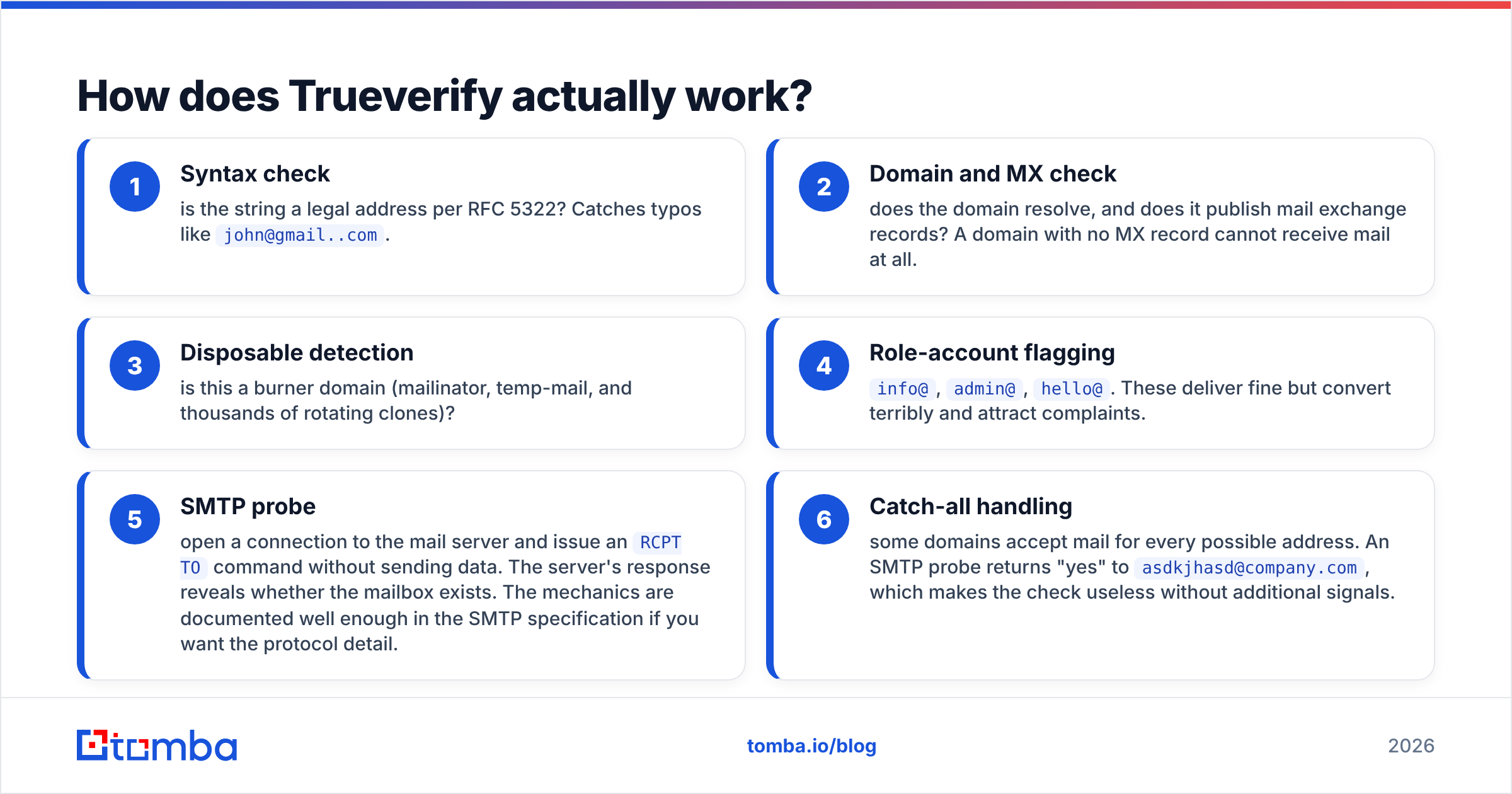
An email verifier runs a cascade. Each stage is cheap-to-expensive, and an address that fails early never reaches the expensive stage.
- Syntax check — is the string a legal address per RFC 5322? Catches typos like
john@gmail..com. - Domain and MX check — does the domain resolve, and does it publish mail exchange records? A domain with no MX record cannot receive mail at all.
- Disposable detection — is this a burner domain (mailinator, temp-mail, and thousands of rotating clones)?
- Role-account flagging —
info@,admin@,hello@. These deliver fine but convert terribly and attract complaints. - SMTP probe — open a connection to the mail server and issue an
RCPT TOcommand without sending data. The server's response reveals whether the mailbox exists. The mechanics are documented well enough in the SMTP specification if you want the protocol detail. - Catch-all handling — some domains accept mail for every possible address. An SMTP probe returns "yes" to
asdkjhasd@company.com, which makes the check useless without additional signals.
That sixth step is where verifiers separate. A basic validator marks catch-all domains "unknown" and hands the risk back to you. Better ones apply pattern history, engagement data, and probabilistic scoring to give catch-all addresses a real confidence number. If a large share of your target accounts run Microsoft 365 with catch-all enabled — common in enterprise — this single capability decides whether the tool is useful. Tomba splits this into a dedicated catch-all verifier precisely because it needs different logic than standard validation.
FindThatLead vs Trueverify: how do they compare head-to-head?#
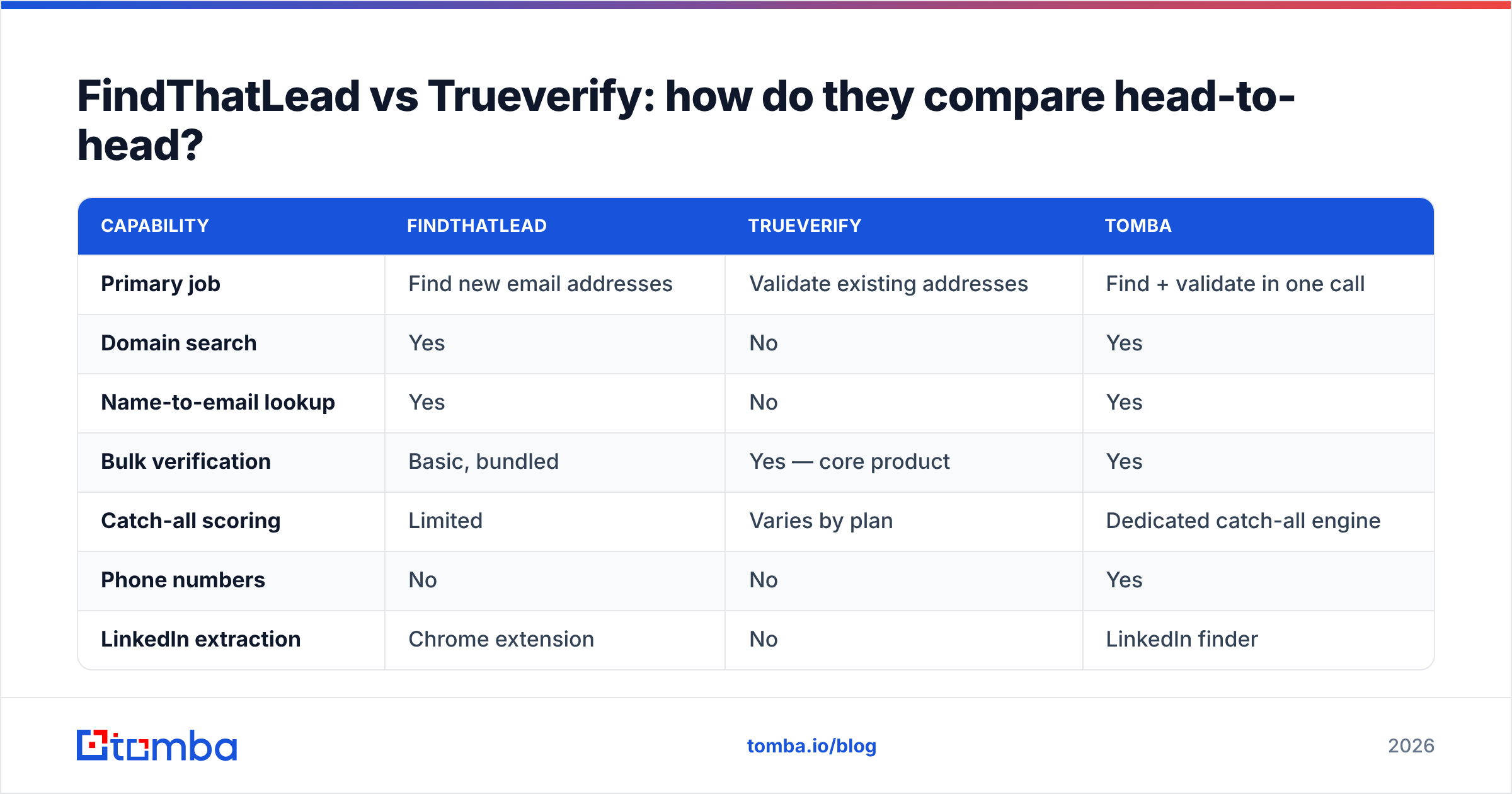
Here is the honest side-by-side. Where a vendor's published numbers move frequently, check their live pricing page before you commit — plan structures in this category change several times a year.
| Capability | FindThatLead | Trueverify | Tomba |
|---|---|---|---|
| Primary job | Find new email addresses | Validate existing addresses | Find + validate in one call |
| Domain search | Yes | No | Yes |
| Name-to-email lookup | Yes | No | Yes |
| Bulk verification | Basic, bundled | Yes — core product | Yes |
| Catch-all scoring | Limited | Varies by plan | Dedicated catch-all engine |
| Phone numbers | No | No | Yes |
| LinkedIn extraction | Chrome extension | No | LinkedIn finder |
| Built-in email sending | Yes | No | No — integrates instead |
| Public API | Yes | Yes | Yes, plus CLI and MCP |
| Free tier | Limited trial credits | Limited trial credits | 25 searches/month |
| Entry paid plan | ~$49/mo range | ~$20-40/mo range | $49/mo Starter |
| Best for | Building lists from zero | Cleaning purchased or aged lists | Teams that need both |

Read the table as a decision tree, not a scoreboard. If your row-count problem is "I have no contacts," the verifier column is irrelevant to you this quarter. If your problem is "I bought a list of 40,000 contacts and my bounce rate is 14%," the finder column is irrelevant.
Which one is more accurate — and what does accuracy even mean here?#
The word "accuracy" means two different things depending on which tool you are measuring.
For a finder, accuracy is really two numbers multiplied together:
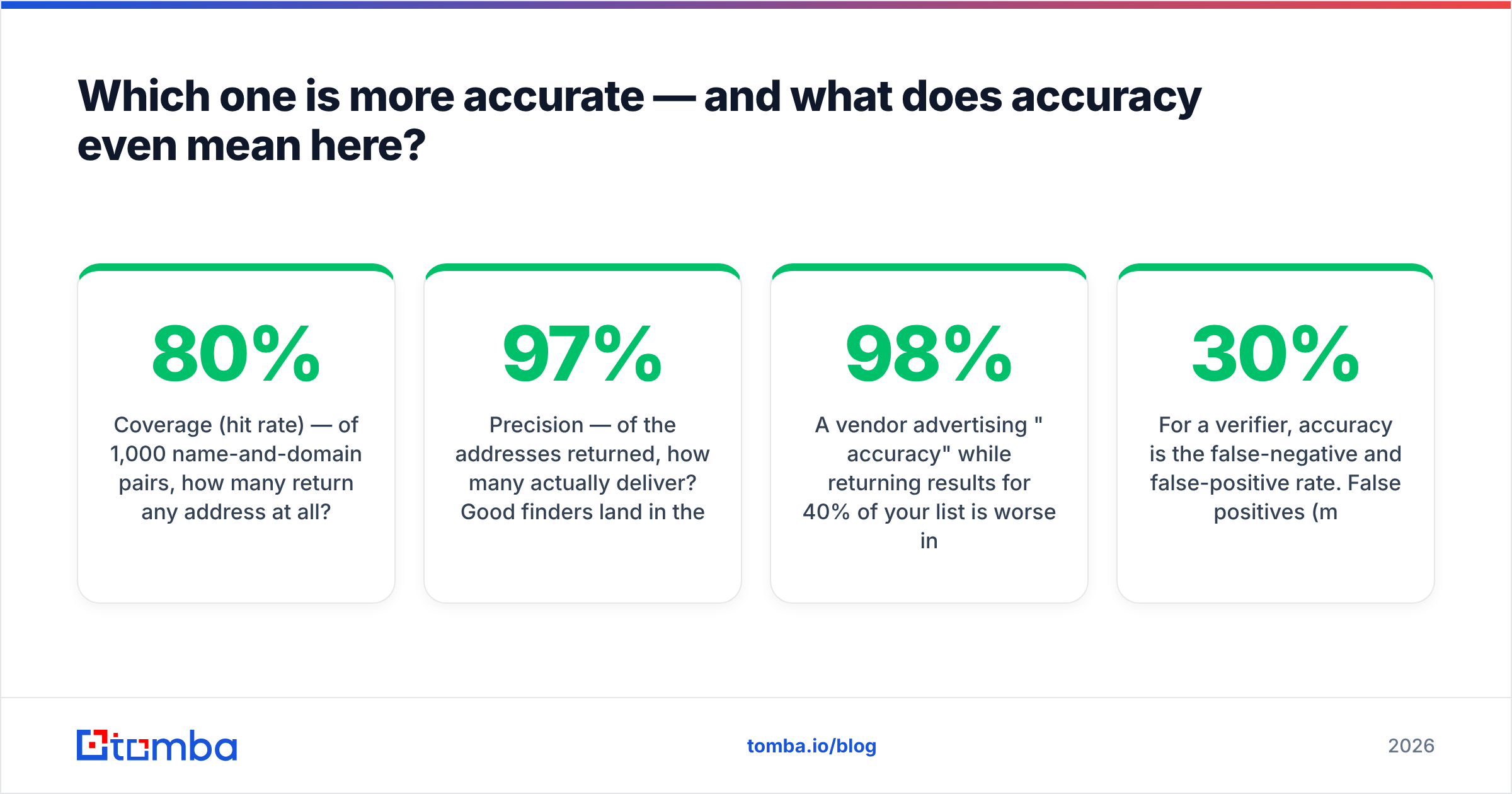
- Coverage (hit rate) — of 1,000 name-and-domain pairs, how many return any address at all? Typical range for mid-market B2B targets is 55-80%.
- Precision — of the addresses returned, how many actually deliver? Good finders land in the 90-97% range on verified-only results.
A vendor advertising "98% accuracy" while returning results for 40% of your list is worse in practice than one advertising 93% accuracy at 75% coverage. Always compute deliverable-contacts-per-1,000-attempts, not the marketing percentage.
For a verifier, accuracy is the false-negative and false-positive rate. False positives (marked valid, actually bounces) cost you sender reputation. False negatives (marked invalid, actually fine) cost you pipeline — you delete real prospects. Most teams over-index on the first and ignore the second, then wonder why their list shrank 30% after cleaning.

The only test that matters is your own. Take 200 contacts from your actual ICP — not the vendor's sample list — and run them through each tool's free tier. Compare hit rate, then send a small warmed batch and measure real bounces. Two hours of work saves twelve months of the wrong subscription. Tomba publishes where its data comes from so you can judge the sourcing before you test; not every vendor in this category does.
What do FindThatLead and Trueverify cost in practice?#
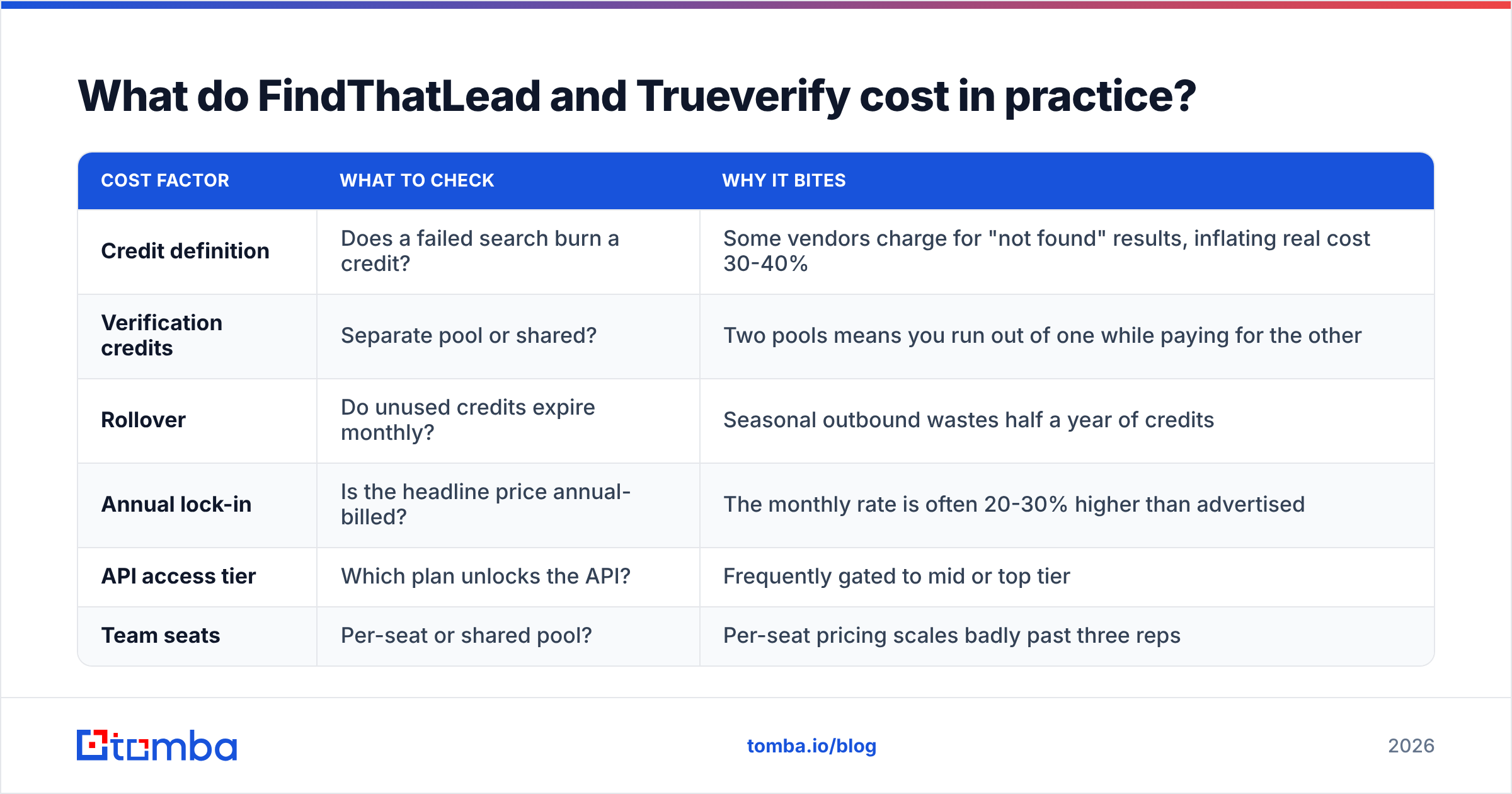
Sticker price is the smaller half of the cost question. Credit accounting is the bigger half.
| Cost factor | What to check | Why it bites |
|---|---|---|
| Credit definition | Does a failed search burn a credit? | Some vendors charge for "not found" results, inflating real cost 30-40% |
| Verification credits | Separate pool or shared? | Two pools means you run out of one while paying for the other |
| Rollover | Do unused credits expire monthly? | Seasonal outbound wastes half a year of credits |
| Annual lock-in | Is the headline price annual-billed? | The monthly rate is often 20-30% higher than advertised |
| API access tier | Which plan unlocks the API? | Frequently gated to mid or top tier |
| Team seats | Per-seat or shared pool? | Per-seat pricing scales badly past three reps |
Run the two-tool math before you assume stacking is fine. A finder at roughly $49/month plus a verifier at roughly $30/month is about $950 a year, split across two dashboards, two credit systems, and a manual CSV handoff between them. A single platform that does both — Tomba pricing starts at $49/month for Starter, $99/month for Growth, $249/month for Pro, with a free tier at 25 searches per month — collapses that into one workflow and usually one bill.

When should you pick FindThatLead over Trueverify?#
Pick FindThatLead when:
- You are starting from a blank list and need volume discovery fast.
- Your team lives in the Chrome extension while browsing LinkedIn.
- You want a light all-in-one where sending sits next to finding, and you accept the deliverability trade-off.
- Your targets are SMB and mid-market European companies, where FindThatLead's index is historically strong.
Pick Trueverify (or any dedicated validator) when:
- You already own a list — from a purchase, a partner, an event, or an old CRM export.
- Your bounce rate crossed 3% and your sending domain is getting throttled.
- You are re-engaging a database that has been sitting untouched for a year. B2B contact data decays at roughly 22-30% annually as people change jobs.
- You need documented compliance-grade cleaning before a large campaign.
Pick neither, and consolidate, when your workflow is the common one: find contacts, verify them, push to CRM, send from a dedicated sequencer. That path wants a single API that returns a verified address in one response. Tomba's email finder and email verifier run off the same data layer, so a found address arrives already scored — no export, no re-import, no second credit pool. For list-level work, the bulk email finder handles CSVs of thousands of rows in one job.
Do you actually need both tools?#
Usually not — but you always need both functions.
The mistake teams make is buying a finder, sending immediately, and discovering their bounce rate at 9% after the damage is done. Discovery without validation is how sender reputations die. The second mistake is the mirror image: buying a verifier, cleaning a stale list beautifully, and realizing the list was never good enough to clean.
Three sane configurations:
- One platform, both functions. Cheapest and simplest. Best for teams under 20 reps. Look for find-and-verify in one API call.
- Best-in-class finder plus best-in-class verifier. Justified when your niche has genuinely poor coverage in mainstream databases and you have found a specialist finder that beats everyone on your specific ICP.
- Waterfall enrichment. Query provider A, fall back to B, fall back to C, verify everything at the end. Highest coverage, highest complexity, highest cost. Only worth it above roughly 50,000 contacts a year.
Whichever you choose, treat verification as non-negotiable rather than as a feature. Google and Microsoft both tightened bulk-sender requirements, and complaint and bounce thresholds are enforced automatically now. Vendor comparisons on G2 are useful for reading how real users describe bounce outcomes, though remember that review-site scores skew toward whoever runs the loudest review campaign.
What is the verdict on FindThatLead vs Trueverify?#
FindThatLead wins if your problem is an empty pipeline. Trueverify wins if your problem is a dirty list. Neither wins outright, because they are answering different questions — and comparing them head-to-head only makes sense once you have named your actual bottleneck.
Where both lose is total cost of ownership for the team that needs discovery and validation, which is most teams. Two subscriptions, two credit systems, and a CSV bridge between them is friction you pay for every single week.
If that describes you, start with the Tomba Email Finder. The free tier gives you 25 searches a month with no card — enough to run the 200-contact test described above against your real ICP and see the hit rate for yourself. Every result comes back with a verification status attached, so there is no second tool to buy and no export step to babysit. If it beats your current stack on deliverable contacts per 1,000 attempts, the decision makes itself.
Related guides#
Ready to find emails that actually work?
Join 150,000+ professionals who stopped guessing and started sending. Free credits on signup — no credit card required.
Get the Tomba newsletter
Practical outbound tactics and product updates — once every two weeks.
About the author