FindThatLead vs Verifyemail.io: Which Tool Wins in 2026?
One tool builds your prospect list, the other cleans it. Here's an honest breakdown of FindThatLead vs Verifyemail.io — coverage, accuracy, pricing, and which one your outbound stack actually needs.
TL;DR
- FindThatLead and Verifyemail.io are not really competitors. FindThatLead is a prospecting suite that finds emails; Verifyemail.io is a validation service that checks emails you already have.
- If you have no list yet, a verifier alone is useless. If you have a purchased or scraped list, a finder alone won't save your domain.
- FindThatLead's strength is breadth (domain search, LinkedIn extraction, built-in sender). Its weakness is that finder coverage and per-credit cost get expensive at volume.
- Verification-only tools compete almost entirely on price-per-check and catch-all handling — that's the one line item you should benchmark before signing anything.
- Running both means two vendors, two bills, and two APIs. A combined email finder plus email verifier is usually cheaper and simpler at the same volume.
What is FindThatLead and what is Verifyemail.io?#
Start with the honest framing: these two tools sit at different stages of the same pipeline.
FindThatLead is a Spain-built B2B prospecting platform. You give it a domain, a first-and-last-name pair, or a LinkedIn search, and it returns business email addresses. It layers a lead search database, a Chrome extension, and a basic cold-email sender on top, so a solo founder can theoretically run a whole outbound motion inside one dashboard.
Verifyemail.io belongs to the second category — email validation. It takes a list you already own and tells you which addresses are deliverable, which bounce, which are role accounts (info@, sales@), which are disposable, and which sit behind a catch-all server that accepts everything. There is no discovery step. You cannot ask it "who is the head of marketing at Acme" — it only answers "will this specific address bounce."
That distinction matters more than any feature checklist, because picking the wrong category wastes the entire budget. Buying a verifier when you have no list is like buying a dishwasher before you own plates.
Here's the pipeline both tools live in:
- Targeting — decide which companies and roles you want. Neither tool does this for you.
- Discovery — turn a company domain and a person's name into a candidate email address. This is FindThatLead's job.
- Verification — confirm the mailbox actually exists via SMTP handshake and MX checks. This is Verifyemail.io's job.
- Enrichment — attach job title, company size, phone, and LinkedIn URL so your copy can be specific. FindThatLead does some of this; a verifier does none.
- Sending — sequence, track, and follow up. FindThatLead includes a light sender; Verifyemail.io does not.

How do FindThatLead and Verifyemail.io compare feature by feature?#
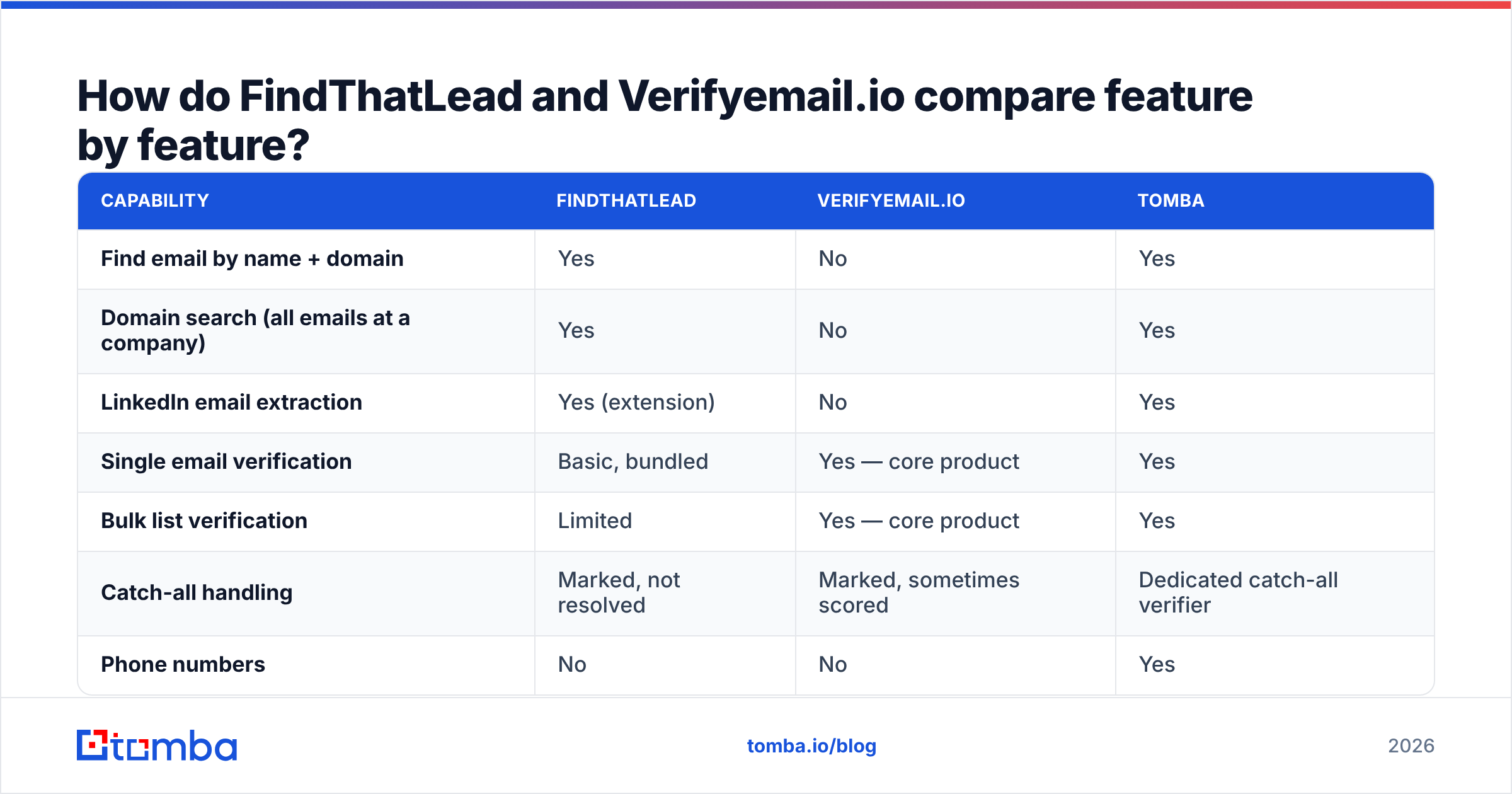
The table below is the fastest way to see the overlap — and how little of it there actually is.
| Capability | FindThatLead | Verifyemail.io | Tomba |
|---|---|---|---|
| Find email by name + domain | Yes | No | Yes |
| Domain search (all emails at a company) | Yes | No | Yes |
| LinkedIn email extraction | Yes (extension) | No | Yes |
| Single email verification | Basic, bundled | Yes — core product | Yes |
| Bulk list verification | Limited | Yes — core product | Yes |
| Catch-all handling | Marked, not resolved | Marked, sometimes scored | Dedicated catch-all verifier |
| Phone numbers | No | No | Yes |
| Built-in cold email sender | Yes | No | No (integrates instead) |
| Public API | Yes | Yes | Yes, with CLI and MCP |
| Free tier | Trial credits | Trial credits | 25 searches/mo, no card |
Read that table as a shopping list, not a scoreboard. If every row you care about is in the "verification" half, a dedicated validator is the right buy. If you need rows one through three, a verifier will never get you there.
One nuance on the sender column: FindThatLead bundling a cold-email tool sounds like a win, and for a first campaign it is. But most teams graduate to a dedicated sending platform within a quarter because inbox rotation, warmup scheduling, and reply detection are hard problems that finder companies rarely prioritise. Treat the built-in sender as a bonus, not a reason to choose.
Which one is more accurate?#
Accuracy means two different things here, and vendors exploit the confusion.
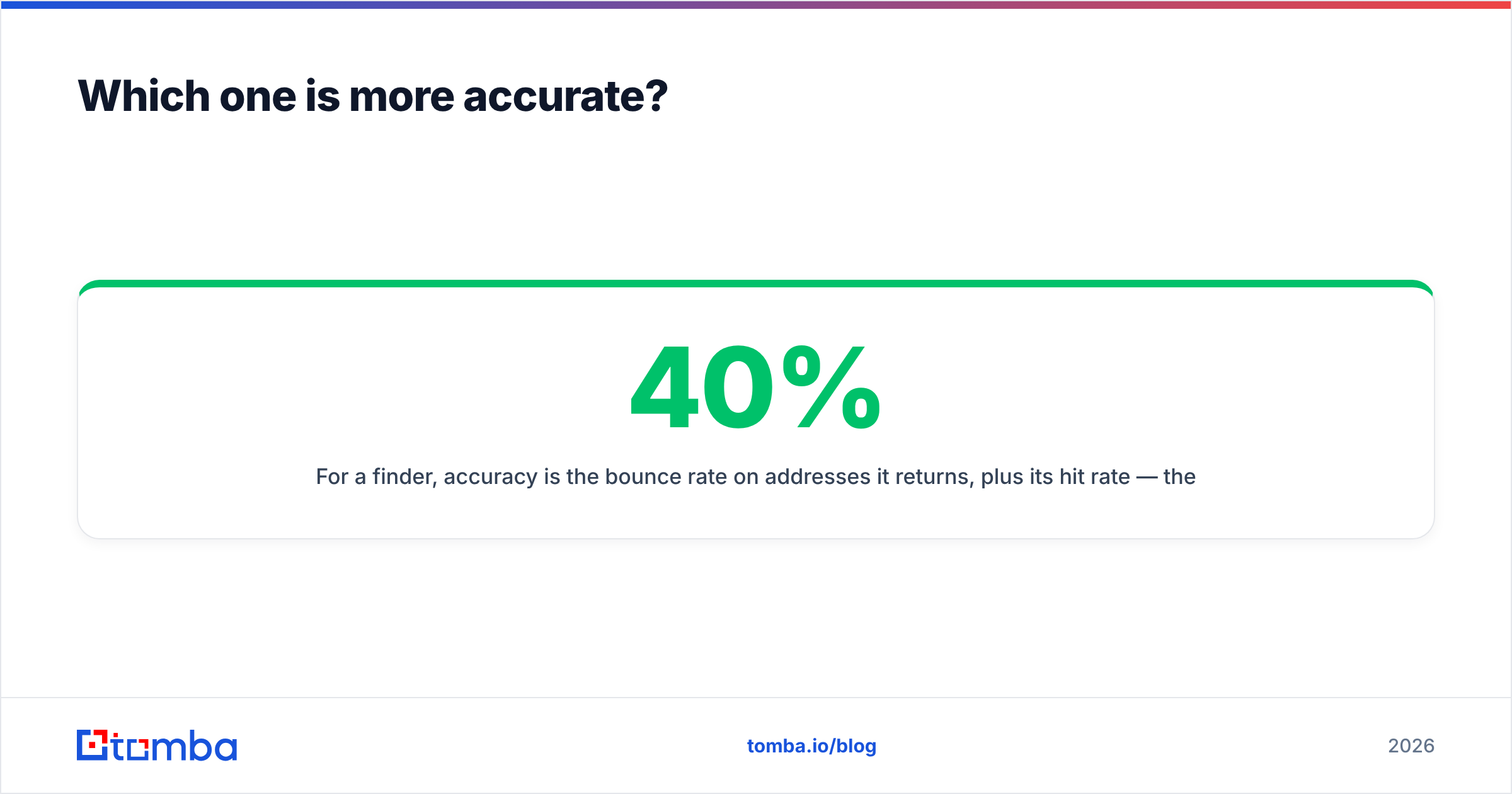
For a finder, accuracy is the bounce rate on addresses it returns, plus its hit rate — the percentage of your target list it can find anything for. A tool that returns an address for 40% of your list at 98% validity is often worse in practice than one returning 70% at 95%, because you can verify away the bad addresses but you can't verify your way into missing ones.
For a verifier, accuracy is the false-positive rate: how many addresses it marks "valid" that bounce anyway. That number is dominated by one edge case — catch-all domains. A catch-all mail server accepts every address at the handshake stage, so a naive SMTP probe returns "valid" for asdfgh@company.com. Verifiers that simply pass those through inflate their own accuracy stats while quietly handing you bounces.

Three questions to ask either vendor before you trust a stated accuracy number:
- Is the number measured on found addresses only, or on the whole input list? The first is trivially inflatable by refusing to guess.
- How are catch-all domains counted? If they're excluded from the denominator, the headline figure is marketing, not measurement.
- What is the bounce guarantee? Some verifiers refund credits on bounces above a threshold. That's a real commitment; a percentage on a landing page is not.
Run your own test regardless. Take 200 addresses you already know the outcome for — past campaign sends with recorded bounces — and push them through each candidate. It costs a few dollars and beats every review site.
What do FindThatLead and Verifyemail.io cost?#
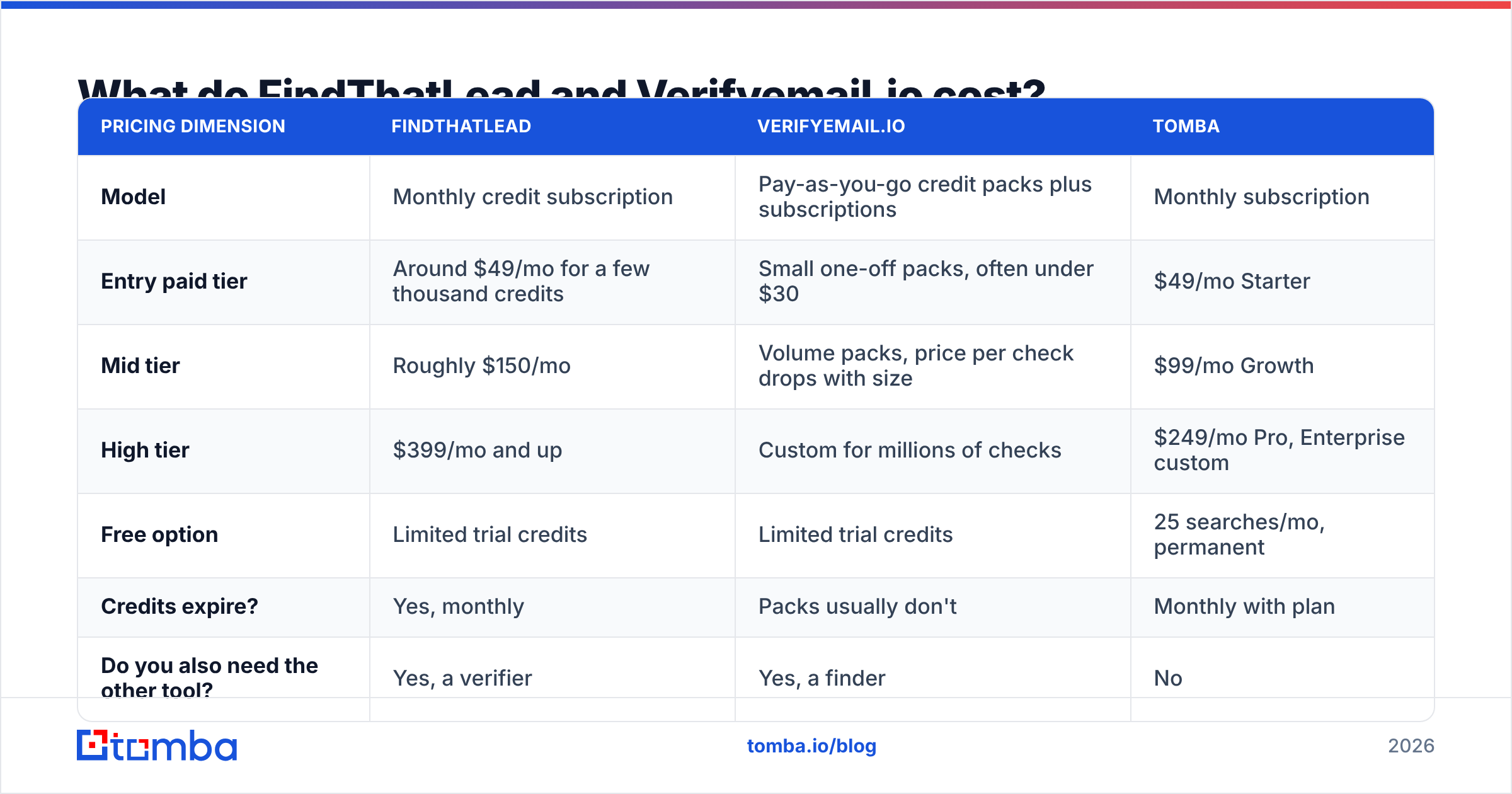
Pricing on both sides moves often, so confirm on the vendors' own pages before you commit. The shape of the pricing, though, is stable and worth understanding.
| Pricing dimension | FindThatLead | Verifyemail.io | Tomba |
|---|---|---|---|
| Model | Monthly credit subscription | Pay-as-you-go credit packs plus subscriptions | Monthly subscription |
| Entry paid tier | Around $49/mo for a few thousand credits | Small one-off packs, often under $30 | $49/mo Starter |
| Mid tier | Roughly $150/mo | Volume packs, price per check drops with size | $99/mo Growth |
| High tier | $399/mo and up | Custom for millions of checks | $249/mo Pro, Enterprise custom |
| Free option | Limited trial credits | Limited trial credits | 25 searches/mo, permanent |
| Credits expire? | Yes, monthly | Packs usually don't | Monthly with plan |
| Do you also need the other tool? | Yes, a verifier | Yes, a finder | No |
That last row is the real cost story. If FindThatLead is your finder and Verifyemail.io is your verifier, your effective monthly spend is both numbers stacked, plus the integration work to move lists between them. For a team finding 5,000 contacts a month, that's frequently $180 to $250 combined — more than a single platform covering both at the same volume. Check Tomba pricing against your own numbers rather than taking that on faith.
Two pricing traps worth naming:
- Credit burn on failed lookups. Some finders deduct a credit whether or not they return an address. Ask explicitly; it can double your real cost per contact.
- Expiring credits. Subscription credits that reset monthly punish lumpy prospecting. If you build lists in bursts, non-expiring packs are worth a higher unit price.
Is FindThatLead or Verifyemail.io better for cold outreach?#
Neither, alone. A cold email program needs discovery, verification, and enrichment working together, and each of these tools covers roughly one third of that.
Here's how the decision actually breaks down:
- You have zero list and need contacts this week. FindThatLead wins by default — Verifyemail.io has nothing to give you. Budget for a verification pass on top before sending.
- You bought a list or exported from a scraper. Verifyemail.io wins. That list is likely 15–30% stale, and sending to it unfiltered is the fastest way to torch your sender reputation.
- You run continuous outbound at 2,000+ contacts a month. Neither is efficient standalone. You want one vendor doing find-and-verify in a single API call so you're not writing glue code between two credit systems.
- You need phone numbers or firmographic enrichment. Both fall short. Look at platforms with data enrichment built in.
- You're technical and want this in a pipeline. Compare API ergonomics directly — rate limits, batch endpoints, webhook support for long-running bulk jobs.

How do they stack up against a combined platform?#
The two-vendor setup made sense when finders had weak verification and verifiers had no data. That gap has largely closed. Most serious finders now run SMTP validation inside the same request, which means the "find here, verify there" workflow is often paying twice for one outcome.

Where a combined platform genuinely helps:
One credit pool. No forecasting two budgets or discovering mid-campaign that you have finder credits but no verification credits left.
Catch-all resolved, not just flagged. Roughly one in five B2B domains is catch-all. A tool with a dedicated catch-all verifier can often resolve those instead of dumping them into a "risky" bucket you then have to guess about.
Bulk in one pass. Upload a CSV of company names and roles, get back verified addresses. With split vendors, that's export, reformat, re-upload, re-export. A bulk email finder collapses it into one job.
Fewer integration seams. Every handoff between vendors is a place where records get dropped, deduped wrong, or silently truncated.
Where two vendors still win: if you already pay for a prospecting platform your team likes, a cheap standalone verifier as a final gate before sending is a perfectly rational $20/month insurance policy. Don't rip out a working stack for marginal consolidation.
What should you check before you buy either one?#
Run this five-point check on any shortlist, including tools not covered here:
- Test on your ICP, not theirs. Coverage varies wildly by geography and company size. A tool strong on US SaaS may be thin on European manufacturing. Use 100 real target accounts.
- Measure hit rate and bounce rate separately. Two different numbers, two different failure modes. Vendors love to blur them.
- Read the credit policy. Failed lookups, expiry, rollover, and whether re-checking an address costs again.
- Check compliance posture. GDPR and CCPA handling, opt-out processing, and where the data is sourced. Vendor claims about data sources should be specific, not vague.
- Read recent reviews, filtered by date. G2 reviews older than 18 months describe a product that no longer exists. Sort by newest and read the two-star ones.
Frequently asked questions#
Can I use Verifyemail.io to find emails? No. It validates addresses you supply. You need a finder or a database to generate candidates first.
Does FindThatLead verify the emails it finds? It applies validation checks and marks confidence, but most teams still run a dedicated verification pass before a large send — especially on catch-all domains.
Is it worth paying for both? Only if your volume is low enough that the combined bill stays under a single-platform plan, or if you're contractually locked into one of them. Otherwise consolidate.
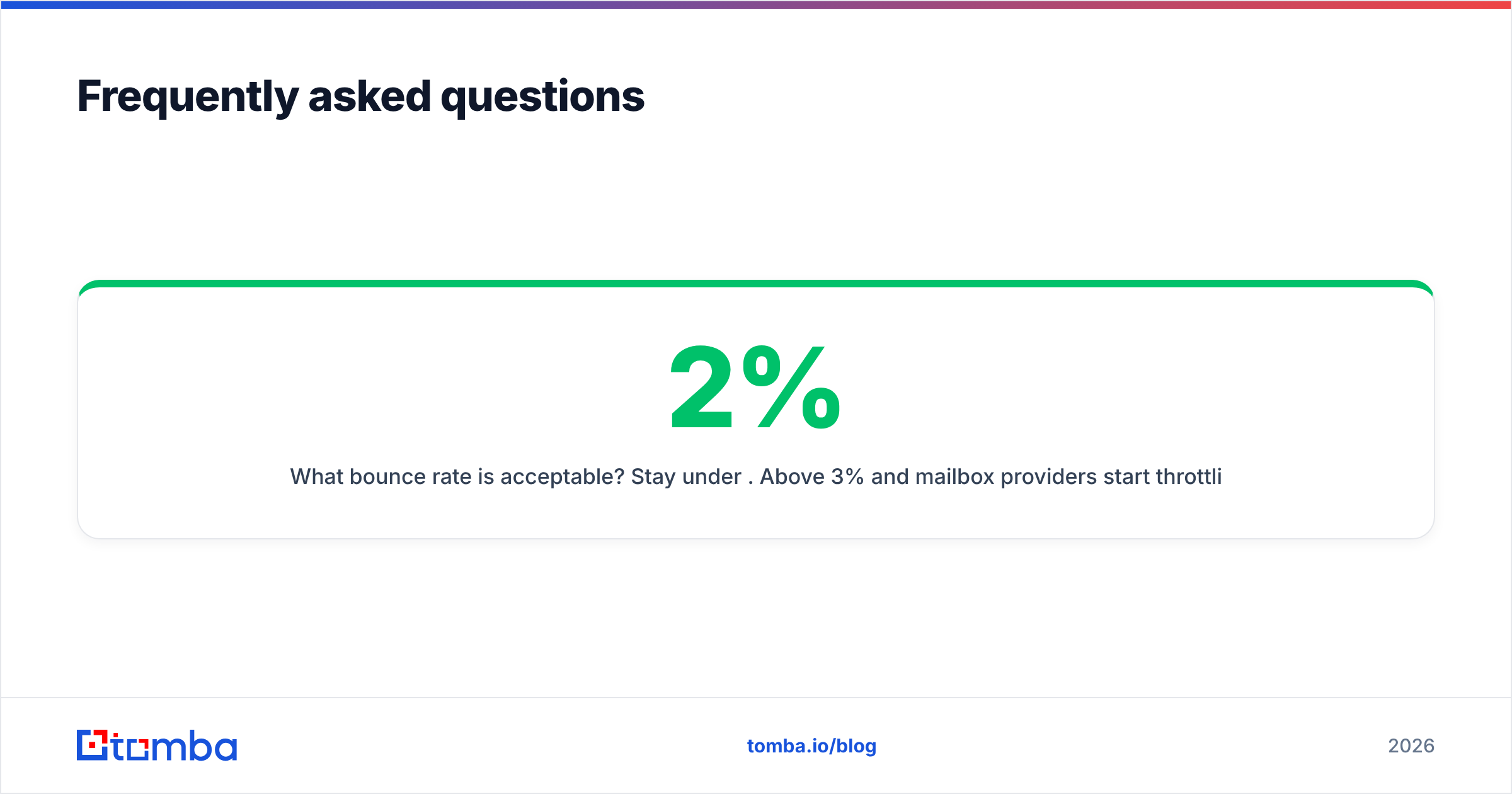
What bounce rate is acceptable? Stay under 2%. Above 3% and mailbox providers start throttling; above 5% and you're risking domain-level damage that takes weeks to undo.
Do free email checkers work for this? For spot-checking a handful of addresses, yes — try a free email checker. For lists of thousands, you need an API and a bulk queue.
The bottom line#
FindThatLead vs Verifyemail.io isn't a fair fight because they're not fighting. Pick FindThatLead if your bottleneck is "I don't have contacts." Pick Verifyemail.io if your bottleneck is "my list bounces." Pick neither and consolidate if your bottleneck is "I'm paying two vendors to do one job."
If that last line describes you, start with the Tomba Email Finder. It finds addresses by name, domain, or company and verifies them in the same request, so you get one credit pool, one API, and a list that's ready to send instead of ready for another tool. The free tier gives you 25 searches a month with no card, which is enough to benchmark it against whatever you're running today — and that benchmark, not this article, should decide it.
Related guides#
Ready to find emails that actually work?
Join 150,000+ professionals who stopped guessing and started sending. Free credits on signup — no credit card required.
Get the Tomba newsletter
Practical outbound tactics and product updates — once every two weeks.
About the author