FindThatLead vs Zintlr: Which B2B Data Tool Wins in 2026?
FindThatLead sells volume and a built-in sender. Zintlr sells personality intel and phone-heavy records. We break down accuracy, pricing, coverage, and which one actually belongs in your 2026 outbound stack.
TL;DR
- FindThatLead is a volume-first prospecting suite: domain-based lead search, a bulk email finder, a verifier, and a built-in cold email sender. Good if you want one tool to find and send.
- Zintlr is a data-intelligence platform built around a contact database plus "personality intel" — behavioural profiles meant to help you tailor a pitch. Stronger on phone numbers and enrichment context, weaker as a sending tool.
- Accuracy is the real decider. Both platforms lean on pattern-guessing for a meaningful share of results, which means you should treat every export as unverified until proven otherwise.
- Neither is a drop-in replacement for the other. FindThatLead wins on all-in-one workflow, Zintlr wins on prospect research depth.
- If your bottleneck is deliverable emails rather than more records, a dedicated finder-plus-verifier stack (Tomba, Hunter, Findymail) will beat both on cost per usable contact.
Prices, credit definitions, and plan names change often on both vendors. Everything below reflects publicly listed information at the time of writing — always confirm on the vendor's own pricing page before you buy.
What is FindThatLead and who is it for?#
FindThatLead is a Barcelona-built B2B prospecting suite that has been around since 2015. Its pitch is breadth: you start with a company domain, a LinkedIn URL, or a set of search filters, and it returns a list of contacts with work emails attached. Then — and this is the differentiator — you can load those contacts straight into its own cold email sender and start a sequence without exporting a CSV.
The core modules are:
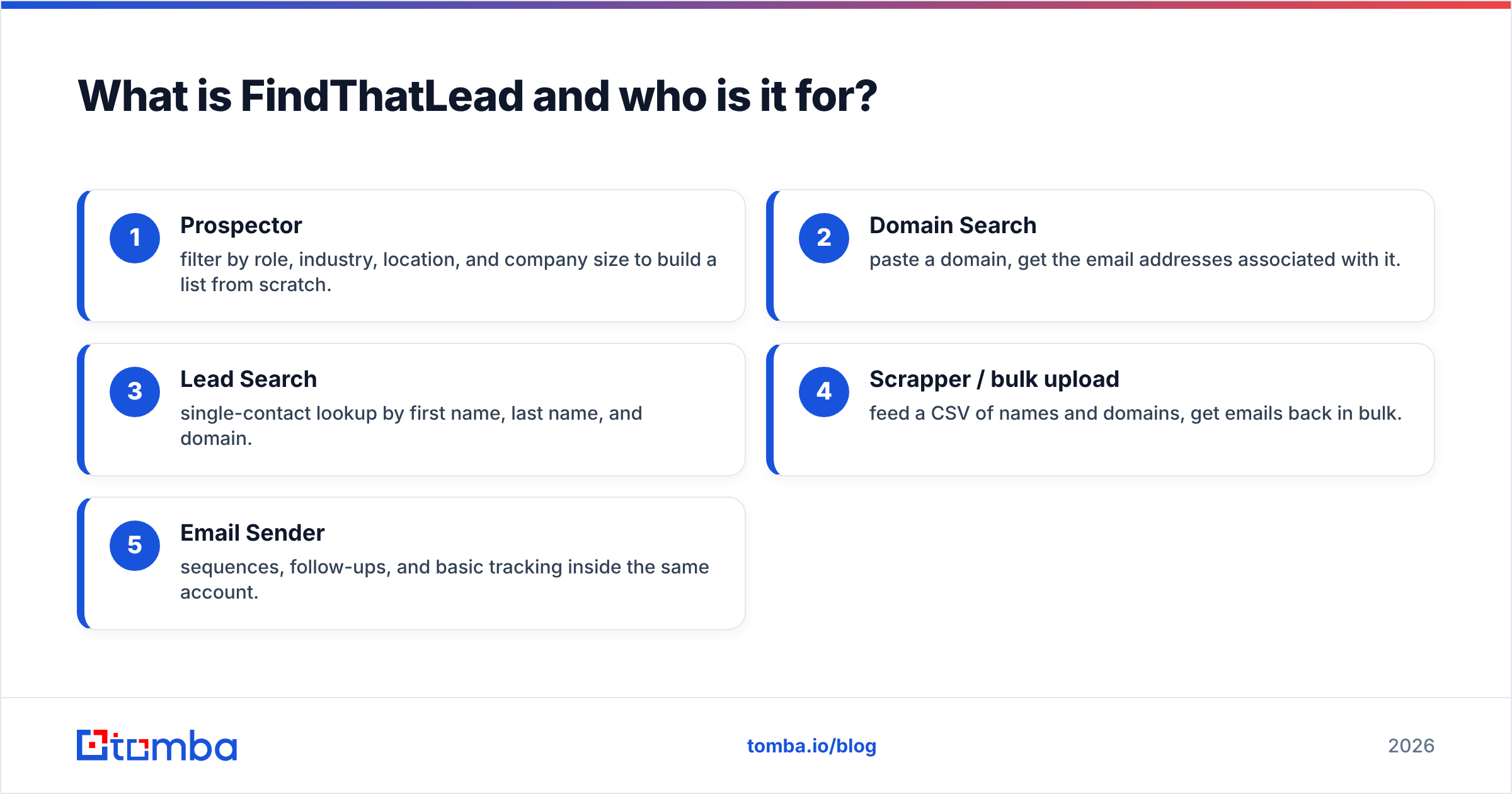
- Prospector — filter by role, industry, location, and company size to build a list from scratch.
- Domain Search — paste a domain, get the email addresses associated with it.
- Lead Search — single-contact lookup by first name, last name, and domain.
- Scrapper / bulk upload — feed a CSV of names and domains, get emails back in bulk.
- Email Sender — sequences, follow-ups, and basic tracking inside the same account.
The typical FindThatLead buyer is a solo founder, a small agency, or a two-to-five person SDR team that wants one subscription instead of three. It is not built for RevOps teams who want a governed data layer feeding a CRM.
The trade-off is depth. Because the same credit pool covers searching, verifying, and enriching, heavy users burn through allowances faster than they expect. And the built-in sender, while convenient, is a generalist — it does not compete feature-for-feature with dedicated sequencers.
What is Zintlr and what makes it different?#
Zintlr approaches the same problem from the intelligence side. It maintains a B2B contact database (emails, direct dials, company firmographics) and layers on what it calls personality intel: inferred behavioural traits for individual prospects, derived from their public footprint, meant to tell you whether to open with data, with story, or with a direct ask.
That feature is genuinely unusual. Most prospecting tools stop at "here is a title and an email." Zintlr tries to answer "here is how this person likes to be sold to." Whether that inference is reliable enough to change your reply rate is a separate question — treat it as a hypothesis generator, not gospel — but as a research aid, it fills a real gap.
Zintlr's other emphasis is phone coverage. Its records lean harder on direct dials than most email-first tools, which matters if your motion is multi-channel rather than pure email. It also ships a browser extension for pulling contacts off LinkedIn and company sites, plus API access for pushing data into your own systems.
What Zintlr does not do well is sending. There is no mature sequencer inside it. You will export or integrate, which means Zintlr sits at the top of your stack, not across it.
How do FindThatLead and Zintlr compare head to head?#
Here is the practical comparison, feature by feature.
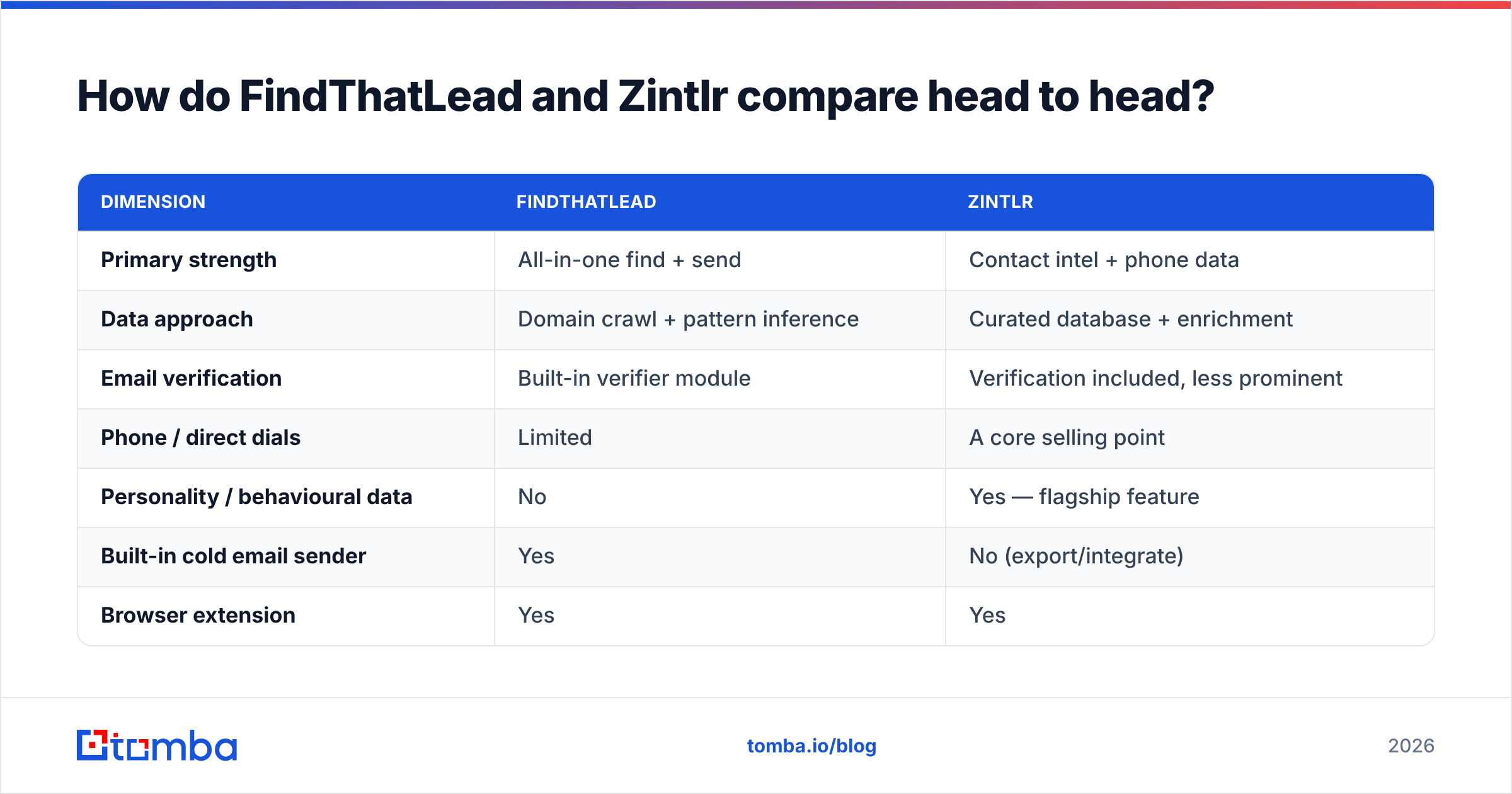
| Dimension | FindThatLead | Zintlr |
|---|---|---|
| Primary strength | All-in-one find + send | Contact intel + phone data |
| Data approach | Domain crawl + pattern inference | Curated database + enrichment |
| Email verification | Built-in verifier module | Verification included, less prominent |
| Phone / direct dials | Limited | A core selling point |
| Personality / behavioural data | No | Yes — flagship feature |
| Built-in cold email sender | Yes | No (export/integrate) |
| Browser extension | Yes | Yes |
| API access | Yes, on paid plans | Yes |
| Free tier | Limited monthly credits | Limited free plan |
| Best for | Solo founders, small agencies | Researchers, multi-channel SDRs |
| Weakest point | Credit burn, generalist sender | No native sending workflow |
The pattern that emerges: FindThatLead optimises for throughput, Zintlr optimises for context. If you are sending 3,000 emails a month and treating every prospect as a row in a spreadsheet, FindThatLead's workflow is faster. If you are running 40 highly-researched accounts a quarter and every touch is hand-written, Zintlr gives you more to work with.
Neither answer is wrong. But buying the wrong one for your motion wastes an entire quarter of pipeline.
Which one has better data accuracy?#
This is where the marketing pages get quiet, so let's be precise about what "accuracy" means.
Every email-finding tool produces results in one of three states:
- Verified — an SMTP-level check confirmed the mailbox accepts mail. Safe to send.
- Pattern-guessed — the tool knows the company uses
first.last@domain.comand assembled an address from a name. Might be right. Might bounce. - Catch-all — the domain accepts everything at the gateway, so nothing can be confirmed at the SMTP layer without deeper signals.
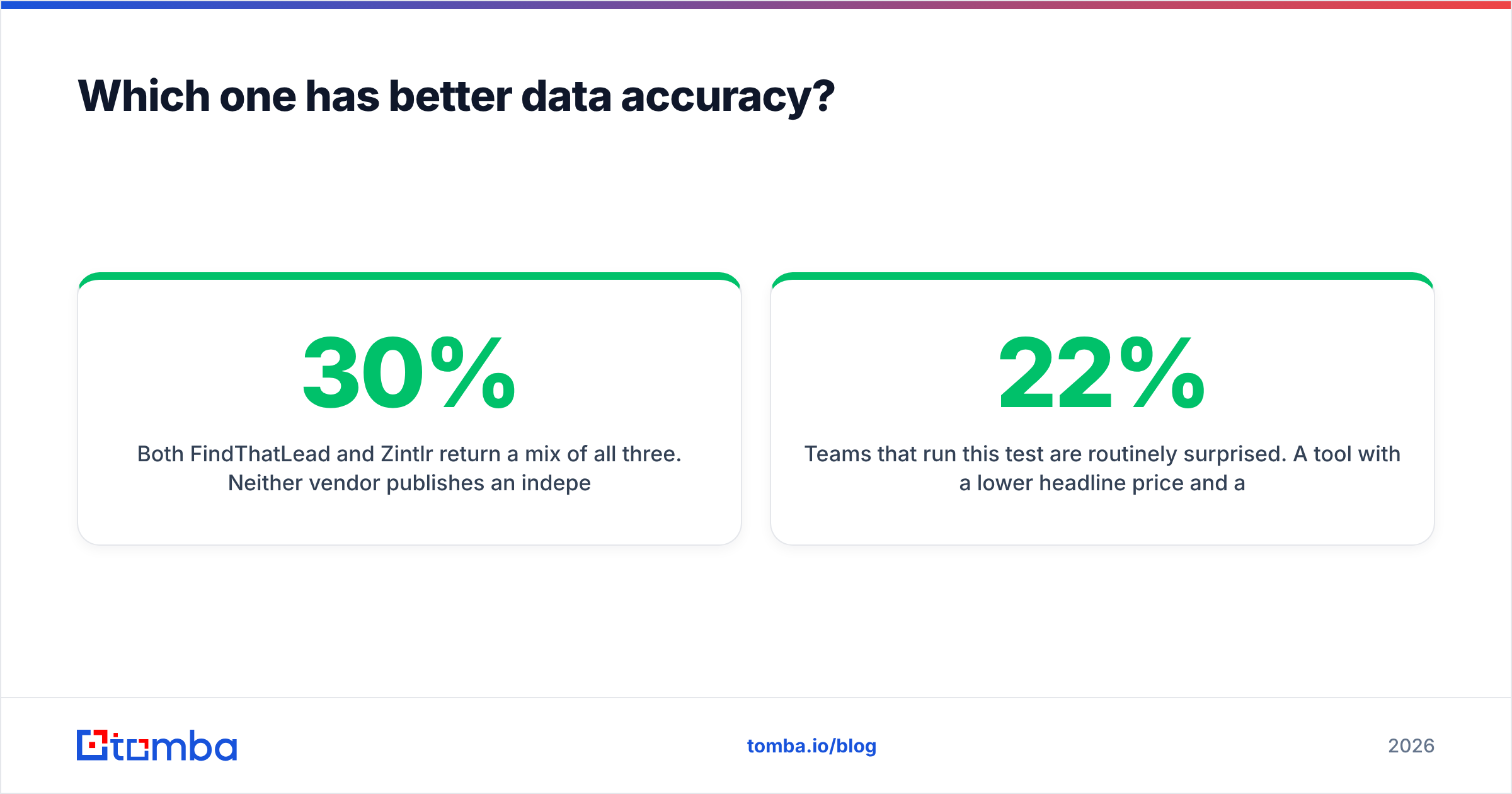
Both FindThatLead and Zintlr return a mix of all three. Neither vendor publishes an independently audited bounce rate, and self-reported accuracy figures across this category tend to describe the verified subset rather than the whole export — which is how a tool with a 30% guess rate can still advertise "98% accuracy."

The practical test is simple and takes twenty minutes:
- Pull the same 100 contacts from both tools — same companies, same roles.
- Run every result through an independent email verifier you do not own.
- Count three numbers: how many contacts each tool found, how many came back valid, and how many were flagged catch-all or risky.
- Divide plan cost by valid contacts. That number — cost per deliverable email — is the only pricing metric that matters.
Teams that run this test are routinely surprised. A tool with a lower headline price and a 22% invalid rate can cost more per usable contact than a pricier tool with a 4% invalid rate. Catch-all domains deserve special attention too: if a large share of your target market runs catch-all (common in enterprise and in European mid-market), you need a dedicated catch-all verifier or you are flying blind on a third of your list.

How does pricing compare, and where do the costs hide?#
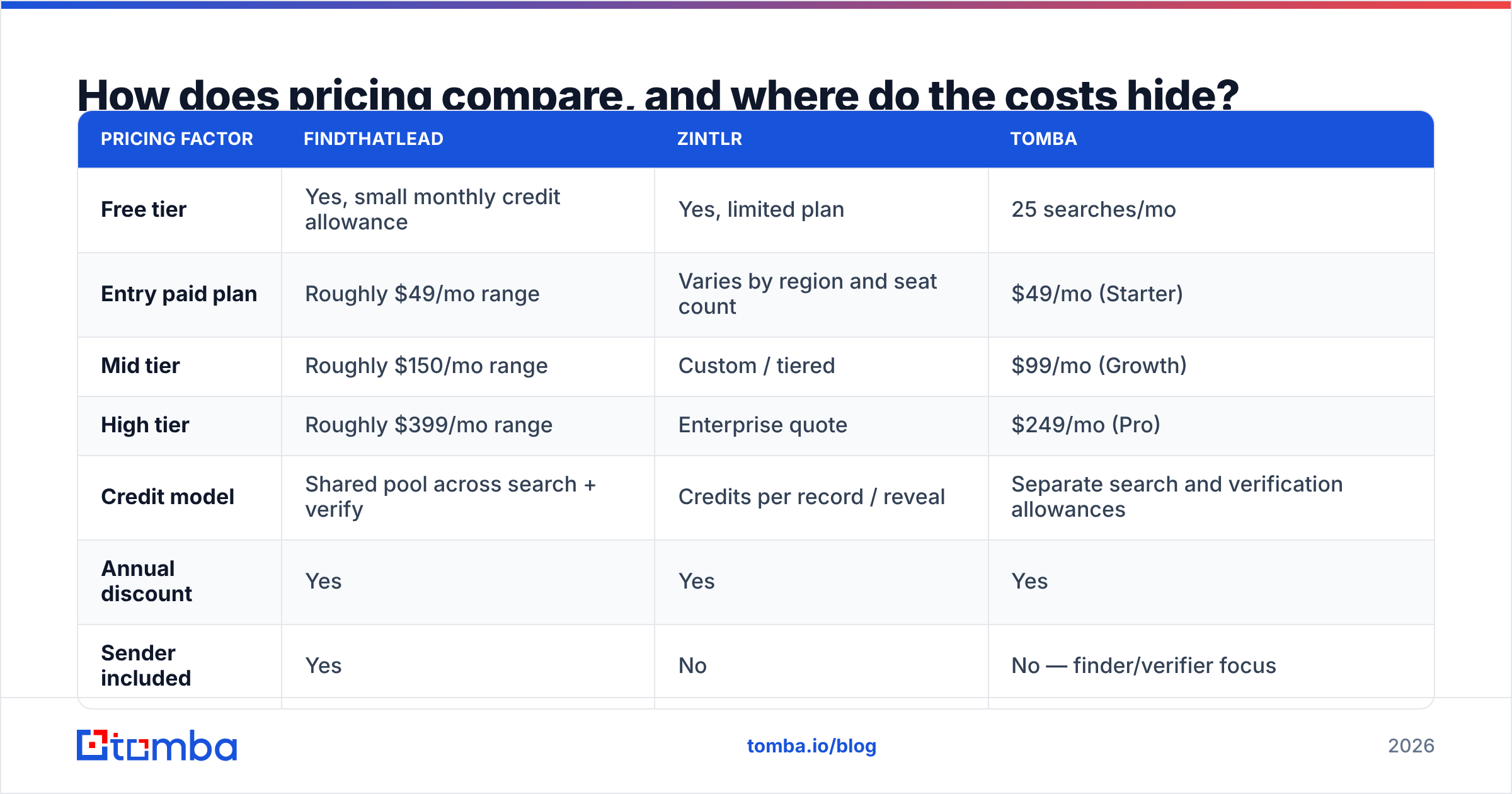
Both vendors run credit-based tiers with a free entry point. The mechanics differ enough to matter.
| Pricing factor | FindThatLead | Zintlr | Tomba |
|---|---|---|---|
| Free tier | Yes, small monthly credit allowance | Yes, limited plan | 25 searches/mo |
| Entry paid plan | Roughly $49/mo range | Varies by region and seat count | $49/mo (Starter) |
| Mid tier | Roughly $150/mo range | Custom / tiered | $99/mo (Growth) |
| High tier | Roughly $399/mo range | Enterprise quote | $249/mo (Pro) |
| Credit model | Shared pool across search + verify | Credits per record / reveal | Separate search and verification allowances |
| Annual discount | Yes | Yes | Yes |
| Sender included | Yes | No | No — finder/verifier focus |
Three cost traps to check before you sign anything:
- Does a failed lookup consume a credit? Some tools charge for the attempt, not the result. On a list with 30% coverage gaps, that difference alone can double your effective cost.
- Are verification credits separate from search credits? If they share a pool, every verification you run shrinks your prospecting capacity — and you will be tempted to skip verification exactly when you shouldn't.
- Are exports and API calls metered separately? Enrichment-heavy platforms frequently gate bulk export behind a higher tier than the one the sales rep quoted you.
Compare that against Tomba pricing, where search and verification allowances are stated separately so you can model cost per deliverable email before you commit, not after your first bounce report.

When should you pick FindThatLead over Zintlr?#
Choose FindThatLead if:
- You want one tool and one invoice covering find, verify, and send.
- Your motion is volume-based: broad ICP, templated sequences, high send counts.
- You are a solo operator or agency without the appetite to stitch four tools together.
- Your targets are SMB and mid-market companies with predictable email patterns.
Choose Zintlr if:
- Your reps call as much as they email, and direct dials are the constraint.
- You run account-based outbound where research time per prospect is measured in minutes, not seconds.
- You already own a sequencer (Instantly, Smartlead, Outreach) and only need the data layer.
- The personality-intel angle genuinely changes how your team writes — test it on 50 prospects before assuming it does.
Choose neither if:
- Your only real problem is bounce rate. Both are prospecting platforms first; deliverability hygiene is a secondary concern for them.
- You need programmatic enrichment inside your own product. A purpose-built email finder API will be cheaper and more predictable than paying for suite features you never open.
- You need to enrich a database of tens of thousands of existing records — that is a bulk email finder job, and suite pricing gets punishing at that volume.
Worth noting: the "all-in-one vs best-of-breed" argument is not new, and the honest answer depends on team size. Reviews on G2 show the same split — small teams rate all-in-one suites highly for convenience, larger teams rate them lower once the weakest module becomes a bottleneck.
What does a sane 2026 prospecting stack look like?#
The teams with the lowest cost per meeting have mostly converged on a three-layer structure rather than a single suite:
- Discovery layer — decide who to contact. Job-change triggers, funding rounds, hiring signals, intent data. This is where Zintlr's intel and FindThatLead's Prospector both live.
- Contact layer — get a deliverable address or number. This is a specialist job, not a bundled feature. Use a dedicated email finder with transparent confidence scoring, then verify independently.
- Execution layer — send, sequence, and track. A purpose-built sender with warmup and inbox rotation beats a suite's bundled sender at any real volume.
The mistake is assuming one vendor should own all three. Suites optimise for the average of their modules; your pipeline is limited by the weakest one. If your finder's guess rate is 25%, no amount of sequencing sophistication rescues the campaign — you are just burning domain reputation on addresses that were never real.
A quick sanity check for any tool you're evaluating: does it tell you why it believes an address is valid? A confidence score, a source list, and a verification status are the difference between data you can act on and a list of plausible strings.
Verdict: which one should you buy?#
FindThatLead wins for small teams who value one workflow over best-in-class components. It is the pragmatic pick if you are shipping outbound this week and cannot afford integration overhead.
Zintlr wins for research-led, multi-channel outbound. The phone coverage and prospect context justify the seat cost when your average deal is large enough that a hand-written first touch pays for itself.
But if you tested both and your real complaint is bounce rate, buy neither. Layer a dedicated finder and verifier under whichever sequencer you already trust, and stop paying suite prices for modules you use twice a month.
Start with the twenty-minute accuracy test above. Pull 100 contacts from FindThatLead, 100 from Zintlr, and 100 from a third option, verify all three lists independently, and compare cost per deliverable email. The results will settle the argument faster than any review post — including this one.
Ready to see what a verified list actually looks like? Run the same 100 contacts through the Tomba Email Finder — free tier includes 25 searches per month, no card required, and every result comes back with a confidence score and its sources attached, so you know exactly which addresses are safe to send to before you spend a single credit on a sequence.
Related guides#
Ready to find emails that actually work?
Join 150,000+ professionals who stopped guessing and started sending. Free credits on signup — no credit card required.
Get the Tomba newsletter
Practical outbound tactics and product updates — once every two weeks.
About the author