Findymail vs Infofree (2026): Which B2B Data Tool Wins?
Findymail sells verified email discovery. Infofree sells unlimited US business lists. They solve different problems, and picking the wrong one wastes a quarter of pipeline. Here is the honest breakdown.
Findymail vs Infofree comes down to one question. Do you need the right person's email, or a big list of local companies? Findymail finds and verifies work emails. Infofree sells bulk US business lists. This guide shows which one fits your team.
TL;DR
- Findymail is a verification-first email finder. It suits outbound teams that push contacts into sequencers. Infofree is a US business and consumer list database. It sells unlimited access for a flat monthly fee.
- They are not really rivals. Findymail answers "what is this person's work email?" Infofree answers "give me every HVAC company in Ohio with 10-50 staff."
- Findymail wins on email accuracy and bounce protection. It also plugs into modern sales tools. Infofree wins on raw volume, local coverage, and flat pricing for SMB list pulls.
- Infofree data leans toward small US firms, phone numbers, and addresses. Sell B2B SaaS to VP-level buyers in Europe or APAC and coverage gets thin fast.
- Want both — targeted discovery and verification at API scale? A provider like Tomba finds, verifies, and enriches in one flow. Plans start at $49/mo.
What are Findymail and Infofree, actually?#
They sit in different aisles of the same store.
Findymail (findymail.com) is an email finder with one core promise: emails that do not bounce. It checks every lookup in real time. If an address looks risky, it returns nothing at all. The vendor backs this with a bounce guarantee.
It works inside LinkedIn and Sales Navigator through a Chrome extension. It exports to Lemlist, Smartlead, Instantly, HubSpot, and Pipedrive. There is an API too. The typical user is an outbound SDR or an agency running cold email. At that volume, a 6% bounce rate can burn a sending domain.
Infofree (infofree.com) comes from a different world. Its roots are direct mail and telemarketing lists. You pay a monthly fee for access to about 15 million US businesses. It also holds hundreds of millions of US consumer records. Top tiers allow unlimited downloads.
You filter by SIC code, area, staff count, sales volume, and credit rating. Then you pull the list. The tool bundles a light CRM and mailing features. The typical buyer runs a local service firm, an insurance desk, or a franchise. They want a call list for tomorrow morning.
That gap — precision instrument versus bulk warehouse — drives everything below.

Findymail vs Infofree: how do they compare head to head?#
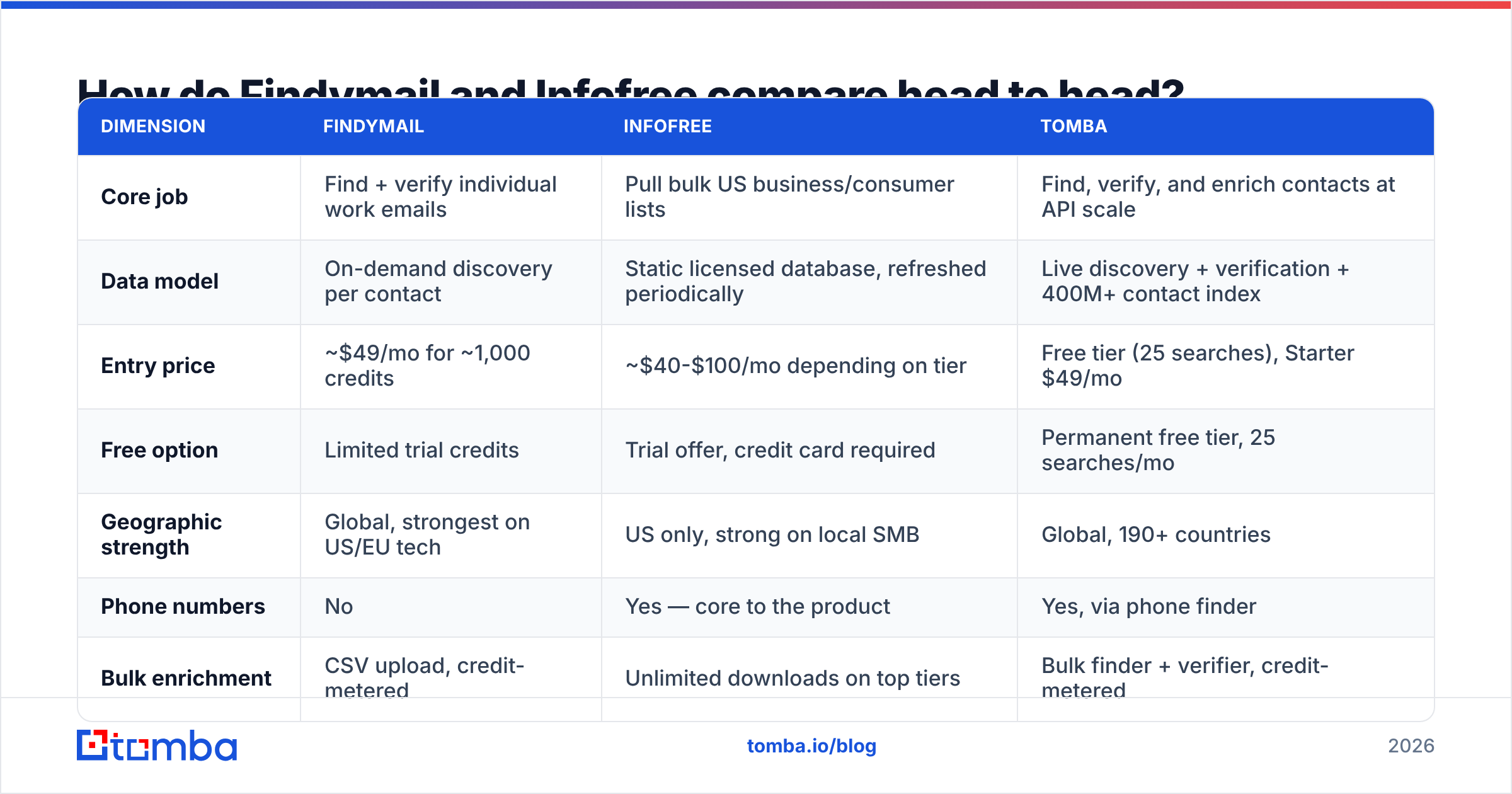
Here is the practical breakdown. Prices move. Treat these figures as a starting point and check each vendor's site before you buy.
| Dimension | Findymail | Infofree | Tomba |
|---|---|---|---|
| Core job | Find + verify individual work emails | Pull bulk US business/consumer lists | Find, verify, and enrich contacts at API scale |
| Data model | On-demand discovery per contact | Static licensed database, refreshed periodically | Live discovery + verification + 400M+ contact index |
| Entry price | ~$49/mo for ~1,000 credits | ~$40-$100/mo depending on tier | Free tier (25 searches), Starter $49/mo |
| Free option | Limited trial credits | Trial offer, credit card required | Permanent free tier, 25 searches/mo |
| Geographic strength | Global, strongest on US/EU tech | US only, strong on local SMB | Global, 190+ countries |
| Phone numbers | No | Yes — core to the product | Yes, via phone finder |
| Bulk enrichment | CSV upload, credit-metered | Unlimited downloads on top tiers | Bulk finder + verifier, credit-metered |
| API access | Yes | Limited / not the primary model | Yes — REST API, CLI, MCP server |
| Bounce protection | Verification-first, bounce guarantee | Not a verification product | Deliverability scoring + catch-all handling |
| Best fit | Cold email teams, agencies, RevOps | Local services, insurance, telesales | Teams needing accuracy plus volume |
The row that decides most deals is "core job." Already have a target account list? Then you need the humans inside it, and Findymail-style discovery is right. Have no list at all and want 4,000 dentists in Arizona by Friday? A database like Infofree is faster.
Which one has better data accuracy?#
Findymail — if you judge accuracy the way cold emailers do, by bounce rate on send.
Findymail is built to never return a bad address. It checks each email at lookup time. If it is not sure, it returns nothing. So you get fewer hits on a list of 1,000 prospects. The hits you do get are safer. Reviews on G2 name the same trade-off: fewer results, cleaner results.
Infofree measures accuracy another way. Its records come from public filings, phone directories, credit bureaus, and business registrations. For firm details — address, phone, SIC code, staff band — the data holds up well. For a named person's work email, it is much weaker. Compiled lists tend to carry generic inboxes such as info@, sales@, or office@. That works for a mail drop or a phone campaign. It fails for a personal cold email.
Then there is decay. B2B contact data goes stale by about 2-3% per month as people change jobs. A static licensed database inherits that decay between refreshes. A live lookup does not. That is why serious senders put an email verifier between the list source and the sequencer, whatever the vendor.

Suggested visual: a Findymail Chrome extension lookup on a LinkedIn profile, side by side with an Infofree list-builder filter panel. The UI gap tells the story better than a chart.
What does each tool actually cost?#
Two pricing models. Which one is cheaper depends on the shape of your volume.
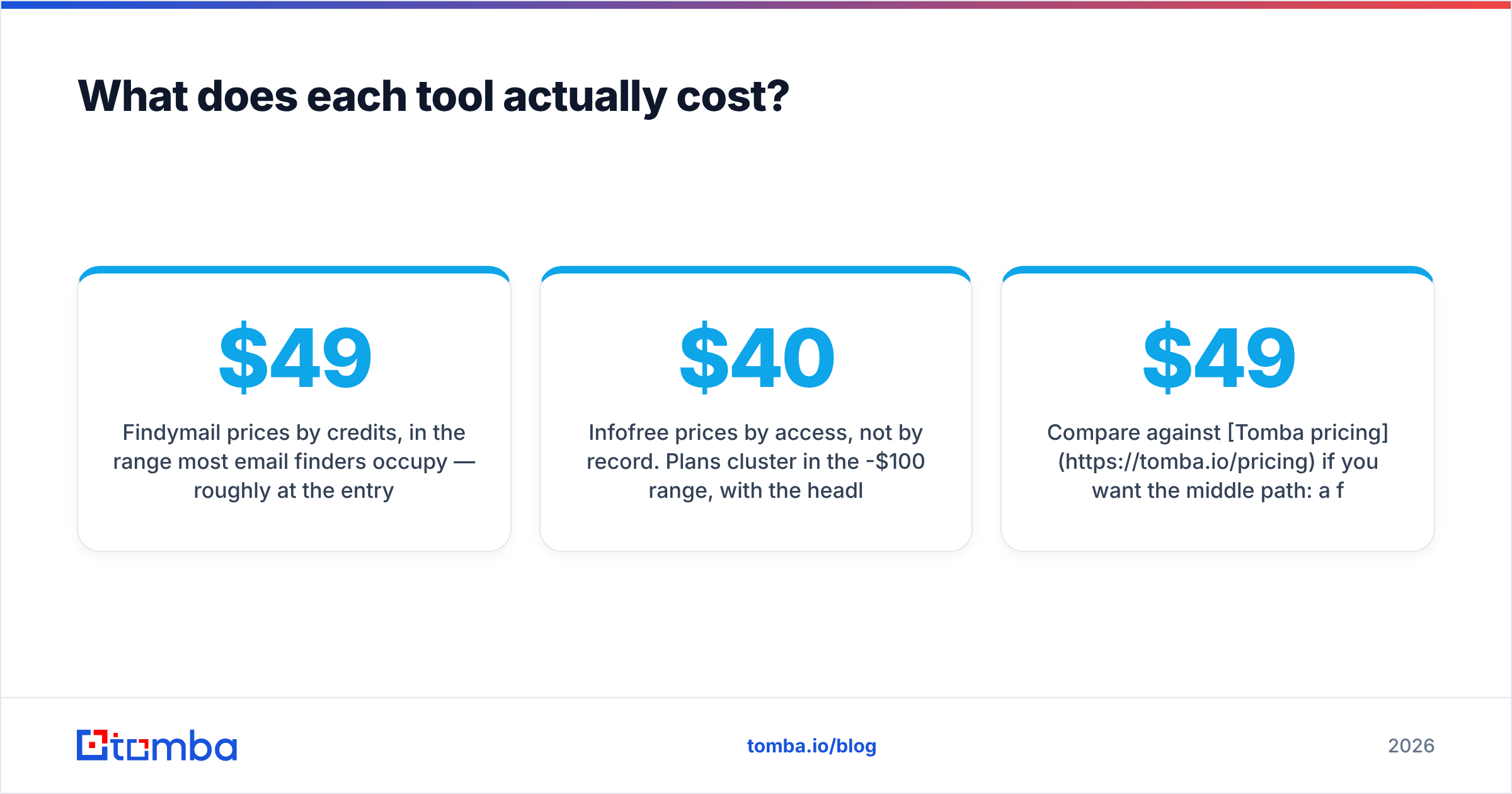
Findymail charges by credit. Entry is about $49/mo for roughly 1,000 emails. Higher tiers run $99 and $249 for 5,000 and 15,000. One credit covers one successful find, so misses are free. Verification is included. Paid plans get API access.
Infofree charges for access, not per record. Plans sit in the $40-$100/mo range. The headline perk is unlimited downloads on the top tier. Pull 20,000 local records a month and the cost per record nears zero. Need 300 VP-of-Engineering emails at named accounts? Then you are paying for a database that likely does not hold them.
Run the math on your own motion:
- Named-account outbound (50-500 contacts/mo). Credits win. You pay only for the contacts you need, and each one is checked. Findymail or a similar finder is cheaper and safer.
- Territory sweep (5,000+ local firms/mo). Flat-rate wins. No credit model survives that volume at a fair price.
- Phone-led prospecting. Infofree, or a phone finder. Findymail does not sell phone numbers.
- API enrichment inside your product or CRM. Neither fits well. Findymail's API is capable but credit-capped. Infofree is not an API-first source. Here a developer-focused provider matters.
- Mixed motion. Most teams land here. That is why single-vendor answers rarely hold for long.
Want the middle path? Check Tomba pricing: a free tier with 25 searches/mo, Starter at $49/mo, Growth at $99/mo, and Pro at $249/mo. API, bulk, and verification come included, not as add-ons.
Is Findymail better than Infofree for cold email?#
Yes, clearly — but only for cold email.
Cold email in 2026 lives or dies on inbox placement. Google and Microsoft both tightened the rules for bulk senders. A bounce rate above 2-3% now counts against your domain. So your list source is a deliverability choice, not just a data choice.
Findymail is built for that world. Infofree was built for an era when the list fed a dialer or an envelope. Its data still shows those roots. Push a compiled SMB list into a cold email tool and you risk your sending domain. The generic inboxes that do resolve sit behind tight spam filters. The rest simply bounce.
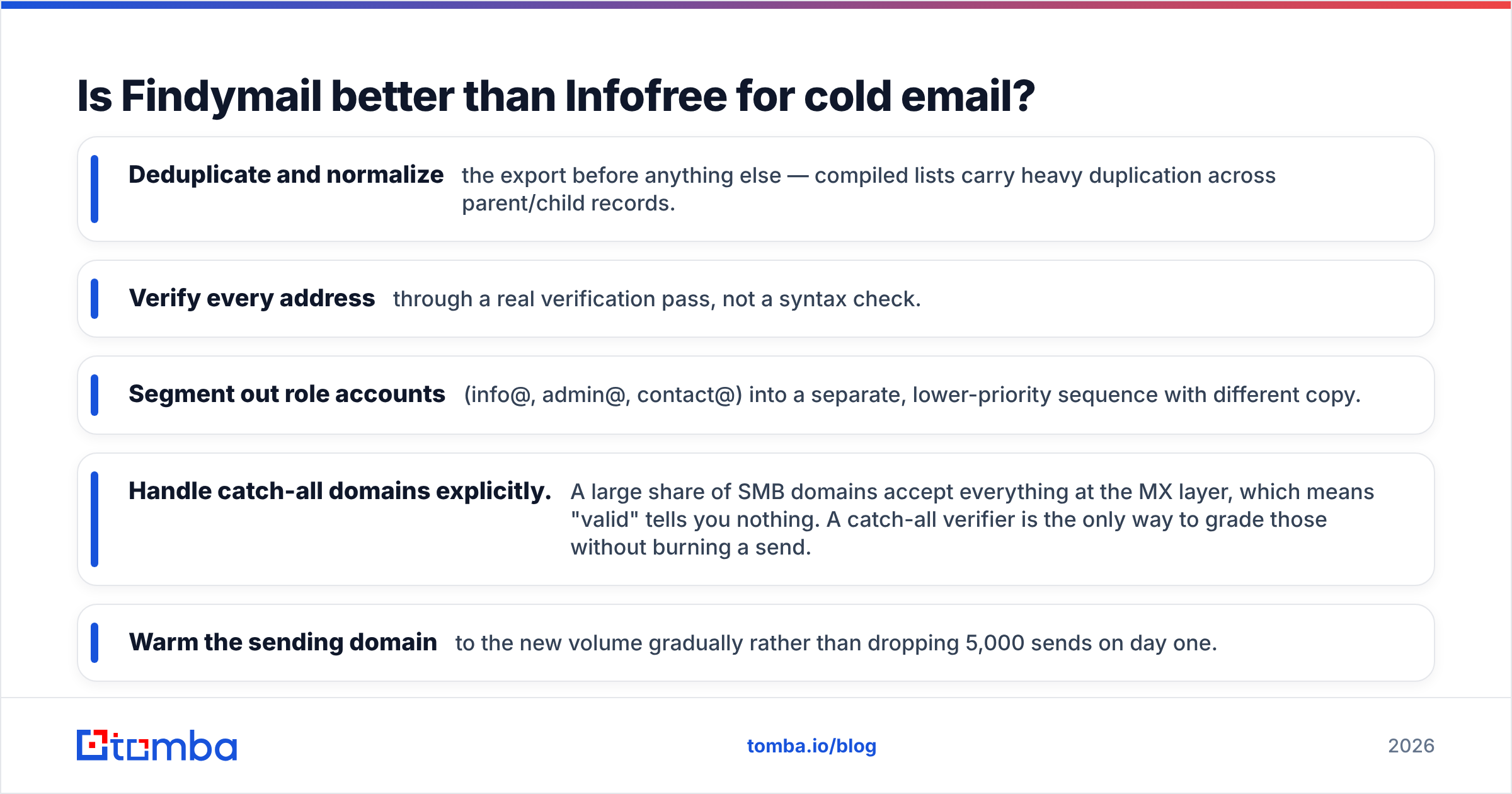
Inherited an Infofree list and want to email it anyway? Do this first:
- Dedupe and normalize the export. Compiled lists repeat records across parent and child entries.
- Verify every address with a real check, not a syntax test.
- Split out role accounts (info@, admin@, contact@). Give them their own sequence and softer copy.
- Handle catch-all domains. Many SMB domains accept every address at the MX layer, so "valid" tells you nothing. A catch-all verifier grades those without burning a send.
- Warm the sending domain slowly. Do not drop 5,000 sends on day one.

Who should choose Infofree anyway?#
There is a real buyer here. Writing Infofree off as "old data" misses them.
Infofree fits if you sell to US small businesses in a set area. It fits if you prospect by phone or direct mail. And it fits if you screen by company traits rather than tech stack. Insurance agencies, cleaning firms, merchant services reps, local marketing agencies, and franchise teams all qualify. For them, "every restaurant within 30 miles doing $500K-$2M" is a useful query. The unlimited model also beats per-record list brokers on price.
Infofree bundles a basic CRM and mailing tools. For a two-person shop, that matters. It saves buying and wiring up a separate CRM. One login can be worth real money.
Where it breaks down: coverage outside the US, senior-title targeting, tech-stack filters, intent signals, and named work emails. If your buyer is "Series B SaaS on Snowflake, Head of Data or above, US and UK," Infofree is the wrong shelf.
Where does Findymail fall short?#
Three gaps worth knowing before you sign.
Coverage outside tech and outside the US. Verification-first means the tool will not guess. On manufacturing, healthcare, or public-sector lists, hit rates drop. The same happens on many non-English domains. Some teams would rather get the guess and grade it themselves.
No phone data. Run a multi-channel cadence with dials and you need a second tool. That weakens the "one clean vendor" case.
Credit caps on the API. The API works well for CRM enrichment and workflow automation. As a backend data layer for a product you ship, the credit model gets awkward. Try to enrich every signup at scale and you hit a pricing wall.
For that third case, an API-first option is the usual answer. The Tomba API covers finding, verification, domain search, and enrichment under one key. It also ships CLI and MCP access for agents and internal tools.
Findymail vs Infofree: what is the verdict for 2026?#
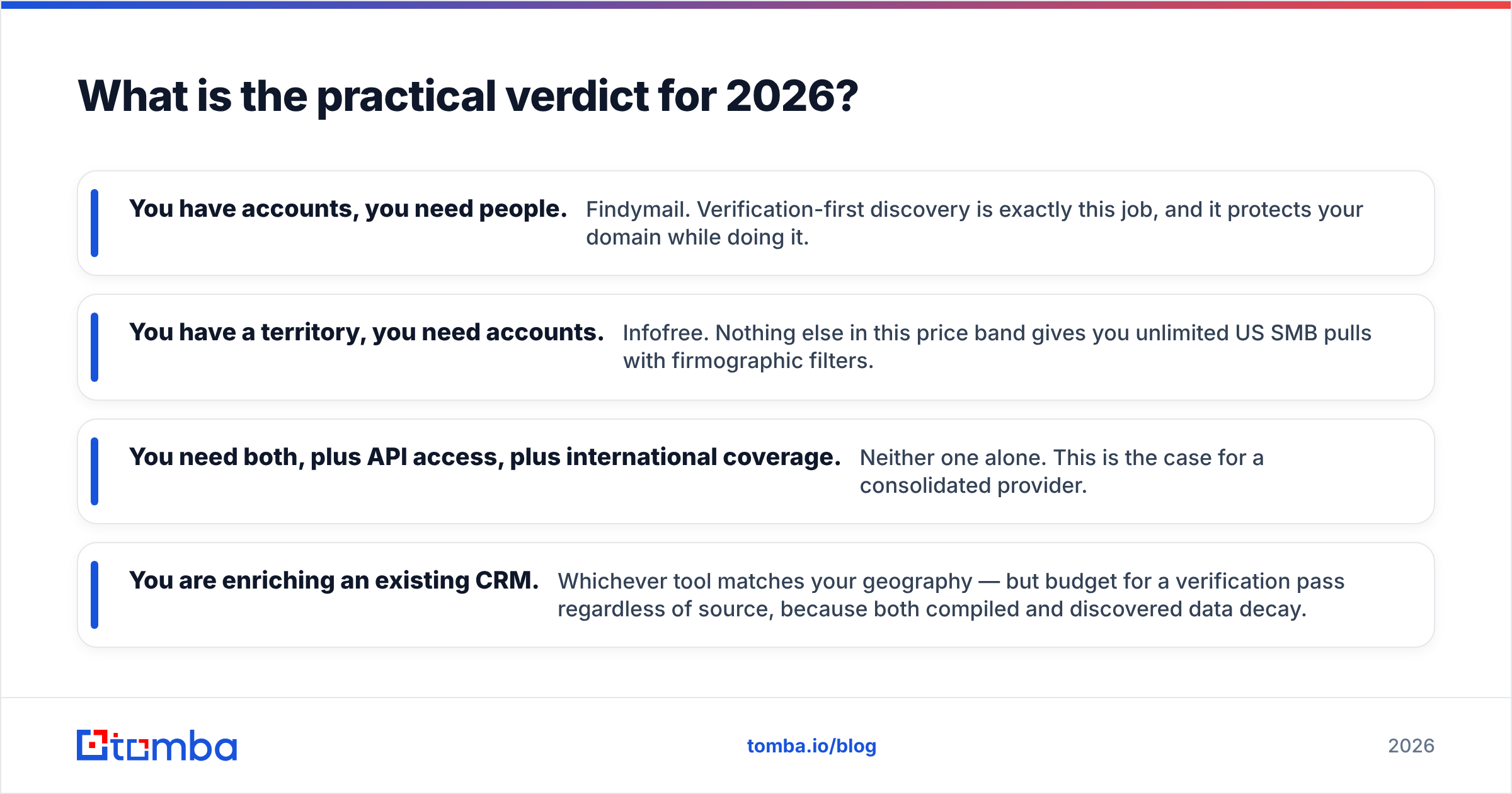
Match the tool to the shape of your list problem, not to a feature grid.
- You have accounts, you need people. Findymail. Verified discovery is exactly this job, and it guards your domain while it works.
- You have a territory, you need accounts. Infofree. Nothing else at this price gives you unlimited US SMB pulls with firm-level filters.
- You need both, plus an API and global reach. Neither one alone. Look at a single consolidated provider.
- You are enriching an existing CRM. Pick the tool that matches your geography. Budget for a verification pass either way, because all contact data decays.
One mistake shows up again and again. A team buys an unlimited list plan because the per-record math looks unbeatable. Then it feeds those records into a cold email sequencer. The math stops looking good once domain reputation drops and reply rates halve. Cheap data that bounces is the most expensive data you can buy.
Getting the accuracy without the trade-offs#
Need Findymail's accuracy at Infofree's volume, through an API? Start with the Tomba Email Finder. It resolves work emails by domain, name, or company across 190+ countries. Every result is verified before it comes back. The same power is exposed through a REST API, CLI, Chrome extension, Google Sheets, and Excel. The free tier gives you 25 searches a month. Run 50 of your hardest prospects through it before you commit budget to anyone, including us. Never take data quality on a vendor's word.
Related guides#
Ready to find emails that actually work?
Join 150,000+ professionals who stopped guessing and started sending. Free credits on signup — no credit card required.
Get the Tomba newsletter
Practical outbound tactics and product updates — once every two weeks.
About the author