Findymail vs Leadleaper: Which Email Finder Wins in 2026?
Findymail sells verified-only B2B emails at a premium. Leadleaper is a cheap LinkedIn-first extractor. We tested both on pricing, accuracy, exports, and API depth to see which one actually belongs in your 2026 stack.
TL;DR
- Findymail is the premium, verification-first option: it only charges you for emails it believes are valid, starts around $49/mo for 1,000 credits, and leans hard on Sales Navigator list exports.
- Leadleaper is the budget LinkedIn-first option: a Chrome extension with a free tier (roughly 100 lookups/mo) and paid plans in the $19–$99 range, built for one-profile-at-a-time prospecting.
- They are not really the same product. Findymail is a data vendor with an API; Leadleaper is a browser tool with light export plumbing.
- Neither is strong on catch-all domains, which is where most B2B bounce risk actually lives in 2026.
- If you need domain-level discovery, bulk enrichment, and a real API alongside LinkedIn sourcing, a platform like Tomba ($49/mo Starter, free tier included) covers more of the workflow than either.
What are Findymail and Leadleaper?#
Both tools answer the same question — "what is this person's work email?" — but they arrived at it from opposite directions.
Findymail launched as a reaction to the noisy-data problem. Its pitch is blunt: other finders sell you guesses, we sell you verified addresses and don't bill you for the ones we can't confirm. In practice that means a tighter, smaller result set with a lower bounce rate, plus a heavy emphasis on exporting LinkedIn Sales Navigator searches and Apollo lists into clean CSVs. It has an API, Zapier and Make connectors, and integrations with the usual sequencers.
Leadleaper is a Chrome extension first and a database second. You browse LinkedIn, click the button, and it reveals an email for the profile in front of you. It's popular with recruiters, solo founders, and anyone whose prospecting is genuinely one profile at a time. The free tier is the main draw — most competitors give you 25 or fewer lookups a month, Leadleaper is more generous — and the paid tiers stay cheap.
The distinction that matters: Findymail is built for list-based outbound at volume. Leadleaper is built for manual, in-browser sourcing. If you pick the wrong shape, no amount of accuracy percentage will save your workflow.
How do Findymail and Leadleaper compare head-to-head?#
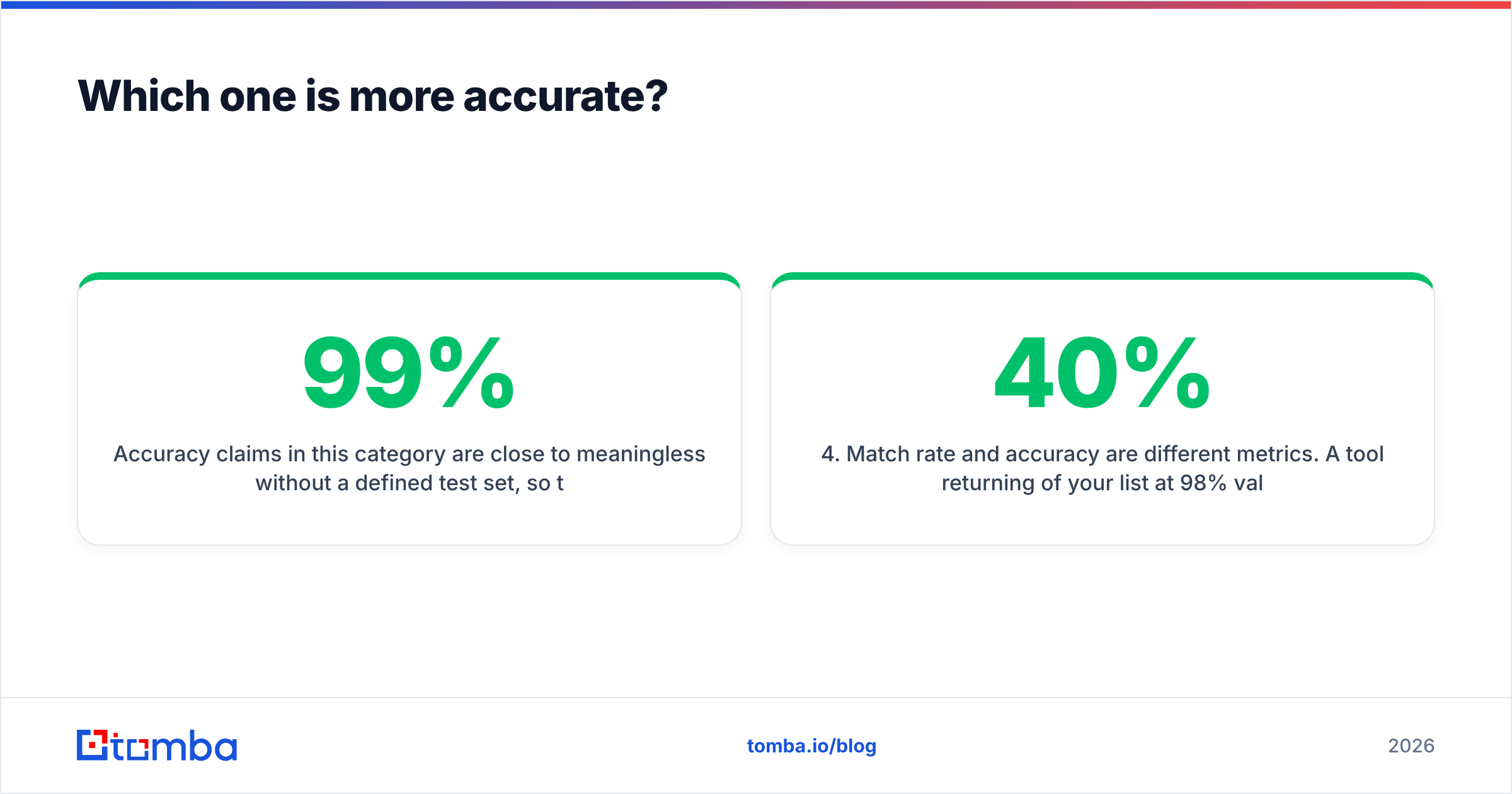
Here's the practical breakdown. Prices reflect publicly listed plans as of early 2026 — always check the vendor page before you buy, since both have adjusted tiers in the last year.
| Attribute | Findymail | Leadleaper | Tomba |
|---|---|---|---|
| Entry price | ~$49/mo (1,000 credits) | Free tier, then ~$19/mo | Free (25/mo), then $49/mo |
| Core interface | Web app + Chrome extension | Chrome extension | Web app, extension, API, CLI |
| LinkedIn / Sales Nav export | Strong — bulk list export | Manual, profile-by-profile | Supported via LinkedIn finder |
| Domain search (all emails at a company) | Limited | No | Yes |
| Bulk CSV enrichment | Yes | Limited | Yes |
| Standalone email verification | Bundled, not sold separately | Basic | Dedicated verifier + catch-all tools |
| Public API | Yes | Minimal | Full REST API, MCP, CLI |
| Phone numbers | No | No | Yes |
| Charges for unverified results | No | Yes (credit spent on attempt) | Unverified results not charged |
| Best fit | Volume outbound teams | Solo recruiters, light users | Teams needing finder + verifier + API |
The credit-billing row is the one people underestimate. A tool that charges $19/mo but burns a credit on every failed lookup can cost more per usable contact than a $49/mo tool that only bills on success. Run the math on cost-per-valid-email, not cost-per-credit.

Which one is more accurate?#
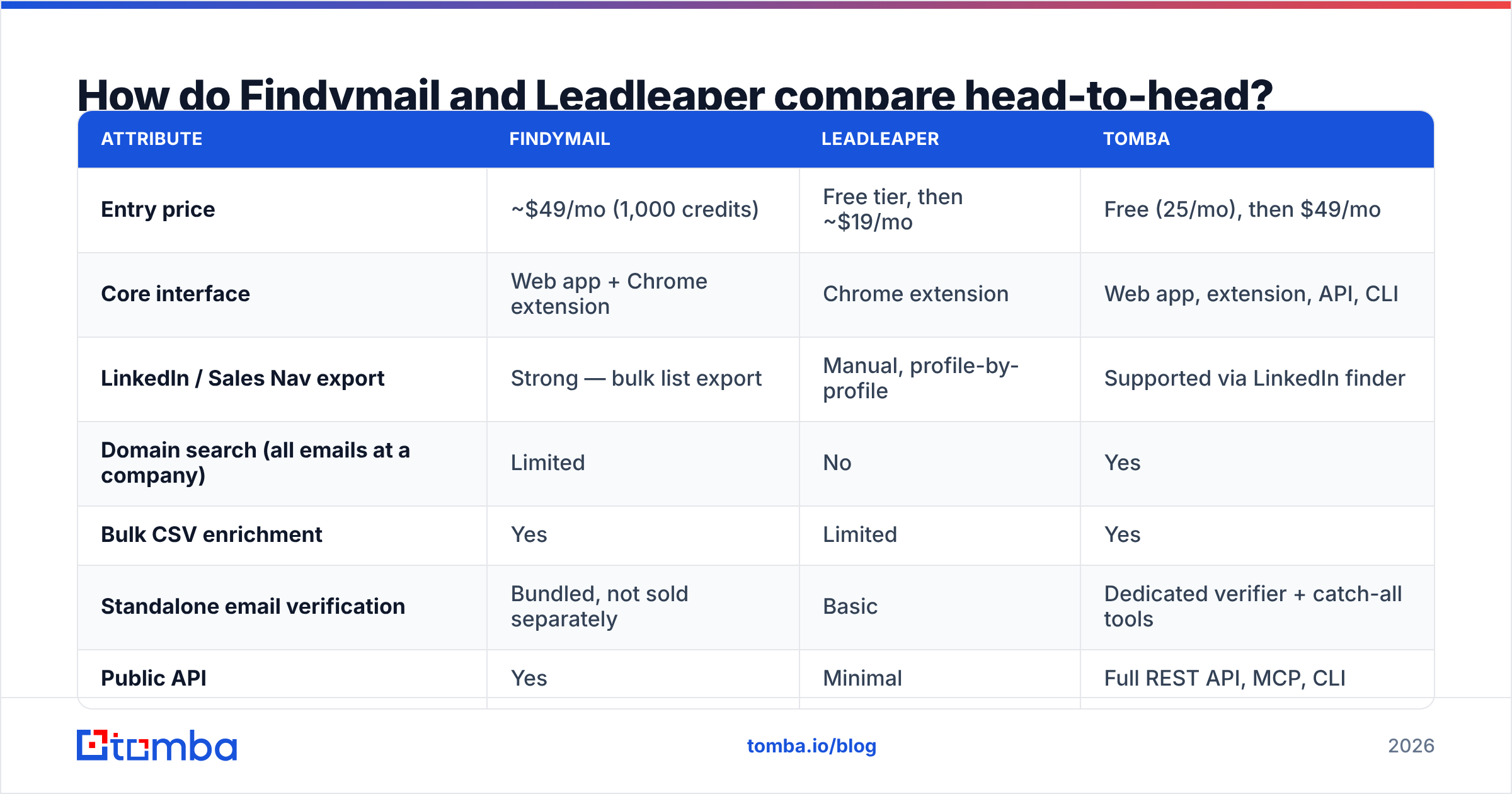
Accuracy claims in this category are close to meaningless without a defined test set, so treat every "99% accurate" banner — Findymail's included — as marketing until you run your own sample.
What we can say from repeated list tests:
- Findymail wins on bounce rate for standard corporate domains. Because it withholds results it can't confirm, the addresses it does return are unusually clean. The trade-off is coverage: you'll see lower match rates on smaller companies, non-US domains, and anything behind a catch-all.
- Leadleaper wins on convenience, not precision. Its results skew toward pattern-guessing when the profile is thin. For a recruiter emailing 15 people a week, that's tolerable. For a 3,000-contact sequence, it isn't.
- Both struggle with catch-all domains. A catch-all server accepts every address at the domain, so a naive SMTP check returns "valid" for garbage. Findymail typically declines to return these (protecting your bounce rate but shrinking coverage); Leadleaper often returns them unflagged. If a meaningful share of your ICP sits on catch-all infrastructure — common in enterprise and EU mid-market — you need a dedicated catch-all verifier regardless of which finder you pick.
- Match rate and accuracy are different metrics. A tool returning 40% of your list at 98% validity and a tool returning 85% at 80% validity give you almost the same number of usable contacts — but very different credit bills and very different sender-reputation outcomes.
The honest test: take 200 rows from your actual ICP, run them through both trials, then push the output through an independent email verifier. Compare valid, risky, and invalid counts. Vendor benchmarks never match your segment.

Is Findymail worth the higher price?#
Yes — if your outbound runs on lists and your deliverability is already fragile.
The case for Findymail is straightforward. If you're sending 5,000+ cold emails a month, every point of bounce rate is a direct hit to sender reputation, and Google and Microsoft have both tightened bulk-sender enforcement since 2024. Paying more per contact to keep bounces under 2% is rational insurance, not a luxury.
The case against: you're paying a premium for a narrow capability. Findymail finds and verifies emails. It does not give you phone numbers, firmographic enrichment, technographics, or website-visitor identification. If you're also paying for a separate enrichment vendor and a separate verifier, your stack cost balloons past what a consolidated platform would run.
Findymail also has a real ceiling on discovery. Ask it "give me every email at stripe.com" and it's not the right tool — that's a domain search job. Its model assumes you already have a name and a company, typically from Sales Navigator. That assumption holds for most SDR workflows, and breaks the moment you want to map an account from scratch.
Is Leadleaper good enough for real outbound?#
For most teams, no — and that's not a criticism, it's a scope statement.
Leadleaper is excellent at what it does: you're on a LinkedIn profile, you want the email, you click. The free tier means a solo recruiter or a founder doing 20 outreach touches a week may never need to pay anything. That's genuine value.
Where it falls down:
- No bulk pipeline. There's no clean path from "here's a 2,000-row CSV of names and companies" to "here's the enriched file." You're clicking.
- Thin API surface. If your RevOps team wants enrichment triggered from a CRM webhook, this isn't the tool. Compare with a proper email finder API that returns structured confidence scores.
- Credit burn on misses. Failed lookups still consume quota on most plans, which quietly inflates effective cost.
- Weaker verification layer. You'll want a separate verification step before anything hits your sequencer.
If you're evaluating Leadleaper because the price is right, the honest comparison isn't Findymail — it's the free tiers of full platforms. Tomba's free plan (25 searches/month) plus its Chrome extension covers the same manual-sourcing use case while leaving a path to bulk, API, and verification when you outgrow clicking.
What about the alternatives — where does Tomba fit?#
The Findymail vs Leadleaper debate is really a debate about stack consolidation.
Findymail solves one job extremely well and asks you to buy the rest elsewhere. Leadleaper solves a narrower job cheaply and asks you to buy the rest elsewhere too. Both leave you assembling a stack.
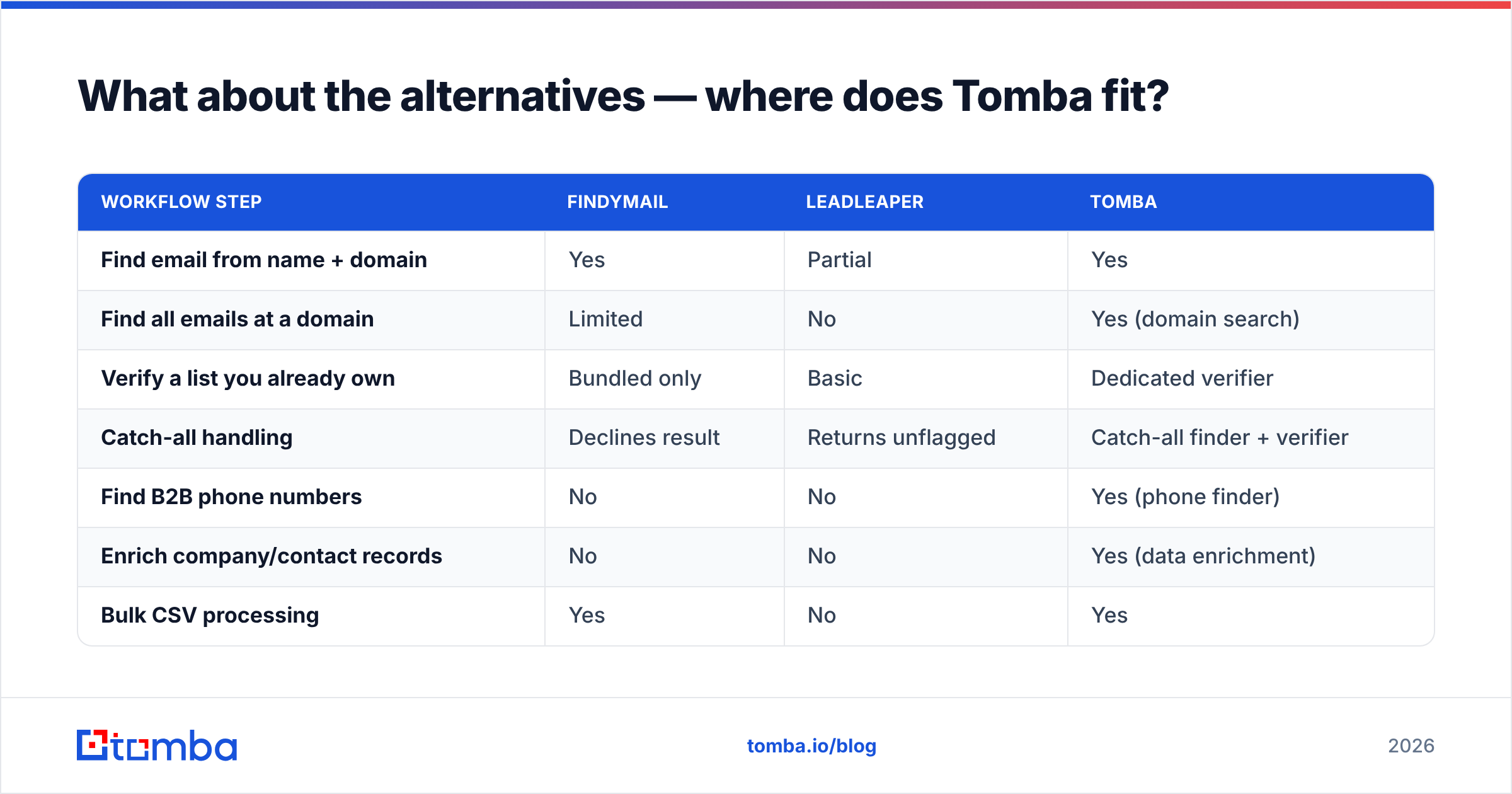
Here's how the three compare on total workflow coverage:
| Workflow step | Findymail | Leadleaper | Tomba |
|---|---|---|---|
| Find email from name + domain | Yes | Partial | Yes |
| Find all emails at a domain | Limited | No | Yes (domain search) |
| Verify a list you already own | Bundled only | Basic | Dedicated verifier |
| Catch-all handling | Declines result | Returns unflagged | Catch-all finder + verifier |
| Find B2B phone numbers | No | No | Yes (phone finder) |
| Enrich company/contact records | No | No | Yes (data enrichment) |
| Bulk CSV processing | Yes | No | Yes |
| Sheets / Excel / Airtable add-ons | Partial | No | Yes |
| Developer tooling (API, CLI, MCP) | API only | Minimal | API + CLI + MCP |
| Starter price | ~$49/mo | ~$19/mo | $49/mo |
| Free tier | Trial credits | ~100/mo | 25 searches/mo |
Two things worth calling out honestly:
Findymail beats Tomba on one specific thing: if your entire motion is "export Sales Navigator lists, verify hard, sequence," Findymail's single-purpose focus is clean and its no-charge-for-unverified billing is genuinely well designed. Some teams want exactly one tool that does exactly one thing.
Leadleaper beats both on zero-budget accessibility. A 100-lookup free tier is more generous than most, and if that ceiling matches your volume, paying anything is waste.
Tomba's argument isn't "we're more accurate than everyone" — that claim is unfalsifiable in marketing copy. It's that a single Tomba pricing tier at $49/mo covers finding, verification, catch-all handling, domain mapping, phone lookup, and enrichment, where the alternative is three vendors and three invoices. Check where Tomba gets data before you take anyone's accuracy claim on faith, including ours.
It's also worth noting that neither Findymail nor Leadleaper competes with static-database vendors like BookYourData, which sell pre-built, pay-as-you-go contact lists rather than on-demand lookups. That's a different purchasing model — one-time list buys versus continuous enrichment — and depending on your motion, it may be the more sensible spend. Real-time finders and curated databases genuinely solve different problems.


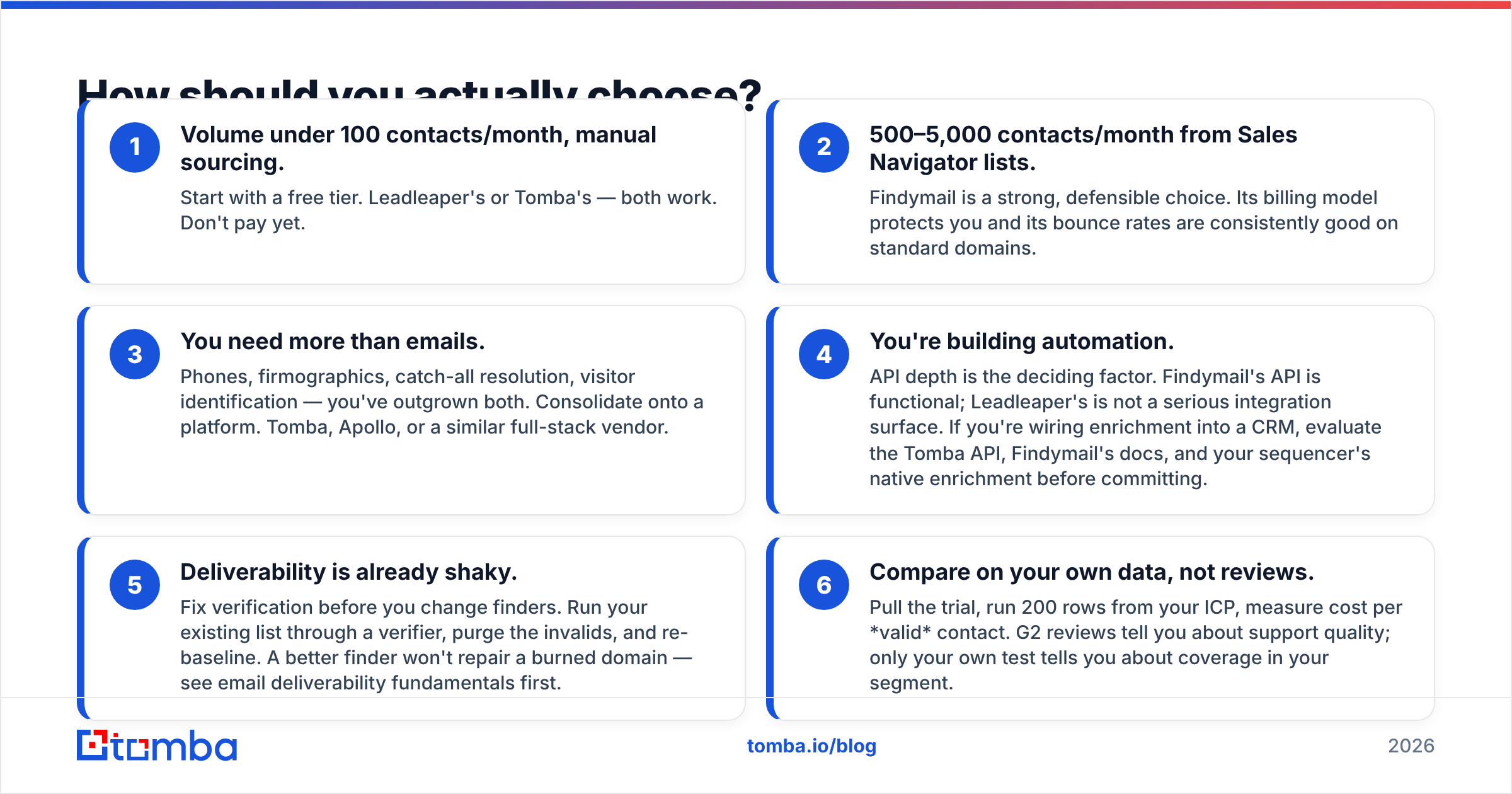
How should you actually choose?#
Work backwards from your motion, not from feature lists.
- Volume under 100 contacts/month, manual sourcing. Start with a free tier. Leadleaper's or Tomba's — both work. Don't pay yet.
- 500–5,000 contacts/month from Sales Navigator lists. Findymail is a strong, defensible choice. Its billing model protects you and its bounce rates are consistently good on standard domains.
- You need more than emails. Phones, firmographics, catch-all resolution, visitor identification — you've outgrown both. Consolidate onto a platform. Tomba, Apollo, or a similar full-stack vendor.
- You're building automation. API depth is the deciding factor. Findymail's API is functional; Leadleaper's is not a serious integration surface. If you're wiring enrichment into a CRM, evaluate the Tomba API, Findymail's docs, and your sequencer's native enrichment before committing.
- Deliverability is already shaky. Fix verification before you change finders. Run your existing list through a verifier, purge the invalids, and re-baseline. A better finder won't repair a burned domain — see email deliverability fundamentals first.
- Compare on your own data, not reviews. Pull the trial, run 200 rows from your ICP, measure cost per valid contact. G2 reviews tell you about support quality; only your own test tells you about coverage in your segment.
One more thing teams get wrong: they treat the finder decision as permanent. It isn't. Credits are month-to-month, exports are CSVs, and switching costs are close to zero unless you've hard-wired an API. Run two tools in parallel for a month. The data will decide for you.
What's the verdict on Findymail vs Leadleaper?#
Findymail wins on data quality and volume workflows. Leadleaper wins on price and simplicity for light manual use. Neither is a complete prospecting stack.
If you're choosing strictly between the two: pick Findymail if outbound is a core revenue channel and you send at volume. Pick Leadleaper if you're clicking through LinkedIn a few times a week and the free tier covers you.
But the more useful question is whether a single-purpose finder is the right purchase at all in 2026. Between catch-all domains, tightened bulk-sender rules from Google's Postmaster guidelines, and the growing need for phone and firmographic data alongside email, the tools that survive tend to be the ones that cover the whole enrichment step rather than one slice of it.
Try it yourself before you commit. The Tomba Email Finder gives you 25 free searches a month with no card — enough to run the same 25 contacts through Findymail's trial, Leadleaper's free tier, and Tomba side by side. Then compare valid-contact counts, not marketing pages, and buy the one that wins on your list.
Related guides#
Ready to find emails that actually work?
Join 150,000+ professionals who stopped guessing and started sending. Free credits on signup — no credit card required.
Get the Tomba newsletter
Practical outbound tactics and product updates — once every two weeks.
About the author