Findymail vs Leadsforge (2026): Which Email Finder Wins?
Findymail and Leadsforge both promise verified B2B emails, but they solve different problems. Here is how they compare on accuracy, credits, pricing, and workflow fit — plus where a cheaper option beats both.
TL;DR
- Findymail is a focused email-finding and verification tool built around bounce protection and list enrichment. It is strongest when you already have a list of names, companies, or LinkedIn/Sales Navigator exports and want clean, deliverable addresses out the other side.
- Leadsforge positions itself as an AI-assisted lead generation layer: you describe your ideal customer in plain language, it assembles a list. It optimizes for list building, not for maximum coverage on a specific hard-to-find contact.
- On raw accuracy for a known person at a known domain, dedicated finders — Findymail included — generally beat conversational list builders, because the search is constrained instead of generative.
- Cost is where most teams get surprised: credit rollover, per-seat pricing, and whether verification is bundled or billed separately matter more than the sticker price.
- If you want one API that covers finding, verifying, catch-all handling, and enrichment without seat math, Tomba starts at $49/mo with a free tier of 25 searches — worth pricing against both before you commit annually.
What are Findymail and Leadsforge?#
Findymail is an email finder and verifier aimed at outbound teams that live inside LinkedIn Sales Navigator and spreadsheets. Its core promise is bounce reduction: it finds an address, then validates it, and it markets itself heavily on the idea that you should not pay for emails that bounce. You can check its current feature set and plan structure at findymail.com.
Leadsforge takes the newer, AI-native angle. Instead of uploading a CSV of names, you describe who you want — "VP of Engineering at Series B fintechs in Germany, 50–200 employees" — and it returns a list with contact data attached. It is closer in spirit to a conversational prospecting assistant than to a lookup utility.
That difference in framing explains almost every practical difference between them:
- Input shape. Findymail expects you to bring the target (name + domain, or a LinkedIn URL). Leadsforge expects you to bring the criteria and lets the system pick the targets.
- Failure mode. A finder fails by returning nothing. A list builder fails by returning someone who does not match your ICP — a quieter, more expensive failure.
- Verification posture. Findymail treats validation as a first-class step. AI list builders vary widely here; some pass results through a verifier, some return whatever the underlying database holds.
- Buyer. Findymail sells to SDRs and growth operators who already run a process. Leadsforge sells to founders and small teams who want the process compressed into a prompt.
- Ceiling. Prompt-driven list building is fast at the start and hits a wall when you need a specific person. Finders are slower to set up and scale better once you know your accounts.

Findymail vs Leadsforge: how do they compare head-to-head?#
Here is the practical comparison. Treat every price as "check before you buy" — vendors in this category change packaging often, and both have shifted plans in the last two years.
| Dimension | Findymail | Leadsforge |
|---|---|---|
| Primary job | Find + verify emails for known targets | Generate lead lists from ICP criteria |
| Input | Name + domain, CSV, LinkedIn / Sales Nav URL | Natural-language ICP description, filters |
| Verification | Built into the core flow, bounce-focused | Varies by plan; usually applied to output |
| Credit model | Credits consumed on found (valid) results | Credits consumed per lead / per enrichment |
| Bulk enrichment | Yes — CSV upload is a core workflow | Yes, via generated lists |
| API access | Available on paid plans | Limited / plan-dependent |
| Phone numbers | Not the focus | Sometimes included as enrichment |
| Best for | SDR teams with existing account lists | Founders bootstrapping a first ICP list |
| Weak spot | You must already know who to target | Precision on a named individual |
| Entry price | Roughly $49/mo tier at time of writing | Credit-pack / subscription, verify current page |
The row that matters most is input shape. If your team runs account-based outbound and gets its target list from a CRM, a conference attendee sheet, or a Sales Navigator search, Findymail's model fits directly. If you have no list at all and want one in an afternoon, Leadsforge removes a step you would otherwise do manually.
For a broader view of how buyers rate tools in this category, the lead intelligence category on G2 is a reasonable sanity check against vendor marketing.
Which one actually finds more valid emails?#
Accuracy questions need a definition before they need a number. Three things get conflated:
- Hit rate — what percentage of your input rows come back with an address.
- Accuracy — what percentage of those addresses belong to the right person.
- Deliverability — what percentage actually accept mail without bouncing.
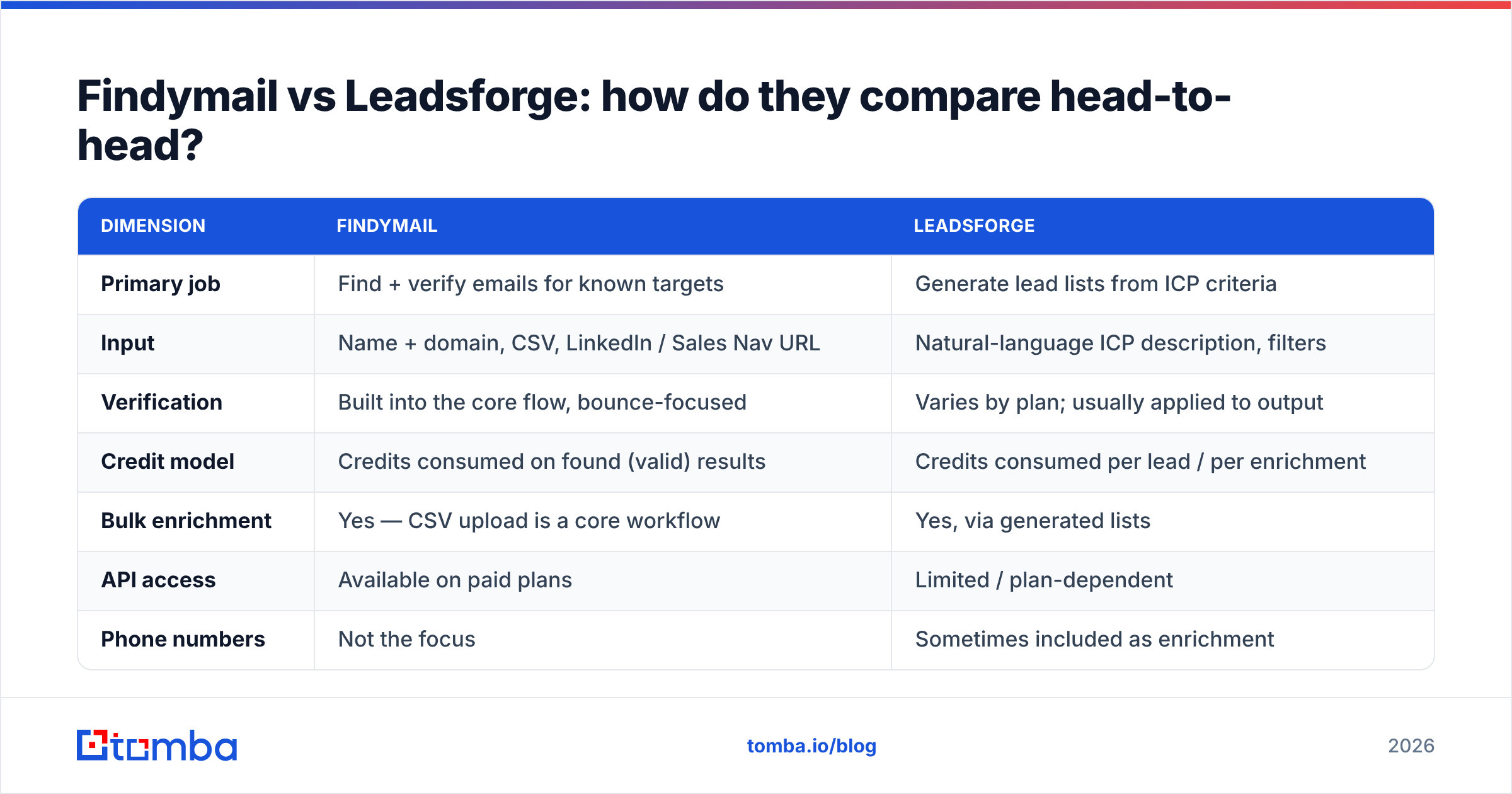
A tool can have a 90% hit rate and a 60% deliverable rate. That is worse than a 65% hit rate at 95% deliverable, because bounces damage sender reputation and reputation damage costs you every future send, not just this campaign. A bounce message is not just a wasted credit; at volume it is a mailbox provider telling you your list hygiene is poor.

In practice:
- Findymail optimizes for the third metric. Its billing philosophy — you pay for results that pass validation — pushes it toward conservative output. Expect fewer speculative addresses and fewer bounces.
- Leadsforge optimizes for the first. Prompt-generated lists want to feel complete, and completeness pressure tends to loosen the threshold for what gets returned. That is fine for TAM sizing and terrible for a cold sequence you send tomorrow.
Whatever you pick, run the output through a dedicated email verifier before the first send. And handle catch-all domains explicitly — a catch-all accepts everything at the SMTP layer, so "valid" from a naive checker means nothing. A catch-all verifier applies extra signals instead of shrugging.
How does pricing really work for each?#
Sticker price is the least useful number in this category. Four hidden variables decide your real cost per usable contact:
- Do credits roll over? A plan that expires unused credits monthly is effectively more expensive than its headline suggests if your volume is spiky.
- Are you charged for misses? Charging only on valid results is friendlier, but often paired with a higher per-credit rate. Do the math on your own hit rate, not the vendor's average.
- Is verification bundled? If you have to buy a separate verification tool, add that line item before comparing.
- Are seats billed separately? Per-seat pricing punishes teams that want the whole revenue org poking at the same data.
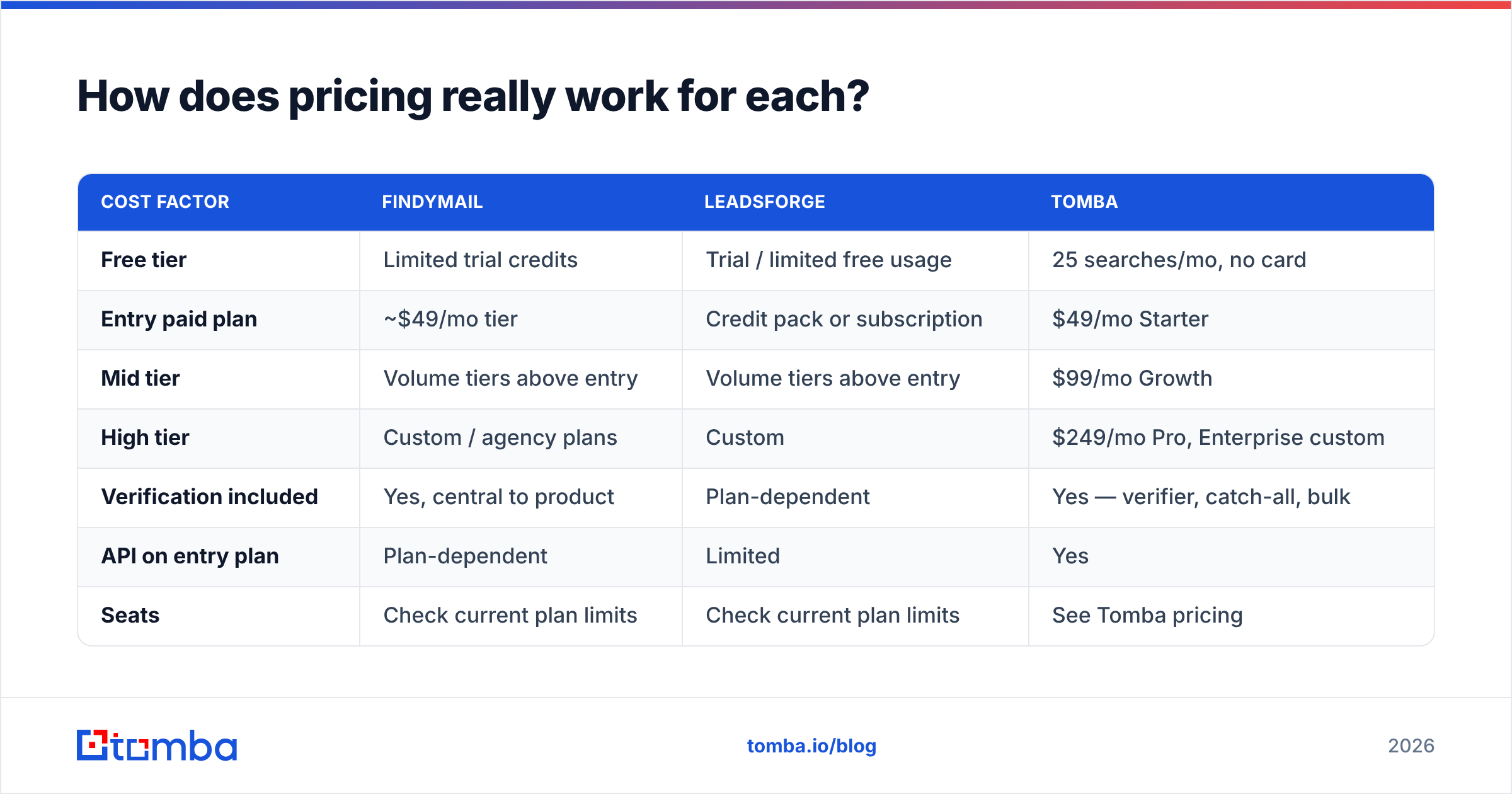
| Cost factor | Findymail | Leadsforge | Tomba |
|---|---|---|---|
| Free tier | Limited trial credits | Trial / limited free usage | 25 searches/mo, no card |
| Entry paid plan | ~$49/mo tier | Credit pack or subscription | $49/mo Starter |
| Mid tier | Volume tiers above entry | Volume tiers above entry | $99/mo Growth |
| High tier | Custom / agency plans | Custom | $249/mo Pro, Enterprise custom |
| Verification included | Yes, central to product | Plan-dependent | Yes — verifier, catch-all, bulk |
| API on entry plan | Plan-dependent | Limited | Yes |
| Seats | Check current plan limits | Check current plan limits | See Tomba pricing |

The honest read: at the entry tier these three land in the same neighborhood. The gap opens at 10,000+ lookups a month, where credit rollover and API access on lower plans start to dominate total cost.
Which tool fits which workflow?#
Match the tool to how your pipeline actually starts. Four common patterns:
- You have accounts, not contacts. You know the 400 companies you want but not the people. Start with domain search or Findymail's domain workflow to pull the org chart's public surface, then filter by title. Leadsforge is overkill here — you already did the targeting.
- You have contacts, not emails. A conference list, a webinar export, a scraped LinkedIn set. This is Findymail's home turf, and it is also what a bulk email finder is built for. Upload, enrich, verify, export.
- You have neither. New market, new segment, no list. Leadsforge earns its place here — describing an ICP in a sentence beats an hour of manual Boolean filtering. Just treat the output as a hypothesis, not a verified list.
- You have a product that needs data at runtime. Signup enrichment, in-app lookups, CRM auto-fill. This is an API question, not a UI question. Check whether the API is available on the plan you can actually afford — the Tomba API and equivalent endpoints matter more than any dashboard feature.
Pattern 3 into pattern 2 is the common real sequence: build a rough list with an AI tool, then run it through a stricter finder and verifier before it touches your sending domain.
Where does each tool fall short?#
Findymail's limits. It is deliberately narrow. You will not get intent signals, technographics, or org charts. If your motion needs firmographic filtering and contact data in one place, you will be stitching tools together. Coverage outside North America and Western Europe is thinner, as it is for nearly everyone in this category. And because it is conservative by design, you will sometimes get a null result on a contact that a looser tool would have surfaced correctly.
Leadsforge's limits. Prompt-driven list building inherits every weakness of the database underneath it. If the underlying records are stale, a fluent natural-language interface just delivers stale records faster and with more confidence. There is also an auditability problem: when a list comes back, it is not always obvious why a given company matched your criteria, which makes debugging a bad list harder than tightening a filter. And it is a poor fit for the "find this one specific person" request that account executives make constantly.
The shared limit. Both are point solutions. Neither replaces the boring middle of your data stack: deduplication, re-verification on a schedule, and enrichment of records you already own. B2B contact data decays continuously as people change jobs, so a list that was 95% accurate in January is meaningfully worse by summer. Budget for re-verification, not just acquisition.
Are there better alternatives to both?#
Depends what "better" means for your motion. A short, honest field guide:
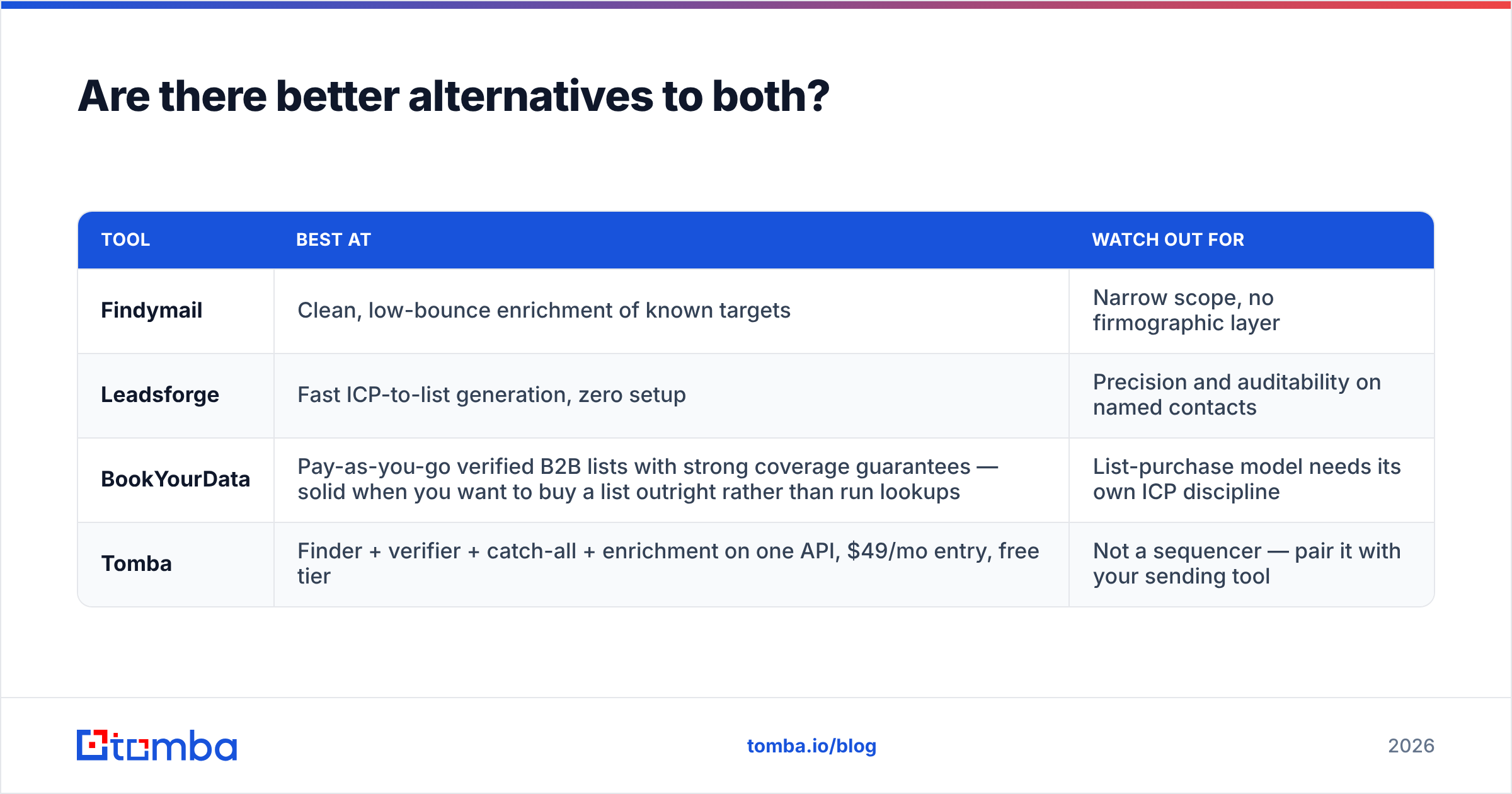
| Tool | Best at | Watch out for |
|---|---|---|
| Findymail | Clean, low-bounce enrichment of known targets | Narrow scope, no firmographic layer |
| Leadsforge | Fast ICP-to-list generation, zero setup | Precision and auditability on named contacts |
| BookYourData | Pay-as-you-go verified B2B lists with strong coverage guarantees — solid when you want to buy a list outright rather than run lookups | List-purchase model needs its own ICP discipline |
| Tomba | Finder + verifier + catch-all + enrichment on one API, $49/mo entry, free tier | Not a sequencer — pair it with your sending tool |
Tomba's case is consolidation rather than novelty: the email finder, verifier, catch-all handling, data enrichment, and phone lookup sit behind the same key, so you are not reconciling three vendors' credit systems. If you want to see whether the underlying data fits your segment before paying, the free tier covers 25 searches a month, and the Findymail alternative breakdown goes deeper on the direct comparison.
If your bottleneck is not data at all — if you have plenty of contacts and poor reply rates — none of these tools is your answer. Fix targeting and copy first. Better data makes a good sequence better; it does not rescue a bad one.
Which should you pick in 2026?#
Short version, by situation:
- You run structured outbound with a defined account list → Findymail. The bounce-first philosophy fits, and the CSV/Sales Navigator workflow is mature.
- You are entering a new market with no list → Leadsforge for the first pass, then verify externally before sending.
- You need one vendor for finding, verifying, and enriching, with API access on an affordable plan → Tomba, at $49/mo Starter or the free tier to test coverage first.
- You want to buy a list outright instead of running lookups → BookYourData is a credible option in that lane.
Test methodology matters more than any review, including this one. Take 100 contacts you already know the correct emails for — recent closed-won accounts, your own team, customers who replied last quarter. Run that ground-truth set through every tool on trial credits. Measure hit rate, accuracy against known values, and bounce rate on a small test send. Whichever tool wins on your segment wins, regardless of what any comparison table says about the average case.
Ready to benchmark against your own list? Start with the Tomba Email Finder — 25 free searches a month, no card required, with verification and catch-all detection built into the same request. Run your 100-contact ground-truth set through it, compare the numbers against Findymail and Leadsforge side by side, and let the hit rate decide instead of the marketing page.
Related guides#
Ready to find emails that actually work?
Join 150,000+ professionals who stopped guessing and started sending. Free credits on signup — no credit card required.
Get the Tomba newsletter
Practical outbound tactics and product updates — once every two weeks.
About the author