Findymail vs SMTP Ghost (2026): Which Email Finder Wins?
Findymail sells verified-on-delivery finding. SMTP Ghost sells raw SMTP-level checking at volume. We compared accuracy, credit rules, and true cost per usable contact to show which one belongs in your 2026 outbound stack.
TL;DR
- Findymail is a finder-first tool: give it a name and a domain (or a LinkedIn URL) and it returns an address it claims is already validated, charging you only for hits.
- SMTP Ghost leans verification-first: it is built around SMTP-level checking and bulk list cleaning, with finding bolted onto that engine rather than the other way round.
- They are not really the same product. If your bottleneck is "I don't have the email", Findymail is the closer fit. If your bottleneck is "I have 80,000 rows and no idea which ones bounce", SMTP Ghost's model makes more sense.
- Credit accounting is where budgets die. Ask each vendor three questions: do I pay for misses, do I pay twice to find and then verify, and do catch-all results burn credits?
- If you want both jobs on one balance with a documented API and a $49/mo entry tier, Tomba is the third name worth putting on the shortlist.
What are Findymail and SMTP Ghost, exactly?#
Think of it like buying produce. Findymail is the grocer who hands you fruit already washed and sorted — you pay for what you take home, and rotten items are supposed to be filtered out before they reach the bag. SMTP Ghost is closer to the inspection line at the back of the warehouse: it exists to test what's already in the crate, fast and cheaply, at volume.
Findymail positions itself around one promise: every email it returns has been verified, and you are not billed for results it can't stand behind. It grew popular with agencies and solo founders scraping Sales Navigator lists, because it plugs directly into that workflow — export a list, run it through, get addresses back with a low bounce guarantee attached.
SMTP Ghost approaches the same problem from the protocol side. Its core competence is talking to mail servers — issuing the handshake that SMTP defines, reading what the receiving server says about a mailbox, and doing that across large lists without getting the checking IPs throttled or blocked. Finding addresses is a layer that sits on top of that verification core.
That difference in origin explains almost everything else about how the two feel to use, price out, and integrate.
How do these tools actually find an email address?#
Both products, and every serious competitor, run some version of the same five-step chain. Knowing the chain is the fastest way to judge any vendor's claims, because each step is where accuracy is won or lost.
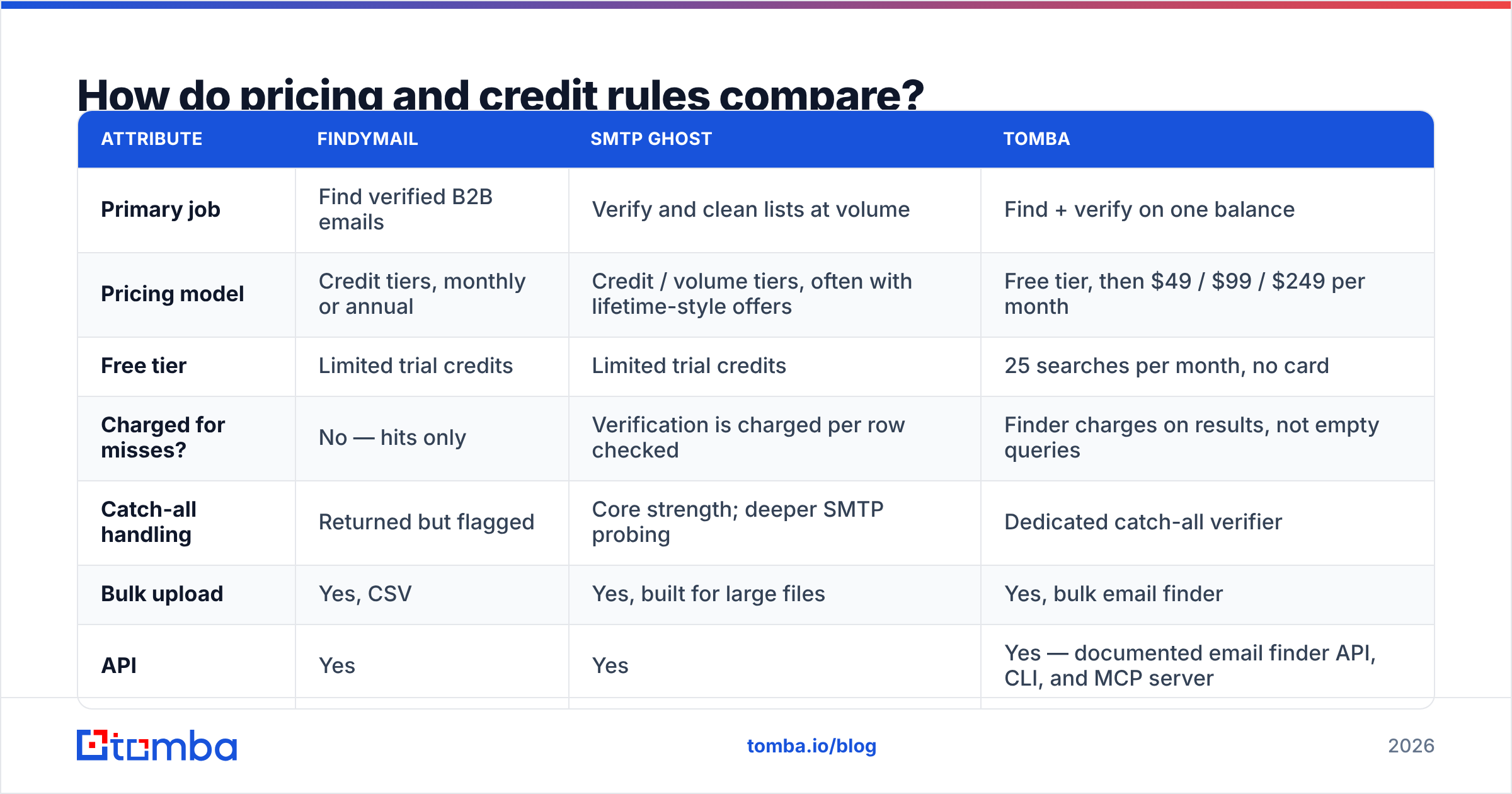
- Pattern inference. The tool looks up how a company formats addresses —
first.last@,flast@,first@— from addresses it has already seen on that domain. A single confirmed address on a domain makes the next 200 guesses far cheaper. You can inspect this yourself with a company email pattern check before you commit credits. - Source matching. The candidate is checked against crawled and licensed data — public web pages, press releases, git commits, conference speaker lists, opt-in B2B databases. A match here is worth more than any inference.
- Permutation and ranking. When no direct source exists, the engine generates plausible variants and ranks them by how well they fit the domain's dominant pattern and the person's name structure.
- SMTP validation. The winning candidate gets handed to a mail server for a live check. This is the step SMTP Ghost is architecturally built around, and the step most likely to be rate-limited or spoofed by the receiving side.
- Scoring and gating. The tool decides whether the result is confident enough to return — and, critically, whether to charge you for it. Vendors that return everything with a low score push the cleanup cost onto you.
The reason two tools can query the same person and return different answers is that they weight steps 2 and 5 differently. A finder-first tool with a thin source layer leans harder on permutation. A verifier-first tool with a strong SMTP layer may confirm a mailbox exists without ever confirming it belongs to the person you asked about — which is the single most under-discussed failure mode in this category.

Which one is more accurate in practice?#
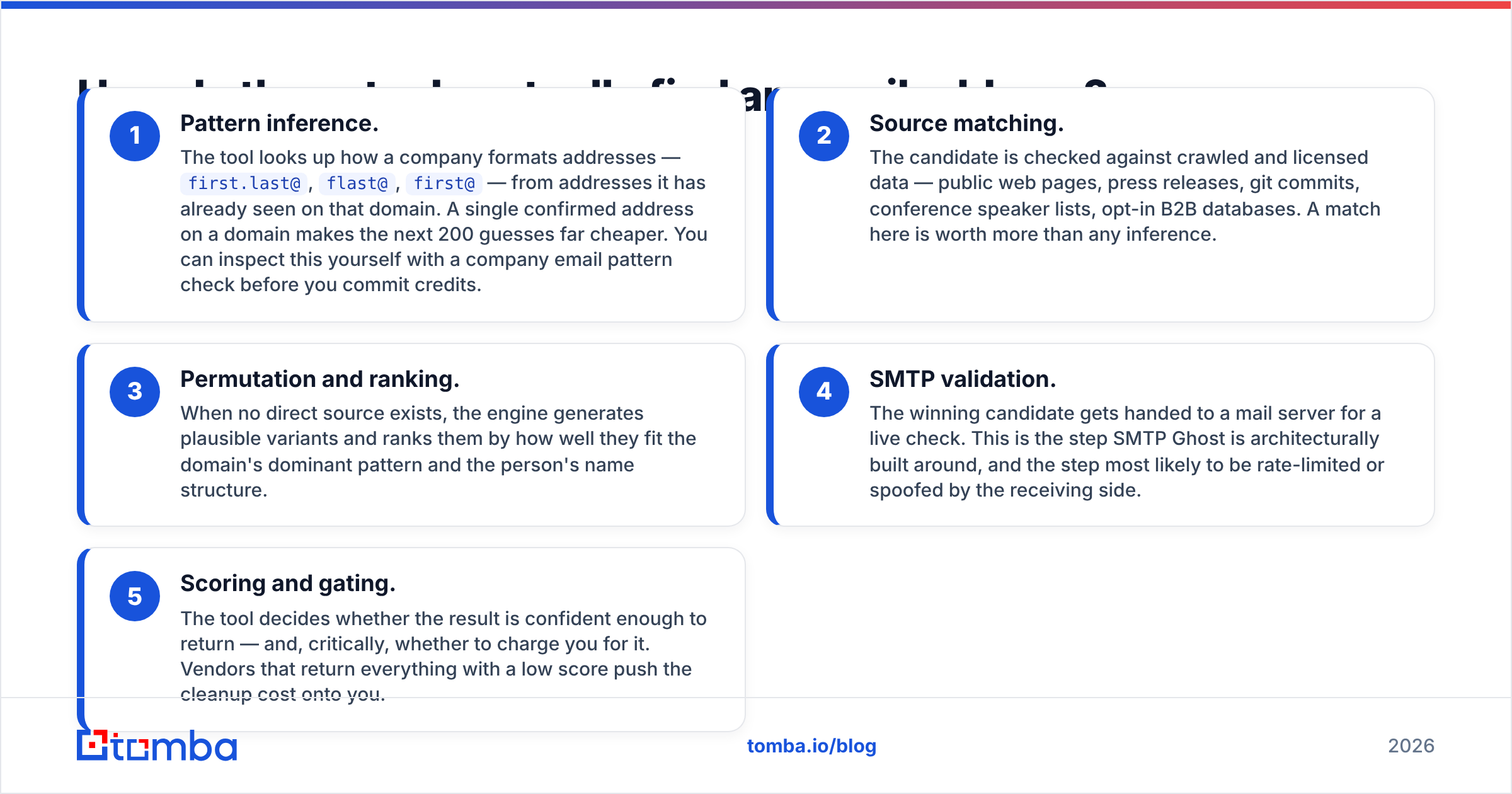
Accuracy claims in this market are close to meaningless without the denominator. "99% accurate" usually means "of the emails we chose to return, 99% didn't hard-bounce" — it says nothing about the 45% of your list the tool skipped. Two numbers matter, and vendors rarely publish both:
- Hit rate — of the contacts you submitted, what percentage came back with an address at all.
- Bounce rate on delivery — of those addresses, what percentage failed when you actually sent.
A tool can post a beautiful bounce rate by returning almost nothing. Another can post a great hit rate by returning permutated guesses that quietly wreck your sender reputation three weeks later. Judge on the product of the two: usable contacts per 1,000 submitted.

In independent testing across email-finder tools, the spread on hit rate between the top vendors is usually 8–15 percentage points on the same input list — meaningful, but smaller than the marketing suggests. The bigger spread is by segment. Findymail's data tends to be strongest on the SaaS and agency personas its user base prospects for. SMTP Ghost's verification engine is strongest where a domain answers SMTP honestly — which is increasingly rare among large enterprises using Microsoft 365 with recipient validation disabled.
The practical takeaway: run your own 200-row bake-off before you buy either. Use a list where you already know the answers — past customers, your own team, a conference attendee list you have verified addresses for — and score both tools blind. That test costs you an afternoon and will tell you more than any comparison post, including this one.
How do pricing and credit rules compare?#
Here is where the two products diverge most sharply, and where you should spend your evaluation time.
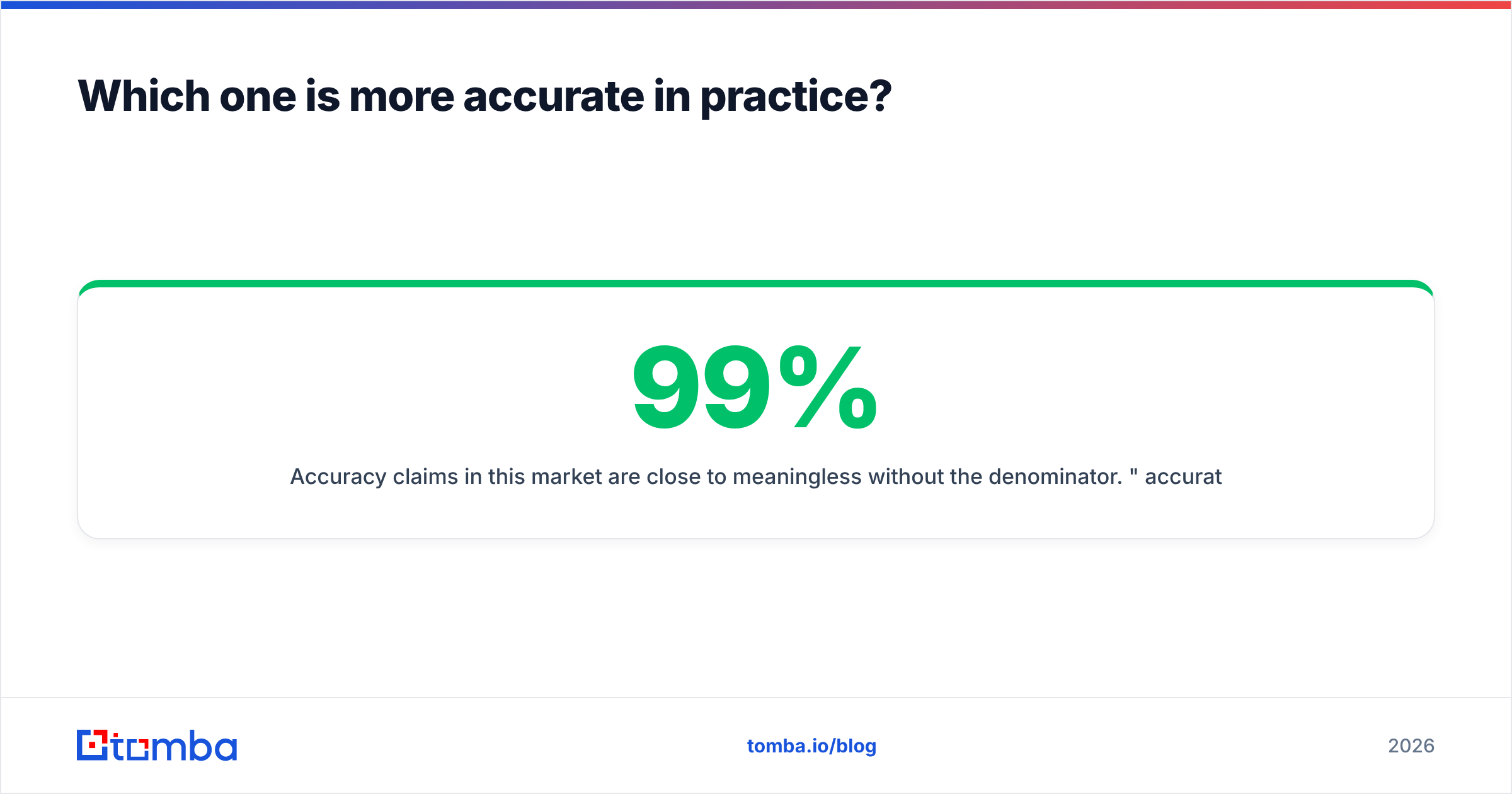
| Attribute | Findymail | SMTP Ghost | Tomba |
|---|---|---|---|
| Primary job | Find verified B2B emails | Verify and clean lists at volume | Find + verify on one balance |
| Pricing model | Credit tiers, monthly or annual | Credit / volume tiers, often with lifetime-style offers | Free tier, then $49 / $99 / $249 per month |
| Free tier | Limited trial credits | Limited trial credits | 25 searches per month, no card |
| Charged for misses? | No — hits only | Verification is charged per row checked | Finder charges on results, not empty queries |
| Catch-all handling | Returned but flagged | Core strength; deeper SMTP probing | Dedicated catch-all verifier |
| Bulk upload | Yes, CSV | Yes, built for large files | Yes, bulk email finder |
| API | Yes | Yes | Yes — documented email finder API, CLI, and MCP server |
| Native spreadsheet add-in | Limited | Limited | Google Sheets and Excel add-ins |
| Best fit | Agencies scraping LinkedIn lists | Teams cleaning large purchased lists | Teams that need both jobs without two invoices |
Pricing structures change; confirm current tiers on each vendor's own page before you commit. Tomba's figures above are current at time of writing — see Tomba pricing.
Three cost traps show up repeatedly in this category:
- Paying twice for one contact. If your finder returns an address and you then push it through a separate verifier, you have spent two credits per person. Over 20,000 contacts a quarter, that's not a rounding error.
- Per-seat inflation. Some vendors bill per user, so adding two SDRs doubles your bill even though your volume didn't change. Credit-pool pricing is usually kinder to growing teams.
- Expiring credits. Monthly credits that don't roll over punish the lumpy reality of outbound, where you might enrich 15,000 contacts in one week and 400 the next.

Which tool fits which team?#
Choose Findymail if: your motion starts in LinkedIn Sales Navigator, your lists are in the hundreds-to-low-thousands per month, and you want an opinionated tool that just refuses to hand you garbage. The hits-only billing model is genuinely aligned with your interests, and for a two-person agency that alignment is worth more than a marginally cheaper per-credit rate.
Choose SMTP Ghost if: your problem is inbound list hygiene rather than discovery — you inherited a 90,000-row CRM export, bought a database, or run email for multiple client domains and need the bounce rate under 2% before anything sends. A verification-first engine at bulk pricing is the correct shape of tool for that job.
Choose neither if: you actually need a general-purpose data layer that a developer can wire into your CRM, your product, and your enrichment jobs. That's a different product category, and it's where an API-first platform earns its keep.
If you'd rather buy a ready-made list than run a finder over one you built, a database-first vendor like BookYourData is a reasonable alternative route — different tradeoff, same destination.
What happens on catch-all domains?#
Catch-all domains accept mail to any address at the domain, valid or not. Roughly a fifth of B2B domains are configured this way, and they are the reason two tools can disagree so violently about the same contact.
On a catch-all domain, a naive SMTP check returns "accepted" for definitely.not.a.real.person@company.com. Any tool that treats acceptance as proof will happily hand you a fabricated address with a green checkmark. This is where verification-first architectures need to be most careful, and where the honest vendors label results as "risky" rather than "valid".
Sensible handling looks like this:
- Never send cold to an unlabelled catch-all result. Segment it.
- Cross-reference a second source. If a crawled page, a git commit, or a directory listing confirms the address independently, confidence goes up regardless of what SMTP said.
- Warm the domain separately. Route catch-all segments through lower-volume, higher-personalisation sequences so a bad guess costs you a non-reply rather than a spam complaint.
- Track reply rate by segment, not just bounce rate. Catch-all addresses don't bounce — they vanish. Bounce rate will look fine while your email deliverability quietly degrades.
Tools handle this differently and it's worth testing explicitly. Submit five known-fake addresses on a known catch-all domain to each vendor. Whoever marks them valid just told you something important.

Is there a third option worth shortlisting?#
Yes — and not only for the obvious reason that you're reading this on Tomba's blog.
The structural argument is that the find-then-verify split is an artifact of how these companies were founded, not a reflection of how outbound actually works. You never want only a found address, and you rarely want only a verification. You want a usable contact. Splitting that across two vendors means two invoices, two credit pools, two API integrations, and a hand-off where accuracy leaks.
Tomba runs both jobs on one balance: the email finder for discovery, the email verifier for validation, plus domain search, catch-all verification, phone lookup, and enrichment on the same key. Practically, that matters in three places:
- Developers. A documented API, a CLI, and an MCP server mean your enrichment can live in a scheduled job rather than in someone's browser tab.
- Non-developers. Google Sheets and Excel add-ins plus a Chrome extension cover the people who will never open a terminal.
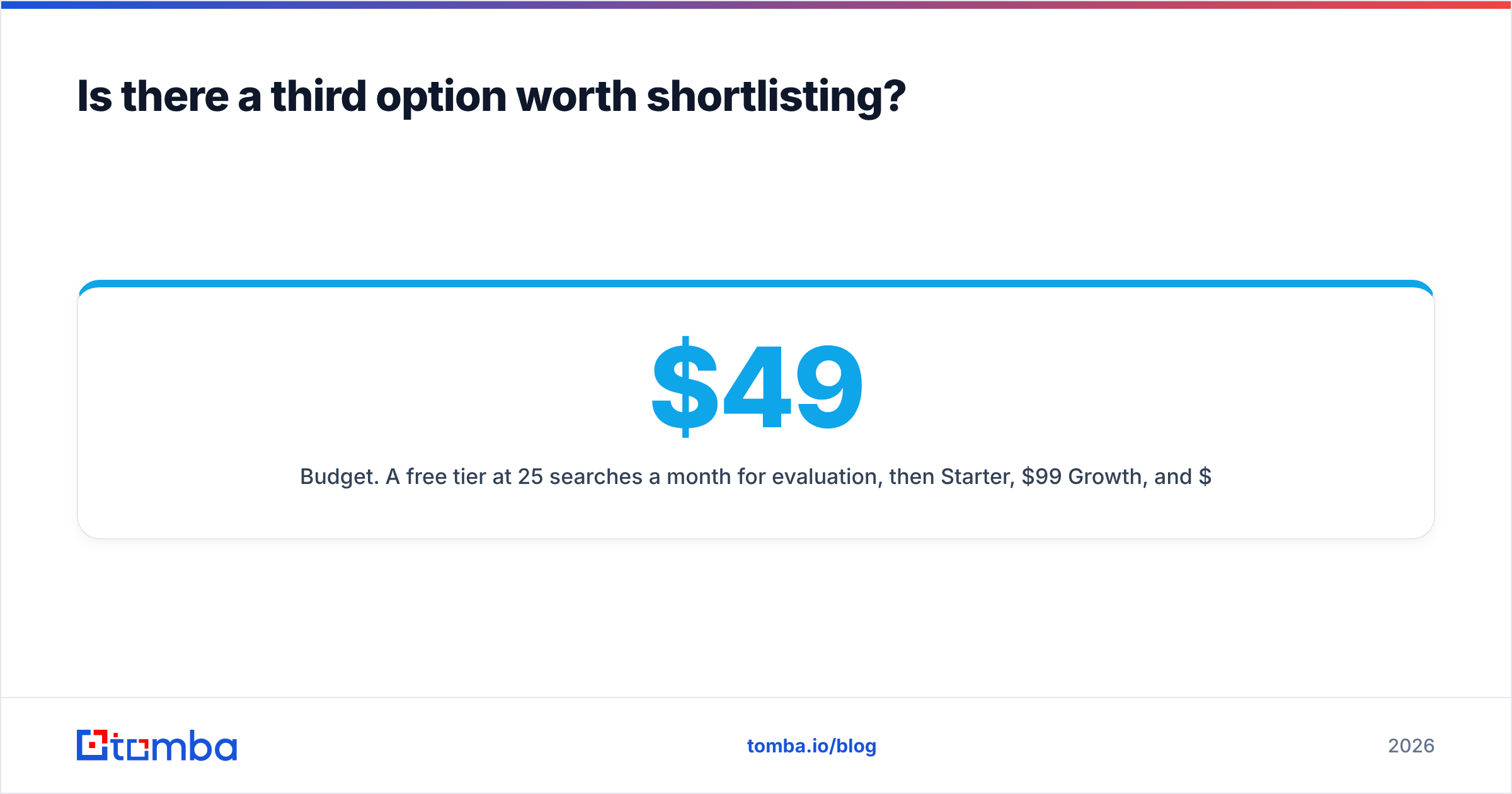
- Budget. A free tier at 25 searches a month for evaluation, then $49/mo Starter, $99/mo Growth, and $249/mo Pro — with credits pooled across the whole team rather than per seat.
None of that makes Findymail or SMTP Ghost bad tools. Findymail's hits-only billing is a genuinely good idea and its LinkedIn workflow is tight. SMTP Ghost's verification depth is real. The question is whether you want two specialists or one generalist — and for most teams under 50 reps, the integration tax of two specialists outweighs the marginal accuracy edge either one holds in its home segment.
How should you actually run the evaluation?#
Give yourself one week and follow this sequence:
- Build a 200-row truth set — contacts whose real addresses you already know, spread across company sizes and at least three countries.
- Run all three tools on it using free tiers or trials, blind, without looking at results until all are done.
- Score usable contacts per 1,000, not hit rate alone.
- Send a 50-contact test campaign from a warmed domain and record actual bounces and replies. Lab accuracy and delivered accuracy are different numbers.
- Price the winner at your real annual volume, including seats you'll add, and check whether credits roll over.
Most teams skip steps 4 and 5 and then wonder why the tool that tested best became the tool that costs most. Cross-check whatever you find against real user reviews on G2 — patterns in support complaints and billing surprises show up there long before they show up in a comparison post.
The verdict#
Findymail wins on discovery workflow for LinkedIn-driven agencies. SMTP Ghost wins on bulk hygiene for teams drowning in inherited lists. Neither is a mistake, and the gap between them is smaller than either would like you to believe.
But if you're choosing a stack for 2026 rather than solving one immediate crisis, buy the thing that does both jobs on one bill and exposes an API you can automate against. Start free with the Tomba Email Finder — 25 searches a month, no card, enough to run the 200-row bake-off described above and let your own data settle the argument.
Related guides#
Ready to find emails that actually work?
Join 150,000+ professionals who stopped guessing and started sending. Free credits on signup — no credit card required.
Get the Tomba newsletter
Practical outbound tactics and product updates — once every two weeks.
About the author