Findymail vs Verifyemailio: Which Email Tool Wins in 2026?
Findymail finds emails. Verifyemail.io verifies them. We tested pricing, accuracy claims, API limits, and catch-all handling to show which one you actually need — and when you need both.
TL;DR
- Findymail and Verifyemail.io are not really competitors — Findymail is a finder (give it a name and company, get an email), Verifyemail.io is a verifier (give it an email, get a validity verdict). Comparing them head-to-head only makes sense if you're deciding which gap in your stack to fill first.
- If your list is empty, buy the finder. If your list is bought, scraped, or older than 90 days, buy the verifier. Most outbound teams eventually need both.
- Findymail's pitch is bounce-guarded discovery with LinkedIn/Sales Navigator export; Verifyemail.io's pitch is cheap, high-throughput SMTP-level validation with pay-as-you-go credits.
- Running two vendors means two bills, two APIs, two credit systems, and two support queues. Consolidated platforms — Tomba, BookYourData, and a few others — cover both jobs on one credit pool.
- Catch-all domains are where both categories get slippery. Ask any vendor what happens to a
@catchall.comaddress before you sign, not after your bounce rate spikes.
What's actually being compared here?#
Short answer: two different jobs in the same pipeline.
Think of it like a restaurant supply chain. Findymail is the produce buyer who goes to the market and comes back with tomatoes. Verifyemail.io is the line cook who checks each tomato for mold before it hits the pan. You can hire either one. You cannot serve dinner with only one of them unless someone else is already doing the other job.
That distinction gets blurred in marketing copy because both tools promise "accurate emails" and "fewer bounces." They deliver that promise from opposite ends:
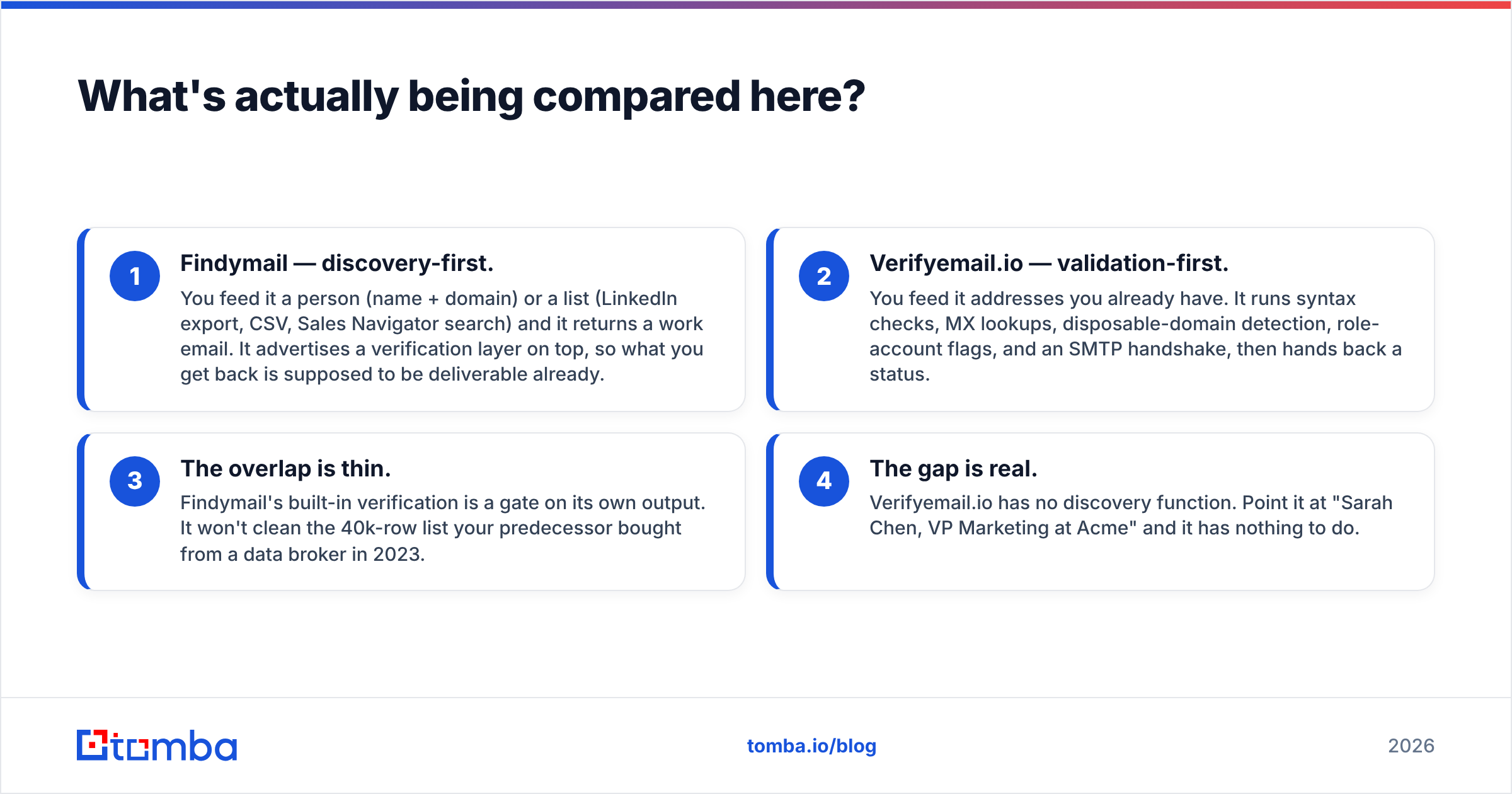
- Findymail — discovery-first. You feed it a person (name + domain) or a list (LinkedIn export, CSV, Sales Navigator search) and it returns a work email. It advertises a verification layer on top, so what you get back is supposed to be deliverable already.
- Verifyemail.io — validation-first. You feed it addresses you already have. It runs syntax checks, MX lookups, disposable-domain detection, role-account flags, and an SMTP handshake, then hands back a status.
- The overlap is thin. Findymail's built-in verification is a gate on its own output. It won't clean the 40k-row list your predecessor bought from a data broker in 2023.
- The gap is real. Verifyemail.io has no discovery function. Point it at "Sarah Chen, VP Marketing at Acme" and it has nothing to do.
So the honest framing of findymail vs verifyemailio is: which problem is costing you more money this quarter?

How do Findymail and Verifyemail.io compare on features and price?#
Pricing on both tools moves, and both publish tiers publicly — check findymail.com and the Verifyemail.io site before you commit, because credit definitions change more often than headline prices do. What follows is the structural comparison that matters more than any single number.
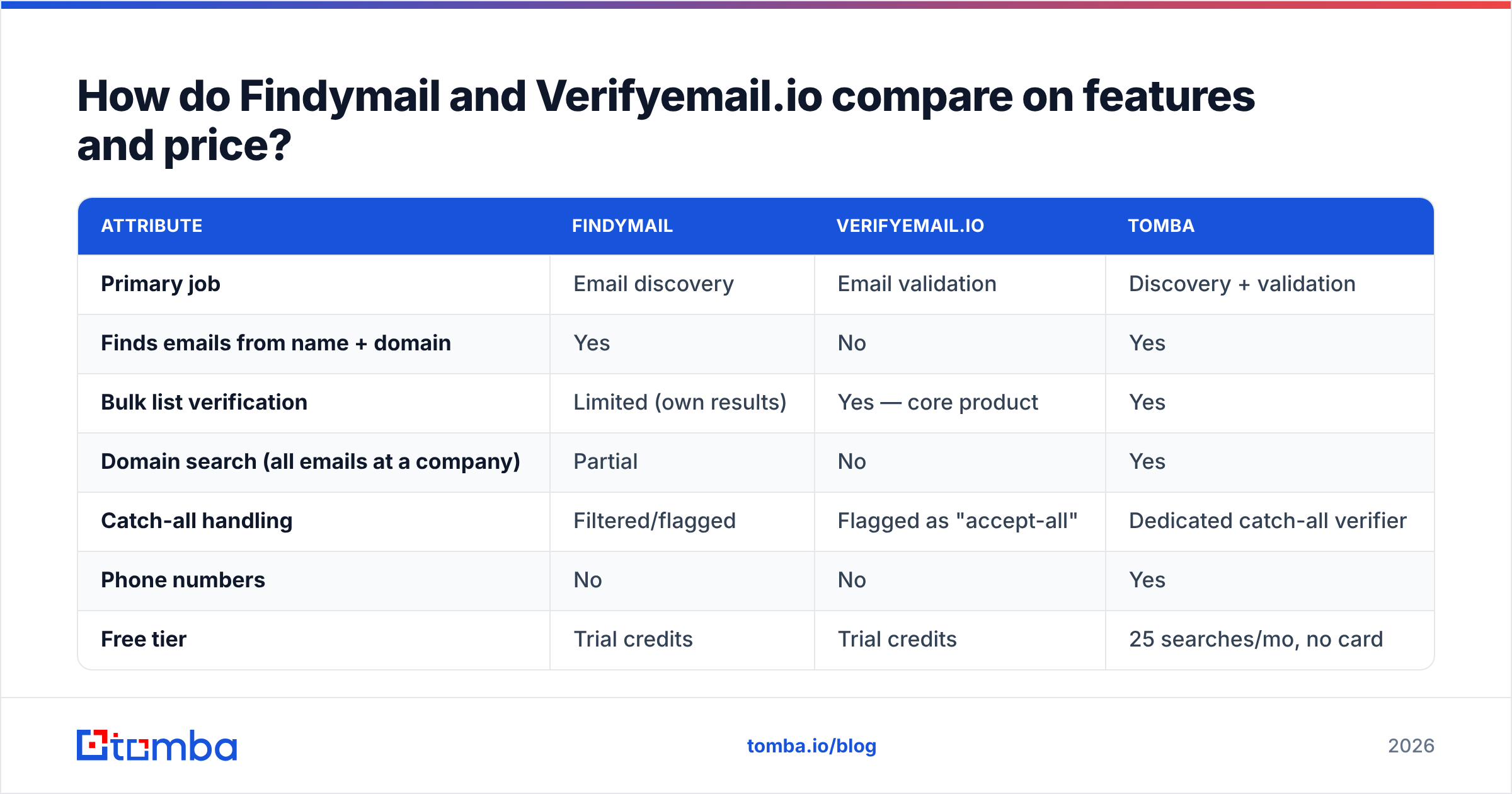
| Attribute | Findymail | Verifyemail.io | Tomba |
|---|---|---|---|
| Primary job | Email discovery | Email validation | Discovery + validation |
| Finds emails from name + domain | Yes | No | Yes |
| Bulk list verification | Limited (own results) | Yes — core product | Yes |
| Domain search (all emails at a company) | Partial | No | Yes |
| Catch-all handling | Filtered/flagged | Flagged as "accept-all" | Dedicated catch-all verifier |
| Phone numbers | No | No | Yes |
| Free tier | Trial credits | Trial credits | 25 searches/mo, no card |
| Entry paid tier | ~$49/mo range | Pay-as-you-go + monthly | $49/mo Starter |
| Mid tier | ~$99/mo range | Volume-based | $99/mo Growth |
| API | Yes | Yes | Yes, plus CLI and MCP |
| Native spreadsheet add-ons | Limited | No | Sheets, Excel, Airtable |
| Best for | SDRs building lists from LinkedIn | Ops cleaning large purchased lists | Teams that want one credit pool |
Two things jump out of that table.
First, the feature sets barely overlap. There are five rows where one tool says yes and the other says no outright. That's not a close race, it's two different products that happen to share a keyword.
Second, the pricing comparison is apples-to-oranges by design. Findymail charges per email found. Verifyemail.io charges per email checked. A 10,000-contact campaign might cost you 10,000 find-credits and 10,000 verify-credits if you run both, or 10,000 find-credits if the finder's own verification is good enough for your risk tolerance. Model both paths in a spreadsheet before you assume the cheaper per-credit tool is the cheaper campaign.
Which one is more accurate?#
Neither vendor's published accuracy number is directly comparable to the other's, because they measure different things.
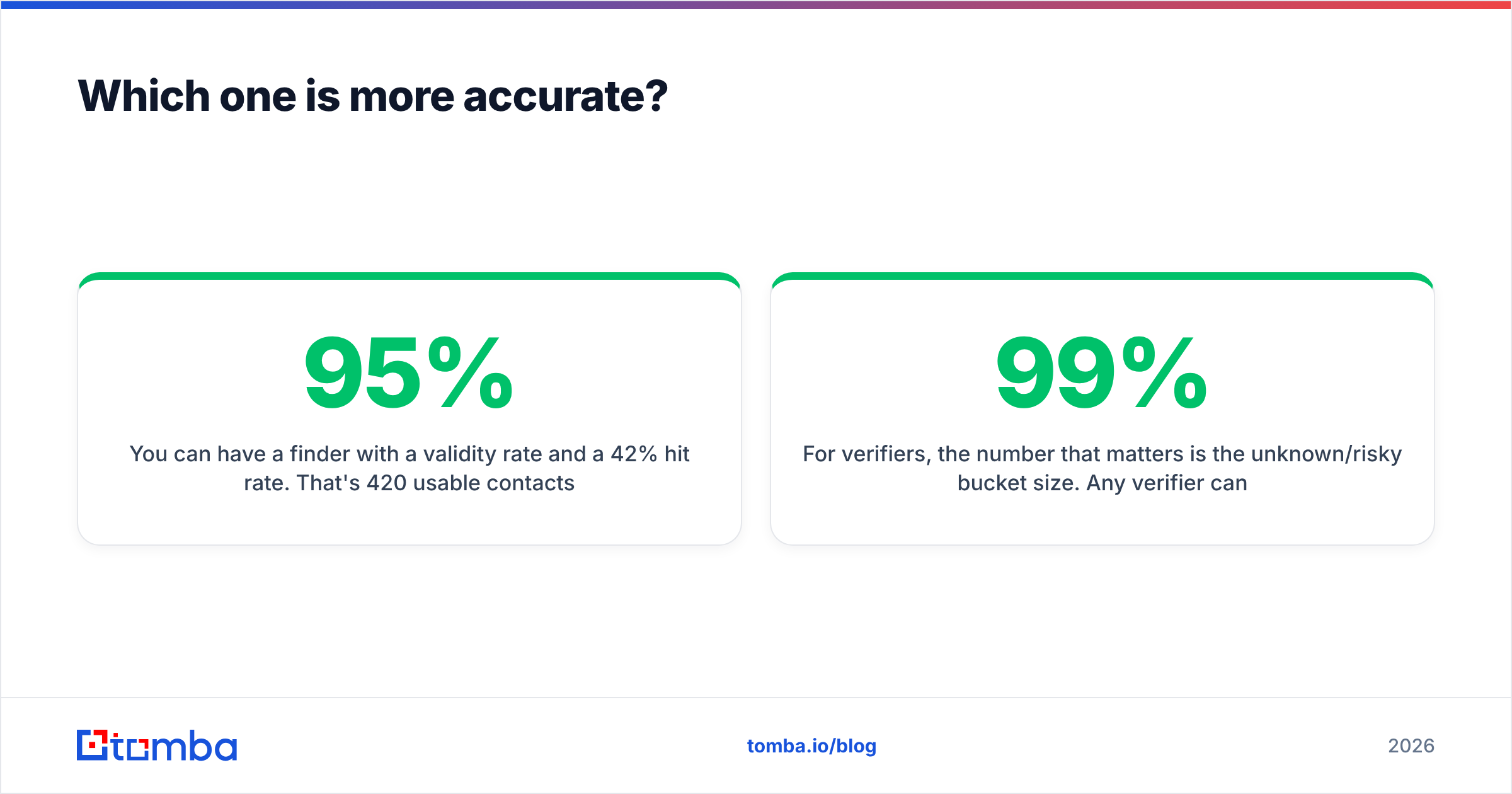
A finder's "accuracy" is usually hit rate × validity: of the 1,000 prospects you submitted, how many returned an address, and how many of those addresses actually accepted mail. A verifier's "accuracy" is classification correctness: of the addresses you submitted, how often did "valid" mean valid and "invalid" mean invalid.
You can have a finder with a 95% validity rate and a 42% hit rate. That's 420 usable contacts out of 1,000 — technically 95% accurate, practically half a list. Ask every finder vendor for hit rate on your ICP, not their aggregate. A tool that's excellent on US SaaS mid-market can crater on European manufacturing or APAC logistics.
For verifiers, the number that matters is the unknown/risky bucket size. Any verifier can be 99% accurate if it dumps every ambiguous address into "unknown" and refuses to judge. A verifier that returns 30% unknown has handed you back the same problem you paid it to solve. Compare vendors on the percentage of a shared test list they'll commit to, not just their accuracy on the addresses they were willing to grade.
Here's the test protocol I'd run before signing anything:
- Build a 200-row control list. Include 50 addresses you know are live (colleagues, customers, your own aliases), 50 you know bounce, 50 from catch-all domains, and 50 role accounts (
info@,sales@,support@). - Run it through both tools during the trial. Do not tell either vendor what's in the list.
- Score the knowns. False "valid" on a known bounce is the expensive error. Weight it 3x.
- Inspect the catch-alls. Whatever the tool says here tells you the most about its engineering.
- Send a small real campaign to the addresses both tools cleared. Your ESP's bounce log is the only ground truth that counts.
Steps 3 and 5 are where marketing claims go to die. Run them.

Why do catch-all domains break both tools?#
Because a catch-all domain lies to everyone, including the verifier.
A catch-all (or "accept-all") server is configured to accept mail addressed to any local part at that domain. ceo@acme.com and asdfjkl@acme.com both get a 250 OK at the SMTP handshake. The verifier asks "does this mailbox exist?" and the server answers "sure, whatever." There is no protocol-level way to distinguish a real inbox from a black hole on those domains.
This matters more than most buyers realize. Depending on the segment, 20–40% of B2B domains are catch-all, and enterprise domains skew higher because security teams like the ambiguity. If your ICP is enterprise, catch-all handling isn't an edge case — it's a third of your list.
Vendors respond in one of three ways:
- Flag and pass the buck. Return "accept-all / unknown" and let you decide. Honest, but you paid for a decision and got a shrug.
- Guess with a pattern engine. If 90% of the company uses
first.last@, and your target matches that pattern, mark it probable. Better, but it's inference, not verification. - Layer external signals. Cross-reference the address against sightings in other datasets, engagement history, or public sources. This is what dedicated catch-all verification is built for, and it's the only approach that meaningfully shrinks the unknown bucket.
Findymail's approach is to filter aggressively — it would rather return nothing than return a risky address, which protects your bounce rate at the cost of hit rate. Verifyemail.io flags accept-all domains as a distinct status. Both are defensible. Neither solves it. If catch-alls are more than a quarter of your list, evaluate a catch-all finder as a separate line item rather than expecting either tool to absorb it.

What does running two vendors actually cost you?#
More than the sum of the invoices.
Credit fragmentation. You buy 5,000 find-credits and 20,000 verify-credits. In month two your campaign shape changes and you're out of find-credits with 14,000 verify-credits idle. Neither converts. That stranded balance is a real, recurring cost that never shows up in a pricing comparison.
Two integration surfaces. Two API keys, two rate limits, two error-code vocabularies, two auth schemes, two sets of webhooks to monitor. If you're wiring this into a HubSpot integration or a Clay/Make workflow, every additional vendor is another node that can silently fail at 2 a.m.
Latency stacking. Find, wait, export, import, verify, wait, export, import to sequencer. Each hop is a place for data to get mangled — encoding errors, truncated columns, silent dedupe failures. Teams routinely lose 3–5% of a list to spreadsheet handoffs alone.
Two renewal negotiations. And two vendors who each think they're your primary spend.
The counter-argument is legitimate and worth stating: best-of-breed usually beats all-in-one on any single dimension. A dedicated verifier that does nothing but validation will likely out-classify a bundled verifier on hard edge cases. If deliverability is your entire business — you're an ESP, an agency managing 50 client domains, a team sending 500k/month — that specialization is worth the integration tax.
For everyone else, the math tips the other way. G2's category listings for lead intelligence software make the consolidation trend obvious: buyers are collapsing point tools, not adding them.
When should you pick each one?#
Pick Findymail if:
- Your primary motion is LinkedIn or Sales Navigator prospecting and you live in exports.
- You're building lists from scratch, not cleaning inherited ones.
- You'd rather get 400 clean emails than 700 maybes — you optimize for bounce rate over volume.
- Your ICP is US/EU tech and mid-market, where finder coverage is strongest.
Pick Verifyemail.io if:
- You already have data — CRM records, event lists, purchased files, form submissions.
- Your bounce rate is above 3% and your ESP has started sending you polite warnings.
- You need throughput more than intelligence: large lists, cheap per-check, fast turnaround.
- Someone else (a data provider, an SDR team, a partner) handles discovery.
Pick a consolidated platform if:
- You need both jobs and don't want two contracts.
- Your workflow runs through spreadsheets or a CRM rather than a dedicated prospecting UI.
- You want domain search — pulling every findable address at a target account — which pure verifiers can't do at all and most finders do poorly.
- You also need phone numbers, enrichment, or reverse lookup on the same credit pool.
Pick neither if: your list is under 500 contacts and you're pre-product-market-fit. Do it manually. Read the company site, check the team page, use a free email checker on your guesses, and spend the $99/month on something that moves the needle. Tooling is leverage on a working process, not a substitute for one.
How does Tomba compare to both?#
Directly: Tomba does both jobs on one credit pool, at $49/mo Starter and $99/mo Growth, with a free tier of 25 searches per month that requires no card.
That's the structural argument. The honest caveats:
- On pure verification throughput at seven-figure list sizes, a dedicated verifier will usually be cheaper per check. Bundled pricing rarely beats commodity pricing at extreme volume.
- On LinkedIn-native workflow, tools purpose-built around Sales Navigator exports will feel smoother than a general-purpose platform, even when the underlying data is comparable.
- On coverage outside core markets, every vendor in this category — Tomba included — has thinner data in some regions than others. Test your actual ICP during the trial.
Where consolidation genuinely wins is workflow. One email finder API call returns a found-and-verified address. Bulk operations run through bulk email finder without a CSV round-trip. Spreadsheet-native teams get Sheets and Excel add-ins. And Tomba pricing doesn't force you to guess your find-vs-verify ratio a month in advance.
BookYourData is worth a look if your need runs the other direction — prepackaged, pre-verified contact lists rather than on-demand lookup. It's a genuinely different purchase model (buy the list, don't build it), and for teams entering a new market cold with no seed data, it's often the faster start. Different tool, real use case, no reason to pretend otherwise.
What should you actually do this week?#
Run the test, don't read more comparisons.
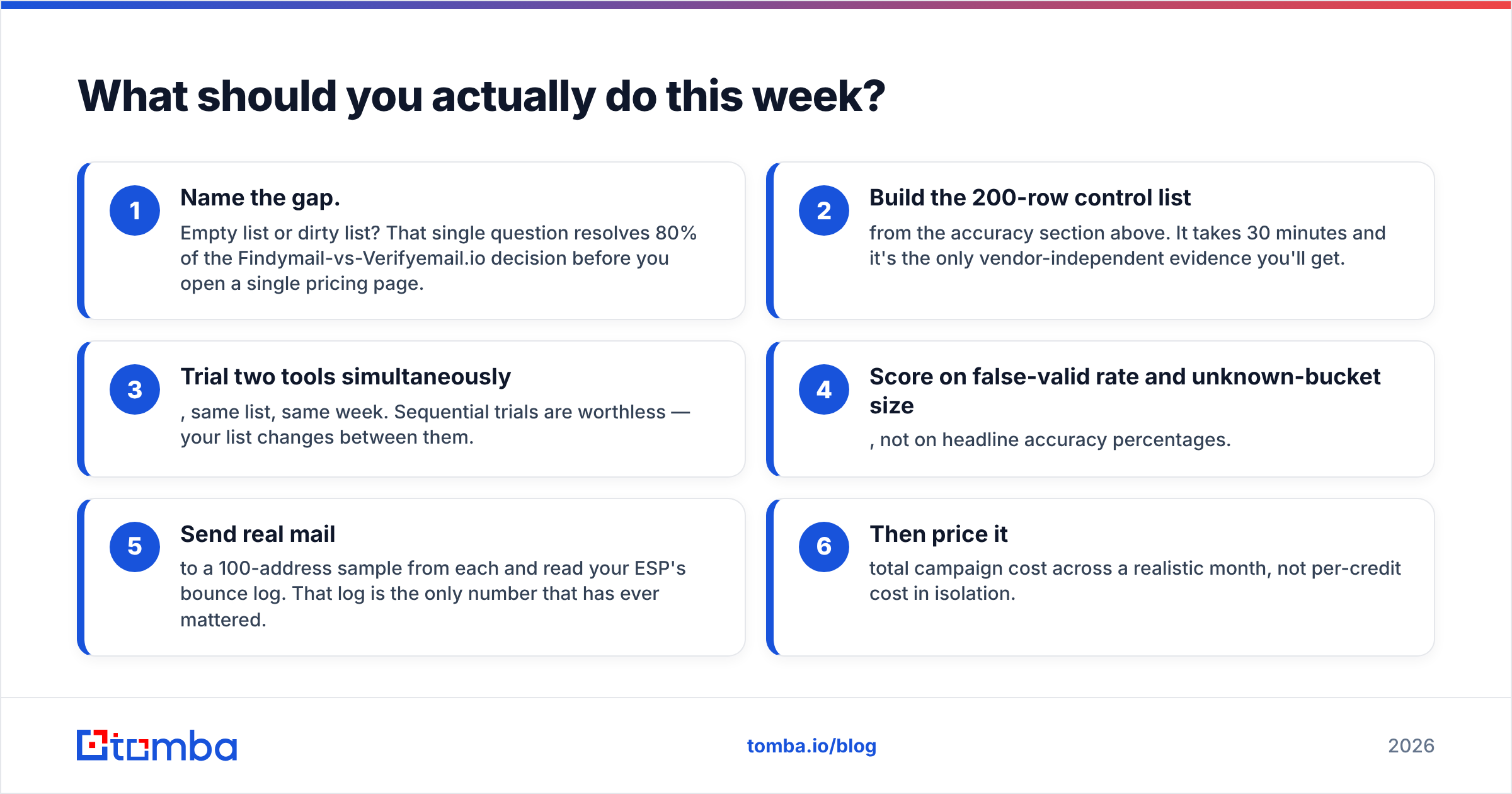
- Name the gap. Empty list or dirty list? That single question resolves 80% of the Findymail-vs-Verifyemail.io decision before you open a single pricing page.
- Build the 200-row control list from the accuracy section above. It takes 30 minutes and it's the only vendor-independent evidence you'll get.
- Trial two tools simultaneously, same list, same week. Sequential trials are worthless — your list changes between them.
- Score on false-valid rate and unknown-bucket size, not on headline accuracy percentages.
- Send real mail to a 100-address sample from each and read your ESP's bounce log. That log is the only number that has ever mattered.
- Then price it — total campaign cost across a realistic month, not per-credit cost in isolation.
Most teams that run this process end up somewhere they didn't expect. Sometimes it's the cheaper tool. Sometimes it's the consolidated platform. Occasionally it's "we don't need either yet." All three are fine outcomes. Guessing is not.
Start with the finder, since that's the harder job. If you want to test discovery and verification against your own ICP without wiring two vendors together, the Tomba Email Finder gives you 25 free searches a month — no card, no trial clock. Run your control list through it, compare the results against whatever you're using now, and let your bounce log settle the argument. If it doesn't beat your current stack on your data, you've lost an afternoon and gained a benchmark.
Related guides#
Ready to find emails that actually work?
Join 150,000+ professionals who stopped guessing and started sending. Free credits on signup — no credit card required.
Get the Tomba newsletter
Practical outbound tactics and product updates — once every two weeks.
About the author