Findymail vs Wiza (2026): Which Email Finder Wins?
Findymail and Wiza both promise verified B2B emails, but they solve different problems. Here's the honest breakdown of accuracy, pricing, LinkedIn coverage, and which one actually fits your workflow.
TL;DR
- Findymail is a verification-first email finder built for cold-email operators who care about bounce rate above everything else. It charges per found email, not per lookup.
- Wiza is a LinkedIn-first prospecting tool. Its core trick is turning a Sales Navigator search or list into an exported CSV with emails and phone numbers attached.
- If your prospecting starts in LinkedIn Sales Navigator, Wiza wins on workflow. If it starts with a domain, a company list, or a CRM export, Findymail wins on cost per verified contact.
- Neither ships a serious developer API story at the low tiers. If you need programmatic lookups, bulk enrichment, and verification in one place, that's where a platform like Tomba is a more natural fit.
- Real cost per usable email matters more than list price. A $49 plan with 30% bounces is more expensive than a $99 plan with 2%.
What are Findymail and Wiza, actually?#
Both tools answer the same surface-level question — "what's this person's work email?" — but they were built from opposite ends of the funnel.
Findymail started as an antidote to the bounce problem. Its pitch is that every email it returns has been verified, and you're only charged when it actually finds something. That billing model shapes the whole product: fewer speculative guesses, more conservative output, and a heavy emphasis on not selling you garbage. It also handles list-cleaning and integrates with the usual sequencers.
Wiza started at LinkedIn. Its origin story is the Chrome extension that sits on top of Sales Navigator and turns a saved search into a downloadable list. You define your ICP inside LinkedIn's own filters — headcount, title, geography, technologies — then Wiza does the export, appends emails and mobile numbers, and hands you a CSV or pushes it into your CRM.
That difference in origin explains almost every disagreement people have about which is better. They're rarely compared on equal ground because they're rarely used for the same job.

How do Findymail and Wiza compare head to head?#
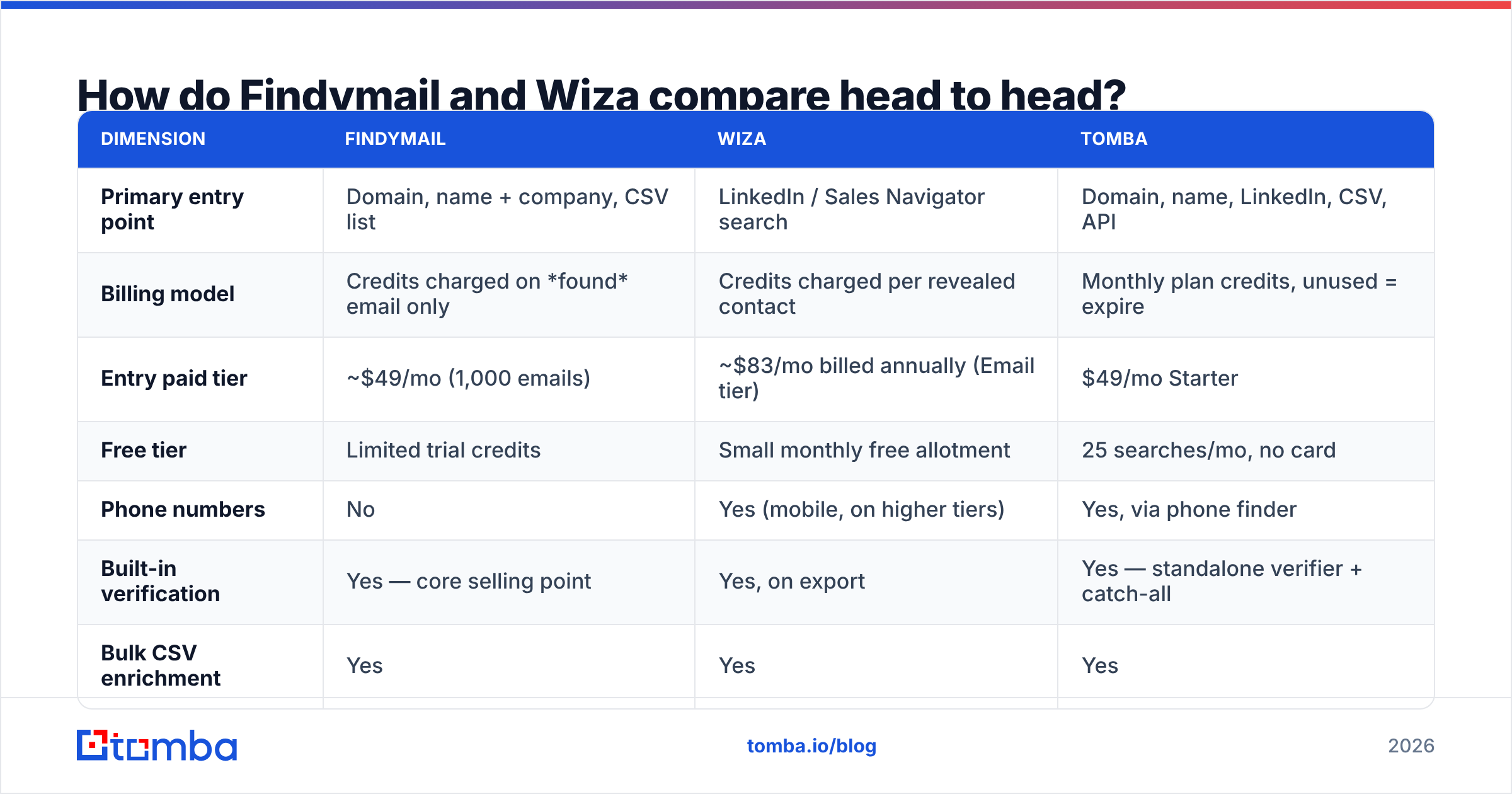
Here's the practical comparison. Pricing tiers move around, so treat list prices as directional and confirm on each vendor's own page before you buy.
| Dimension | Findymail | Wiza | Tomba |
|---|---|---|---|
| Primary entry point | Domain, name + company, CSV list | LinkedIn / Sales Navigator search | Domain, name, LinkedIn, CSV, API |
| Billing model | Credits charged on found email only | Credits charged per revealed contact | Monthly plan credits, unused = expire |
| Entry paid tier | ~$49/mo (1,000 emails) | ~$83/mo billed annually (Email tier) | $49/mo Starter |
| Free tier | Limited trial credits | Small monthly free allotment | 25 searches/mo, no card |
| Phone numbers | No | Yes (mobile, on higher tiers) | Yes, via phone finder |
| Built-in verification | Yes — core selling point | Yes, on export | Yes — standalone verifier + catch-all |
| Bulk CSV enrichment | Yes | Yes | Yes |
| Public API | Yes, limited scope | Yes | Yes — full REST API, CLI, MCP |
| Native Sheets/Excel add-ons | Partial | Partial | Yes, both |
| Best for | Low-bounce cold email at scale | Sales Navigator → CSV workflows | Mixed-source prospecting + engineering |
The row that matters most for budget planning is the billing model. Findymail's "only pay for found emails" is genuinely friendlier than per-lookup pricing when you're working a messy list where 40% of rows won't resolve. Wiza's per-revealed-contact model behaves similarly in practice, but the phone-number reveals consume credits faster than you expect if you leave them switched on by default.
Which one is more accurate?#
Neither vendor's published accuracy number should be taken at face value, and that's not a knock on either of them — it's how the category works.
Every email-finder benchmark depends on three variables the vendor controls:
- The test list. A list of VP-level contacts at 5,000-employee US SaaS companies produces very different numbers than a list of operations managers at European manufacturers.
- What counts as a "hit." Some vendors count a pattern-guessed address that passes SMTP as found. Others only count addresses confirmed against a second source.
- How catch-all domains are treated. This is the single biggest fudge factor. A catch-all domain accepts every address at the SMTP layer, so a naive verifier marks everything valid. Vendors who report catch-alls as "valid" inflate their accuracy numbers dramatically.
In independent testing across mixed lists, both tools land in a similar band for coverage on well-known companies, and both degrade on small businesses, non-English domains, and freshly-created companies. Findymail tends to return fewer results with fewer bounces — a deliberate trade. Wiza tends to return more rows because it's pulling from a LinkedIn-anchored profile set, but you should run the output through a email verifier before loading it into a sequencer regardless of what the export says.
The catch-all question deserves its own workflow step. If more than 15% of your target domains are catch-all — common in enterprise and in European markets — a dedicated catch-all verifier will change your bounce math more than switching finders will.
Practical rule: bounce rate is the only accuracy metric your inbox provider cares about. Google and Microsoft weigh invalid-recipient rates heavily in reputation scoring, and Google's bulk sender guidelines make the spam-rate threshold explicit. Keep hard bounces under 2% and everything else is a rounding error.
Is Wiza better than Findymail for LinkedIn prospecting?#
Yes — if LinkedIn is where your ICP lives, Wiza is the smoother tool, and it's not close.
The workflow is genuinely good: build a Sales Navigator search with LinkedIn's filters, click export, get a CSV with names, titles, companies, emails, and mobiles. There's no CSV round-trip, no manual field mapping, no reconciling "Company Inc." against "Company, Inc."
Where it gets expensive is scale. Sales Navigator has its own subscription cost (roughly $99–$149/user/month depending on tier), and LinkedIn actively rate-limits and discourages automated scraping — its User Agreement prohibits unauthorized data extraction. Tools in this category operate in a gray zone that periodically produces account restrictions. If your entire prospecting motion depends on one LinkedIn account, you're carrying platform risk that a domain-based finder simply doesn't have.
Findymail has a LinkedIn extension too, but it's a feature, not the product. If you want LinkedIn as one input among several rather than the foundation, a dedicated LinkedIn finder that sits alongside domain search, bulk lookup, and an API gives you the same input without making the whole stack dependent on one platform's tolerance.
What does each one actually cost per usable lead?#
List price is the wrong number. Here's the arithmetic that matters.
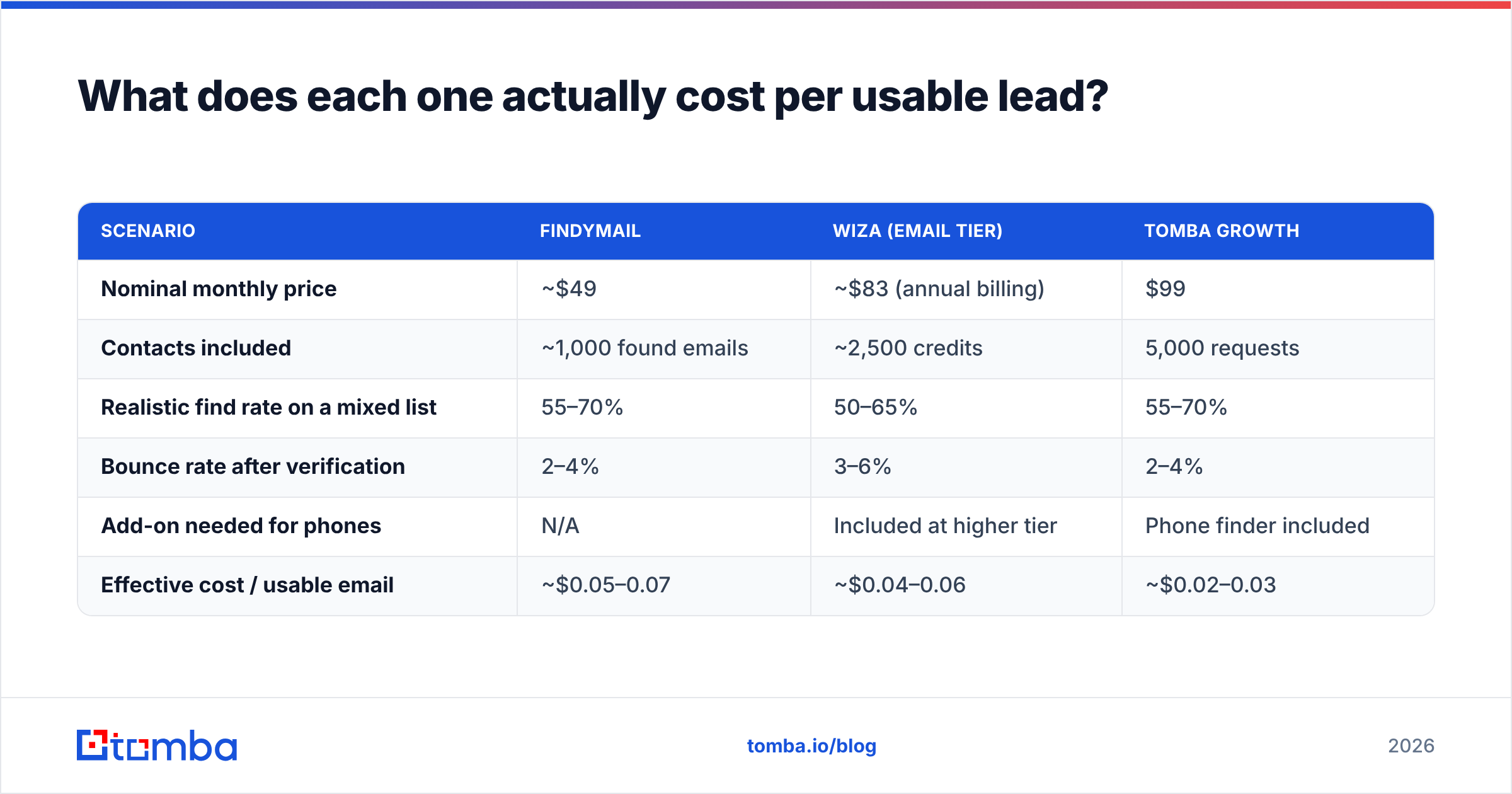
Assume you need 1,000 contactable prospects per month:
| Scenario | Findymail | Wiza (Email tier) | Tomba Growth |
|---|---|---|---|
| Nominal monthly price | ~$49 | ~$83 (annual billing) | $99 |
| Contacts included | ~1,000 found emails | ~2,500 credits | 5,000 requests |
| Realistic find rate on a mixed list | 55–70% | 50–65% | 55–70% |
| Bounce rate after verification | 2–4% | 3–6% | 2–4% |
| Add-on needed for phones | N/A | Included at higher tier | Phone finder included |
| Effective cost / usable email | ~$0.05–0.07 | ~$0.04–0.06 | ~$0.02–0.03 |
Three things fall out of this table:
- Findymail's per-found billing is a real advantage on low-quality lists. If you're enriching a scraped list where half the rows are dead companies, you're not paying for the misses.
- Wiza's annual-only discount matters. The monthly price is meaningfully higher than the advertised annual rate. Budget for the annual commitment or the math changes.
- Volume changes the winner. Below ~500 lookups/month, the free and starter tiers of almost any tool work. Above ~5,000/month, per-credit efficiency and API access dominate, and that's where flat-rate platforms pull ahead.
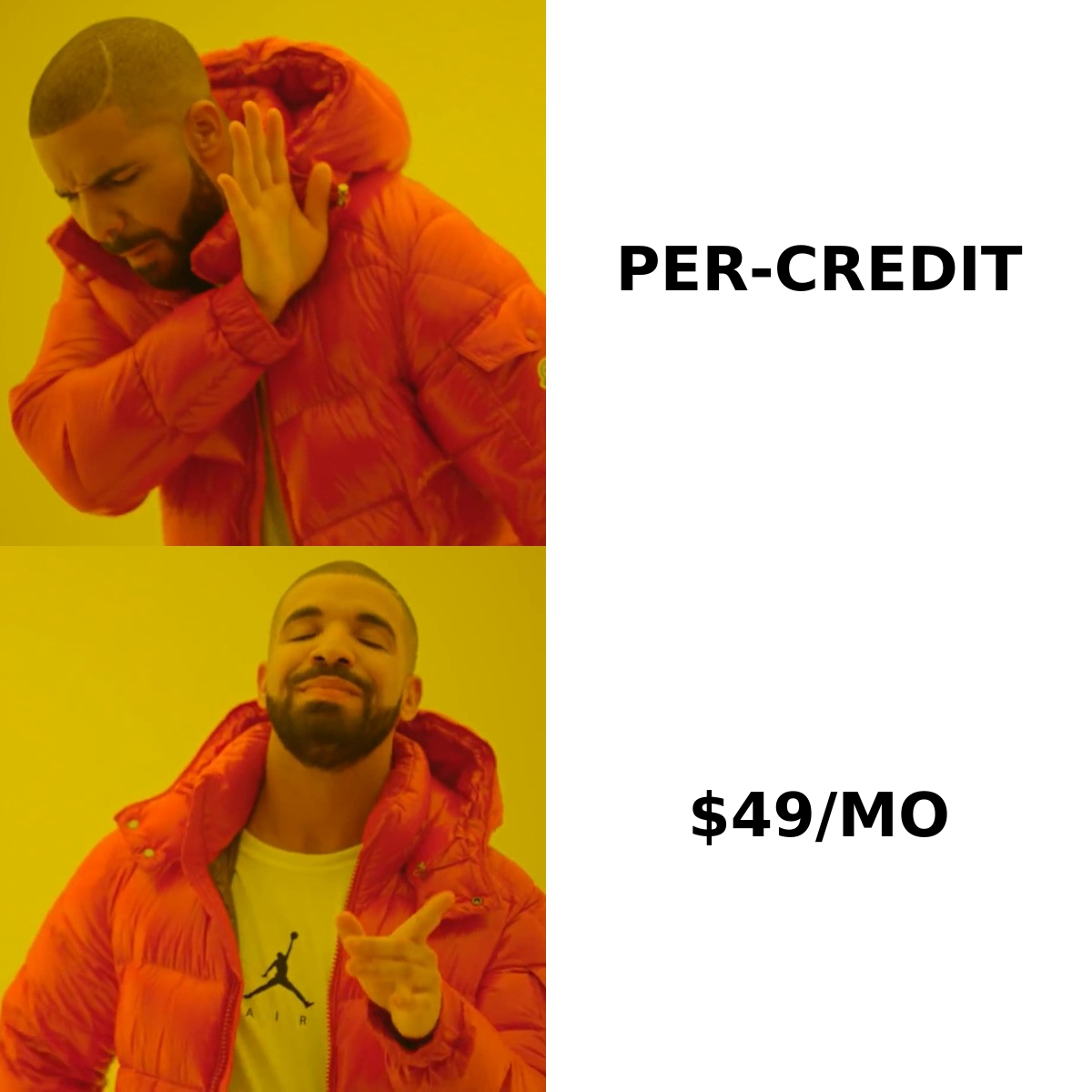
If you want to compare monthly ceilings directly, Tomba pricing runs Free (25 searches), Starter $49, Growth $99, Pro $249, and Enterprise custom — with the verifier, domain search, catch-all checks, and API included rather than sold as add-ons.
What are the honest weaknesses of each tool?#
Findymail's weak spots:
- Coverage on non-US and non-tech companies drops noticeably. The conservative "only return what we're sure about" philosophy means you get blanks rather than guesses.
- No phone numbers. If your motion is multi-channel — email plus cold call — you need a second vendor.
- The API exists but isn't the product's center of gravity. Engineering teams building enrichment into an app will find it thin.
Wiza's weak spots:
- Platform dependency. Your workflow's health is tied to LinkedIn's tolerance and your Sales Navigator seat.
- Credit consumption is easy to misjudge when phone reveals are enabled by default.
- Data freshness reflects LinkedIn profile freshness. A contact who changed jobs three months ago but hasn't updated their profile will still export with the old company's email pattern.
Both share one weakness: neither is a general-purpose data layer. Neither gives you website visitor identification, reverse lookups from an email back to a person, or author-level contact discovery for content outreach. If those are on your roadmap, you're going to end up stacking tools.
How should you choose between Findymail and Wiza?#
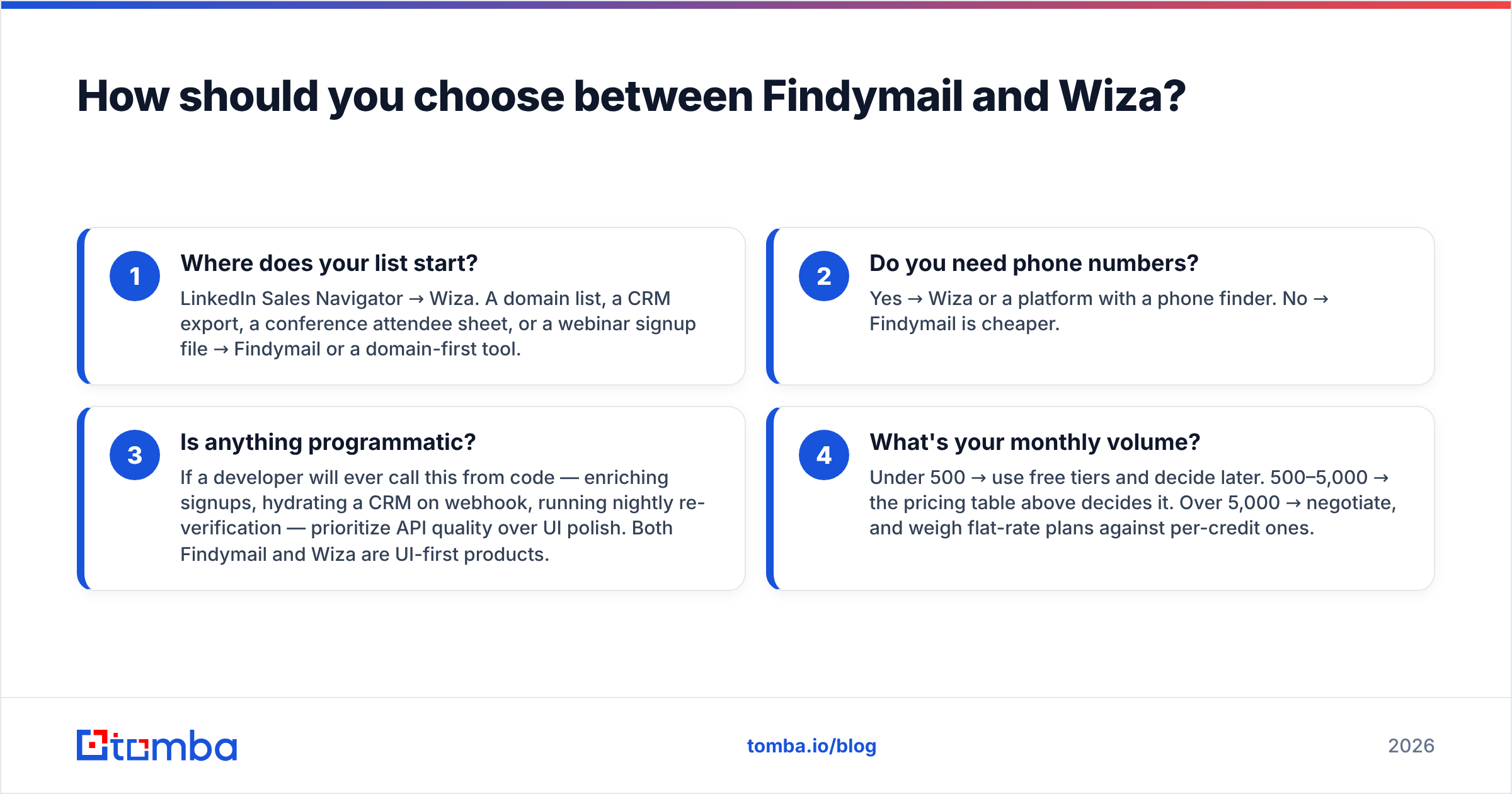
Skip the feature matrix and answer four questions.
- Where does your list start? LinkedIn Sales Navigator → Wiza. A domain list, a CRM export, a conference attendee sheet, or a webinar signup file → Findymail or a domain-first tool.
- Do you need phone numbers? Yes → Wiza or a platform with a phone finder. No → Findymail is cheaper.
- Is anything programmatic? If a developer will ever call this from code — enriching signups, hydrating a CRM on webhook, running nightly re-verification — prioritize API quality over UI polish. Both Findymail and Wiza are UI-first products.
- What's your monthly volume? Under 500 → use free tiers and decide later. 500–5,000 → the pricing table above decides it. Over 5,000 → negotiate, and weigh flat-rate plans against per-credit ones.
A word on the "just pick the cheapest" instinct: it's usually wrong, but not for the reason vendors claim. The cost that actually hurts is a damaged sending domain. A 12% bounce rate on a 5,000-send campaign will do more financial damage — through deliverability recovery time and lost pipeline — than the $50/month delta between any two tools in this category. Verify first, optimize price second.
What about the other options in this category?#
Findymail and Wiza aren't the only two names on the shortlist, and pretending otherwise would be dishonest.
- Apollo bundles a large contact database with a sequencer. Broad but the data quality varies wildly by segment. See the Apollo alternative breakdown for the tradeoffs.
- BookYourData takes a different approach entirely — a curated, pay-as-you-go B2B contact database with a stated bounce guarantee. If you'd rather buy a pre-built targeted list than run lookups, it's a legitimately strong option and worth a look alongside the finders here.
- Clearbit / Breeze Intelligence is enrichment-first rather than discovery-first — it's for hydrating records you already have, not finding new ones.
- Hunter, Tomba, and similar domain-search tools are the pattern-based end of the spectrum: give them a domain, get every published address plus confidence scores.
Independent review aggregators like G2's email-finder category are useful for spotting churn signals and support complaints, though the raw star ratings skew high across the board because vendors incentivize reviews.
Is there a setup that avoids choosing?#
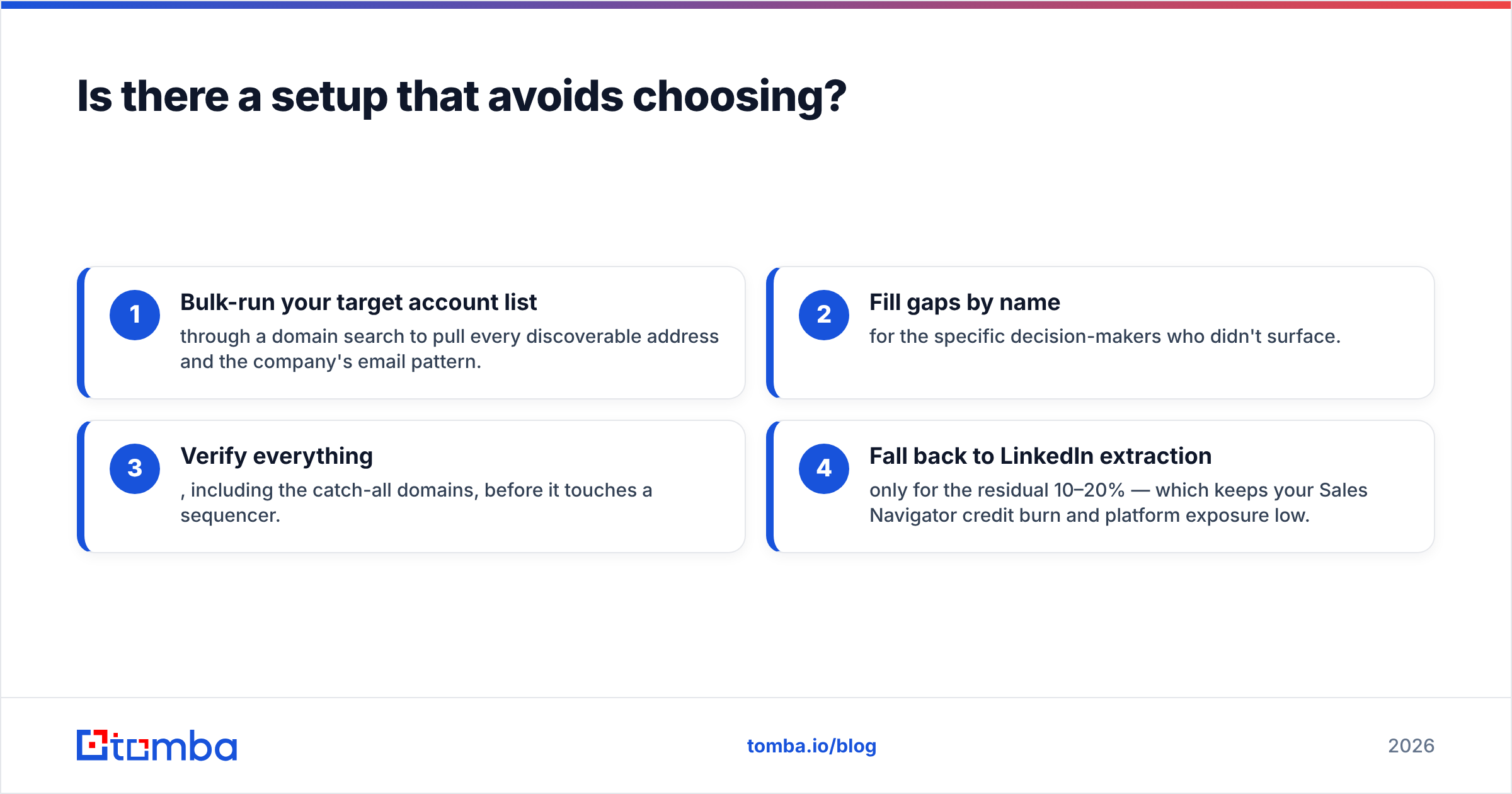
For a lot of teams, yes — run a domain-first finder as the default and use a LinkedIn tool only for the accounts where domain search comes up empty.
That looks like:
- Bulk-run your target account list through a domain search to pull every discoverable address and the company's email pattern.
- Fill gaps by name for the specific decision-makers who didn't surface.
- Verify everything, including the catch-all domains, before it touches a sequencer.
- Fall back to LinkedIn extraction only for the residual 10–20% — which keeps your Sales Navigator credit burn and platform exposure low.
This ordering is cheaper than LinkedIn-first for most B2B segments because domain search returns many contacts per credit while LinkedIn extraction returns one contact per reveal. It also degrades gracefully: if a platform restricts your account, step 4 is the only thing that breaks.
The verdict#
Choose Wiza if your prospecting genuinely lives inside Sales Navigator, you need mobile numbers, and you're comfortable with the platform dependency and annual commitment.
Choose Findymail if you're a cold-email operator working from domain and company lists, bounce rate is your primary KPI, and you don't need phones.
Choose neither if you need one system that handles domain search, name lookups, LinkedIn, verification, catch-all handling, phones, enrichment, and a real API without stacking three subscriptions.
That last case is common enough to be worth naming. If you're building a prospecting stack rather than solving one narrow task, start with the Tomba Email Finder — the free tier gives you 25 searches a month with no card, Starter is $49/mo, and the verifier, domain search, catch-all checks, bulk tools, and full API are part of the plan rather than line items on top of it. Run the same 50-contact test list through all three tools and compare bounce rates, not marketing pages. The winner will be obvious inside an hour.
Related guides#
Ready to find emails that actually work?
Join 150,000+ professionals who stopped guessing and started sending. Free credits on signup — no credit card required.
Get the Tomba newsletter
Practical outbound tactics and product updates — once every two weeks.
About the author