FinTRX vs SalesQL (2026): Which Data Tool Wins?
FinTRX sells wealth-management intelligence. SalesQL scrapes LinkedIn contacts. They compete for the same budget line but solve different problems — here's which one earns your spend in 2026.
TL;DR
- FinTRX is a wealth-management database, not a prospecting tool. It maps RIAs, family offices, broker-dealers and their advisors — deep vertical data, enterprise pricing (typically five figures annually, quote-only).
- SalesQL is a LinkedIn contact extractor. It runs as a Chrome extension over LinkedIn and Sales Navigator, pulling personal and work emails plus phone numbers from profiles you already have on screen. Plans start around $39/mo.
- They barely overlap. FinTRX answers "who are the 400 RIAs in Texas with $250M–$1B AUM?" SalesQL answers "what's the email of this specific person I'm looking at?"
- Most teams need a third thing: a domain-level email finder with an API so enrichment runs at scale instead of tab-by-tab. Tomba starts at $49/mo with a free tier.
- Our pick: FinTRX if you sell into wealth management and have the budget. SalesQL if LinkedIn is your only source. Neither if you need programmatic enrichment across arbitrary domains.
What are FinTRX and SalesQL, actually?#
Start here, because the name-vs-name framing hides how different these products are.
FinTRX is a financial-services data platform. Its core asset is a curated database of RIAs (registered investment advisors), family offices, broker-dealers, and the individual advisors inside them — with AUM figures, custodian relationships, SEC filings data, team rosters, and contact details. Asset managers, fund distributors, and fintech vendors use it to build territory maps and target lists inside a single vertical. You can see their positioning on fintrx.com.
SalesQL is a browser extension. Install it, open a LinkedIn profile or a Sales Navigator search, and it surfaces emails (work and personal) plus phone numbers for the people on that page. It also does bulk extraction from search result pages and exports to CSV or your CRM. Details at salesql.com.
One is a vertical database you query. The other is a lookup layer you drive with your mouse. Comparing them straight across is like comparing a mortgage-lending database to a business card scanner — both produce contacts, but the workflows have nothing in common.
The comparison still gets made because both show up in the same budget conversation: we need contact data, what do we buy?

How do FinTRX and SalesQL compare head to head?#
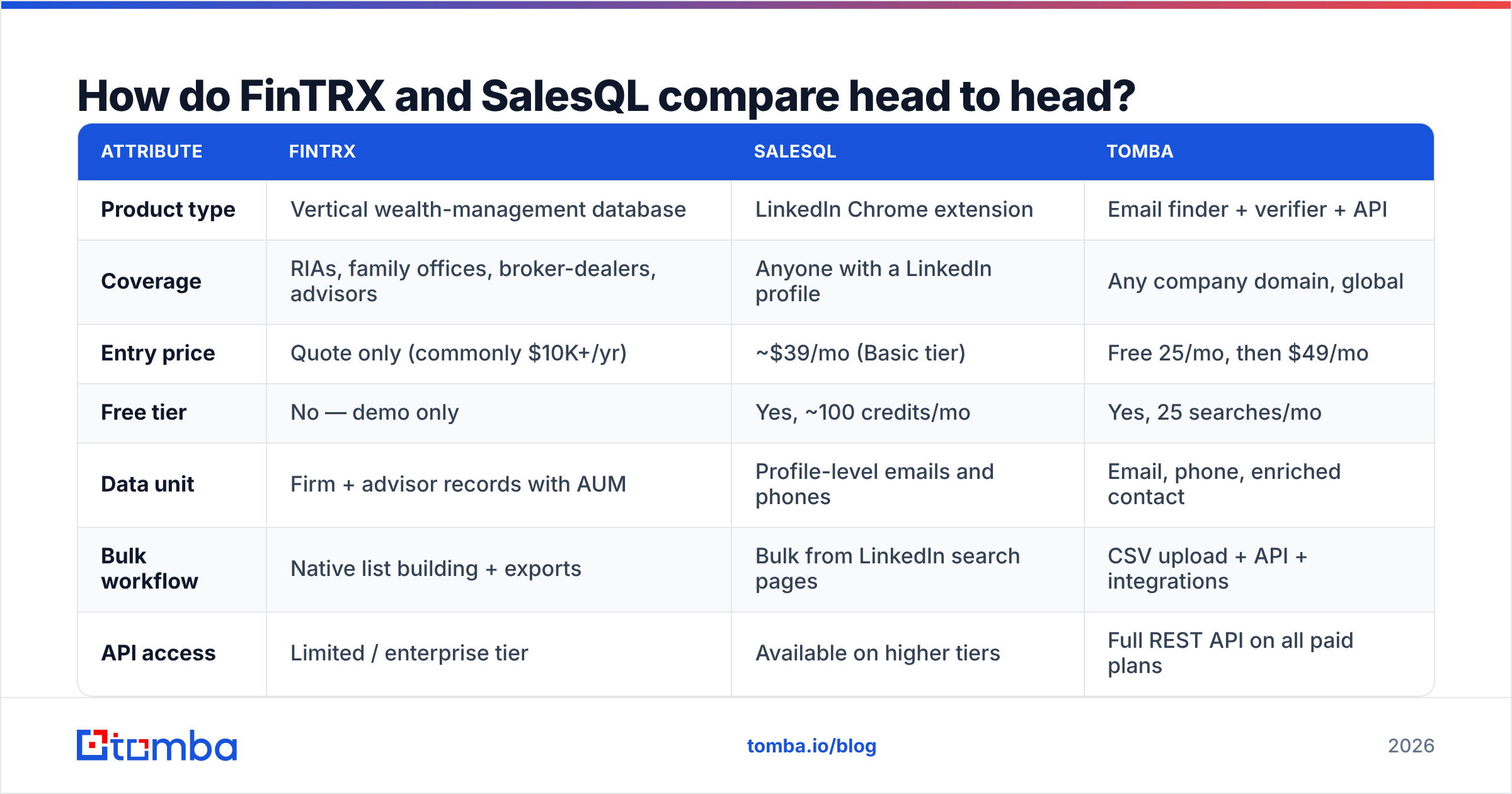
Here's the honest matrix. Prices are list/public where available; FinTRX does not publish rate cards, so the figures below reflect commonly reported ranges from buyer reviews on G2 and vendor conversations — verify with a quote.
| Attribute | FinTRX | SalesQL | Tomba |
|---|---|---|---|
| Product type | Vertical wealth-management database | LinkedIn Chrome extension | Email finder + verifier + API |
| Coverage | RIAs, family offices, broker-dealers, advisors | Anyone with a LinkedIn profile | Any company domain, global |
| Entry price | Quote only (commonly $10K+/yr) | ~$39/mo (Basic tier) | Free 25/mo, then $49/mo |
| Free tier | No — demo only | Yes, ~100 credits/mo | Yes, 25 searches/mo |
| Data unit | Firm + advisor records with AUM | Profile-level emails and phones | Email, phone, enriched contact |
| Bulk workflow | Native list building + exports | Bulk from LinkedIn search pages | CSV upload + API + integrations |
| API access | Limited / enterprise tier | Available on higher tiers | Full REST API on all paid plans |
| Verification built in | Not a core feature | Basic validity flags | Dedicated verifier + catch-all handling |
| Best for | Selling into wealth management | Recruiters, solo SDRs on LinkedIn | Scaled outbound across industries |
| Worst for | Anyone outside finance | Anything off LinkedIn | Vertical firmographics like AUM |
The pattern is clear once it's laid out: FinTRX buys you market intelligence in one vertical, SalesQL buys you contact resolution on one platform, and a general email finder buys you coverage across every domain.
When is FinTRX worth the money?#
FinTRX earns its price in a narrow but very real set of cases.
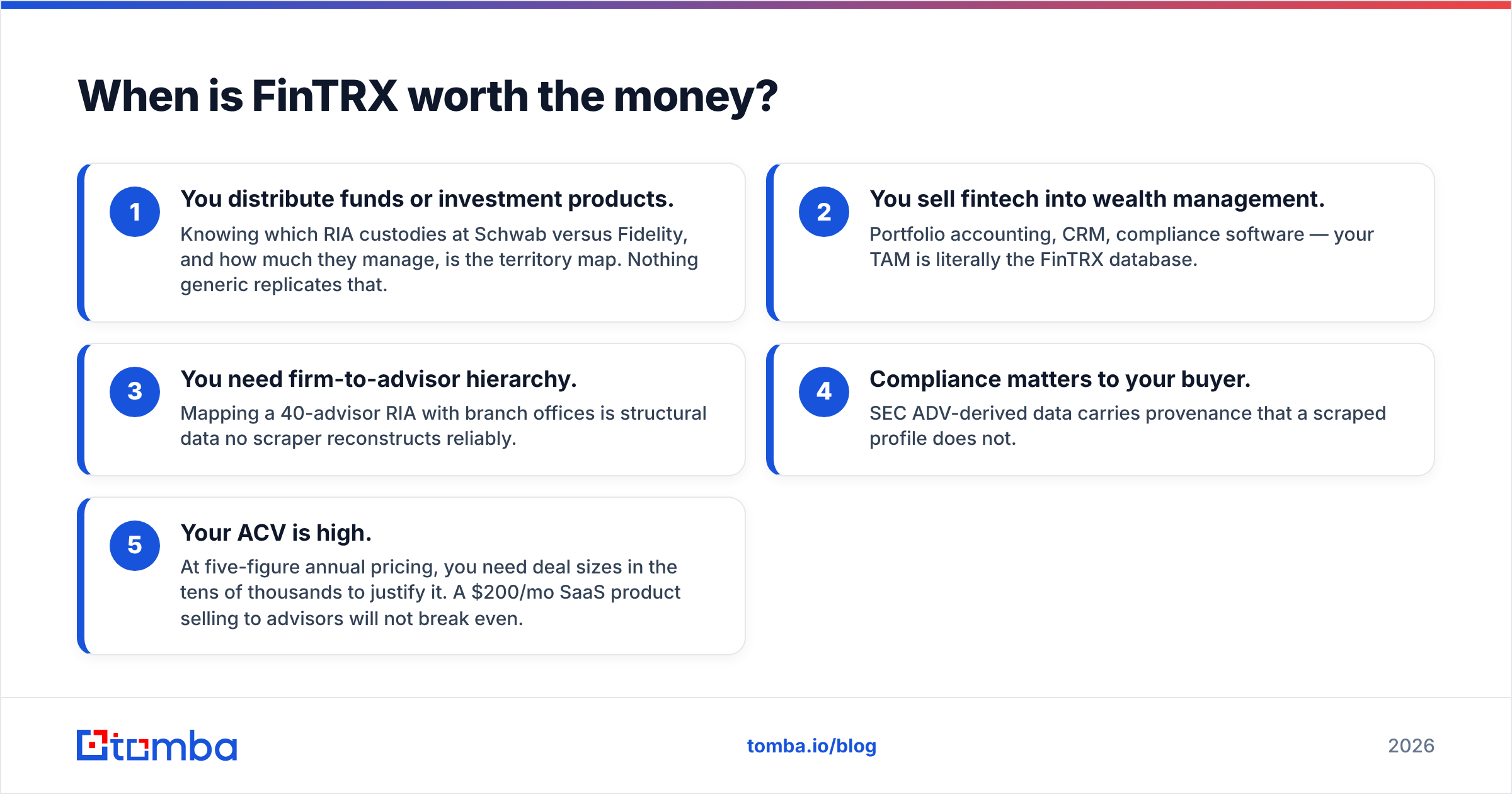
- You distribute funds or investment products. Knowing which RIA custodies at Schwab versus Fidelity, and how much they manage, is the territory map. Nothing generic replicates that.
- You sell fintech into wealth management. Portfolio accounting, CRM, compliance software — your TAM is literally the FinTRX database.
- You need firm-to-advisor hierarchy. Mapping a 40-advisor RIA with branch offices is structural data no scraper reconstructs reliably.
- Compliance matters to your buyer. SEC ADV-derived data carries provenance that a scraped profile does not.
- Your ACV is high. At five-figure annual pricing, you need deal sizes in the tens of thousands to justify it. A $200/mo SaaS product selling to advisors will not break even.
Where FinTRX stops being worth it: the moment your ICP extends past financial services. There's no partial plan for "wealth management plus everything else." You'd be paying vertical prices for a fraction of your addressable market, then buying a second tool anyway.
Reviewers consistently flag two other things — contact emails inside FinTRX records can go stale between refresh cycles, and the annual contract structure gives you little room to test before committing. Both are normal for enterprise vertical data. Both are worth negotiating on.
When is SalesQL the better choice?#
SalesQL wins on friction. There's no procurement cycle, no annual commit, no onboarding call. Install, click, get an email.
That makes it genuinely good for:
- Recruiters working candidate lists on LinkedIn all day.
- Solo founders doing sub-100-contact outreach where manual is fine.
- Personal email capture — SalesQL surfaces personal addresses more often than most B2B tools, which matters for recruiting and matters legally less in some jurisdictions than others. Check your GDPR posture.
- Sales Navigator power users who already live inside saved searches.
Where SalesQL breaks down: anything that isn't LinkedIn. If your list comes from a conference attendee PDF, a G2 category page, a portfolio company roster, or a CSV a partner sent you, SalesQL has no entry point. You'd need to find each person on LinkedIn first — which is the expensive step.
It also isn't a verification tool. Extension-sourced emails carry a confidence flag, not a mailbox check. Sending to unverified addresses is how sender reputation gets destroyed; run them through an email verifier before they hit a sequence. That's not a knock specific to SalesQL — it applies to every extraction tool — but it's a cost line people forget when comparing $39/mo to $12K/yr.
What's the third option most teams actually need?#
Here's the realization that usually lands about six weeks into the evaluation: neither tool does programmatic enrichment across arbitrary companies, which is what most outbound motions actually run on.
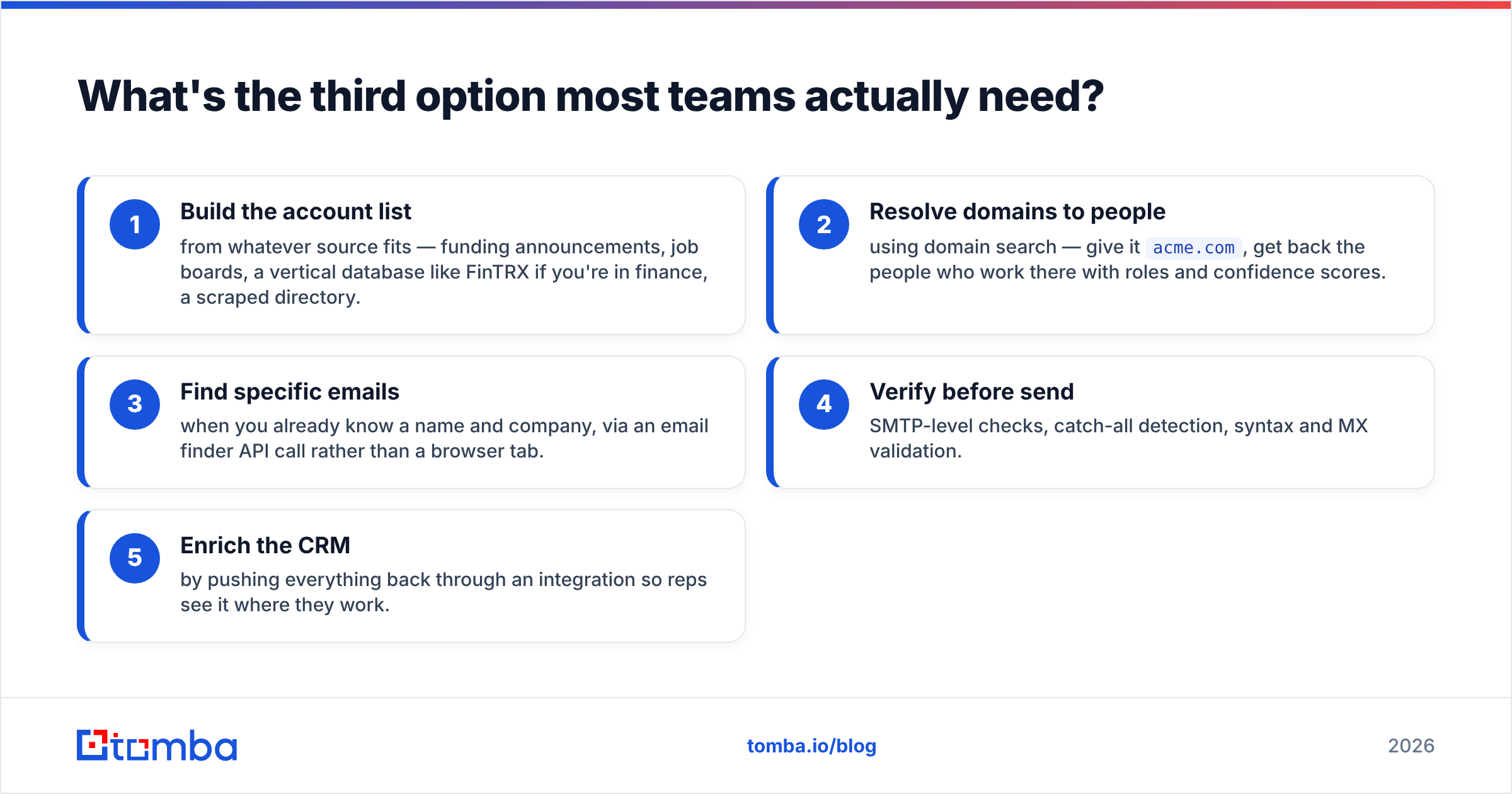
The typical modern workflow looks like this:
- Build the account list from whatever source fits — funding announcements, job boards, a vertical database like FinTRX if you're in finance, a scraped directory.
- Resolve domains to people using domain search — give it
acme.com, get back the people who work there with roles and confidence scores. - Find specific emails when you already know a name and company, via an email finder API call rather than a browser tab.
- Verify before send — SMTP-level checks, catch-all detection, syntax and MX validation.
- Enrich the CRM by pushing everything back through an integration so reps see it where they work.
Steps 2 through 5 are API calls, not clicks. That's the structural gap. A Chrome extension caps out at human speed; a vertical database caps out at one industry.

This is where a general-purpose finder fits alongside — not instead of — the tool you picked above. Plenty of teams run FinTRX for territory intelligence and an email API for contact resolution, because the vertical database tells you which firms matter and the finder keeps the contact layer fresh. The Tomba API handles the second job at $49/mo on Starter, with a free tier for testing before you commit anything.
How do the pricing models really compare?#
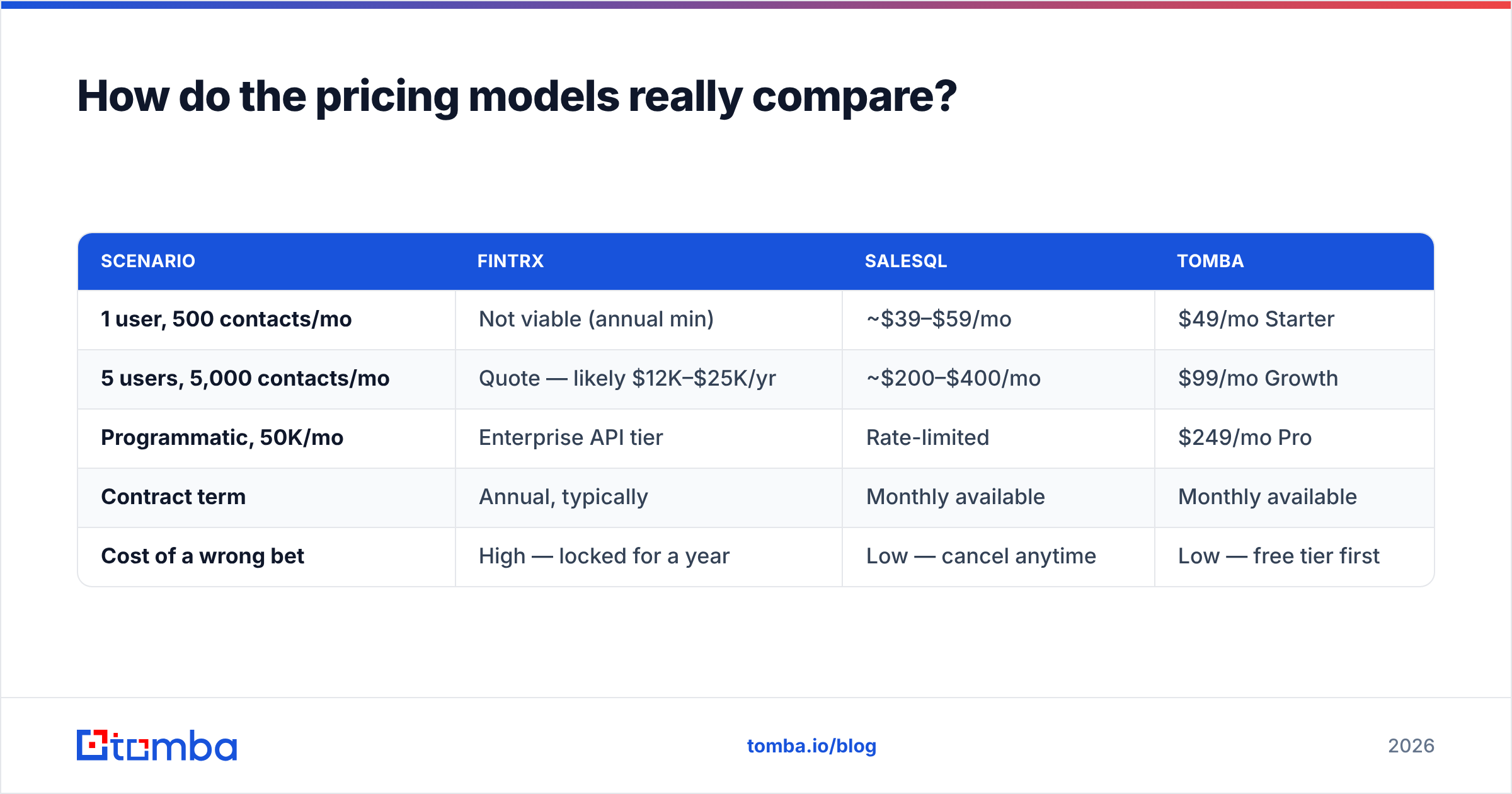
The sticker prices mislead because the units differ.
| Scenario | FinTRX | SalesQL | Tomba |
|---|---|---|---|
| 1 user, 500 contacts/mo | Not viable (annual min) | ~$39–$59/mo | $49/mo Starter |
| 5 users, 5,000 contacts/mo | Quote — likely $12K–$25K/yr | ~$200–$400/mo | $99/mo Growth |
| Programmatic, 50K/mo | Enterprise API tier | Rate-limited | $249/mo Pro |
| Contract term | Annual, typically | Monthly available | Monthly available |
| Cost of a wrong bet | High — locked for a year | Low — cancel anytime | Low — free tier first |
Read the bottom row twice. The single biggest financial risk in this comparison isn't the monthly number, it's contract lock-in against an unvalidated ICP. If you're not certain wealth management is your market, don't sign a year of vertical data to find out. Run a cheap test — build a 200-account list manually, enrich it, send, measure reply rate — then buy the expensive tool with evidence in hand.
For teams that want the vertical depth without the annual commit, prospect-database vendors like BookYourData offer pay-as-you-go B2B lists with industry filtering, which can be a reasonable middle path when you want to validate a segment before committing to specialist data. It's a different model — buying records outright rather than subscribing to a live database — and it suits validation work well.
What about data accuracy and deliverability?#
Accuracy claims in this category are close to meaningless without a definition, so here's the one that matters: what percentage of addresses accept mail at send time?
Three things degrade that number regardless of vendor:
- Job churn. Roughly a fifth of B2B contacts change roles annually. A database refreshed quarterly is, on average, six weeks stale.
- Catch-all domains. Many company mail servers accept everything, so a simple SMTP check returns "valid" for addresses that bounce internally. You need explicit catch-all verification to handle these instead of guessing.
- Personal vs work addresses. Extension tools that surface Gmail addresses inflate their hit rate while lowering your reply rate — B2B buyers don't read pitches in their personal inbox, and the compliance exposure is worse.
Practical rule: never send to a list you haven't verified within seven days of the send, no matter which vendor sourced it. Bounce rates above 3% start damaging sender reputation, and reputation damage costs more than any of these subscriptions. The HubSpot deliverability guidance covers the mechanics well if you want the deeper version.
Which should you choose in 2026?#
Decide by answering one question: is your entire addressable market inside wealth management?
- Yes, and deals are worth $25K+ → FinTRX. The vertical depth is real and nothing generic substitutes for AUM, custodian, and advisor-hierarchy data. Negotiate a shorter first term and ask about contact-refresh cadence in writing.
- No, and LinkedIn is where your prospects live → SalesQL. It's cheap, it works, and the monthly term means a bad bet costs you $39. Pair it with verification before you send.
- No, and you need volume or automation → a general email finder with an API. Domain-level search, bulk processing, CRM push, and per-record costs that don't scale linearly with headcount.
- Yes, but you're still validating → don't sign an annual contract yet. Build a test list, enrich it cheaply, prove the reply rate, then buy the vertical data with numbers behind the request.
The mistake to avoid is treating this as a binary. FinTRX and a contact API are complements, not competitors. SalesQL and a verifier are complements, not competitors. The stack that actually performs usually has two or three layers: intelligence, resolution, verification.
Ready to build the contact layer?#
If your bottleneck is finding and verifying work emails across any domain — not just LinkedIn profiles, not just wealth-management firms — start with the Tomba Email Finder. Feed it a name and a company domain, or run a full domain search to get every reachable contact at an account, then verify before you send. The free tier gives you 25 searches a month to test accuracy against your own known-good list, and paid plans start at $49/mo with full API access on every tier. Check the Tomba pricing page for the tier that matches your volume, and run your first 25 lookups before you commit a dollar to anything with an annual contract attached.
Related guides#
Ready to find emails that actually work?
Join 150,000+ professionals who stopped guessing and started sending. Free credits on signup — no credit card required.
Get the Tomba newsletter
Practical outbound tactics and product updates — once every two weeks.
About the author