Firmographics Meaning: The 2026 B2B Data Segmentation Guide
Firmographics are the company-level attributes that decide who you target and who you ignore. Here is what the term actually means, which fields matter, and how to use them without wrecking your pipeline.
TL;DR — the firmographics meaning, condensed
- The firmographics meaning in one line: company-level facts — industry, size, revenue, location, structure, growth stage. They describe a firm the way demographics describe a person.
- Five fields do most of the work: industry, employee count, revenue, head office location, and tech stack. The rest is decoration.
- Firmographic data decays 25-30% a year. Firms merge, move, hire, and fire. A segment you build once and never refresh will quietly stop working.
- Firmographics tell you which account. Technographics and intent tell you when. Contact data tells you who to email. You need all three. Most teams buy one.
- Build order: pick 5-7 filters, test them against closed-won deals, enrich, find contacts, verify emails, launch.
What is the firmographics meaning in plain English?#
The firmographics meaning is simple. Firmographics are demographics for companies.
A B2C marketer sorts people by age, income, gender, and postcode. A B2B marketer cannot. The buyer is not a person. It is a company with a budget, a headcount, and a sign-off chain. Firmographics are the facts that describe that company: what it does, how big it is, where it sits, how fast it grows, and how it is set up.
The word dates to market research in the 1980s. Academics needed a term for the business version of demographics. It stuck because it solved a real problem. A 40-person design agency and a 40,000-person insurer may both be tagged "services." They buy nothing alike.
A working definition of the firmographics meaning: the facts you can look up about a company, used to group firms that buy in similar ways.
The words "look up" matter. Firmographics are checkable: SIC code, staff count on LinkedIn, registered address, funding round. They are not opinions. They are not intent signals. That is why the firmographics meaning holds up as a spine for targeting. Two analysts who look at the same firm should land on the same profile.

Which firmographic attributes actually matter?#
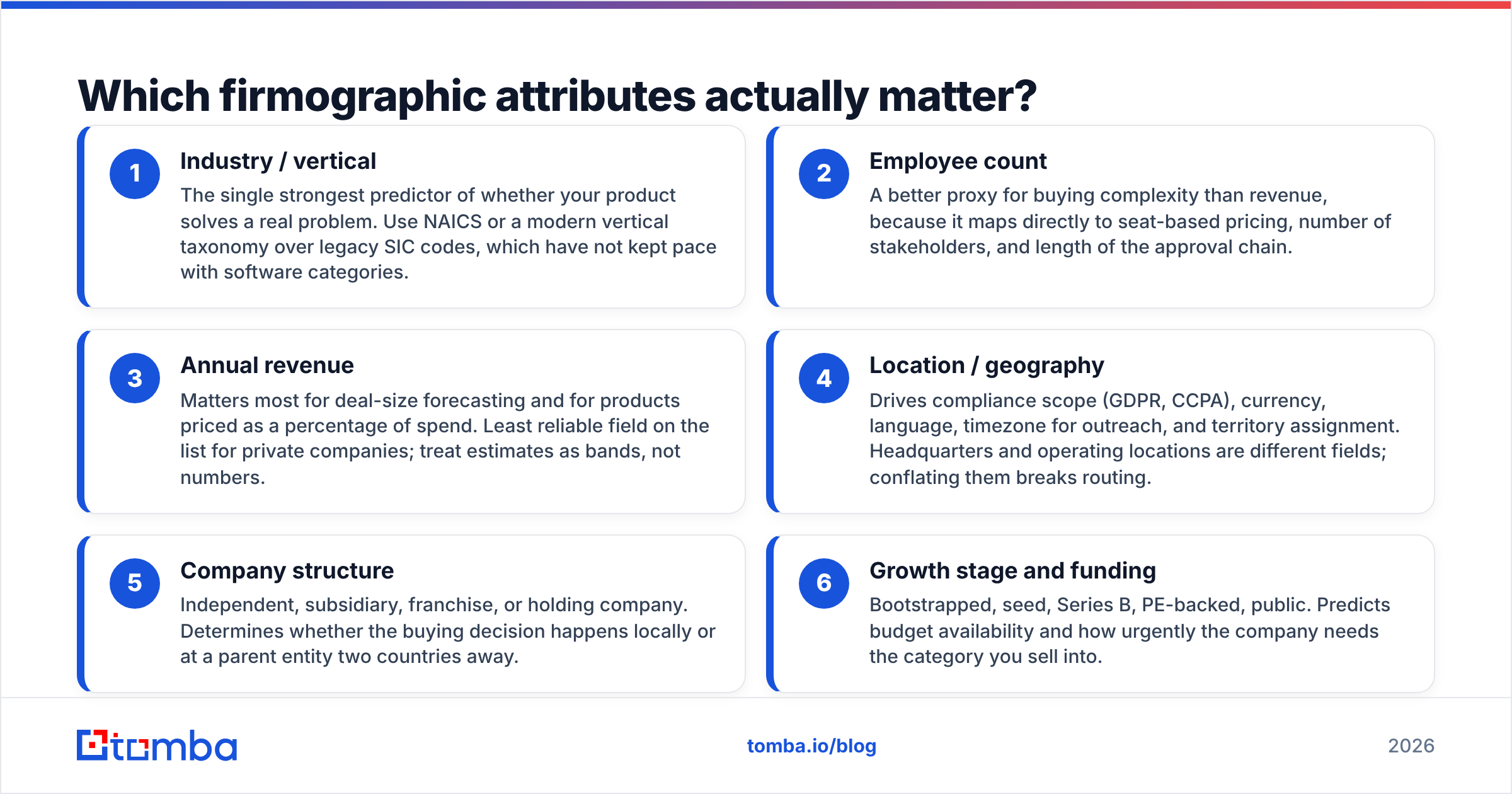
Most vendor files ship 40+ company fields. In practice a handful predict fit. The rest add noise. Here are the ones that earn their place, ranked by how often they change a targeting call:
- Industry / vertical — The best single clue that your product solves a real problem. Use NAICS or a modern vertical list. Old SIC codes have not kept up with software.
- Employee count — A better guide to buying complexity than revenue. It maps to seat pricing, the number of stakeholders, and how long sign-off takes.
- Annual revenue — Best for deal-size forecasts and for products priced as a share of spend. It is the weakest field here for private firms. Treat the numbers as bands, not facts.
- Location — It drives GDPR and CCPA scope, currency, language, outreach hours, and territory. Head office and operating sites are separate fields. Mix them up and routing breaks.
- Company structure — Independent, subsidiary, franchise, or holding company. It decides if the buying call happens on site or at a parent two countries away.
- Growth stage and funding — Bootstrapped, seed, Series B, PE-backed, public. It hints at budget, and at how badly the firm needs what you sell.
Two more fields ship with firmographic files but sit in their own layer:
- Technographics — the software a firm runs. Next door to firmographics, not part of them. Often the sharpest filter you have.
- Intent data — based on behavior, time-bound, and stale in days rather than months.
How do firmographics compare to the other B2B data layers?#
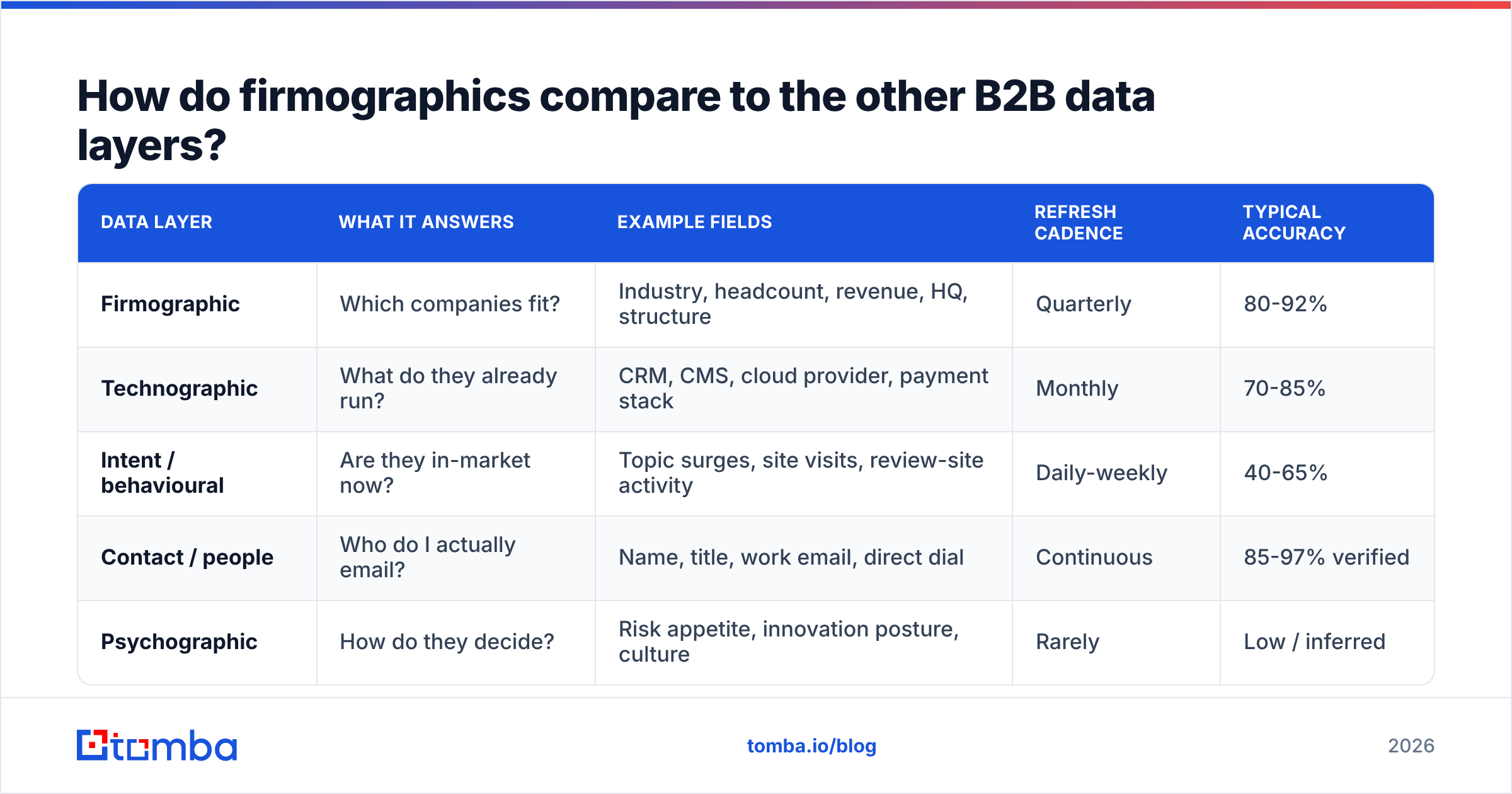
The firmographics meaning gets clearer next to the layers it sits beside. Teams mix them up all the time. That is why "we have great data" and "outbound is not working" live in the same office. Here is the honest breakdown:
| Data layer | What it answers | Example fields | Refresh cadence | Typical accuracy |
|---|---|---|---|---|
| Firmographic | Which companies fit? | Industry, headcount, revenue, HQ, structure | Quarterly | 80-92% |
| Technographic | What do they already run? | CRM, CMS, cloud provider, payment stack | Monthly | 70-85% |
| Intent / behavioural | Are they in-market now? | Topic surges, site visits, review-site activity | Daily-weekly | 40-65% |
| Contact / people | Who do I actually email? | Name, title, work email, direct dial | Continuous | 85-97% verified |
| Psychographic | How do they decide? | Risk appetite, innovation posture, culture | Rarely | Low / inferred |
Read that table as a funnel, not a menu. Firmographics cut the field from millions of firms to a few thousand. Technographics and intent rank that list. Contact data makes it usable. Skip a layer and you email the wrong firms. Or you build a lovely segment you cannot reach.
The last row needs a caveat. Company-level psychographic scores are mostly guesswork, and they are rarely checked. Trust them less than you trust headcount.
How do you build a firmographic segment that works?#
The failure mode is starting with the filter panel. Open any B2B database, tick boxes, and you get a list that feels precise and predicts nothing. Work backwards instead.
Step 1 — Profile your closed-won accounts. Export the last 50-100 deals you won. Pull their firmographic fields. Look for fields where won accounts cluster and lost accounts scatter. Those are your real filters. If your wins spread evenly across 12 industries, industry is not your edge. Stop using it as your main cut.
Step 2 — Profile your churn. Just as useful, and almost always skipped. Say firms under 25 staff churn at triple your average. That single exclusion rule is worth more than any inclusion rule you will write.
Step 3 — Write 5-7 filters, not 20. Every extra filter shrinks your market fast. It also adds one more chance for stale data to drop a good account. A tight ICP of five criteria beats a "precise" one of eighteen.
Step 4 — Size the segment before you commit. If your filters return 180 firms, that is an account list, not a segment. Run it as ABM, not outbound volume. If they return 400,000, you have not segmented at all.
Step 5 — Enrich, then find people. Filters get you domains. You still need humans. A domain search turns each qualifying firm into named contacts, with role and team attached. Data enrichment fills the gaps in rows you already have.
Step 6 — Verify before you send. Firmographic accuracy protects your targeting. Email checks protect your domain. They are two problems. You need both.
Why does firmographic data go stale so fast?#
Because firms do not sit still. The firmographics meaning has a shelf life.
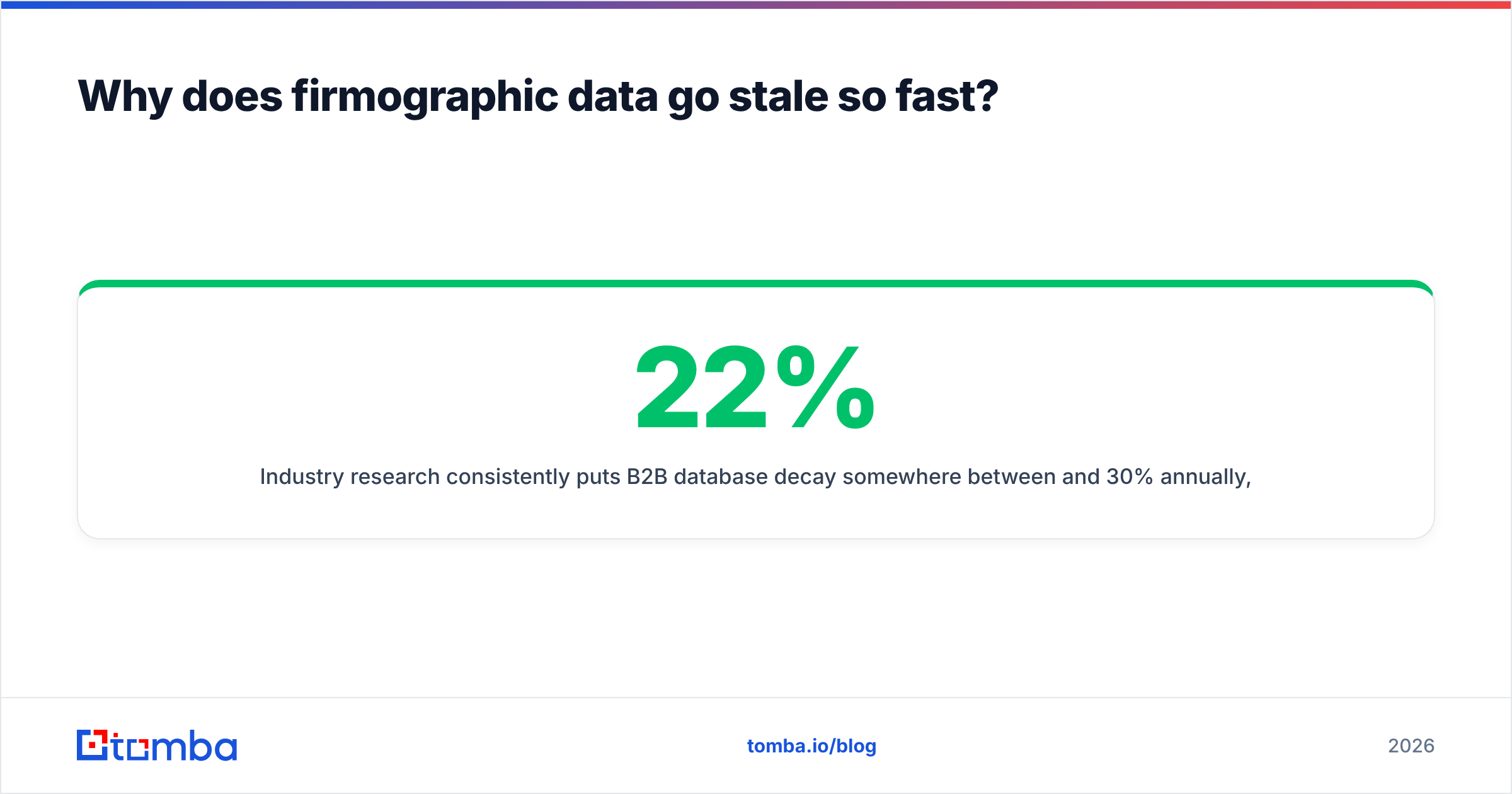
Studies put B2B database decay between 22% and 30% a year, and firmographics are no exception. In any 12-month window, firms get bought and inherit a new parent. Headcount swings 20% either way. Offices move. Funding rounds reset growth stage. Rebrands orphan the domain your whole record is keyed to.
The worse problem is that stale firmographics fail silently. A wrong email bounces and you know at once. A firm that dropped from 300 staff to 90 after layoffs stays in your "enterprise" segment. It keeps getting enterprise messaging. It never replies. Nothing in your dashboard flags it.
Three habits keep this under control:
- Re-enrich quarterly, not annually. Every 90 days, push your active segment back through enrichment and diff the fields. Flag any account where headcount, industry, or domain changed.
- Key records on domain, not company name. Names change more often than domains. "Acme Inc" vs "Acme, Inc." vs "ACME Incorporated" creates three records for one account.
- Store a
last_verifiedtimestamp on every field. Not on the record — on the field. Revenue guessed 14 months ago and headcount confirmed last week should not carry equal weight.

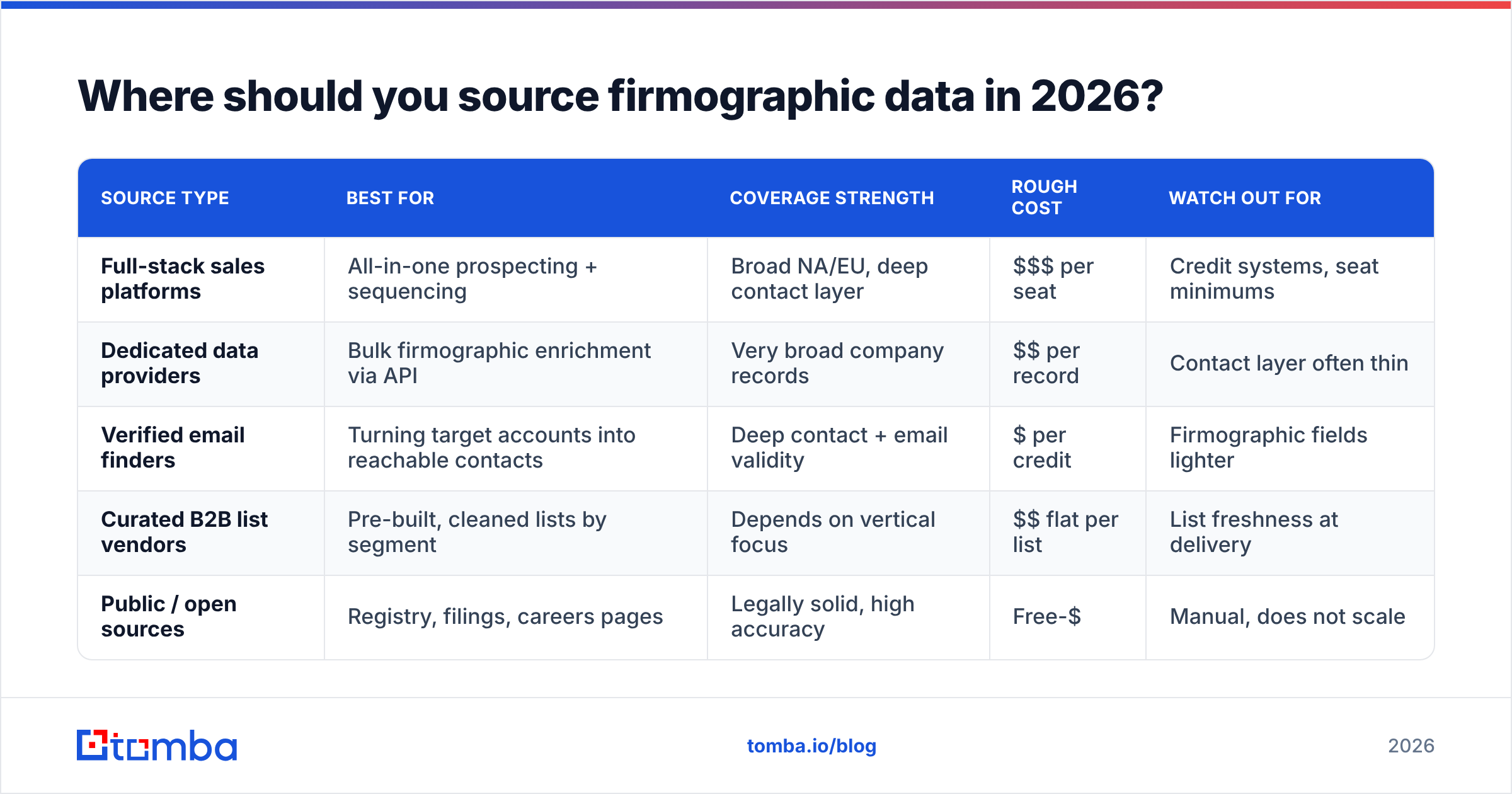
Where should you source firmographic data in 2026?#
There is no single best source. Anyone who says otherwise is selling one. Providers differ on coverage depth, geographic breadth, and price per record.
| Source type | Best for | Coverage strength | Rough cost | Watch out for |
|---|---|---|---|---|
| Full-stack sales platforms | All-in-one prospecting + sequencing | Broad NA/EU, deep contact layer | $$$ per seat | Credit systems, seat minimums |
| Dedicated data providers | Bulk firmographic enrichment via API | Very broad company records | $$ per record | Contact layer often thin |
| Verified email finders | Turning target accounts into reachable contacts | Deep contact + email validity | $ per credit | Firmographic fields lighter |
| Curated B2B list vendors | Pre-built, cleaned lists by segment | Depends on vertical focus | $$ flat per list | List freshness at delivery |
| Public / open sources | Registry, filings, careers pages | Legally solid, high accuracy | Free-$ | Manual, does not scale |
A few are worth knowing by name. Clearbit built its name on firmographic enrichment via API. It is still the reference point for the category. BookYourData sells pre-checked B2B lists with firmographic filters already applied. That suits you if you want a clean list delivered rather than an API to wire up, and their accuracy promise is one of the stronger ones in that model.
For open data, NAICS is the free industry taxonomy most vendors map toward. G2 is the least-bad place to test vendor claims against real practitioner reviews.
Tomba's own position is narrow, and worth stating plainly: it is strongest at the contact layer. Once your filters produce a list of qualifying domains, the email finder and email verifier turn those domains into contacts you can actually reach. Enrichment covers the core company fields alongside.
Pick by need. If you want a 60-field firmographic API for a data warehouse, a dedicated enrichment provider is the better buy. If your need is "I have my target accounts, now get me verified people at them," that is the sweet spot. Tomba pricing starts free at 25 searches per month. Starter is $49/mo, Growth $99/mo, and Pro $249/mo. There are no seat minimums, which matters for small teams priced out of platform tools.
What are the most common firmographic mistakes?#
Treating employee count as revenue. A 200-person agency and a 200-person fintech have very different budgets. If your pricing tracks spend, model revenue directly. Do not guess it from headcount.
Over-relying on SIC codes. SIC was built for a factory economy. Modern SaaS and marketplace firms map into it badly. Vendors often assign codes by keyword-matching a website. Use NAICS or a vendor's own vertical list, and spot-check by hand.
Confusing HQ with the buying location. A US-based enterprise with a 400-person Berlin office may make the tooling call in Berlin. If your data only carries HQ, your GDPR posture and your territory routing are both wrong.
Building the ICP from opinion. "We sell to mid-market fintech" is a hunch until you check it against the CRM. Half the time the real pattern is something plain, like "firms that just hired a first ops manager."
Ignoring exclusion criteria. Every ICP needs a no list: sizes, industries, or regions you do not sell to. Exclusions are cheap to maintain. They usually beat one more inclusion filter.
Buying firmographics and calling it done. This is where the firmographics meaning gets stretched too far. Firmographics get you the account. They do not get you the person, the email, or the timing. Pair them with contact enrichment and email checks before you judge your targeting.
How do firmographics feed lead scoring and routing?#
Firmographics are the fit half of a fit-plus-intent model. Behavior is the other half. Score the two on separate axes. Do not collapse them into one number.
A simple, defensible model:
- Fit score (firmographic, 0-50): industry match, headcount band, revenue band, geography, company structure. Redone each quarter on re-enrichment.
- Engagement score (behavior, 0-50): site visits, content downloads, demo requests, email replies. Decays weekly.
- Routing rule: high fit plus high engagement goes to an AE at once. High fit plus low engagement goes to nurture. Low fit plus high engagement goes to self-serve, not to a rep. That last box is where most SDR time is wasted.
Separate axes let you spot the fault. If pipeline is thin and fit scores are high everywhere, your filters are too loose. If engagement is high but fit is low, your content pulls the wrong crowd. One blended score hides both.
Wire the fit score into your CRM as a stored field with a recalc date. Do not compute it at read time. You want to answer this: "what did we think this account's fit was when we routed it in March?" That is how you tune the model instead of arguing about it.
Ready to turn firmographic segments into real conversations?#
A firmographic segment is a list of domains. It becomes revenue only when someone at those domains reads an email that lands in their inbox.
That is the gap Tomba closes. Point the Tomba Email Finder at the firms your filters surfaced. Get verified work emails, with role and team attached. Push them into your sequencer or CRM. Start free at 25 searches a month and test the data against accounts you already know. Scale up when the match rate proves itself. Your targeting is only as good as the contacts you can reach.
Related guides#
Ready to find emails that actually work?
Join 150,000+ professionals who stopped guessing and started sending. Free credits on signup — no credit card required.
Get the Tomba newsletter
Practical outbound tactics and product updates — once every two weeks.
About the author