Follow Up Email Generator: Automate Your Bumps in 2026
Most replies come from follow-up two through five, not the first send. Here's how follow up email generators actually work, which ones earn their price, and the cadence rules that keep you out of spam.
TL;DR
- A follow up email generator writes the second, third, and fourth touches in a sequence for you, using the thread context, the prospect's role, and a chosen angle. It is not a spinner and it is not a full sequencer.
- Most positive replies in B2B outbound arrive on touches 2 through 5. If you send one email and stop, you are throwing away the majority of your pipeline.
- Generators are good at variation, tone, and speed. They are bad at judgment: knowing when to change the offer, when to break up, and when the prospect simply is not the buyer.
- The tool matters less than the list. A perfectly generated follow-up sent to a dead mailbox still bounces, and bounces hurt your sender reputation permanently.
- Budget check: standalone AI writers run $15-$49/mo, sequencers with built-in generation run $37-$99/mo, and data platforms like Tomba start free and go to $49/mo for Starter.
What is a follow up email generator?#
A follow up email generator is a tool that takes an existing email thread (or the details of one) and drafts the next message in the sequence. You feed it the original email, the prospect's title and company, how many days have passed, and what you want this touch to do. It returns a draft you can send in under a minute.
Think of it like a sous-chef. You decide the menu, the portion sizes, and when the plate goes out. The sous-chef does the chopping so you are not spending two hours a day writing "just bumping this to the top of your inbox."
Three categories get lumped under the same name, and confusing them is where people waste money:
- Pure AI writers. A prompt box, a tone selector, and a copy button. No sending, no tracking, no list management. Cheapest, fastest, most flexible.
- Sequencers with generation built in. Instantly, Smartlead, Saleshandy, Reply.io. They write the follow-up and schedule it, stop on reply, rotate inboxes, and track opens.
- Template libraries with fill-in variables. Not really "generators" but they solve the same problem for teams that want consistency over novelty. A curated set of cold email templates beats a bad AI draft most of the time.
If you already own a sequencer, you probably do not need a fourth subscription. If you send fewer than 200 emails a month, a pure writer plus your normal inbox is enough.
Why do follow-ups outperform the first email?#
Because the first email arrives when the prospect is busy, and the fourth arrives when they are not. That is most of it. Timing is a lottery and follow-ups buy more tickets.
The mechanics behind the pattern:
- Recency bias in a crowded inbox. Your first email landed under 47 others. Your fourth lands on a Tuesday morning when the inbox is half-empty.
- Repetition builds shallow familiarity. By touch three, your name is no longer cold. It reads as "that person who keeps showing up," which is closer to a vendor than a stranger.
- Each touch is a new angle at bat. Touch one pitched efficiency. Touch three pitched a competitor case study. One of those matches what the prospect is actually working on this quarter.
- Follow-ups filter for intent. People who reply on touch four are self-selecting as interested enough to overcome inertia. Those are better conversations than a touch-one "sure, send info."
- Silence is not a no. HubSpot's sales research has documented for years that most reps stop after one or two attempts while most closed deals require more.
The catch: follow-ups only compound if each one adds something. Four copies of "checking in" trains the prospect to ignore your sender name, which is worse than never emailing at all.

How does a follow up email generator actually work?#
Under the hood, every serious tool follows the same five steps. Understanding them tells you where the output will break.
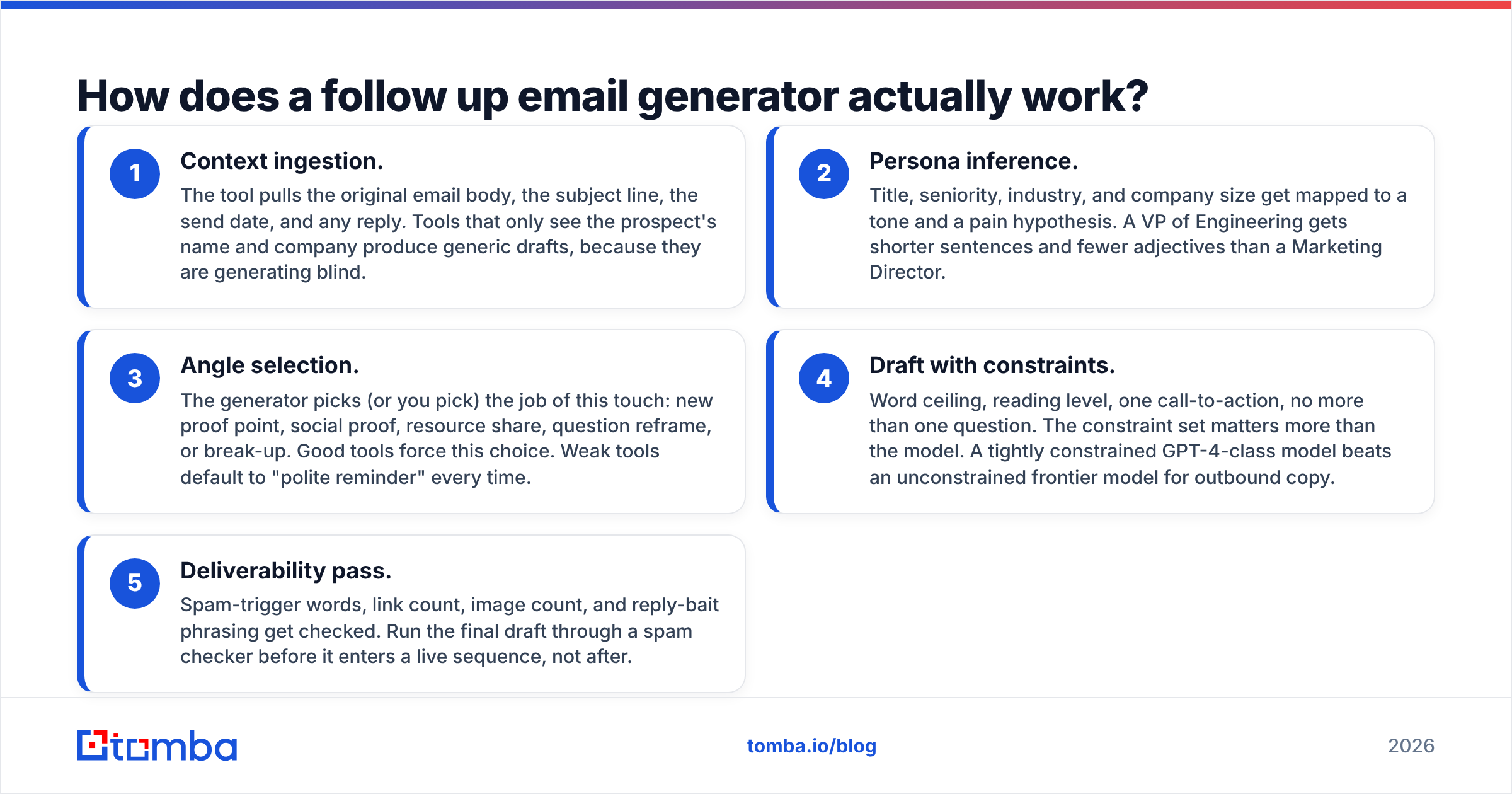
- Context ingestion. The tool pulls the original email body, the subject line, the send date, and any reply. Tools that only see the prospect's name and company produce generic drafts, because they are generating blind.
- Persona inference. Title, seniority, industry, and company size get mapped to a tone and a pain hypothesis. A VP of Engineering gets shorter sentences and fewer adjectives than a Marketing Director.
- Angle selection. The generator picks (or you pick) the job of this touch: new proof point, social proof, resource share, question reframe, or break-up. Good tools force this choice. Weak tools default to "polite reminder" every time.
- Draft with constraints. Word ceiling, reading level, one call-to-action, no more than one question. The constraint set matters more than the model. A tightly constrained GPT-4-class model beats an unconstrained frontier model for outbound copy.
- Deliverability pass. Spam-trigger words, link count, image count, and reply-bait phrasing get checked. Run the final draft through a spam checker before it enters a live sequence, not after.
Steps 1 and 3 are where cheap tools cut corners. If a generator never asks what this touch is supposed to accomplish, it is a paraphrase engine, not a follow-up engine.
Which follow up email generators are worth using in 2026?#
Here is the honest landscape. Prices are entry tiers as listed publicly; annual billing usually shaves 15-20%.
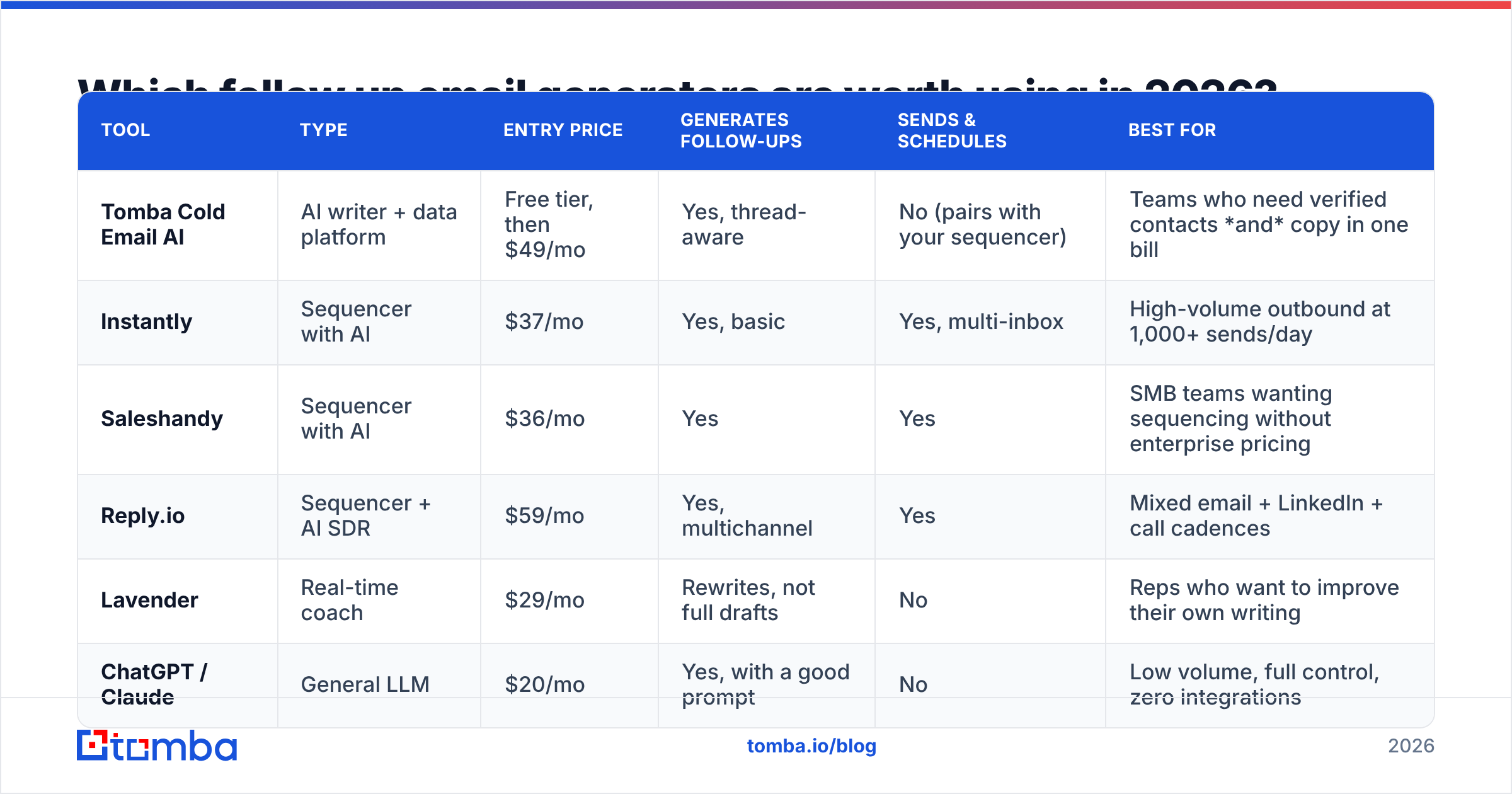
| Tool | Type | Entry price | Generates follow-ups | Sends & schedules | Best for |
|---|---|---|---|---|---|
| Tomba Cold Email AI | AI writer + data platform | Free tier, then $49/mo | Yes, thread-aware | No (pairs with your sequencer) | Teams who need verified contacts and copy in one bill |
| Instantly | Sequencer with AI | $37/mo | Yes, basic | Yes, multi-inbox | High-volume outbound at 1,000+ sends/day |
| Saleshandy | Sequencer with AI | $36/mo | Yes | Yes | SMB teams wanting sequencing without enterprise pricing |
| Reply.io | Sequencer + AI SDR | $59/mo | Yes, multichannel | Yes | Mixed email + LinkedIn + call cadences |
| Lavender | Real-time coach | $29/mo | Rewrites, not full drafts | No | Reps who want to improve their own writing |
| ChatGPT / Claude | General LLM | $20/mo | Yes, with a good prompt | No | Low volume, full control, zero integrations |
Two notes on this table. First, the sequencers' generation quality is broadly similar because they are all calling the same underlying models; you are paying for sending infrastructure, not for smarter copy. Second, none of these tools solve your data problem. Cross-check any shortlist against live user reviews on G2's sales engagement category before you commit to an annual plan.
If you are comparing sequencers specifically, the Instantly alternative and Saleshandy alternative breakdowns go deeper on sending limits and inbox rotation than we can here.
What does a good follow-up cadence look like?#
A cadence is a schedule plus a set of jobs. The schedule stops you from being annoying. The jobs stop you from being boring.
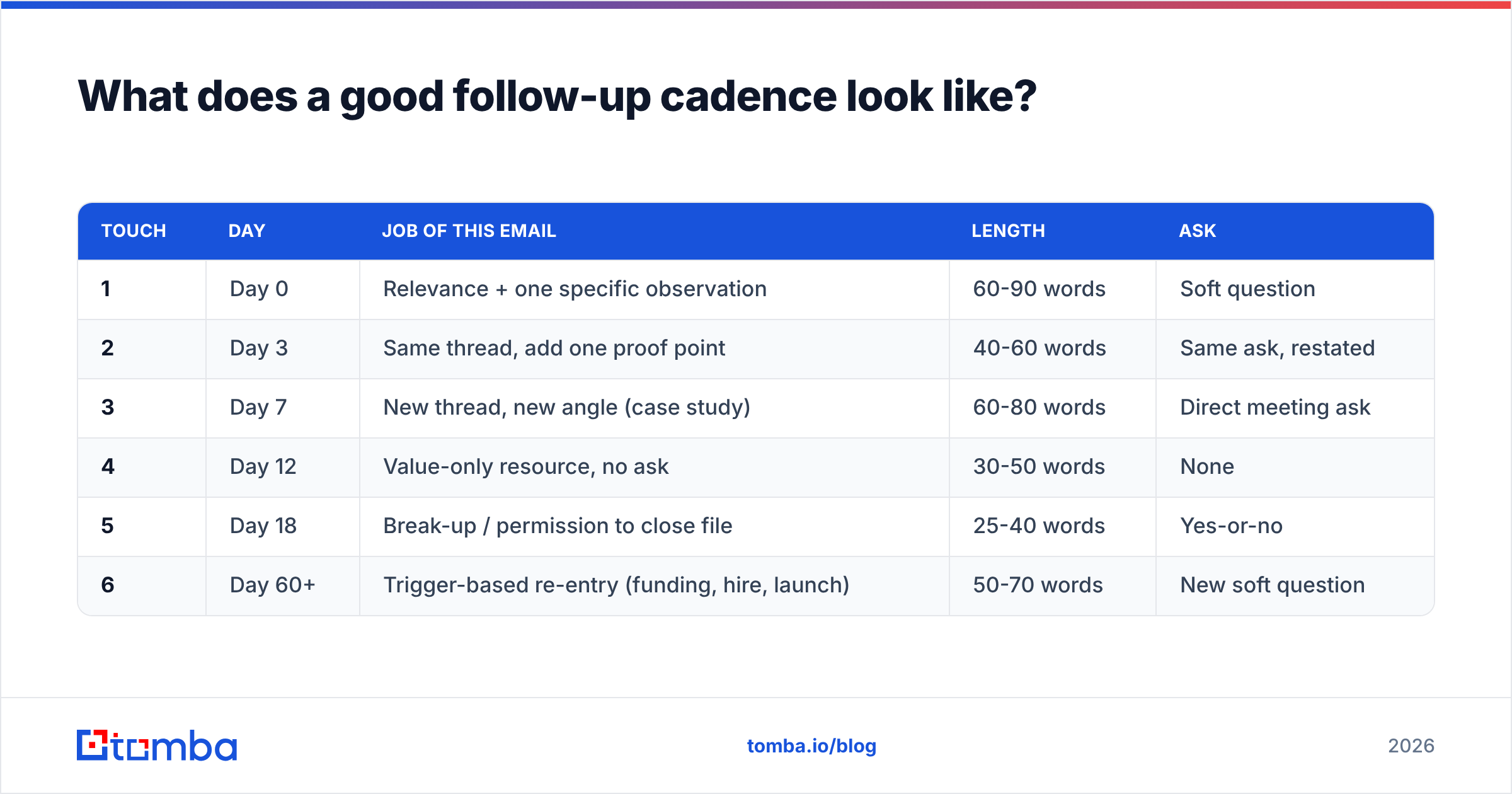
| Touch | Day | Job of this email | Length | Ask |
|---|---|---|---|---|
| 1 | Day 0 | Relevance + one specific observation | 60-90 words | Soft question |
| 2 | Day 3 | Same thread, add one proof point | 40-60 words | Same ask, restated |
| 3 | Day 7 | New thread, new angle (case study) | 60-80 words | Direct meeting ask |
| 4 | Day 12 | Value-only resource, no ask | 30-50 words | None |
| 5 | Day 18 | Break-up / permission to close file | 25-40 words | Yes-or-no |
| 6 | Day 60+ | Trigger-based re-entry (funding, hire, launch) | 50-70 words | New soft question |
Set the generator to respect these constraints explicitly. Paste the row into your prompt: "Touch 4, day 12, value-only, 30-50 words, no call to action, reference the original thread once." That single instruction improves output more than any tool switch.
The break-up email at touch five is the highest-reply-rate message in most sequences, and it is also the one people write worst. "Should I close your file?" works because it is a yes-or-no question with a deadline baked in. A generator will happily pad it to 120 words if you let it. Do not let it.
Does the generator matter more than the data?#
No, and this is the part that costs teams the most money.
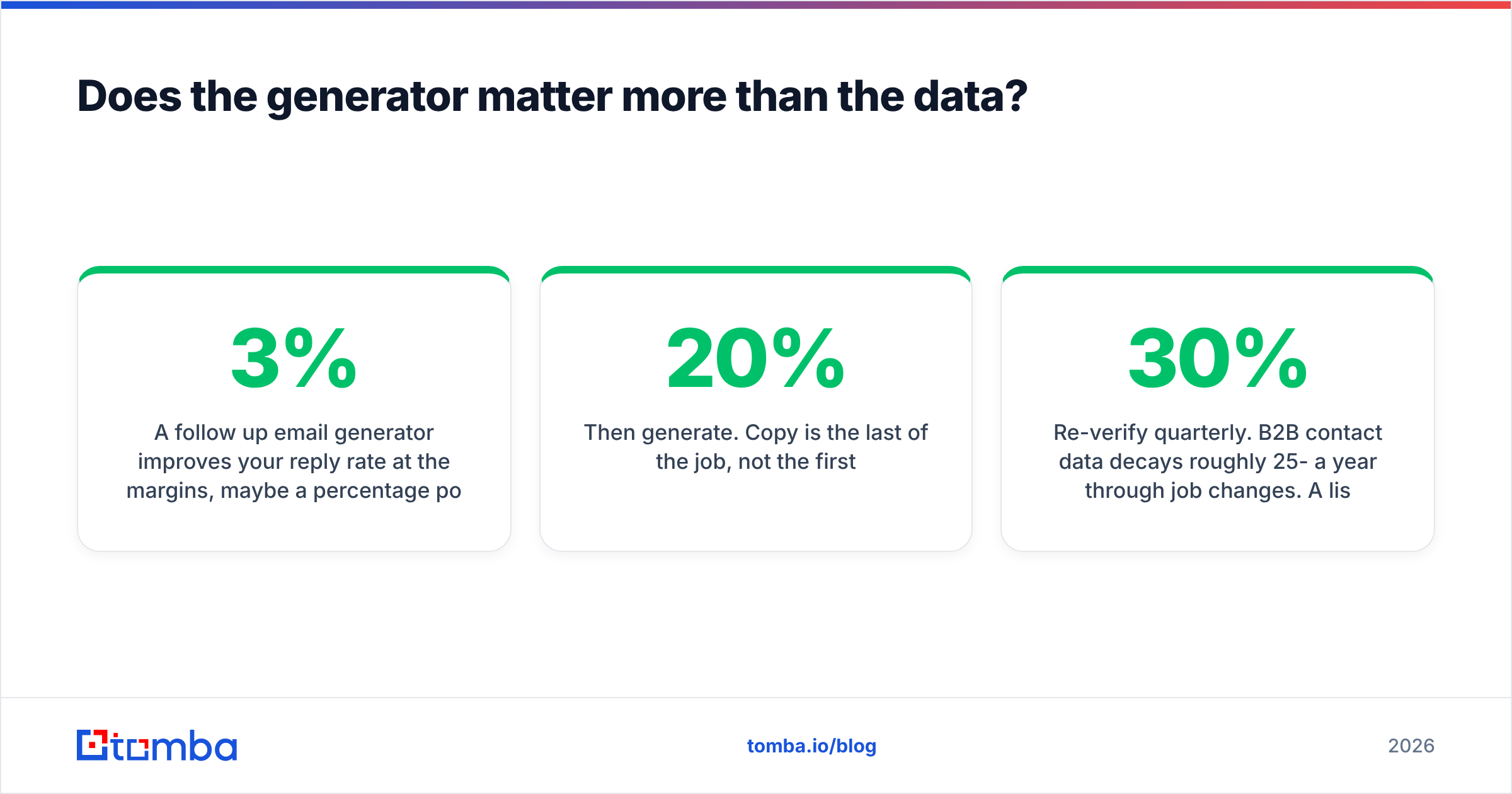
A follow up email generator improves your reply rate at the margins, maybe a percentage point or two per touch. Bad data destroys the whole campaign. Send four touches to an address that no longer exists and you get four hard bounces against your domain. Cross 2-3% bounce rate and mailbox providers start routing your entire domain to spam, including the emails to people who would have replied.
The order of operations that actually works:
- Find the right person first. Use a domain search to map who works at the account and what the company email pattern is, before you write anything.
- Verify every address. Run the list through an email verifier so hard bounces never enter the sequence. Catch-all domains need their own treatment via a catch-all verifier.
- Then generate. Copy is the last 20% of the job, not the first.
- Re-verify quarterly. B2B contact data decays roughly 25-30% a year through job changes. A list you verified in January is not a verified list in October.

There is a second data problem generators cannot fix: sending to the wrong role. If your generated follow-up is beautifully written and lands with an office manager instead of the Head of RevOps, no amount of copy quality saves it. Enrichment beats eloquence.
What separates a good generated follow-up from a bad one?#
Read your generated draft against these five tests before it goes out. If it fails two, rewrite it.
- Could this have been sent to anyone? If yes, it is filler. One concrete detail about their company, product, or role is the minimum bar.
- Does it apologize? "Sorry to bother you" and "I know you're busy" lower your status and add nothing. Cut them.
- Is there more than one ask? Two questions means the prospect has to make two decisions. Reply rates fall off a cliff. One ask.
- Does it recap the whole previous email? A one-clause reference is enough. The thread is right there.
- Would you reply to it? The blunt test. Most generated follow-ups fail it because the model optimizes for politeness, and politeness is invisible.
Subject lines deserve their own pass. On same-thread touches, keep the original subject. On new-thread touches, write a fresh one, or use a subject line generator and test three variants against each other rather than trusting the first output.
One more thing worth measuring: your actual response rate per touch, not per campaign. Aggregate numbers hide the fact that touch three is carrying the whole sequence while touches four and five annoy people for zero return. Cut the touches that do not earn their spot.
When should you stop following up?#
Stop after the break-up email, unless a trigger event gives you a legitimate new reason to reach out. Funding rounds, a relevant new hire, a product launch, an acquisition, or a public post about the exact problem you solve all reset the clock.
Do not restart the same sequence with the same angle two weeks later. That is not persistence, that is spam, and prospects mark it as such. The mark-as-spam rate is the single fastest way to burn a sending domain, and it is unrecoverable at scale.
A reasonable rule: five touches per campaign, maximum two campaigns per contact per year, always with a different entry reason. Anything past that is volume masquerading as strategy.
The short version#
Use a follow up email generator to remove the friction of writing touches two through five, not to think for you. Give it the job of each touch, the word ceiling, and one real detail about the prospect. Constrain it hard. Then check every draft against the five-question test above.
And fix the data before you fix the copy. The best-written follow-up in your sequence is worth nothing if it lands in a mailbox that was deactivated eight months ago.
Start with a clean list: use the Tomba Email Finder to pull verified work addresses by name or domain, run them through verification, and only then let your generator go to work on the follow-ups. The free tier gives you 25 searches a month to test the workflow, and Tomba pricing starts at $49/mo for Starter when you are ready to scale the list behind your sequence.
Related guides#
Ready to find emails that actually work?
Join 150,000+ professionals who stopped guessing and started sending. Free credits on signup — no credit card required.
Get the Tomba newsletter
Practical outbound tactics and product updates — once every two weeks.
About the author