Follow Up Status Email: Templates and Timing That Get Replies
Most status follow-ups die because they ask for an update instead of giving one. Here are the templates, timing windows, and escalation rules that actually pull replies from stalled deals.
TL;DR
- A follow up status email fails when it carries zero new information. "Just checking in" gives the recipient nothing to react to, so replying costs them effort and returns them nothing.
- The highest-reply status follow-ups give a status instead of requesting one: a recap, a deadline, a changed condition, or a decision you're about to make without them.
- Timing beats volume. Day 3 and day 7 outperform day 1 and day 2 in almost every internal test we've seen published; six-plus touches spread over 3-4 weeks beat two touches in one week.
- Escalate the channel, not the tone. Same-thread reply → new thread with a new subject → LinkedIn → phone. Never escalate by adding pressure words.
- Bad addresses masquerade as silence. Before you write touch #4, confirm the address is deliverable — a bounced or catch-all inbox is not a "no."
What Is a Follow Up Status Email?#
A follow up status email is a message you send to move a stalled item forward — a proposal awaiting signature, a support ticket with no resolution, an invoice past due, a candidate mid-interview loop, or a deal that went quiet after a demo. It has one job: convert ambiguity into a decision, even if that decision is "no."
The failure mode is almost universal. People write the email as a request for information ("Any update on this?") when the recipient's silence is usually not caused by a missing update — it's caused by the item having no urgency in their queue. Asking them to generate a status report for you adds work. Handing them a status and asking for a one-word confirmation removes work.
Think of it like a package delivery. A courier who texts "have you thought about receiving your package?" gets ignored. A courier who texts "your package arrives Thursday 2-4pm — reply STOP to reschedule" gets a reply, because the default outcome is already set and the recipient only has to object.
That's the whole mechanic. Your follow up status email should have a default outcome baked into it.
Why Do Most Status Follow-Ups Get Ignored?#
Four reasons, roughly in order of how often they show up:
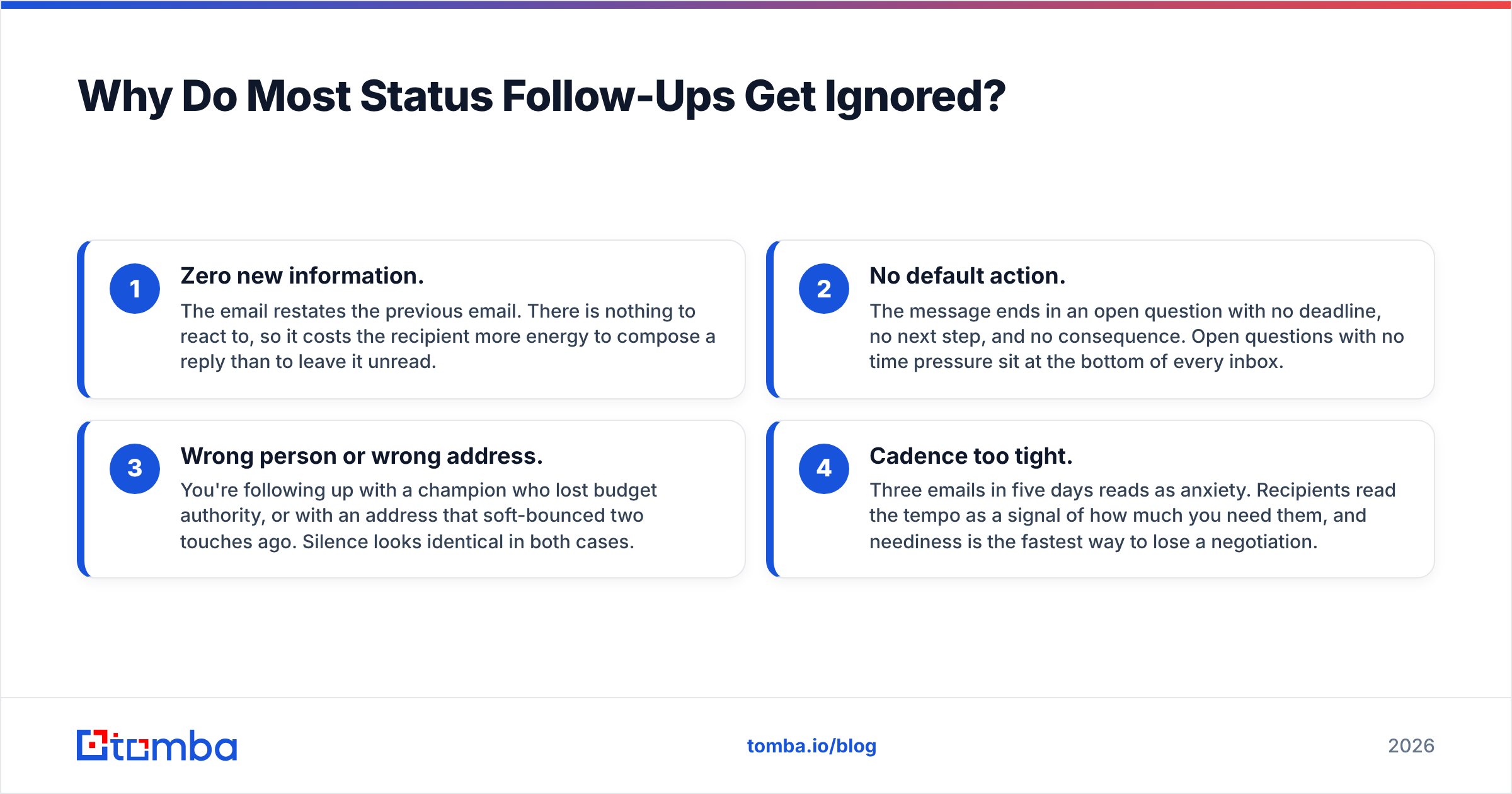
- Zero new information. The email restates the previous email. There is nothing to react to, so it costs the recipient more energy to compose a reply than to leave it unread.
- No default action. The message ends in an open question with no deadline, no next step, and no consequence. Open questions with no time pressure sit at the bottom of every inbox.
- Wrong person or wrong address. You're following up with a champion who lost budget authority, or with an address that soft-bounced two touches ago. Silence looks identical in both cases.
- Cadence too tight. Three emails in five days reads as anxiety. Recipients read the tempo as a signal of how much you need them, and neediness is the fastest way to lose a negotiation.
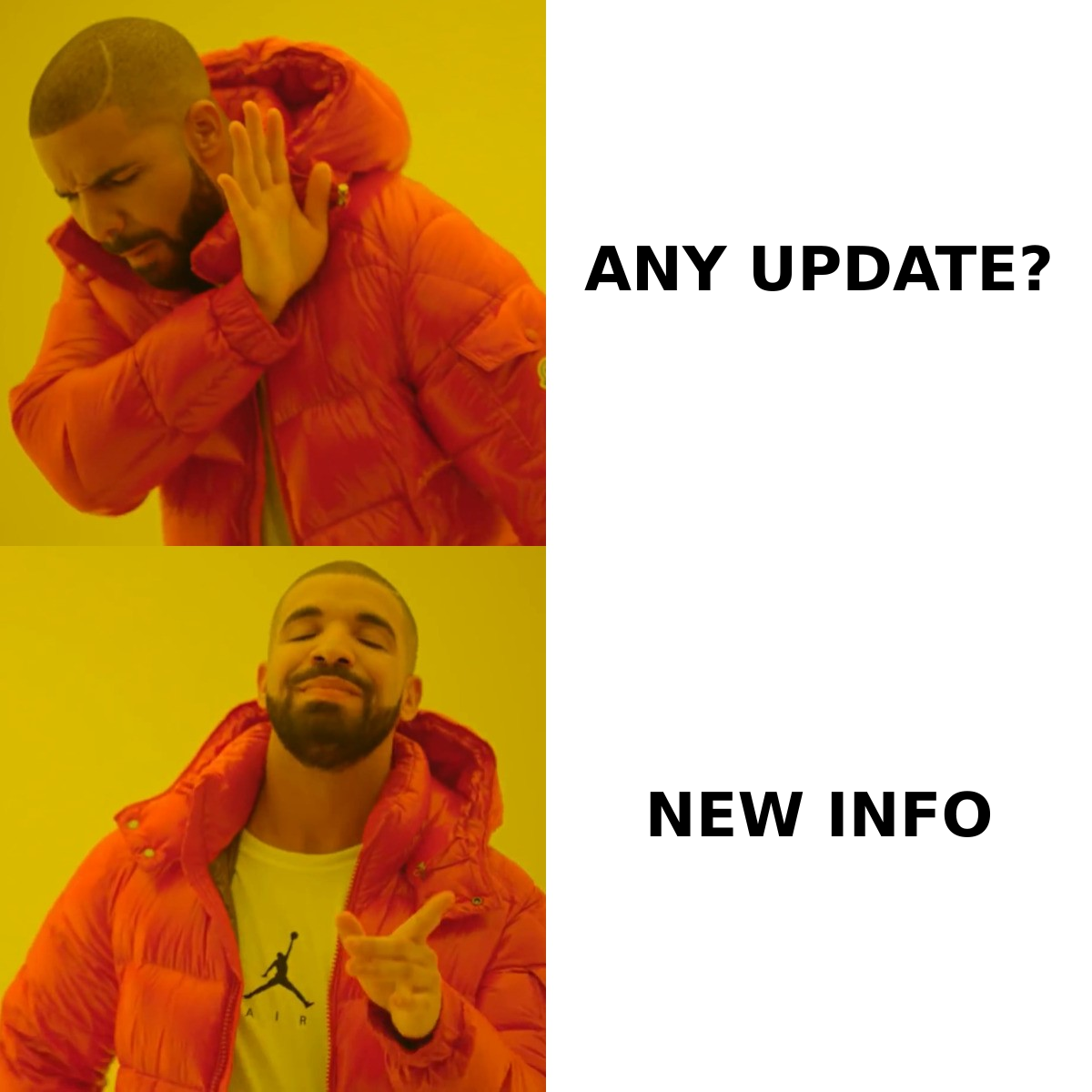
The fix for all four is structural, not tonal. Rewriting "just checking in" as "circling back" changes nothing. Adding a fact, a date, and a default outcome changes everything.
What Should Every Follow Up Status Email Contain?#
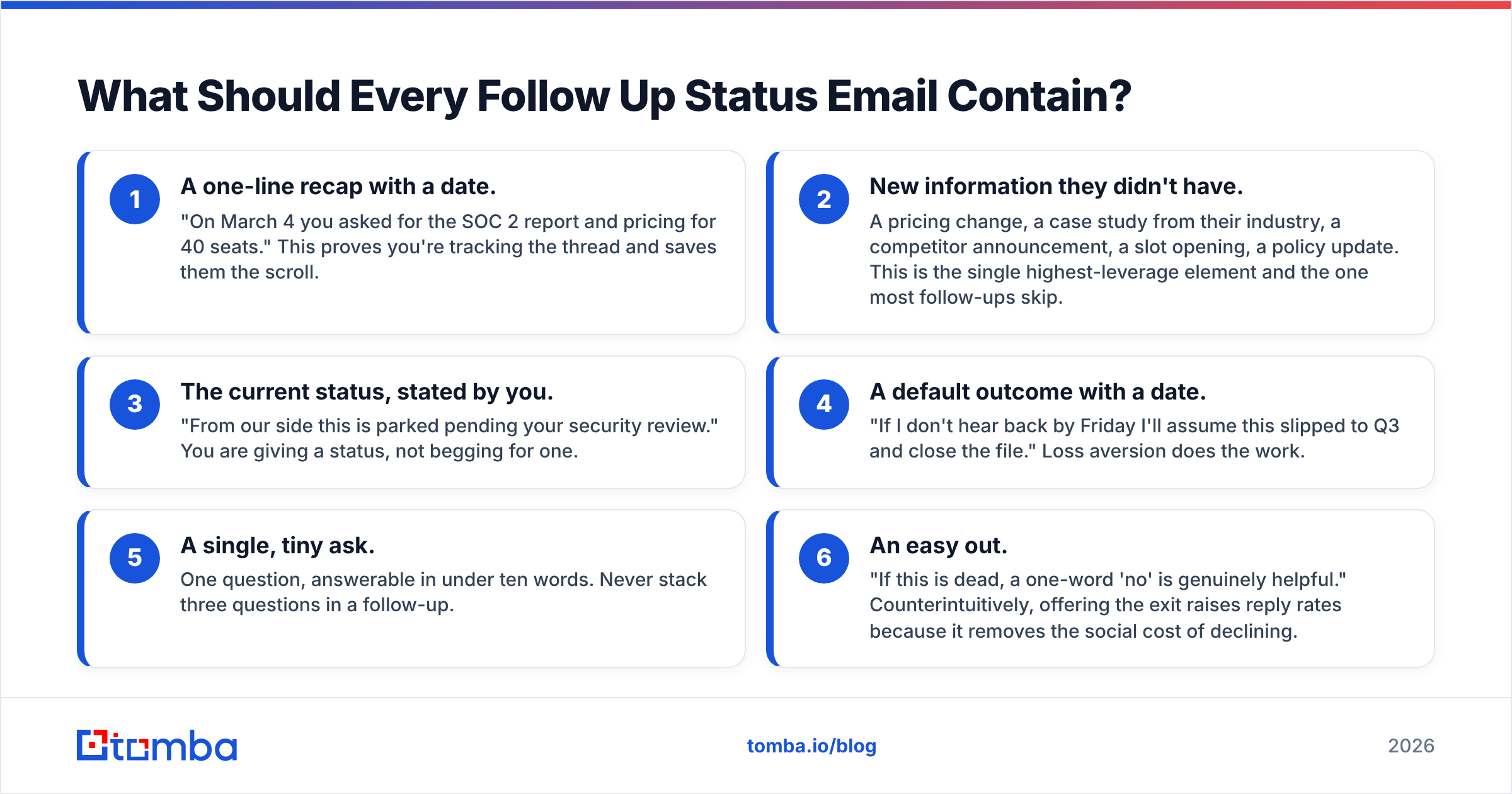
Use these six components. Four is the minimum for anything past touch #2.
- A one-line recap with a date. "On March 4 you asked for the SOC 2 report and pricing for 40 seats." This proves you're tracking the thread and saves them the scroll.
- New information they didn't have. A pricing change, a case study from their industry, a competitor announcement, a slot opening, a policy update. This is the single highest-leverage element and the one most follow-ups skip.
- The current status, stated by you. "From our side this is parked pending your security review." You are giving a status, not begging for one.
- A default outcome with a date. "If I don't hear back by Friday I'll assume this slipped to Q3 and close the file." Loss aversion does the work.
- A single, tiny ask. One question, answerable in under ten words. Never stack three questions in a follow-up.
- An easy out. "If this is dead, a one-word 'no' is genuinely helpful." Counterintuitively, offering the exit raises reply rates because it removes the social cost of declining.
What Does the Right Timing Look Like?#
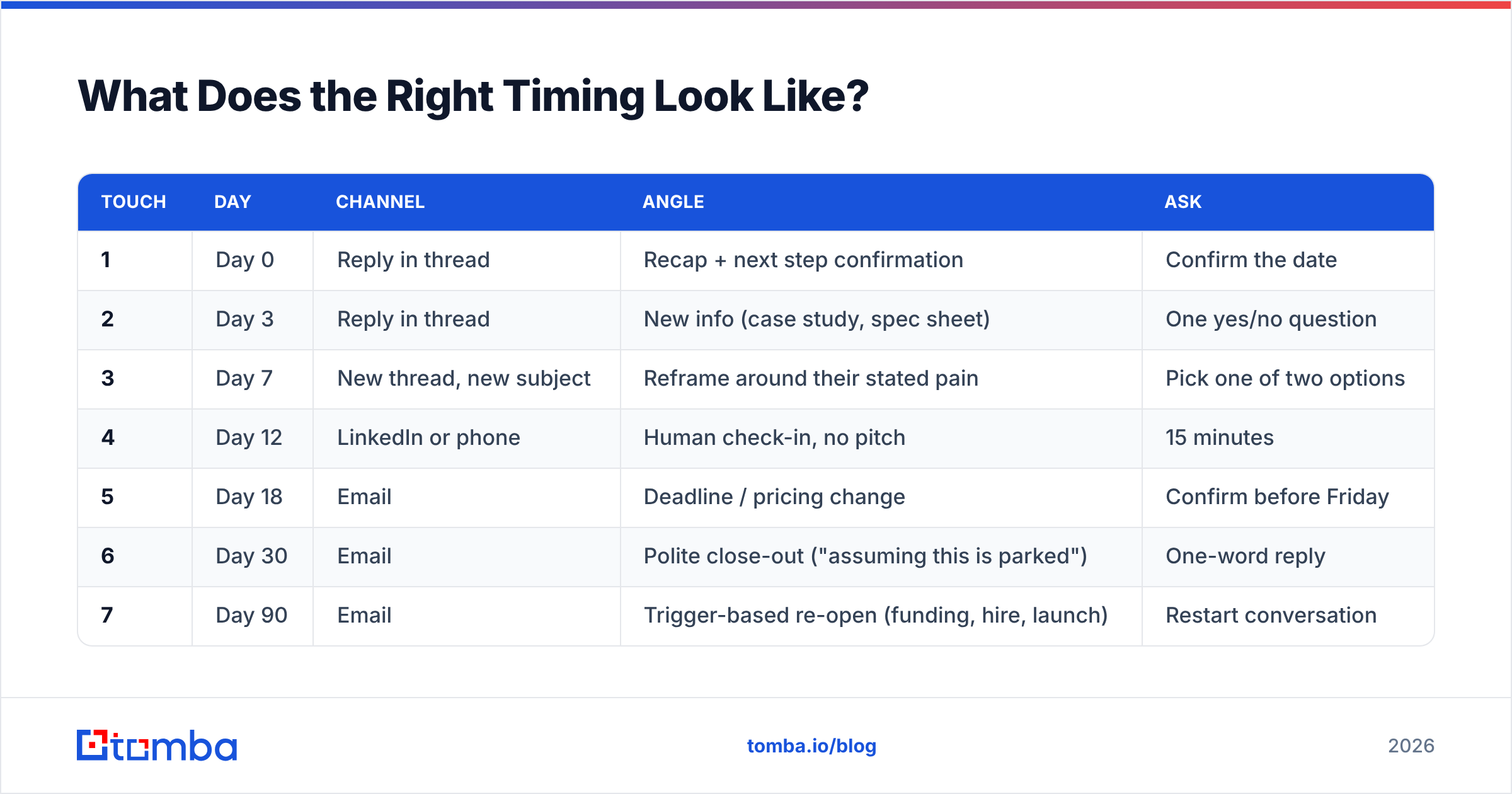
Here's a cadence that works for B2B follow-ups where the first email was a real conversation, not a cold touch. The intervals widen as you go — that's deliberate. Tight-then-wide reads as persistent; tight-then-tighter reads as desperate.
| Touch | Day | Channel | Angle | Ask |
|---|---|---|---|---|
| 1 | Day 0 | Reply in thread | Recap + next step confirmation | Confirm the date |
| 2 | Day 3 | Reply in thread | New info (case study, spec sheet) | One yes/no question |
| 3 | Day 7 | New thread, new subject | Reframe around their stated pain | Pick one of two options |
| 4 | Day 12 | LinkedIn or phone | Human check-in, no pitch | 15 minutes |
| 5 | Day 18 | Deadline / pricing change | Confirm before Friday | |
| 6 | Day 30 | Polite close-out ("assuming this is parked") | One-word reply | |
| 7 | Day 90 | Trigger-based re-open (funding, hire, launch) | Restart conversation |
Two rules govern this table. First, never send two consecutive touches on the same angle — if touch 2 was a case study, touch 3 cannot be another case study. Second, the close-out at touch 6 is not a bluff. Actually close the file. The reply rate on genuine break-up emails is high precisely because most people can tell when you mean it.
If you're running this at scale across hundreds of accounts, the sequencing tool matters less than the list quality feeding it. A perfect cadence against a 22%-invalid list still produces silence — see email deliverability for why bounces compound across a sequence.
Which Follow Up Status Email Templates Actually Work?#
Seven templates, each mapped to a distinct situation. Adapt the specifics; keep the structure.
1. The recap-and-default (proposal awaiting signature)
Subject: Closing the loop on the 40-seat quote
Hi Dana — recapping where we landed on March 4: 40 seats, annual, $18,400, security review with your team pending.
Since then our Q2 pricing locks on April 1, so the number holds until then.
From my side this is parked waiting on your security sign-off. If that review hasn't been scheduled, I'll assume this moved to next quarter and stop nudging.
Should I hold the pricing, yes or no?
2. The new-information nudge (post-demo silence)
Subject: The Snowflake sync question you raised
You asked whether we handle incremental syncs on Snowflake. We shipped it last Tuesday — changelog is here.
Worth a 10-minute look, or is this off the table for now?
3. The two-option close (decision stall)
Subject: Two paths on the pilot
Two ways this goes:
A) 30-day pilot with your two SDRs, starts Monday, no contract.
B) You park this until after the fiscal year and I check back in October.
A or B?
4. The escalation-to-a-second-contact
Send to a peer or manager, never as a complaint about your original contact:
Subject: Quick question re: the SDR tooling eval
Hi Marcus — I've been working with Dana on an email-sourcing eval and I think it stalled on my side, not hers. You own the SDR number this quarter, so: is this still a live priority for Q2, or should I stop taking Dana's time?
5. The support-ticket status chase
Subject: Ticket #48213 — day 9, no resolution
Ticket #48213 was opened March 2 (auth loop on SSO, blocking 12 users). Last update was March 4.
Current impact: 12 users on a workaround, ~3 hours/week lost.
Can you tell me whether this is with engineering or still in triage? Either answer is fine — I need to know what to tell my team.
6. The invoice / payment status
Subject: Invoice 2210 — 21 days past terms
Invoice 2210 ($4,800, net 30) was due February 28. No payment received as of today.
Before I escalate to our finance team, is this a processing delay or is something disputed on the invoice? Happy to reissue if the PO reference is wrong.
7. The genuine break-up
Subject: Closing your file
I've sent four notes since February with no reply, which is a clear enough answer. I'm closing this out — no hard feelings and no further emails.
If the timing changes, my line is open.
For subject lines specifically, test them before you send — a subject line tester will flag the spam-adjacent phrasing ("URGENT", "final notice") that quietly kills open rates on late-sequence touches.
Is a Status Follow-Up Different From a Cold Follow-Up?#
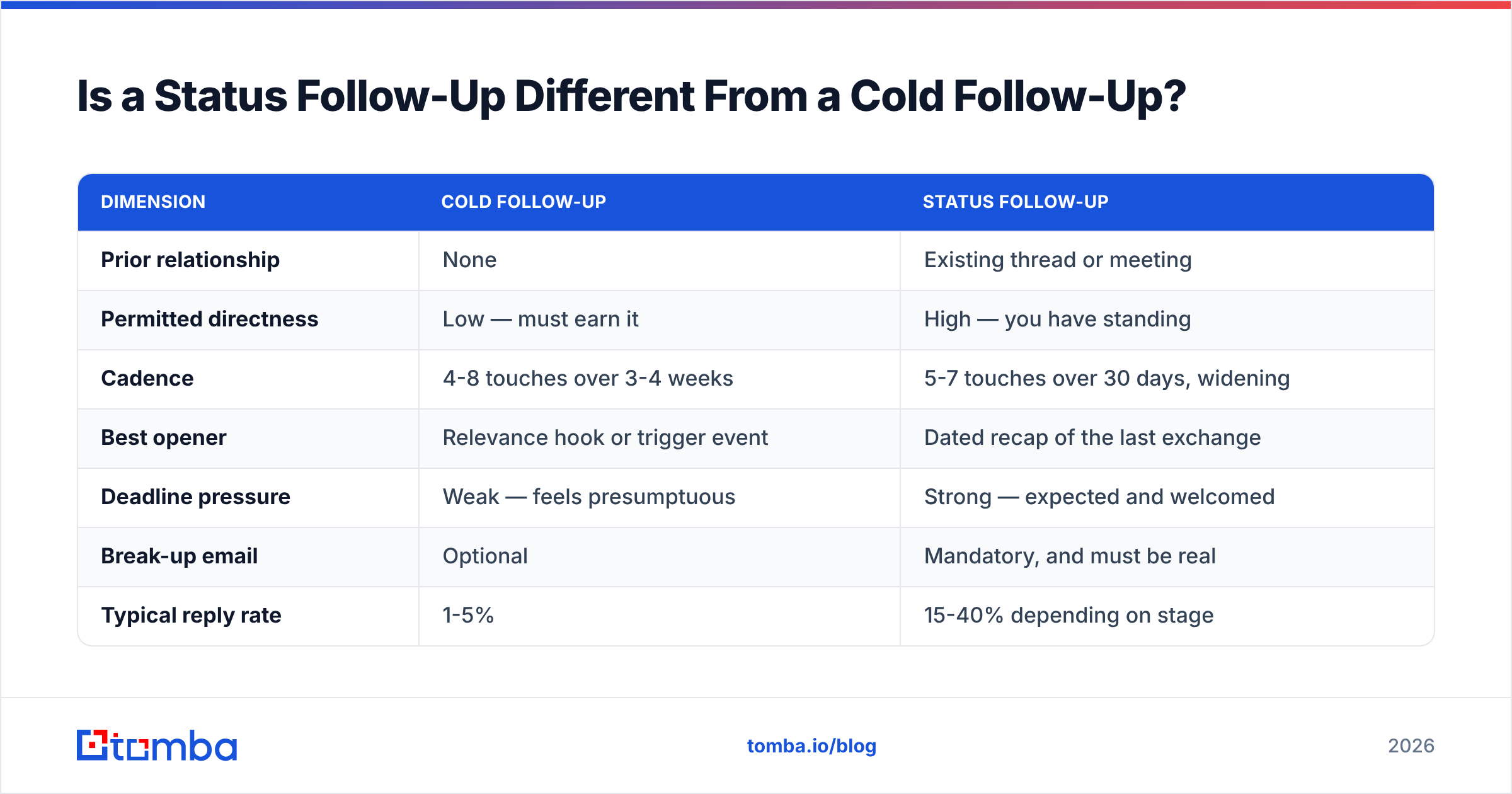
Yes, and conflating them is a common error. A cold follow-up is trying to earn attention that was never granted. A status follow-up is drawing on attention that was already granted and has since lapsed. That difference changes everything about permitted tone, cadence, and directness.
| Dimension | Cold follow-up | Status follow-up |
|---|---|---|
| Prior relationship | None | Existing thread or meeting |
| Permitted directness | Low — must earn it | High — you have standing |
| Cadence | 4-8 touches over 3-4 weeks | 5-7 touches over 30 days, widening |
| Best opener | Relevance hook or trigger event | Dated recap of the last exchange |
| Deadline pressure | Weak — feels presumptuous | Strong — expected and welcomed |
| Break-up email | Optional | Mandatory, and must be real |
| Typical reply rate | 1-5% | 15-40% depending on stage |
| Main failure cause | Bad targeting | No new information |
The practical takeaway: on a status follow-up you have earned the right to be blunt. Use it. "Is this dead?" is a legitimate question to a prospect who sat through your 45-minute demo. It is not a legitimate question to a stranger.
How Do You Know Silence Isn't a Deliverability Problem?#
You don't — unless you check. This is the blind spot that makes teams rewrite copy that was never the problem.
Three checks, in order of how often they catch something:
- Bounce and soft-bounce logs. A soft bounce on touch #2 means touches #3 through #6 went nowhere. Most sequencing tools surface hard bounces loudly and soft bounces quietly.
- Address validity. Contacts churn at roughly 25-30% a year in B2B. The person you demoed to in February may have left in March. Run the address through an email verifier before you invest four more touches into it.
- Catch-all domains. A catch-all accepts everything and delivers nothing to a nonexistent mailbox. It will never bounce, so your sequence reports 100% delivered while the mail lands in a void. A catch-all verifier is the only way to distinguish these from live inboxes.
Beyond the address itself, check your own sending health: authentication records, domain reputation, and spam-trigger content. Google's own sender guidelines spell out the SPF/DKIM/DMARC requirements that bulk senders now have to meet, and failing them puts your follow-ups in spam regardless of how good the copy is. Run a free email checker on a sample before assuming your templates are the issue.
If the contact left the company, the follow-up isn't dead — the recipient is. Find the replacement. A domain search on the account returns current staff and their addresses, which is usually faster than asking your original contact for a referral they'll never send.
How Should You Track Follow-Up Status at Scale?#
Manual tracking collapses past about 30 open threads. Three things you need in place:
- A next-action date on every open item. Not a "follow up soon" tag — a specific date. If your CRM has no date, the thread is invisible.
- Angle history per contact. Record which angle each touch used (recap, new info, two-option, escalation) so touch #4 isn't a rerun of touch #2. This is where most reps lose the plot.
- A hard stop rule. Define the number of touches after which you close the file. Without it, a small fraction of accounts absorbs an unbounded fraction of your week.
Most CRMs handle the first, few handle the second, and almost nobody enforces the third. G2's sales engagement category is a reasonable place to compare tools if your current stack only does the first one — but be honest about whether the problem is tooling or discipline. Usually it's discipline.
One more scale consideration: if your follow-ups are going to a list you built once and never refreshed, decay is quietly eating your numbers. Re-enriching contact records quarterly — job titles, addresses, phone numbers — costs less than the reply rate you lose to stale data. Data enrichment on your existing CRM records is the cheap version of this; rebuilding the list is the expensive version.
What Are the Most Common Mistakes?#
- Apologizing for following up. "Sorry to bother you again" frames your email as a bother. It isn't. You have a legitimate business reason.
- Stacking questions. Three questions in a follow-up means the recipient has to compose a real reply, so they defer it forever. One question, one line.
- Fake urgency. "Final notice" when it isn't, or a deadline you then extend twice. You get one credibility spend; don't waste it on a bluff.
- Reply-all escalation. CC'ing your contact's boss on the same thread as a pressure move burns the relationship permanently. Escalate in a separate thread, framed as a scoping question, never as a complaint.
- Same subject line forever. By touch #4 a "Re: Re: Re:" thread is visually invisible. Start a fresh thread with a fresh subject.
- Following up without checking whether they replied. It happens more than anyone admits, and it's the single worst look in the category.
Frequently Asked Questions#
How long should you wait before the first status follow-up? Three business days for most B2B threads. One day reads as anxious; a week lets the thread go cold. If a specific date was agreed on ("I'll have an answer by Tuesday"), follow up Wednesday morning, not Tuesday evening.
How many follow-ups is too many? Six to seven touches over 30 days, then a real close-out, then a trigger-based re-open at 90 days. Past seven touches on the same angle you're not persistent, you're noise.
Should you use "just checking in"? No. It signals that you have nothing new to say, which is exactly the reason to skip the email entirely. If you have nothing new, wait until you do.
Does changing the subject line help? Yes, from touch #3 onward. A long "Re:" chain gets scanned as already-handled. A new subject line makes the message visually new.
Is it worth following up after a hard no? Not on the same opportunity. Worth re-opening after a real trigger — a funding round, a new hire in the relevant role, a competitor migration — typically 90 days or more later.
Where Do You Go From Here?#
Fix the structure before you fix the wording. Add a dated recap, one piece of new information, a default outcome, and a single tiny ask to every status follow-up you send this week. Then widen your cadence and add a real break-up email at day 30.
Then check the plumbing. If a meaningful slice of your follow-ups is landing on dead addresses, catch-all voids, or contacts who changed jobs, no template rewrite will show up in your numbers.
Start with the addresses. The Tomba Email Finder resolves current, verified addresses for the people actually in the seat right now — useful both for finding the replacement when your champion leaves and for confirming that the person you've emailed five times can actually receive mail. The free tier covers 25 searches a month, and paid plans start at $49/mo; full Tomba pricing is on the site. Verify the address, then send the follow-up.
Related guides#
Ready to find emails that actually work?
Join 150,000+ professionals who stopped guessing and started sending. Free credits on signup — no credit card required.
Get the Tomba newsletter
Practical outbound tactics and product updates — once every two weeks.
About the author