Following Up an Email: Timing, Templates, and Cadence (2026)
Most follow-ups die for the same three reasons: bad timing, no new information, and a list that was never verified. Here is the cadence, the copy, and the data hygiene that actually earn replies.
TL;DR
- Most replies to cold and warm outreach arrive on follow-up 2 through 4, not on the first send — but only if each message adds something new.
- The single biggest cause of "no reply" is not bad copy. It is a wrong or dead address, which silently inflates your bounce rate and kills sender reputation before the sequence finishes.
- A workable default cadence is day 0, +3, +7, +14, +30 — five touches, then stop or move the contact to a nurture list.
- "Just checking in" and "bumping this to the top of your inbox" are the two lowest-performing openers in B2B. Replace them with a new angle, a new asset, or a new question.
- Follow-up rules change by context: sales, job applications, invoices, and internal requests need different tone, timing, and escalation.
What does "following up an email" actually mean in 2026?#
Following up an email means sending a second (or third, or fifth) message to a recipient who has not responded to your first — with the goal of restarting the conversation, not repeating it.
That distinction is the whole game. A repeat is a bump: same request, more urgency, zero new value. A restart gives the recipient a reason to engage that did not exist when they ignored you the first time — a case study from their industry, a change in their company, a shorter ask, a different decision-maker.
Think of it like knocking on a neighbor's door. Knocking harder on the same door at the same hour rarely helps. Coming back at a different time, with a reason they care about, usually does. Technically, you are changing the value proposition and the context window, not the delivery mechanism.
Most people over-index on copy and under-index on the two things that decide whether the message is even seen: whether the address is real, and whether the message landed in the inbox rather than the promotions tab or spam folder.
Why do most follow-ups get ignored?#
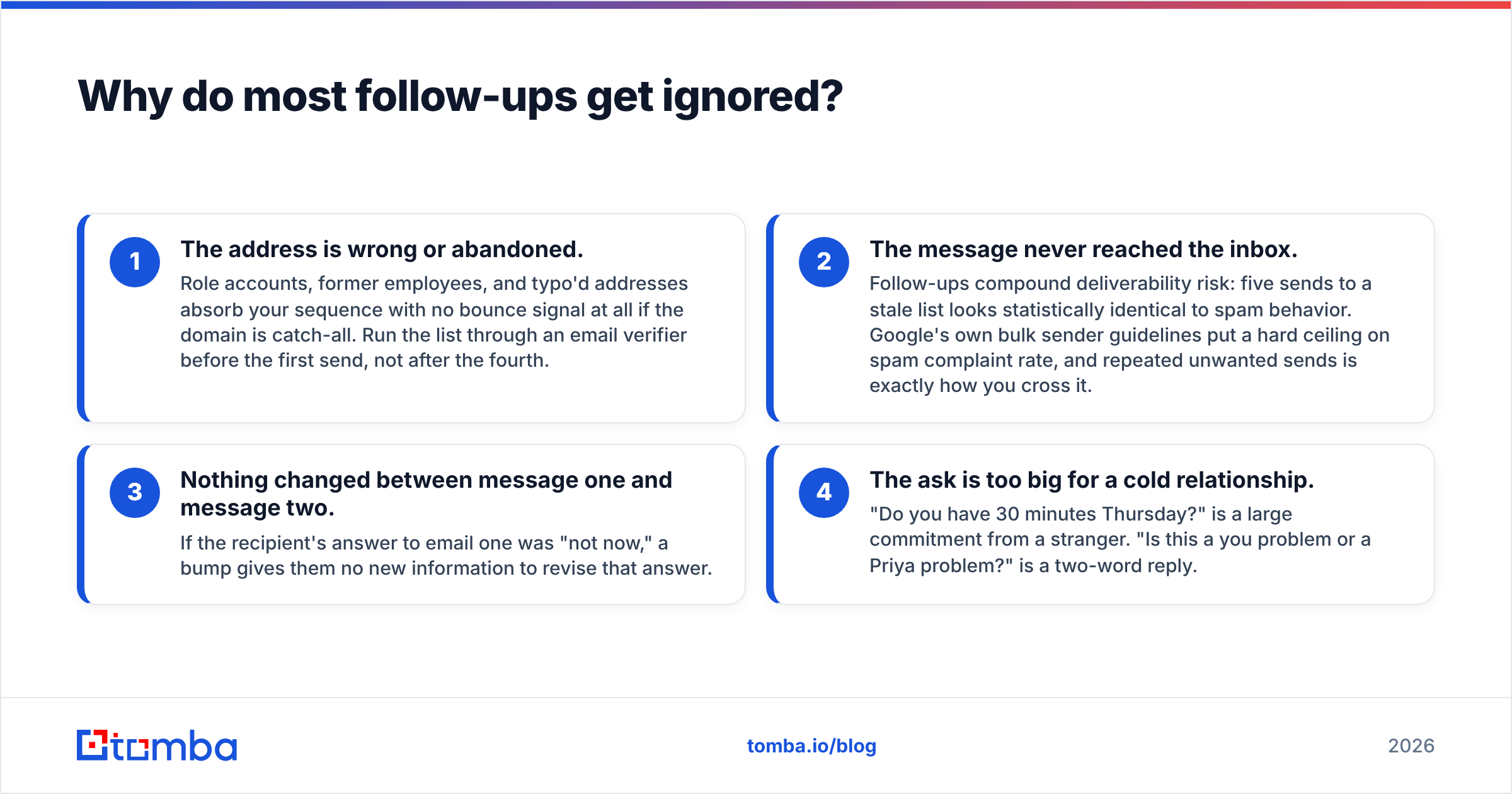
Four reasons account for the overwhelming majority of silence. Diagnose in this order, because fixing copy on a broken list is wasted work.
- The address is wrong or abandoned. Role accounts, former employees, and typo'd addresses absorb your sequence with no bounce signal at all if the domain is catch-all. Run the list through an email verifier before the first send, not after the fourth.
- The message never reached the inbox. Follow-ups compound deliverability risk: five sends to a stale list looks statistically identical to spam behavior. Google's own bulk sender guidelines put a hard ceiling on spam complaint rate, and repeated unwanted sends is exactly how you cross it.
- Nothing changed between message one and message two. If the recipient's answer to email one was "not now," a bump gives them no new information to revise that answer.
- The ask is too big for a cold relationship. "Do you have 30 minutes Thursday?" is a large commitment from a stranger. "Is this a you problem or a Priya problem?" is a two-word reply.
There is a fifth, less obvious reason: you followed up too fast. A same-day or next-day bump reads as pressure, and in B2B it correlates with lower reply rates than a three-day gap. Patience is a feature.
How many follow-ups should you send, and when?#
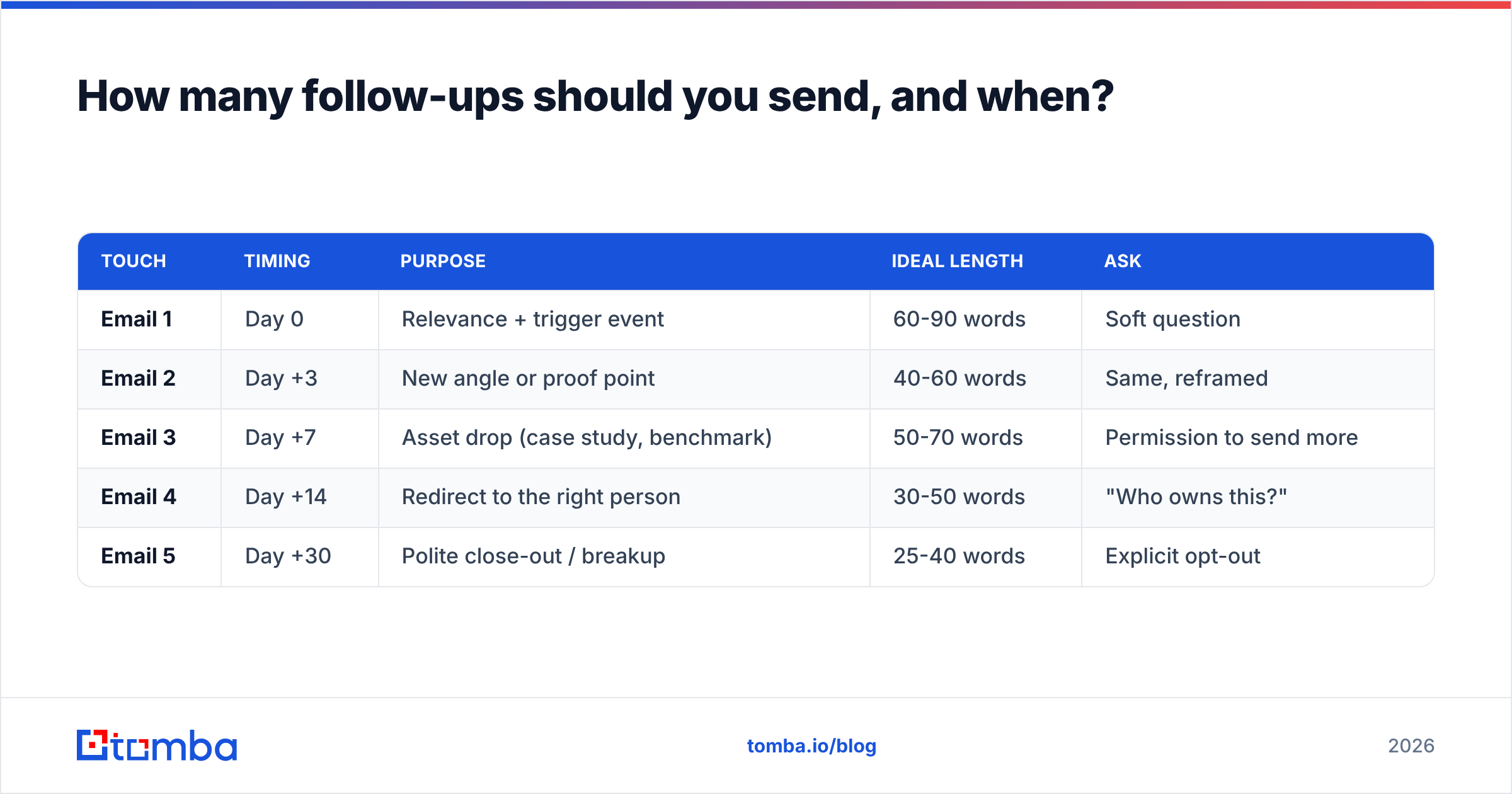
The honest answer is "it depends on context," but you need a default to deviate from. Here is a cadence that holds up across most B2B outbound, with the job each message actually does.
| Touch | Timing | Purpose | Ideal length | Ask |
|---|---|---|---|---|
| Email 1 | Day 0 | Relevance + trigger event | 60-90 words | Soft question |
| Email 2 | Day +3 | New angle or proof point | 40-60 words | Same, reframed |
| Email 3 | Day +7 | Asset drop (case study, benchmark) | 50-70 words | Permission to send more |
| Email 4 | Day +14 | Redirect to the right person | 30-50 words | "Who owns this?" |
| Email 5 | Day +30 | Polite close-out / breakup | 25-40 words | Explicit opt-out |
Four things worth calling out about that table:
- The messages get shorter, not longer. Escalating word count reads as desperation. Escalating specificity reads as competence.
- Email 4 changes the target, not the pitch. Asking "is this the wrong desk?" converts surprisingly well because it is easy to answer and costs the recipient nothing.
- Email 5 must actually end the sequence. A breakup email that is followed by three more emails destroys trust and generates complaints.
- Weekends are dead space. Send Tuesday through Thursday where you can; Monday morning and Friday afternoon both underperform in most B2B inbox data.
If you are working a warm inbound lead rather than cold outbound, compress everything: day 0, +2, +5, +10. Inbound intent decays fast.
What should a follow-up email actually say?#
Three templates that cover about 80% of real situations. Adapt the specifics — generic templates sent verbatim are why prospects can smell a sequence from three lines away.
Template 1 — the new-angle follow-up (day +3)
Subject: re: [original subject]
Hi [First name] — following up on the note below.
Since I wrote it, [specific event: they hired a new VP Sales / shipped a feature / posted a role]. That usually means [specific consequence relevant to your product].
Worth a 10-minute look, or is this a Q3 problem rather than a now problem?
[Your name]
Template 2 — the asset drop (day +7)
Subject: benchmark for [their industry]
Hi [First name],
No pitch here. We pulled reply-rate benchmarks across [n] [their industry] teams last quarter — the median was [x]%, and the top decile did one specific thing differently.
Want me to send the two-page version?
[Your name]
Template 3 — the redirect (day +14)
Subject: wrong person?
Hi [First name] — I may have aimed this at the wrong desk.
If [problem] sits with someone else on your team, a name is all I need and I'll stop cluttering your inbox.
Thanks either way.
[Your name]
Keep the same thread for touches 2 and 3 (reply to your own message so the original is visible), then break to a fresh subject line for touch 4. A new subject resets attention when the old thread has been mentally filed as ignorable. If you are unsure whether a subject line will survive the inbox scan, run it through a subject line tester before you commit the sequence.
Are "just checking in" emails ever okay?#
Rarely, and only when a real event justifies them. "Just checking in," "circling back," and "bumping this up" all share the same flaw: they announce that the sender has nothing new to say.
Acceptable substitutions, ranked by how much work they do:
- A trigger event. "Saw you're hiring two SDRs — this gets harder at that headcount."
- A deadline that is genuinely theirs. "Your renewal is in six weeks; this takes four to implement."
- A concession. "You probably don't want a demo. Can I send a 90-second Loom instead?"
- A question that is cheaper to answer than to ignore. "Yes/no: is data quality currently on your roadmap?"
HubSpot's sales team has written extensively about why follow-up specificity beats persistence, and it matches what most outbound teams see in their own data: reply rate correlates with new information per message, not with number of messages.
How does following up change by context?#
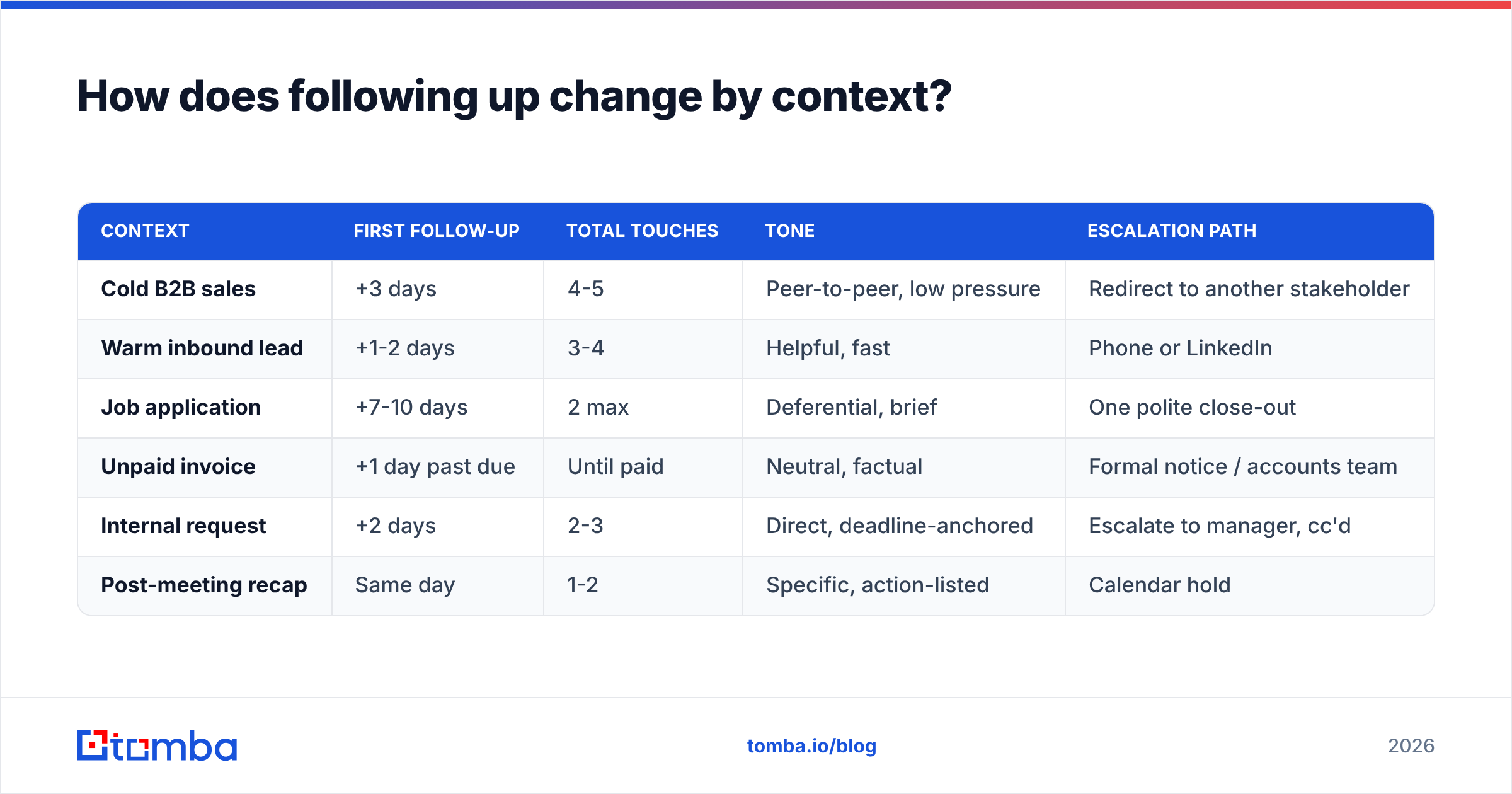
The word "follow-up" covers wildly different social contracts. Timing and tone that work in outbound sales will get you rejected in a hiring process.
| Context | First follow-up | Total touches | Tone | Escalation path |
|---|---|---|---|---|
| Cold B2B sales | +3 days | 4-5 | Peer-to-peer, low pressure | Redirect to another stakeholder |
| Warm inbound lead | +1-2 days | 3-4 | Helpful, fast | Phone or LinkedIn |
| Job application | +7-10 days | 2 max | Deferential, brief | One polite close-out |
| Unpaid invoice | +1 day past due | Until paid | Neutral, factual | Formal notice / accounts team |
| Internal request | +2 days | 2-3 | Direct, deadline-anchored | Escalate to manager, cc'd |
| Post-meeting recap | Same day | 1-2 | Specific, action-listed | Calendar hold |
Two context rules that people break constantly. First, job applications: two follow-ups is the ceiling, and the second should close the loop gracefully rather than ask again. Second, invoices: those follow-ups are transactional records, not persuasion — keep them factual, dated, and unemotional, because they may end up in a dispute file.
Does your data quality really affect follow-up performance?#
Yes, and it is the least glamorous lever with the biggest effect.
Run the arithmetic. Take a 1,000-contact list where 18% of addresses are dead — a normal figure for a scraped or year-old list. Your five-touch sequence sends 5,000 emails, roughly 900 of which go to addresses that cannot receive them. On non-catch-all domains those hard bounce. On catch-all domains they accept silently and go nowhere, which is worse, because you get no signal and keep sending.
The downstream effects:
- Bounce rate above 2-3% triggers throttling at the major mailbox providers, so your good contacts stop seeing messages too.
- Your reply-rate metric is corrupted. You will blame copy for a data problem and rewrite templates that were fine.
- Sequence exhaustion is silent. Contacts churn through five touches without a single human ever reading them.
Fix the input, not the output. Verify addresses before the first send, re-verify anything older than 90 days, and treat catch-all domains as a separate risk tier with a catch-all verifier rather than lumping them in with confirmed-valid addresses. If your response rate suddenly drops across all campaigns at once, data decay or deliverability is the first suspect, not copy fatigue.
How do you automate follow-ups without sounding automated?#
Automation is fine. Detectable automation is not. The line between them is variable depth.
- Personalize the first line and the third message, minimum. A merge-tagged first name is not personalization; every sequence has one.
- Use a real reply-to address that a human monitors. Sending follow-ups from a no-reply address is self-defeating.
- Cap daily volume per mailbox. Warm the domain, spread the sends, and do not blast a five-touch sequence at 2,000 contacts from one inbox in a week.
- Kill the sequence on any reply, including out-of-office. Nothing burns goodwill like a "just checking in" that lands on top of a vacation auto-reply.
- Log everything to the CRM. If two reps follow up with the same prospect on the same day, the automation has cost you the account.
- Suppress bounced, complained, and unsubscribed contacts globally, not per-campaign.
Independent review sites like G2 list dozens of sequencing tools that handle the mechanics competently. The mechanics are commodity. The differentiator is whether the contact data feeding those sequences is accurate, current, and permissioned.
What does a good follow-up system look like end to end?#
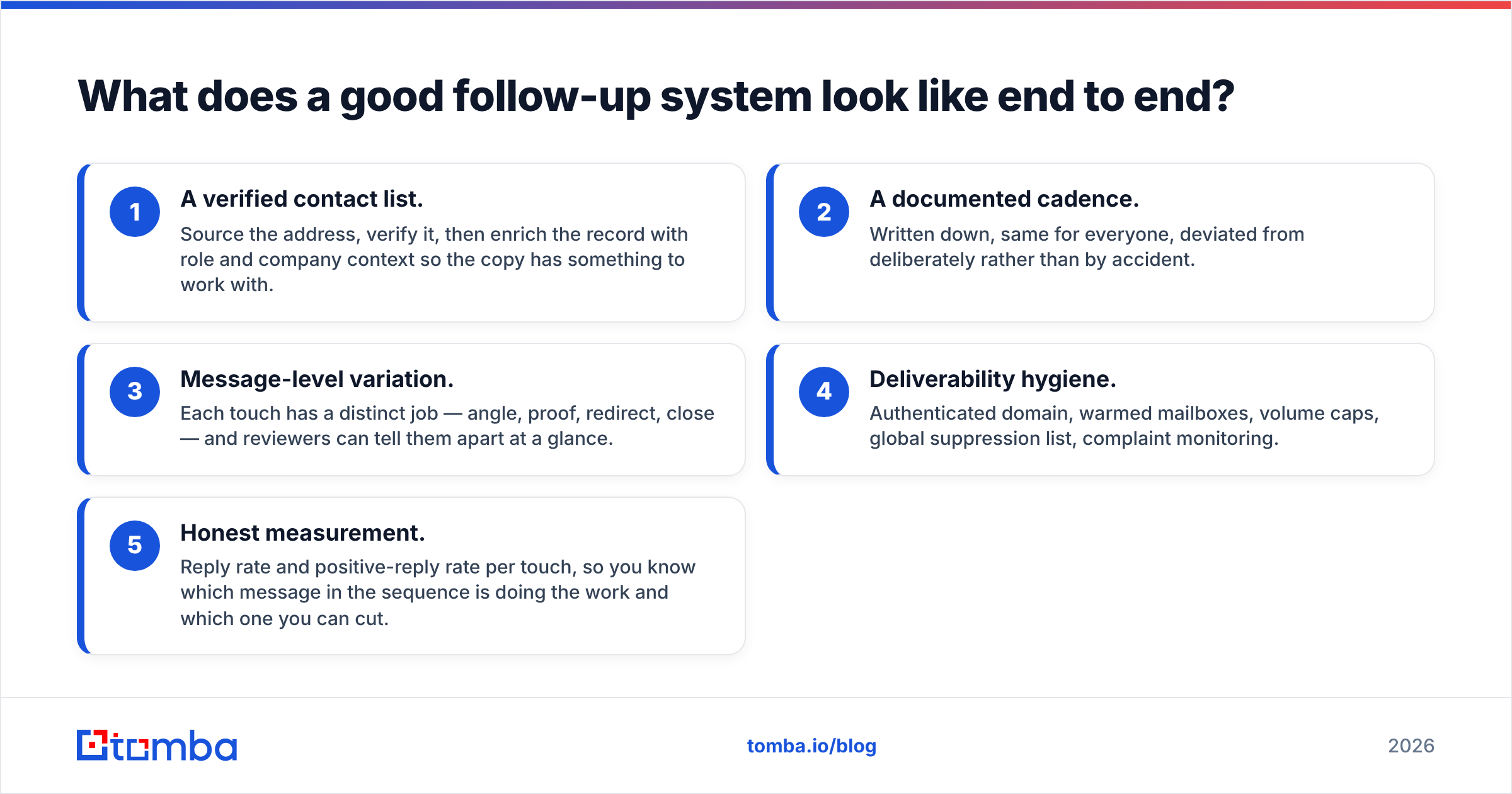
Five components, in order of how much they affect results:
- A verified contact list. Source the address, verify it, then enrich the record with role and company context so the copy has something to work with.
- A documented cadence. Written down, same for everyone, deviated from deliberately rather than by accident.
- Message-level variation. Each touch has a distinct job — angle, proof, redirect, close — and reviewers can tell them apart at a glance.
- Deliverability hygiene. Authenticated domain, warmed mailboxes, volume caps, global suppression list, complaint monitoring.
- Honest measurement. Reply rate and positive-reply rate per touch, so you know which message in the sequence is doing the work and which one you can cut.
Most teams have three of the five. The two that get skipped are almost always the first and the last — the data going in and the measurement coming out — because they are the least fun to build.
Where should you start?#
Start with the list, because everything else multiplies it. A perfectly written five-touch sequence sent to addresses that do not exist produces exactly zero replies, and you will spend a quarter blaming your copywriting for it.
If you are building or cleaning a prospect list before your next campaign, Tomba Email Finder sources verified professional addresses by name, domain, or company, with confidence scoring so you know which contacts are safe to sequence and which need a second look. The free tier gives you 25 searches a month to test the accuracy on your own target accounts before committing; paid plans start at $49/mo, and the full breakdown is on the Tomba pricing page. Verify first, follow up second — in that order, every time.
Related guides#
Ready to find emails that actually work?
Join 150,000+ professionals who stopped guessing and started sending. Free credits on signup — no credit card required.
Get the Tomba newsletter
Practical outbound tactics and product updates — once every two weeks.
About the author