Follow Up Email Guide 2026: Timing, Templates, and Tools
Most replies to cold outreach never come from the first send. Here is the follow-up cadence, copy structure, and tooling that turns a silent thread into a booked meeting in 2026.
TL;DR
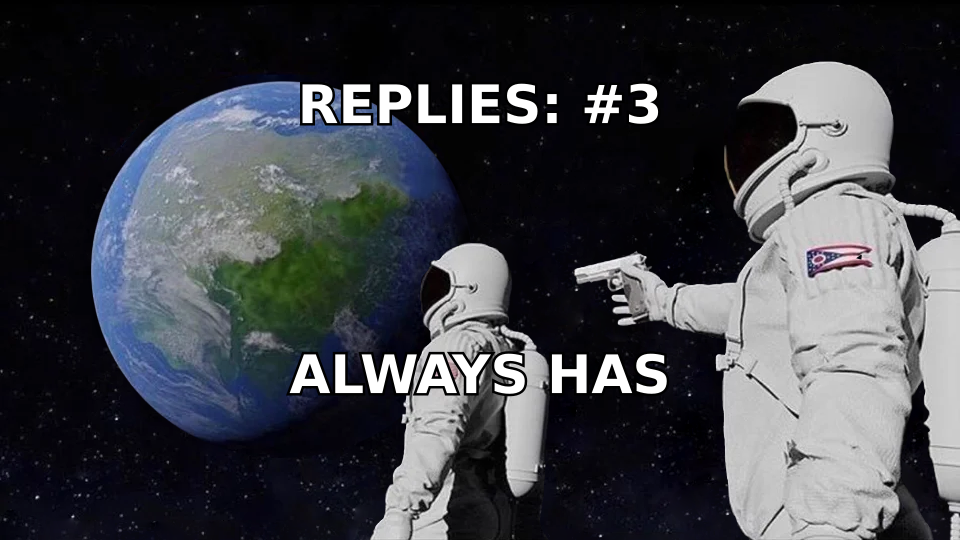
- The majority of replies to cold outreach arrive on message two through four, not on the first send. If you stop after one email, you are throwing away most of the pipeline you already paid for.
- Three to five follow-ups spaced 3, 5, 7, and 10 days apart is the cadence that holds up across most B2B lists. More than seven touches without a new angle is where complaint rates start climbing.
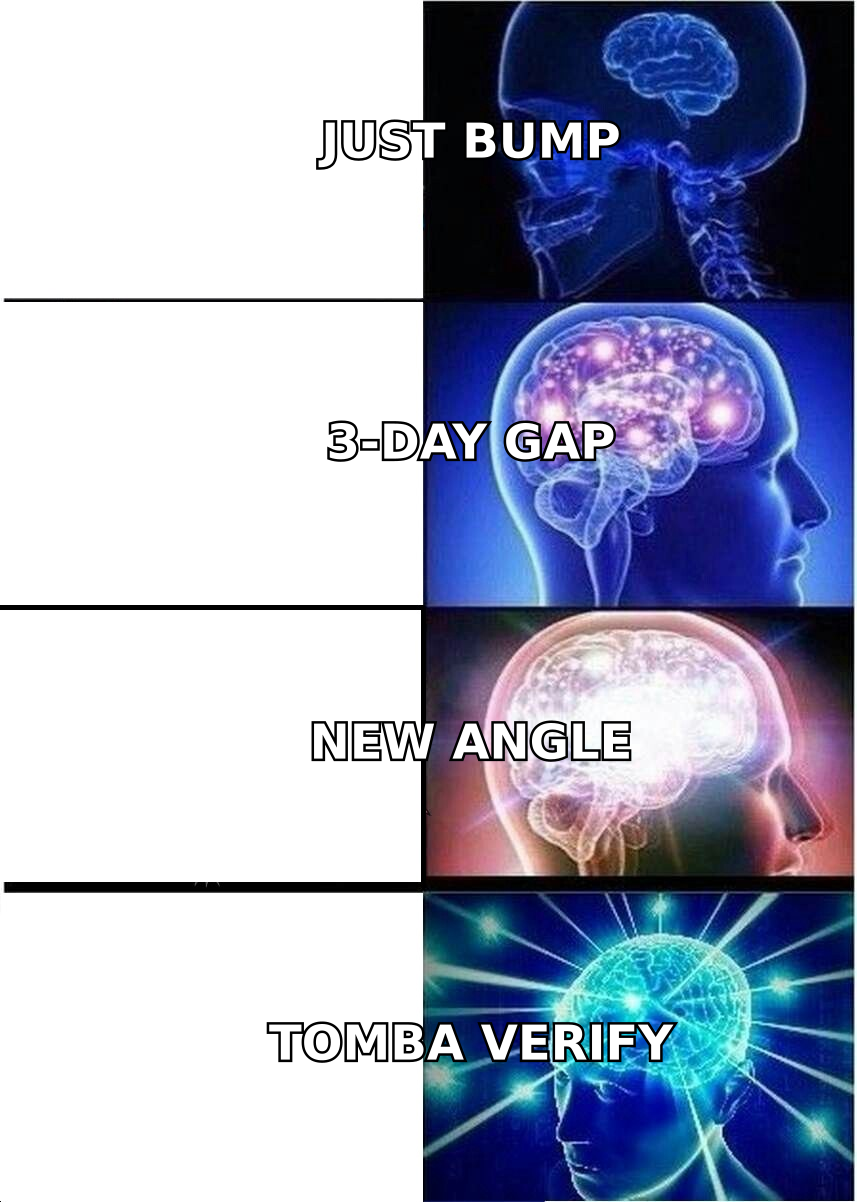
- A follow-up that only says "just bumping this to the top of your inbox" is worse than no follow-up. Every touch needs a new reason to exist: a different angle, a new proof point, or a smaller ask.
- Reply rate is a data problem before it is a copy problem. Bounces and catch-all guesses destroy sender reputation faster than any subject line can rescue it.
- Track reply rate per step, not per campaign. That is the only number that tells you which follow-up to cut.
What is a follow-up email?#
A follow-up email is any message you send after an initial outreach attempt that has not received a reply. In B2B sales it usually means step two onward in a cold sequence, but the same mechanics apply to post-demo recaps, proposal chasers, event follow-ups, and networking threads that went quiet.
(Side note for the search engines: this page ranks for the common misspelling "folow up email" too. Same tactic, one fewer letter.)
The mental model that helps most: a cold sequence is not five copies of the same message. It is one argument delivered in five installments. The first email introduces a hypothesis about the prospect's problem. Each follow-up either sharpens that hypothesis, swaps it for a better one, or lowers the cost of replying. If your step three could be pasted into step one without anyone noticing, you do not have a sequence. You have a nag.
There is a second reason follow-ups outperform first touches that has nothing to do with persuasion: inbox mechanics. Your first email might have landed at 4:47pm on a Friday, or in Promotions, or on a day the prospect deleted 200 messages without reading. Repetition is partly a copy strategy and partly a timing lottery you buy more tickets in.
Why do follow-up emails get more replies than the first send?#
Three compounding effects:
- Attention is random. A single send captures whoever happened to be at their desk with a clear inbox. A five-step sequence samples five different moods, five different weeks, and five different workload levels.
- Familiarity lowers friction. By the third message, your name has appeared in the inbox three times. That is enough for most recipients to stop treating you as pure noise, even if they never opened the first two.
- Timing beats targeting. Nobody buys because your copy was clever. They reply because the problem you described became urgent in the seven days between your touches. More touches means more chances to land inside a buying window.
Sales research from vendors who publish their aggregate data, including HubSpot's sales benchmarks, has consistently shown that most closed deals involve five or more touches while most reps stop at one or two. The gap between those two numbers is where the easy pipeline lives.
How many follow-up emails should you send, and how far apart?#
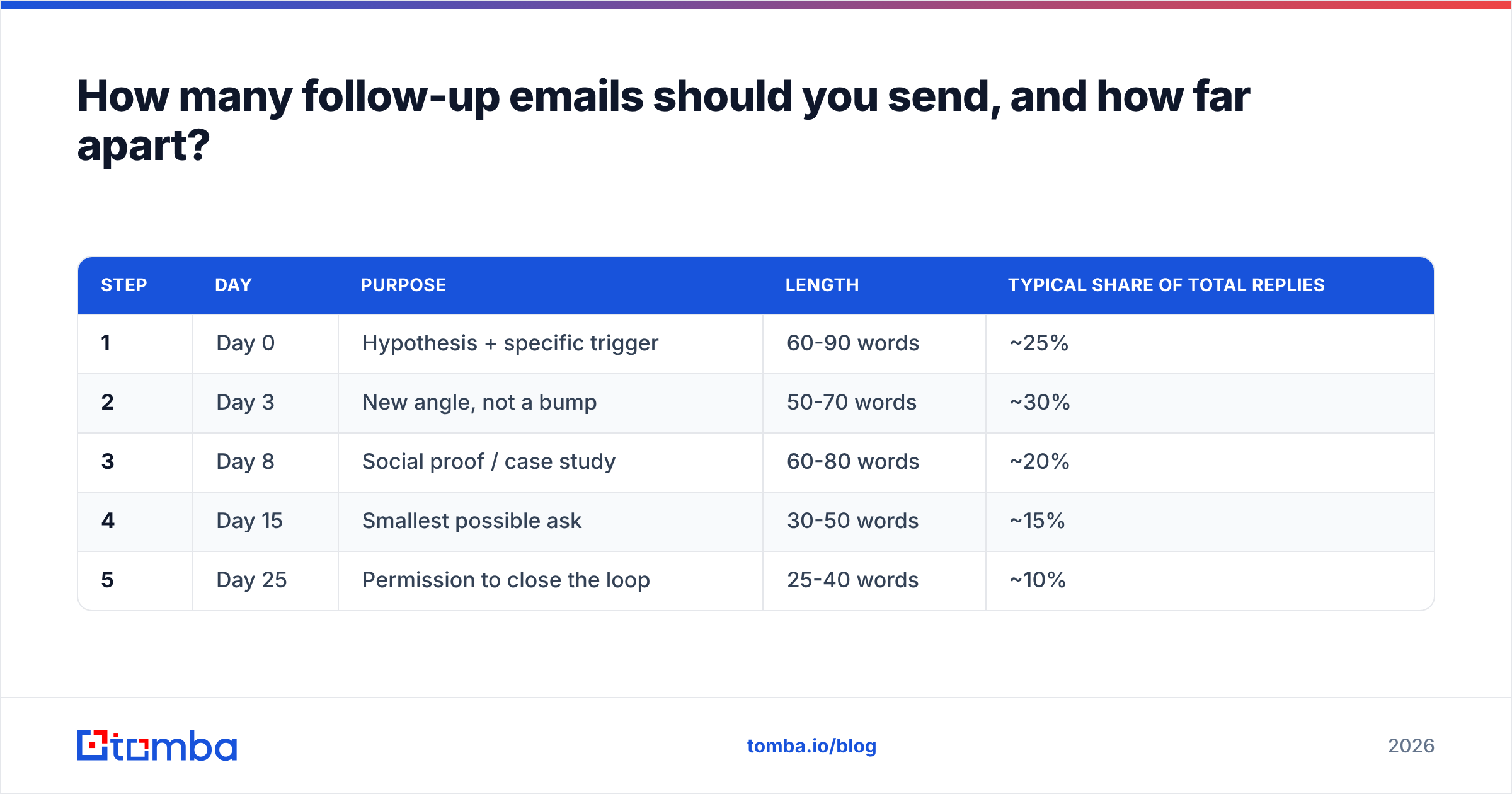
Here is the cadence that survives contact with real lists. Adjust the gaps up for enterprise, down for SMB and self-serve.
| Step | Day | Purpose | Length | Typical share of total replies |
|---|---|---|---|---|
| 1 | Day 0 | Hypothesis + specific trigger | 60-90 words | ~25% |
| 2 | Day 3 | New angle, not a bump | 50-70 words | ~30% |
| 3 | Day 8 | Social proof / case study | 60-80 words | ~20% |
| 4 | Day 15 | Smallest possible ask | 30-50 words | ~15% |
| 5 | Day 25 | Permission to close the loop | 25-40 words | ~10% |
Two rules govern the spacing. First, gaps should widen, not stay flat. Three days between step one and two reads as attentive; three days between step four and five reads as desperate. Second, never send two steps in the same calendar week after step three. Compressed cadences are the fastest way to convert a mild non-answer into a spam complaint.
If you are running multichannel, interleave rather than stack. A LinkedIn view on day 4 and a connection request on day 10 does more for reply rate than adding a sixth email, and it spreads the pressure across platforms instead of concentrating it in one inbox.
What should each follow-up email actually say?#
Each step needs a distinct job. Use this structure and you will never write another "just circling back."
- Step 2 — Change the angle. If step one led with cost savings, step two leads with speed or risk. You are testing which problem is real, not repeating the one you guessed.
- Step 3 — Show, don't claim. One specific customer, one specific number, one sentence. "We took a 42-person SDR team from 11% to 19% reply rate in six weeks" beats any adjective you own.
- Step 4 — Shrink the ask. Drop the meeting request. Ask a yes/no question a busy person can answer in four words: "Is inbound routing owned by you or by marketing?"
- Step 5 — Give them the exit. The permission-to-close email works because it removes obligation. "Assuming this isn't a priority this quarter, I'll stop here. If that's wrong, just say 'later' and I'll ping you in Q3."
- Every step — Keep the thread. Reply to your own message rather than starting a new thread. It preserves context and it keeps your sending pattern looking like conversation instead of broadcast.
- Every step — Cut the preamble. "I hope this finds you well" and "I wanted to reach out because" are pure delete-trigger. Start with the noun that matters to them.
Three templates you can lift directly:
Step 2 — angle switch
Different thought on my last note. Most {role} teams I talk to don't have a {problem A} problem, they have a {problem B} problem: {one-sentence description}. If that's closer to your reality, worth 15 minutes? If not, tell me I'm wrong and I'll leave you alone.
Step 4 — micro ask
Quick one so I stop guessing: is {process} something your team owns, or does it sit with {other team}? One word is a complete answer.
Step 5 — permission to close
Last note from me. I'll assume {problem} isn't on the list this quarter and close the loop. If the timing is the only issue, reply "Q4" and I'll come back then.
If you want more starting points, our cold email templates library covers the common B2B motions, and the subject line tester is useful for checking whether your step-three subject reads like a broadcast.
Should you follow up manually, with a sequencer, or with a full outbound platform?#
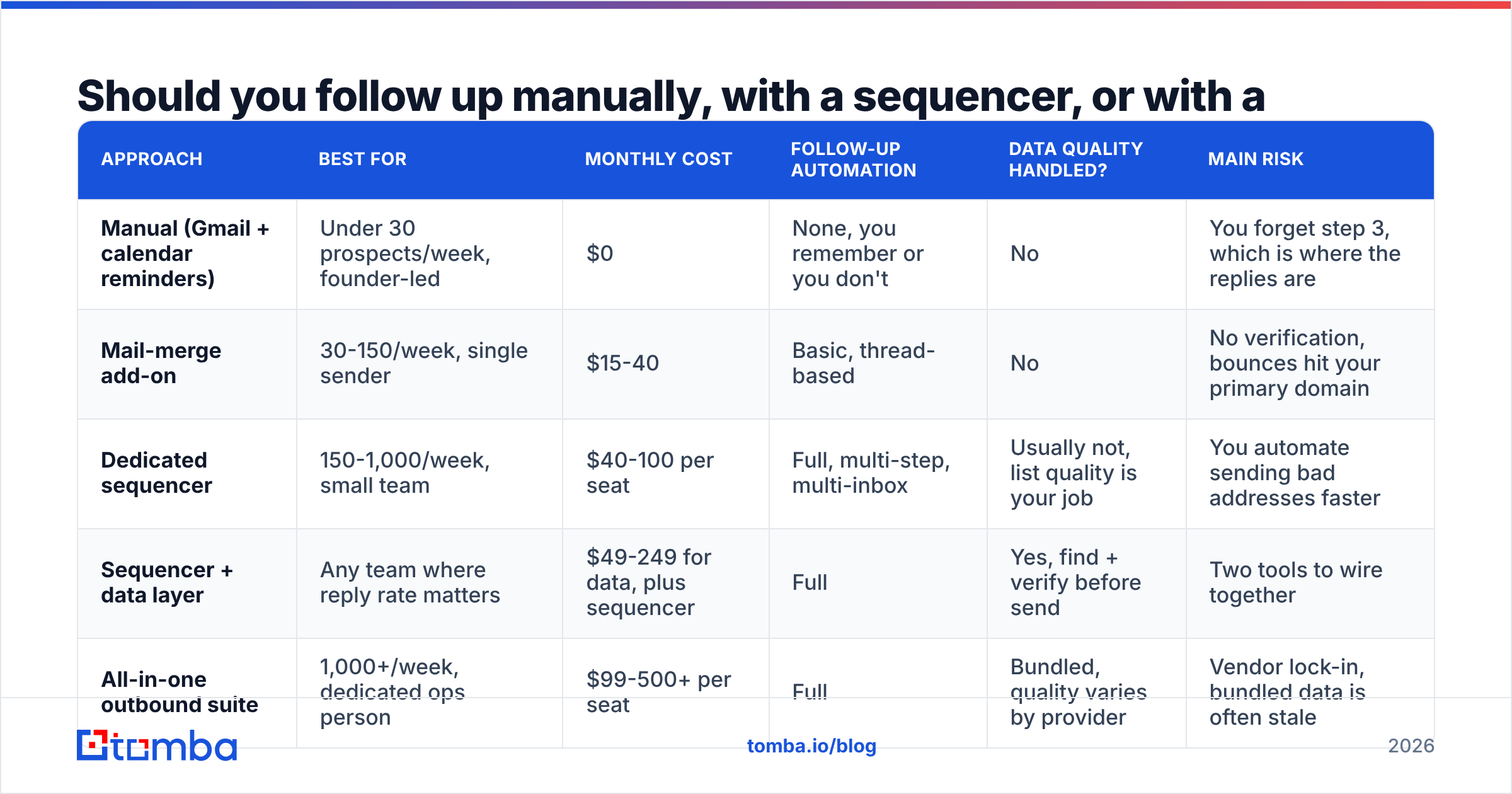
The tooling decision depends on volume and on how much of your reply rate is currently being eaten by bad data.
| Approach | Best for | Monthly cost | Follow-up automation | Data quality handled? | Main risk |
|---|---|---|---|---|---|
| Manual (Gmail + calendar reminders) | Under 30 prospects/week, founder-led | $0 | None, you remember or you don't | No | You forget step 3, which is where the replies are |
| Mail-merge add-on | 30-150/week, single sender | $15-40 | Basic, thread-based | No | No verification, bounces hit your primary domain |
| Dedicated sequencer | 150-1,000/week, small team | $40-100 per seat | Full, multi-step, multi-inbox | Usually not, list quality is your job | You automate sending bad addresses faster |
| Sequencer + data layer | Any team where reply rate matters | $49-249 for data, plus sequencer | Full | Yes, find + verify before send | Two tools to wire together |
| All-in-one outbound suite | 1,000+/week, dedicated ops person | $99-500+ per seat | Full | Bundled, quality varies by provider | Vendor lock-in, bundled data is often stale |
The row most teams underweight is the fourth. Sequencing software makes you faster at sending; it does nothing about whether the address exists. A 12% bounce rate on step one means every subsequent step in that sequence is landing on a domain that has already flagged you. You can write perfect follow-ups into a reputation hole and never see a reply.
That is why the practical stack for most teams is a sequencer for cadence plus a data layer for accuracy. Run addresses through an email verifier before the first send, and re-verify any list older than 90 days. B2B contact data decays at roughly 2-3% per month as people change roles, which means a list you bought in January is meaningfully wrong by April.
How do you keep a follow-up sequence out of spam?#
Follow-ups are the part of outbound most likely to trip filters, because they concentrate repeated sends from one identity toward recipients who have not engaged. Mailbox providers read non-engagement as a negative signal, and repetition amplifies it.
The controls that actually matter, in order of impact:
- Verify before you send. Hard bounces are the single loudest negative signal. Getting bounce rate under 2% does more for inbox placement than any warmup schedule.
- Cap daily volume per inbox. 30-50 cold sends per mailbox per day is the sane ceiling in 2026. If you need more, add mailboxes and domains, not throughput.
- Authenticate everything. SPF, DKIM, and DMARC are table stakes since Google and Yahoo tightened bulk sender requirements. If you are unsure, check your records and fix them before you touch copy. Broader background on how these signals interact is well covered in the email authentication literature.
- Kill dead branches fast. Anyone who has not opened four consecutive messages should exit the sequence. Continuing to send to a non-engager degrades the reputation you need for the prospects who do care.
- Watch catch-all domains. They accept everything at SMTP time and silently discard later, which inflates your "delivered" numbers and hides real failures. Run them through a catch-all verifier so you know which ones are safe to include.
One thing that does not matter as much as people claim: images, links, and the word "free." Modern filters weigh sender reputation and engagement history far more heavily than 2010-era keyword heuristics. Fix your data and your volume before you agonize over vocabulary.
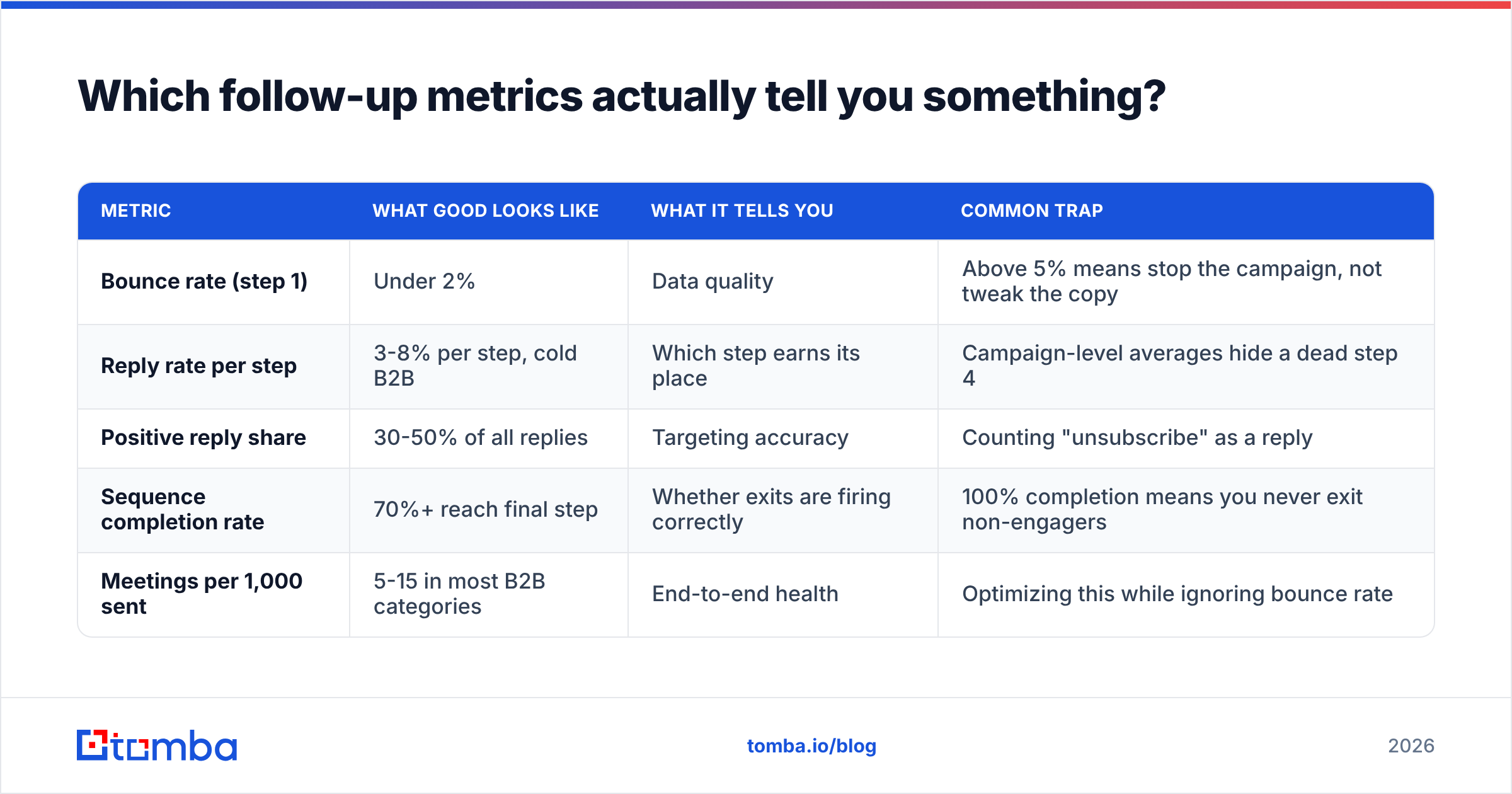
Which follow-up metrics actually tell you something?#
| Metric | What good looks like | What it tells you | Common trap |
|---|---|---|---|
| Bounce rate (step 1) | Under 2% | Data quality | Above 5% means stop the campaign, not tweak the copy |
| Reply rate per step | 3-8% per step, cold B2B | Which step earns its place | Campaign-level averages hide a dead step 4 |
| Positive reply share | 30-50% of all replies | Targeting accuracy | Counting "unsubscribe" as a reply |
| Sequence completion rate | 70%+ reach final step | Whether exits are firing correctly | 100% completion means you never exit non-engagers |
| Meetings per 1,000 sent | 5-15 in most B2B categories | End-to-end health | Optimizing this while ignoring bounce rate |
Measure reply rate per step and you will usually find one step doing nothing. Cut it. Sequences get better by subtraction more often than by addition. For definitions and benchmarks on the denominator side, our glossary entry on response rate is a useful reference, and public tool reviews on G2 are worth a scan when you are comparing sequencers.
What are the most common follow-up email mistakes?#
- The pure bump. "Following up on the below." Zero new information, maximum irritation. If you have nothing to add, do not send.
- Escalating guilt. "I've reached out three times now." You are describing your problem, not theirs.
- Breaking the thread every time. New subject lines on every step make you look like five different vendors and fragment the context.
- Same-day multichannel pile-on. Email, LinkedIn, and a call within two hours reads as surveillance, not persistence.
- Never stopping. A sequence without a defined end damages your domain and your brand. Five to seven touches, then out.
- Following up on unverified addresses. Every step to a dead mailbox is a small deposit into a reputation deficit you will pay back later.
Where should you start if you are rebuilding your follow-up process?#
Start with the list, not the copy. Pull your last 500 sent addresses, run a verification pass, and look at the true bounce and catch-all numbers. If more than one in twenty is bad, no cadence change will move your results, because the ceiling is set by deliverability.
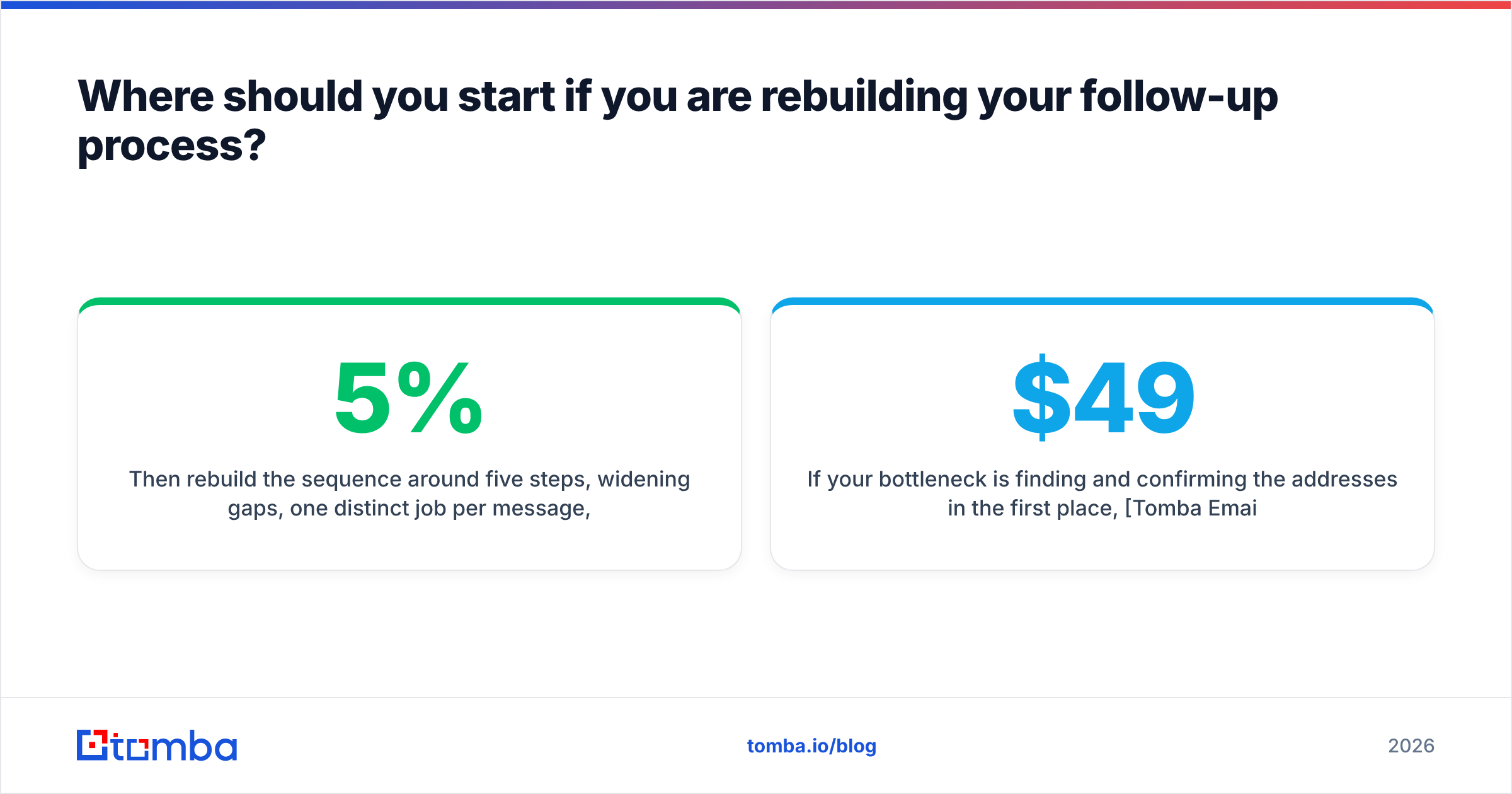
Then rebuild the sequence around five steps, widening gaps, one distinct job per message, and a hard exit. Measure per-step reply rate for four weeks and cut whatever step contributes under 5% of replies.
If your bottleneck is finding and confirming the addresses in the first place, Tomba Email Finder locates professional emails by name, domain, or company and confirms them before they ever enter a sequence, with a free tier of 25 searches per month and paid plans starting at $49/mo. Full Tomba pricing runs from Starter at $49 to Growth at $99 and Pro at $249, with an API and bulk tools on every paid plan. Get the data right first, then let the follow-ups do the work they were always doing.
Related guides#
Ready to find emails that actually work?
Join 150,000+ professionals who stopped guessing and started sending. Free credits on signup — no credit card required.
Get the Tomba newsletter
Practical outbound tactics and product updates — once every two weeks.
About the author