Forager vs Generect (2026): Which B2B Data Tool Wins?
Forager and Generect both sell "real-time" B2B contact data, but they solve different problems. Here's how coverage, email accuracy, pricing, and API access actually compare in 2026 — plus when a dedicated email finder beats both.
Forager vs Generect is a straight fight between two very different tools. Both sell B2B contact data. But one is a pipe and the other is a workflow. Pick the wrong one and it costs real money. Here is the short version.
TL;DR
- Forager.ai is a data platform. Big people and company graphs, frequent refreshes, and enrichment sold through an API on annual deals.
- Generect is a lead generation layer. LinkedIn-shaped search, list building, and live contact lookup, aimed at agencies and outbound teams.
- If your problem is "I have a list and need valid emails," neither one is the cheap answer. A finder plus verifier stack is.
- If your problem is "I don't know who to contact yet," Generect gets you moving faster. Forager wins when you pipe large volumes into a warehouse or CRM.
- Both push you toward a demo call and a custom quote. Plan for a procurement cycle, not a card swipe.
Forager vs Generect: what is each tool, actually?#
Forager.ai sells real-time B2B data: people data, company data, job-change signals, and tech stacks. It ships mostly through an API and bulk files. The pitch is freshness. Most databases refresh once a quarter, so records rot on the shelf. Forager says it re-crawls all the time, so fewer records go stale before your rep hits send. You can see the current product framing on forager.ai.
Generect comes at the same market from the other end. Its core surface is search. Filter by role, company size, industry, region, and LinkedIn-style attributes, then pull the contacts. Emails are looked up when you ask, not served from a cache. Agencies and lead-gen shops are the obvious buyer. generect.com leans hard on list building and on links into outbound sequencers.
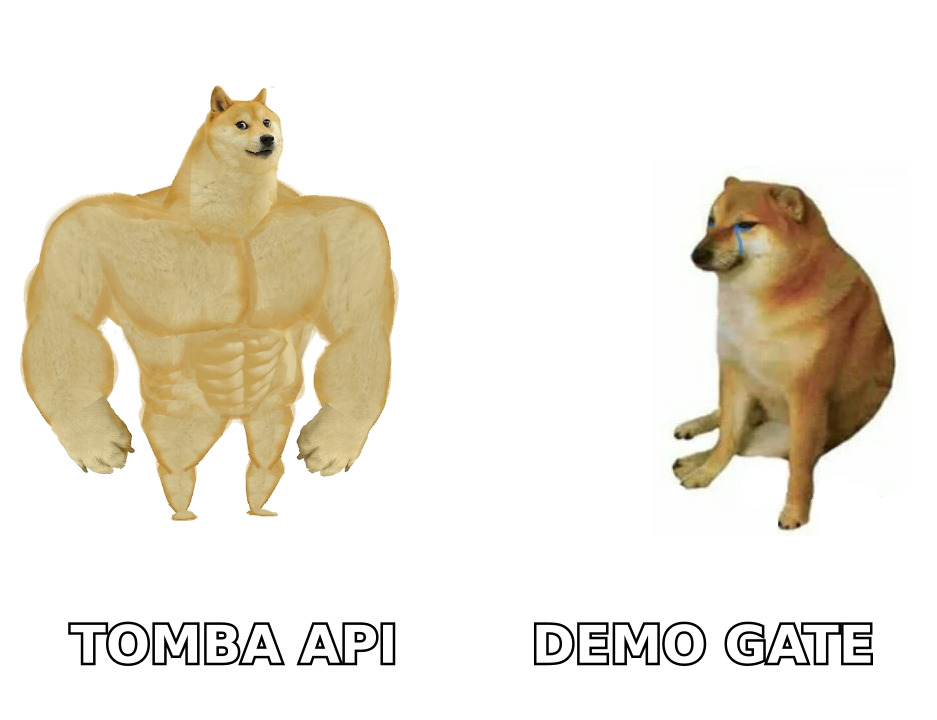
That split matters more than any feature checklist. Forager sells you a pipe. Generect sells you a workflow. Choose wrong and you either pay enterprise data prices for a job a $49/mo tool does, or you push 200k records through a UI that was never built for it.
How do Forager and Generect get their data?#
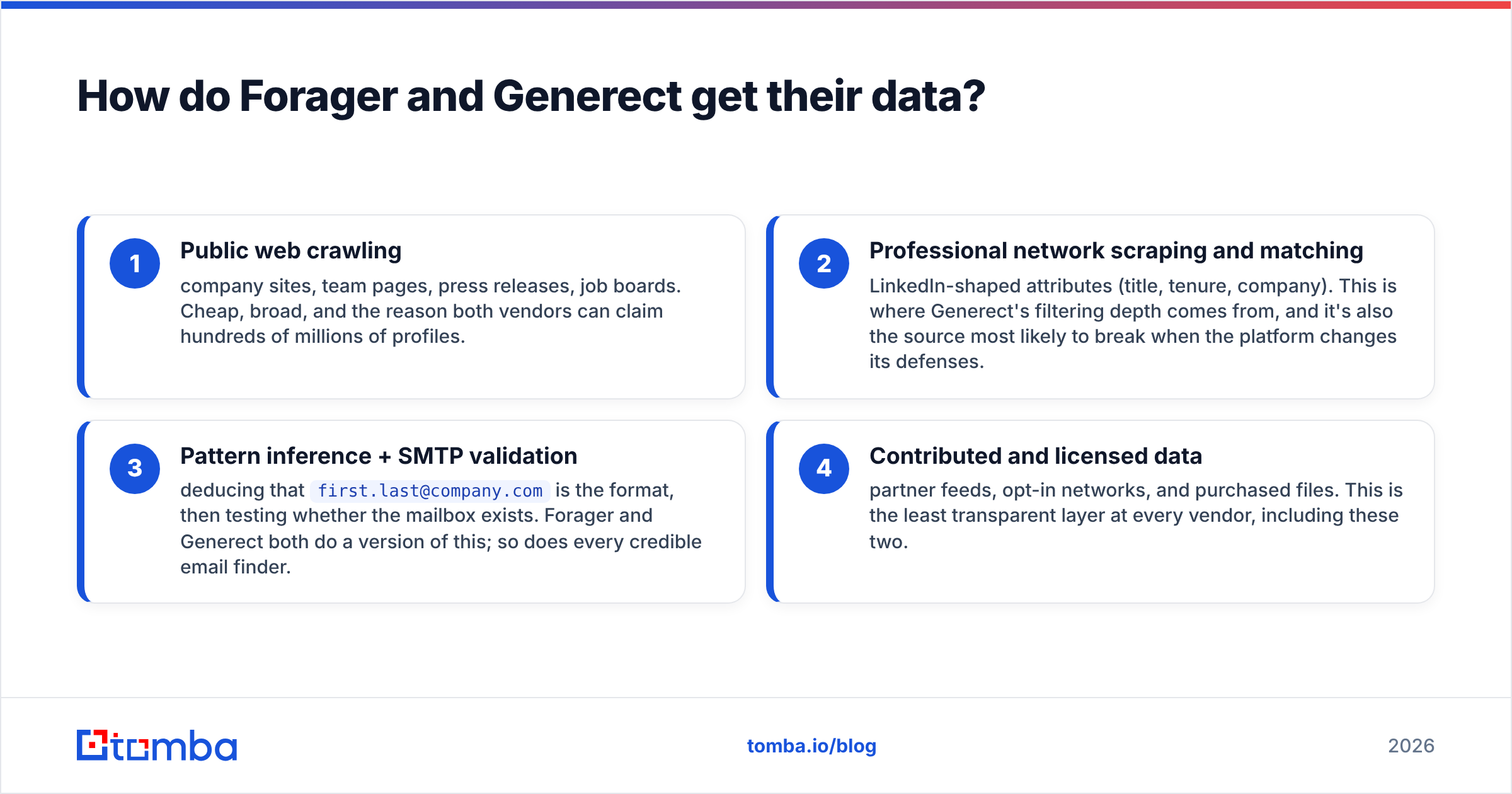
Every B2B data vendor builds its contacts from four sources. The mix explains most of what you care about: accuracy and legal risk.
- Public web crawling — company sites, team pages, press releases, job boards. It is cheap and broad. It is also why both vendors can claim hundreds of millions of profiles.
- Professional network scraping and matching — LinkedIn-style fields like title, tenure, and company. This is where Generect's filters come from. It is also the layer most likely to break when the platform changes its defenses.
- Pattern guessing plus SMTP checks — work out that
first.last@company.comis the format, then test whether the mailbox exists. Both vendors do a version of this. So does every credible email finder. - Contributed and licensed data — partner feeds, opt-in networks, and bought files. This layer is the murkiest at every vendor, these two included.
Ask each vendor which source dominates in your segment. A tool can be 92% accurate on US SaaS mid-market and 40% accurate on German manufacturing. No marketing page will tell you that.
Which one finds more valid emails?#
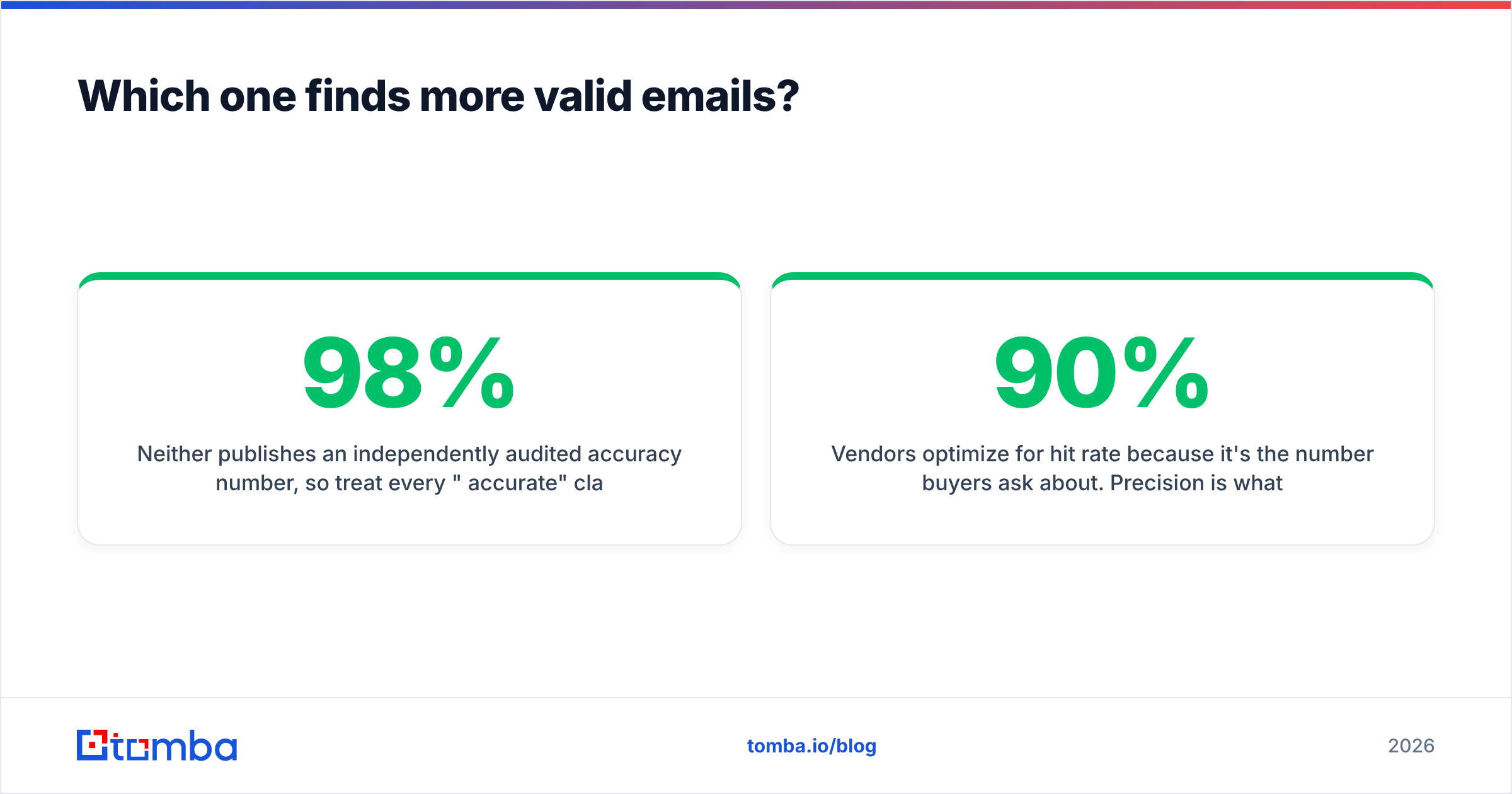
Neither vendor publishes an audited accuracy number. So treat every "98% accurate" claim — theirs, ours, anyone's — as marketing, not fact.
What you can do is measure. The honest test is boring and takes an afternoon:
- Take 300 contacts whose emails you have already confirmed, spread across your real ICP. Not just Fortune 500 logos.
- Strip the emails. Feed the name and domain pairs into each tool.
- Score three things on their own: hit rate (it returned something), precision (it matched your known-good address), and bounce rate on the addresses neither of you had.
Vendors chase hit rate, because that is the number buyers ask about. Precision is what protects your domain. A tool that returns 90% of rows at 70% precision hurts you more than one that returns 60% of rows at 97% precision. Once bounces pass about 3%, mailbox providers start pulling your sender reputation down.

There is one more trap here: catch-all domains. Many B2B domains accept mail for any address. So an SMTP check returns "maybe" instead of yes or no. Forager and Generect hand those back marked risky or accept-all. If your ICP is full of Microsoft 365 domains with catch-all switched on, you need a separate catch-all verifier. Otherwise you are shipping guesses into your sequencer.
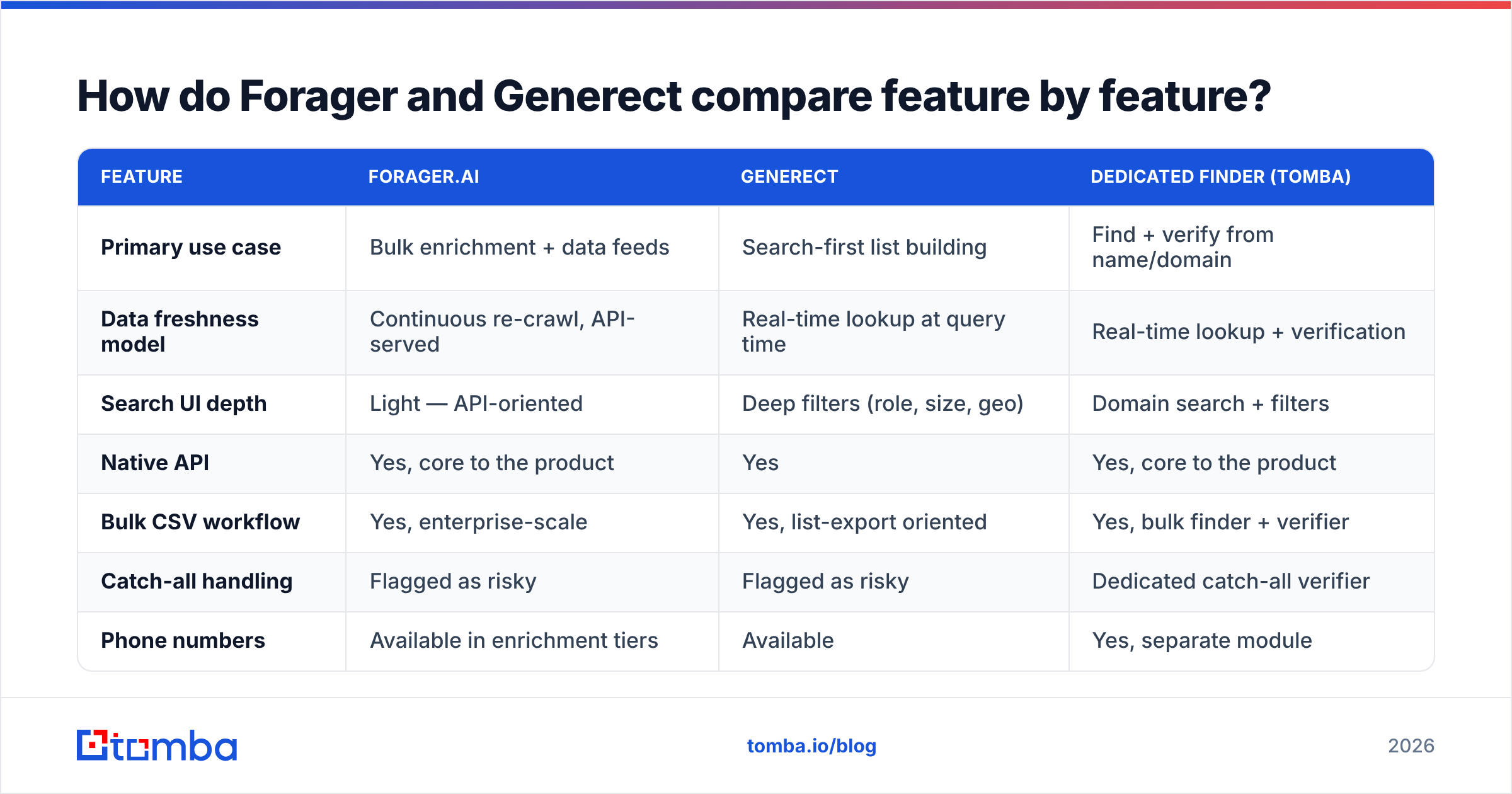
Forager vs Generect: feature by feature#
| Feature | Forager.ai | Generect | Dedicated finder (Tomba) |
|---|---|---|---|
| Primary use case | Bulk enrichment + data feeds | Search-first list building | Find + verify from name/domain |
| Data freshness model | Continuous re-crawl, API-served | Real-time lookup at query time | Real-time lookup + verification |
| Search UI depth | Light — API-oriented | Deep filters (role, size, geo) | Domain search + filters |
| Native API | Yes, core to the product | Yes | Yes, core to the product |
| Bulk CSV workflow | Yes, enterprise-scale | Yes, list-export oriented | Yes, bulk finder + verifier |
| Catch-all handling | Flagged as risky | Flagged as risky | Dedicated catch-all verifier |
| Phone numbers | Available in enrichment tiers | Available | Yes, separate module |
| Free tier to test | Demo/trial by request | Demo/trial by request | 25 searches/mo, no card |
| Typical buyer | RevOps, data teams | Agencies, SDR teams | SMB to mid-market outbound |
| Contract shape | Annual, quote-based | Monthly/annual, quote-common | Self-serve monthly |

The table hides one gap worth naming: API ergonomics. Forager is built API-first. Its rate limits, batch endpoints, and stable schema are the stronger of the two for engineering teams. Generect has an API, but it mostly triggers the same searches you would run in the UI. If you feed a warehouse with dbt models downstream, that gap will cost or save you weeks.
What do Forager and Generect cost in 2026?#
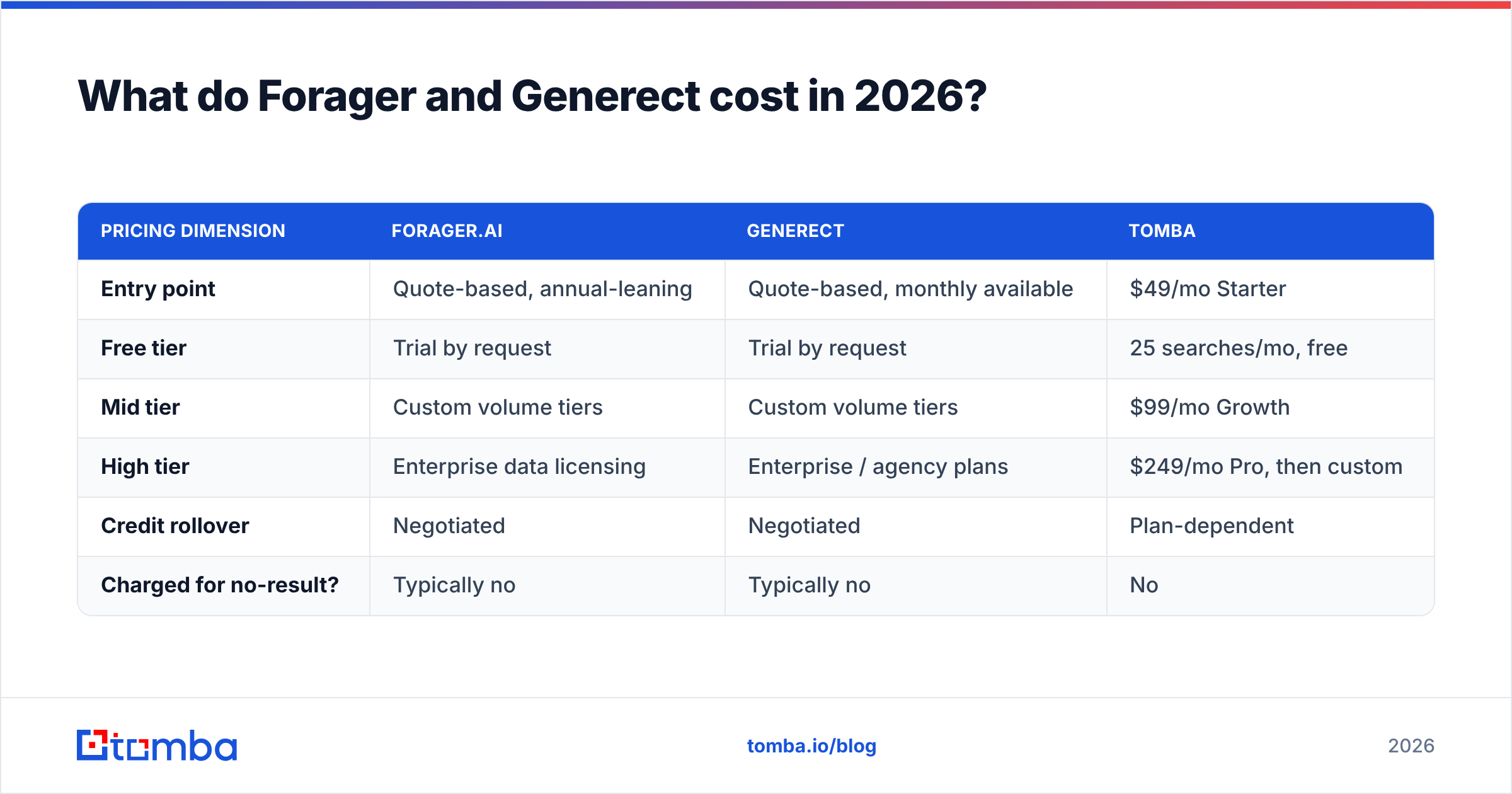
Both vendors route serious buyers through a demo. Published numbers change often, so check their pricing pages before you build a business case on anything below. The shape of the pricing is stable.
| Pricing dimension | Forager.ai | Generect | Tomba |
|---|---|---|---|
| Entry point | Quote-based, annual-leaning | Quote-based, monthly available | $49/mo Starter |
| Free tier | Trial by request | Trial by request | 25 searches/mo, free |
| Mid tier | Custom volume tiers | Custom volume tiers | $99/mo Growth |
| High tier | Enterprise data licensing | Enterprise / agency plans | $249/mo Pro, then custom |
| Credit rollover | Negotiated | Negotiated | Plan-dependent |
| Charged for no-result? | Typically no | Typically no | No |
The number that matters is cost per usable contact, not cost per credit. Run it like this: monthly price ÷ (credits × hit rate × precision). Say a $99 plan gives 5,000 credits at a 65% hit rate and 85% precision. That is about 2,760 usable contacts, or 3.6 cents each. A "cheaper" plan with worse precision often lands at double that. Then add the deliverability tax you never see on the invoice.
For a self-serve anchor, Tomba pricing lists every tier in the open: Free at 25 searches/mo, Starter at $49/mo, Growth at $99/mo, Pro at $249/mo, and custom above that. Tomba may not be your pick. But one transparent number makes any demo-call quote much easier to judge.
Who should choose Forager?#
Pick Forager when these are true:
- You have engineers. The value shows up through API work, scheduled enrichment jobs, and warehouse syncs. It does not show up when a rep clicks export.
- Your volume is high and it repeats. Tens of thousands of records a month, refreshed all the time. Below that, you pay platform prices for spreadsheet work.
- You want job-change and firmographic signals, not just email addresses. Freshness is the whole point. If you only need a mailbox, you are buying a costly slice of the product.
- You can sign an annual deal. Quote-based buying is fine for a funded RevOps team. It is painful for a three-person agency.
Who should choose Generect?#
Pick Generect when these are true:
- You build lists for other people. Agencies running outbound for many clients get real leverage from deep, saved search filters.
- Your ICP is easy to spot on LinkedIn. Titles, headcount bands, and industries map cleanly onto the filters. Any LinkedIn-based tool degrades in niches with messy titles.
- You want contacts fetched on request. Queries run a bit slower, but the results are fresher than a static database.
- Your sequencer is the destination. You would rather push straight into it than run a data pipeline.
Where does a dedicated email finder beat both?#
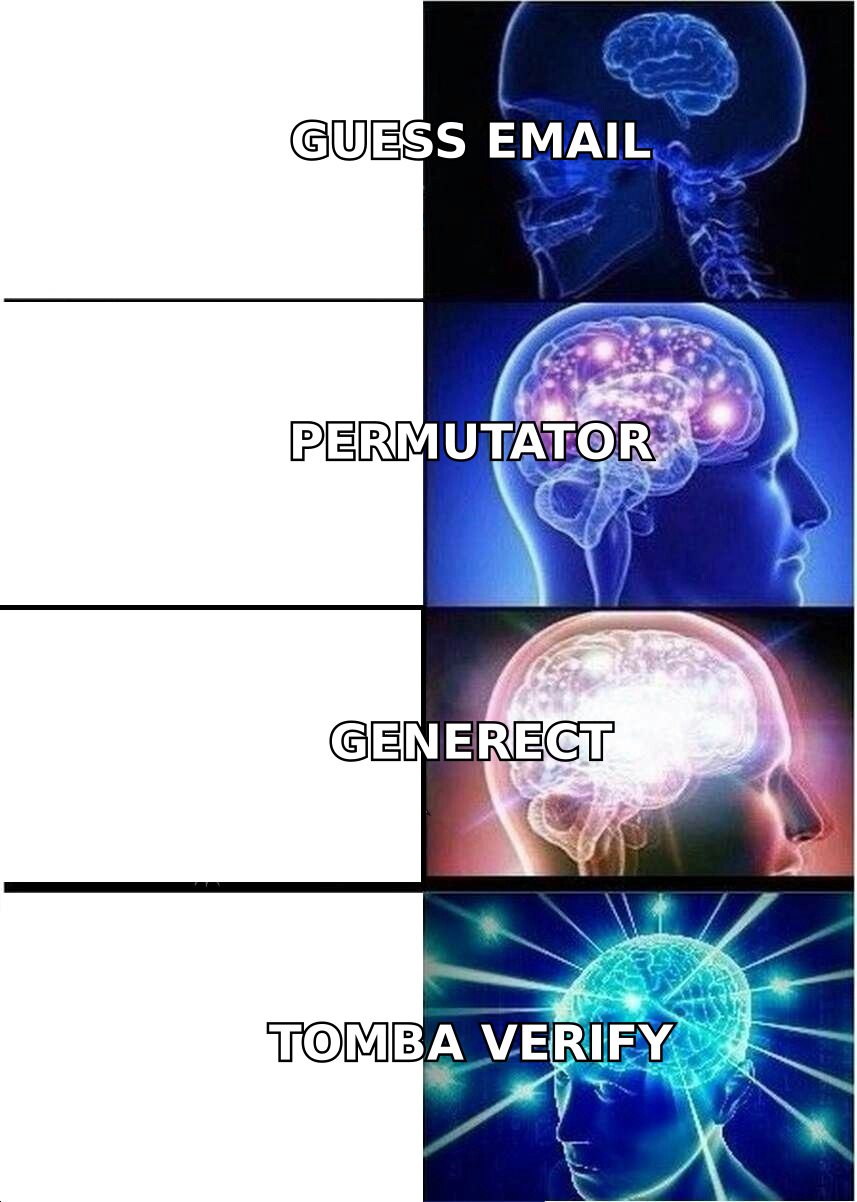
There is a third path, and many teams skip it because "data platform" sounds better than "email finder." Keep the list source you already have — CRM, event exports, LinkedIn saves, scraped company lists. Then buy only the find-and-verify layer.
This wins in three cases.
- You already know the companies. With 800 target domains, a domain search returns the people and the email patterns at each one. You never pay for a search index you do not use.
- Your data is decaying, not missing. About a quarter of B2B contact records go stale each year as people change jobs. Re-checking them with a bulk email verifier costs far less than buying the list again.
- You need it inside another system. A documented email finder API, a Chrome extension, and Sheets or Excel add-ins cover most of the workflow that would otherwise need a platform contract.
The honest caveat: a finder and verifier stack does not replace a data platform. If you need net-new discovery at scale, intent signals, or company-graph enrichment, buy the platform. Forager and Generect exist because those needs are real. Just make sure the need is yours before you sign for it.
How do you test them yourself in 30 minutes?#
Do not take any vendor's word, including this article's. Run the same five steps against both.
- Build a 100-row gold set. Real accounts, real people, emails you confirmed by reply. Mix company sizes and at least two countries.
- Ask both for a trial. Ask for enough credits to run 100 lookups. If a vendor says no, write that down. It tells you how renewal will go.
- Run identical inputs. Same name and domain pairs, same order, no cleanup on either side.
- Score hit rate, precision, and catch-all share on their own. Then send 50 test emails from a throwaway domain and count the bounces. G2 reviews help with support and billing complaints. They cannot tell you accuracy in your segment.
- Work out cost per usable contact from the quote each vendor gave you. Compare it against a clear baseline like Tomba's $49/mo Starter to see what the platform premium buys.
If Forager wins, it will be on API quality and volume economics. If Generect wins, it will be on search depth that saves your team hours a week. And if a plain finder beats both on cost per usable contact, you just dodged an annual contract.
The verdict#
Forager for data infrastructure. Generect for list-building speed. Forager vs Generect is not really one race. So "which is better" is the wrong question. The right one is which bottleneck you are paying to remove.
If your bottleneck is turning names and domains into verified addresses, start narrow and stay narrow while it works. The Tomba Email Finder gives you 25 free searches a month with no card, live SMTP verification, catch-all handling, and a public API. That is enough to test it head-to-head against whatever quote lands in your inbox this week. Run the 100-row test on all three. Then buy the one that wins on cost per usable contact, not the one with the best demo.
Related guides#
Ready to find emails that actually work?
Join 150,000+ professionals who stopped guessing and started sending. Free credits on signup — no credit card required.
Get the Tomba newsletter
Practical outbound tactics and product updates — once every two weeks.
About the author