Forager vs Tomba: Which B2B Email Finder Wins in 2026?
Forager and Tomba both promise fresh B2B contact data, but they price it, verify it, and expose it through very different APIs. Here is the honest breakdown of where each one wins.
Forager vs Tomba comes down to one question. Do you want to rent a whole contact database, or pay for each email you actually find? Forager sells the database. Tomba sells the lookup. Here is how the two compare on accuracy, price, verification, and APIs.
TL;DR
- Forager.ai sells a B2B contact dataset that is re-crawled on a fast cycle. It fits teams that want a database subscription and an API pipe into their warehouse.
- Tomba sells a search-and-verify workflow. Find an email by name and domain, verify it over SMTP, and pay only for what you keep. Free tier: 25 searches a month. Paid starts at $49/mo.
- Pricing is the sharpest fork. Tomba publishes its tiers ($49 / $99 / $249, plus custom). Forager leans annual and quote-based, so expect a sales call first.
- Verification is the second fork. Tomba ships an email verifier, a catch-all verifier, and a phone validator. Forager leans on its refresh cadence instead.
- Pick Forager for a bulk dataset on a schedule. Pick Tomba for per-lookup control, SMTP-level checks, and a bill you can predict.
What are Forager and Tomba, actually?#
They solve overlapping problems from opposite ends.
Forager.ai is a B2B data provider first. The pitch is freshness. Profiles and company records get re-crawled on a fast cycle and arrive by API or bulk export, so your CRM does not rot between quarters. Buyers are usually RevOps and data teams. They want a firehose they can pipe into a warehouse and dedupe against records they already hold.
Tomba starts from the single lookup. Give it a name and a domain — or just a domain — and it returns the work email, a confidence score, and the sources behind it. Around that core sit the email verifier, domain search, catch-all verifier, phone finder, and enrichment endpoints. Buyers are usually SDRs, founders, agencies, and developers wiring lookups into an app.
That starting point explains almost every other gap between the two products. It shapes how they price, how they verify, and what each vendor means by "good data."
How do Forager and Tomba source their data?#
Forager's positioning centers on recency. The company markets continuous re-crawling of profiles and company pages. So a contact who changed jobs six weeks ago is more likely to be flagged correctly than in a dataset refreshed once a year. That matters if you run account-based plays into enterprise orgs, where 20-30% of your ICP changes seats every year.
Tomba builds its index from public web sources: company sites, published articles, public profiles, and crawled domain records. It then layers pattern inference on top. When it cannot find a published address, it works out the company's email format (first.last@, f.last@, firstl@) from confirmed addresses on the same domain. Then it validates the candidate. Tomba lists its data sources publicly, which is more than most vendors here offer.
Neither approach wins everywhere. A crawled index plus pattern inference does better on long-tail SMB domains, where nobody has published a database record. Refreshed profile data does better at catching job changes inside large companies. If your ICP is 500-plus employees, weight recency higher. If you sell to 10-200 person companies, weight domain coverage and pattern inference higher.
Forager vs Tomba: which one finds more valid emails?#
Here is the honest answer. No marketing-page accuracy number deserves your trust at face value, and that includes Tomba's.

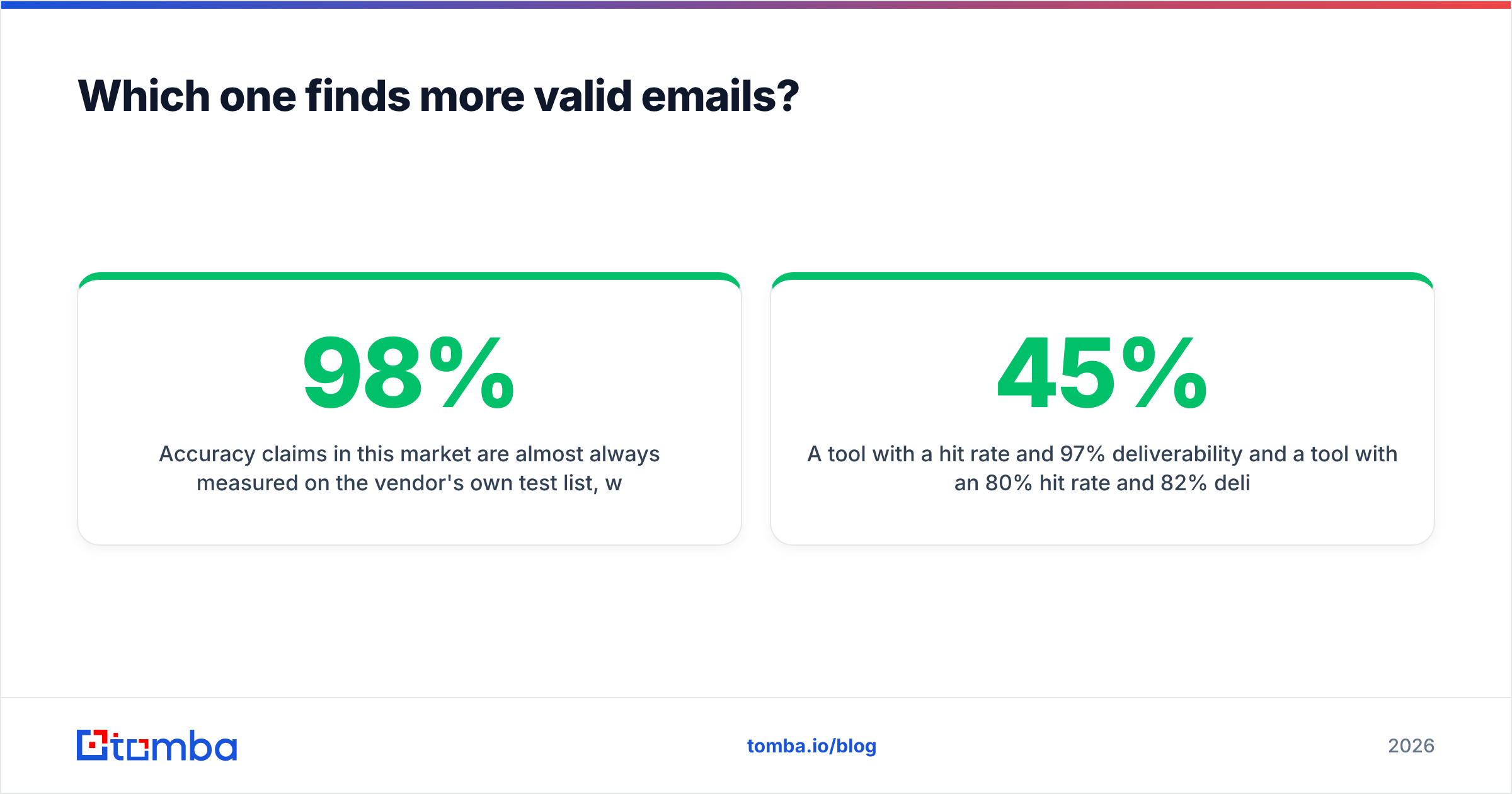
Accuracy claims here are almost always measured on the vendor's own test list. That list is drawn from domains the vendor already covers well. A tool that reports "98% accuracy" is usually reporting accuracy on the lookups where it returned a result at all. Every miss quietly drops out. Two numbers matter, and vendors rarely publish both together:
- Hit rate — of 1,000 real prospects you searched, how many came back with any address?
- Deliverability rate — of those returns, how many accepted mail without bouncing?
Picture two tools. The first has a 45% hit rate and 97% deliverability. The second has an 80% hit rate and 82% deliverability. On the same list they produce very different outcomes. The second books more meetings. It also wrecks your sender reputation if you skip verification before sending.
How to run the test yourself in under an hour:
- Build a 200-row control list from your real ICP, not from famous companies. Mix company sizes and TLDs.
- Run the same list through both tools on a free tier or trial credits. Tomba's free tier gives you 25 searches. Forager usually needs a demo request, so ask for a sample against your list.
- Record hit rate per tool. Blank returns count as misses, not as neutral.
- Verify every returned address with a third, neutral verifier. Do not grade a vendor with its own answer key.
- Score cost per verified email, not cost per credit. This is the only number your CFO cares about.
- Note the catch-all share. Catch-all domains accept everything at SMTP, so they need separate handling. Tomba exposes a dedicated catch-all finder for this case.
Most teams who run this test find the tools are closer on accuracy than the marketing suggests. They are much further apart on cost per verified email.
Forager vs Tomba: how does pricing compare?#
This is where the two products stop resembling each other.

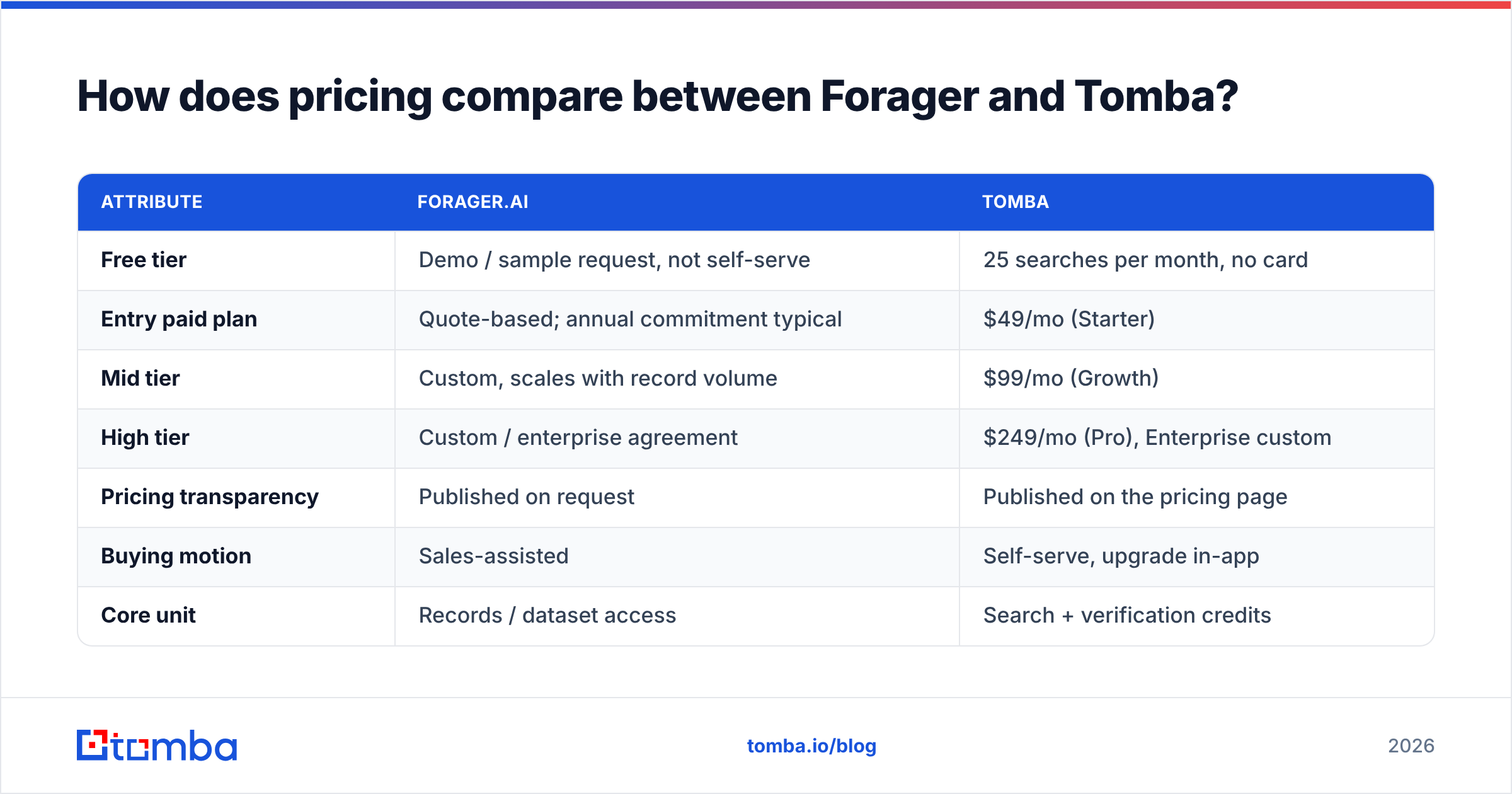
| Attribute | Forager.ai | Tomba |
|---|---|---|
| Free tier | Demo / sample request, not self-serve | 25 searches per month, no card |
| Entry paid plan | Quote-based; annual commitment typical | $49/mo (Starter) |
| Mid tier | Custom, scales with record volume | $99/mo (Growth) |
| High tier | Custom / enterprise agreement | $249/mo (Pro), Enterprise custom |
| Pricing transparency | Published on request | Published on the pricing page |
| Buying motion | Sales-assisted | Self-serve, upgrade in-app |
| Core unit | Records / dataset access | Search + verification credits |
| Email verification | Bundled with data quality process | Standalone verifier, catch-all verifier, bulk verify |
| Phone data | Yes, part of contact profile | Yes, via phone finder + phone validator |
| Best fit | Data teams filling a warehouse | Sales teams and developers doing targeted lookups |
Two practical consequences fall out of this table.
First, budget predictability. A published $49 or $99 monthly price is something a founder can approve on a Tuesday afternoon. A quote-based annual contract means procurement, a security review, and a commitment made before you have tested hit rate on your own list. That is fine once you know the data works. It is expensive while you are still testing.
Second, the unit you are buying. Forager sells access to records. Tomba sells resolved lookups. Need 400,000 enriched company profiles in Snowflake? Per-lookup credits are the wrong shape, and you will overpay. Need 3,000 precise contacts a month for targeted outbound? Buying a whole dataset is the wrong shape, and you will also overpay. Match the unit to the job.
For a wider read on how the category prices itself, G2's lead intelligence category is a useful sanity check. Filter reviews by company size. Enterprise reviewers and five-person startups describe completely different products.
What do the APIs and integrations look like?#
If a human copy-pastes addresses into a spreadsheet, integrations barely matter. If you are automating, they decide the project.
Forager exposes a REST API built around record retrieval and enrichment. You hand it identifiers, it hands back profile objects. That suits batch jobs and scheduled syncs into a warehouse or CDP.
Tomba's surface is broader and more granular. The Tomba API splits email finder, verifier, domain search, enrichment, and author finder into separate endpoints. You call only what you need and pay only for that call. Around it sit a CLI, an MCP server for AI agents, a Chrome extension, Google Sheets and Excel add-ins, Airtable, and native connectors for HubSpot, Salesforce, Pipedrive, Zapier, and Make.
Here is the practical test. Write down the three systems this data must land in. If all three sit on Tomba's integrations list, you skip a middleware bill. If your destination is a data warehouse and your team already writes ETL, Forager's bulk delivery beats paginating thousands of single lookups.
How do they handle verification and bounces?#
Verification is not a nice-to-have anymore. Google and Yahoo's bulk sender rules pushed the acceptable spam-complaint threshold to 0.3%. Mailbox providers now treat repeated hard bounces as a strong negative signal. Their official guidance is worth one full read if you send at any volume.
Tomba treats verification as a separate, explicit step. You can verify a single address or bulk-verify an imported list. Catch-all domains go through a dedicated check that reports whether the domain accepts everything, instead of pretending a catch-all "passed." There is also a free email checker for one-off checks and a bulk verify path for lists.
Forager treats freshness as the quality control. If the underlying profile was re-crawled recently, the attached address is more likely to still be live. That is a reasonable proxy. It even catches job changes that a static verifier marks as "valid" because the mailbox still exists. But it is a proxy, not an SMTP handshake.
The mature setup uses both logics, whichever vendor you pick. Source the address. Verify it right before send. Suppress anything that bounces once. Deliverability problems build quietly for weeks before they surface as a reply-rate collapse.
Which tool fits which team?#
Choose Forager if:
- Your primary need is a large, continuously refreshed dataset rather than individual lookups.
- You have a data team comfortable with warehouse ingestion, dedupe, and schema mapping.
- Job-change detection at enterprise accounts is a core part of your GTM motion.
- You can absorb an annual commitment and a sales-assisted buying cycle.
Choose Tomba if:
- You want published pricing and the ability to start free and upgrade without a call.
- You need verification as an explicit, auditable step, including catch-all handling.
- Your workflow lives in Sheets, a CRM, a Chrome extension, or your own code, not a warehouse.
- You want to pay for resolved lookups, not for shelf space in a dataset you only partly use.
Consider running both if: you use Forager as the bulk enrichment layer and Tomba as the precision layer for accounts where the dataset comes back empty. That combination is common in teams selling into fragmented SMB markets, where no single dataset has full coverage and pattern inference fills the gap.
What are the honest downsides of each?#
Forager's quote-based motion is a real barrier for small teams. Without a self-serve trial against your own list, you are buying on the vendor's evidence rather than your own. Dataset products also make it easy to pay for coverage you never query. That is the classic shelfware failure mode.
Tomba's downsides mirror that. Credit pricing means a badly designed bulk job can burn a month's allowance in an afternoon, so you need sensible batching. And if your real requirement is "give me every company in Germany with 50-200 employees," a search-and-verify tool is the wrong instrument, however accurate each lookup is.
Neither tool solves targeting. The most common cause of a failed outbound program is not a bad email address. It is a good email address for the wrong person. Fix your ICP definition before you shop for data.
The verdict#
Forager vs Tomba shakes out like this. For most sales teams, agencies, and developers, Tomba is the more practical buy: transparent pricing from $49/mo, a genuinely free tier to test with, explicit verification including catch-all handling, and a wide integration surface. For data teams building a refreshed contact warehouse, Forager's dataset-first model is the better structural fit and worth the sales cycle.
Run the 200-row test before you commit either way. It costs an hour. It is the only evidence that reflects your actual ICP.
Ready to check coverage on your own list? Start with the Tomba Email Finder. You get 25 free searches a month, no card required, and every result comes back with a confidence score and its sources, so you can grade the data instead of trusting a marketing page.
Related guides#
Ready to find emails that actually work?
Join 150,000+ professionals who stopped guessing and started sending. Free credits on signup — no credit card required.
Get the Tomba newsletter
Practical outbound tactics and product updates — once every two weeks.
About the author