Free Company Contact Database: 9 Real Options for 2026
Most "free" B2B contact databases are demos with an export button that never unlocks. Here's what each free tier actually gives you, where the data comes from, and when free stops being cheap.
TL;DR
- A truly free company contact database — millions of records, unlimited export, no card — does not exist. What exists is free access to a slice of a paid database, capped by credits, exports, or fields.
- The best free tiers in 2026 are the ones that let you export what you find. A tool that shows you 500 contacts and lets you download 10 is a demo, not a database.
- Free contact data decays fast. B2B records go stale at roughly 25–30% per year as people change jobs, so a scraped 2023 list is closer to noise than to a pipeline.
- Verification matters more than volume. 1,000 verified emails beat 50,000 unverified ones, because bounces above ~3% start damaging your sending domain.
- The practical setup: use free sources for company discovery, then a credit-based finder (Tomba's free tier gives 25 searches/month, paid starts at $49/mo) for the contact layer, and verify everything before it touches your sequencer.
What is a free company contact database?#
Think of B2B contact data like a public library versus a private archive. The library is free and anyone can walk in, but the shelves are thin and half the books are out of date. The archive has everything, is meticulously catalogued, and charges at the door. Every "free company contact database" you'll find is really a library corner inside somebody's archive — enough to prove the archive is good, not enough to run a business on.
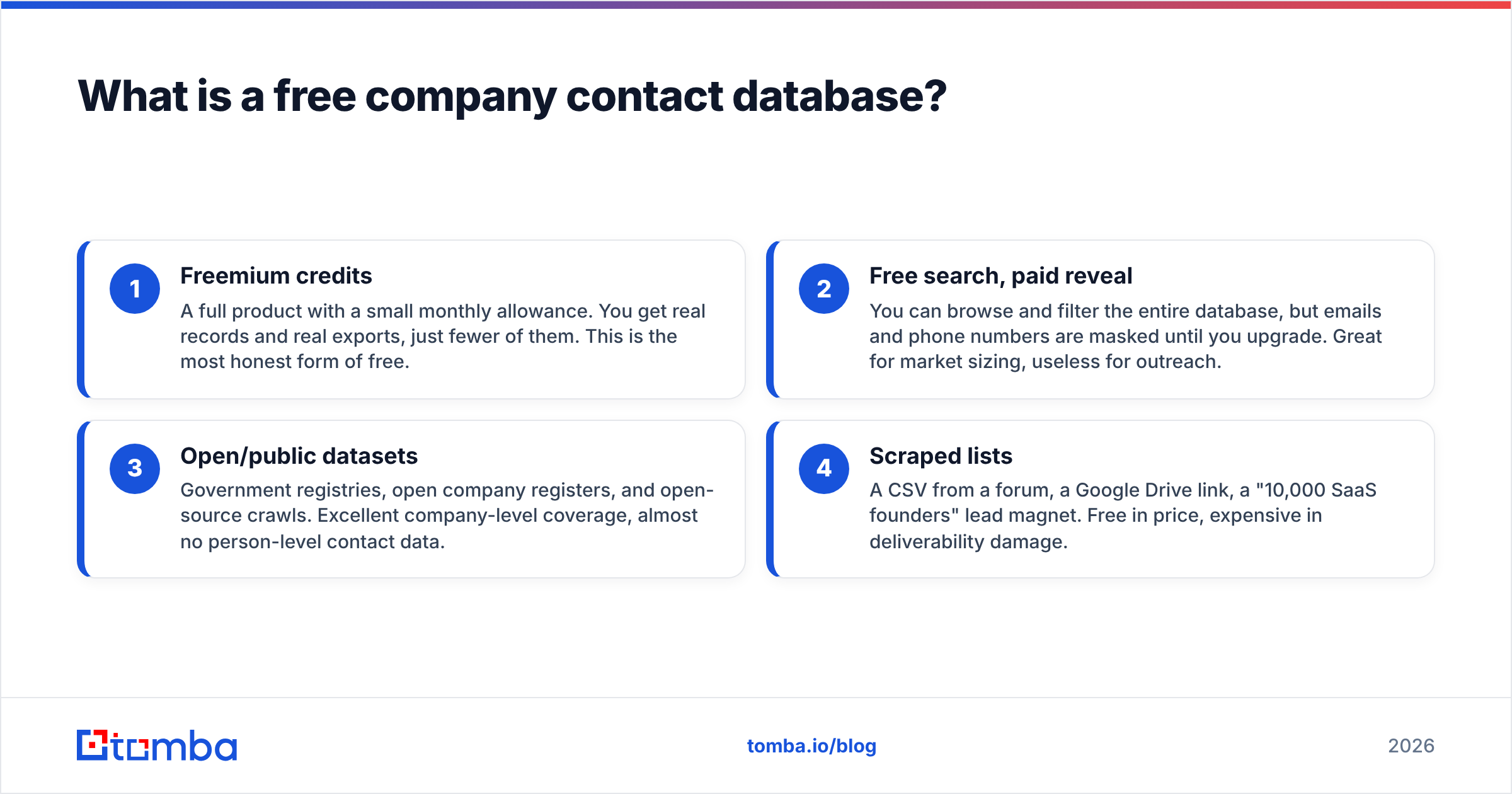
Concretely, a company contact database is a structured store of firmographic and people data: company name, domain, industry, headcount, location, plus contacts with names, job titles, work emails, and sometimes phone numbers. "Free" shows up in four different shapes, and confusing them is where most teams waste a week:
- Freemium credits — A full product with a small monthly allowance. You get real records and real exports, just fewer of them. This is the most honest form of free.
- Free search, paid reveal — You can browse and filter the entire database, but emails and phone numbers are masked until you upgrade. Great for market sizing, useless for outreach.
- Open/public datasets — Government registries, open company registers, and open-source crawls. Excellent company-level coverage, almost no person-level contact data.
- Scraped lists — A CSV from a forum, a Google Drive link, a "10,000 SaaS founders" lead magnet. Free in price, expensive in deliverability damage.
The distinction that matters for your workflow is whether the free tier includes export rights. Some vendors let you view unlimited records but cap CSV downloads at a token amount specifically so the free tier never becomes a substitute for the paid one. Read that limit before you invest hours building filters.

Where does free company contact data actually come from?#
There are only a handful of raw sources in this market, and every vendor — free or paid — is recombining some mix of them:
- Public web crawling. Company sites, team pages, press releases, job posts. This is where domains, headcount signals, and tech stacks come from.
- Email pattern inference. Once you know a company uses
first.last@domain.com, you can construct addresses for anyone whose name you have. This is the engine behind most email finders, and it's why an email permutator gets you 80% of the way for free. - SMTP and MX validation. Constructed addresses are then tested against the receiving mail server to confirm the mailbox exists — this is what separates a guess from a verified contact.
- Contributed/community data. Users install an extension and, in exchange for credits, share contacts from their own address books. Cheap to build, legally sensitive, and variable in quality.
- Public registries. Company registries, filings, and open datasets. Reliable for legal entity data, silent on who to email.
Understanding the source tells you where the errors will be. Crawled data breaks on rebrands and acquisitions. Inferred emails break on companies with mixed formats (a common failure at firms that grew through acquisition). Contributed data breaks on recency — someone's 2021 address book is someone else's bounce. If you want the long version of how providers assemble this, most publish it; Tomba documents its data sources publicly, and it's a reasonable litmus test — a vendor that won't say where the data came from is a vendor you can't audit.
Which free company contact databases are worth using in 2026?#
Here's the honest comparison. Free-tier allowances change frequently, so treat the numbers as the shape of the offer, not a contract — always confirm on the vendor's own pricing page before you commit a workflow to it.
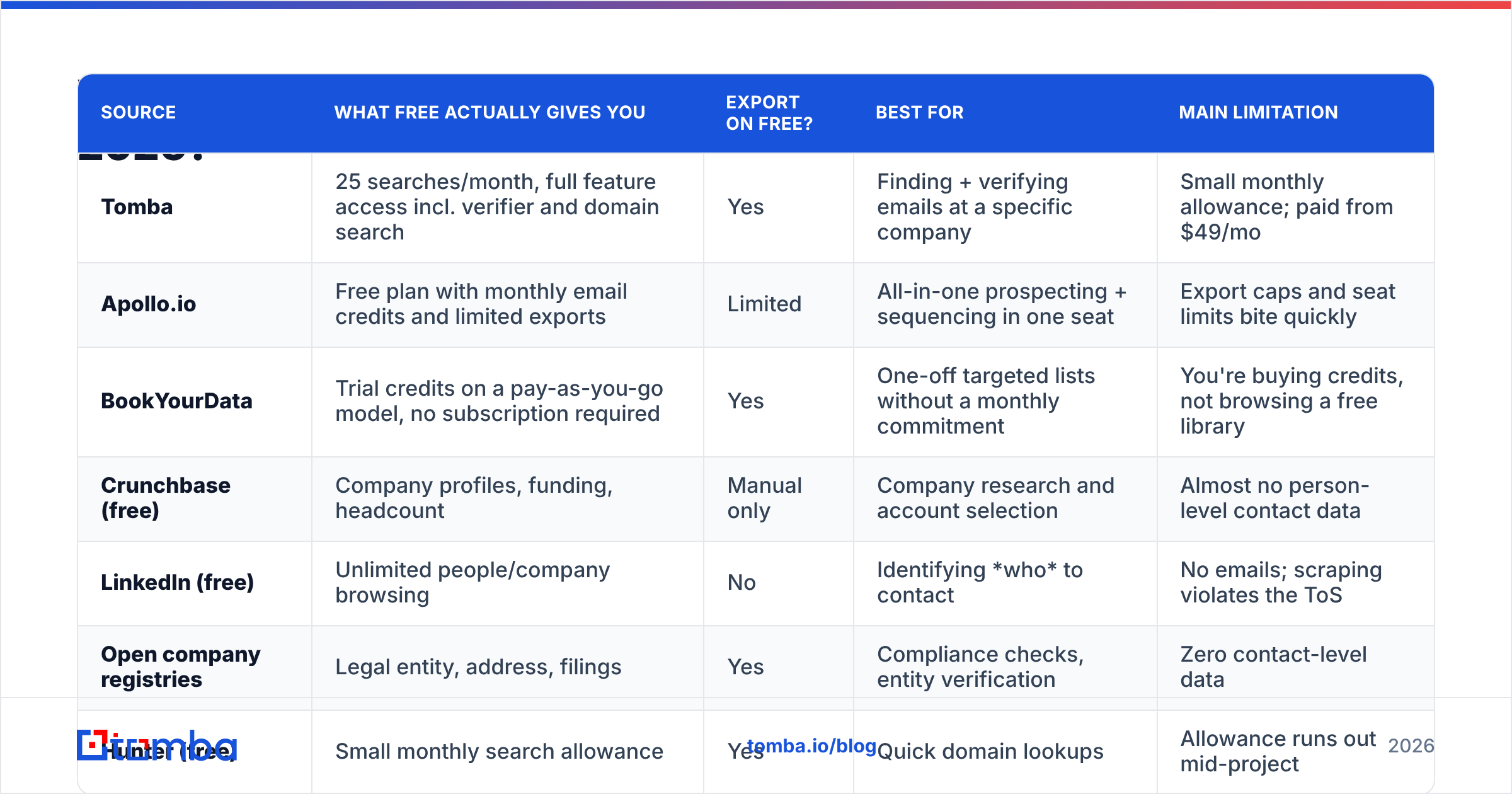
| Source | What free actually gives you | Export on free? | Best for | Main limitation |
|---|---|---|---|---|
| Tomba | 25 searches/month, full feature access incl. verifier and domain search | Yes | Finding + verifying emails at a specific company | Small monthly allowance; paid from $49/mo |
| Apollo.io | Free plan with monthly email credits and limited exports | Limited | All-in-one prospecting + sequencing in one seat | Export caps and seat limits bite quickly |
| BookYourData | Trial credits on a pay-as-you-go model, no subscription required | Yes | One-off targeted lists without a monthly commitment | You're buying credits, not browsing a free library |
| Crunchbase (free) | Company profiles, funding, headcount | Manual only | Company research and account selection | Almost no person-level contact data |
| LinkedIn (free) | Unlimited people/company browsing | No | Identifying who to contact | No emails; scraping violates the ToS |
| Open company registries | Legal entity, address, filings | Yes | Compliance checks, entity verification | Zero contact-level data |
| Hunter (free) | Small monthly search allowance | Yes | Quick domain lookups | Allowance runs out mid-project |
| Clearbit-style enrichment free tiers | Enrich a handful of records | Limited | Filling gaps in an existing CRM | Enriches what you have; doesn't find new leads |
| Public "free lead list" CSVs | Thousands of rows, instantly | Yes | Nothing you should send email to | Unknown age, unknown consent, high bounce rate |

A pattern falls out of that table: free tiers split into discovery tools (LinkedIn, Crunchbase, registries — they tell you who and where) and contact tools (Tomba, Hunter, Apollo, BookYourData — they tell you how to reach them). Neither category alone produces a working list. The cheapest functional stack is a free discovery source plus a credit-based contact source, with verification in the middle.
How accurate is free company contact data?#
Accuracy is where free and paid genuinely diverge, and it's measured in two directions that people constantly conflate:
- Coverage (or hit rate) — of 100 people you search for, how many does the tool return an address for? Free tiers usually hit the same coverage as paid, because it's the same database. Your allowance is smaller, not your hit rate.
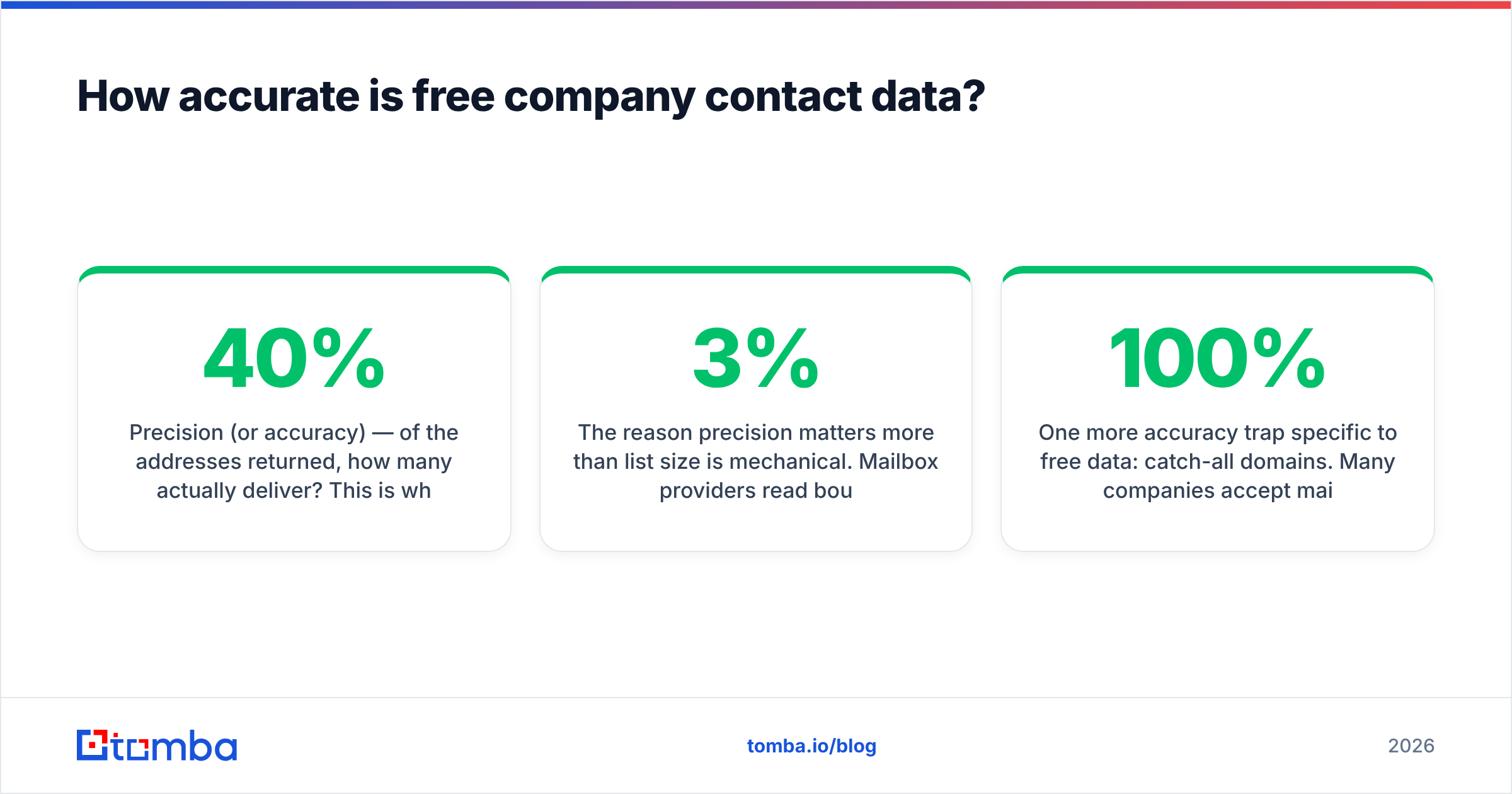
- Precision (or accuracy) — of the addresses returned, how many actually deliver? This is where scraped CSVs collapse. A verified email from a live finder should bounce at low single digits; an unverified scraped list routinely bounces at 20–40%.

The reason precision matters more than list size is mechanical. Mailbox providers read bounce rate as a spam signal. Push past roughly 3% hard bounces and you're not just losing those recipients — you're degrading sender reputation for every future email from that domain. A free list of 10,000 addresses with a 25% bounce rate doesn't give you 7,500 usable contacts; it gives you a burned domain and 7,500 contacts you can no longer reliably reach.
That's the argument for running everything — free or paid, scraped or purchased — through an email verifier before it enters your sequencer. Verification is cheap relative to domain recovery, which takes weeks.
One more accuracy trap specific to free data: catch-all domains. Many companies accept mail to any address at their domain, so a naive validator returns "valid" for asdfgh@company.com. Standard verification can't resolve these, which is why catch-all handling is a separate capability — see the catch-all verifier approach for how that's addressed. If a free tool reports 100% valid on a list, it almost certainly isn't checking catch-alls.
What are the hidden limits of free plans?#
The advertised limit is rarely the binding one. Watch for these five:
- Export caps distinct from search caps. You can search 1,000 records and export 25. The searching is the bait.
- Field masking. Emails shown, phone numbers hidden. Or domain shown, direct dial hidden. Enrichment fields are frequently the paywall.
- Seat and API restrictions. Free tiers often exclude API access entirely, which kills any automation plan. If your workflow depends on programmatic access, check whether the email finder API is available on free before you architect around it.
- Credit rollover — usually none. 25 searches in month one plus 25 in month two is not 50 in month two. Unused free credits evaporate.
- Rate limits and daily throttles. A monthly allowance can be split into a daily cap, which makes bulk work impossible even within your quota.
- Commercial-use clauses. Some free datasets are licensed for research or personal use only. Rare in commercial tools, common in open datasets.
None of these are scandals — they're how freemium is supposed to work. They only cause pain when you discover them at hour six of list-building instead of minute one.

Is a free company contact database enough, or do you need paid?#
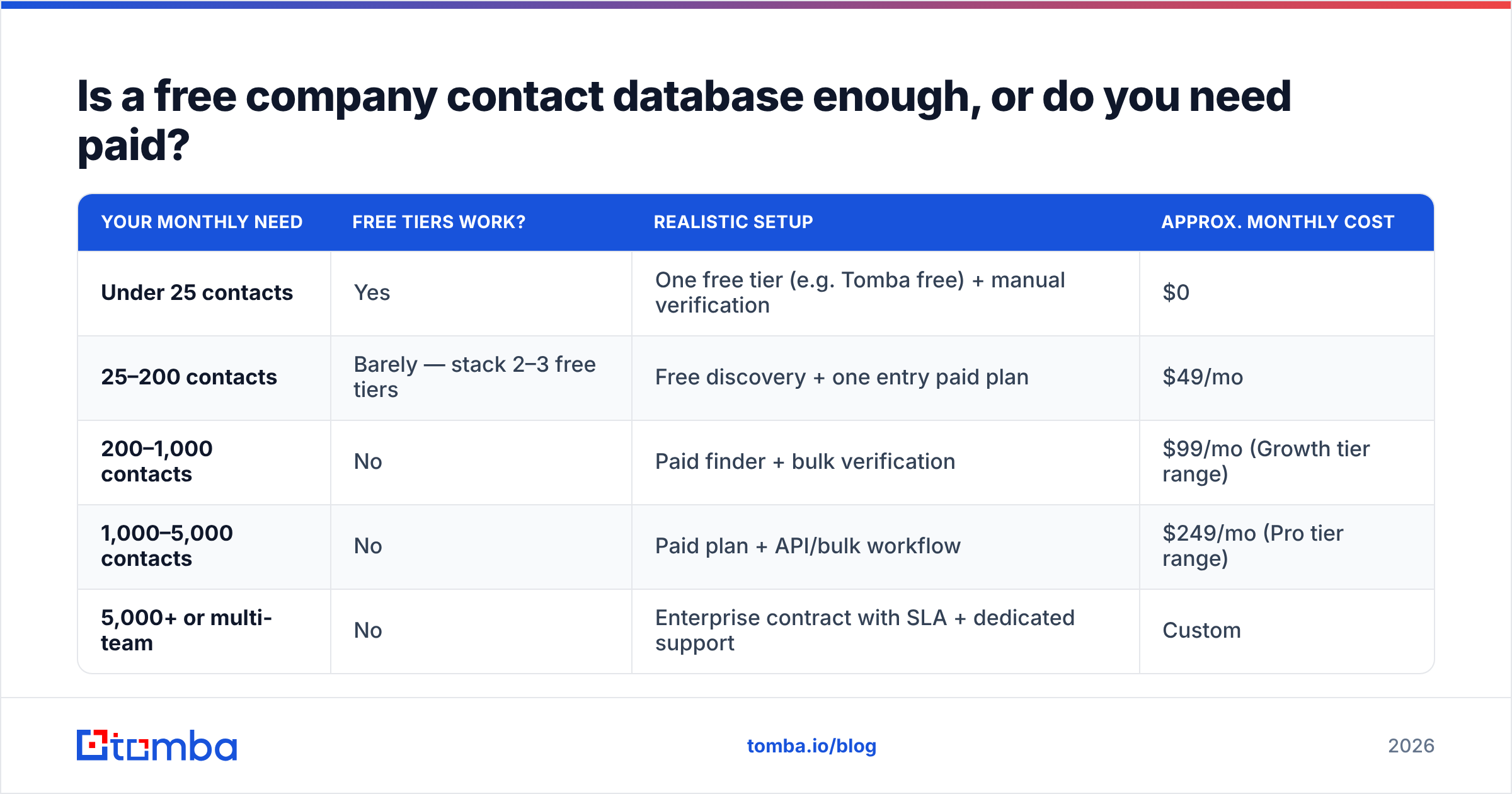
Run the math instead of the vibe. Here's the decision framework by volume:
| Your monthly need | Free tiers work? | Realistic setup | Approx. monthly cost |
|---|---|---|---|
| Under 25 contacts | Yes | One free tier (e.g. Tomba free) + manual verification | $0 |
| 25–200 contacts | Barely — stack 2–3 free tiers | Free discovery + one entry paid plan | $49/mo |
| 200–1,000 contacts | No | Paid finder + bulk verification | $99/mo (Growth tier range) |
| 1,000–5,000 contacts | No | Paid plan + API/bulk workflow | $249/mo (Pro tier range) |
| 5,000+ or multi-team | No | Enterprise contract with SLA + dedicated support | Custom |
The tipping point is usually around 200 contacts per month. Below that, stacking free tiers costs you time but no money and the arithmetic works. Above it, you're spending several hours a week juggling allowances across three tools to avoid a $49 charge — which is a bad trade for anyone whose hour is worth more than $12. Tomba pricing runs Free (25 searches/mo), Starter $49/mo, Growth $99/mo, Pro $249/mo, and Enterprise custom, which is roughly the market shape across this category.
There's also a middle path worth naming: pay-as-you-go. Providers like BookYourData sell verified contacts by the credit with no subscription, which suits agencies and consultants running campaigns in bursts rather than continuously. If your prospecting is seasonal or project-based, credit packs often beat both free-tier juggling and a monthly plan you underuse.
How do you build your own free company contact database?#
If you want to do this properly on a zero budget, here's the sequence that actually holds up:
- Define the account list first, not the contact list. Filter by industry, size, geography, and a trigger (hiring, funding, tech stack). 100 well-chosen companies beat 5,000 random ones. Free sources: G2 category pages, Crunchbase free, open registries.
- Resolve every company to a canonical domain. This is the join key for everything downstream. A company website finder handles this in bulk; doing it by hand is where most DIY projects die.
- Identify roles, not just names. Decide the two or three titles worth contacting per account before you look anyone up. This prevents burning credits on the wrong seniority.
- Find the pattern before you find the people. One confirmed address at a company reveals the format for everyone else. Check the company email pattern once per domain, then generate the rest — this alone cuts credit consumption dramatically.
- Verify in bulk, not one at a time. Batch your candidate addresses and run them through verification as a single job. Free checkers handle small volumes; a free email checker covers spot checks.
- Deduplicate and timestamp. Store a
verified_atdate on every record and re-verify anything older than 90 days. Data decay isn't a one-time cleanup, it's maintenance.
The honest assessment: this DIY path is genuinely free and genuinely slow. Expect 3–5 minutes per contact end to end. At 100 contacts that's a full working day. Price your own time before you decide that's a saving.
What about GDPR, CCPA, and compliance?#
Free data carries the same legal obligations as paid data, and often less documentation to defend it with.
Under GDPR, B2B contact data can be processed under legitimate interest, but that requires a documented balancing test, a clear opt-out in every message, and the ability to honour deletion requests. Under CAN-SPAM in the US, the bar is lower — accurate headers, a physical address, a working unsubscribe — but it's not zero. The GDPR overview on Wikipedia is a reasonable primer, though your counsel is the authority.
Two practical rules that follow from this:
- Never use a list whose provenance you can't state. If a regulator or a prospect asks "where did you get my data?", "a CSV in a Slack group" is not an answer. Reputable providers document their sourcing and honour suppression requests; anonymous scraped lists do neither.
- Scraping LinkedIn violates its terms of service regardless of what any extension promises. Using LinkedIn to identify prospects and a separate compliant provider to find their business email is a materially different posture from bulk-extracting profiles.
Frequently asked questions#
Is there any completely free unlimited B2B contact database? No. Every unlimited free source is either company-level only (registries, open datasets) or a scraped list of unknown quality. Person-level contact data has real acquisition and verification costs, so it's always metered somewhere.
Can I just use Google to find company emails? Sometimes. Site-restricted searches surface team pages and press contacts, and it costs nothing. It doesn't scale, it misses anyone not published on the web, and it won't tell you whether the address still works.
How often should I re-verify my contact database? Every 90 days for active outreach lists, or immediately before any campaign to a list older than a quarter. At roughly 25–30% annual decay, a year-old list is a quarter wrong.
Do free tiers include phone numbers? Rarely. Mobile and direct-dial data is the most expensive layer to acquire and is almost always gated behind paid plans. If phones matter, budget for them — a phone finder is a separate line item, not a bonus feature.
Where to start#
If you're testing the waters, start with the free tier that gives you export rights and verification in the same place — that combination is what turns a lookup tool into a usable database. Tomba's Email Finder includes 25 searches a month free with no card, full access to domain search and verification, and the same accuracy engine that runs on the paid tiers. Build your first 25-contact list, measure the bounce rate, and let that number — not a pricing page — decide whether you need to upgrade.
Related guides#
Ready to find emails that actually work?
Join 150,000+ professionals who stopped guessing and started sending. Free credits on signup — no credit card required.
Get the Tomba newsletter
Practical outbound tactics and product updates — once every two weeks.
About the author