Free Email Finder Tools in 2026: What Actually Works
Most free email finder tools give you 25-50 lookups a month and quietly hide the accuracy numbers. Here is what each free tier really includes, where the limits bite, and when paying is cheaper than not.
TL;DR
- Every "free email finder" is a sampler, not a product. The real question is how many credits you get per month and whether the results are verified before they count against you.
- Tomba's free tier gives 25 searches/month with the same verification engine as paid plans. Hunter gives 25 monthly searches, Snov.io gives 50 credits, Apollo gives limited exports with heavy platform lock-in.
- Free permutator/guesser tools (pattern generators) cost nothing but produce 40-60% valid rates — fine for a handful of targets, disastrous for a 500-contact list.
- The break-even point arrives faster than you think: at roughly 60+ lookups a month, a $49/mo plan is cheaper than the bounce damage from unverified guesses.
- Never send to an email a free tool returned without running it through a verifier first. A 5% bounce rate on a cold domain can cost you the inbox for months.
What is a free email finder, exactly?#
A free email finder is a tool that takes a person's name plus a company domain and returns their work email address — without charging you, up to a monthly cap.
Think of it like a grocery store sample table. The cheese is real cheese. It's just one cube, and the person handing it out is hoping you buy the wheel. Free tiers work the same way: same database, same algorithms, hard ceiling on volume.
Under the hood, most of these tools run the same four-step process:
- Pattern detection — the tool checks its database for known email formats at that domain (
first.last@,flast@,first@). - Source matching — it searches indexed public sources (company sites, press releases, GitHub commits, conference pages, published papers) for a literal string matching that person.
- SMTP validation — it opens a conversation with the receiving mail server and asks whether the mailbox exists, without sending anything.
- Confidence scoring — it returns a percentage or letter grade reflecting how many independent signals agreed.
The free-versus-paid difference is almost never in steps 1-4. It's in the counter. Some tools, though, do degrade the free experience in a way that matters: they skip step 3, hand you a pattern guess, and still charge you a credit. That's the trap worth spotting.

How do the free tiers actually compare in 2026?#
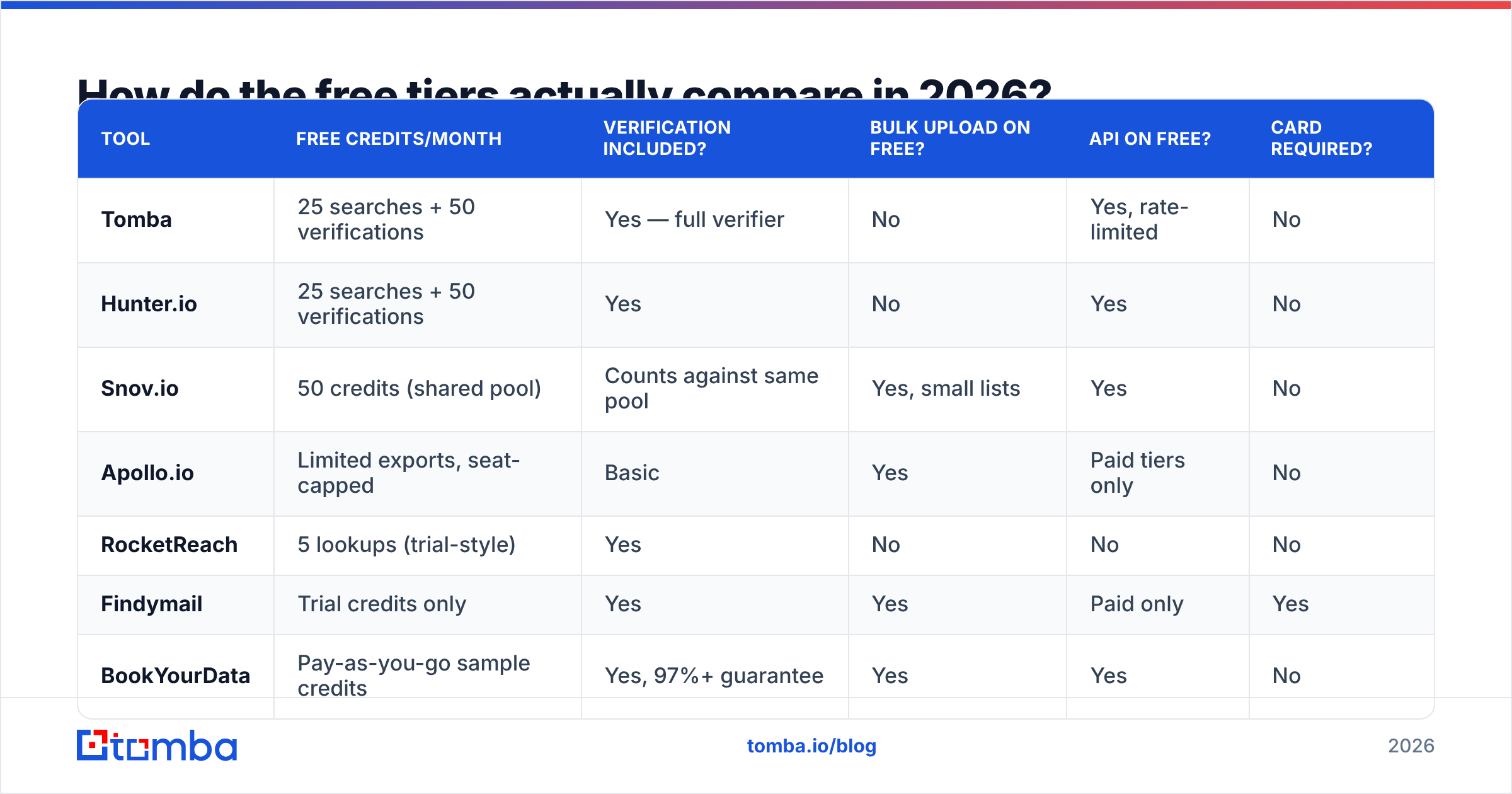
Here's what you get before anyone asks for a card. Figures reflect publicly listed free plans as of early 2026 — vendors change these often, so verify on the vendor's own pricing page before committing.
| Tool | Free credits/month | Verification included? | Bulk upload on free? | API on free? | Card required? |
|---|---|---|---|---|---|
| Tomba | 25 searches + 50 verifications | Yes — full verifier | No | Yes, rate-limited | No |
| Hunter.io | 25 searches + 50 verifications | Yes | No | Yes | No |
| Snov.io | 50 credits (shared pool) | Counts against same pool | Yes, small lists | Yes | No |
| Apollo.io | Limited exports, seat-capped | Basic | Yes | Paid tiers only | No |
| RocketReach | 5 lookups (trial-style) | Yes | No | No | No |
| Findymail | Trial credits only | Yes | Yes | Paid only | Yes |
| BookYourData | Pay-as-you-go sample credits | Yes, 97%+ guarantee | Yes | Yes | No |
| Email permutator tools | Unlimited | None | Copy/paste only | No | No |
Two things jump out.
First, "credits" is not a standard unit. Snov.io's 50 credits sound like double Hunter's 25 until you notice a single verification also burns a credit — so a find-then-verify workflow halves your real capacity to 25 usable contacts. Tomba and Hunter keep search and verification in separate buckets, which is quietly more generous than the headline number suggests.
Second, note the last row. Permutator tools are genuinely unlimited and genuinely free because they don't find anything — they generate every plausible combination of a name and domain and leave you to figure out which one is real. Useful as a fallback, dangerous as a strategy.

Is a free email finder accurate enough to send to?#
Sometimes — and the deciding factor is whether the result was verified or inferred.
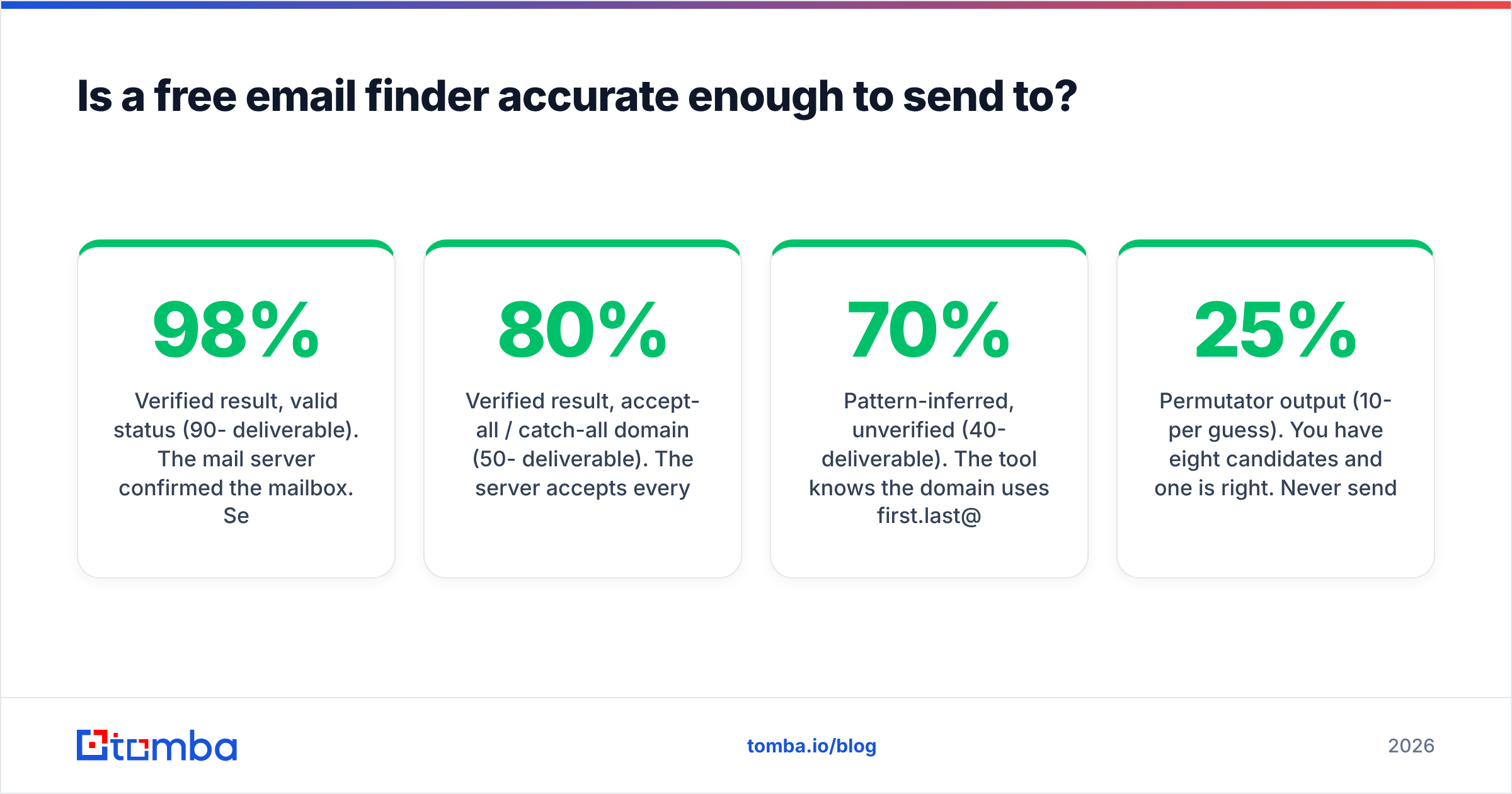
Accuracy on free tiers is identical to paid tiers at the same vendor, because it's the same index. What changes is your ability to check the result at volume. Here's the practical hierarchy:
- Verified result,
validstatus (90-98% deliverable). The mail server confirmed the mailbox. Send with confidence. - Verified result,
accept-all/ catch-all domain (50-80% deliverable). The server accepts everything, so SMTP tells you nothing. You need a catch-all verifier or a different signal. - Pattern-inferred, unverified (40-70% deliverable). The tool knows the domain uses
first.last@and applied the rule. Plausible, unconfirmed. Verify before sending. - Permutator output (10-25% per guess). You have eight candidates and one is right. Never send to all eight — that's a spam-trap magnet and a fast way to torch your sender reputation.
The bounce math is unforgiving. Mailbox providers treat hard bounces as a signal that you're sending to a purchased or scraped list. Google's own Postmaster Tools documentation makes clear that repeated invalid recipients degrade domain reputation. At 3-5% bounces you'll see placement slip; past 8% you're in real trouble on a young domain.
So the rule is simple: a free finder gets you a candidate. A verifier gets you permission to send. Run both, even when the finder says it's confident. Tomba's email verifier gives 50 free verifications a month alongside the 25 searches, which is enough to double-check every result you pull.
Which free email finder should you pick for your situation?#
Match the tool to the shape of your problem, not to the biggest number on the pricing page.
You need 10-30 emails a month for warm, researched outreach. Any of the top-tier free plans work. Pick the one whose verification is included in a separate bucket — Tomba or Hunter — so you don't burn finds on checking finds. Both let you use the domain search feature to pull the whole team at a company in one query, which is far more credit-efficient than one-off name lookups.
You're testing whether a data vendor is worth paying for. Don't evaluate on free credits alone. Take 20 contacts you already know are correct — people who've replied to you — and run them through each tool's free tier. Score on exact-match rate, not on "did it return something." Tools that guess aggressively look great on coverage and terrible on bounce rate.
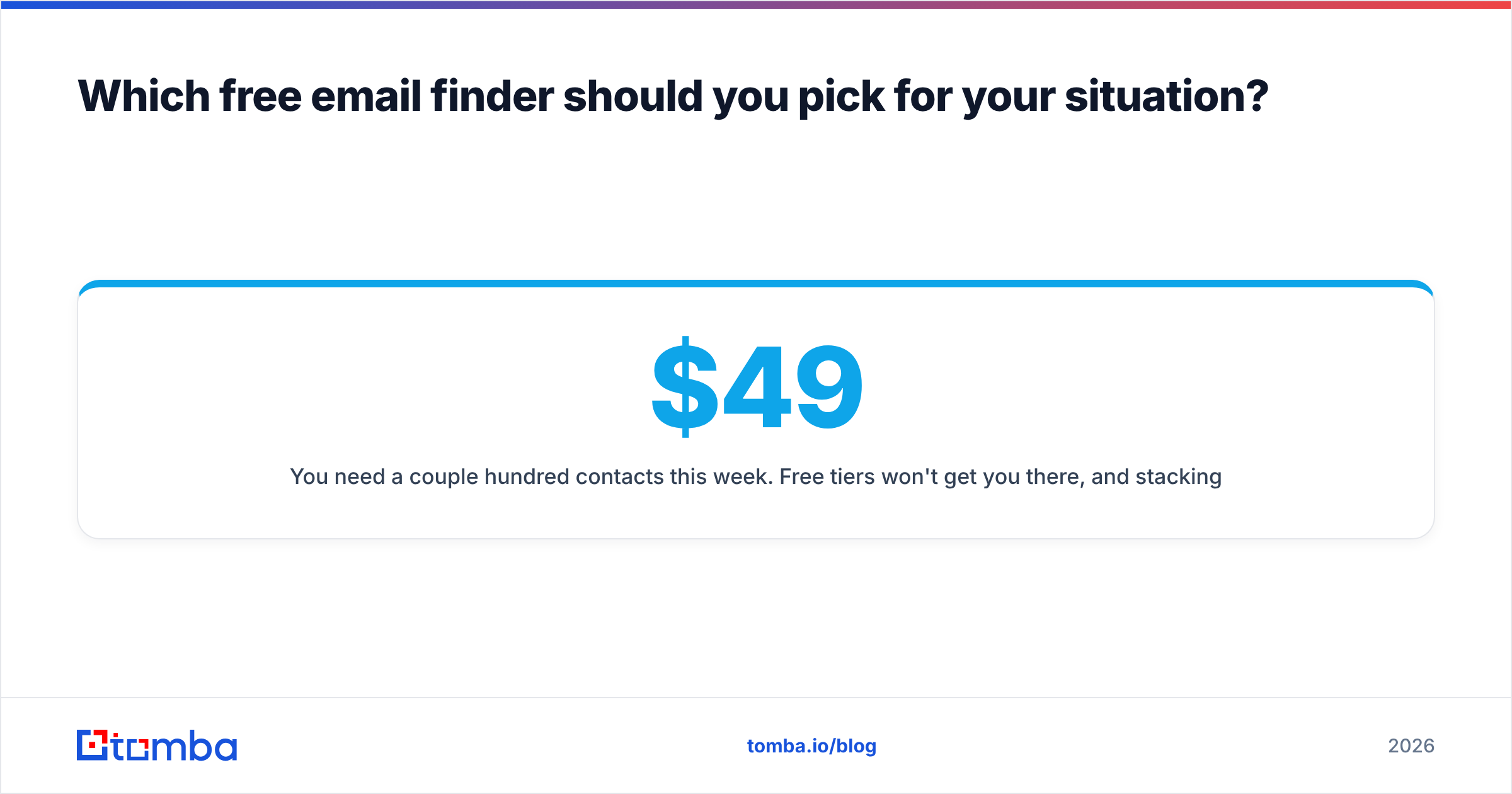
You need a couple hundred contacts this week. Free tiers won't get you there, and stacking five vendors' free plans is a false economy — you'll spend three hours on account juggling to save $49. This is the point where Tomba pricing at $49/mo Starter or $99/mo Growth beats the alternative, because bulk email finder workflows and CSV enrichment only unlock on paid plans everywhere.
You need one email, right now, for one person. Use a free browser extension or a free email checker against a guessed pattern. Zero setup, zero signup.
You're building this into a product or script. Check whether the free tier includes API access at all — several don't. Tomba's free plan does expose the email finder API, which makes it usable for prototyping before you commit budget.
You want geography-specific or industry-specific lists. General-purpose finders work by domain, not by segment. A curated database vendor like BookYourData is built for that use case and handles it well; pairing it with a finder for gaps is a reasonable stack rather than an either/or.

What are the hidden costs of "free"?#
Free plans have four costs that don't appear on the pricing page.
1. Your data becomes their data. Some free tiers reserve the right to use your search history and any contacts you upload to improve their database. Read the terms. Enterprise plans usually carve this out; free plans rarely do. If you're searching for targets in a competitive market, you're broadcasting your pipeline.
2. Credit resets are not always monthly. A few vendors give one-time trial credits dressed up as a "free plan." Once you burn the 25, there's no reset — the account just sits there useless until you upgrade. Check whether the plan says "per month" or just "free credits."
3. The unverified-result loophole. A tool that returns a pattern guess and charges you a credit is selling you arithmetic. You could have generated jane.doe@acme.com yourself with an email permutator in four seconds. Only pay credits — free or otherwise — for results that came back with a verification status attached.
4. Deliverability debt. This is the big one. Fifty emails found free, sent unverified, with a 20% bounce rate, means ten hard bounces against a domain that may only be sending a few hundred emails a month. You've just spent your reputation budget to save $49. Recovering email deliverability after a reputation hit takes weeks of careful warmup — far more expensive than the subscription you avoided.
The honest framing: free email finders are for evaluation and low-volume research. The moment outbound becomes a repeatable process rather than an experiment, the free tier stops being the cheap option.
How do you get the most out of 25 free credits?#
Treat each credit like it costs a dollar, because in opportunity terms it roughly does.
- Search by domain, not by person. One domain search returns every discoverable address at a company. One name search returns one. Same credit cost at most vendors.
- Check the pattern first, then extrapolate. Use a company email pattern lookup to learn the format at a target domain, then apply it to the other names you have and verify those — verification credits are usually more plentiful than search credits.
- Deduplicate before you search. Run your list through a remove duplicates pass. Searching the same person twice under two spellings burns two credits for one contact.
- Never search generic addresses.
info@,sales@,hello@— you can guess those for free and they rarely convert in outbound anyway. - Batch your month. Sitting down once a month with a prepared list of 25 named targets produces better results than spending credits reactively, three at a time, whenever someone crosses your mind.
- Verify everything before it enters your CRM. Bad data in a CRM doesn't just bounce — it corrupts your reporting and gets re-sent by whoever inherits the record next quarter.
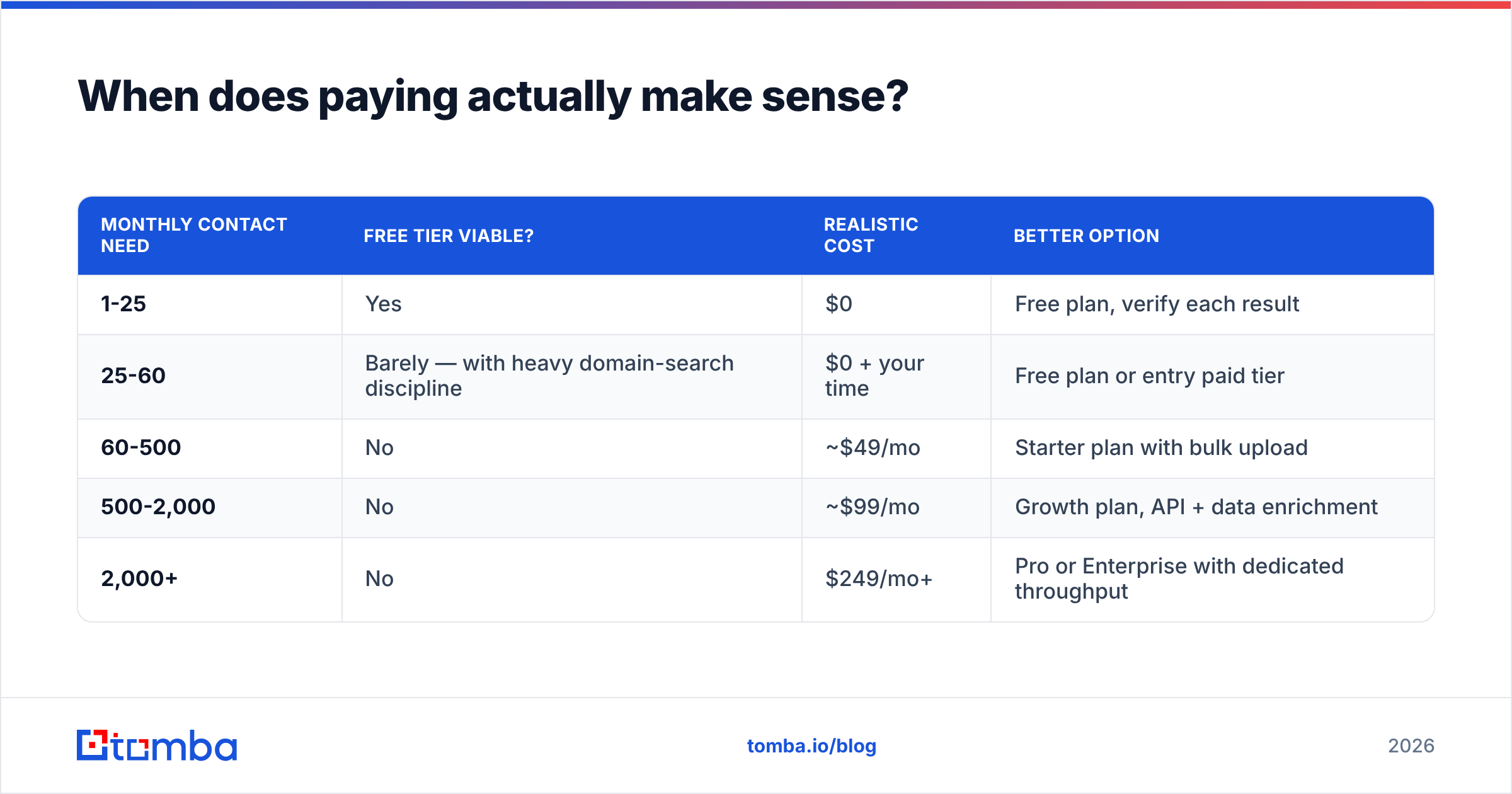
When does paying actually make sense?#
Run the arithmetic rather than the vibe.
| Monthly contact need | Free tier viable? | Realistic cost | Better option |
|---|---|---|---|
| 1-25 | Yes | $0 | Free plan, verify each result |
| 25-60 | Barely — with heavy domain-search discipline | $0 + your time | Free plan or entry paid tier |
| 60-500 | No | ~$49/mo | Starter plan with bulk upload |
| 500-2,000 | No | ~$99/mo | Growth plan, API + data enrichment |
| 2,000+ | No | $249/mo+ | Pro or Enterprise with dedicated throughput |
The tipping point sits around 60 contacts a month. Below it, free plans plus disciplined verification genuinely work. Above it, you'll spend more hours managing scarcity than the subscription costs — and the hidden deliverability tax on unverified sends starts compounding.
One more consideration that doesn't fit a table: reviews on G2 consistently show the biggest complaint with free-tier data tools isn't accuracy, it's workflow friction. No bulk upload, no CRM sync, no API. Those aren't accuracy problems, but they cost real hours, and hours are the most expensive line item in any outbound program.
Frequently asked questions#
Do free email finders violate GDPR? Business contact data has a legitimate-interest pathway under GDPR, but you still owe transparency, an opt-out, and a documented basis. The tool's compliance posture doesn't transfer to you — your sending practice is your responsibility. Check the vendor's data sources disclosure before relying on it.
Can I stack multiple free plans? Technically yes, and for a one-off project of 100 contacts it's defensible. As an ongoing system it fails: five logins, five export formats, five deduplication passes, and no single source of truth.
Why did the free tool return nothing for my target? Most likely the person has no indexed public footprint at that domain, or the domain is catch-all and the tool suppressed a low-confidence result rather than charging you for a guess. Suppression is a feature, not a failure.
Is a free LinkedIn email extractor safe to use? Browser extensions that scrape profile pages sit in a gray zone with LinkedIn's terms and can get accounts restricted. A compliant LinkedIn finder that resolves a profile URL to an email through a database lookup carries far less account risk.
Start free, then scale when the math changes#
Free email finders are worth using — just use them for what they're good at. Twenty-five verified addresses a month is enough to test a market, research a target account list, or reach the ten people who actually matter this quarter. It's not enough to run a pipeline, and no amount of account-stacking changes that.
Start with the Tomba Email Finder free plan: 25 searches and 50 verifications a month, no card, full API access, and every result carries a verification status so you know what you're sending to. When you outgrow it — and if outbound is working, you will — the $49/mo Starter plan opens bulk uploads and the enrichment workflows that turn a contact list into a repeatable process.
Related guides#
Ready to find emails that actually work?
Join 150,000+ professionals who stopped guessing and started sending. Free credits on signup — no credit card required.
Get the Tomba newsletter
Practical outbound tactics and product updates — once every two weeks.
About the author