Free Email Search Engine: How to Find Emails Without Paying
Free email search engines promise unlimited contacts and deliver bounced lists. Here is what the free tiers actually give you in 2026, which ones are worth the signup, and when free stops being cheap.
TL;DR
- A "free email search engine" is really one of three things: a free tier on a paid finder, a public-web scraper, or a guess-the-pattern generator. Only the first is safe to send from.
- Free tiers in 2026 land between 10 and 50 lookups per month. Tomba gives 25 searches, Hunter 25, Snov.io 50 credits, Skrapp 100/mo on a throttled plan.
- Accuracy is where free breaks down. Pattern generators return a syntactically valid address with roughly 40-60% odds of landing; verified finders publish 95%+ deliverability on confirmed results.
- The real cost of "free" is your sender reputation. A 12% bounce rate on 200 emails does more damage than a $49/mo subscription saves.
- Best free workflow: use a free finder for the lookup, then run every result through a free email checker before it touches your sequence.
What is a free email search engine?#
A free email search engine is any tool that takes a name, domain, company, or LinkedIn URL and returns a professional email address without charging you upfront. That is the marketing definition. The engineering definition matters more, because the three underlying architectures behave completely differently.
Think of it like finding a phone number. You can look it up in a maintained directory (accurate, but the directory costs money to maintain), you can search the open web for anywhere the number was published (free, but stale), or you can guess based on the area code and prefix pattern (instant, and often wrong).
The three types you will actually encounter:
- Freemium finders — Tomba, Hunter, Snov.io, Skrapp. A real index plus SMTP verification, metered by a monthly credit allowance. The data is the same data paying customers get; you just get less of it.
- Public-web scrapers — browser extensions and "search engine" sites that crawl indexed pages for
mailto:links and plaintext addresses. Genuinely free, genuinely unfiltered. Great for findinginfo@andpress@, useless for reaching a VP of Engineering. - Pattern generators / permutators — feed in "Jane Doe" + "acme.com" and get back the 20 possible permutations. Zero data behind it. Free forever because there is nothing to pay for. An email permutator is a legitimate tool, but it is a hypothesis generator, not an answer.
- Reverse lookup and enrichment tools — you already have one data point (an email, a domain, a LinkedIn profile) and want the rest. Reverse email lookup sits here. Often free at low volume because the lookup is cheap.
The distinction is not academic. Types 2 and 3 return addresses that have never been checked against a mail server. Type 1 returns addresses with a confidence score attached. That difference shows up in your bounce rate about 48 hours after you press send.

How accurate is a free email search engine really?#
Accuracy splits along the same three lines, and the gap is wider than most vendor pages admit.
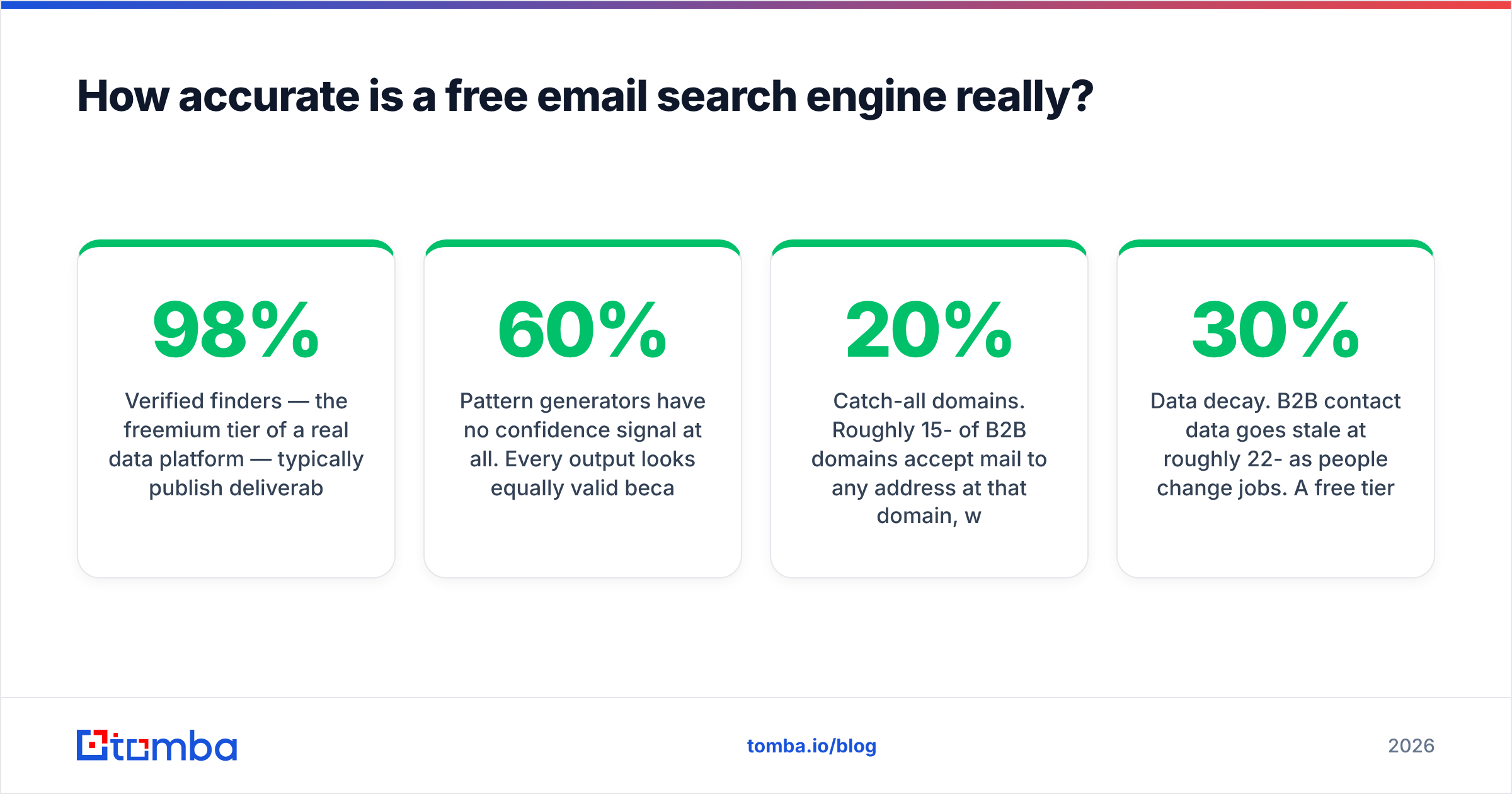
Verified finders — the freemium tier of a real data platform — typically publish deliverability in the 95-98% range on results they mark as "verified" or "high confidence." Critically, they also tell you when they are not confident. A result flagged "guessed" or scored 60/100 is the tool being honest that it applied a pattern and could not confirm it via SMTP.
Pattern generators have no confidence signal at all. Every output looks equally valid because every output is equally valid syntactically. Independent testing across B2B datasets consistently puts blind-permutation hit rates somewhere in the 40-60% band, with the higher end only on companies using the dominant first.last@ convention. Fine for a 10-person list you will hand-check. Catastrophic for 500 sends.

Public-web scrapers sit in a strange middle. The addresses they find are real — someone published them. But "real" and "current" are different things. A conference speaker list from 2021 is full of addresses that stopped resolving three job changes ago. Scraped data skews heavily toward role accounts (sales@, support@) because those are what companies publish.
Three factors degrade accuracy regardless of tool type:
- Catch-all domains. Roughly 15-20% of B2B domains accept mail to any address at that domain, which means SMTP verification returns "valid" for
asdfgh@company.com. Any tool claiming 100% verification on a catch-all domain is guessing. A dedicated catch-all verifier uses secondary signals instead of trusting the SMTP handshake. - Data decay. B2B contact data goes stale at roughly 22-30% per year as people change jobs. A free tier querying a stale index is worse than a paid tier querying a fresh one, even at the same nominal accuracy.
- Provider-side blocking. Google Workspace and Microsoft 365 both suppress SMTP-level verification signals. Tools that relied purely on the handshake have had to move to inference models, and quality varies sharply between vendors on those domains.
Which free email search engines are worth using in 2026?#
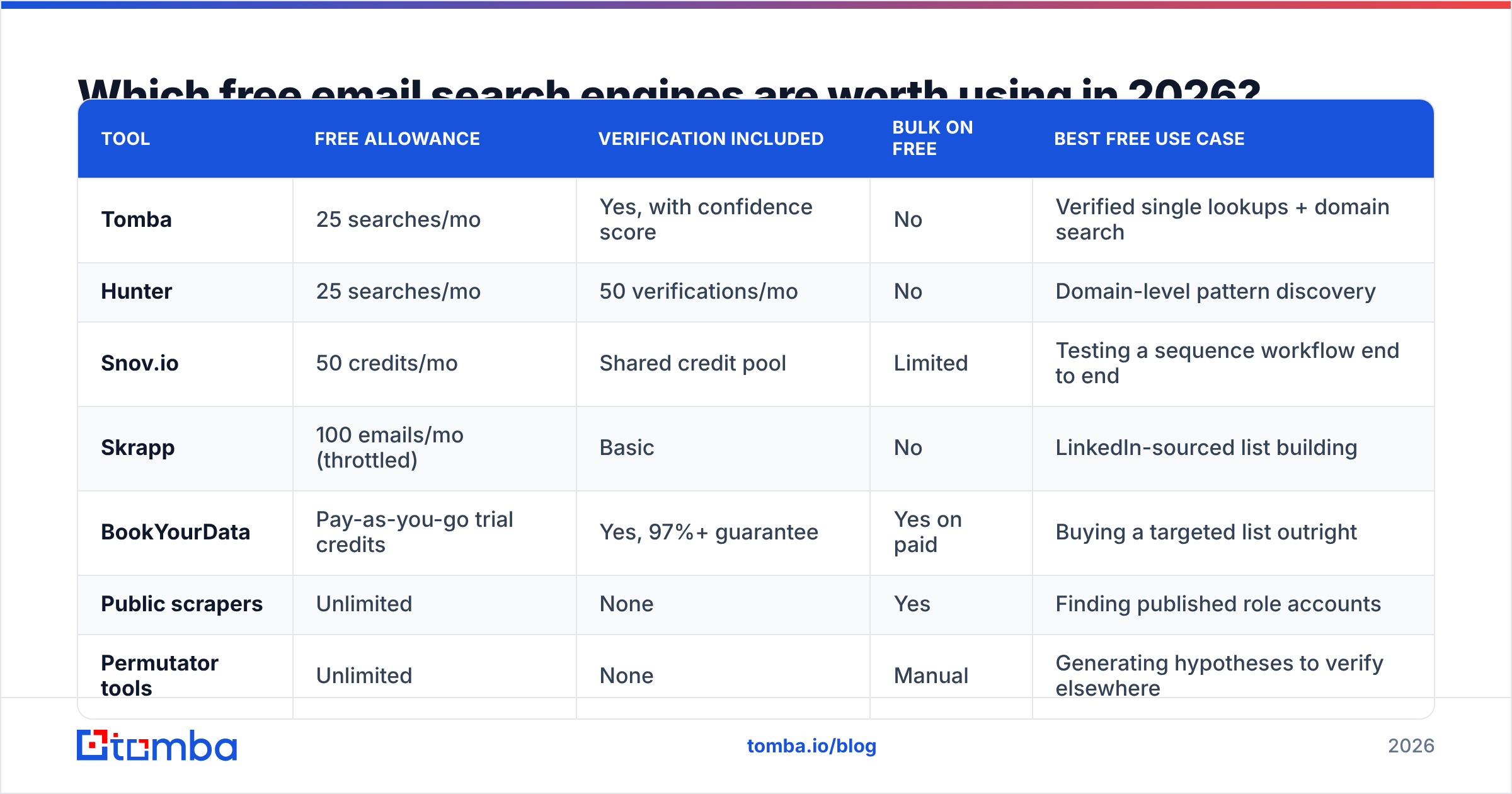
Here is the honest comparison. All figures are the publicly listed free-tier terms as of this writing — check the vendor pages before you commit, because free tiers change more often than paid ones.
| Tool | Free allowance | Verification included | Bulk on free | Best free use case |
|---|---|---|---|---|
| Tomba | 25 searches/mo | Yes, with confidence score | No | Verified single lookups + domain search |
| Hunter | 25 searches/mo | 50 verifications/mo | No | Domain-level pattern discovery |
| Snov.io | 50 credits/mo | Shared credit pool | Limited | Testing a sequence workflow end to end |
| Skrapp | 100 emails/mo (throttled) | Basic | No | LinkedIn-sourced list building |
| BookYourData | Pay-as-you-go trial credits | Yes, 97%+ guarantee | Yes on paid | Buying a targeted list outright |
| Public scrapers | Unlimited | None | Yes | Finding published role accounts |
| Permutator tools | Unlimited | None | Manual | Generating hypotheses to verify elsewhere |

A few notes on reading that table.
Credit accounting is not standardized. One vendor's "credit" is one search; another's covers a search and a verification; a third charges a credit even when the search returns nothing. Snov.io's 50 looks generous next to Tomba's 25 until you notice the pool is shared with verification and enrichment. Always ask: does a failed search consume a credit? On Tomba it does not — you are charged for results, not attempts.
BookYourData works differently from the rest and is worth understanding on its own terms. It is a database purchase model rather than a per-lookup finder: you filter a pre-built B2B dataset by title, industry, and geography, then buy exactly that slice with a stated accuracy guarantee. If you know precisely who you want and need volume today, that model beats grinding through a 25-search free tier. If you are doing targeted one-off lookups on specific named people, a finder is the better shape.
Public scrapers are a real category, not a joke. If your ICP is small agencies and local businesses, published contact pages are a legitimate source. Just do not confuse "I scraped 4,000 addresses" with "I built a list." Run an email extractor over the raw text, deduplicate, then verify. The survivors are your list.
How do you build a usable list on a free tier?#
The constraint on a free tier is not the tool, it is the 25-50 lookup ceiling. So the whole game is spending those lookups on contacts you already believe in, rather than burning them on discovery.
Step 1 — Do discovery for free, elsewhere. LinkedIn Sales Navigator's free trial, company team pages, conference speaker lists, podcast guest archives, GitHub org members. You are building a list of names and companies, which costs zero credits. Aim for 3x your credit allowance so you can filter.
Step 2 — Establish the domain pattern before spending credits. One domain search on a company returns the addresses the tool knows plus the dominant pattern for that domain ({first}.{last}@, {f}{last}@, etc.). One credit tells you the format for every person at that company. Now you can construct the remaining addresses yourself and spend your credits on verification instead of discovery — a roughly 4x effective multiplier on a free tier.
Step 3 — Verify everything, including the results you constructed. Free verification tools exist and are separate from your finder allowance. A free email checker will catch syntax errors, disposable domains, and dead mailboxes before they cost you a bounce. This step is non-negotiable and it is where most free-tier workflows fall apart.
Step 4 — Segment by confidence, not by hope. Split into three buckets: verified (send freely), catch-all (send in small batches from a secondary domain), and unverified/guessed (do not send — use LinkedIn or a form instead). Treating bucket three like bucket one is the single most common way people torch a new domain.
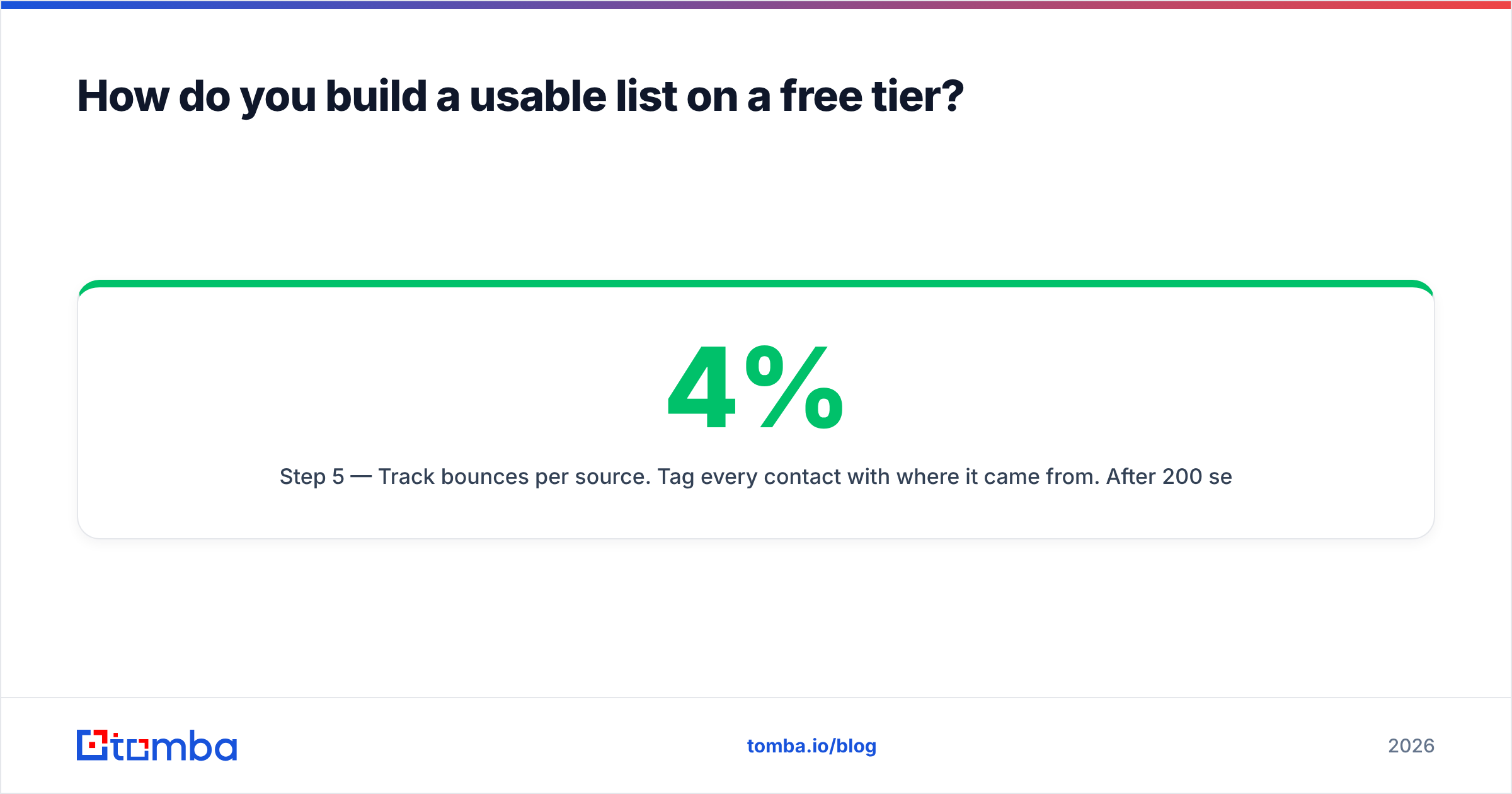
Step 5 — Track bounces per source. Tag every contact with where it came from. After 200 sends you will know empirically whether your scraper source bounces at 4% or 19%, and you can stop guessing about tool quality.
Step 6 — Rotate free tiers only if you actually need to. Signing up for four free plans to get 200 lookups a month is technically possible and practically miserable — four dashboards, four export formats, four sets of dedupe work. Past roughly 100 contacts/month the admin overhead exceeds the subscription cost.

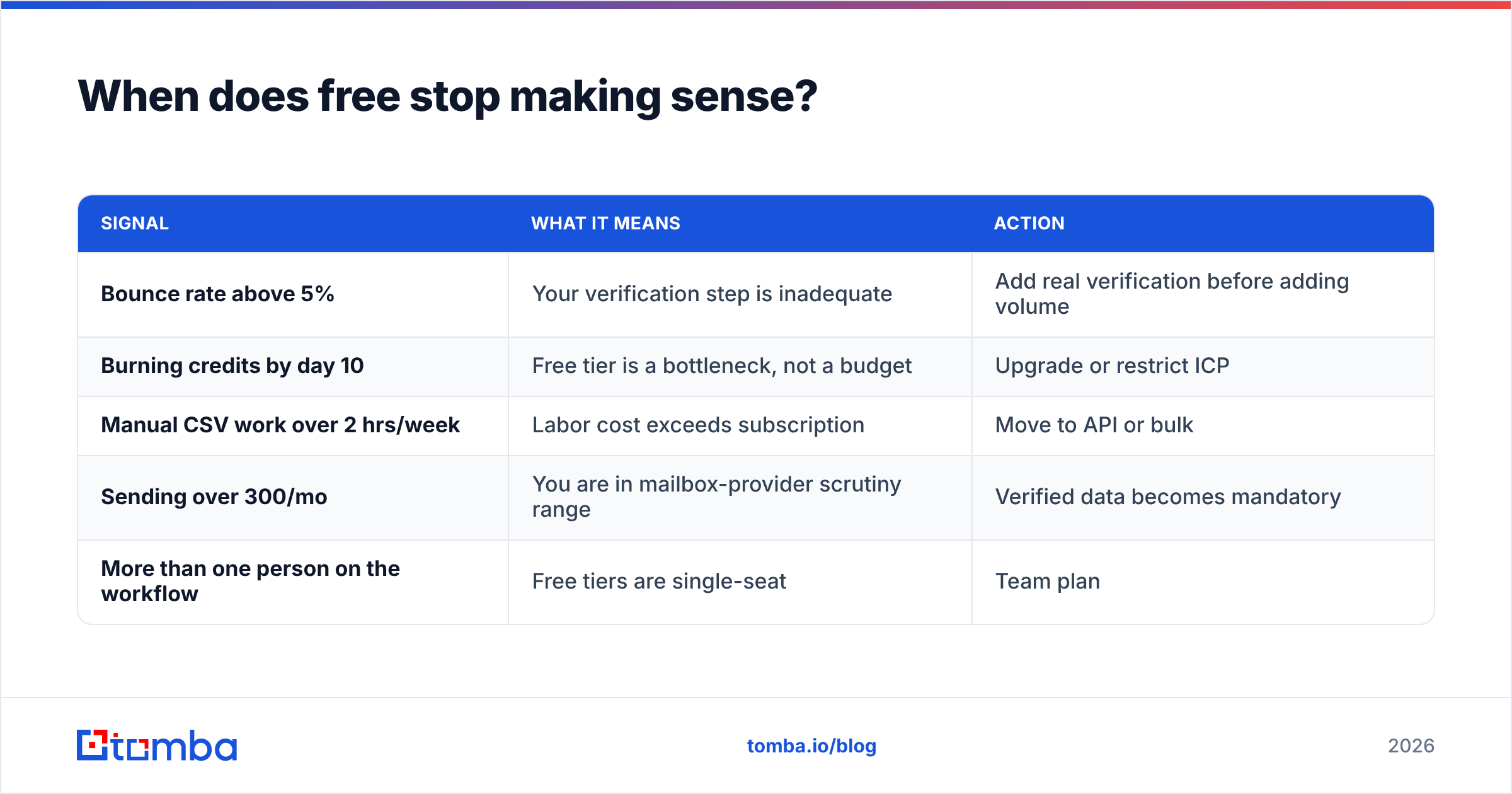
When does free stop making sense?#
Free stops making sense at the exact point where a bounce costs you more than a credit does. That crossover happens sooner than people expect.
Run the arithmetic. Say you send 500 cold emails a month. A verified list bounces at 2-3%; a permutated, unverified list bounces at 12-18%. Mailbox providers start throttling and spam-foldering when bounce rates cross roughly 2%, and both Google and Yahoo tightened bulk sender requirements in 2024 with spam-complaint and authentication thresholds that have only gotten stricter since. Once you are in the penalty box, your good emails stop landing too — including replies to warm leads and, in a bad configuration, transactional mail from the same domain.
The recovery cost is the part nobody budgets for. Rebuilding sender reputation after a damaged domain takes weeks of warmup at reduced volume, and some people just buy a new domain and start over. Against that, $49/mo for a starter plan is not a cost, it is insurance. Tomba pricing runs Free (25 searches/mo), Starter at $49/mo, Growth at $99/mo, Pro at $249/mo, and custom Enterprise — and the free tier exists precisely so you can validate that the data quality is real before paying for it.
Concrete triggers to upgrade:
| Signal | What it means | Action |
|---|---|---|
| Bounce rate above 5% | Your verification step is inadequate | Add real verification before adding volume |
| Burning credits by day 10 | Free tier is a bottleneck, not a budget | Upgrade or restrict ICP |
| Manual CSV work over 2 hrs/week | Labor cost exceeds subscription | Move to API or bulk |
| Sending over 300/mo | You are in mailbox-provider scrutiny range | Verified data becomes mandatory |
| More than one person on the workflow | Free tiers are single-seat | Team plan |
There is also a workflow trigger that has nothing to do with volume. The moment you want lookups to happen inside another system — a CRM enrichment on record creation, a Zapier step, a nightly script — free tiers stop working because they rarely include API access. That is when the Tomba API or a HubSpot integration changes the shape of the work rather than just the volume.
Is a free email search engine legal and compliant?#
Short answer: finding a business email is generally legal in most jurisdictions; what you do with it is where compliance lives.
Under GDPR, a work email tied to an identifiable person is personal data. Legitimate interest can be a lawful basis for B2B outreach in the EU, but it requires that you document the assessment, disclose where you got the data, and honor deletion requests immediately. Under CAN-SPAM in the US, the bar is lower — accurate headers, a real physical address, a working opt-out honored within 10 business days — but there is no consent requirement for B2B cold email. CASL in Canada is stricter and closer to opt-in. Check the actual rules for your target geography rather than assuming; the GDPR overview on Wikipedia is a reasonable starting point before you talk to counsel.
Where free tools create specific risk:
- Unattributable sourcing. If you cannot say where an address came from, you cannot answer a GDPR data-subject request properly. Established vendors publish their data sources; anonymous scraper sites do not.
- Scraping platforms that forbid it. Extensions that harvest data from behind a platform login are generally violating that platform's terms, whatever the legal status of the data itself. That is an account-termination risk, not a courtroom risk, but it is still a risk.
- No suppression handling. Free tiers typically do not maintain do-not-contact lists across your account. If someone opts out and you re-import them next month from a fresh scrape, you have created a real violation.
Vendor selection matters here more than tool features. A vendor with published sourcing, a DPA, and a documented deletion process is doing compliance work you would otherwise have to do yourself. Reading recent user reviews on G2 is a faster reality check on both accuracy and support responsiveness than any vendor comparison page, including this one.
What should you actually do this week?#
Pick one free finder, not four. Spend a week's worth of credits on a single tightly-defined segment — one industry, one job title, 25 companies. Establish the domain pattern with a domain search before you spend credits on individuals. Verify everything, including addresses you constructed yourself. Then send 50 emails and measure the bounce rate.
That number is your answer. Under 3% means your free workflow is working and you should scale it until the credit ceiling stops you. Over 8% means the data source is the problem and no amount of clever copy will fix it.
If you want to run that test on data with a confidence score attached rather than a permutation and a prayer, start with the Tomba Email Finder — the free tier gives you 25 searches a month with no card required, which is exactly enough to find out whether the results hold up before you spend anything.
Related guides#
Ready to find emails that actually work?
Join 150,000+ professionals who stopped guessing and started sending. Free credits on signup — no credit card required.
Get the Tomba newsletter
Practical outbound tactics and product updates — once every two weeks.
About the author