Friendly Email Opening Lines That Actually Get Replies
Most friendly email openers are filler. "Hope you're doing well" does nothing for your reply rate. Here are 27 opening lines that earn a response, the six that quietly kill it, and how to test them on your own list.
TL;DR
- "Hope you're doing well" is not a friendly opening line. It's a placeholder that signals the email was written for nobody in particular.
- The openers that work share three traits: they reference something specific, they arrive before the ask, and they take under 15 words.
- Friendly beats formal in cold outbound, but friendly beats casual too — over-familiar openers ("Hey buddy!") read as mass-mail.
- Personalization only pays when the underlying data is right. A warm opener sent to a bounced or mismatched address is worse than no email at all.
- Test openers the way you test subject lines: one variable, 200+ sends per arm, reply rate as the metric — not open rate.
What Counts as a Friendly Email Opening Line?#
A friendly email opening line is the first sentence after the greeting — the one that sets tone before you ask for anything. It's not the subject line, and it's not the salutation. It's the bridge.
Think of it like the first ten seconds of a phone call with someone you've never met. You don't launch into your pitch, and you don't spend two minutes on the weather. You say one specific thing that proves you know who you called, then you get to the point.
Three things separate a friendly opener from a formal or casual one:
- Register. Friendly sits between "Dear Sir or Madam" and "Yo." It uses contractions, first names, and plain verbs — but it doesn't assume intimacy you haven't earned.
- Direction. A friendly opener points at the reader ("Your team's move to hybrid onboarding..."), not at you ("I'm reaching out because our platform...").
- Cost. It has to be cheap to read. Every word before the reason you're writing is a word the reader can use to decide to leave.
The failure mode is well documented. When HubSpot's sales blog analyzed high-performing outreach, the pattern that recurred wasn't warmth for its own sake — it was relevance delivered warmly. Warmth without relevance is just noise with a smile on it.
Why Do Most "Friendly" Openers Fail?#
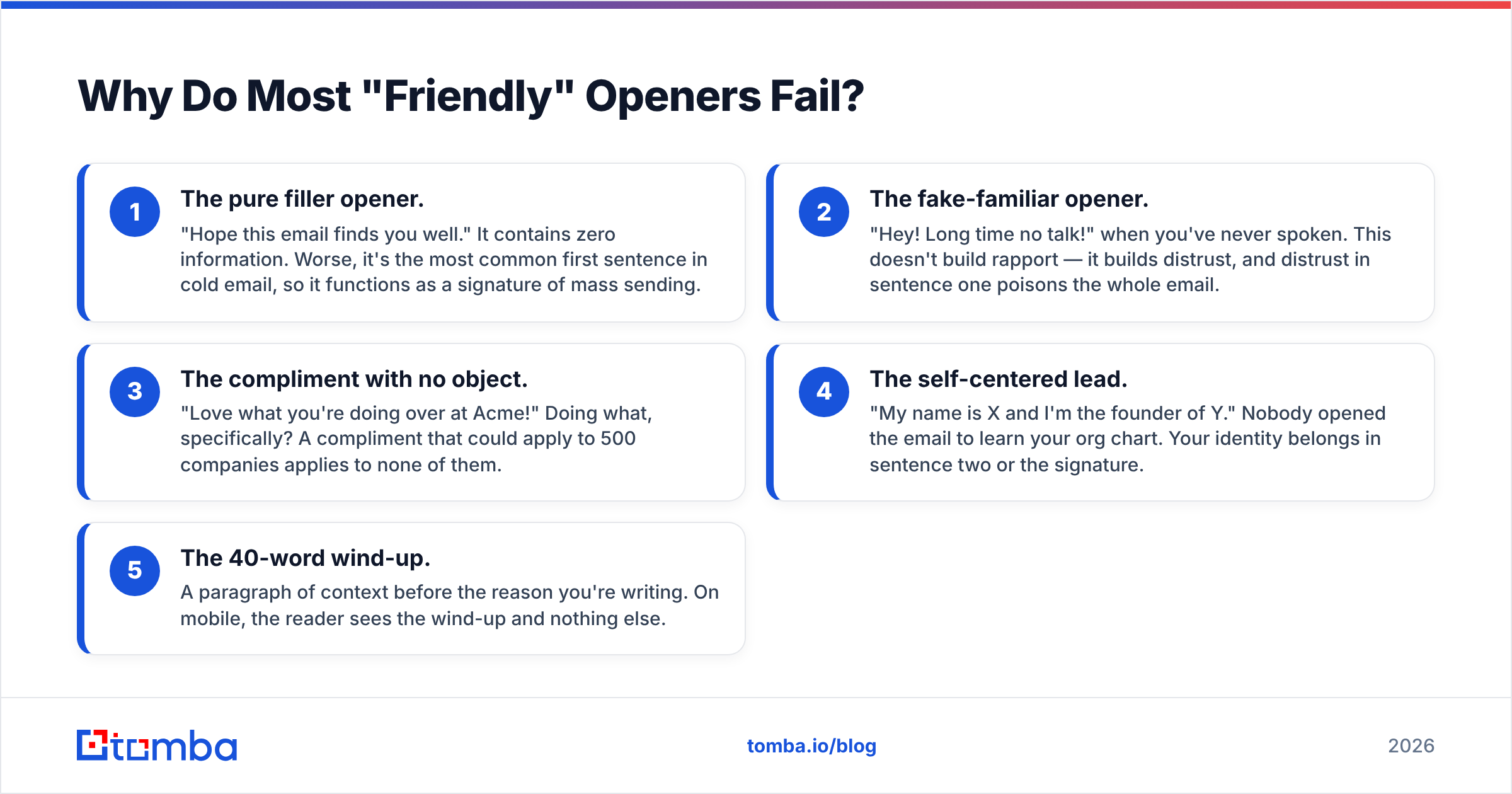
Because they're written to fill a slot, not to earn attention. Here are the five failure patterns that show up in almost every underperforming sequence:
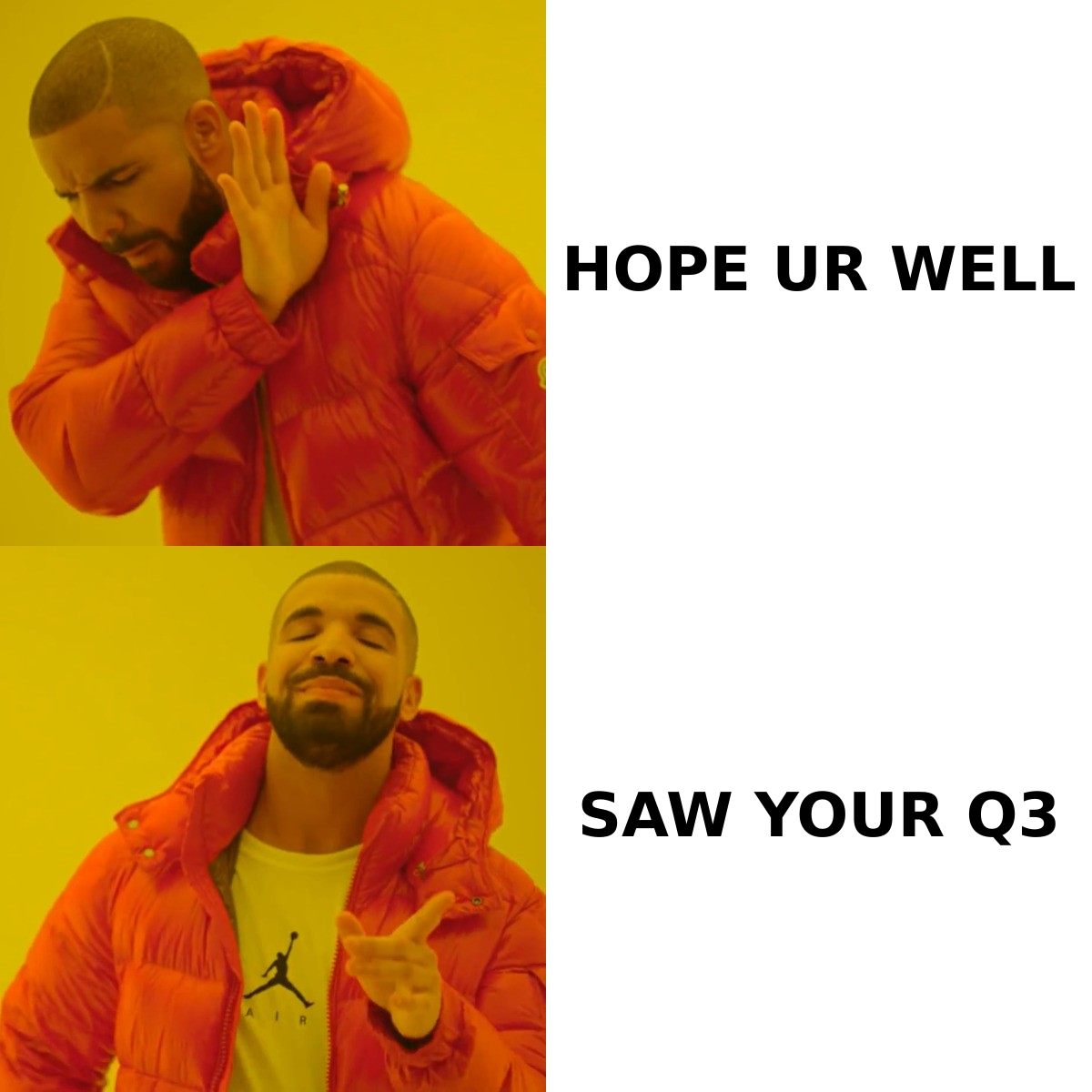
- The pure filler opener. "Hope this email finds you well." It contains zero information. Worse, it's the most common first sentence in cold email, so it functions as a signature of mass sending.
- The fake-familiar opener. "Hey! Long time no talk!" when you've never spoken. This doesn't build rapport — it builds distrust, and distrust in sentence one poisons the whole email.
- The compliment with no object. "Love what you're doing over at Acme!" Doing what, specifically? A compliment that could apply to 500 companies applies to none of them.
- The self-centered lead. "My name is X and I'm the founder of Y." Nobody opened the email to learn your org chart. Your identity belongs in sentence two or the signature.
- The 40-word wind-up. A paragraph of context before the reason you're writing. On mobile, the reader sees the wind-up and nothing else.
There's a sixth pattern that's harder to spot: the opener that's technically personalized but references something stale. Citing a funding round from 2023 or a job title the person left eight months ago is worse than saying nothing, because it proves your data is old and your research was automated. That's a data problem, not a copy problem — and it's why teams that run data enrichment before a campaign consistently get more out of the same templates.
Friendly vs. Formal vs. Casual: Which Register Actually Wins?#
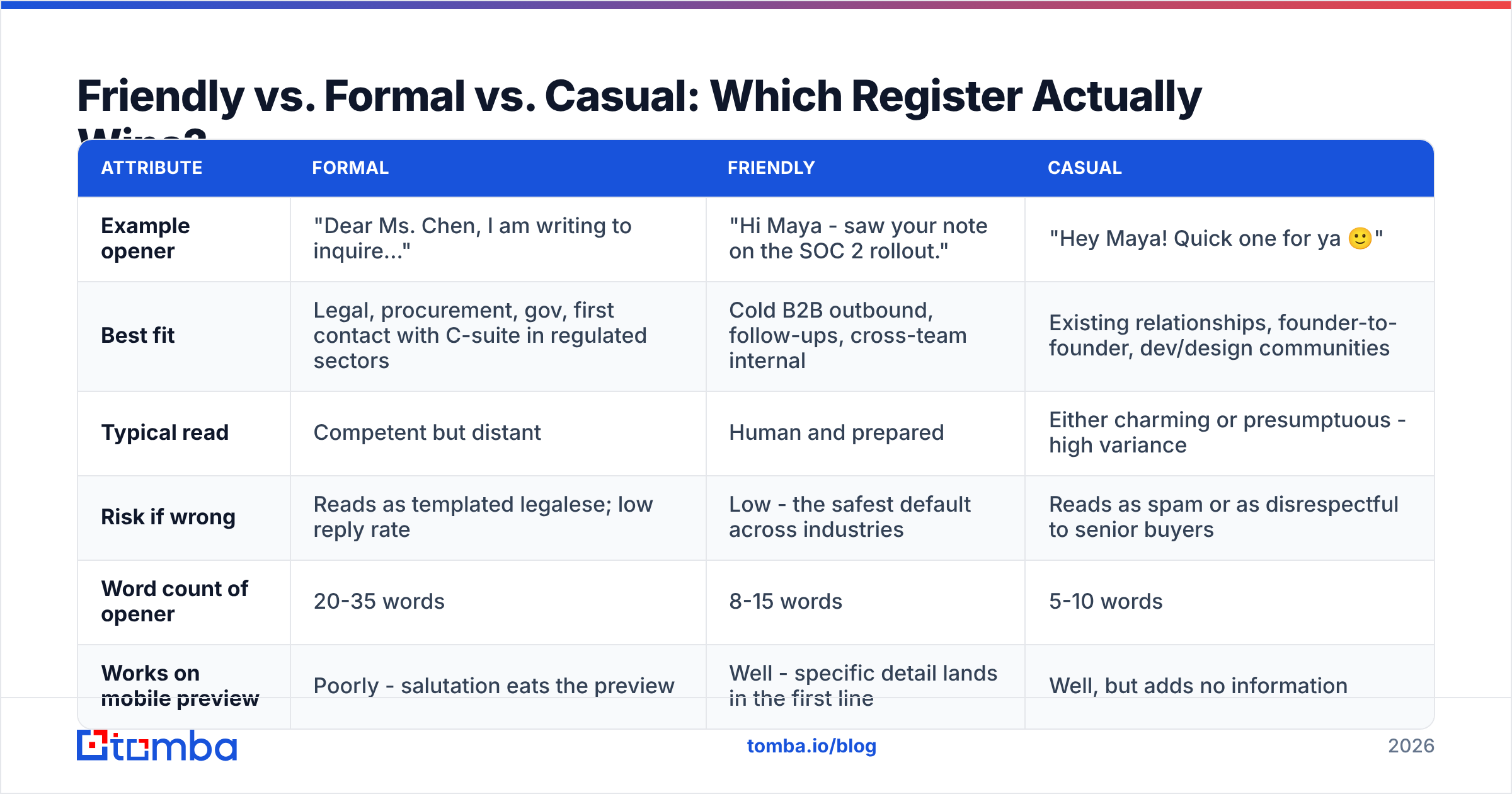
Register isn't a style preference. It changes reply rates, and it changes them differently depending on who you're writing to and whether they know you.
| Attribute | Formal | Friendly | Casual |
|---|---|---|---|
| Example opener | "Dear Ms. Chen, I am writing to inquire..." | "Hi Maya - saw your note on the SOC 2 rollout." | "Hey Maya! Quick one for ya 🙂" |
| Best fit | Legal, procurement, gov, first contact with C-suite in regulated sectors | Cold B2B outbound, follow-ups, cross-team internal | Existing relationships, founder-to-founder, dev/design communities |
| Typical read | Competent but distant | Human and prepared | Either charming or presumptuous - high variance |
| Risk if wrong | Reads as templated legalese; low reply rate | Low - the safest default across industries | Reads as spam or as disrespectful to senior buyers |
| Word count of opener | 20-35 words | 8-15 words | 5-10 words |
| Works on mobile preview | Poorly - salutation eats the preview | Well - specific detail lands in the first line | Well, but adds no information |
The practical read: friendly is the default, formal is the exception you reserve for regulated or hierarchical buyers, and casual is a privilege you unlock after the first reply. Sales-engagement vendors listed on G2's sales engagement category increasingly ship tone controls for exactly this reason — register is now treated as a testable variable, not a matter of taste.
What Are 27 Friendly Email Opening Lines Worth Stealing?#
Swap the brackets for real detail. If you can't fill a bracket, don't use the line.
Cold outreach (first contact)#
- "Saw [Company] just opened a [city] office — congrats on the expansion."
- "Your post on [topic] made a point I've been arguing with my team about for a month."
- "I read that [Company] moved [process] in-house this year. That's a bigger lift than most people admit."
- "Noticed you're hiring three [role]s — usually that means [problem] is on your desk."
- "Quick context: I work with [similar company] on [problem], which is why your [initiative] caught my eye."
- "You and I both spent time at [shared company/school], so I'll skip the long intro."
- "Your [product feature] launch is the first one I've seen that handles [edge case] properly."
Replying to someone who wrote first#
- "Thanks for getting back so fast — that's rarer than it should be."
- "Good question, and one I got wrong the first time I answered it."
- "Happy to dig in. Short answer first, detail below."
- "Appreciate you flagging that — you're right, and here's what changed."
- "This is helpful. It also raises one thing I want to check before we go further."
- "Glad the [resource] was useful. Here's the piece I left out."
Follow-ups#
- "Circling back with the one number I promised: [metric]."
- "No pressure at all — closing the loop in case this dropped off."
- "Last note from me on this, then I'll stop filling your inbox."
- "Since we spoke, [relevant change] happened, which changes the math a bit."
- "You mentioned [Q3 timing] — that's about now, so figured I'd check."
Networking and referrals#
- "[Mutual contact] said you're the person who actually knows how [topic] works here."
- "We were both at [event] last week — I was the one asking the annoying question about [topic]."
- "I've been reading your [newsletter/blog] for about a year and finally have a reason to write."
- "Not a pitch. I'm researching how teams handle [problem] and you've clearly solved it."
- "Your name came up twice this month in conversations about [topic], so I'm taking the hint."
Internal and cross-team#
- "Two-minute ask, no deck attached."
- "Following up on the thing you flagged in standup — I think you were right."
- "Small heads-up before this hits your queue tomorrow."
- "You'll hate the first half of this email and like the second half."
Notice what almost none of them do: none of them start with the sender. Even lines 5 and 21, which mention "I," subordinate the sender to something the reader cares about.
How Do You Personalize an Opener Without Sounding Creepy?#
Personalization has a ceiling, and past it, warmth turns into surveillance. The line is simpler than people make it: reference things the person published, not things you inferred.
Safe to reference: a post they wrote, a talk they gave, a job change they announced, a product their company shipped, a hiring page, a public earnings comment, a podcast appearance.
Unsafe to reference: their commute, their family, their location down to the neighborhood, anything scraped from a personal social account, anything that implies you've been watching rather than reading.
The tell that separates the two: could the recipient reasonably expect a stranger to have seen it? A conference talk, yes. A Strava run, no.
There's also a volume trap. Deep manual research on 30 accounts beats shallow tokens on 3,000 — but only if you can actually reach those 30. This is where copy work and data work meet. An opener referencing a specific initiative lands beautifully at maya.chen@company.com and does nothing at all at a guessed address that bounces. Running your list through an email verifier before a personalized campaign protects both the reply rate and the sender reputation you need to keep landing in the inbox at all.
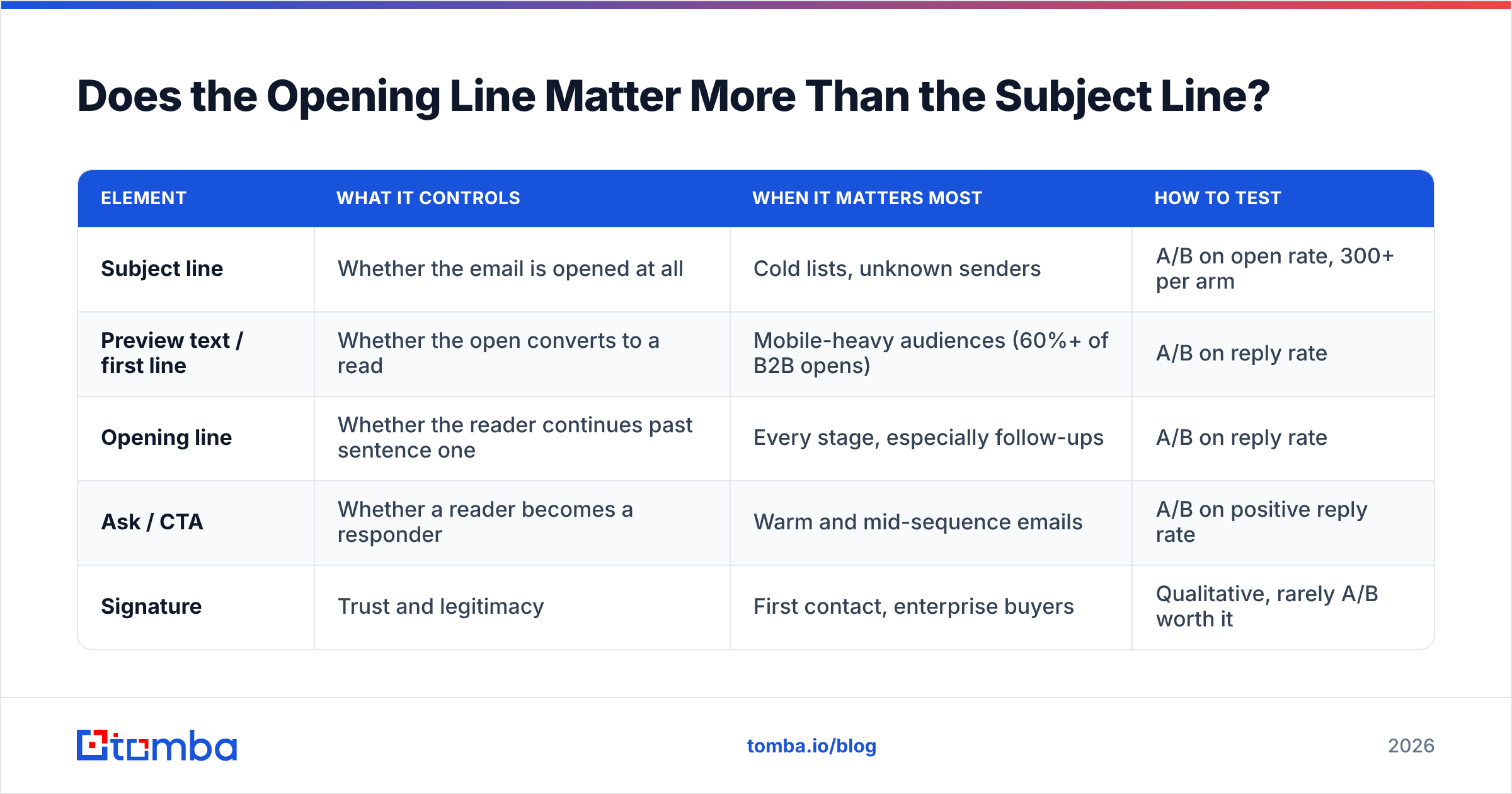
Does the Opening Line Matter More Than the Subject Line?#
Different jobs, and the answer depends on what you're optimizing.
| Element | What it controls | When it matters most | How to test |
|---|---|---|---|
| Subject line | Whether the email is opened at all | Cold lists, unknown senders | A/B on open rate, 300+ per arm |
| Preview text / first line | Whether the open converts to a read | Mobile-heavy audiences (60%+ of B2B opens) | A/B on reply rate |
| Opening line | Whether the reader continues past sentence one | Every stage, especially follow-ups | A/B on reply rate |
| Ask / CTA | Whether a reader becomes a responder | Warm and mid-sequence emails | A/B on positive reply rate |
| Signature | Trust and legitimacy | First contact, enterprise buyers | Qualitative, rarely A/B worth it |
On mobile clients, the opening line is the preview text. That single fact should change how you write it: the first 40 characters are doing subject-line work whether you intended it or not. If your opener starts with "I hope this email finds you well," you've spent your entire preview on nothing.
For subject-side testing, a subject line tester will flag spam triggers and length problems before you send. For the body, you'll get further borrowing proven structures from a cold email templates library and swapping only the opener — that keeps the test clean.
How Do You Test Friendly Opening Lines Properly?#
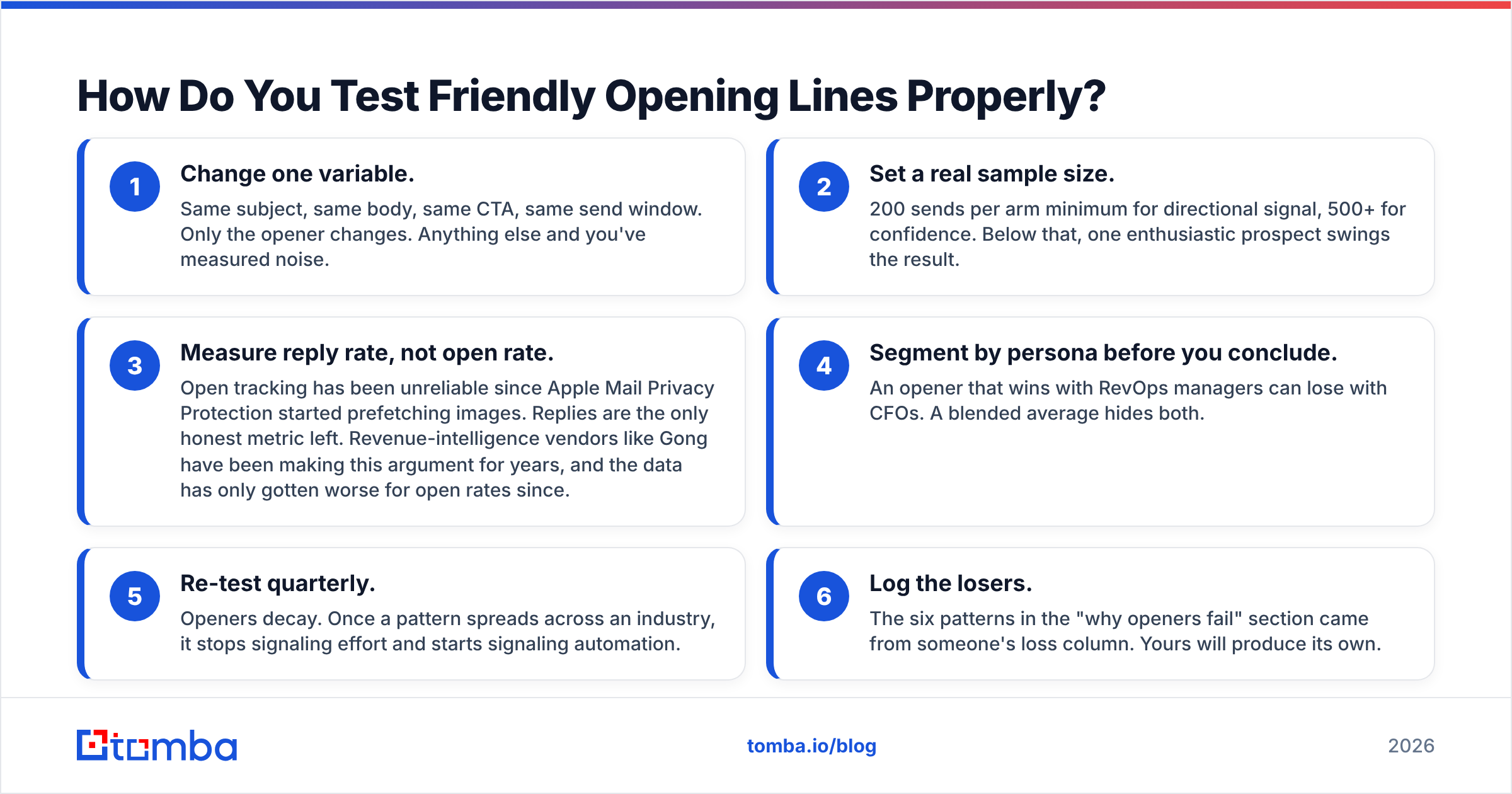
Most "testing" in cold email is two sends and a hunch. Do it properly:
- Change one variable. Same subject, same body, same CTA, same send window. Only the opener changes. Anything else and you've measured noise.
- Set a real sample size. 200 sends per arm minimum for directional signal, 500+ for confidence. Below that, one enthusiastic prospect swings the result.
- Measure reply rate, not open rate. Open tracking has been unreliable since Apple Mail Privacy Protection started prefetching images. Replies are the only honest metric left. Revenue-intelligence vendors like Gong have been making this argument for years, and the data has only gotten worse for open rates since.
- Segment by persona before you conclude. An opener that wins with RevOps managers can lose with CFOs. A blended average hides both.
- Re-test quarterly. Openers decay. Once a pattern spreads across an industry, it stops signaling effort and starts signaling automation.
- Log the losers. The six patterns in the "why openers fail" section came from someone's loss column. Yours will produce its own.
One caution on sample size: if your list has a 20% bounce rate, your effective sample is 20% smaller than you think, and your results skew toward whichever segment happened to have cleaner data. Clean the list first, then test the copy. Otherwise you're measuring your data provider, not your writing.
What Should You Do Next?#
Pick three openers from the list above that fit your actual audience. Write them into your next sequence, keep everything else identical, and run 200 sends per arm. You'll know within a week which register your market responds to — and that answer will be worth more than any list of templates, including this one.
The other half of the job is making sure those openers reach a real person. A specific, well-researched first line sent to a guessed address is wasted work. Use the Tomba Email Finder to get verified professional addresses by name and domain before you send, so the copy you tested actually gets read. The free tier covers 25 searches a month if you just want to check your assumptions, and Tomba pricing starts at $49/mo for teams running real volume.
Related guides#
Ready to find emails that actually work?
Join 150,000+ professionals who stopped guessing and started sending. Free credits on signup — no credit card required.
Get the Tomba newsletter
Practical outbound tactics and product updates — once every two weeks.
About the author