9 Best FrontSpin Alternatives for Sales Teams in 2026
FrontSpin built its name on power dialing and playbooks. But parallel dialers, cheaper per-seat pricing, and better contact data have changed the math. Here are nine alternatives compared on speed, stack fit, and real cost.
TL;DR
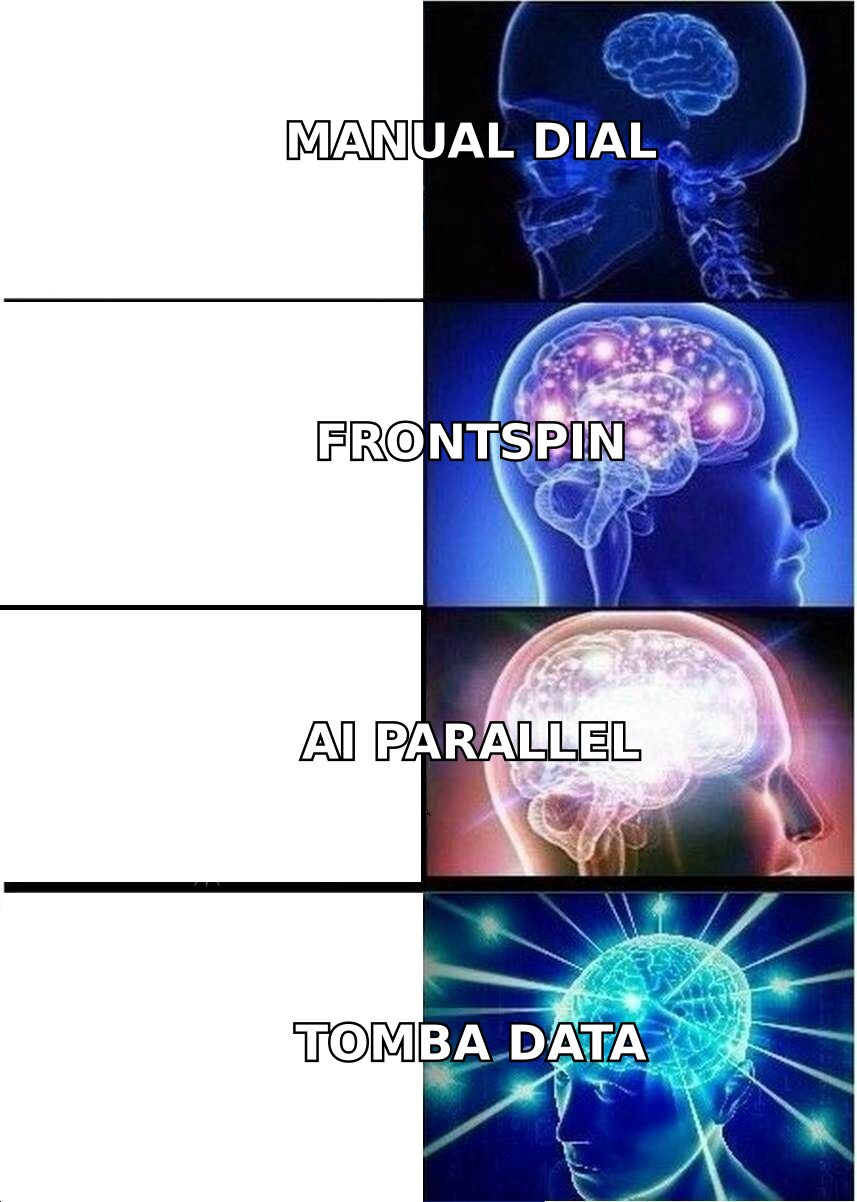
- FrontSpin is a power dialer plus email and playbook layer built for high-volume phone teams. It still works, but the category moved to parallel dialing, native CRM depth, and transparent per-seat pricing.
- If you want raw connect volume, look at Orum, Nooks, or Koncert. If you want a cheaper all-in-one, look at Kixie, JustCall, or Close. If you want the dialer inside a full sequencer, look at Salesloft or Apollo.
- Most "dialer problems" are actually data problems. A 4% connect rate on stale numbers stays 4% no matter how fast you dial.
- Budget realistically: parallel dialers are quote-based and typically land far above standard $30–$99/user/month VoIP dialers.
- Fix the contact layer first with a phone finder and verified emails, then pick the dialer that matches your call volume.
What is FrontSpin, and who is it actually for?#
FrontSpin is a sales communication platform built around a power dialer. The pitch: load a call list, work it sequentially without touching the keypad, drop pre-recorded voicemails, fire templated emails, and follow a scripted "playbook" so every rep says roughly the same thing. It leans on local presence dialing and Salesforce sync, and it has historically been sold to inside-sales and SDR teams doing serious call volume — insurance, staffing, SaaS BDR pods, agencies.
That design made a lot of sense when the alternative was a rep with a headset and a spreadsheet. The product is still marketed on its official site around that same core: dial faster, talk to more people, keep messaging consistent.
The friction shows up in three places. First, pricing is quote-driven rather than published, which makes budgeting and renewal negotiation harder than it needs to be. Second, the product has not kept pace with AI-assisted parallel dialing, which changes the connect math rather than just the dial math. Third, a power dialer only sells to the list you feed it — and most teams feed it a list that decayed months ago.
Why do teams look for FrontSpin alternatives?#
From reading through public review threads on G2 and talking to outbound leaders, the switching triggers cluster fairly tightly:
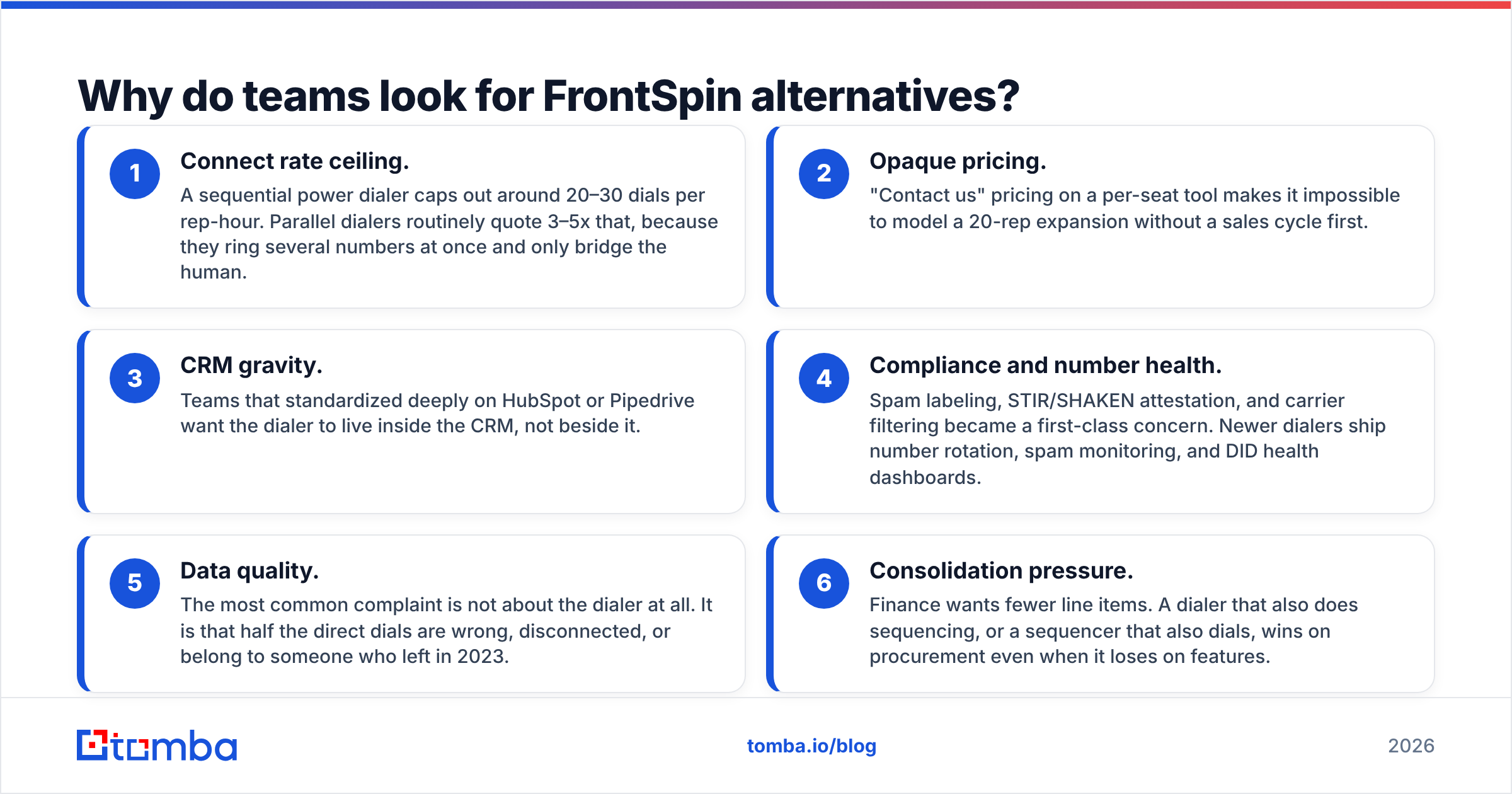
- Connect rate ceiling. A sequential power dialer caps out around 20–30 dials per rep-hour. Parallel dialers routinely quote 3–5x that, because they ring several numbers at once and only bridge the human.
- Opaque pricing. "Contact us" pricing on a per-seat tool makes it impossible to model a 20-rep expansion without a sales cycle first.
- CRM gravity. Teams that standardized deeply on HubSpot or Pipedrive want the dialer to live inside the CRM, not beside it.
- Compliance and number health. Spam labeling, STIR/SHAKEN attestation, and carrier filtering became a first-class concern. Newer dialers ship number rotation, spam monitoring, and DID health dashboards.
- Data quality. The most common complaint is not about the dialer at all. It is that half the direct dials are wrong, disconnected, or belong to someone who left in 2023.
- Consolidation pressure. Finance wants fewer line items. A dialer that also does sequencing, or a sequencer that also dials, wins on procurement even when it loses on features.
What should you compare before switching?#
Do not start with a feature grid. Start with these six questions, in this order — they eliminate most of the shortlist in about twenty minutes.
- What is your dials-to-meeting ratio today? If you need 120 dials per meeting, dial speed is your bottleneck and parallel dialing pays for itself. If you need 25, your bottleneck is targeting, not throughput.
- How good is your phone data, honestly? Pull 100 random numbers from your list, dial them manually, and count hard failures. Above 20% bad numbers means you have a data problem masquerading as a tooling problem.
- Where does the source of truth live? Salesforce, HubSpot, or a standalone CRM changes the answer more than any dialer feature does. Check the depth of the sync — bidirectional activity logging, custom object support, call disposition mapping.
- Do you need email in the same tool? FrontSpin bundles email. Some replacements do not, which means adding a sequencer and paying twice.
- What is your real seat count over 12 months? Quote-based tools price aggressively at 25+ seats and punish small teams. Published-price tools do the opposite.
- Who owns compliance? Recording consent by state, DNC scrubbing, and number reputation need an owner. Tools differ enormously in how much of this they automate.
Which FrontSpin alternatives are worth considering in 2026?#
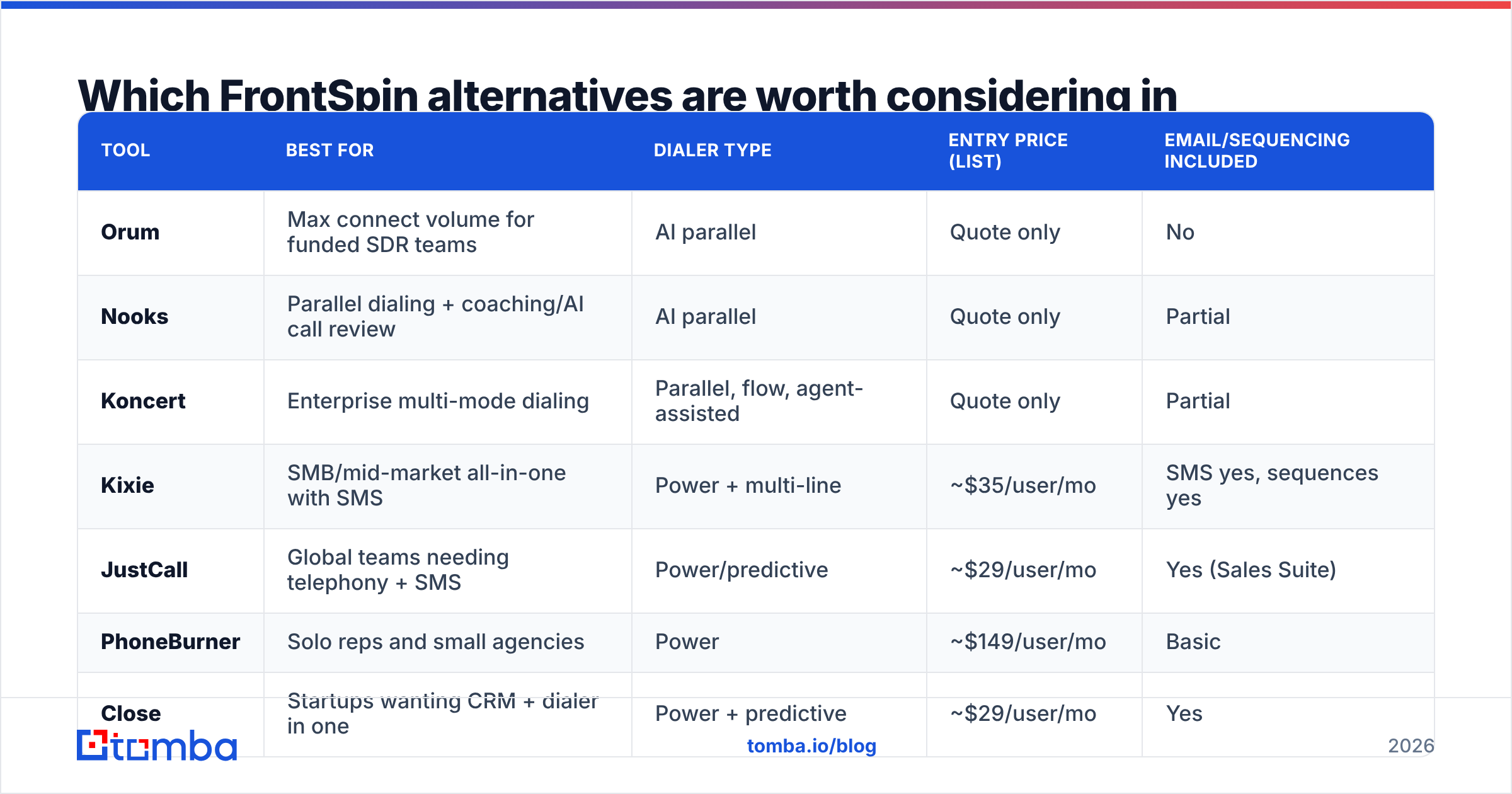
Here is the shortlist, with the practical trade-offs. Pricing below reflects publicly listed rates at the time of writing; quote-based vendors are marked as such and everything should be re-verified before you sign.
| Tool | Best for | Dialer type | Entry price (list) | Email/sequencing included |
|---|---|---|---|---|
| Orum | Max connect volume for funded SDR teams | AI parallel | Quote only | No |
| Nooks | Parallel dialing + coaching/AI call review | AI parallel | Quote only | Partial |
| Koncert | Enterprise multi-mode dialing | Parallel, flow, agent-assisted | Quote only | Partial |
| Kixie | SMB/mid-market all-in-one with SMS | Power + multi-line | ~$35/user/mo | SMS yes, sequences yes |
| JustCall | Global teams needing telephony + SMS | Power/predictive | ~$29/user/mo | Yes (Sales Suite) |
| PhoneBurner | Solo reps and small agencies | Power | ~$149/user/mo | Basic |
| Close | Startups wanting CRM + dialer in one | Power + predictive | ~$29/user/mo | Yes |
| Salesloft | Enterprise sequencing with dialer attached | Power | Quote (~$125+/user/mo) | Yes |
| Apollo.io | Teams wanting data + dialer + sequences | Power | Free tier; ~$49/user/mo paid | Yes |
Orum#
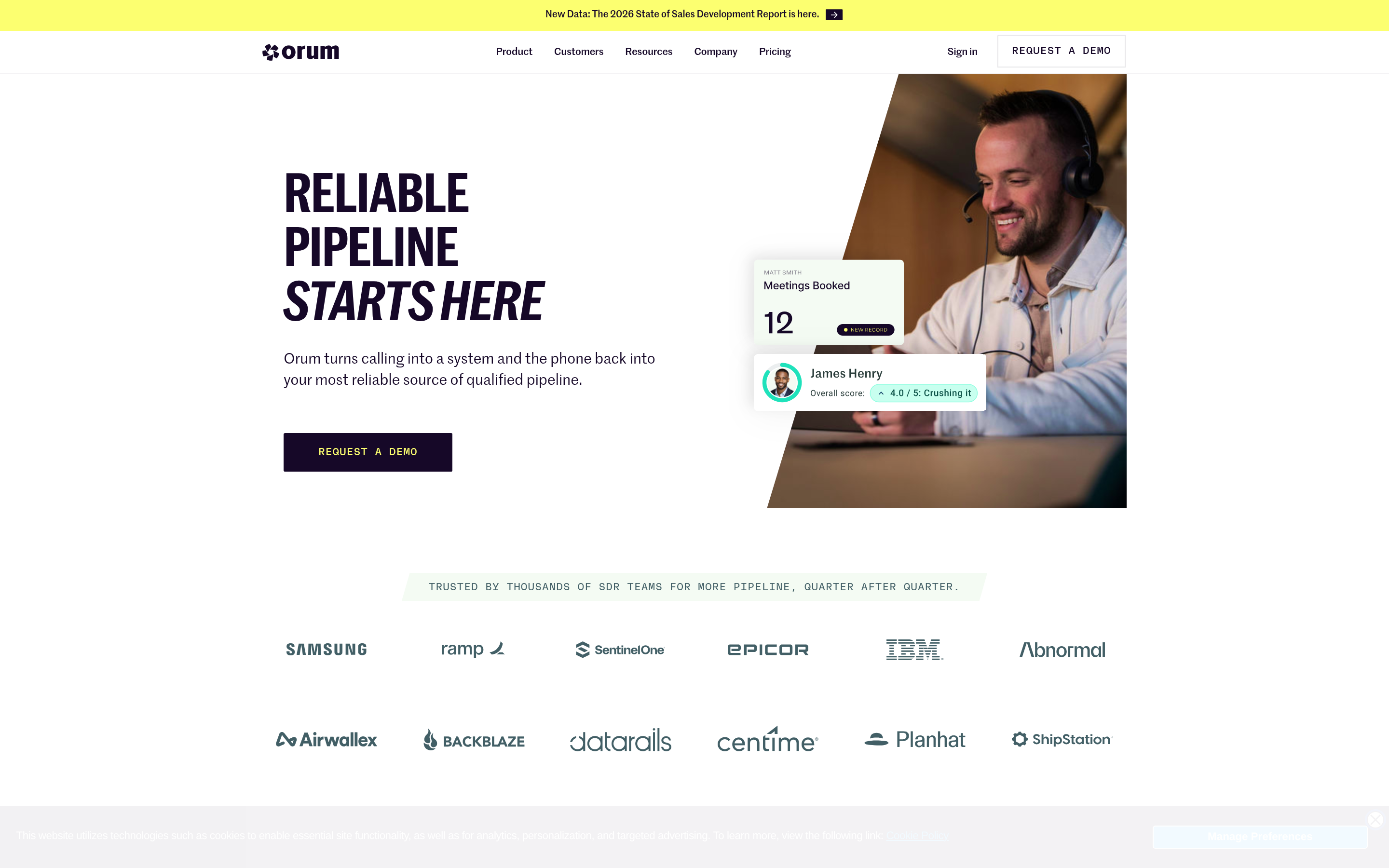
Orum is the reference point for AI parallel dialing. It dials multiple numbers simultaneously, filters voicemail and IVR trees, and connects the rep only when a human answers. Teams that adopt it typically report dial volume increases that would be impossible with sequential dialing. See how they frame the workflow on the Orum site.
The catch: it is a dialer, not a platform. You still need a sequencer, and pricing is quote-only and firmly enterprise-shaped. It is the right call when you have 10+ dedicated callers and a list large enough to feed parallel dialing without burning through it in a week.
Nooks#
Nooks pairs parallel dialing with a "virtual salesfloor" — shared rooms, live listen-in, AI call scoring, and coaching workflows. For managers running remote SDR pods, the coaching layer is often the real purchase reason, not the dial rate. Also quote-based.
Koncert#
Koncert offers several dialing modes in one product, including agent-assisted dialing where a human handles the connect. That mode gets very high live-conversation rates but costs more per connect. It skews enterprise and is worth evaluating if you are replacing FrontSpin at 50+ seats.
Kixie#
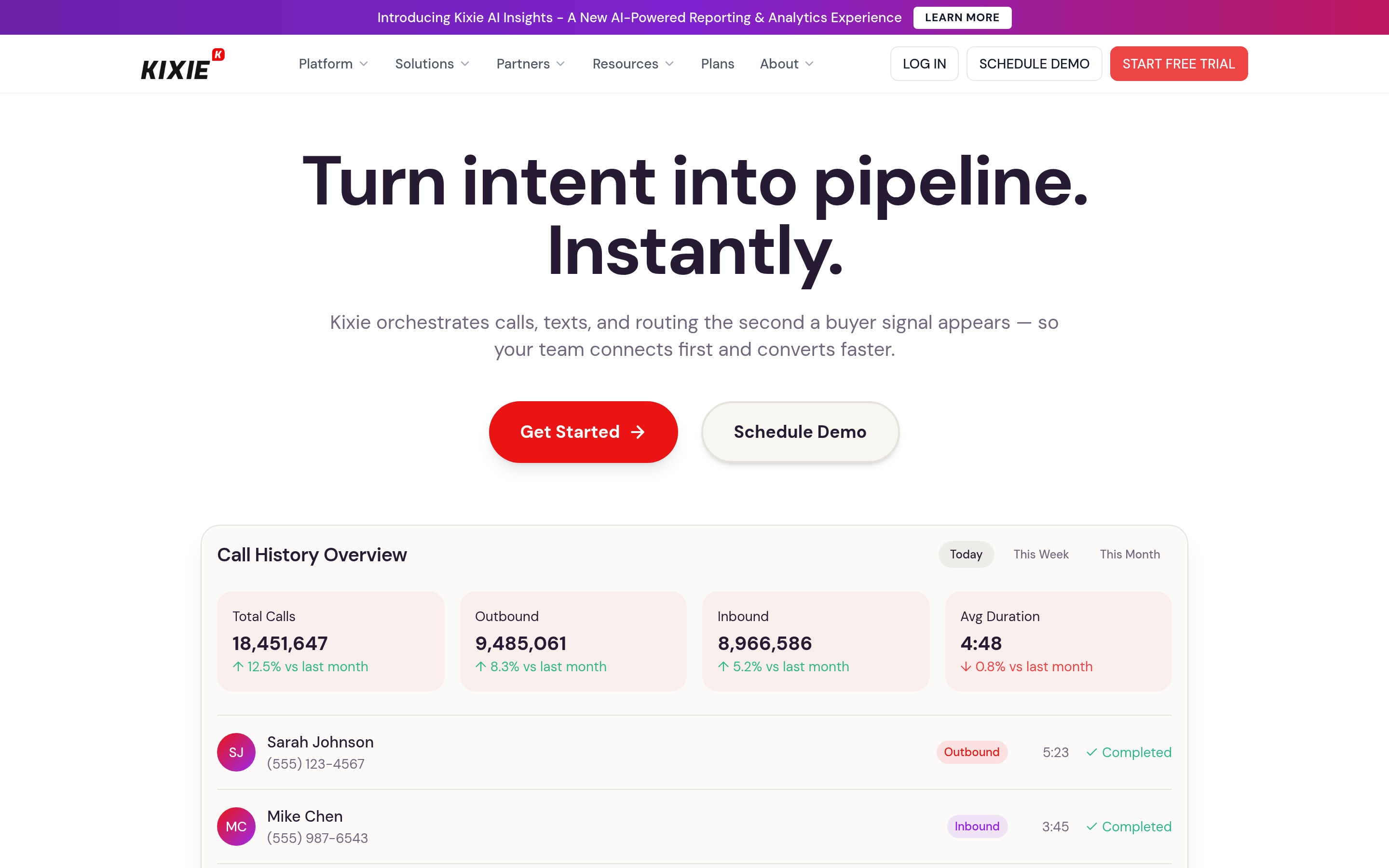
Kixie is the most common practical swap for FrontSpin at SMB and mid-market scale. Published per-seat pricing, deep HubSpot and Pipedrive integration, multi-line power dialing on higher tiers, SMS built in, and local presence with number health monitoring. It is not a parallel dialer in the Orum sense, but for most teams the step up from single-line manual dialing to multi-line power dialing is where the gain actually lives.
JustCall#

JustCall's strength is telephony breadth — numbers in a long list of countries, SMS, WhatsApp, and a dialer that scales from power to predictive on higher plans. Good fit for teams calling across regions. The sales-engagement features are decent but shallower than a dedicated sequencer.
PhoneBurner#
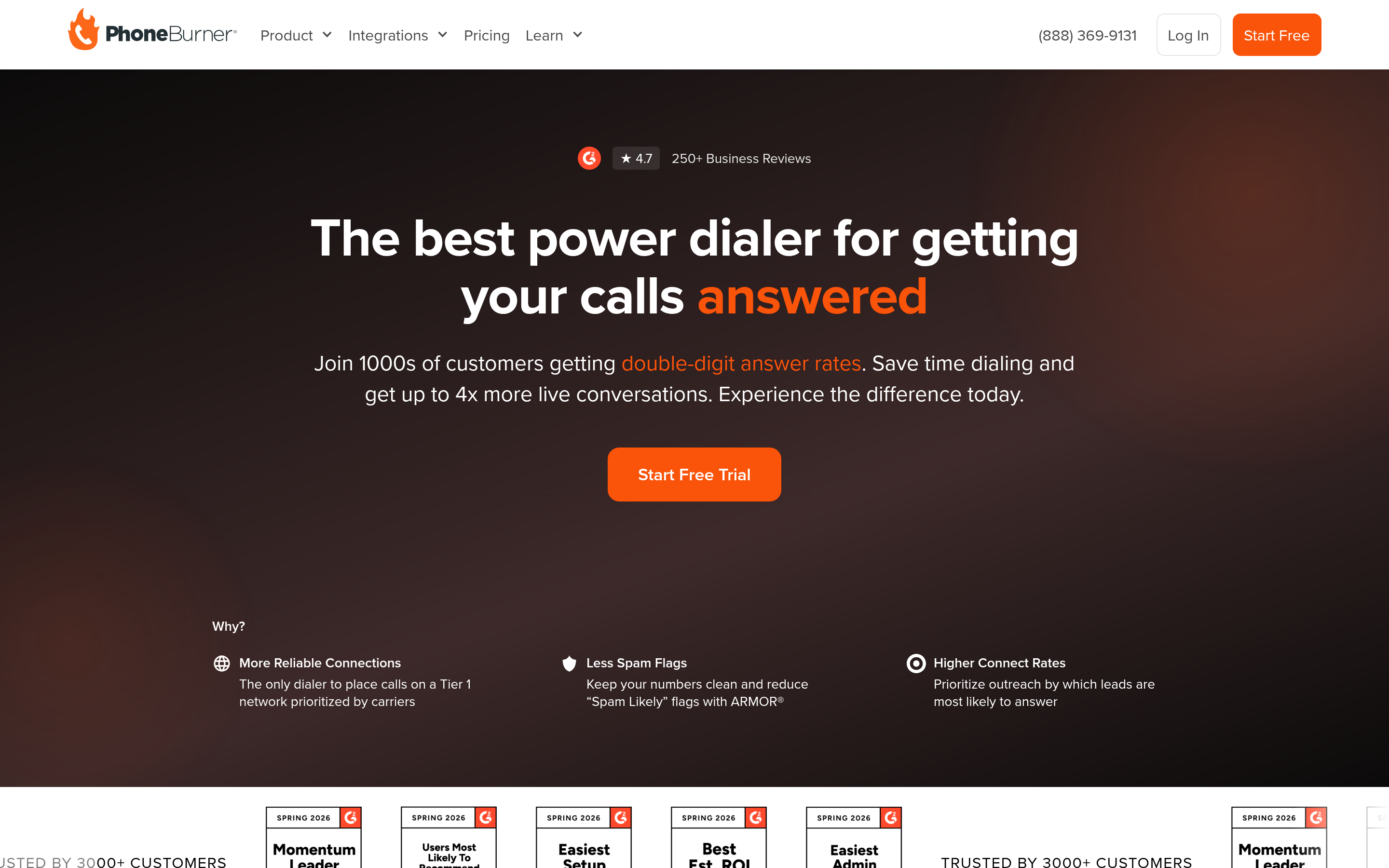
PhoneBurner remains a clean, reliable power dialer with strong voicemail drop and email follow-up. It is genuinely good for one to five reps and agencies. Per-seat list pricing is higher than the VoIP-first tools, so the value case weakens as the team grows.
Close#
Close is a CRM with a dialer inside it, not the reverse. If you are a startup replacing both FrontSpin and a light CRM, this collapses two line items. Power and predictive dialing come on higher tiers. If you are committed to Salesforce, skip it.
Salesloft#
Salesloft is the enterprise sequencing platform with a competent built-in dialer. You do not buy it for dial speed; you buy it for cadence governance, forecasting integration, and conversation intelligence across a large org. Compare it against Outreach and check the Outreach alternative and Salesloft alternative breakdowns if you are shopping that tier.
Apollo.io#
Apollo bundles a contact database, sequences, and a dialer at a low published price. That bundling is the appeal and the risk: the dialer is serviceable rather than best-in-class, and the database quality varies sharply by region and seniority. Many teams end up using Apollo for sequencing and a separate source for accurate direct dials. If you are evaluating it, the Apollo alternative comparison covers where the data holds up and where it does not.
Is a parallel dialer better than a power dialer?#
Only if your list can support it. Here is the math nobody puts in the demo deck.
A power dialer gets a rep roughly 25 dials an hour. At a 5% connect rate, that is 1.25 conversations per hour. A parallel dialer at 4 lines gets roughly 90–100 dials an hour. At the same 5% connect rate, that is 4.5–5 conversations. Real lift, real money.
But parallel dialing burns list. Ten reps on 4-line parallel dialing chew through 4,000 numbers in a day. If your total addressable list is 15,000 contacts, you will exhaust it inside a week and start re-dialing the same people, which tanks connect rates and torches your number reputation.
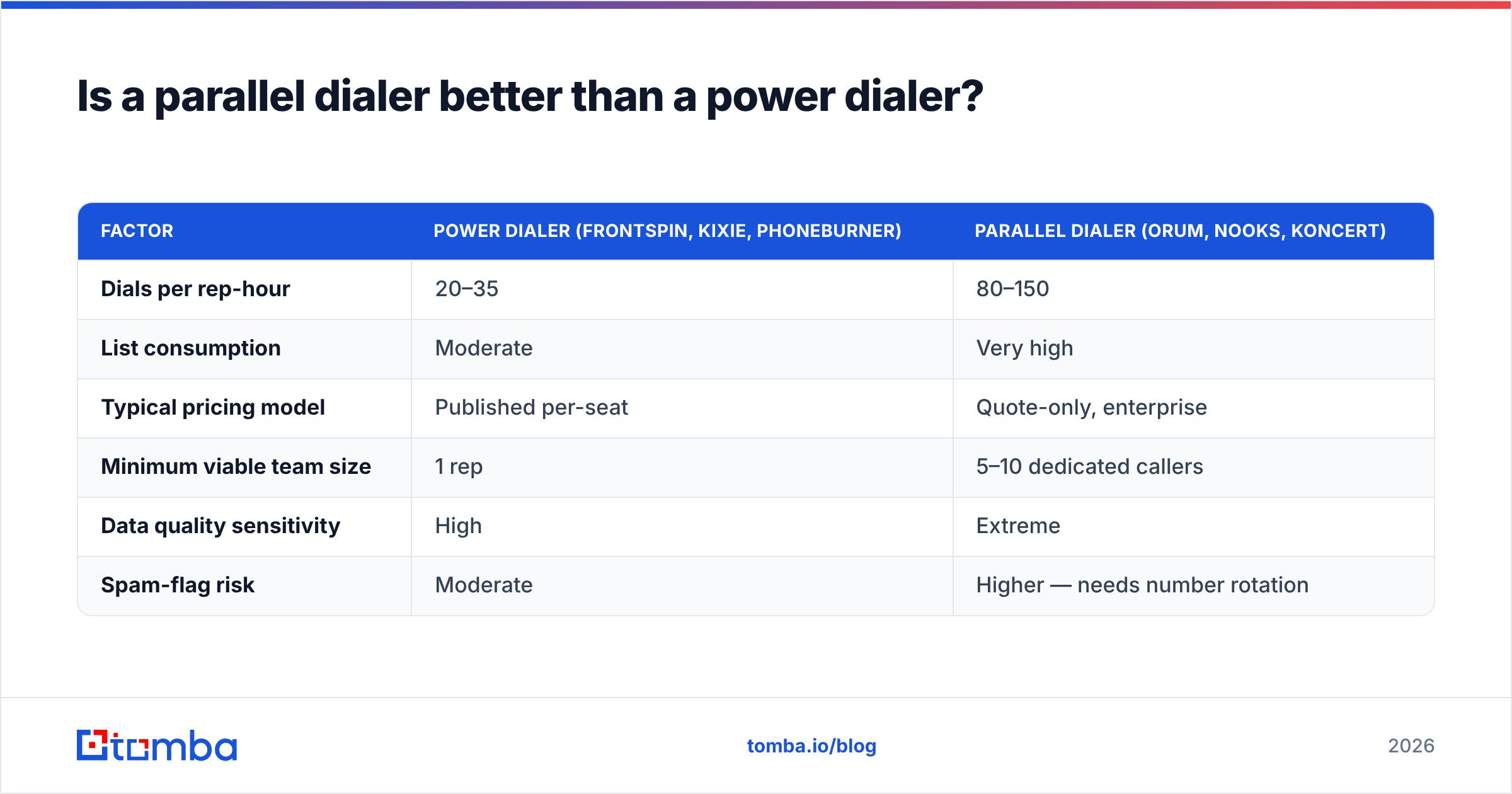
| Factor | Power dialer (FrontSpin, Kixie, PhoneBurner) | Parallel dialer (Orum, Nooks, Koncert) |
|---|---|---|
| Dials per rep-hour | 20–35 | 80–150 |
| List consumption | Moderate | Very high |
| Typical pricing model | Published per-seat | Quote-only, enterprise |
| Minimum viable team size | 1 rep | 5–10 dedicated callers |
| Data quality sensitivity | High | Extreme |
| Spam-flag risk | Moderate | Higher — needs number rotation |
The rule of thumb: parallel dialing multiplies whatever your data quality already is. Good data, big lift. Bad data, you just reach voicemail faster and get your numbers flagged sooner.
What about the data layer behind the dialer?#
This is the section most alternatives roundups skip, and it is the one that moves your numbers.
Every dialer on the list above is a delivery mechanism. None of them create accurate contact records. B2B contact data decays at roughly 25–30% per year — people change jobs, companies restructure, direct dials get reassigned. If you migrated a two-year-old list from FrontSpin into a shiny parallel dialer, you migrated the decay with it.
A workable data layer for a phone-first outbound team looks like this:
- Enrich the account, then the person. Start from the company domain, pull the org chart layer you actually sell to, and only then chase contact details. Working the other direction produces impressive-looking lists of irrelevant people.
- Get the email first, phone second. Emails are cheaper to verify at scale and give you a second channel when the call misses. A domain search across target accounts builds the base list quickly.
- Verify before you load. Bounced emails hurt your sending domain; dead numbers hurt your dialer stats and your reps' morale. Run the list through an email verifier and validate numbers before they hit the dialer.
- Layer direct dials selectively. Not every contact needs a phone number. Pull direct dials for your top-tier accounts through a phone finder rather than buying a blanket database dump.
- Re-enrich on a schedule. Quarterly data enrichment passes on your active list cost far less than the connect rate you lose by skipping them.
For teams that prefer buying prebuilt lists rather than assembling them, providers like BookYourData offer curated, verified B2B contact sets that can seed a dialing list quickly — a reasonable complement to on-demand lookup when you need volume on day one. The two approaches coexist well: purchased lists for breadth, on-demand enrichment for accuracy at the accounts that matter.
How much do FrontSpin alternatives actually cost?#
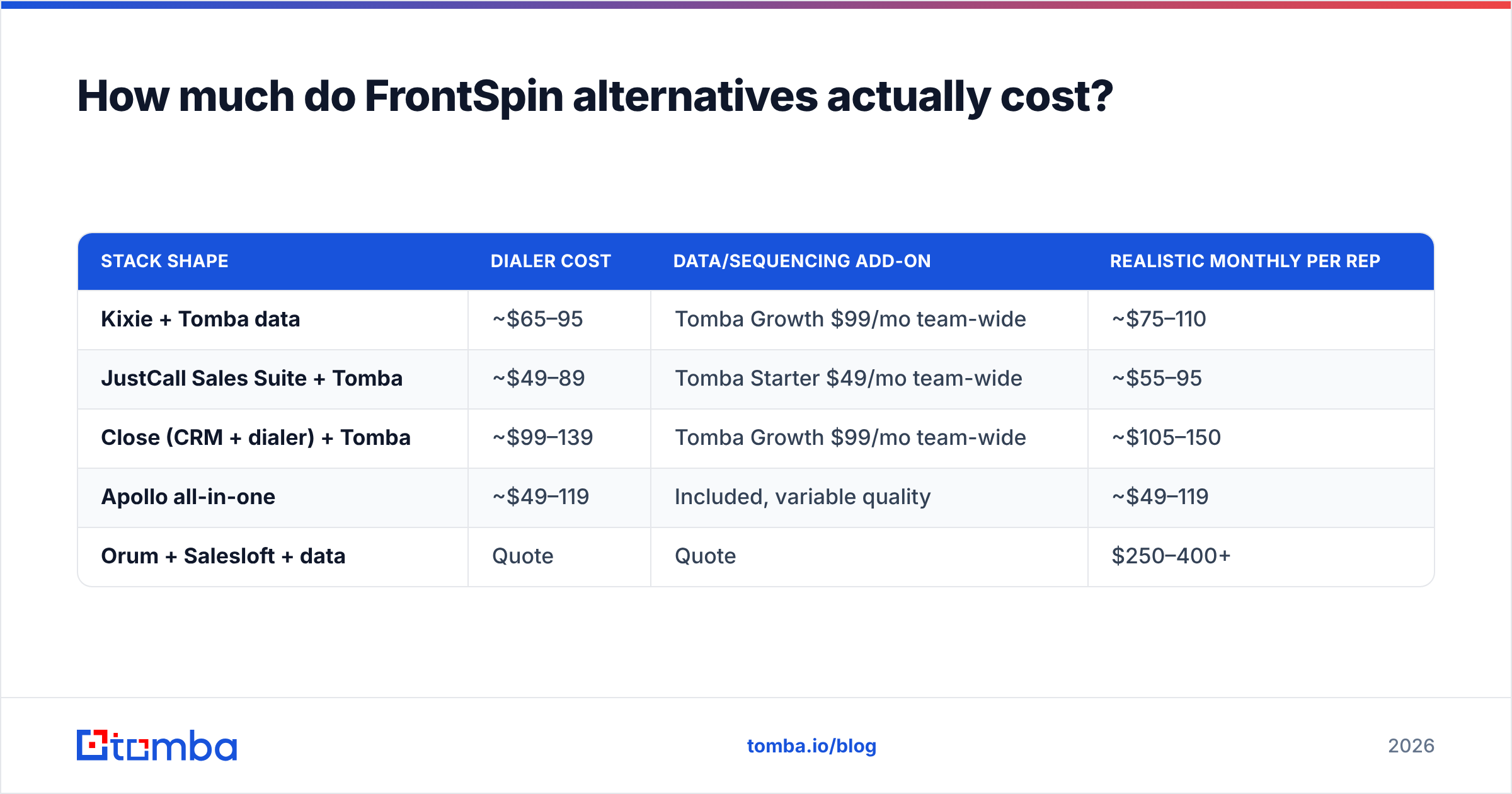
Model total cost per rep per month, not the sticker price.
| Stack shape | Dialer cost | Data/sequencing add-on | Realistic monthly per rep |
|---|---|---|---|
| Kixie + Tomba data | ~$65–95 | Tomba Growth $99/mo team-wide | ~$75–110 |
| JustCall Sales Suite + Tomba | ~$49–89 | Tomba Starter $49/mo team-wide | ~$55–95 |
| Close (CRM + dialer) + Tomba | ~$99–139 | Tomba Growth $99/mo team-wide | ~$105–150 |
| Apollo all-in-one | ~$49–119 | Included, variable quality | ~$49–119 |
| Orum + Salesloft + data | Quote | Quote | $250–400+ |
Two notes. First, data tooling is usually priced per workspace, not per seat, so it amortizes across the team — Tomba runs a free tier at 25 searches/month, then $49/mo Starter, $99/mo Growth, $249/mo Pro, with Enterprise custom. Check current Tomba pricing before you budget. Second, quote-based dialers negotiate hard at the end of their fiscal quarter, and published-price tools rarely discount. Time your evaluation accordingly.
Which FrontSpin alternative should you pick?#
- 1–5 reps, tight budget: Kixie or JustCall. Published pricing, fast setup, no procurement cycle.
- Startup replacing CRM and dialer together: Close.
- 10+ dedicated callers, list of 50k+: Orum or Nooks. The parallel dialing lift is real at that scale.
- Enterprise on Salesforce with cadence governance needs: Salesloft, with Koncert if dial volume is the priority over sequencing depth.
- Solo rep or small agency: PhoneBurner, still the least fussy option.
- Want one bill for data and outreach, accepting some quality variance: Apollo.io.
Whatever you pick, run a 30-day pilot on a fixed list with fixed reps, and measure conversations per rep-hour rather than dials per rep-hour. Dial counts flatter every vendor. Conversation counts do not. Salesforce's own sales productivity research makes the same point about activity metrics versus outcome metrics — volume without quality just moves the failure earlier in the funnel.
The part that actually changes your connect rate#
Switching dialers gives you a step change once. Fixing your contact data gives you a compounding one, and it makes every dialer on this list perform better.
Start by rebuilding your target list against verified data instead of a two-year-old CSV export. Run your target domains through the Tomba Email Finder to get accurate, verified contacts for the accounts you care about, layer in direct dials where they matter, and only then load the dialer. A free tier gives you 25 searches a month to test the accuracy on your own accounts before you commit to anything — which is the honest way to evaluate any data vendor, including this one.
Related guides#
Ready to find emails that actually work?
Join 150,000+ professionals who stopped guessing and started sending. Free credits on signup — no credit card required.
Get the Tomba newsletter
Practical outbound tactics and product updates — once every two weeks.
About the author