FrontSpin Pricing, Reviews, Pros and Cons: 2026 Buyer Guide
FrontSpin is a Salesforce-first power dialer with quiet pricing and loud opinions in the review sites. Here is what a seat actually costs, what users praise, where it frustrates, and when a cheaper stack wins.
TL;DR
- FrontSpin is a Salesforce-native sales communication platform — power dialer, local presence, voicemail drop, email sequences, and playbooks in one seat. It is a dialer company first and a sequencing company second.
- FrontSpin does not publish a public price list. Third-party listings and buyer reports put it in the ~$100–$130 per user, per month band on annual terms, usually with a seat minimum and a setup/onboarding fee.
- Reviewers consistently praise the Salesforce sync, connect rates, and call disposition workflow. The recurring complaints: dated UI, limited native reporting, and telephony quality that varies by region.
- The biggest hidden cost is not the license — it is the contact data you feed it. A dialer with stale numbers burns seats faster than any price increase.
- Worth it if you run an outbound SDR team on Salesforce and live in the phone. Overkill if email is your primary channel or you have fewer than five reps.
What is FrontSpin, and who is it actually built for?#
FrontSpin is a sales communication platform built around a power dialer. Think of it as a call center headset welded to your CRM: reps work a list, the system dials, logs, records, and disposes every attempt without anyone touching a keyboard between calls.
The product bundles four things:
- Power dialer — sequential auto-dialing through a queue, with local presence numbers so your caller ID matches the prospect's area code.
- Voicemail drop and click-to-call — pre-recorded voicemails deployed in one click, so reps stop re-recording the same 22-second message 60 times a day.
- Email sequencing and templates — multi-touch cadences that mix calls, emails, and SMS into one playbook.
- Salesforce sync — bi-directional, near-real-time, and the single most-cited reason teams buy it. Activities, dispositions, and recordings land on the right record without a nightly batch job.
The target buyer is narrow and specific: an outbound SDR or inside-sales team of roughly 5–100 reps, already standardized on Salesforce, where the phone is the primary channel and email is support. If that description makes you nod, keep reading. If your team lives in email sequences and treats calls as a follow-up, most of what you would pay for here sits idle.
FrontSpin has been around since the mid-2010s and competes in a crowded lane against Salesloft, Outreach, Orum, and a long tail of parallel dialers. You can see its own positioning at frontspin.com.
How much does FrontSpin cost in 2026?#
Here is the honest answer: FrontSpin does not publish a pricing page. There is no "Starter $49, Pro $99" table to screenshot. Every quote goes through a sales conversation, which means what you pay depends on seat count, contract length, and how hard you negotiate.
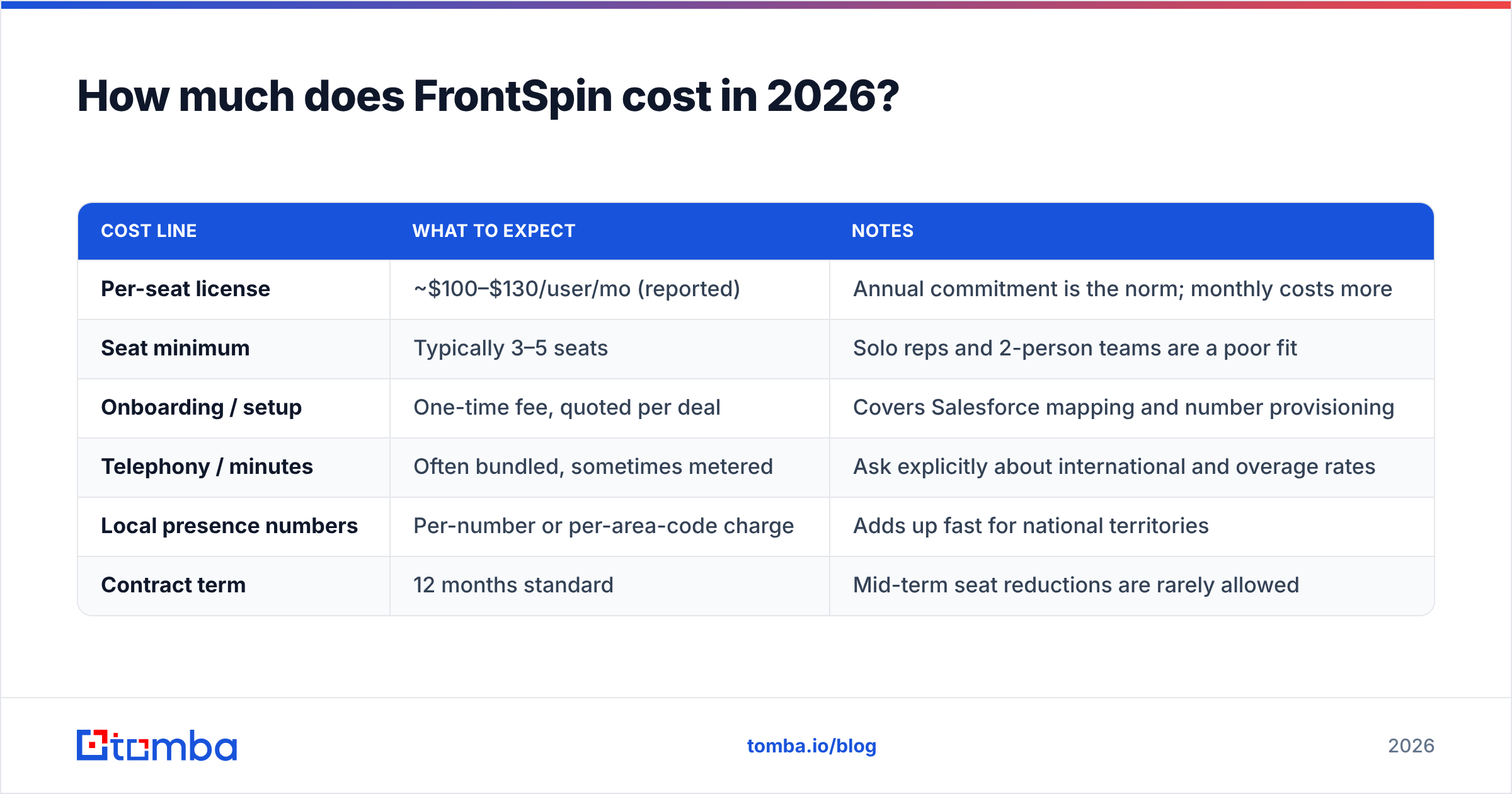
What we can report is the range buyers and directory listings converge on. Software directories including G2 and Capterra have historically listed FrontSpin around the $100–$130 per user, per month mark, billed annually. Treat that as a planning number, not a quote.

| Cost line | What to expect | Notes |
|---|---|---|
| Per-seat license | ~$100–$130/user/mo (reported) | Annual commitment is the norm; monthly costs more |
| Seat minimum | Typically 3–5 seats | Solo reps and 2-person teams are a poor fit |
| Onboarding / setup | One-time fee, quoted per deal | Covers Salesforce mapping and number provisioning |
| Telephony / minutes | Often bundled, sometimes metered | Ask explicitly about international and overage rates |
| Local presence numbers | Per-number or per-area-code charge | Adds up fast for national territories |
| Contract term | 12 months standard | Mid-term seat reductions are rarely allowed |
Two practical notes on negotiating. First, quoted per-seat rates soften noticeably above 20 seats — the published band reflects small-team pricing. Second, ask for the fully loaded number in writing: license plus telephony plus numbers plus onboarding, divided by seats, divided by 12. Vendors quote the license; finance pays the invoice.
For comparison, a data-and-enrichment layer is priced very differently — Tomba pricing runs from a free tier at 25 searches per month through Starter at $49/mo and Growth at $99/mo, with no seat minimum and no annual lock. Different category, but useful context when you are allocating a fixed outbound budget across tooling.
What do FrontSpin reviews actually say?#
Reviews across the major directories cluster into a consistent shape. Ratings sit respectably in the 4.3–4.6 range, which puts FrontSpin comfortably above the dialer average but below the polish of the enterprise engagement suites.
What reviewers praise, repeatedly:
- Connect rate lift. The combination of power dialing and local presence is the single most-cited win. Teams report meaningful jumps in answer rate versus manual dialing — the mechanism is simple: more attempts per hour, and a caller ID that does not scream "unknown 800 number."
- Salesforce fidelity. This comes up in almost every positive review. Calls, dispositions, and notes appear on the lead and opportunity record correctly, which means managers stop reconciling two systems.
- Speed to productivity. New SDRs get productive in days, not weeks. The interface is simple enough that a rep's first day is spent talking, not configuring.
- Responsive support. Smaller vendor, smaller queue. Multiple reviewers note that they get a human quickly — a real advantage over enterprise platforms where you file a ticket and wait.
What reviewers criticize, repeatedly:
- The interface looks its age. Functional, dense, and clearly designed several UI generations ago. It works; it does not delight. Reps coming from a modern tool notice within an hour.
- Reporting is thin. Native analytics cover the basics — dials, connects, dispositions — but teams wanting cohort analysis or attribution end up exporting to Salesforce reports or a BI tool.
- Call quality varies. Domestic US calling gets good marks. International and some VoIP-routing scenarios draw complaints about dropped calls and latency. If your territory is EMEA or APAC, pilot before you sign.
- Email side is secondary. Sequencing exists and works, but it is not competitive with a dedicated engagement platform on deliverability controls, inbox rotation, or template analytics.
What are the pros and cons of FrontSpin in one view?#
Here is the honest ledger, weighted by how much each item should move your decision.
- Pro — Dialer-first design. Most "sales engagement" platforms bolted a dialer onto a sequencer. FrontSpin built the dialer and added the rest. If calling is 70% of your motion, that architectural priority shows up in daily use.
- Pro — Native Salesforce sync that RevOps trusts. No middleware, no nightly job, no reconciliation spreadsheet. For a Salesforce shop this quietly saves an ops hour a week, every week. If you are mapping a broader stack, review your existing Salesforce integration surface before adding another writer to the same objects.
- Pro — Fast onboarding and human support. A mid-size vendor's real advantage. You will not be ticket #48,000.
- Con — Opaque pricing. No public list price means no budgeting without a sales call, and no way to benchmark your renewal against the market. That is a strategic disadvantage for the buyer, full stop.
- Con — Annual lock with seat minimums. Outbound headcount fluctuates. A 12-month commitment on seats you cannot shed mid-term is a real risk for teams in flux.
- Con — Weak on the data layer. FrontSpin dials the numbers you give it. It does not find, verify, or refresh them. That gap is where most of the wasted spend actually lives.
That last point deserves its own section, because it is the one buyers systematically underestimate.
What are the hidden costs of a power dialer?#
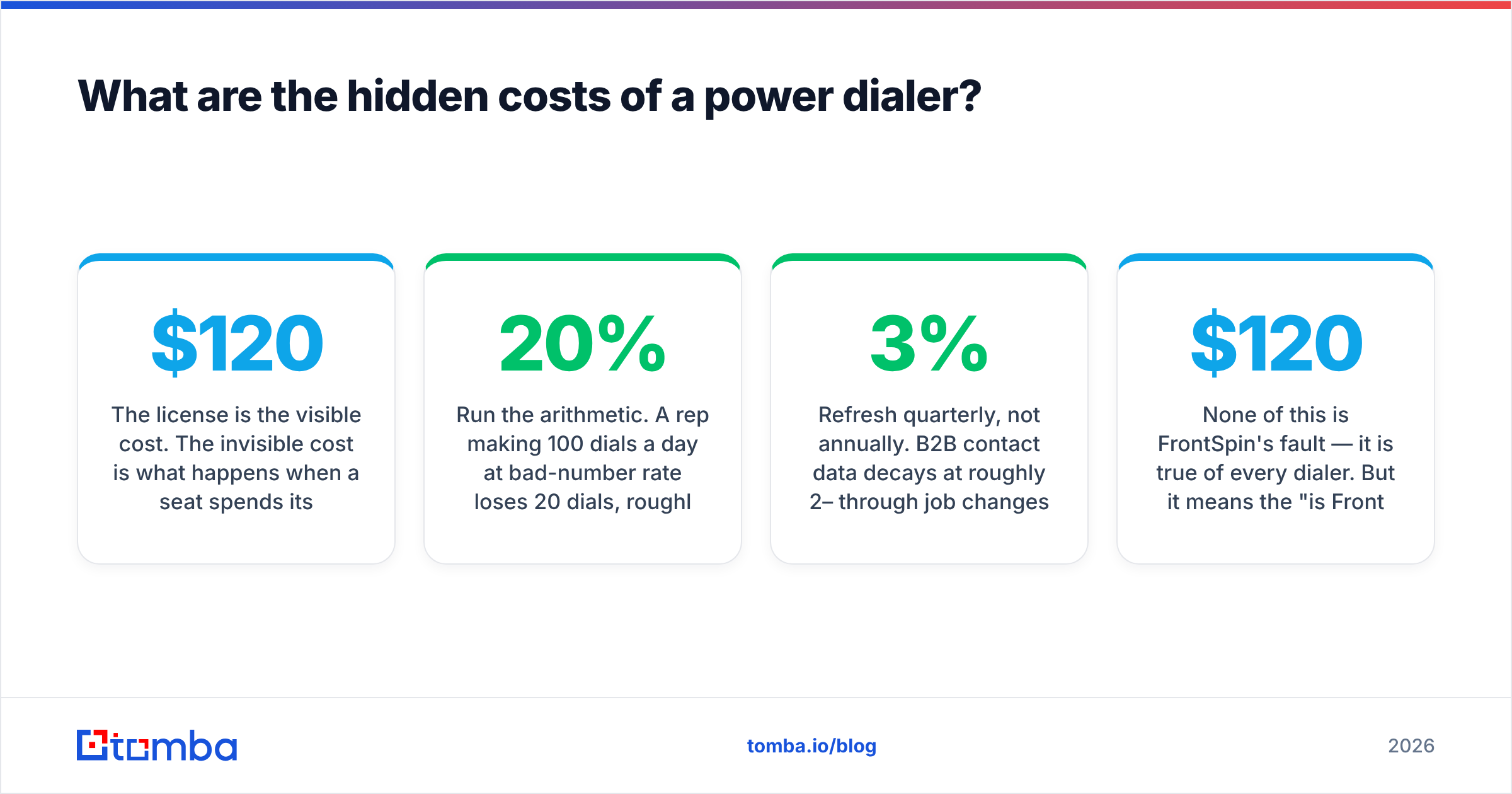
The license is the visible cost. The invisible cost is what happens when a $120/month seat spends its day dialing disconnected numbers.
Run the arithmetic. A rep making 100 dials a day at 20% bad-number rate loses 20 dials, roughly 40 minutes including wrap-up. Over 250 working days that is about 21 working days per rep per year, spent listening to "the number you have dialed is no longer in service." On a $70,000 fully loaded SDR, that is roughly $5,900 of salary — several times the annual license cost, evaporated by data quality alone.
The corrective actions, in order of return:
- Validate numbers before they enter the queue. A phone validator pass on the list strips disconnected and invalid numbers before a rep ever sees them. This is the highest-ROI ten minutes in the whole workflow.
- Enrich thin records. Half-built contact rows — name and company, no direct line — are the silent killer of dialer productivity. A phone finder pass fills the gaps so the dialer has something to dial.
- Keep the email channel clean too. Bounces damage domain reputation, and reputation damage costs more than any tool. Run lists through an email verifier before they hit a sequence.
- Refresh quarterly, not annually. B2B contact data decays at roughly 2–3% per month through job changes alone. A list built in January is materially wrong by July.
None of this is FrontSpin's fault — it is true of every dialer. But it means the "is FrontSpin worth $120 a seat" question is the wrong question. The right question is whether your total cost per connected conversation is going down.
How does FrontSpin compare to other sales dialers?#
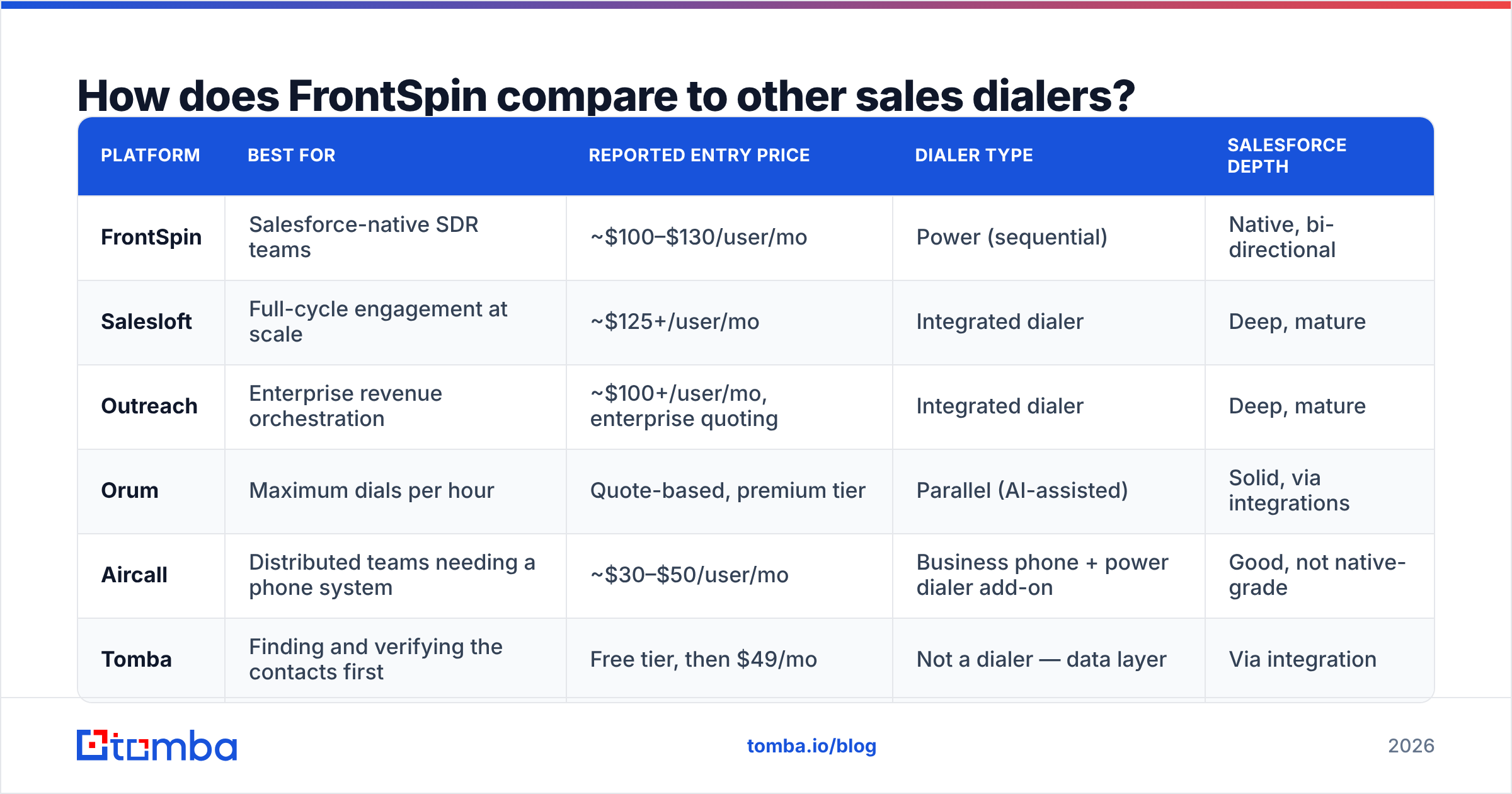
| Platform | Best for | Reported entry price | Dialer type | Salesforce depth |
|---|---|---|---|---|
| FrontSpin | Salesforce-native SDR teams | ~$100–$130/user/mo | Power (sequential) | Native, bi-directional |
| Salesloft | Full-cycle engagement at scale | ~$125+/user/mo | Integrated dialer | Deep, mature |
| Outreach | Enterprise revenue orchestration | ~$100+/user/mo, enterprise quoting | Integrated dialer | Deep, mature |
| Orum | Maximum dials per hour | Quote-based, premium tier | Parallel (AI-assisted) | Solid, via integrations |
| Aircall | Distributed teams needing a phone system | ~$30–$50/user/mo | Business phone + power dialer add-on | Good, not native-grade |
| Tomba | Finding and verifying the contacts first | Free tier, then $49/mo | Not a dialer — data layer | Via integration |
Read that table as a positioning map rather than a scoreboard. FrontSpin's niche is real: it is cheaper than the enterprise suites, more call-focused than the phone systems, and less exotic than parallel dialing. If you want raw dials per hour above all, Orum's parallel approach wins on mechanics. If you want one platform to run email, calls, LinkedIn, and forecasting, Salesloft or Outreach is the honest answer. If you want a competent dialer that behaves perfectly inside Salesforce at a mid-market price, FrontSpin is exactly that.
Notice the last row. Tomba is not competing with FrontSpin — it sits upstream. Every platform in that table assumes you already have accurate names, emails, and phone numbers. None of them produce those.
Is FrontSpin worth it in 2026?#
Verdict: yes for phone-led Salesforce teams of 5–100 reps, no for almost everyone else.
Buy it if you tick at least three of these:
- Salesforce is your system of record and you refuse to run middleware.
- Calling is your primary channel, not a follow-up to email.
- You have 5+ reps and stable headcount for the next 12 months.
- Your territory is primarily domestic US.
- You need reps productive in days and cannot fund a two-month rollout.
Skip it if any of these are true:
- Email is your main channel. You will pay dialer prices for sequencing that a dedicated tool does better.
- You run HubSpot or Pipedrive. FrontSpin's core advantage evaporates outside Salesforce.
- You are under five reps. Seat minimums and annual terms make the effective per-rep cost punitive.
- Your team is international-heavy. Pilot the call quality in your actual regions before committing budget.
- Your contact database is a mess. Fix that first. A faster dialer pointed at bad data just reaches wrong numbers more efficiently.
One more framing that helps in a budget meeting: a dialer improves your rate of contact attempts. Data quality improves your yield per attempt. Rate improvements compound only when yield is already decent. Teams that buy the dialer before fixing the list routinely see flat meeting counts and conclude the tool failed — when the list failed.
What should you fix before you sign any dialer contract?#
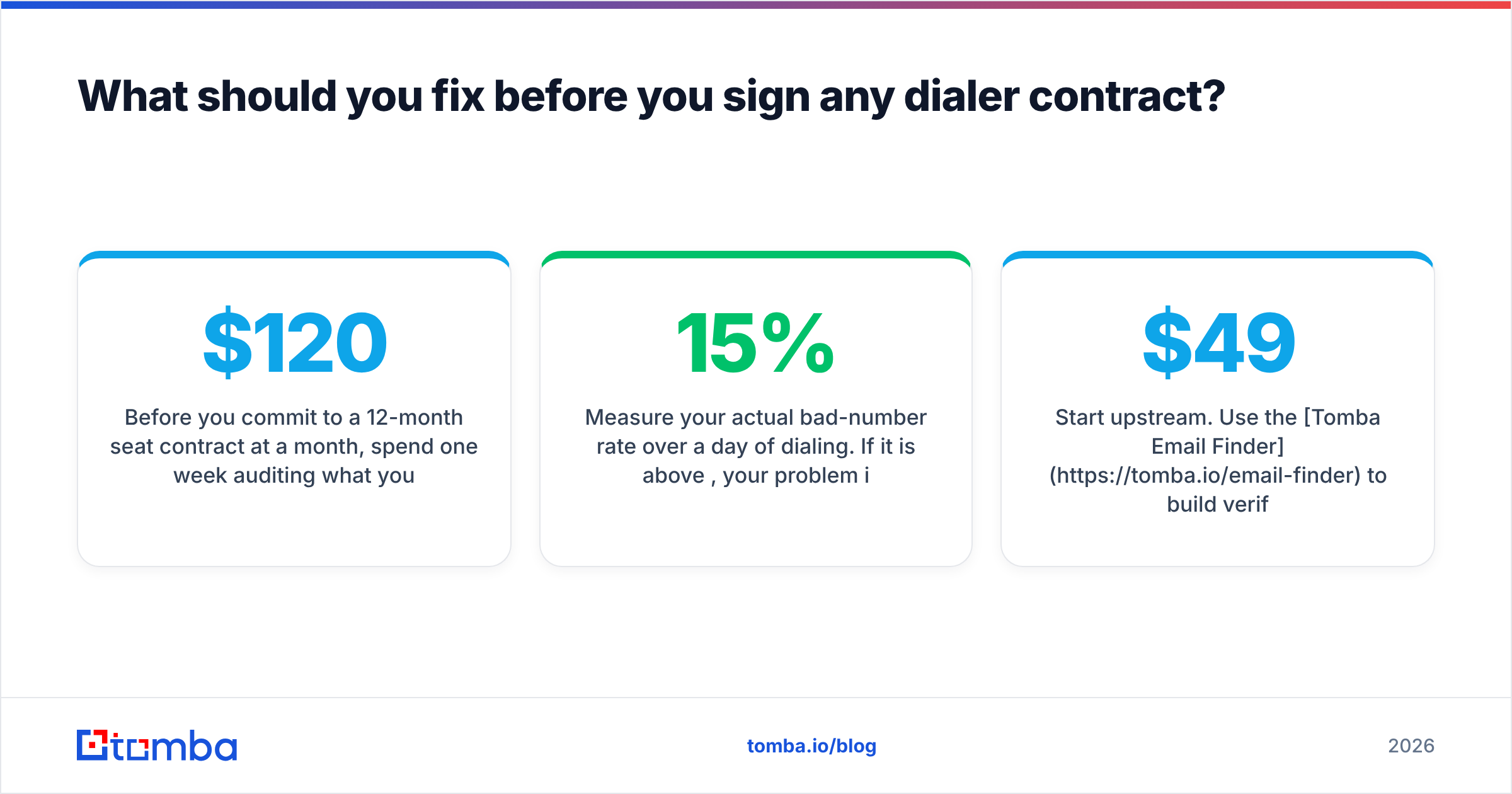
Before you commit to a 12-month seat contract at $120 a month, spend one week auditing what you are about to feed it:
- Pull 200 random records from your current calling list and check how many have a verified direct number versus a switchboard.
- Measure your actual bad-number rate over a day of dialing. If it is above 15%, your problem is not dialing speed.
- Check how many contacts have changed jobs since the record was created. Anything over 12 months old is suspect.
- Confirm you can rebuild the list monthly without a manual research project.
If those four checks come back clean, a power dialer will pay for itself quickly and FrontSpin is a legitimate shortlist candidate. If they come back ugly, buy data first and dial later.
Start upstream. Use the Tomba Email Finder to build verified, current contact lists by domain, name, or company — then hand a clean queue to whatever dialer you choose. The free tier covers 25 searches a month so you can test the accuracy on your own accounts before spending anything, and paid plans start at $49/mo with no seat minimums and no annual lock-in. Clean input first, faster dialing second. That order is not negotiable.
Related guides#
Ready to find emails that actually work?
Join 150,000+ professionals who stopped guessing and started sending. Free credits on signup — no credit card required.
Get the Tomba newsletter
Practical outbound tactics and product updates — once every two weeks.
About the author