Gazelle vs LeadsForge (2026): Which B2B Data Tool Wins?
One is an enterprise company-intelligence database built for investment attraction. The other is an AI chat tool that spits out lead lists in minutes. They barely compete — and picking wrong costs you a year of budget.
TL;DR
Gazelle vs LeadsForge is an odd match-up. One tool maps companies. The other builds contact lists in a chat box. Here is the short version.
- Gazelle is a company-intelligence platform. It covers ownership, locations, and expansion signals for millions of companies. Buyers are development agencies, site selectors, and research teams. Pricing is an annual quote.
- LeadsForge is an AI lead-list builder. You describe your ideal customer in a chat box, and it returns contacts with emails. Buyers are founders, agencies, and small sales teams on monthly plans.
- The two tools are not substitutes. Comparing them is like comparing a map to a shovel.
- If your problem is finding accounts, Gazelle wins. If it is reaching people at accounts you already know, a finder plus a verifier wins on cost per valid contact.
- Budget: Gazelle costs four to five figures a year. LeadsForge is a small monthly fee. Tomba pricing starts free, then $49/mo.
What are Gazelle and LeadsForge?#
Both tools get filed under "B2B data." That is why they land on the same shortlist. They solve different problems.
Gazelle is an AI-driven company intelligence platform. Its core asset is a large global company database. It adds facts you cannot scrape in an afternoon: parent and subsidiary links, plant and office locations, financial health scores, hiring signals, and industry codes.
The classic Gazelle buyer is an economic development agency. It wants to know which companies may open a plant in its region. That question needs depth on the company, not the person.
LeadsForge sits at the other end. It is a chat-based lead tool. You type "marketing directors at Series B fintech firms in Germany," and it builds a contact list. The pitch is speed and a near-zero learning curve. No filter trees. No boolean. No ticket for the data team. If you need 200 prospects by Thursday, that is real value.
So the honest way to frame gazelle vs leadsforge is not "which is better." Ask this instead: do you have an account problem or a contact problem?

Gazelle vs LeadsForge: how do they compare head-to-head?#
Here is the practical breakdown. Where a vendor does not publish a number, the table says so. Check current numbers on each vendor's site before you sign.
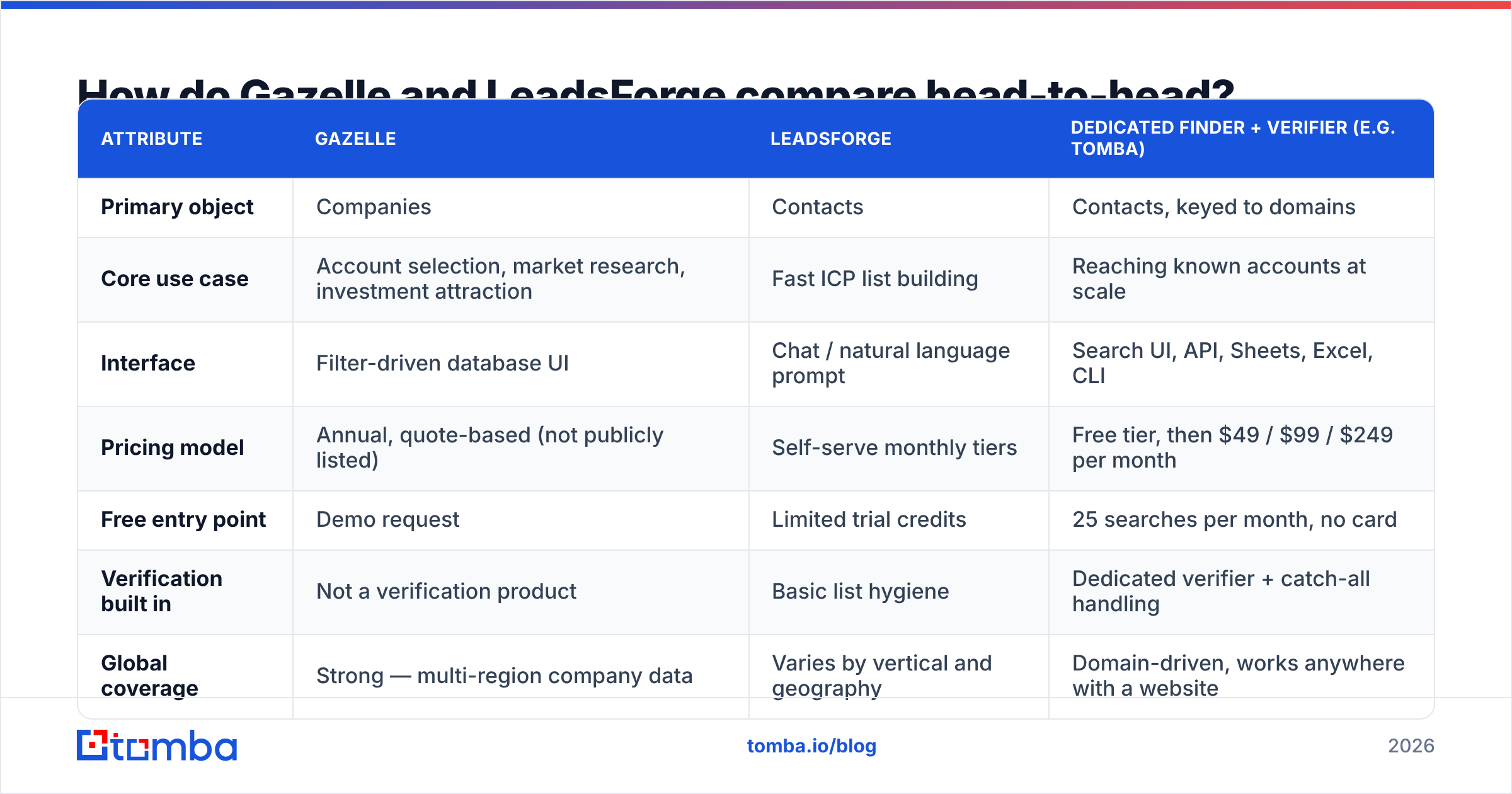
| Attribute | Gazelle | LeadsForge | Dedicated finder + verifier (e.g. Tomba) |
|---|---|---|---|
| Primary object | Companies | Contacts | Contacts, keyed to domains |
| Core use case | Account selection, market research, investment attraction | Fast ICP list building | Reaching known accounts at scale |
| Interface | Filter-driven database UI | Chat / natural language prompt | Search UI, API, Sheets, Excel, CLI |
| Pricing model | Annual, quote-based (not publicly listed) | Self-serve monthly tiers | Free tier, then $49 / $99 / $249 per month |
| Free entry point | Demo request | Limited trial credits | 25 searches per month, no card |
| Verification built in | Not a verification product | Basic list hygiene | Dedicated verifier + catch-all handling |
| Global coverage | Strong — multi-region company data | Varies by vertical and geography | Domain-driven, works anywhere with a website |
| API access | Enterprise tier / integration dependent | Limited | Full REST API on all paid tiers |
| Best-fit buyer | EDOs, site selectors, enterprise research | Founders, agencies, small SDR teams | Outbound teams, RevOps, developers |
| Worst fit | Teams who just need 5,000 verified emails | Teams needing ownership hierarchies or facility data | Teams needing market-level company intelligence |
Two things jump out of that table.
First, the price gap is huge. One is a yearly enterprise contract. The other costs about as much as a few coffees each month. If both sit on your shortlist, one of your requirements is wrong.
Second, neither tool verifies email. Both hand you addresses. Neither is built to prove that those addresses accept mail. That gap is where most cold email programs die.
What is Gazelle actually good at?#
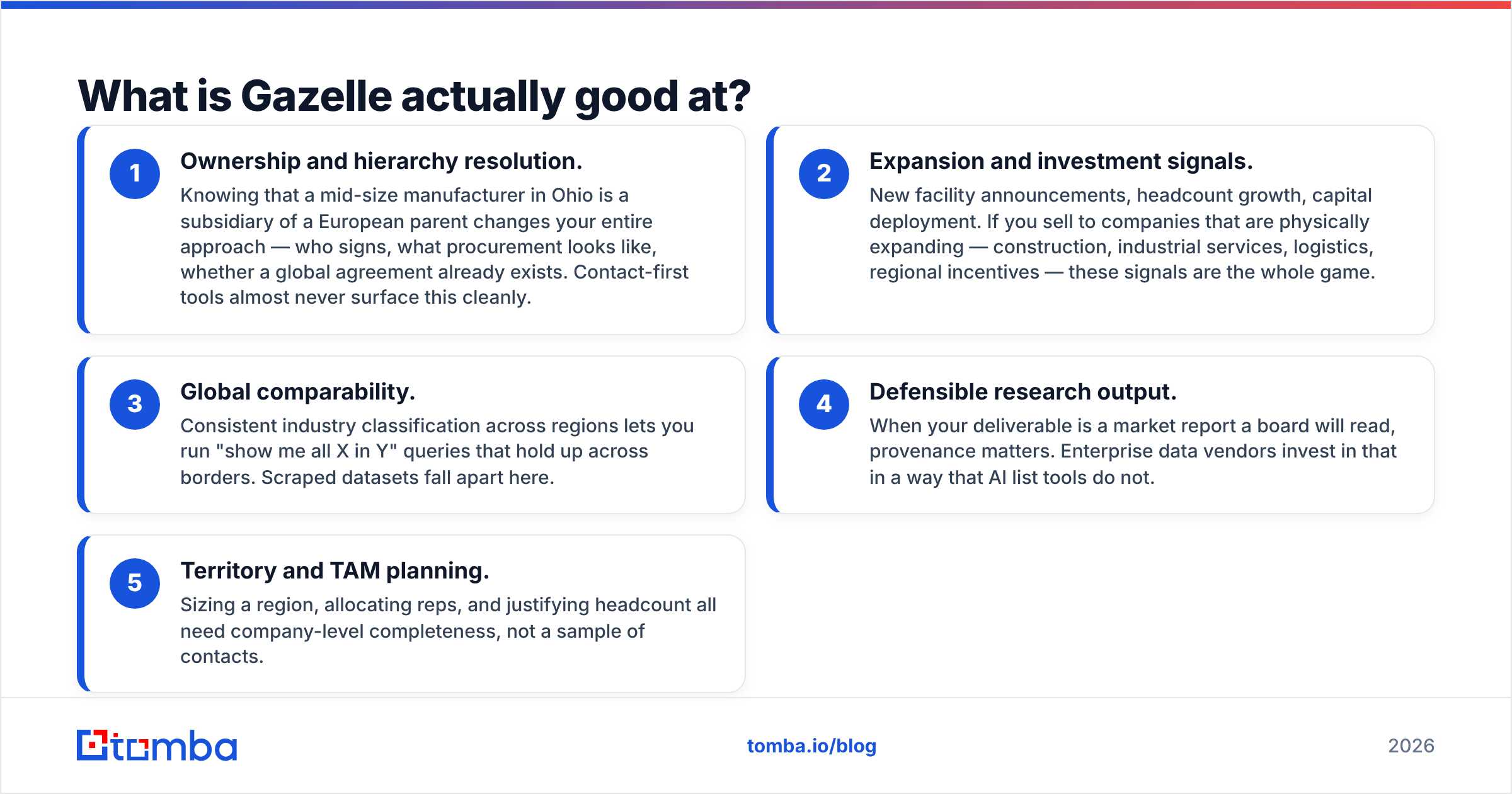
Gazelle earns its price when your unit of work is a company, not a person.
- Ownership and hierarchy. A mid-size plant in Ohio may be owned by a European parent. That changes who signs and how buying works. Contact-first tools rarely show this.
- Expansion signals. New sites, headcount growth, capital spend. If you sell to firms that build things, these signals are the whole game.
- Global comparability. Consistent industry codes let you run "show me all X in Y" across borders. Scraped data falls apart here.
Two more reasons matter when research is your product.
- Defensible output. When a board reads your market report, sources matter. AI list tools do not invest there.
- Territory and TAM planning. To size a region and staff it, you need full company coverage, not a sample of contacts.
Gazelle is a poor fit in one common case. Say you run an eight-person SaaS firm. You already know the 3,000 domains you want. You need two valid emails at each. That is a $600-a-year problem, and an enterprise contract is the wrong tool for it.
What is LeadsForge actually good at?#
LeadsForge earns its keep on time to first list.
- No filter skills needed. Classic prospecting databases have a real learning curve. A prompt box removes it. For non-technical founders, that is the whole reason to buy.
- Speed for one-off campaigns. Running a two-week pilot in a new vertical? A prompt beats an hour of filter tuning.
- Low commitment. Monthly pricing means a bad month costs you a month, not a year.
- Fine for broad targets. If you want "any marketing manager at a 50–500 person e-commerce firm," volume beats precision. The tool delivers volume.
LeadsForge struggles where every chat-based data tool struggles: you cannot audit what you did not ask for. A prompt returns 400 contacts. You do not know what it left out, or why, or how old each record is.
Tight targets show the cracks. Ask for "VP Ops at cold-chain 3PLs in Germany, Austria, and Switzerland." You get an empty list, or a padded one. And the emails are only as good as the source behind them. That brings us to the part nobody enjoys.
Gazelle vs LeadsForge: which one gives you usable contact data?#
Neither, on its own, meets the bar that cold email now demands.
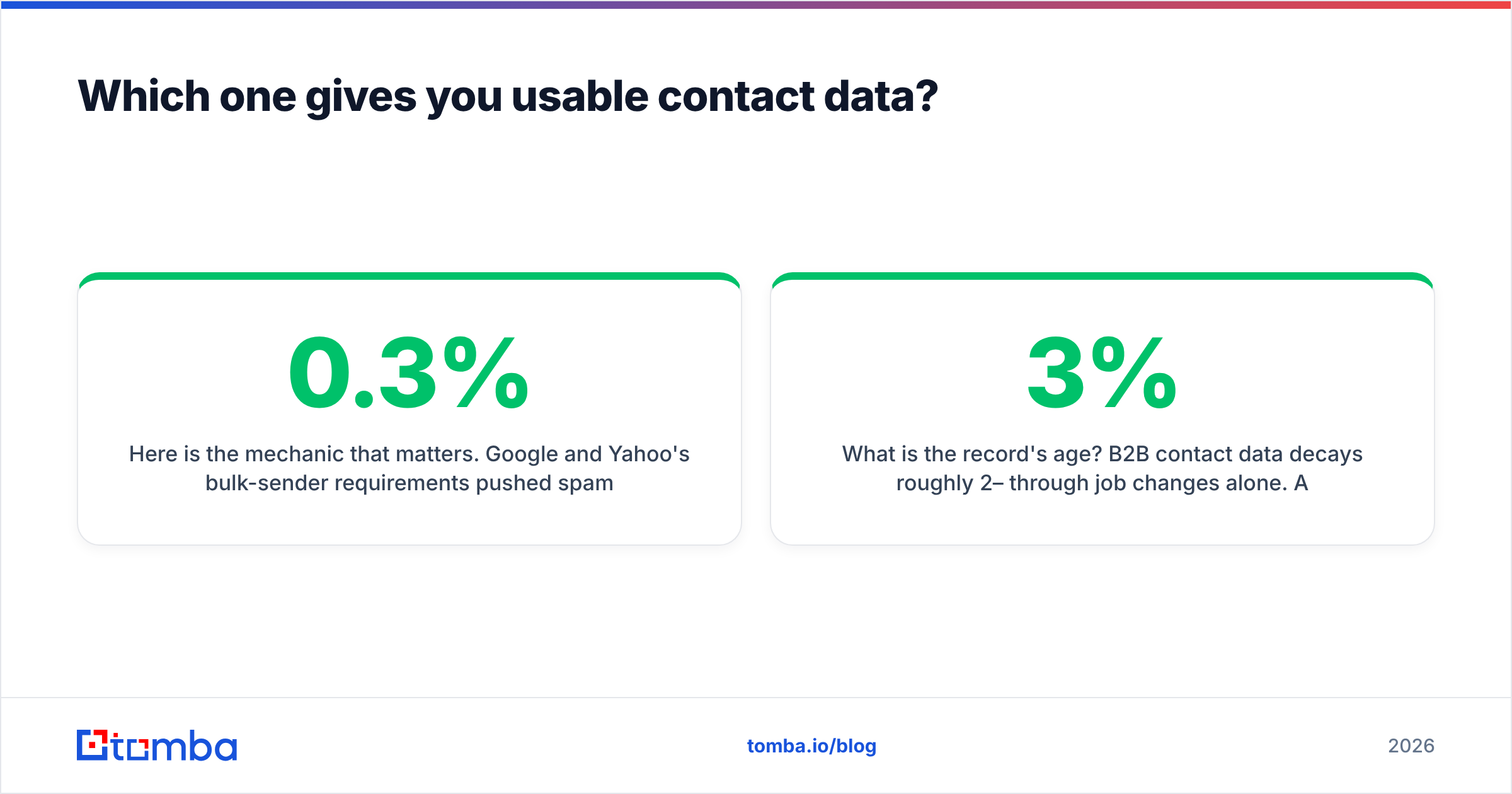
Here is the mechanic that matters. Google and Yahoo now expect bulk senders to keep spam complaints near 0.3%. Mailbox providers also weigh hard bounces heavily. A list that bounces above 3% can hurt your sending domain in one campaign, and recovery takes weeks. If this is new to you, read the basics of email deliverability first. It shapes every other choice in outbound.
So judge any lead-data tool on four questions:
- Was the address checked at the mail server, or guessed? A guessed pattern like
first.last@domain.comis a fine hypothesis. It is a terrible send list. - How does it handle catch-all domains? Catch-all servers accept every address. Naive checks mark them "valid," and they bounce later. A catch-all verifier is the honest answer.
- How old is the record? B2B contact data decays 2–3% a month from job changes alone. A 14-month-old record is a coin flip.
- Can you re-check in bulk before you send? This is non-negotiable, and neither tool is built for it.

So the common real-world stack is not "Gazelle or LeadsForge." It is one of them for discovery, plus an email verifier as a gate before anything enters a sequence. Running 5,000 sourced contacts through bulk verify costs less than one enterprise seat. It also blocks the failure that kills the whole program.
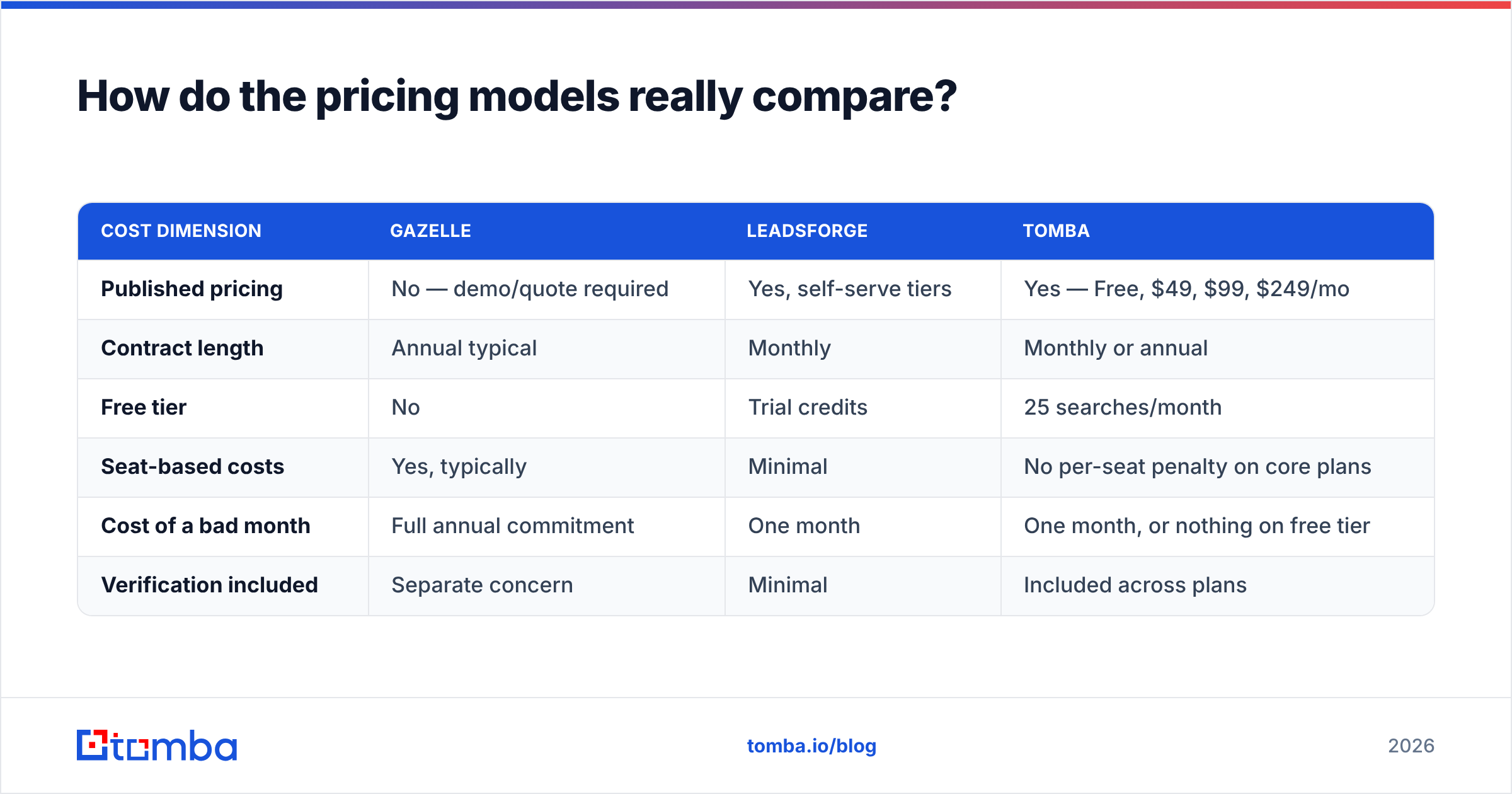
Gazelle vs LeadsForge: how do the pricing models compare?#
| Cost dimension | Gazelle | LeadsForge | Tomba |
|---|---|---|---|
| Published pricing | No — demo/quote required | Yes, self-serve tiers | Yes — Free, $49, $99, $249/mo |
| Contract length | Annual typical | Monthly | Monthly or annual |
| Free tier | No | Trial credits | 25 searches/month |
| Seat-based costs | Yes, typically | Minimal | No per-seat penalty on core plans |
| Cost of a bad month | Full annual commitment | One month | One month, or nothing on free tier |
| Verification included | Separate concern | Minimal | Included across plans |
The hidden cost in enterprise data is not the license fee. It is procurement time. A quote means demos, security review, legal redlines, and a four to eight week cycle. Only then does the first record reach your CRM. If your quarter starts in three weeks, that is a dealbreaker.
The cheap end hides a different cost: credits burned on records you cannot email. A $39 plan that returns 40% bad addresses costs more per usable contact than a $49 plan with clean data. Always measure cost per valid contact, never cost per record. It also helps to know where the data comes from before you compare price tags.
When should you pick each one?#
Pick Gazelle if:
- Your unit of analysis is the company, not the contact.
- You need ownership trees, site data, or expansion signals.
- Your output is research or territory design, not a send list.
- You have annual budget and time for a quote cycle.
Pick LeadsForge if:
- You have a small team, no data specialist, and no time to learn filters.
- Your target is broad, and volume matters more than precision.
- You want to test a channel this month without a contract.
- You will verify the list before you send.
Pick a dedicated finder and verifier if:
- You already know the companies. The list came from your CRM, an event, or a partner.
- Your gap is valid, current contact details at those domains.
- You need an API or a spreadsheet, so the work runs in a workflow, not a browser tab.
- Your team is held to a bounce rate.
Check G2 and Capterra before you commit. Review counts and dates tell you more about product health than any vendor page. G2 and Capterra let you filter by company size, which matters here. These two tools serve opposite ends of that range.
Want a large pre-built database with clear per-record pricing? BookYourData belongs in that conversation too. It solves a different slice than Gazelle's depth or LeadsForge's speed.
What does a sane 2026 data stack look like?#
Four layers. Most teams only pay for two.
- Layer 1 — Account selection. Where do I aim? Use closed-won analysis, intent data, or a platform like Gazelle when you need depth. Many teams get this free from CRM history.
- Layer 2 — Contact acquisition. Who do I email there? An email finder and domain search do the work. Feed a domain, get the people and the email pattern. Most of your spend belongs here.
- Layer 3 — Validation. Will the address accept mail? This gate is not optional. Bulk checks, catch-all handling, and a re-check of anything older than 60 days.
- Layer 4 — Enrichment (optional). Title, seniority, tech stack, phone. Data enrichment turns a verified email into a hook that lifts replies.
The mistake is to buy one costly tool and expect it to own all four layers. Gazelle is great at layer 1 and was never built for layers 2 to 4. LeadsForge attempts layer 2 and waves at layer 3. Neither gap is a scandal. It is just architecture.
Gazelle vs LeadsForge: which one wins?#
Gazelle wins on data depth. LeadsForge wins on speed and price. Neither wins on contact validity, and that is the metric that decides whether your campaign works.
Are you an economic development agency, a site selector, or an enterprise research team? Then Gazelle sits in a class LeadsForge does not compete in, and price comparisons do not apply. Are you a founder who needs 500 prospects this month? Then LeadsForge beats any enterprise buying cycle, and Gazelle would be an absurd purchase.
Everyone else sits in the middle: a 3 to 30 person outbound team with a known market. For that team, the gazelle vs leadsforge debate is a distraction. Your problem is not finding accounts. Your problem is that 20% of the emails you already hold are dead, and you learn it one campaign at a time.
Start there. Point Tomba Email Finder at the domains you already care about. Verify the results before a single send. Then measure cost per valid contact, not cost per record. The free tier gives you 25 searches a month with no card. Paid plans start at $49/mo with the API, bulk tools, and catch-all checks included. That is enough to prove the stack before you sign anything with a quote form attached.
Related guides#
Ready to find emails that actually work?
Join 150,000+ professionals who stopped guessing and started sending. Free credits on signup — no credit card required.
Get the Tomba newsletter
Practical outbound tactics and product updates — once every two weeks.
About the author