Gazelle vs Nymeria: Which B2B Data Tool Wins in 2026?
Gazelle finds companies. Nymeria finds the people inside them. Here is an honest breakdown of coverage, pricing, workflow fit, and where each one quietly falls short for outbound teams.
TL;DR — Gazelle vs Nymeria in 30 seconds
- Gazelle and Nymeria are not real rivals. Gazelle.ai is a company database built for growth research and site selection. Nymeria is a contact tool built for recruiters and sellers who live on LinkedIn.
- Need to know which firms to target and whether they are growing? Pick Gazelle. Need one person's email and phone? Pick Nymeria.
- The pricing models are opposites. Gazelle sells yearly, quote-based licenses. Nymeria sells self-serve monthly credits that start in the tens of dollars.
- Neither is a good fit for bulk, verified work emails across many domains. That is a dedicated email finder's job, and it costs less than either.
- Best stack for most outbound teams: one account layer, one contact layer, and a verify step before anything hits your sequencer.
What are Gazelle and Nymeria, exactly?#
They solve different halves of the same funnel. That is why a one-to-one match-up confuses so many buyers.
Gazelle.ai is a global company database with an AI layer on top. It tracks millions of firms across most countries. It scores each one on growth and the odds of expansion. The signals include hiring, revenue trends, plant and office sites, and parent-child ownership.
Its core users are economic development groups, site-selection consultants, chambers of commerce, and strategy teams. Their question is simple. Which firms are about to open a plant, office, or regional HQ in my territory? Sales teams use it too. But the tool is account-first by design.
Nymeria sits at the other end. It is a people-data product. A Chrome add-on shows work and personal emails plus phone numbers as you browse LinkedIn, GitHub, or company sites. There is also a bulk enrichment screen and an API. Most users are recruiters and founder-led sales teams. They source one person at a time rather than buy big lists.
So the honest way to frame gazelle vs nymeria is this: territory map vs contact card. One shows you where to dig. The other tells you who to call once you get there.
Gazelle vs Nymeria: the head-to-head table#
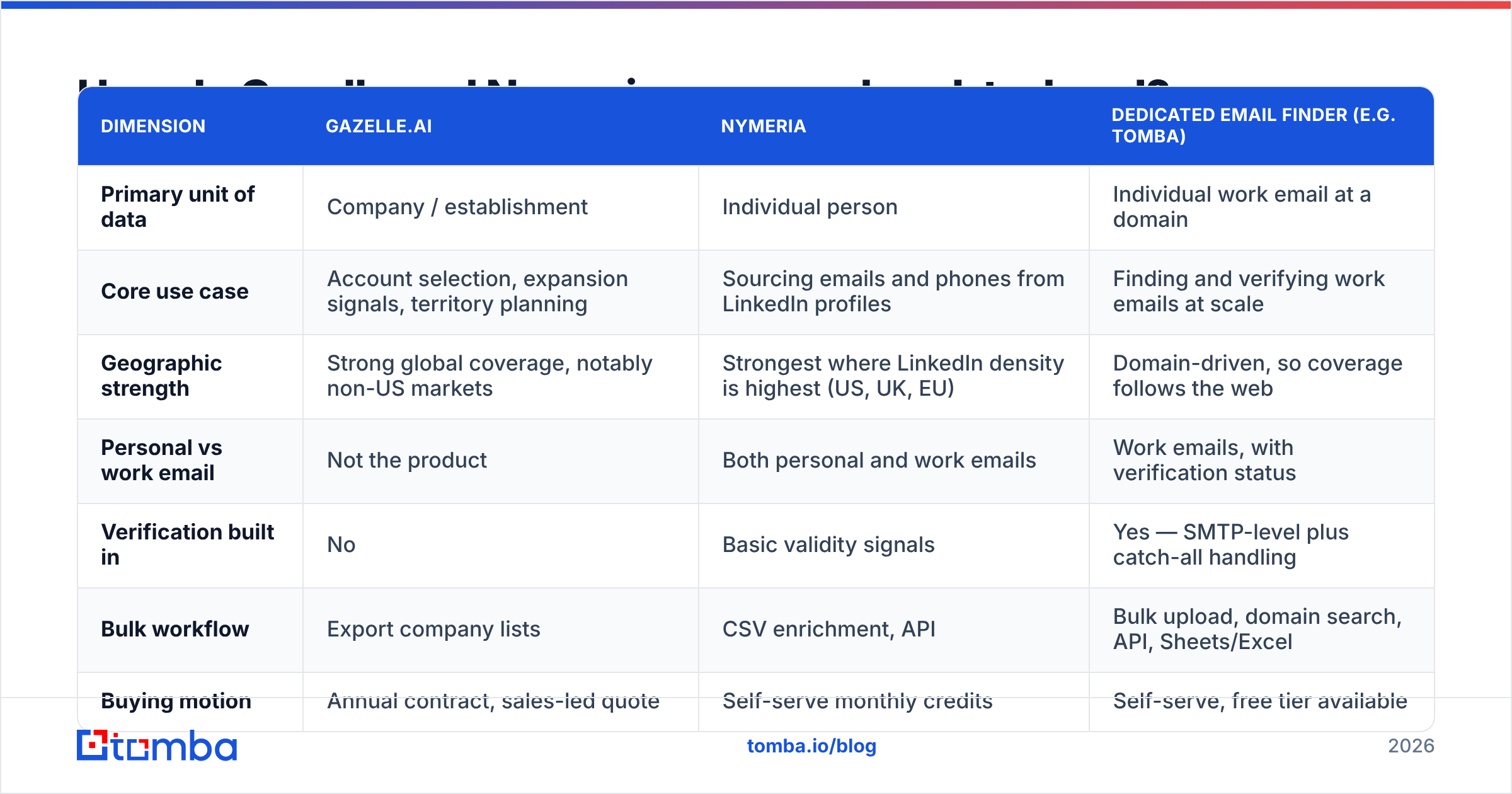
| Dimension | Gazelle.ai | Nymeria | Dedicated email finder (e.g. Tomba) |
|---|---|---|---|
| Primary unit of data | Company / establishment | Individual person | Individual work email at a domain |
| Core use case | Account selection, expansion signals, territory planning | Sourcing emails and phones from LinkedIn profiles | Finding and verifying work emails at scale |
| Geographic strength | Strong global coverage, notably non-US markets | Strongest where LinkedIn density is highest (US, UK, EU) | Domain-driven, so coverage follows the web |
| Personal vs work email | Not the product | Both personal and work emails | Work emails, with verification status |
| Verification built in | No | Basic validity signals | Yes — SMTP-level plus catch-all handling |
| Bulk workflow | Export company lists | CSV enrichment, API | Bulk upload, domain search, API, Sheets/Excel |
| Buying motion | Annual contract, sales-led quote | Self-serve monthly credits | Self-serve, free tier available |
| Entry price | Quote-only (commonly four to five figures/year) | Tens of dollars per month, credit-based | Free tier (25 searches/mo), then $49/mo |
| Who it's built for | EDOs, site selectors, strategy, enterprise sales | Recruiters, founders, individual AEs | SDR teams, growth, RevOps, developers |
Two things jump straight out of that table.
First, the price gap is not a rounding error. Gazelle is a yearly research license. Nymeria is a monthly tool. Put them on the same purchase order and you are comparing a database to a browser add-on.
Second, neither column has a strong verify story. Gazelle does not claim one, because it is not a contact tool. Nymeria returns emails with confidence flags. Still, reviewers note that personal email hit rates beat work email accuracy. Sending cold email from a domain you care about? That gap turns into a bounce problem fast.

Which one has better data coverage and accuracy?#
Different questions, different answers. Here is the practical read.
Gazelle is strongest on company records outside the US. It indexes every site, not just head offices. That matters if you sell to plants, depots, or logistics hubs. The growth scoring is the real edge. Very few databases will tell you a firm is likely to open a new site within 12 months.
The weak spot is depth per person. You get company context and a few exec names. You do not get a clean, deduplicated roster with verified emails for the eight people on a buying committee.
Nymeria is strongest on people, above all hard-to-find personal contacts. It shines the moment you find someone on LinkedIn and need to reach them today.
The trade-off is drift. Person data built from profile graphs goes stale. Job changes hit B2B contact data hard. A large share of records rot each year as people move roles. Any tool that resolves emails from old profile data inherits that decay. Nymeria does well on personal emails. Test the work email side before you commit budget.
Neither tool removes the step most teams skip: verify before you send. Run every address through an email verifier first. That habit keeps your bounce rate under 2% and your sender reputation intact. If a domain accepts all mail, a catch-all verifier is the gap between "deliverable" and "unknown, hope for the best".
Here is a sanity check for any gazelle vs nymeria trial. Pull 200 records from each tool. Verify them yourself. Count what survives. Vendors quote accuracy on their own test sets. Your ICP is not their test set.
Gazelle vs Nymeria pricing: what does each cost?#
Price is the cleanest dividing line in this decision.
Gazelle.ai does not publish a price list. You get a quote for a yearly license. Scope is set by seats and by the regions you need. Buyers usually budget for it as research, not as a sales tool line item. Think market-intelligence contract, not per-seat SaaS. Expect a demo, procurement, and a contract term.
Nymeria posts self-serve plans built on monthly credits. Entry tiers cost tens of dollars a month. Higher tiers add credit volume and API access. There is no procurement cycle. Sign up, install the add-on, and pull contacts within minutes.
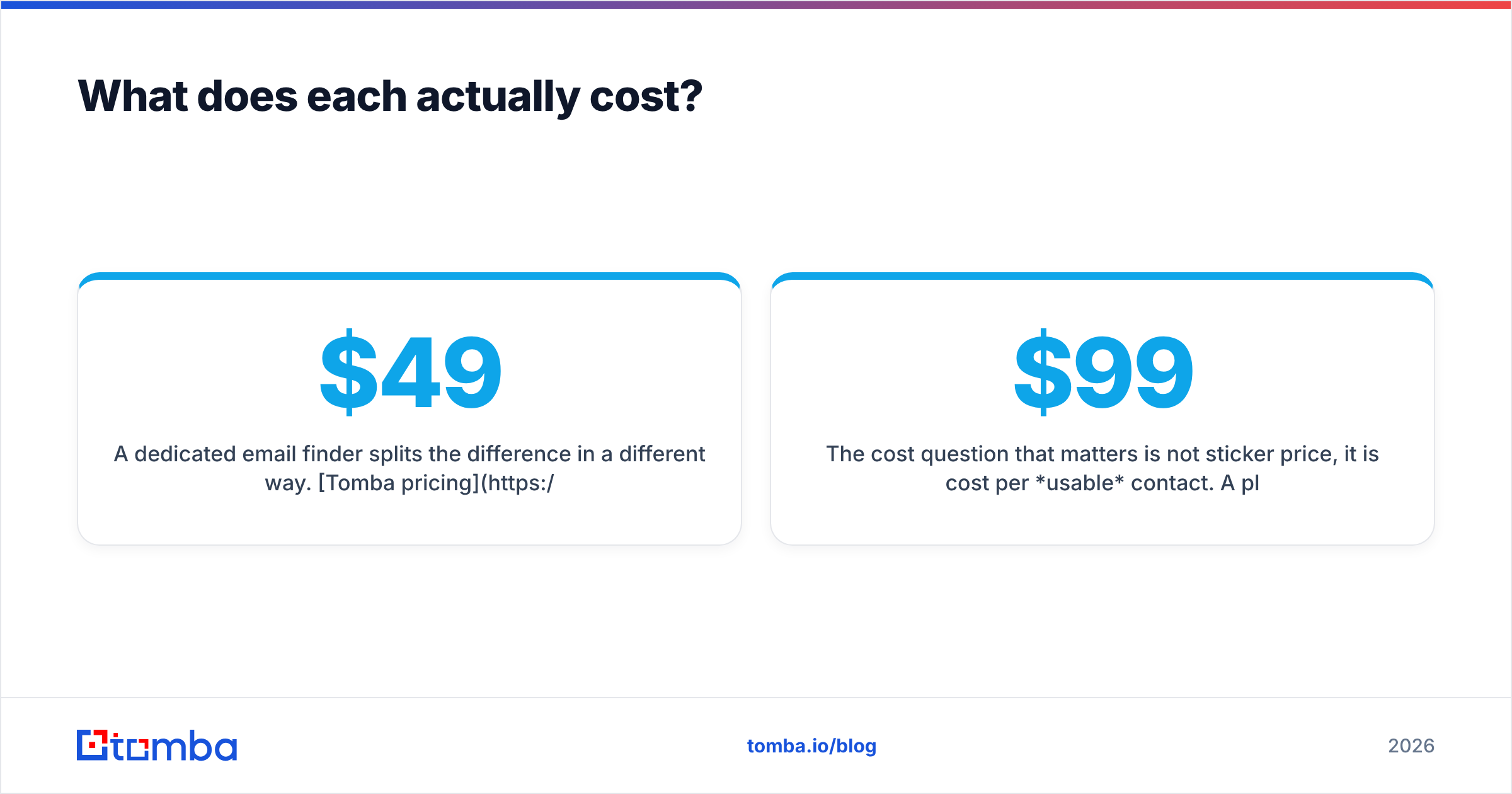
A dedicated email finder splits the difference. Tomba pricing starts free with 25 searches a month. Paid tiers run $49/mo Starter, $99/mo Growth, and $249/mo Pro, plus custom Enterprise. Verification, domain search, bulk jobs, and API access are included rather than bolted on.
Sticker price is the wrong yardstick. Look at cost per usable contact. A $99/mo plan with 1,000 verified, deliverable emails beats a $39/mo plan with 1,000 records where 300 bounce. Those bounces also burn your domain reputation. That is the costly part.
Who should pick Gazelle?#
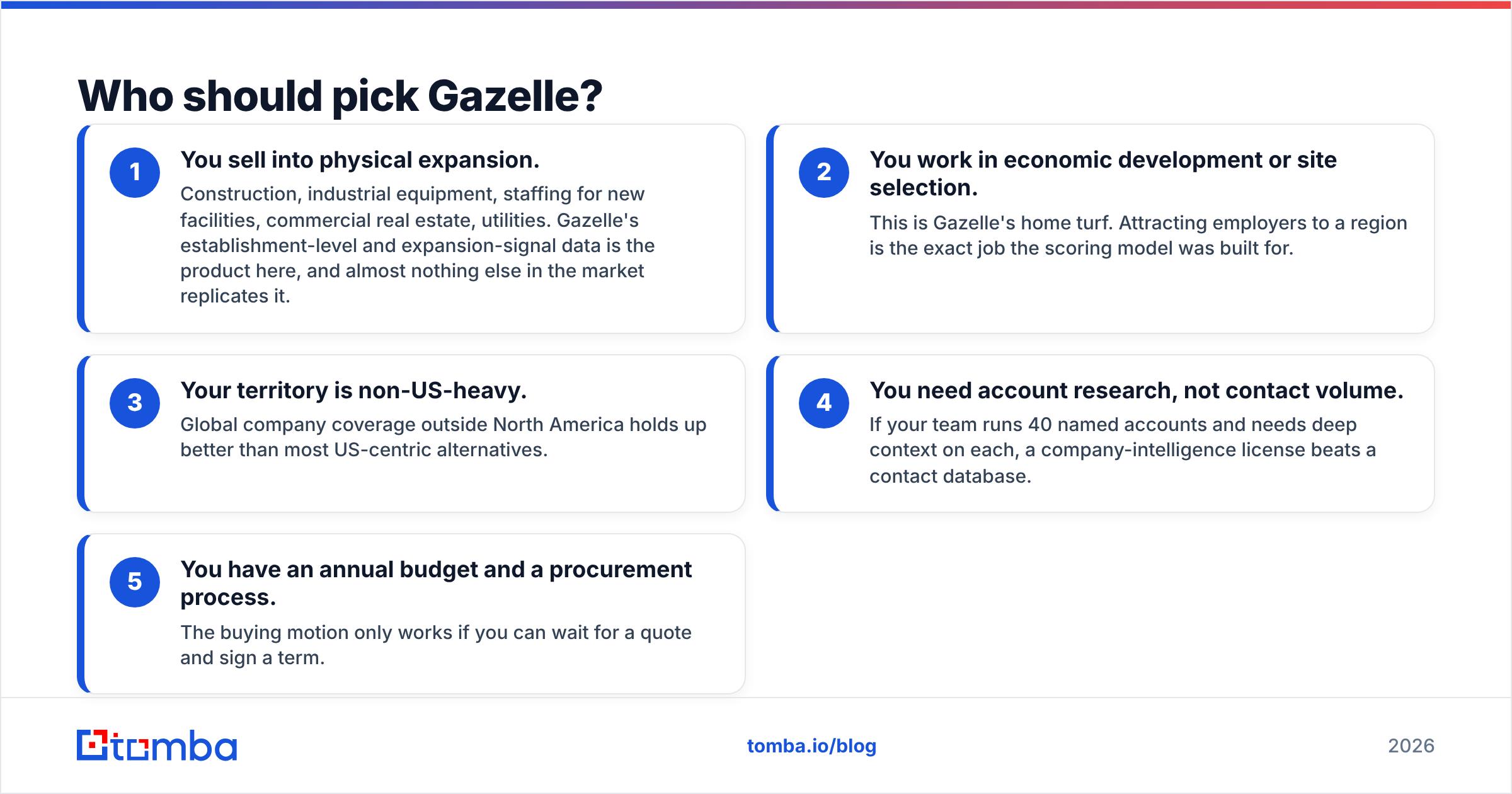
Pick Gazelle if any of these describe you:
- You sell into physical expansion. Think building, plant gear, staffing for new sites, commercial real estate, and utilities. Site-level and growth-signal data is the product here. Almost nothing else on the market matches it.
- You work in economic development or site selection. This is home turf for Gazelle. The scoring model was built to attract employers to a region.
- Your territory leans non-US. Company coverage outside North America holds up better than most US-first rivals.
- You need account research, not contact volume. Forty named accounts and deep context on each? A company license beats a contact database.
- You have a yearly budget and a buying process. The motion only works if you can wait for a quote and sign a term.
Skip Gazelle if your daily job is "send 300 personal emails this week". That is not what the tool does. You will end up buying a second tool anyway.
Who should pick Nymeria?#
Pick Nymeria if:
- LinkedIn is your main sourcing surface. The add-on is fast when you work profile by profile.
- You need personal emails and mobile numbers, not just work addresses. Recruiting is the clearest case. Candidates ignore work inboxes on purpose.
- You are a solo founder or a small team with no procurement process. Self-serve, cancel anytime, no demo needed.
- Your volume is modest. A few hundred contacts a month fits the credit model. Tens of thousands does not.
Friction shows up when you scale. One profile at a time will not carry a 5,000-record quarter. At that point you want bulk discovery by domain and an API, not a browser sidebar.

What if you need neither — or both?#
Here is the awkward answer most comparison posts skip. Many teams weighing gazelle vs nymeria actually need a third thing.
Say your job is to reach a set list of firms and get verified work emails for set roles. You do not need a global growth engine. You do not need personal cell numbers. You need to go from a domain to a clean list of role contacts, verified, in bulk, on a budget you can predict.
That is the shape of work a dedicated finder handles:
- Start with the domain. Feed a company URL. Get every email pattern and named contact at that domain. No LinkedIn profile, no license talks.
- Filter by team and seniority. Pull the four people who matter instead of the forty who don't.
- Verify inline. Every address comes back with a status. The "unknown" pile never sneaks into your sequencer.
- Process in bulk. Upload a CSV of 2,000 domains and get results back. No clicking through 2,000 profiles. The bulk email finder exists for this.
- Automate the dull part. A Tomba API call inside your pipeline beats export and import by hand. Sheets, Excel, and HubSpot links cover the no-code path.
Need both halves? Layer them. Use a company source to decide which accounts. Use a finder plus a verifier to decide who and how to reach them. Two contact tools that overlap 80% is waste. One account tool plus one contact tool is sane.
Worth a note: other vendors sell ready-made, verified B2B lists. BookYourData is one of them. That is a fair third path if you would rather buy a list than build one. Compare the cost per record against a self-serve finder for your own ICP first.
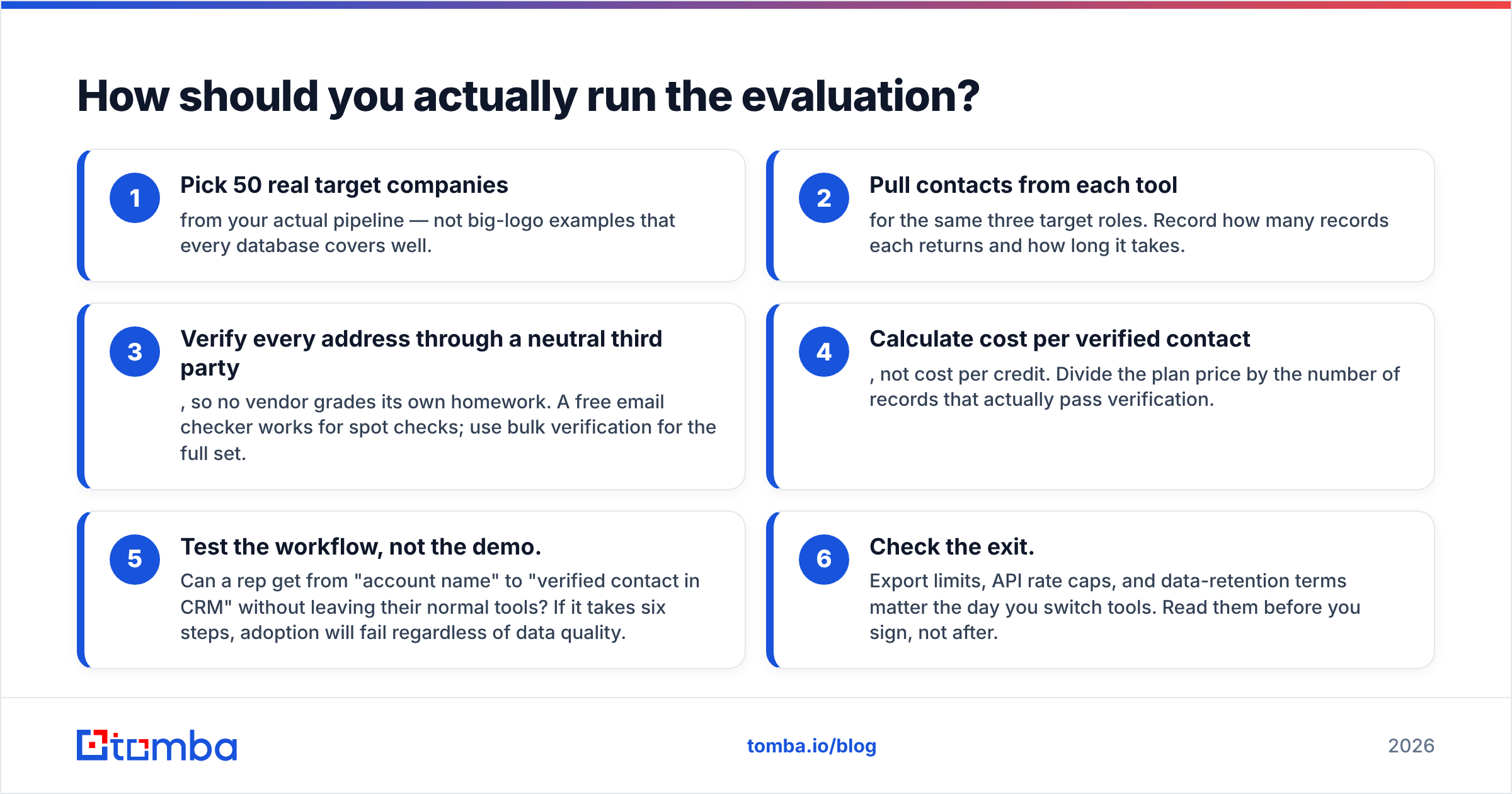
How should you actually run the evaluation?#
Do not take any accuracy claim at face value, including this post's. Run a 90-minute bake-off.
- Pick 50 real target companies from your live pipeline. Skip the big logos that every database covers well.
- Pull contacts from each tool for the same three roles. Log how many records you get and how long it takes.
- Verify every address with a neutral third party. No vendor should grade its own homework. A free email checker works for spot checks. Use bulk verification for the full set.
- Work out cost per verified contact, not cost per credit. Divide the plan price by the records that pass.
- Test the workflow, not the demo. Can a rep go from account name to verified contact in the CRM without leaving their normal tools? Six steps means adoption fails, whatever the data quality.
- Check the exit. Export caps, API rate limits, and data-retention terms matter the day you switch tools. Read them before you sign.
That takes an afternoon. It beats any feature matrix, including the one above.
Frequently asked questions#
Is Gazelle an email finder? No. It is a company and site database with growth scoring. It may show some exec names. It is not built to produce verified work emails at volume.
Does Nymeria find work emails or personal emails? Both. Personal coverage is the stronger half. If cold outbound to work inboxes is your main channel, verify results before you sequence.
Can I use both together? Yes. For site selection or industrial sales, that pairing makes sense. Use Gazelle to pick accounts and a contact tool for reach. Just don't buy two contact tools that overlap.
Which is cheaper in gazelle vs nymeria? Nymeria, by a wide margin on sticker price. Gazelle is a yearly research license. But compare cost per verified contact, not cost per plan.
What about data compliance? Any people-data tool raises GDPR and CCPA questions. Ask each vendor for lawful-basis docs and an opt-out process. Check where the data comes from. Tomba publishes its data sources for that reason.
The bottom line#
The gazelle vs nymeria verdict is a split decision. Gazelle wins the "which companies" question. It is strongest for global, site-driven, growth-led targeting. Nymeria wins the "how do I reach this person I just found on LinkedIn" question, above all in recruiting.
Neither wins the question most outbound teams are really asking. How do I get thousands of verified work emails, week after week, without wrecking my sender reputation or my budget?
If that is your question, start with the Tomba Email Finder. Feed it a domain, or a name plus a company. Get back verified work emails with confidence scores. Run it in bulk or through the API. Keep bounce rates where they belong. The free tier gives you 25 searches a month. Run the bake-off above before you sign anything yearly.
Related guides#
Ready to find emails that actually work?
Join 150,000+ professionals who stopped guessing and started sending. Free credits on signup — no credit card required.
Get the Tomba newsletter
Practical outbound tactics and product updates — once every two weeks.
About the author