How to Generate B2B Leads in 2026: A Complete Playbook
Most B2B lead gen advice stops at "post on LinkedIn and send cold email." This playbook breaks down the channels, real costs, list-building steps, and data checks that decide whether your pipeline is real.
TL;DR
- To generate B2B leads predictably you need three things: a tight ICP, a verified contact list, and at least two channels running at the same time. One channel alone is a single point of failure.
- Outbound email is still the cheapest per-meeting channel in 2026 — but only if bounce rate stays under 2%. Above that, deliverability collapses and your cost per lead triples.
- Blended cost per qualified B2B lead in 2026 runs roughly $40–$180 depending on ACV and channel. Paid search is the most expensive; referrals and content are the cheapest but slowest.
- Buying a list is not the problem. Buying an unverified list is. Enrichment and verification cost pennies compared to a burned sending domain.
- Measure meetings held and pipeline created, not MQLs. MQL counts are the easiest metric in B2B to inflate and the least correlated with revenue.
What does it actually mean to generate B2B leads in 2026?#
A B2B lead is a person at a company who has a problem you solve, the budget to solve it, and some signal that they're aware of either. Everything else is a name in a spreadsheet.
That distinction matters more than it used to. Buying committees have grown — most enterprise deals now involve six to ten people — and the majority of the evaluation happens before anyone talks to a rep. By the time a "lead" raises their hand, they've already read your pricing page, checked two review sites, and asked a peer in a Slack community what they use.
So generating B2B leads in 2026 means two jobs running in parallel:
- Demand creation — making the right people aware they have a problem worth solving. Content, LinkedIn, podcasts, communities, events.
- Demand capture — reaching the people who already have the problem, at the moment they're evaluating. Outbound, paid search, review sites, retargeting.
Teams that only do capture plateau fast, because they're fishing in a pond nobody is refilling. Teams that only do creation get lots of traffic and no pipeline. You need both, and the ratio depends on your average contract value.
Which B2B lead generation channels actually produce pipeline?#
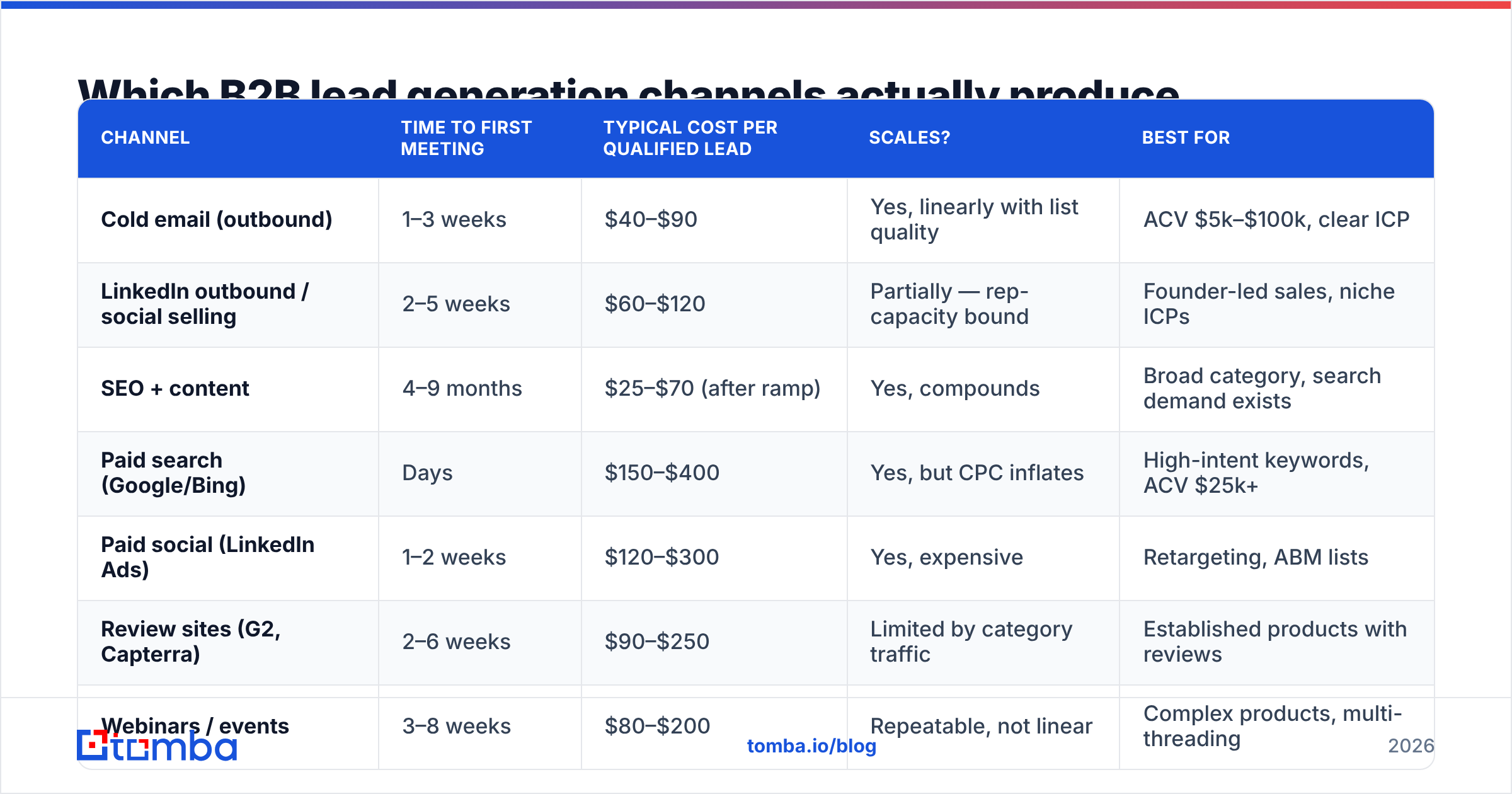
Here's how the main channels compare on the metrics that matter — speed to first meeting, realistic cost, and how well each one scales once it's working.
| Channel | Time to first meeting | Typical cost per qualified lead | Scales? | Best for |
|---|---|---|---|---|
| Cold email (outbound) | 1–3 weeks | $40–$90 | Yes, linearly with list quality | ACV $5k–$100k, clear ICP |
| LinkedIn outbound / social selling | 2–5 weeks | $60–$120 | Partially — rep-capacity bound | Founder-led sales, niche ICPs |
| SEO + content | 4–9 months | $25–$70 (after ramp) | Yes, compounds | Broad category, search demand exists |
| Paid search (Google/Bing) | Days | $150–$400 | Yes, but CPC inflates | High-intent keywords, ACV $25k+ |
| Paid social (LinkedIn Ads) | 1–2 weeks | $120–$300 | Yes, expensive | Retargeting, ABM lists |
| Review sites (G2, Capterra) | 2–6 weeks | $90–$250 | Limited by category traffic | Established products with reviews |
| Webinars / events | 3–8 weeks | $80–$200 | Repeatable, not linear | Complex products, multi-threading |
| Partnerships / referrals | Varies | $10–$50 | Poorly — relationship-bound | Every stage, highest close rate |
Two things stand out. First, referrals are the cheapest and highest-converting source in almost every B2B benchmark set, yet almost nobody runs them as a deliberate program. Second, paid search costs 3–5x what outbound costs per lead, which is why outbound remains the default first channel for companies under $5M ARR.
If you're picking one channel to start, pick outbound email — not because it's the best, but because it's the fastest way to find out whether your positioning works. You'll learn more from 300 targeted cold emails in two weeks than from six months of blog posts.
How do you build a target list that isn't garbage?#
This is where most lead gen programs quietly fail. The sequence matters, and skipping steps costs you far more than it saves.
- Define the ICP with firmographic filters you can actually query. "Mid-market SaaS companies" is not a filter. "US-based B2B SaaS, 50–250 employees, Series A or B, using HubSpot, hiring for a demand gen role" is. Every clause should map to a field you can search.
- Build the account list first, contacts second. Pick 200–500 accounts that match. Rank them by fit signal — hiring posts, tech stack, funding, recent leadership change. Account-first prevents the classic mistake of emailing 5,000 random titles.
- Find the right people at each account. You want the person who owns the problem plus one person above them. Use a domain search to pull every known contact at a company, then filter by department and seniority rather than guessing job titles one at a time.
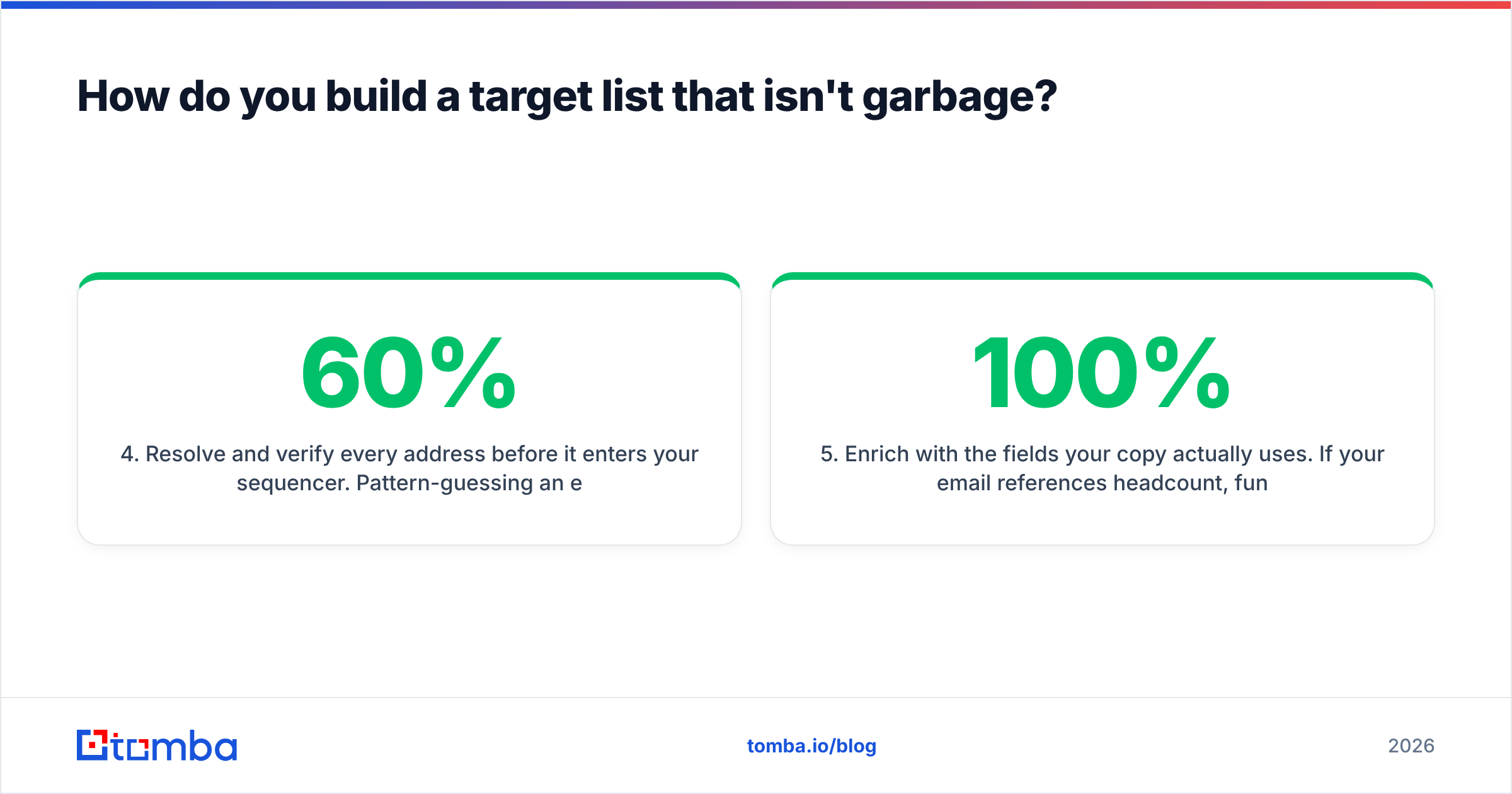
- Resolve and verify every address before it enters your sequencer. Pattern-guessing an email (
first.last@domain.com) works maybe 60% of the time. An email verifier that does real SMTP-level checks will tell you which of those guesses are deliverable and which will bounce. - Enrich with the fields your copy actually uses. If your email references headcount, funding stage, or tech stack, those fields must be populated for 100% of the list — not 70%. Half-empty merge tags are worse than no personalization.
- Suppress ruthlessly. Existing customers, open opportunities, competitors, anyone who unsubscribed in the past 24 months, and any address on a role-based prefix (
info@,sales@,support@). Role addresses inflate your list and tank your reply rate.
A list built this way will be smaller than you expect. That's the point. Three hundred verified, well-researched contacts outperform three thousand scraped ones on every metric except vanity volume.
Why does list quality decide your deliverability?#
Because mailbox providers score you on recipient behavior, and bad data produces bad behavior signals fast.
Send to a list with an 8% invalid rate and Google and Microsoft see a burst of hard bounces from a domain they barely trust. Your inbox placement drops within days. Now the good addresses on your list stop seeing your emails too, and you've converted a data problem into a reputation problem that takes weeks to unwind.
The thresholds worth memorizing:
- Bounce rate under 2%. Above 3% you're in danger; above 5% you're actively damaging sender reputation.
- Spam complaint rate under 0.1%. Google's bulk sender rules treat 0.3% as a hard ceiling.
- Reply rate above 4% on a well-targeted list. Below 2% usually means targeting is wrong, not that the copy is wrong.
Catch-all domains deserve special mention. A catch-all server accepts mail for any address, so standard verification returns "unknown" rather than valid or invalid. Roughly a fifth of B2B domains are configured this way, and if you either drop them all or send to them all, you're making an expensive guess. A dedicated catch-all verifier narrows that unknown bucket down to addresses with supporting evidence — pattern match, historical sightings, and mailbox-level signals — so you can send to the defensible ones and skip the rest.

What does it actually cost to generate B2B leads?#
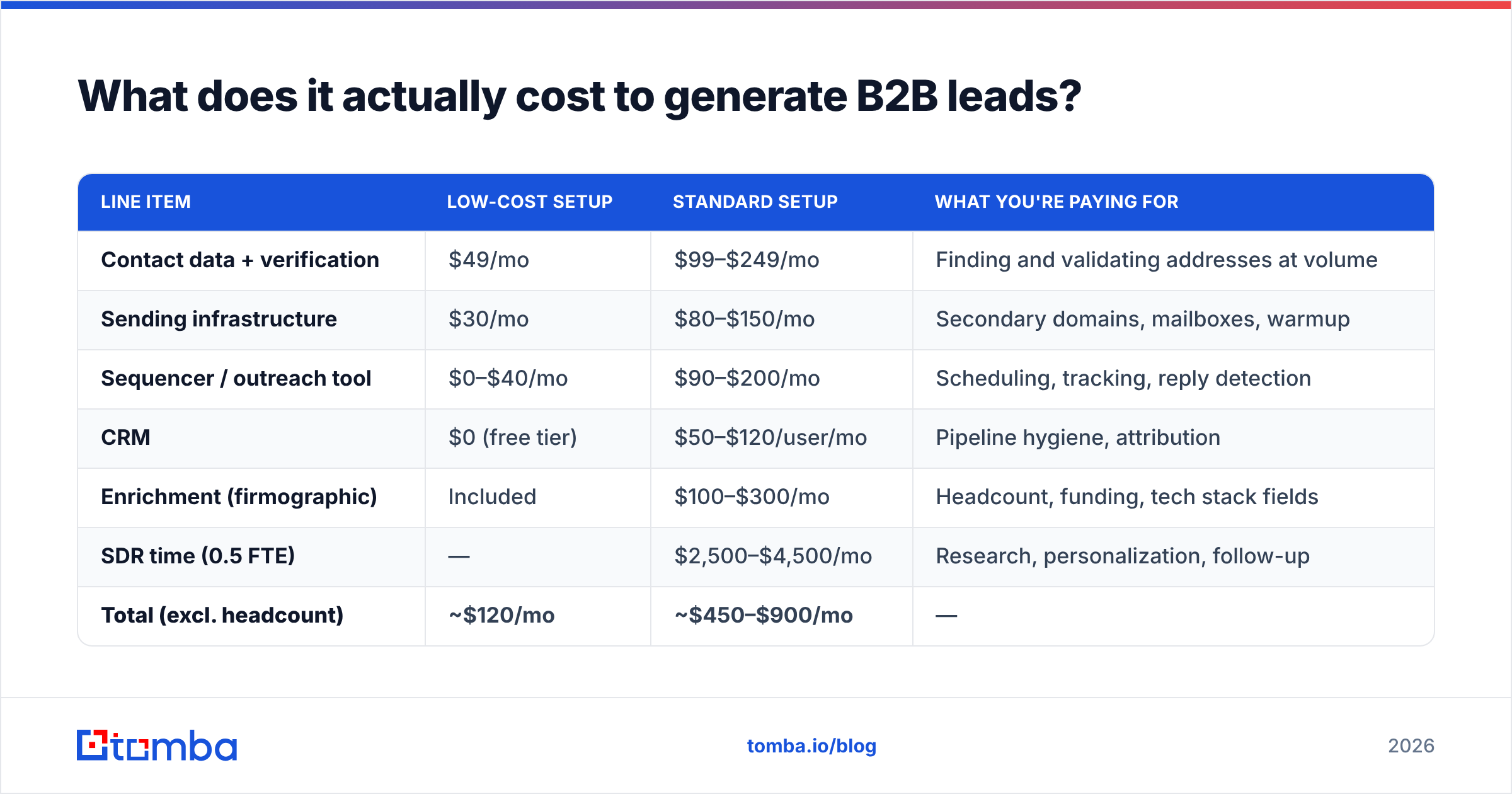
Budget planning goes wrong when people price the tools and forget the labor. Here's a realistic monthly stack for a two-person outbound motion targeting 1,000 new contacts per month.
| Line item | Low-cost setup | Standard setup | What you're paying for |
|---|---|---|---|
| Contact data + verification | $49/mo | $99–$249/mo | Finding and validating addresses at volume |
| Sending infrastructure | $30/mo | $80–$150/mo | Secondary domains, mailboxes, warmup |
| Sequencer / outreach tool | $0–$40/mo | $90–$200/mo | Scheduling, tracking, reply detection |
| CRM | $0 (free tier) | $50–$120/user/mo | Pipeline hygiene, attribution |
| Enrichment (firmographic) | Included | $100–$300/mo | Headcount, funding, tech stack fields |
| SDR time (0.5 FTE) | — | $2,500–$4,500/mo | Research, personalization, follow-up |
| Total (excl. headcount) | ~$120/mo | ~$450–$900/mo | — |
At 1,000 contacts a month, a 4% reply rate, and a 30% reply-to-meeting rate, that's roughly 12 meetings. Even at the standard setup's $900 in tooling, you're at about $75 per meeting before labor — which is why outbound survives despite everyone declaring it dead every year.
The mistake is over-buying data and under-buying time. Data is cheap. A rep who researches 40 accounts properly will beat one who blasts 400 accounts on autopilot, every quarter, without exception.
Which tools do you need to generate B2B leads?#
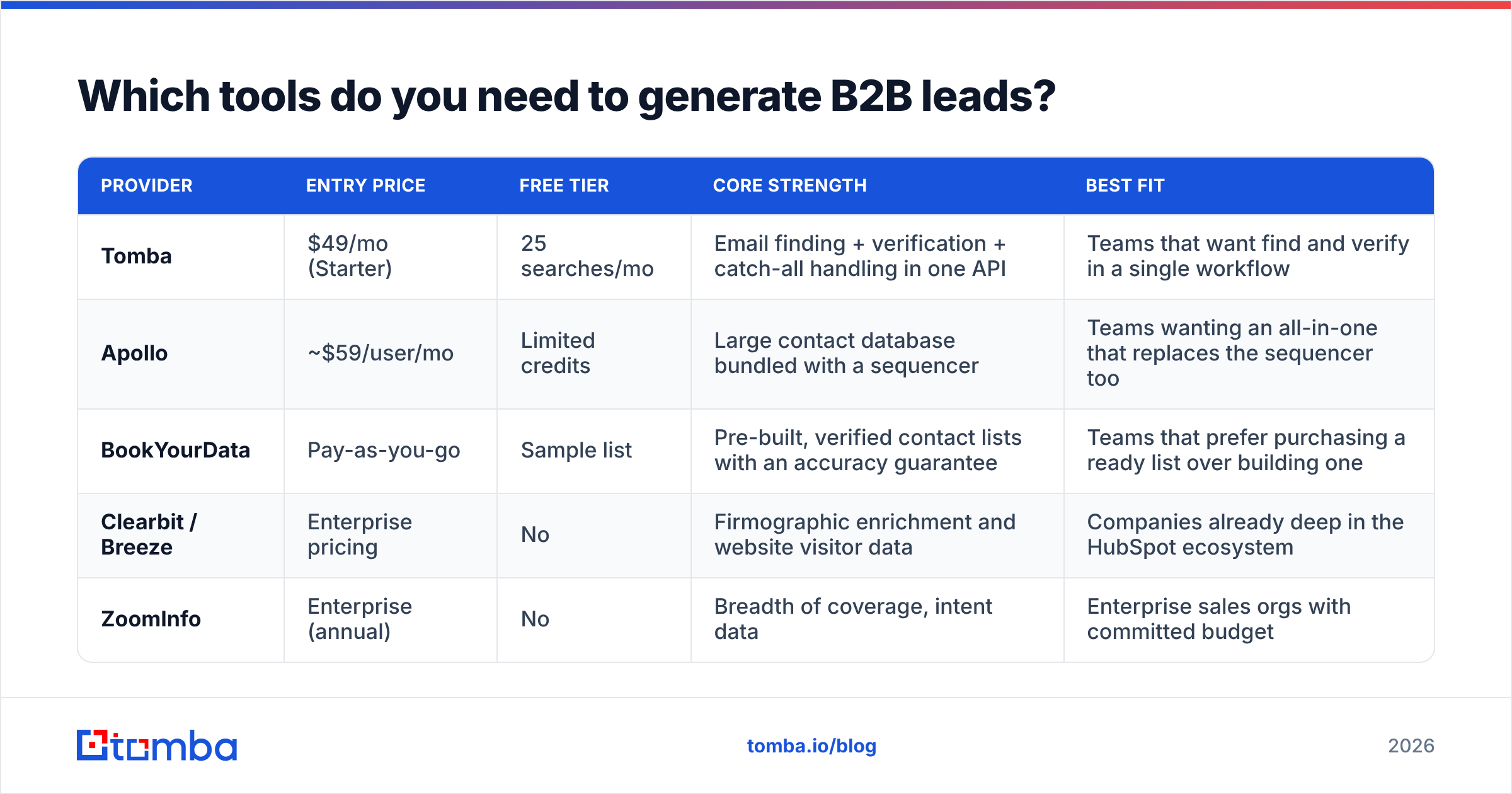
You need four functional slots: find contacts, verify contacts, send sequences, and track pipeline. Everything else is optional. Here's how the main data providers compare on the axes that matter for the first two slots.
| Provider | Entry price | Free tier | Core strength | Best fit |
|---|---|---|---|---|
| Tomba | $49/mo (Starter) | 25 searches/mo | Email finding + verification + catch-all handling in one API | Teams that want find and verify in a single workflow |
| Apollo | ~$59/user/mo | Limited credits | Large contact database bundled with a sequencer | Teams wanting an all-in-one that replaces the sequencer too |
| BookYourData | Pay-as-you-go | Sample list | Pre-built, verified contact lists with an accuracy guarantee | Teams that prefer purchasing a ready list over building one |
| Clearbit / Breeze | Enterprise pricing | No | Firmographic enrichment and website visitor data | Companies already deep in the HubSpot ecosystem |
| ZoomInfo | Enterprise (annual) | No | Breadth of coverage, intent data | Enterprise sales orgs with committed budget |
Each of these solves a slightly different problem. If you already have a list of accounts and just need addresses, an email finder with a verification layer is the cheapest path. If you have no list at all and want one delivered, a purchased list from a provider like BookYourData saves the build time. If you want database, sequencer, and dialer under one login, an all-in-one platform makes sense — with the tradeoff that you're locked into their data quality.
Two practical notes. First, check whether the vendor charges for invalid results. Some deduct a credit for every lookup regardless of outcome; others only charge on a confirmed find. Over a year that difference is significant — worth reading the pricing details line by line before committing. Second, if your workflow is automated, the API matters more than the UI. A email finder API that returns confidence scores and source attribution lets you build routing rules ("verify anything under 90% confidence, discard anything under 60%") instead of manually triaging exports.
Independent review data on G2's lead intelligence category is a useful sanity check here — pay attention to reviews from companies your size, not the aggregate score.
How do you measure whether your lead generation is working?#
Track four numbers, weekly, and ignore the rest until these are stable.
- Meetings held — not booked. No-shows are a targeting signal, not an admin problem. A no-show rate above 25% means you're booking people who never really wanted the call.
- Pipeline created — dollar value of opportunities sourced by the channel, not lead count. This is the only number your CFO cares about.
- Cost per meeting held — total channel spend divided by meetings held. Compare across channels monthly; kill anything that's 3x your best channel for two consecutive months.
- Reply-to-meeting conversion — if replies are high but meetings are low, your offer is weak. If replies are low, your targeting or deliverability is broken. This single ratio diagnoses most outbound problems.
Notice what's missing: MQLs. The marketing qualified lead is useful as an internal handoff definition and nearly useless as a performance metric, because the definition is set by the team being measured. HubSpot's own State of Marketing research has shown for years that teams reporting on revenue-linked metrics outperform those reporting on volume metrics — the mechanism is simply that you can't game a number your finance team also reconciles.
What mistakes kill B2B lead gen programs?#
Running one channel. When a single channel is 80%+ of pipeline, an algorithm change or a domain reputation hit takes out your quarter. Two channels minimum, three if you can staff it.
Personalizing the wrong layer. Mentioning someone's recent LinkedIn post is table stakes and reads as automated now. Personalizing the problem — "companies at your headcount usually hit X bottleneck when they add a second sales pod" — beats personalizing the person almost every time.
Giving up at email two. Most positive replies in a B2B sequence arrive on touches three through five. Cutting a sequence short is the single most common self-inflicted wound in outbound.
Treating data as a one-time purchase. B2B contact data decays at roughly 22–30% per year through job changes alone. A list bought in January is meaningfully wrong by December. Re-verify quarterly, or accept a rising bounce rate.
Optimizing subject lines before fixing targeting. If you're emailing the wrong people, no subject line saves you. Fix the list first; A/B test copy after your reply rate is already above 3%.
Skipping the suppression list. Emailing an existing customer a cold pitch is the fastest way to make your CEO hate the outbound program.
Where should you start this quarter?#
Pick one ICP segment, build a 300-account list, find and verify contacts for two roles per account, and run a five-touch sequence over three weeks. That's roughly 600 verified contacts — enough volume to get a statistically meaningful read on whether the segment responds, and small enough that you can personalize properly.
If the segment replies above 4%, scale it. If it doesn't, change the segment before you change the copy. Most teams do the reverse and spend a quarter rewriting emails to the wrong audience.
For the data layer of that first run, Tomba's Email Finder covers the find-and-verify steps in one workflow — domain search to pull every contact at a target account, verification and catch-all handling to keep your bounce rate under the 2% line, and an API if you'd rather build it into your own pipeline than export CSVs. The free tier gives you 25 searches to test against accounts you already know, and Starter runs $49/mo when you're ready to build the real list. Start with accounts you can verify by hand — if the data holds up on those, it'll hold up at volume.
Related guides#
Ready to find emails that actually work?
Join 150,000+ professionals who stopped guessing and started sending. Free credits on signup — no credit card required.
Get the Tomba newsletter
Practical outbound tactics and product updates — once every two weeks.
About the author